key battery INFINITI QX50 2014 Owners Manual
[x] Cancel search | Manufacturer: INFINITI, Model Year: 2014, Model line: QX50, Model: INFINITI QX50 2014Pages: 498, PDF Size: 2.47 MB
Page 93 of 498
2-22Instruments and controls
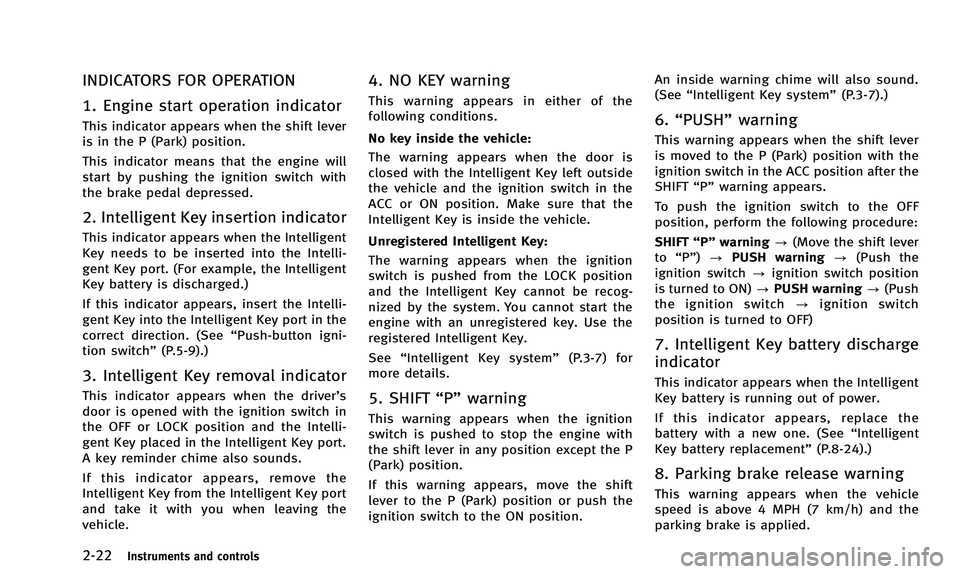
INDICATORS FOR OPERATION
1. Engine start operation indicator
This indicator appears when the shift lever
is in the P (Park) position.
This indicator means that the engine will
start by pushing the ignition switch with
the brake pedal depressed.
2. Intelligent Key insertion indicator
This indicator appears when the Intelligent
Key needs to be inserted into the Intelli-
gent Key port. (For example, the Intelligent
Key battery is discharged.)
If this indicator appears, insert the Intelli-
gent Key into the Intelligent Key port in the
correct direction. (See“Push-button igni-
tion switch” (P.5-9).)
3. Intelligent Key removal indicator
This indicator appears when the driver’s
door is opened with the ignition switch in
the OFF or LOCK position and the Intelli-
gent Key placed in the Intelligent Key port.
A key reminder chime also sounds.
If this indicator appears, remove the
Intelligent Key from the Intelligent Key port
and take it with you when leaving the
vehicle.
4. NO KEY warning
This warning appears in either of the
following conditions.
No key inside the vehicle:
The warning appears when the door is
closed with the Intelligent Key left outside
the vehicle and the ignition switch in the
ACC or ON position. Make sure that the
Intelligent Key is inside the vehicle.
Unregistered Intelligent Key:
The warning appears when the ignition
switch is pushed from the LOCK position
and the Intelligent Key cannot be recog-
nized by the system. You cannot start the
engine with an unregistered key. Use the
registered Intelligent Key.
See“Intelligent Key system” (P.3-7) for
more details.
5. SHIFT “P”warning
This warning appears when the ignition
switch is pushed to stop the engine with
the shift lever in any position except the P
(Park) position.
If this warning appears, move the shift
lever to the P (Park) position or push the
ignition switch to the ON position. An inside warning chime will also sound.
(See
“Intelligent Key system” (P.3-7).)
6.“PUSH” warning
This warning appears when the shift lever
is moved to the P (Park) position with the
ignition switch in the ACC position after the
SHIFT“P”warning appears.
To push the ignition switch to the OFF
position, perform the following procedure:
SHIFT “P”warning ?(Move the shift lever
to “P”) ?PUSH warning ?(Push the
ignition switch ?ignition switch position
is turned to ON) ?PUSH warning ?(Push
the ignition switch ?ignition switch
position is turned to OFF)
7. Intelligent Key battery discharge
indicator
This indicator appears when the Intelligent
Key battery is running out of power.
If this indicator appears, replace the
battery with a new one. (See “Intelligent
Key battery replacement” (P.8-24).)
8. Parking brake release warning
This warning appears when the vehicle
speed is above 4 MPH (7 km/h) and the
parking brake is applied.
Page 126 of 498
SIC3642
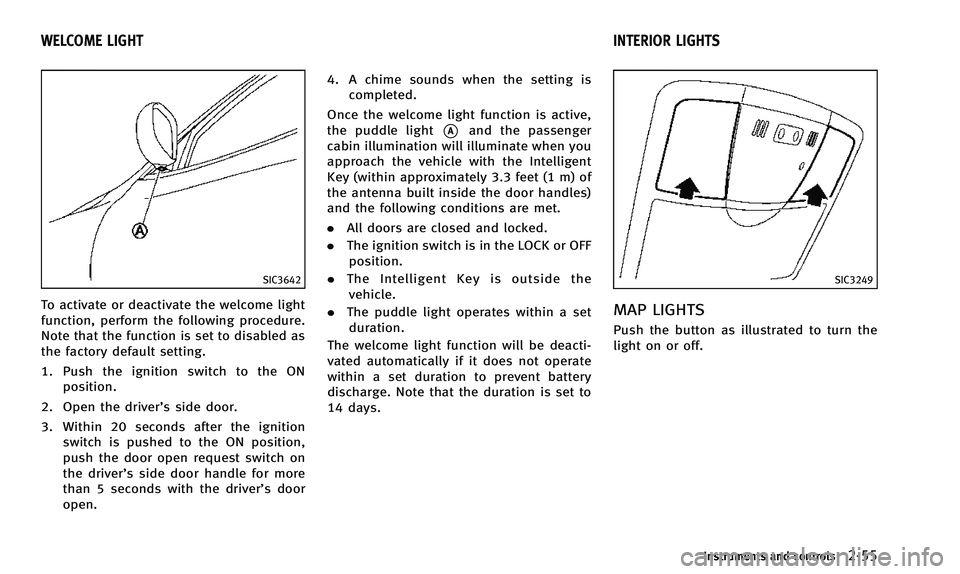
To activate or deactivate the welcome light
function, perform the following procedure.
Note that the function is set to disabled as
the factory default setting.
1. Push the ignition switch to the ONposition.
2. Open the driver’s side door.
3. Within 20 seconds after the ignition switch is pushed to the ON position,
push the door open request switch on
the driver’s side door handle for more
than 5 seconds with the driver’s door
open. 4. A chime sounds when the setting is
completed.
Once the welcome light function is active,
the puddle light
*Aand the passenger
cabin illumination will illuminate when you
approach the vehicle with the Intelligent
Key (within approximately 3.3 feet (1 m) of
the antenna built inside the door handles)
and the following conditions are met.
. All doors are closed and locked.
. The ignition switch is in the LOCK or OFF
position.
. The Intelligent Key is outside the
vehicle.
. The puddle light operates within a set
duration.
The welcome light function will be deacti-
vated automatically if it does not operate
within a set duration to prevent battery
discharge. Note that the duration is set to
14 days.
SIC3249
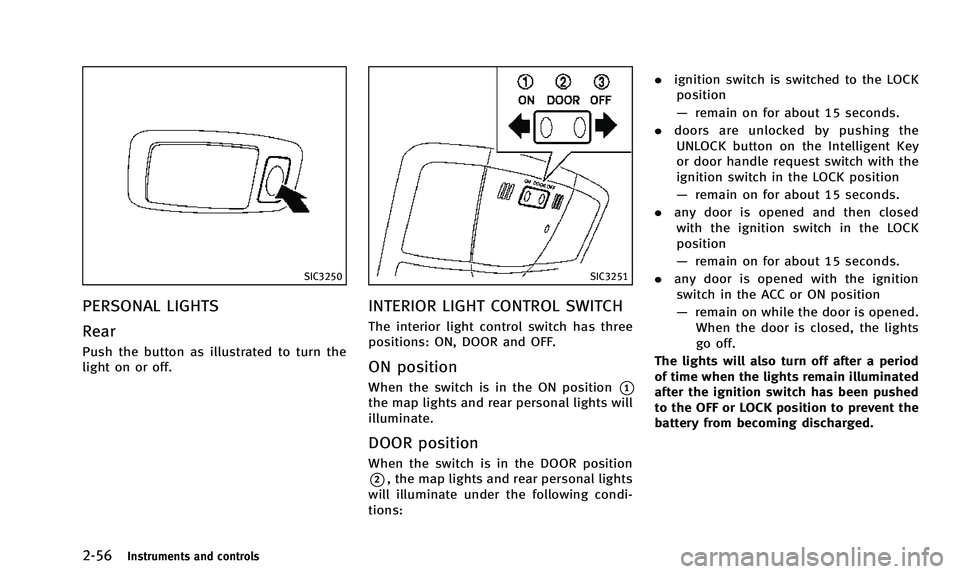
MAP LIGHTS
Push the button as illustrated to turn the
light on or off.
Instruments and controls2-55
WELCOME LIGHT INTERIOR LIGHTS
Page 127 of 498
2-56Instruments and controls
SIC3250
PERSONAL LIGHTS
Rear
Push the button as illustrated to turn the
light on or off.
SIC3251
INTERIOR LIGHT CONTROL SWITCH
The interior light control switch has three
positions: ON, DOOR and OFF.
ON position
When the switch is in the ON position*1
the map lights and rear personal lights will
illuminate.
DOOR position
When the switch is in the DOOR position
*2, the map lights and rear personal lights
will illuminate under the following condi-
tions: .
ignition switch is switched to the LOCK
position
— remain on for about 15 seconds.
. doors are unlocked by pushing the
UNLOCK button on the Intelligent Key
or door handle request switch with the
ignition switch in the LOCK position
— remain on for about 15 seconds.
. any door is opened and then closed
with the ignition switch in the LOCK
position
— remain on for about 15 seconds.
. any door is opened with the ignition
switch in the ACC or ON position
— remain on while the door is opened.
When the door is closed, the lights
go off.
The lights will also turn off after a period
of time when the lights remain illuminated
after the ignition switch has been pushed
to the OFF or LOCK position to prevent the
battery from becoming discharged.
Page 134 of 498
3 Pre-driving checks and adjustments
Keys .................................................................... 3-2Intelligent Key ................................................. 3-2
Valet hand-off.................................................. 3-3
Doors .................................................................. 3-4 Locking with mechanical key ........................... 3-4
Opening and closing windows with the
mechanical key................................................ 3-4
Locking with inside lock knob ......................... 3-5
Locking with power door lock switch ............... 3-5
Automatic door locks....................................... 3-5
Child safety rear door locks............................. 3-6
Intelligent Key system ......................................... 3-7 Intelligent Key operating range ........................ 3-9
Door locks/unlocks precaution ........................ 3-9
Intelligent Key operation ............................... 3-10
Battery saver system ..................................... 3-11
Warning signals............................................. 3-11
Troubleshooting guide ................................... 3-13
Remote keyless entry system............................. 3-14 How to use remote keyless entry system....... 3-14 Hood................................................................. 3-17
Lift gate ............................................................ 3-18 Lift gate release lever .................................. 3-18
Fuel-filler door................................................... 3-19 Opening the fuel-filler door.......................... 3-19
Fuel-filler cap............................................... 3-19
Tilt/telescopic column ....................................... 3-21 Manual operation (if so equipped) ............... 3-21
Electric operation (if so equipped) ............... 3-22
Sun visors......................................................... 3-22
Mirrors .............................................................. 3-23 Inside mirror................................................ 3-23
Outside mirrors............................................ 3-24
Vanity mirror................................................ 3-26
Automatic drive positioner (if so equipped) ....... 3-26 Entry/exit function ....................................... 3-26
Seat synchronization function ...................... 3-27
Memory storage........................................... 3-28
System operation......................................... 3-29
Page 135 of 498
3-2Pre-driving checks and adjustments
A key number plate is supplied with your
keys. Record the key number and keep it in
a safe place (such as your wallet), not in
the vehicle. If you lose your keys, see an
INFINITI retailer for duplicates by using the
key number. INFINITI does not record any
key numbers so it is very important to keep
track of your key number plate.
A key number is only necessary when you
have lost all keys and do not have one to
duplicate from. If you still have a key, this
key can be duplicated by an INFINITI
retailer.
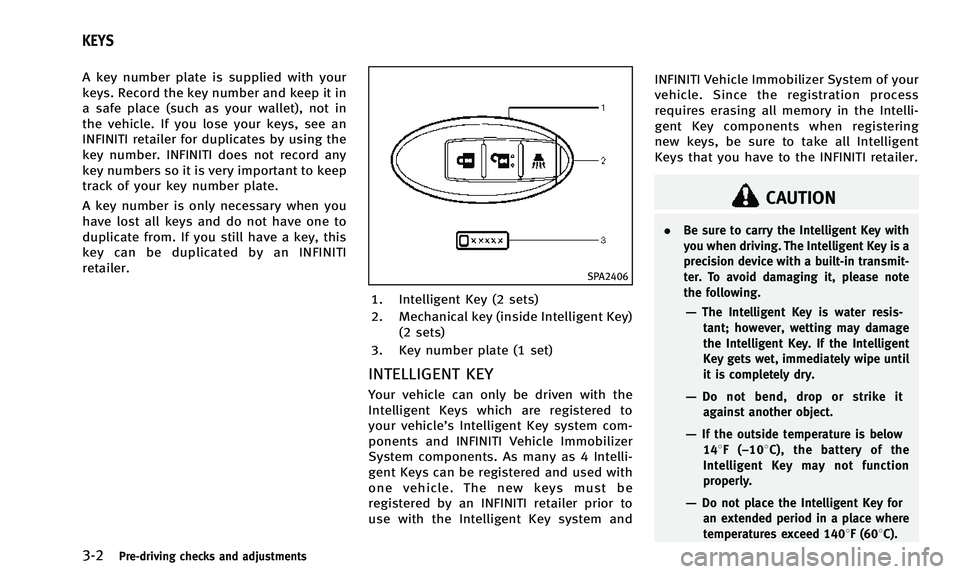
SPA2406
1. Intelligent Key (2 sets)
2. Mechanical key (inside Intelligent Key)(2 sets)
3. Key number plate (1 set)
INTELLIGENT KEY
Your vehicle can only be driven with the
Intelligent Keys which are registered to
your vehicle’s Intelligent Key system com-
ponents and INFINITI Vehicle Immobilizer
System components. As many as 4 Intelli-
gent Keys can be registered and used with
one vehicle. The new keys must be
registered by an INFINITI retailer prior to
use with the Intelligent Key system and INFINITI Vehicle Immobilizer System of your
vehicle. Since the registration process
requires erasing all memory in the Intelli-
gent Key components when registering
new keys, be sure to take all Intelligent
Keys that you have to the INFINITI retailer.
CAUTION
.
Be sure to carry the Intelligent Key with
you when driving. The Intelligent Key is a
precision device with a built-in transmit-
ter. To avoid damaging it, please note
the following.
—The Intelligent Key is water resis-
tant; however, wetting may damage
the Intelligent Key. If the Intelligent
Key gets wet, immediately wipe until
it is completely dry.
—Do not bend, drop or strike itagainst another object.
—If the outside temperature is below 148 F(−108 C), the battery of the
Intelligent Key may not function
properly.
—Do not place the Intelligent Key for an extended period in a place where
temperatures exceed 1408F (608C).
KEYS
Page 140 of 498
WARNING
.Radio waves could adversely affect
electric medical equipment. Those who
use a pacemaker should contact the
electric medical equipment manufacturer
for the possible influences before use.
. The Intelligent Key transmits radio
waves when the buttons are pushed.
The FAA advises that the radio waves
may affect aircraft navigation and com-
munication systems. Do not operate the
Intelligent Key while on an airplane.
Make sure that the buttons are not
operated unintentionally when the unit
is stored for a flight.
The Intelligent Key system can operate all
the door locks using the remote controller
function or pushing the request switch on
the vehicle without taking the key out from
a pocket or purse. The operating environ-
ment and/or conditions may affect the
Intelligent Key system operation.
Be sure to read the following before using
the Intelligent Key system.
CAUTION
.Be sure to carry the Intelligent Key with
you when operating the vehicle.
. Never leave the Intelligent Key in the
vehicle when you leave the vehicle.
The Intelligent Key is always communicat-
ing with the vehicle as it receives radio
waves. The Intelligent Key system trans-
mits weak radio waves. Environmental
conditions may interfere with the operation
of the Intelligent Key system under the
following operating conditions.
.When operating near a location where
strong radio waves are transmitted,
such as a TV tower, power station and
broadcasting station.
. When in possession of wireless equip-
ment, such as a cellular telephone,
transceiver, and CB radio.
. When the Intelligent Key is in contact
with or covered by metallic materials.
. When any type of radio wave remote
control is used nearby.
. When the Intelligent Key is placed near
an electric appliance such as a perso- nal computer.
. When the vehicle is parked near a
parking meter.
In such cases, correct the operating condi-
tions before using the Intelligent Key
function or use the mechanical key.
Although the life of the battery varies
depending on the operating conditions,
the battery’s life is approximately 2 years.
If the battery is discharged, replace it with
a new one.
Since the Intelligent Key is continuously
receiving radio waves, if the key is left near
equipment which transmits strong radio
waves, such as signals from a TV and
personal computer, the battery life may
become shorter.
For information regarding replacement of a
battery, see “Intelligent Key battery repla-
cement” (P.8-24).
As many as 4 Intelligent Keys can be
registered and used with one vehicle. For
information about the purchase and use of
additional Intelligent Keys, contact an
INFINITI retailer.
Pre-driving checks and adjustments3-7
INTELLIGENT KEY SYSTEM
Page 141 of 498

3-8Pre-driving checks and adjustments
CAUTION
.Do not allow the Intelligent Key, which
contains electrical components, to come
into contact with water or salt water.
This could affect the system function.
. Do not drop the Intelligent Key.
. Do not strike the Intelligent Key sharply
against another object.
. Do not change or modify the Intelligent
Key.
. Wetting may damage the Intelligent Key.
If the Intelligent Key gets wet, immedi-
ately wipe until it is completely dry.
. If the outside temperature is below 148F
(−108C), the battery of the Intelligent
Key may not function properly.
. Do not place the Intelligent Key for an
extended period in an area where
temperatures exceed 1408F (608C).
. Do not attach the Intelligent Key with a
key holder that contains a magnet.
. Do not place the Intelligent Key near
equipment that produces a magnetic
field, such as a TV, audio equipment
and personal computers.
If an Intelligent Key is lost or stolen,
INFINITI recommends erasing the ID code
of that Intelligent Key from the vehicle. This
may prevent the unauthorized use of the
Intelligent Key to operate the vehicle. For
information regarding the erasing proce-
dure, contact an INFINITI retailer.
Page 142 of 498
SPA2074
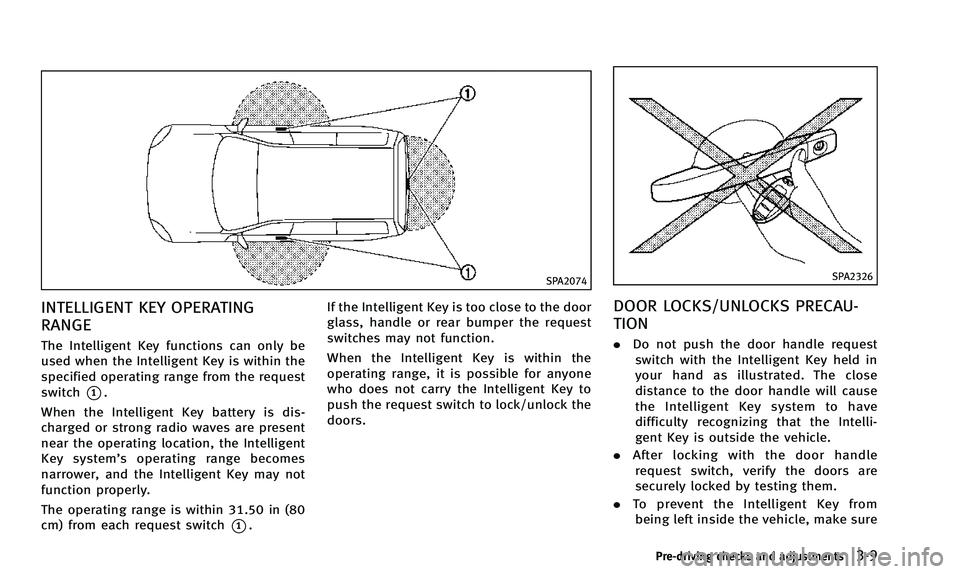
INTELLIGENT KEY OPERATING
RANGE
The Intelligent Key functions can only be
used when the Intelligent Key is within the
specified operating range from the request
switch
*1.
When the Intelligent Key battery is dis-
charged or strong radio waves are present
near the operating location, the Intelligent
Key system’ s operating range becomes
narrower, and the Intelligent Key may not
function properly.
The operating range is within 31.50 in (80
cm) from each request switch
*1. If the Intelligent Key is too close to the door
glass, handle or rear bumper the request
switches may not function.
When the Intelligent Key is within the
operating range, it is possible for anyone
who does not carry the Intelligent Key to
push the request switch to lock/unlock the
doors.
SPA2326
DOOR LOCKS/UNLOCKS PRECAU-
TION
.
Do not push the door handle request
switch with the Intelligent Key held in
your hand as illustrated. The close
distance to the door handle will cause
the Intelligent Key system to have
difficulty recognizing that the Intelli-
gent Key is outside the vehicle.
. After locking with the door handle
request switch, verify the doors are
securely locked by testing them.
. To prevent the Intelligent Key from
being left inside the vehicle, make sure
Pre-driving checks and adjustments3-9
Page 144 of 498

When you carry the Intelligent Key with
you, you can lock or unlock all doors by
pushing the door handle request switch
(driver’s or front passenger’s)
*Aor the lift
gate request switch
*Bwithin the range of
operation.
When you lock or unlock the doors or the
lift gate, the hazard indicator will flash and
the horn (or the outside chime) will sound
as a confirmation. For details, see “Setting
hazard indicator and horn mode” (P.3-15).
Locking doors and fuel-filler door
1. Move the shift lever to the P (Park)
position, push the ignition switch to the
OFF position and make sure you carry
the Intelligent Key with you.*1
2. Close all the doors.
3. Push the door handle request switch (driver’s or front passenger’s)
*Aor the
lift gate request switch
*Bwhile
carrying the Intelligent Key with you.*2
4. All the doors and fuel-filler door will lock.
5. The hazard indicator flashes twice and the outside chime sounds twice.
*1: Doors will lock with the Intelligent Key
while the ignition switch is in the ACC or ON position.
*2: Doors will not lock by pushing the door
handle request switch with the Intelligent
Key inside the vehicle.
However, when an Intelligent Key is inside
the vehicle, doors can be locked with
another registered Intelligent Key.
Unlocking doors and fuel-filler door
1. Push the door handle request switch
(driver’s or front passenger’s)
*Aor the
lift gate request switch
*Bonce while
carrying the Intelligent Key with you.
2. The hazard indicator flashes once and outside chime sounds once. The corre-
sponding door and the fuel-filler door
or the lift gate will unlock.
3. Push the door handle request switch again within 60 seconds.
4. The hazard indicator flashes once and outside chime sounds once again. All
the doors will unlock.
All doors will be locked automatically
unless one of the following operations is
performed within 1 minute after pushing
the request switch while the doors are
locked. If during this 1-minute time period,
the request switch is pushed, all doors will be locked automatically after another 1
minute.
.
Opening any door
. Pushing the ignition switch
BATTERY SAVER SYSTEM
When all the following conditions are met
for a period of time, the battery saver
system will cut off the power supply to
prevent battery discharge.
.The ignition switch is in the ACC
position, and
. All doors are closed, and
. The shift lever is in the P (Park)
position.
WARNING SIGNALS
To help prevent the vehicle from moving
unexpectedly by erroneous operation of
the Intelligent Key listed on the following
chart or to help prevent the vehicle from
being stolen, chime or beep sounds inside
and outside the vehicle and a warning
displays in the dot matrix liquid crystal
display.
When a chime or beep sounds or the
warning displays, be sure to check the
vehicle and Intelligent Key.
Pre-driving checks and adjustments3-11
Page 147 of 498

3-14Pre-driving checks and adjustments
WARNING
The Intelligent Key transmits radio waves
when the buttons are pushed. The FAA
advises that the radio waves may affect
aircraft navigation and communication sys-
tems. Do not operate the Intelligent Key
while on an airplane. Make sure that the
buttons are not operated unintentionally
when the unit is stored for a flight.
It is possible to lock/unlock all doors, fuel-
filler door, activate the panic alarm and
open the windows by pushing the buttons
on the Intelligent Key from outside the
vehicle.
Before locking the doors, make sure the
Intelligent Key is not left in the vehicle.
The LOCK/UNLOCK button on the Intelli-
gent Key can operate at a distance of
approximately 33 ft (10 m) from the
vehicle. (The effective distance depends
upon the conditions around the vehicle.)
As many as 4 Intelligent Keys can be used
with one vehicle. For information concern-
ing the purchase and use of additional
Intelligent Keys, contact an INFINITI retai-
ler.The lock and unlock buttons on the
Intelligent Key will not operate when:
.
the distance between the Intelligent Key
and the vehicle is over 33 ft (10 m).
. the Intelligent Key battery runs down.
After locking with the remote keyless entry
function, pull the door handle to make sure
the doors are securely locked.
The LOCK/UNLOCK operating range varies
depending on the environment. To securely
operate the lock and unlock buttons,
approach the vehicle to about 3 ft (1 m)
from the door.SPA2252
HOW TO USE REMOTE KEYLESS
ENTRY SYSTEM
When you lock or unlock the doors or the
lift gate, the hazard indicator will flash and
the horn (or the outside chime) will sound
as a confirmation. For details, see “Setting
hazard indicator and horn mode” (P.3-15).
Locking doors and fuel-filler door
1. Move the shift lever to the P (Park)
position, push the ignition switch to the
OFF position and make sure you carry
the Intelligent Key with you.*
2. Close all the doors and the lift gate.
REMOTE KEYLESS ENTRY SYSTEM