ABS INFINITI QX50 2021 User Guide
[x] Cancel search | Manufacturer: INFINITI, Model Year: 2021, Model line: QX50, Model: INFINITI QX50 2021Pages: 542, PDF Size: 3.51 MB
Page 339 of 542

• Do not attach metallic objects near thesensor area (brush guard, etc.). This could
cause failure or malfunction.
• Do not alter, remove, or paint the front bumper.
Before customizing or restoring the front
bumper, it is recommended that you visit an
INFINITI retailer.
The camera sensor is located above the in-
side mirror.
To keep the proper operation of the systems
and prevent a system malfunction, be sure to
observe the following:
• Always keep the windshield clean.
• Do not attach a sticker (including transpar- ent material) or install an accessory near
the camera unit.
• Do not place reflective materials, such as white paper or a mirror, on the instrument
panel. The reflection of sunlight may ad-
versely affect the camera unit’s capability
of detecting the lane markers.
• Do not strike or damage the areas around the camera unit. Do not touch the camera
lens or remove the screw located on the
camera unit. If the camera unit is damaged due to an
accident, it is recommended that you visit an
INFINITI retailer.
STEERING ASSIST
WARNING
Failure to follow the warnings and instruc-
tions for proper use of the Steering Assist
could result in serious injury or death.
• The Steering Assist is not a replacement
for proper driving procedures and is not
designed to correct careless, inattentive
or absent-minded driving. The Steering
Assist will not always steer the vehicle to
keep it in the lane. It is not designed to
prevent loss of control. It is the driver’s
responsibility to stay alert, drive safely,
keep the vehicle in the traveling lane, and
be in control of the vehicle at all times.
• As there is a performance limit to the
Steering Assist’s capability, never rely
solely on the system. The Steering Assist
does not function in all driving, traffic,
weather, and road conditions. Always
drive safely, pay attention to the opera-
tion of the vehicle, and manually control
your vehicle appropriately. •
The Steering Assist is intended for use on
well-developed freeways or highways
with gentle (moderate) curves. To avoid
risk of an accident, do not use this system
on local or non-highway roads.
• The Steering Assist only steers the ve-
hicle to maintain its position in the center
of a lane. The vehicle will not steer to
avoid objects in the road in front of the
vehicle or to avoid a vehicle moving into
your lane.
• It is the driver’s responsibility to stay
alert, drive safely, keep the vehicle in the
traveling lane, and be in control of the
vehicle at all times. Never take your
hands off the steering wheel when driv-
ing. Always keep your hands on the
steering wheel and drive your vehicle
safely.
• Always drive carefully and attentively
when using the Steering Assist. Read
and understand the Owner’s Manual
thoroughly before using the Steering As-
sist. To avoid serious injury or death, do
not rely on the system to prevent acci-
dents or to control the vehicle’s speed in
emergency situations. Do not use the
Steering Assist except in appropriate
road and traffic conditions.
Starting and driving5-97
Page 349 of 542
•As there is a performance limit to the
distance control function, never rely
solely on the DCA system. This system
does not correct careless, inattentive or
absent-minded driving, or overcome
poor visibility in rain, fog, or other bad
weather. Decelerate the vehicle speed by
depressing the brake pedal, depending
on the distance to the vehicle ahead and
the surrounding circumstances in order
to maintain a safe distance between
vehicles.
• Always pay attention to the operation of
the vehicle and be ready to manually de-
celerate to maintain the proper follow-
ing distance. The DCA system may not be
able to decelerate the vehicle under some
circumstances.
• This system only brakes and moves the
accelerator pedal upward to help assist
the driver to maintain a following dis-
tance from the vehicle ahead. Accelera-
tion should be operated by the driver.
• The DCA system does not control the ve-
hicle speed or warn you when you ap-
proach stationary and slow moving ve-
hicles. You must pay attention to vehicle
operation to maintain proper distance
from vehicles ahead. •
The DCA system automatically deceler-
ates your vehicle to help assist the driver
to maintain a following distance from
the vehicle ahead. Manually brake when
deceleration is required to maintain a
safe distance upon sudden braking by
the vehicle ahead or when a vehicle sud-
denly appears in front of you. Always
stay alert when using the DCA system.
• If the vehicle ahead comes to a stop, the
vehicle decelerates to a standstill within
the limitations of the system. The system
will cancel with a warning chime once it
judges that the vehicle has come to a
standstill. To prevent the vehicle from
moving, the driver must depress the
brake pedal.
The DCA system is intended to assist the
driver in keeping a following distance from
the vehicle ahead traveling in the same lane
and direction.
If the radar sensor detects a slower moving
vehicle ahead, the system will reduce the ve-
hicle speed to help assist the driver to main-
tain a following distance.
The system automatically controls the
throttle and applies the brakes (up to ap-
proximately 40% of vehicle braking power) if
necessary. The detection range of the sensor is approxi-
mately 650 ft (200m) ahead.
Starting and driving5-107
Page 354 of 542
If the LDP, BSI and DCA systems are set to
off in the lower display and the ProPILOT
Assist switch on the steering wheel is pushed,
the LDP ON indicator, BSI ON indicator, and
the DCA ON indicator will blink for approxi-
mately 2 seconds.
For additional information on LDP and BSI,
see “Lane Departure Prevention (LDP)”
(P. 5-40) and “Blind Spot Intervention® (BSI)”
(P. 5-54).
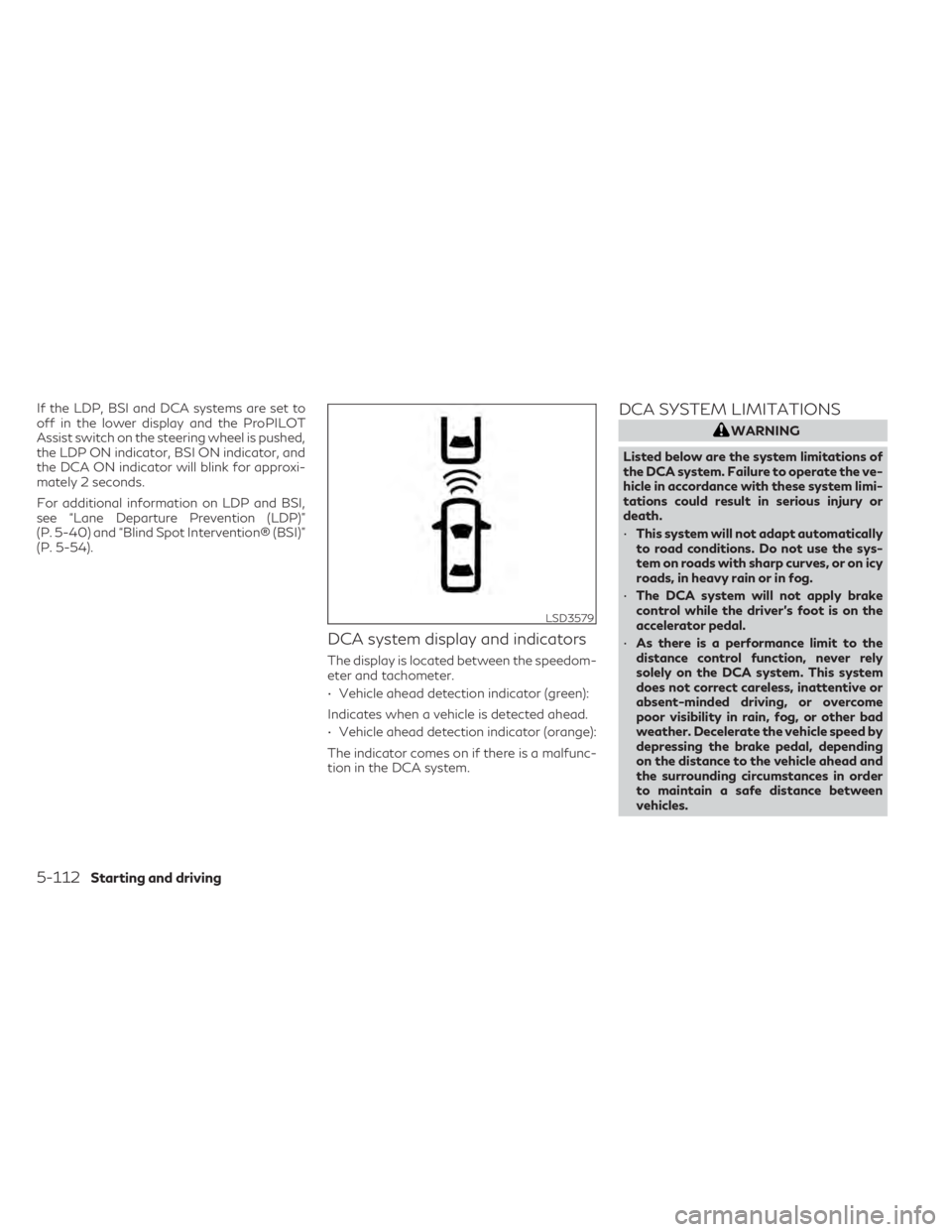
DCA system display and indicators
The display is located between the speedom-
eter and tachometer.
• Vehicle ahead detection indicator (green):
Indicates when a vehicle is detected ahead.
• Vehicle ahead detection indicator (orange):
The indicator comes on if there is a malfunc-
tion in the DCA system.
DCA SYSTEM LIMITATIONS
WARNING
Listed below are the system limitations of
the DCA system. Failure to operate the ve-
hicle in accordance with these system limi-
tations could result in serious injury or
death.
• This system will not adapt automatically
to road conditions. Do not use the sys-
tem on roads with sharp curves, or on icy
roads, in heavy rain or in fog.
• The DCA system will not apply brake
control while the driver’s foot is on the
accelerator pedal.
• As there is a performance limit to the
distance control function, never rely
solely on the DCA system. This system
does not correct careless, inattentive or
absent-minded driving, or overcome
poor visibility in rain, fog, or other bad
weather. Decelerate the vehicle speed by
depressing the brake pedal, depending
on the distance to the vehicle ahead and
the surrounding circumstances in order
to maintain a safe distance between
vehicles.
LSD3579
5-112Starting and driving
Page 358 of 542

For additional information about the VDC
system, see “Vehicle Dynamic Control
(VDC) system” (P. 5-154).
• When ABS or VDC (including the TCS) is operating
• When the radar signal is temporarily interrupted
Action to take:
When the conditions listed above are no lon-
ger present, turn the system off with ProPI-
LOT Assist switch on the steering wheel.
Turn the DCA system back on to use the
system.
Condition B:
When the radar sensor area is covered with
dirt or is obstructed, making it impossible to
detect a vehicle ahead, the DCA system is
automatically canceled.
The chime sounds and the DCA system
warning light (orange) will come on and the
“Unavailable: Front Radar Blocked” warning
will appear.
Action to take:
If the warning light comes on, park the vehicle
in a safe place, press the park button to place
the vehicle in the P (Park) position and turn
the engine off. When the radar signal is tem-porarily interrupted, clean the sensor area
and restart the engine. If the “Unavailable:
Front Radar Blocked” warning continues to
be displayed, have the DCA system checked.
It is recommended you visit and INFINITI
retailer for this service.
When driving on roads with limited road
structures or buildings (for example, long
bridges, deserts, snow fields, driving next to
long walls) the system may illuminate the sys-
tem warning light (orange) and display the
“Unavailable Front Radar Blocked” message.
Action to take:
When the above conditions no longer exist,
the DCA system will resume automatically.
Condition C:
When the DCA system is not operating prop-
erly, the chime sounds, the DCA system
warning light (orange) and the system “Mal-
function” warning message will appear in the
vehicle information display.
Action to take:
If the DCA system warning light (orange) and
the warning message appear, stop the ve-
hicle in a safe place and place the vehicle in
the P (Park) position. Turn the engine off,
restart the engine, and turn on the DCA sys-
tem again.
LSD2992
5-116Starting and driving
Page 363 of 542
•When the vehicle approaches an ob-
stacle while the accelerator or brake
pedal is depressed, the function may not
operate or the start of operation may be
delayed. The RAB system may not oper-
ate or may not perform sufficiently due
to vehicle conditions, driving conditions,
the traffic environment, the weather,
road surface conditions, etc. Do not wait
for the system to operate. Operate the
brake pedal by yourself as soon as
necessary.
• If it is necessary to override RAB opera-
tion, strongly press the accelerator
pedal.
• Always check your surroundings and
turn to check what is behind you before
and while backing up. The RAB system
detects stationary objects behind the
vehicle. The RAB system does not detect
the following objects:
– Moving objects
– Low objects
– Narrow objects
– Wedge-shaped objects
– Objects close to the bumper (less than
approximately 1 ft [30 cm])
– Objects that suddenly appear –
Thin objects such as rope, wire, chain,
etc.
• The RAB system may not operate for the
following obstacles:
– Obstacles located high off the ground
– Obstacles in a position offset from
your vehicle
– Obstacles, such as spongy materials
or snow, that have soft outer sur-
faces and can easily absorb a sound
wave
• The RAB system may not operate in the
following conditions:
– There is rain, snow, ice, dirt, etc., at-
tached to the sonar sensors.
– A loud sound is heard in the area
around the vehicle.
– The surface of the obstacle is diago-
nal to the rear of the vehicle.
• The RAB system may unintentionally op-
erate in the following conditions:
– There is overgrown grass in the area
around the vehicle.
– There is a structure (e.g., a wall, toll
gate equipment, a narrow tunnel, a
parking lot gate) near the side of the
vehicle. –
There are bumps, protrusions, or
manhole covers on the road surface.
– The vehicle drives through a draped
flag or a curtain.
– There is an accumulation of snow or
ice behind the vehicle.
– An ultrasonic wave source, such as
another vehicle’s sonar, is near the
vehicle.
• Once the automatic brake control oper-
ates, it does not operate again if the ve-
hicle approaches the same obstacle.
• The automatic brake control can only
operate for a short period of time. There-
fore, the driver must depress the brake
pedal.
• In the following situations, the RAB sys-
tem may not operate properly or may not
function sufficiently:
– The vehicle is driven in bad weather
(rain, fog, snow, etc.).
– The vehicle is driven on a steep hill.
– The vehicle’s posture is changed (e.g.,
when driving over a bump).
– The vehicle is driven on a slippery
road.
– The vehicle is turned sharply by turn-
ing the steering wheel fully.
Starting and driving5-121
Page 392 of 542
DIRECT ADAPTIVE STEERING®
TYPE
WARNING
• When the power steering warning light
illuminates with the engine running, the
power assist for the steering will cease
operation. You will still have control of
the vehicle, but the steering will be
harder to operate.
• If wheels or tires other than the INFINITI
recommended ones are used, Direct
Adaptive Steering® may not operate
properly and the power steering warning
light may illuminate.
• Do not modify the vehicle’s suspension
parts such as shock absorbers, struts,
springs, stabilizer bars, bushings and
wheels are not INFINITI recommended
for your vehicle or are extremely deterio-
rated, Direct Adaptive Steering may not
operate properly and the power steering
warning light may illuminate.
• Do not modify the vehicle’s steering. If
steering parts are not INFINITI recom-
mended for your vehicle or are extremely
deteriorated, Direct Adaptive Steering
may not operate properly and the power
steering warning light may illuminate. •
If the Vehicle Dynamic Control (VDC)
OFF indicator light illuminates, the
power steering warning light may also
illuminate at the same time. Stop the ve-
hicle in a safe location, turn the engine
off and restart the engine. If the power
steering warning light continues to illu-
minate, have the system checked. It is
recommended that you visit an INFINITI
retailer for this service. For additional in-
formation, see “Vehicle Dynamic Control
(VDC) system” (P. 5-154).
CAUTION
• Do not place the ignition switch in the
ON position while the steering wheel or a
tire is removed.
• Do not turn the steering wheel as much
as possible while the ignition switch is
any position other than the ON position.
• Installing an accessory on the steering
wheel, or changing the steering wheel,
may reduce the steering performance.
Direct Adaptive Steering is designed to con-
trol the steering force and steering angle ac-
cording to the vehicle speed and amount of
turning of the steering wheel. The steering characteristic can be selected
using the INFINITI Drive Mode Selector. For
additional information, see “INFINITI Drive
Mode Selector” (P. 2-22).
If the VDC system is turned off, the setting of
steering becomes Standard mode.
If the power steering warning light illumi-
nates while the engine is running, it may indi-
cate that Direct Adaptive Steering is not
functioning properly and may need servicing.
Have the system checked. It is recommended
that you visit an INFINITI retailer for this
service. For additional information, see
“Power steering warning light” (P. 2-16)
When the power steering warning light illu-
minates with the engine running, the power
assist for the steering will cease operation.
You will still have control of the vehicle. How-
ever, greater steering effort will be needed,
especially in sharp turns and at low speeds.
If Direct Adaptive Steering is malfunctioning,
the steering wheel may turn slightly even
when driving on a straight road.
Under the following conditions, the steering
wheel may turn slightly even when driving on
a straight road. This is due to a protection
mechanism for Direct Adaptive Steering. The
5-150Starting and driving
Page 394 of 542
The brake system has two separate hydraulic
circuits. If one circuit malfunctions, you will
still have braking at two wheels.
BRAKE PRECAUTIONS
Vacuum assisted brakes
The brake booster aids braking by using en-
gine vacuum. If the engine stops, you can
stop the vehicle by depressing the brake
pedal. However, greater foot pressure on the
brake pedal will be required to stop the ve-
hicle and stopping distance will be longer.
Using the brakes
Avoid resting your foot on the brake pedal
while driving. This will overheat the brakes,
wear out the brake pads faster, and reduce
gas mileage.
To help reduce brake wear and to prevent the
brakes from overheating, reduce speed and
downshift to a lower gear before going down
a slope or long grade. Overheated brakes
may reduce braking performance and could
result in loss of vehicle control.
WARNING
• While driving on a slippery surface, be
careful when braking, accelerating or
downshifting. Abrupt braking or accel-
erating could cause the wheels to skid
and result in an accident.
• If the engine is not running or is turned
off while driving, the power assist for the
brakes will not work. Braking will be
harder.
Wet brakes
When the vehicle is washed or driven through
water, the brakes may get wet. As a result,
your braking distance will be longer and the
vehicle may pull to one side during braking.
To dry the brakes, drive the vehicle at a safe
speed while lightly pressing the brake pedal to
heat up the brakes. Do this until the brakes
return to normal. Avoid driving the vehicle at
high speeds until the brakes function correctly.
Parking brake break-in
Break in the parking brake shoes whenever
the stopping effect of the parking brake is
weakened or whenever the parking brake
shoes and/or rotors are replaced, in order to
assure the best brake performance. This procedure is described in the INFINITI
Service Manual. It is recommended that you
visit an INFINITI retailer for this service.
ANTI-LOCK BRAKING SYSTEM
(ABS)
WARNING
• The ABS is a sophisticated device, but it
cannot prevent accidents resulting from
careless or dangerous driving tech-
niques. It can help maintain vehicle con-
trol during braking on slippery surfaces.
Remember that stopping distances on
slippery surfaces will be longer than on
normal surfaces even with ABS. Stop-
ping distances may also be longer on
rough, gravel or snow covered roads, or
if you are using tire chains. Always main-
tain a safe distance from the vehicle in
front of you. Ultimately, the driver is re-
sponsible for safety.
• Tire type and condition may also affect
braking effectiveness.
– When replacing tires, install the
specified size of tires on all four
wheels.
BRAKE SYSTEM
5-152Starting and driving
Page 395 of 542
–When installing a spare tire, make
sure that it is the proper size and type
as specified on the Tire and Loading
Information label. For additional in-
formation, see “Tire and Loading In-
formation label” (P. 8-28).
– For additional information, see
“Wheels and tires” (P. 8-27).
The ABS controls the brakes so the wheels do
not lock during hard braking or when braking
on slippery surfaces. The system detects the
rotation speed at each wheel and varies the
brake fluid pressure to prevent each wheel
from locking and sliding. By preventing each
wheel from locking, the system helps the
driver maintain steering control and helps to
minimize swerving and spinning on slippery
surfaces.
Using the system
Depress the brake pedal and hold it down.
Depress the brake pedal with firm steady
pressure, but do not pump the brakes. The
Anti-lock Braking System will operate to pre-
vent the wheels from locking up. Steer the
vehicle to avoid obstacles.
WARNING
Do not pump the brake pedal. Doing so may
result in increased stopping distances.
Self-test feature
The Anti-lock Braking System (ABS) includes
electronic sensors, electric pumps, hydraulic
solenoids and a computer. The computer has
a built-in diagnostic feature that tests the
system each time you start the engine and
move the vehicle at a low speed in forward or
reverse. When the self-test occurs, you may
hear a “clunk” noise and/or feel a pulsation in
the brake pedal. This is normal and does not
indicate a malfunction. If the computer
senses a malfunction, it switches the ABS off
and illuminates the ABS warning light on the
instrument panel. The brake system then op-
erates normally but without anti-lock
assistance.
If the ABS warning light illuminates during
the self-test or while driving, have the vehicle
checked. It is recommended that you visit an
INFINITI retailer for this service.
Normal operation
The Anti-lock Braking System (ABS) operates
at speeds above3-6mph(5-10km/h). The
speed varies according to road conditions.
When the ABS senses that one or more
wheels are close to locking up, the actuator
rapidly applies and releases hydraulic pres-
sure. This action is similar to pumping the
brakes very quickly. You may feel a pulsation
in the brake pedal and hear a noise from
under the hood or feel a vibration from the
actuator when it is operating. This is normal
and indicates that the ABS is operating prop-
erly. However, the pulsation may indicate
that road conditions are hazardous and extra
care is required while driving.
BRAKE ASSIST
When the force applied to the brake pedal
exceeds a certain level, the Brake Assist is
activated generating greater braking force
than a conventional brake booster even with
light pedal force.
Starting and driving5-153
Page 427 of 542
LEATHER CLEANING KIT (if so
equipped)
Spray onto leather cleaning cloth, then gently
wipe the surface of the leather. Use a dry
towel to absorb any excess moisture.
Clean light-colored leather more frequently
because soiling on such surfaces is much
more visible.
Always follow the manufacturer’s instruc-
tions supplied with the leather cleaning kit.
You can obtain the leather cleaning kit from
an INFINITI retailer or other authorized repair
shop.
CAUTION
Do not leave the leather cleaning kit inside
the vehicle. The leather cleaning kit left in a
closed vehicle can become very hot.
AIR FRESHENERS
Most air fresheners use a solvent that could
affect the vehicle interior. If you use an air
freshener, take the following precautions:
• Hanging-type air fresheners can cause per- manent discoloration when they contact
vehicle interior surfaces. Place the air fresh-
ener in a location that allows it to hang free
and not contact an interior surface. • Liquid-type air fresheners typically clip on
the vents. These products can cause imme-
diate damage and discoloration when
spilled on interior surfaces.
Carefully read and follow the manufacturer's
instructions before using the air fresheners.
POWER MOONROOF (if so
equipped)
The sunshade is made from a tricot material.
CAUTION
To help prevent damaging the moonroof
while cleaning:
• Do not rub the material with a cloth. Do-
ing so can damage the surface of the ma-
terial or cause a stain to spread.
• Never use benzine, thinner or any similar
chemical to clean the sunshade. This may
discolor the moonroof and damage the
surface.
• Clean water based stains by patting the
surface with a clean soft cloth dampened
in warm water. Press a clean dry cloth
onto the surface to remove as much
dampness as possible and then let air dry. •
Clean oil based stains by patting the sur-
face with a clean soft cloth dampened in
warm water. Press a clean dry cloth onto
the surface to remove as much dampness
as possible and then let air dry.
Appearance and care7-5
Page 450 of 542

If any electrical equipment does not operate,
check for an open fuse.
Fuses are used in the passenger and engine
compartment. Spare fuses are provided and
can be found in the passenger compartment
fuse box.
When installing a fuse make sure the fuse is
installed in the fuse box securely.ENGINE COMPARTMENT
WARNING
Never use a fuse of higher or lower amper-
age rating than that specified on the fuse
box cover. This could damage the electrical
system or electronic control units or cause
a fire. If any electrical equipment does not come on,
check for an open fuse.
1. Be sure the ignition switch and the head-
light switch are OFF.
2. Open the engine hood.
3. Remove the fuse box cover by pushing the tabs and lifting the cover up.
4. Remove the fuse with the fuse puller. The fuse puller is located in the fuse block in
the passenger compartment.
LDI2997LDI3174
FUSES
8-20Do-it-yourself