automatic transmission INFINITI QX50 2023 Owners Manual
[x] Cancel search | Manufacturer: INFINITI, Model Year: 2023, Model line: QX50, Model: INFINITI QX50 2023Pages: 548, PDF Size: 6.17 MB
Page 113 of 548

AWD High Temp. Stop vehicle
This warning may appear while trying to free
a stuck vehicle due to increased oil tempera-
ture. The driving mode may change to
2-Wheel Drive (2WD). If this warning is dis-
played, stop the vehicle with the engine idling,
as soon as it is safe to do so. Then if the
warning turns off, you can continue driving.
AWD Tire Size Incorrect: See
Owner’s Manual
This warning may appear if there is a large
difference between the diameters of the
front and rear wheels. Pull off the road in a
safe area, with the engine idling. Check that
all the tire sizes are the same, that the tire
pressure is correct and that the tires are not
excessively worn.
CVT (AT) Malfunction Service now
This warning appears when there is a prob-
lem with the CVT system. If this warning
comes on, have the system checked. It is rec-
ommended that you visit an INFINITI retailer
for this service.
CVT (AT) hot Power reduced
This transmission has a high fluid tempera-
ture protection mode. If the fluid temperature
becomes too high (for example, climbing
steep grades in high temperatures with heavy
loads, such as when towing a trailer), engine
power and, under some conditions, vehicle
speed will be decreased automatically to re-
duce the chance of transmission damage.
Vehicle speed can be controlled with the ac-
celerator pedal, but the engine and vehicle
speed may be reduced.
WARNING
When the high fluid temperature protec-
tion mode operation occurs, vehicle speed
may be gradually reduced. The reduced
speed may be lower than other traffic,
which could increase the chance of a colli-
sion. Be especially careful when driving. If
necessary, pull to the side of the road at a
safe place and allow the transmission to
return to normal operation; or have it re-
paired if necessary.
Engine hot Power reduced
This engine has a high fluid temperature pro-
tection mode. If the fluid temperature be-
comes too high (for example, climbing steep
grades in high temperatures with heavy
loads, such as when towing a trailer), engine
power and, under some conditions, vehicle
speed will be decreased automatically to re-
duce the chance of engine damage. Vehicle
speed can be controlled with the accelerator
pedal, but the engine and vehicle speed may
be reduced.
WARNING
When the high fluid temperature protec-
tion mode operation occurs, vehicle speed
may be gradually reduced. The reduced
speed may be lower than other traffic,
which could increase the chance of a colli-
sion. Be especially careful when driving. If
necessary, pull to the side of the road at a
safe place and allow the engine to return to
normal operation; or have it repaired if
necessary.
Instruments and controls2-29
Page 114 of 548

Engine Malfunction: Power Reduced
Service now
This warning appears when the engine is not
operating under normal conditions. If this
warning comes on, have the system checked.
It is recommended that you visit an INFINITI
retailer for this service.
Engine Malfunction Service now
This warning appears when there is a prob-
lem with the engine. If this warning comes on,
have the system checked. It is recommended
that you visit an INFINITI retailer for this
service.
Engine Stalled: Stop safely
This message appears 30 seconds before the
vehicle is shut down due to an above normal
operating exhaust temperature. The Mal-
function Indicator Light (MIL) and malfunc-
tion warning (red) will illuminate. Have the
system checked. It is recommended that you
visit an INFINITI retailer immediately for this
service.
Service CVT (AT) Power reduced
This transmission has a high fluid tempera-
ture protection mode. If the fluid temperature
becomes too high (for example, climbing
steep grades in high temperatures with heavyloads, such as when towing a trailer), engine
power and, under some conditions, vehicle
speed will be decreased automatically to re-
duce the chance of transmission damage.
Vehicle speed can be controlled with the ac-
celerator pedal, but the engine and vehicle
speed may be reduced.
WARNING
When the high fluid temperature protec-
tion mode operation occurs, vehicle speed
may be gradually reduced. The reduced
speed may be lower than other traffic,
which could increase the chance of a colli-
sion. Be especially careful when driving. If
necessary, pull to the side of the road at a
safe place and allow the transmission to
return to normal operation; or have it re-
paired if necessary.
Blind Spot Warning (BSW)
indicator
This indicator appears when the BSW system
is engaged.
For additional information, see “Blind Spot
Warning (BSW)” (P. 5-45) and “Blind Spot
Intervention® (BSI)” (P. 5-54).
Cruise control indicator
This indicator shows the cruise control sys-
tem status.
When cruise control is activated, a green
circle will appear to indicate it is set. The
vehicle information display will also display
the speed the cruise control was set at. If you
accelerate past the set speed, the speed will
blink until you either cancel cruise control or
go back to the set speed. If cruise control is on
and canceled, the speed will be displayed to
show the speed the vehicle will return to if the
resume button is activated.
Currently Not Available
This message appears when the VDC system
is turned off. The following systems (if so
equipped) will be turned off automatically:
BSI system, LDP system and the ProPILOT
Assist system.
For additional information, see “Vehicle Dy-
namic Control (VDC)” (P. 5-142), “Blind Spot
Intervention® (BSI)” (P. 5-54), “Lane Depar-
ture Prevention (LDP)” (P. 5-40) and/or
“ProPILOT Assist” (P. 5-73).
2-30Instruments and controls
Page 174 of 548

Lockout protection
When any door is open and the power door
lock switch is moved to the lock position, all
doors will lock. If the Intelligent Key is left in
the vehicle after all the doors are closed, all
doors will unlock automatically and a chime
will sound.
These functions help to prevent the Intelli-
gent Key from being accidentally locked in-
side the vehicle.
AUTOMATIC DOOR LOCKS
• All doors lock automatically when the ve-hicle speed reaches 15 mph (24 km/h).
• All doors unlock automatically when the transmission is placed in the P (Park) posi-
tion or when the ignition switch is placed in
the OFF position depending on the option
selected in the “Comfort & Convenience”
options of the “Settings” menu.
NOTE:
The Auto unlock features can be changed
using “Comfort & Convenience” options in
the “Settings” menu of the lower touch-
screen display. For additional information,
refer to the separate INFINITI InTouch®
Owner’s Manual.
CHILD SAFETY REAR DOOR
LOCK
Child safety locks help prevent the rear doors
from being opened accidentally, especially
when small children are in the vehicle.
The child safety lock levers are located on the
edge of the rear doors.
When the lever is in the LOCK position, the
door can be opened only from the outside.
WARNING
• Radio waves could adversely affect elec-
tric medical equipment. Those who use a
pacemaker should contact the electric
medical equipment manufacturer for the
possible influences before use.
• The Intelligent Key transmits radio
waves when the buttons are pressed.
The FAA advises the radio waves may
affect aircraft navigation and communi-
cation systems. Do not operate the Intel-
ligent Key while on an airplane. Make
sure the buttons are not operated unin-
tentionally when the unit is stored for a
flight.
• Before leaving the vehicle, engage the P
(Park) position and check that the elec-
tronic parking brake warning light is illu-
minated to confirm that the electronic
parking brake is applied. The electronic
parking brake warning light will remain
on for a period of time after the driver’s
door is locked.
LPD2753
INFINITI INTELLIGENT KEY SYSTEM
3-6Pre-driving checks and adjustments
Page 186 of 548

LOG-IN FUNCTION
After setting up the user information, the
system will automatically recognize the user
upon turning on the vehicle.
There will be a personalized welcome greet-
ing and screen prompt to log in.
This feature allows four drivers to use their
own registration, drive mode, driving posi-
tion, air conditioner, and auto settings and
memorizes these custom settings.
The log-in user can be changed on the wel-
come greeting screen or the User List screen.
For additional information, refer to the sepa-
rate INFINITI InTouch® Owner’s Manual.
The log-in function is linked to the following
features:
• Meter
• Audio
• Navigation system display
• Navigation settings
• Air conditioner
• Memory seat (if so equipped)
• Engine/Transmission
• Steering
• Active Trace Control• Driver assistance except for the Forward
Emergency Braking (FEB) with Pedestrian
Detection system (if so equipped)
• Active Engine Brake
• Head Up Display (HUD) (if so equipped)
• Vehicle Settings
The
button will be on the INFINITI
Intelligent Key if the vehicle has Remote
Engine Start. This feature allows the engine
to start from outside the vehicle.
The following features may be affected when
the Remote Engine Start feature is used:
• Vehicles with an automatic climate control system may default to either a heating or
cooling mode depending on outside and
cabin temperatures. For additional infor-
mation, see “Remote Engine Start with In-
telligent Climate Control” in the (P. 4-36).
LPD2995
REMOTE ENGINE START
3-18Pre-driving checks and adjustments
Page 254 of 548
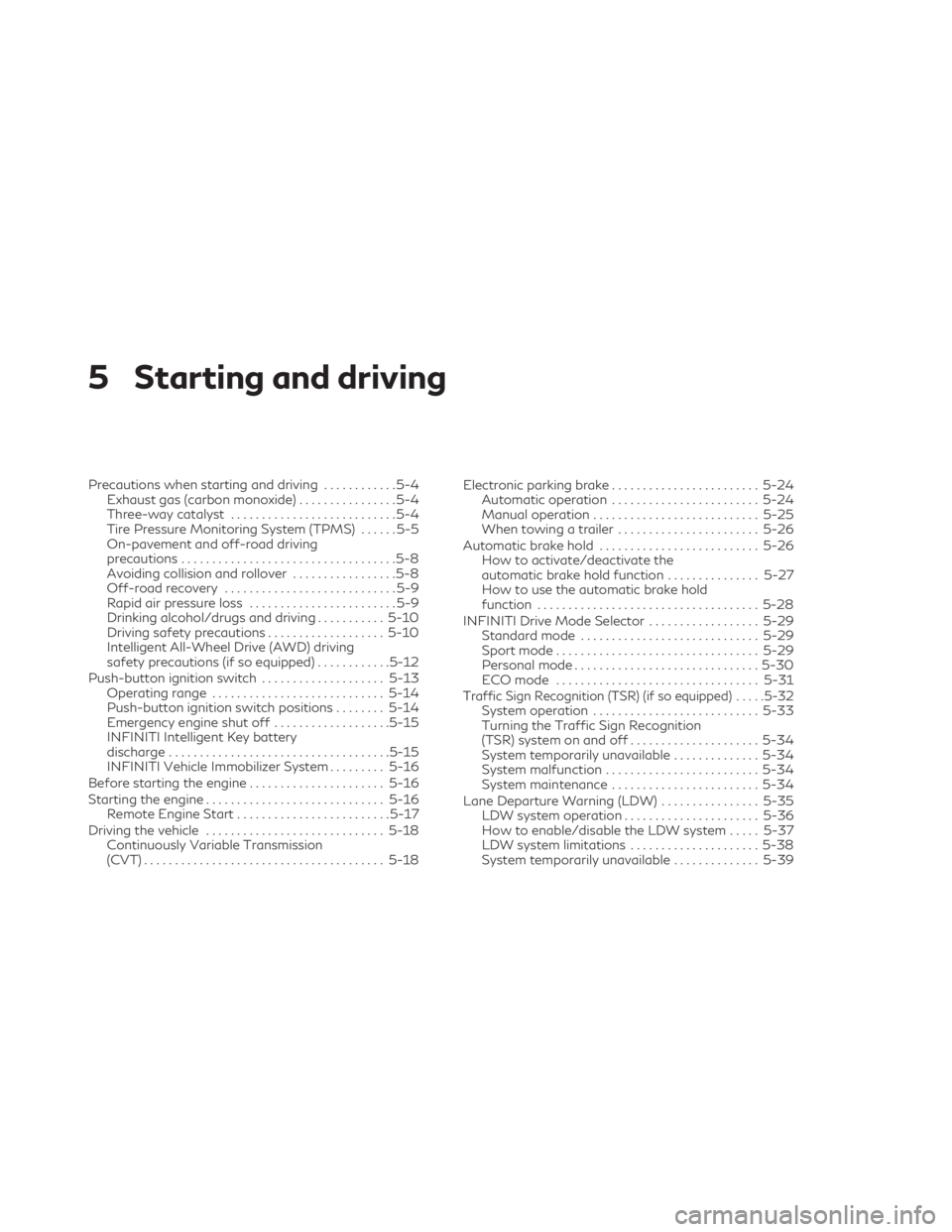
5 Starting and driving
Precautions when starting and driving............5-4
Exhaust gas (carbon monoxide) ................5-4
Three-way catalyst ...........................5-4
Tire Pressure Monitoring System (TPMS) ......5-5
On-pavement and off-road driving
precautions ...................................5-8
Avoiding collision and rollover .................5-8
Off-road recovery ............................5-9
Rapid air pressure loss ........................5-9
Drinking alcohol/drugs and driving ...........5-10
Driving safety precautions ...................5-10
Intelligent All-Wheel Drive (AWD) driving
safety precautions (if so equipped) ............5-12
Push-button ignition switch ....................5-13
Operating range ............................ 5-14
Push-button ignition switch positions ........5-14
Emergency engine shut off ...................5-15
INFINITI Intelligent Key battery
discharge .................................... 5-15
INFINITI Vehicle Immobilizer System .........5-16
Before starting the engine ......................5-16
Starting the engine ............................. 5-16
Remote Engine Start ......................... 5-17
Driving the vehicle ............................. 5-18
Continuously Variable Transmission
(CVT) ....................................... 5-18Electronic parking brake
........................ 5-24
Automatic operation ........................ 5-24
Manual operation ........................... 5-25
When towing a trailer ....................... 5-26
Automatic brake hold .......................... 5-26
How to activate/deactivate the
automatic brake hold function ...............5-27
How to use the automatic brake hold
function .................................... 5-28
INFINITI Drive Mode Selector ..................5-29
Standard mode ............................. 5-29
Sport mode ................................. 5-29
Personal mode .............................. 5-30
ECO mode ................................. 5-31
Traffic Sign Recognition (TSR) (if so equipped) .....5-32System operation ........................... 5-33
Turning the Traffic Sign Recognition
(TSR) system on and off .....................5-34
System temporarily unavailable ..............5-34
System malfunction ......................... 5-34
System maintenance ........................ 5-34
Lane Departure Warning (LDW) ................5-35
LDW system operation ......................5-36
How to enable/disable the LDW system .....5-37
LDW system limitations .....................5-38
System temporarily unavailable ..............5-39
Page 272 of 548

CONTINUOUSLY VARIABLE
TRANSMISSION (CVT)
WARNING
• Do not depress the accelerator pedal
while shifting from P (Park) or N (Neu-
tral) to R (Reverse), D (Drive), or M
(Manual shift mode). Always depress the
brake pedal until shifting is completed.
Failure to do so could cause you to lose
control and have an accident.
• Cold engine idle speed is high, so use
caution when shifting into a forward or
reverse gear before the engine has
warmed up.
• Do not downshift abruptly on slippery
roads. This may cause a loss of control.
• Never shift to either the P (Park) or R
(Reverse) position while the vehicle is
moving forward and P (Park) or D (Drive)
position while the vehicle is reversing.
This could cause an accident or damage
the transmission.
• Except in an emergency, do not shift to
the N (Neutral) position while driving.
Coasting with the transmission in the N
(Neutral) position may cause serious
damage to the transmission.
CAUTION
• To avoid possible damage to your ve-
hicle, when stopping the vehicle on an
uphill grade, do not hold the vehicle by
depressing the accelerator pedal. The
foot brake should be used for this
purpose.
• Do not hang items on the shift lever. This
may cause an accident due to a sudden
start.
The CVT in your vehicle is electronically con-
trolled to produce maximum power and
smooth operation.
The recommended operating procedures for
this transmission are shown on the following
pages. Follow these procedures for maxi-
mum vehicle performance and driving
enjoyment.
Engine power may be automatically reduced
to protect the CVT if the engine speed in-
creases quickly when driving on slippery
roads or while being tested on some
dynamometers.Starting the vehicle
1. After starting the engine, fully depress the foot brake pedal before moving the shift
position out of the P (Park) position.
This Continuously Variable Transmission
is designed so that the foot brake pedal
must be depressed before shifting from P
(Park) to any driving position while the
ignition switch is in the ON position.
The shift position cannot be shifted out of
the P (Park) position and into any of the
other positions if the ignition switch is
placed in the OFF position.
2. Keep the foot brake pedal depressed and move the shift lever to a driving position.
3. Release the parking brake and foot brake pedal and then gradually start the vehicle
in motion.
WARNING
• Do not depress the accelerator pedal
while shifting from P (Park) or N (Neu-
tral) to R (Reverse), D (Drive), or M
(Manual shift mode). Always depress the
brake pedal until shifting is completed.
Failure to do so could cause you to lose
control and have an accident.
DRIVING THE VEHICLE
5-18Starting and driving
Page 274 of 548

CAUTION
• Use the P (Park), R (Reverse) or D (Drive)
position only when the vehicle is com-
pletely stopped.
• When switching to the desired shift po-
sition by operating the shift lever, check
that the shift lever returns to the home
position by releasing your hand from the
lever. Holding the shift lever in a mid-
way position may also damage the shift
control system.
• Do not operate the shift lever while the
accelerator pedal is depressed. This may
cause a sudden start which could result in
an accident.
• The following operations are not allowed
because excessive force would be ap-
plied to the transmission and this may
result in damage to the vehicle:
– Moving the shift lever to the R (Re- verse) position when driving forward
– Moving the shift lever to the D (Drive) position when reversing
If the vehicle is moving over 8 km/h (5mph)
when shifting to D (Drive) from R (Re-
verse), the N (Neutral) position will auto-
matically be selected. A buzzer will sound,
noting that D (Drive) was not selected. When selecting D (Drive) while reversing
below 8 km/h (5 mph) the range will
change normally.
If these operations are attempted, a chime
sounds and the vehicle shifts to the N (Neu-
tral) position.
P (Park)
CAUTION
• To prevent transmission damage, use the
P (Park) position only when the vehicle is
completely stopped.
• Do not slide the shift lever while pressing
the park button. This may damage the
shift control system.
Use the P (Park) position when the vehicle is
parked or when starting the engine. Make
sure the vehicle is completely stopped before
pressing the park button to engage the P
(Park) position. For maximum safety, the
brake pedal must be depressed before en-
gaging the P (Park) position. Use this position
together with the electronic parking brake.
When parking on a hill, first depress the brake
pedal, apply the electronic parking brake and
then engage the P (Park) position. The park-
ing lock should not be used as a brake when parking. In order to secure the vehicle, always
apply the electronic parking brake in addition
to the parking lock.
In the event of a malfunction of the vehicle’s
electronics, the transmission may lock in the
P (Park) position. Have the vehicle’s electron-
ics checked immediately. It is recommended
that you visit an INFINITI retailer for this
service.
The P (Park) position is automatically en-
gaged if:
• You place the ignition switch in the OFF
position
• You unfasten the driver’s seat belt and open the driver side door when the vehicle
is stationary or driving at very low speed
and the transmission is in the D (Drive)
position, the N (Neutral) position, the R
(Reverse) position, or the M (Manual)
position.
CAUTION
To avoid CVT malfunction, you must
manually place the shift position in the P
(Park) position under the above conditions.
5-20Starting and driving
Page 275 of 548

R (Reverse)
CAUTION
To prevent transmission damage, use the R
(Reverse) position only when the vehicle is
completely stopped and the brake is
pressed.
Use the R (Reverse) position to back up. Make
sure the vehicle is completely stopped before
selecting the R (Reverse) position. The brake
pedal must be depressed and the shift lever
button pressed to move the shift lever from
the home position to R (Reverse). If the ve-
hicle is placed in R (Reverse) position while
the vehicle is moving forward, the chime will
sound and the vehicle will switch into the N
(Neutral) position.
NOTE:
If the vehicle is moving over 8 km/h (5 mph)
when shifting to D (Drive) from R (Reverse),
the N (Neutral) position will automatically
be selected. A buzzer will sound, noting that
D (Drive) was not selected. When selecting D
(Drive) while reversing below 8 km/h (5
mph), the range will change normally.
N (Neutral)
Neither forward nor reverse gear is engaged
when the vehicle is completely stopped, and
the brake is pressed. The engine can be
started in this position. You may shift to the N
(Neutral) position and restart a stalled engine
while the vehicle is moving.
You can select this position by holding the
shift lever at this position for 0.5 seconds.
D (Drive)
Use this position for all normal forward driv-
ing when the vehicle is stopped, and the
brake is pressed.. The CVT changes gears
automatically. All forward gears are avail-
able. If the vehicle is placed in the D (Drive)
position while the vehicle is reversing, the
chime will sound and the vehicle will switch
into the N (Neutral) position.
NOTE:
If the vehicle is moving over 8 km/h (5 mph)
when shifting to D (Drive) from R (Reverse),
the N (Neutral) position will automatically
be selected. A buzzer will sound, noting that
D (Drive) was not selected. When selecting D
(Drive) while reversing below 8 km/h (5
mph), the range will change normally.
Neutral hold mode function
This function enables you to get out of the
vehicle when it is in the N (Neutral) position,
while the engine is running. While this func-
tion is activated, the vehicle can be moved by
pushing with hand (when car washing). When
using this function, release the electronic
parking brake.
WARNING
• Use this function on a level surface only.
Failure to do so may cause the vehicle to
move accidentally and could result in a
collision or serious personal injury.
• Do not use this function for a purpose
other than car washing.
• Do not turn the engine off after neutral
hold mode function is activated, other-
wise the N (Neutral) position will not be
kept and the vehicle will automatically
be placed in the P (Park) position.
• If this function is not activated regard-
less of proper operation, transmission
may malfunction. It is recommended that
you visit an INFINITI retailer for this
service.
Starting and driving5-21
Page 276 of 548

To activate the Neutral hold mode, perform
the following operations:
1. Push the ignition switch to start theengine.
2. Release the electronic parking brake.
3. Depress and hold the brake pedal.
4. Press the P (Park) button.
5. Slide the shift lever to the N (Neutral) position, and hold it for 0.5 second until
“N” appears in the vehicle information
display.
6. Slide the shift lever to the N (Neutral) position again, and hold it for 0.5 seconds,
until a message “Neutral Hold Mode has
been activated” appears in the vehicle in-
formation display. For additional informa-
tion, see “Neutral Hold Mode activated
indicator” (P. 2-26).
7. The ignition switch has to be kept in the ON position. Otherwise Neutral hold
mode is canceled and the P (Park) position
is engaged automatically.
To exit the Neutral hold mode, place the shift
lever in any position other than the N (Neu-
tral) position.NOTE:
• It is necessary to perform the steps 4
through 6 within approximately 5 seconds
to prevent incorrect operation.
• When the shifter is changed to the N (Neu-
tral) position, approximately 5 seconds
later, a message will appear in the vehicle
information display. For additional infor-
mation, see “Neutral Hold Mode guidance
indicator” (P. 2-27).
• If the Neutral hold mode is unavailable, a
message will appear in the vehicle infor-
mation display. For additional informa-
tion, see “Neutral Hold Mode was not ac-
tivated indicator” (P. 2-27). To activate
the Neutral hold mode, wait for a while
without shifting operation and then per-
form the operations again.
Manual shift mode
When the shift lever is shifted to the D (Drive)
position again with the vehicle in the D (Drive)
position while driving, the transmission en-
ters the manual shift mode. Shift ranges can
be selected manually by pulling the paddle
shifters on the steering wheel.
When shifting up, pull the right-side paddle
shifter (+)
OA. The transmission shifts to the
higher range.
When shifting down, pull the left-side paddle
shifter (−)
OB. The transmission shifts to the
lower range.
LSD2914
5-22Starting and driving
Page 277 of 548

When canceling the manual shift mode, move
the shift lever to the D (Drive) position again.
The transmission returns to the normal driv-
ing mode.
When you pull the paddle shifter while in the
D (Drive) position, the transmission will shift
to the upper or lower range temporarily. The
transmission will automatically return to the
D (Drive) position after a short period of time.
If you want to return to the D (Drive) position
manually, pull and hold the paddle shifter for
about 1.5 seconds.
In the manual shift mode, the shift range is
displayed in the vehicle information display.
Shift ranges up or down one by one as
follows:
1M⇔2M⇔3M ⇔4M ⇔5M ⇔6M ⇔7M ⇔
8M
8 (8th)
Use this position for all normal forward driv-
ing at highway speeds.
7 (7th), 6 (6th) and 5 (5th)
Use this position when driving up long slopes,
or for engine braking when driving down long
slopes.
4 (4th), 3 (3rd) and 2 (2nd)
Use these positions for hill climbing or engine
braking on downhill grades.
1 (1st)
Use this position when climbing steep hills
slowly or driving slowly through deep snow,
or for maximum engine braking on steep
downhill grades.
• Remember not to drive at high speeds for extended periods of time in lower than the
8th range. This reduces fuel economy.
• Pulling the same paddle shifter twice will shift the ranges in succession. However, if
this motion is rapidly done, the second
shifting may not be completed properly.
• In the manual shift mode, the transmission
may not shift to the selected gear. This
helps maintain driving performance and
reduces the chance of vehicle damage or
loss of control.
• In the manual shift mode, the transmission
may shift up automatically to a higher
range than selected if the engine speed is
too high. When the vehicle speed de-
creases, the transmission automatically
shifts down and shifts to 1st gear before
the vehicle comes to a stop.
Accelerator downshift
— in D (Drive) position —
For passing or hill climbing, depress the ac-
celerator pedal to the floor. This shifts the
transmission down into a lower gear, de-
pending on the vehicle speed.
High fluid temperature protection
mode
This transmission has a high fluid tempera-
ture protection mode. If the fluid temperature
becomes too high (for example, when climb-
ing steep grades in high temperatures with
heavy loads, such as when towing a trailer),
engine power and, under some conditions,
vehicle speed will be decreased automatically
to reduce the chance of transmission dam-
age. Vehicle speed can be controlled with the
accelerator pedal, but the engine and vehicle
speed may be limited.
Fail-safe
When the fail-safe operation occurs, the
Continuously Variable Transmission will not
be shifted into the selected driving position.
Starting and driving5-23