i-key INFINITI QX60 2014 Owner's Manual
[x] Cancel search | Manufacturer: INFINITI, Model Year: 2014, Model line: QX60, Model: INFINITI QX60 2014Pages: 547, PDF Size: 7.39 MB
Page 109 of 547
I-Key Door Lock
When this item is turned on, the request switch
on the door is activated. From the Vehicle Set-
tings menu, select “I-Key Door Unlock”. Use the
ENTER button to activate this function.
Selective-Unlock
When this item is turned on, only the driver’s door
is unlocked first after the door unlock operation.
When the door handle request switch on the
driver’s or front passenger’s side door is pushed
to be unlocked, only the corresponding door is
unlocked first. All the doors can be unlocked if the
door unlock operation is performed again within
1 minute. When this item is turned to off, all the
doors will be unlocked after the door unlock
operation is performed once. From the Vehicle
Settings menu, select “Selective Unlock”. Use
the ENTER button to activate this function.
Auto Door Unlock
The auto door unlock function automatically un-
locks all the doors when the shift lever is placed in
the P (Park) position. From the Vehicle Settings
menu, select “Auto Door Unlock”. Use the EN-
TER button to enable/disable this function.Answer back horn
When the answer back horn is on the horn will
chirp and the hazard indicators will flash once
when locking the vehicle with the Intelligent Key.
Remote Start (if so equipped)
The remote start function can be turned on or off.
If the setting is OFF the vehicle cannot be started
using the intelligent key. From the Vehicle Set-
tings menu, select “Remote Start”. Use the EN-
TER button to enable/disable.
Battery Saver
The battery saver automatically turns off the igni-
tion after a period of time when the ignition switch
is left in the ACC or ON position.
Exit Seat Slide (if so equipped)
When the Exit seat slide is ON the driver’s seat
will move backward for easy exit when the ignition
switch is placed in the OFF position and the
driver’s door is opened.
After getting into the vehicle and placing the
ignition switch in the ACC position, the driver’s
seat will move to the previous set position. For
more information for setting the seat position see
“Automatic drive positioner” in the “Pre-driving
checks and adjustments” section. Use the EN-
TER button to enable/disable this function.Exit steering up (if so equipped)
When the exit steering up is turned ON, the
steering wheel moving upward for easy exit when
the ignition switch is in the OFF position and the
driver’s door is opened.
After getting into the vehicle and placing the
ignition switch in the ACC position, the steering
wheel moves to the previous position. For more
information for setting the steering wheel posi-
tion, see “Tilt and telescopic operation” in the
“Pre-driving checks and adjustments” section.
Use the ENTER button to enable/disable this
function.
Main Menu Selection
The items that display can be turned
enabled/disabled when the ignition switch is
placed in the ON position. To change the items
that display.
Use the
button to select and the ENTER
button to change a menu item.
●Driver assistance (if so equipped)
●Trip computer
●Fuel economy
●Tire pressures
Instruments and controls2-17
Page 114 of 547
13. Low Outside Temperature
14. Power will turn off to save the battery
15. CVT Error
16. Reminder: Turn OFF headlights
17. Low Oil Pressure
18. Key Registration Complete
19. Tire Pressure Low - Add Air
20. TPMS Error
21. Parking Sensor Error
22. Remote Start (if so equipped)
23. Loose Fuel Cap
24. I-Key System Error: See Owners Manual
No Key Detected
This warning appears when the intelligent key is
left outside the vehicle with the ignition switch is
the ON or ACC position. Make sure the Intelli-
gent Key is inside the vehicle.
Key ID Incorrect
The warning appears when the ignition switch is
placed from the OFF position and the intelligent
key is not recognized by the system. You can not
start the engine with an unregistered key.See “INFINITI Intelligent Key System” in “Pre-
driving checks and adjustments” for more infor-
mation.
Shift to Park
This warning illuminates when the ignition switch
is in the ACC or OFF position and the shift lever
is in any position other than P (Park) position.
Also, a chime sounds when the ignition switch is
in the OFF position.
If this warning illuminates, move the shift lever to
the P (Park) position or start the engine.
For additional information about Intelligent Key,
see “INFINITI Intelligent Key” in the “Pre-driving
checks and adjustments” section.
Push ignition to OFF
After the Push ignition to OFF warning illumi-
nates, the warning will illuminate if the ignition
switch is placed in the ACC position when the
shift lever is moved to the P (Park) position.
To turn off the Push warning, place the ignition
switch in the ON position and then in the LOCK
position.
Key Battery Low
This indicator illuminates when the Intelligent Key
battery is running out of power.If this indicator illuminates, replace the battery
with a new one. See “Battery replacement” in the
“Maintenance and do-it-yourself” section.
Engine start operation for Intelligent Key
system
This indicator appears when the battery of the
Intelligent Key is low and when the Intelligent Key
system and the vehicle are not communicating
normally.
If this appears, touch the ignition switch with the
Intelligent Key while depressing the brake pedal.
For more information see, “INFINITI Intelligent
Key battery discharge” in the “Starting and driv-
ing” section.
Release Parking brake
This warning illuminates in the message area of
the vehicle information display when the parking
brake is set and the vehicle is driven.
Low Fuel
This warning illuminates when the fuel level in the
fuel tank is getting low. Refuel as soon as it is
convenient, preferably before the fuel gauge
reaches 0 (Empty) .There will be a small re-
serve of fuel in the tank when the fuel
gauge needle reaches 0 (Empty) .
2-22Instruments and controls
Page 116 of 547
Push to start (if so equipped)
This warning appears in the vehicle information
display when the vehicle has been started using
the remote start function. To start the vehicle,
apply the brake and place the ignition switch in
the ON position.
Loose Fuel Cap
This warning appears when the fuel-filler cap is
not tightened correctly after the vehicle has been
refueled. See “Fuel-filler cap” in the “Pre-driving
checks and adjustments” section of this manual.
Intelligent Key error
After the ignition switch is pushed to the ON
position, this light comes on for about 2 seconds
and then turns off.
The I-Key System Error message warns of a
malfunction with the Intelligent Key system. If the
light comes on while the engine is stopped, it may
be impossible to start the engine.
If the light comes on while the engine is running,
you can drive the vehicle. However in these
cases, contact an INFINITI retailer for repair as
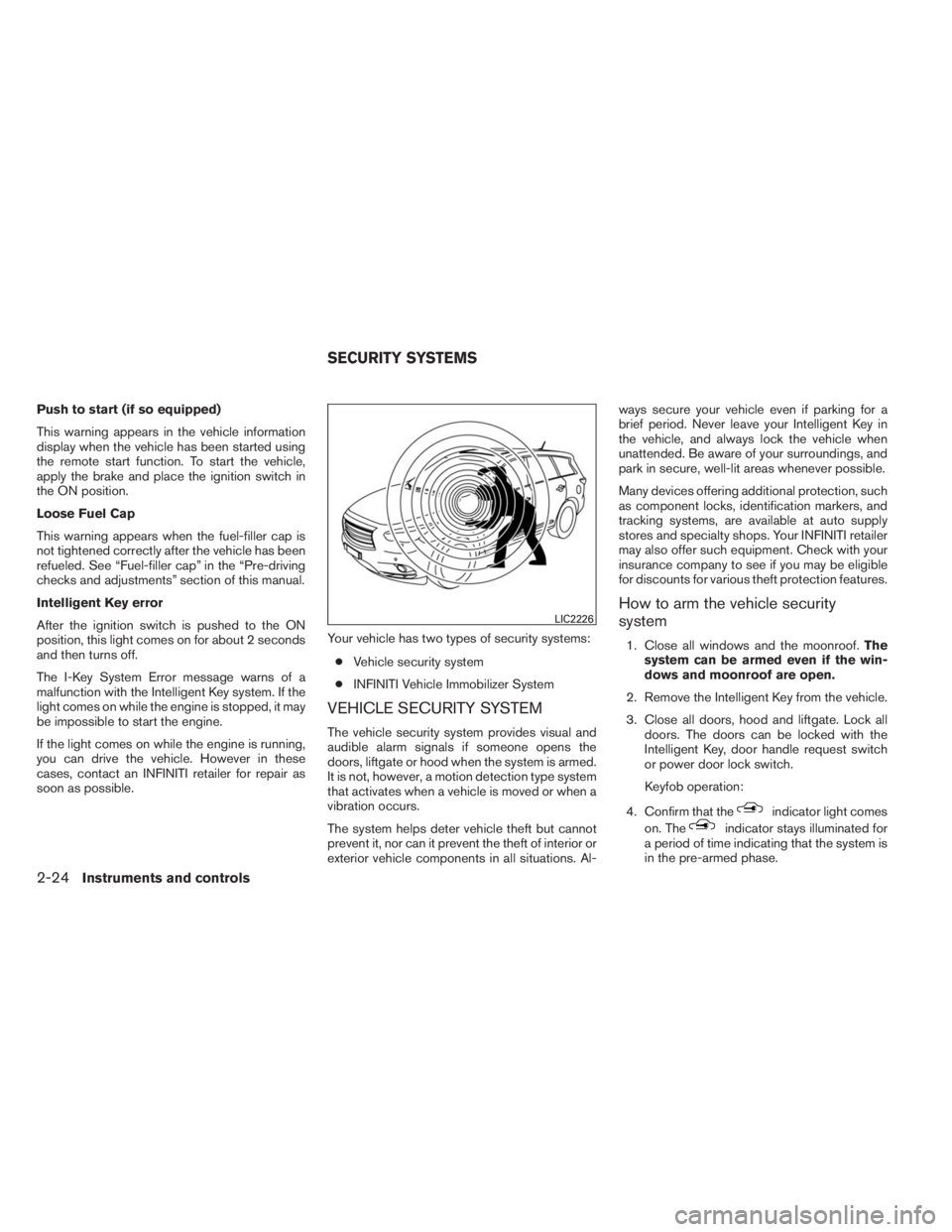
soon as possible.Your vehicle has two types of security systems:
●Vehicle security system
●INFINITI Vehicle Immobilizer System
VEHICLE SECURITY SYSTEM
The vehicle security system provides visual and
audible alarm signals if someone opens the
doors, liftgate or hood when the system is armed.
It is not, however, a motion detection type system
that activates when a vehicle is moved or when a
vibration occurs.
The system helps deter vehicle theft but cannot
prevent it, nor can it prevent the theft of interior or
exterior vehicle components in all situations. Al-ways secure your vehicle even if parking for a
brief period. Never leave your Intelligent Key in
the vehicle, and always lock the vehicle when
unattended. Be aware of your surroundings, and
park in secure, well-lit areas whenever possible.
Many devices offering additional protection, such
as component locks, identification markers, and
tracking systems, are available at auto supply
stores and specialty shops. Your INFINITI retailer
may also offer such equipment. Check with your
insurance company to see if you may be eligible
for discounts for various theft protection features.
How to arm the vehicle security
system
1. Close all windows and the moonroof.The
system can be armed even if the win-
dows and moonroof are open.
2. Remove the Intelligent Key from the vehicle.
3. Close all doors, hood and liftgate. Lock all
doors. The doors can be locked with the
Intelligent Key, door handle request switch
or power door lock switch.
Keyfob operation:
4. Confirm that the
indicator light comes
on. The
indicator stays illuminated for
a period of time indicating that the system is
in the pre-armed phase.
LIC2226
SECURITY SYSTEMS
2-24Instruments and controls
Page 165 of 547

NOTE:
●Request switches for all doors and lift-
gate can be deactivated when the I-Key
Door Lock setting is switched to OFF in
the Vehicle Settings of the vehicle in-
formation display. For additional infor-
mation, see “Vehicle information dis-
play” in the “Instruments and controls”
section of this manual.
●Doors lock with the door handle request
switch while the ignition switch is not in the
LOCK position.●Doors do not lock by pushing the door
handle request switch while any door is
open. However, doors lock with the me-
chanical key even if any door is open.
●Doors do not lock with the door handle
request switch with the Intelligent Key inside
the vehicle and a beep sounds to warn you.
However, when an Intelligent Key is inside
the vehicle, doors can be locked with an-
other Intelligent Key.
CAUTION
●After locking the doors using the re-
quest switch, make sure that the doors
have been securely locked by operating
the door handles or the rear liftgate
opener switch.
●When locking the doors using the re-
quest switch, make sure to have the
Intelligent Key in your possession be-
fore operating the request switch to
prevent the Intelligent Key from being
left in the vehicle.
●The request switch is operational only
when the Intelligent Key has been de-
tected by the Intelligent Key system.Lockout protection
To prevent the Intelligent Key from being acci-
dentally locked in the vehicle, lockout protection
is equipped with the Intelligent Key system.
When the driver’s side door is open, the doors
are locked, and then the Intelligent Key is put
inside the vehicle and all the doors are closed;
the lock will automatically unlock and the door
buzzer sounds.
NOTE:
The doors may not lock when the Intelli-
gent Key is in the same hand that is oper-
ating the request switch to lock the door.
Put the Intelligent Key in a purse, pocket or
your other hand.
CAUTION
The lockout protection may not function
under the following conditions:
●When the Intelligent Key is placed on
top of the instrument panel.
●When the Intelligent Key is placed in-
side the glove box or a storage bin.
●When the Intelligent Key is placed in-
side the door pockets.
●When the Intelligent Key is placed in-
side or near metallic materials.
LPD2059
Pre-driving checks and adjustments3-11
Page 166 of 547

Unlocking doors
1. Carry the Intelligent Key.
2. Push the door handle request switch.
3. The hazard warning lights flash once and the
outside buzzer sounds once.
4. Push the door handle request switch again
within 1 minute to unlock all doors.
For power liftgate opening:
1. Carry the Intelligent Key.
2. Press the power liftgate request switch.NOTE:
Request switches for all doors and liftgate
can be deactivated when the I-Key Door
Lock setting is switched to OFF in the Ve-
hicle Settings of the vehicle information
display. For additional information, see
“Vehicle information display” in the “In-
struments and controls” section of this
manual.
If a door handle is pulled while unlocking the
doors, that door may not be unlocked. Returning
the door handle to its original position will unlock
the door. If the door does not unlock after return-ing the door handle, push the door handle re-
quest switch to unlock the door.
All doors will be locked automatically unless one
of the following operations is performed within
1 minute after pushing the request switch.
●Opening any door.
●Pushing the ignition switch.
The interior light timer illuminates for a period of
time when a door is unlocked and the room light
switch is in the DOOR position.
The interior light can be turned off without waiting
by performing one of the following operations:
●Placing the ignition switch in the ON posi-
tion.
●Locking the doors with the remote controller.
●Switching the room light switch to the OFF
position.
●Switching the Auto Room Lamp to the OFF
position in Vehicle Settings of the vehicle
information display. See “Vehicle information
display” in the “Instruments and controls”
section.
LPD2058LPD2059
3-12Pre-driving checks and adjustments