warning INFINITI QX60 2016 Repair Manual
[x] Cancel search | Manufacturer: INFINITI, Model Year: 2016, Model line: QX60, Model: INFINITI QX60 2016Pages: 607, PDF Size: 6.51 MB
Page 104 of 607

WARNING
VDC should remain on unless freeing a
vehicle from mud or snow.
While the VDC system is operating, you might
feel a slight vibration or hear the system working
when starting the vehicle or accelerating, but this
is normal.
AUDIBLE REMINDERS
Brake pad wear warning
The disc brake pads have audible wear warnings.
When a disc brake pad requires replacement, it
makes a high pitched scraping sound when the
vehicle is in motion, whether or not the brake
pedal is depressed. Have the brakes checked as
soon as possible if the warning sound is heard.
Key reminder chime
A chime sounds if the driver’s door is opened
while the ignition switch is placed in the ACC or
OFF position or placed in the OFF or LOCK
position with the Intelligent Key left in the vehicle.
Make sure the ignition switch is placed in the
LOCK position, and take the Intelligent Key with
you when leaving the vehicle.
Lane Departure Warning (LDW) and
Lane Departure Prevention (LDP)
warning chime (if so equipped)
When the LDW or LDP system is on, the chime
sounds if the vehicle is traveling close to either
the left or the right of a traveling lane with detect-
able lane markers.
For additional information, refer to “Lane Depar-
ture Warning (LDW) system (if so equipped)” or
“Lane Departure Prevention (LDP) system (if so
equipped)” in the “Starting and driving” section of
this manual.
Light reminder chime
With the ignition switch placed in the OFF posi-
tion, a chime sounds when the driver’s door is
opened if the headlights or parking lights are on.
Turn the headlight control switch off before leav-
ing the vehicle.
Intelligent Key door buzzer
The Intelligent Key door buzzer sounds if any one
of the following improper operations is found. ● The ignition switch is not returned to the
LOCK position when locking the doors.
● The Intelligent Key is left inside the vehicle
when locking the doors.
● The Intelligent Key is taken outside the ve-
hicle when operating the vehicle.
● Any doors are not closed securely when
locking the doors.
When the buzzer sounds, be sure to check both
the vehicle and the Intelligent Key System. For
additional information, refer to “INFINITI Intelli-
gent Key” in the “Pre-driving checks and adjust-
ments” section of this manual.
Instruments and controls2-15
Page 105 of 607
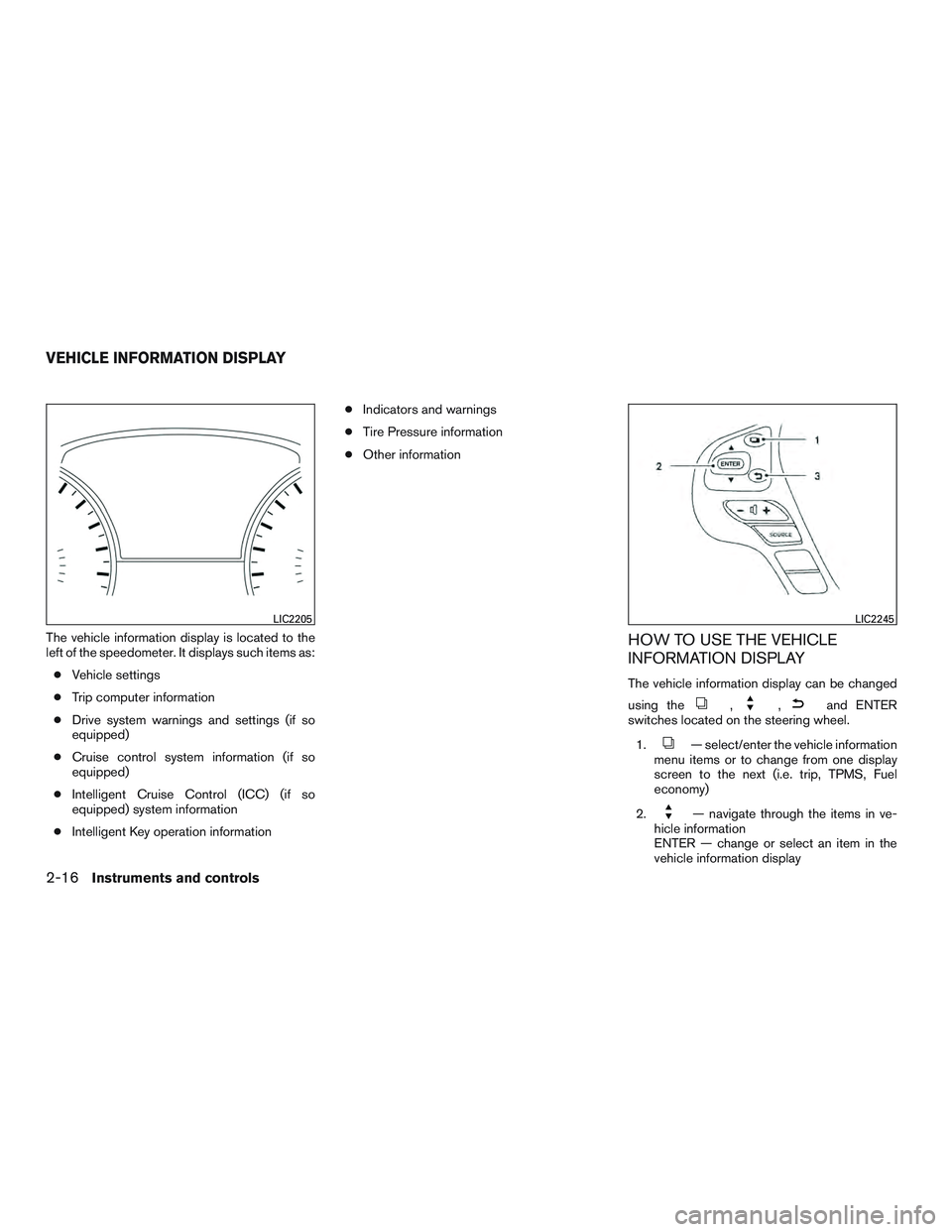
The vehicle information display is located to the
left of the speedometer. It displays such items as:● Vehicle settings
● Trip computer information
● Drive system warnings and settings (if so
equipped)
● Cruise control system information (if so
equipped)
● Intelligent Cruise Control (ICC) (if so
equipped) system information
● Intelligent Key operation information ●
Indicators and warnings
● Tire Pressure information
● Other informationHOW TO USE THE VEHICLE
INFORMATION DISPLAY
The vehicle information display can be changed
using the
,,and ENTER
switches located on the steering wheel.
1.
— select/enter the vehicle information
menu items or to change from one display
screen to the next (i.e. trip, TPMS, Fuel
economy)
2.
— navigate through the items in ve-
hicle information
ENTER — change or select an item in the
vehicle information display
LIC2205LIC2245
VEHICLE INFORMATION DISPLAY
2-16Instruments and controls
Page 106 of 607

3.— go back to the previous menu
The ENTER and
switches also control au-
dio and control panel functions. For additional
information, refer to “Steering wheel switch for
audio control” in the “Monitor, climate, audio,
phone and voice recognition systems” section of
this manual.
STARTUP DISPLAY
When the vehicle in placed in the ON or ACC
position the screens that display in the vehicle
information include:
● Active system status (if so equipped)
● Trip computer
● Tire pressure information
● Fuel economy
● Warnings
Warnings will only display if there are any pres-
ent. For additional information refer to, “Vehicle
information display warnings and indicators” sec-
tion of this manual.
To control what items display in the vehicle infor-
mation display, refer to “Main menu selection”
section of this manual.
SETTINGS
The setting mode allows you to change the infor-
mation displayed in the vehicle information dis-
play: ● Driver Assistance (if so equipped)
● Vehicle Settings
● Main Menu Selection
● Body Color
● Maintenance
● Alarms
● Language
● Units
● Welcome Effects
● Factory Reset
Instruments and controls2-17
Page 107 of 607

Driver Assistance (if so equipped)
The driver assistance menu allows the user to
change the various driving aids.
Menu itemResult
Driving Aids Displays available Driving Aids
Forward Displays available forward driving aids.
Assistance (DCA) Allows user to turn the Distance Control Assist (DCA) system ON/OFF. For additional information, refer to “Distance
Control Assist (DCA)” in the “Starting and driving” section of this manual.
Lane Displays available lane driving aids.
Lane Allows user to turn the Lane Departure Warning (LDW) system ON/OFF. For additional information, refer to “Lane De-
parture Warning (LDW)” in the “Starting and driving” section of this manual.
Assistance (LDP) Allows user to turn the Lane Departure Prevention (LDP) system ON/OFF. For additional information, refer to “Lane De-
parture Prevention (LDP) system” in the “Starting and driving” section of this manual.
Blind Spot Displays available blind spot driving aids and settings.
Blind Spot Allows user to turn the Blind Spot Warning system ON/OFF. For additional information, refer to “Blind Spot Warning
(BSW)” in the “Starting and driving” section of this manual.
Assistance (BSI) Allows user to turn the Blind Spot Intervention (BSI) system ON/OFF. For additional information, refer to “Blind Spot In-
tervention ®(BSI) system” in the “Starting and driving” section of this manual.
Brightness Allows user to choose between standard (STD) , dark or bright settings for the Blind Spot display.
Back-Up Collision Interv. Allows user to turn the Back-Up Collision Intervention system ON/OFF. For additional information, refer to “Back-Up Col-
lision Intervention (BCI)” in the “Starting and driving” section of this manual.
Forward Emergency Braking Allows user to turn the Forward Emergency Braking system ON/OFF. For additional information, refer to “Forward Emer-
gency Braking (FEB)” in the “Starting and driving” section of this manual.
2-18Instruments and controls
Page 110 of 607
Maintenance
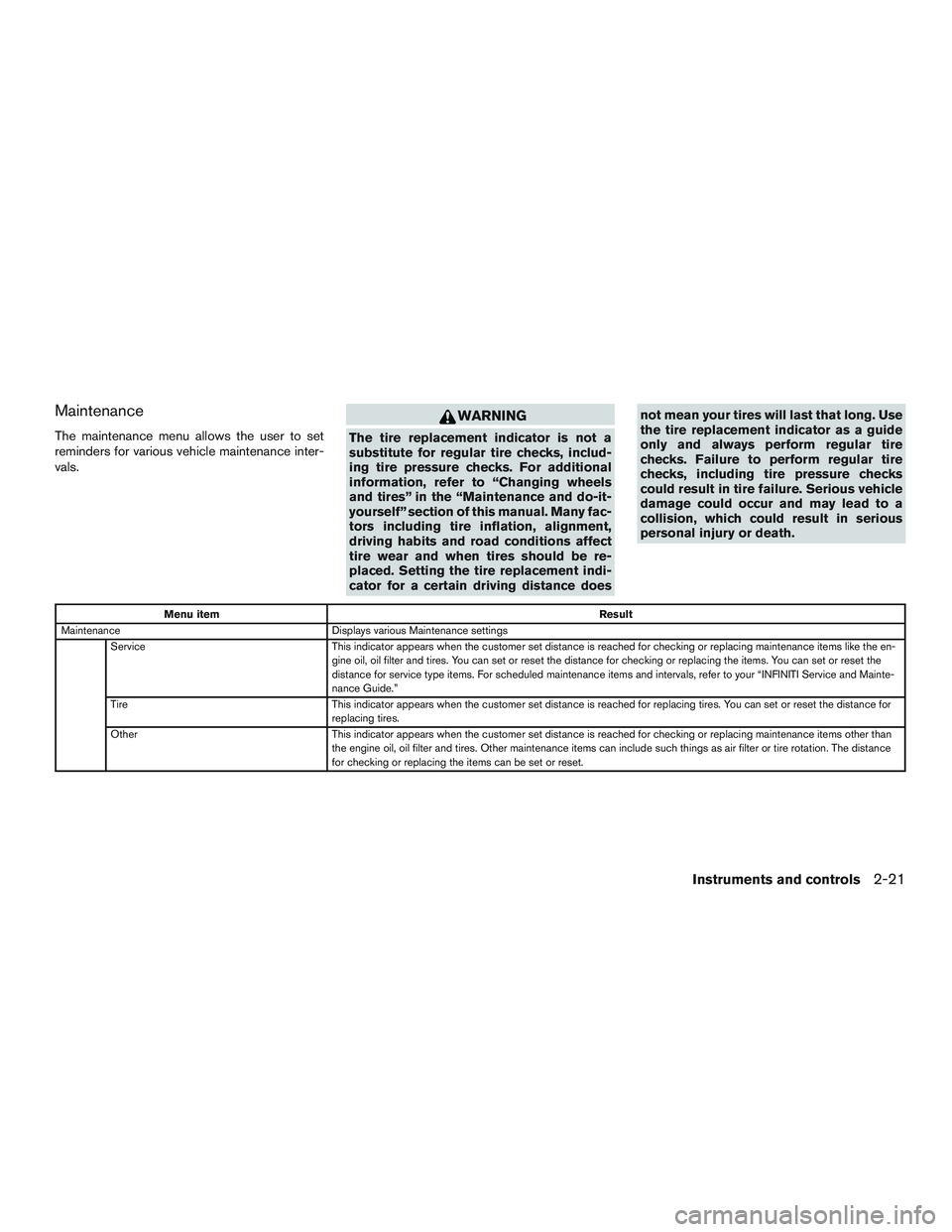
The maintenance menu allows the user to set
reminders for various vehicle maintenance inter-
vals.
WARNING
The tire replacement indicator is not a
substitute for regular tire checks, includ-
ing tire pressure checks. For additional
information, refer to “Changing wheels
and tires” in the “Maintenance and do-it-
yourself” section of this manual. Many fac-
tors including tire inflation, alignment,
driving habits and road conditions affect
tire wear and when tires should be re-
placed. Setting the tire replacement indi-
cator for a certain driving distance doesnot mean your tires will last that long. Use
the tire replacement indicator as a guide
only and always perform regular tire
checks. Failure to perform regular tire
checks, including tire pressure checks
could result in tire failure. Serious vehicle
damage could occur and may lead to a
collision, which could result in serious
personal injury or death.
Menu item
Result
Maintenance Displays various Maintenance settings
Service This indicator appears when the customer set distance is reached for checking or replacing maintenance items like the en-
gine oil, oil filter and tires. You can set or reset the distance for checking or replacing the items. You can set or reset the
distance for service type items. For scheduled maintenance items and intervals, refer to your “INFINITI Service and Mainte-
nance Guide.”
Tire This indicator appears when the customer set distance is reached for replacing tires. You can set or reset the distance for
replacing tires.
Other This indicator appears when the customer set distance is reached for checking or replacing maintenance items other than
the engine oil, oil filter and tires. Other maintenance items can include such things as air filter or tire rotation. The distance
for checking or replacing the items can be set or reset.
Instruments and controls2-21
Page 114 of 607

VEHICLE INFORMATION DISPLAY
WARNINGS AND INDICATORS
1. No Key Detected
2. Key ID Incorrect
3. Shift to Park4. Push ignition to OFF
5. Key Battery Low
6. Engine start operation for Intelligent Key sys-
tem
7. Release Parking Brake 8. Low Fuel
9. Low Washer Fluid
10. Door Open
11. Liftgate Open
LIC3515
Instruments and controls2-25
Page 115 of 607
12. Time for a driver break?
13. Low Outside Temperature
14. Power will turn off to save the battery
15. CVT Error: See Owner’s Manual
16. Turn off the lights
17. Low Oil Pressure: See Owner’s Manual
18. Key Registration Complete
19. Tire Pressure Low - Add Air
20. TPMS Error: See Owner’s Manual
21. Parking Sensor Error: See Owner’s Manual
22. Push brake and start button to drive
23. I-Key System Error: See Owner’s Manual
24. Cruise control indicator (if so equipped)
25. Intelligent Cruise Control (ICC) indicators (ifso equipped)
26. INFINITI drive mode selector indicators
27. Malfunction: See Owner’s Manual (if so equipped)
28. AWD Error: See Owner’s Manual (if so equipped)
29. AWD High Temp. Stop Vehicle (if so equipped) 30. Tire Size Incorrect: See Owner’s Manual (if
so equipped)
31. Unavailable: Road is slippery (if so equipped)
32. Unavailable: Snow Mode Active (if so equipped)
33. Unavailable: VDC OFF (if so equipped)
34. Unavailable: High Cabin Temp (if so equipped)
35. Unavailable: Side Radar Obstruction (if so equipped)
36. Unavailable: High Accelerator Temp (if so equipped)
37. BCI OFF (if so equipped)
38. Loose Fuel Cap
39. Shipping Mode On Push Storage Fuse
No Key Detected
This warning appears when the Intelligent Key is
left outside the vehicle with the ignition switch in
the ON or ACC position. Make sure the Intelli-
gent Key is inside the vehicle.
Key ID Incorrect
The warning appears when the ignition switch is
turned from the OFF position and the Intelligent Key is not recognized by the system. You cannot
start the engine with an unregistered key.
For additional information, refer to “INFINITI Intel-
ligent Key System” in the “Pre-driving checks and
adjustments” section of this manual.
Shift to Park
This warning illuminates when the ignition switch
is in the ACC or OFF position and the shift lever
is in any position other than P (Park) . Also, a
chime sounds when the ignition switch is in the
OFF position.
If this warning illuminates, move the shift lever to
the P (Park) position or start the engine.
For additional information, refer to “INFINITI Intel-
ligent Key” in the “Pre-driving checks and adjust-
ments” section of this manual.
Push ignition to OFF
After the Push ignition to OFF warning illumi-
nates, the warning will illuminate if the ignition
switch is placed in the ACC position when the
shift lever is moved to the P (Park) position.
To turn off the Push warning, place the ignition
switch in the ON position and then in the LOCK
position.
2-26Instruments and controls
Page 116 of 607
Key Battery Low
This indicator illuminates when the Intelligent Key
battery is running out of power.
If this indicator illuminates, replace the battery
with a new one. For additional information, refer
to “Battery replacement” in the “Maintenance and
do-it-yourself” section of this manual.
Engine start operation for Intelligent Key
system
This indicator appears when the battery of the
Intelligent Key is low and when the Intelligent Key
system and the vehicle are not communicating
normally.
If this appears, touch the ignition switch with the
Intelligent Key while depressing the brake pedal.
For additional information, refer to “INFINITI Intel-
ligent Key battery discharge” in the “Starting and
driving” section of this manual.
Release Parking Brake
This warning illuminates in the message area of
the vehicle information display when the parking
brake is set and the vehicle is driven.
Low Fuel
This warning illuminates when the fuel level in the
fuel tank is getting low. Refuel as soon as it is
convenient, preferably before the fuel gaugereaches 0 (Empty) .
There will be a small re-
serve of fuel in the tank when the fuel
gauge needle reaches 0 (Empty) .
Low Washer Fluid
This warning illuminates when the windshield-
washer fluid is at a low level. Add windshield-
washer fluid as necessary. For additional informa-
tion, refer to “Windshield-washer fluid” in the
“Maintenance and do-it-yourself” section of this
manual.
Door Open
This warning illuminates when a door has been
opened when the engine is running.
Liftgate Open
This warning illuminates when the liftgate has
been opened when the engine is running.
Time for a driver break?
This indicator appears when the set time is
reached. The time can be set up to six hours. For
additional information, refer to “Settings” in this
section.
Low Outside Temperature
This warning appears if the outside temperature
is below 37°F (3°C) . The temperature can be changed to display in Celsius or Fahrenheit. For
additional information, refer to “Unit” in this sec-
tion.
Power will turn off to save the battery
This warning appears in the message area of the
vehicle information display after a period of time if
the shift lever has not moved from the P (Park)
position.
CVT Error: See Owner’s Manual
This warning illuminates when the there is a prob-
lem with the CVT system. If this warning comes
on, have the system checked. It is recommended
that you visit an INFINITI retailer for this service.
Turn off the lights
This warning appears when the headlights are
left in the ON position when exiting the vehicle.
Place the headlight switch to OFF or AUTO po-
sition. For additional information, refer to “Head-
light and turn signal switch” in this section.
Low Oil Pressure: See Owner’s Manual
This warning appears in the message area of the
vehicle information display if low oil pressure is
detected. This gauge is not designed to indicate
low oil level.
The low oil pressure warning is
not designed to indicate a low oil level. Use
the dipstick to check the oil level. For additional
Instruments and controls2-27
Page 117 of 607
information, refer to “Engine oil” in the “Mainte-
nance and do-it-yourself” section of this manual.
Key Registration Complete
This appears when a new Intelligent Key is regis-
tered to the vehicle.
Tire Pressure Low - Add Air
This warning appears when the low tire pressure
warning light in the meter illuminates and low tire
pressure is detected. The warning appears each
time the ignition switch is placed in the ON
position as long as the low tire pressure warning
light remains illuminated. If this warning appears,
stop the vehicle and adjust the tire pressures of
all four tires to the recommended COLD tire
pressure shown on the Tire and Loading Informa-
tion label. For additional information, refer to
“Low tire pressure warning light” in this section
and “Tire Pressure Monitoring System (TPMS)”
in the “Starting and driving” section of this
manual.
TPMS Error: See Owner’s Manual
This warning appears when there is an error with
your TPMS. If this warning comes on, it is recom-
mended that you visit an INFINITI retailer.Parking Sensor Error: See Owner’s
Manual
This warning illuminates when there is an error
with the system. For additional information, refer
to “Front and rear sonar system” in the “Starting
and driving” section of this manual.
Push brake and start button to drive
This indicator appears when the shift lever is in
the P (Park) position.
This indicator also appears when the vehicle has
been started with the remote start function (if so
equipped) .
This indicator means that the engine will start by
pushing the ignition switch with the brake pedal
depressed. You can start the engine from any
position of the ignition switch.
I-Key System Error: See Owner’s Manual
After the ignition switch is pushed to the ON
position, this light comes on for about 2 seconds
and then turns off.
The I-Key System Error message warns of a
malfunction with the Intelligent Key system. If the
light comes on while the engine is stopped, it may
be impossible to start the engine.
If the light comes on while the engine is running,
you can drive the vehicle. However in these
cases, it is recommended you contact an
INFINITI retailer for repair as soon as possible.
Cruise control indicator (if so equipped)
This indicator shows the cruise control system
status.
For additional information, refer to “Cruise con-
trol” in the “Starting and driving” section of this
manual.
Intelligent Cruise Control (ICC) indicator
(if so equipped)
This indicator shows the Intelligent Cruise Con-
trol (ICC) system status. The status is shown by
the color. For additional information, refer to “In-
telligent Cruise Control (ICC) System” in the
“Starting and driving” section of this manual.
INFINITI drive mode selector indicators
These indicators show the current drive mode of
the vehicle.
For additional information, refer to “INFINITI drive
mode selector” in the “Starting and driving” sec-
tion of this manual.
2-28Instruments and controls
Page 118 of 607
Malfunction: See Owner’s Manual (if so
equipped)
This warning appears when one or more of the
following systems (if so equipped) is not func-
tioning properly:● Forward Emergency Braking (FEB)
● Lane Departure Warning (LDW)
● Blind Spot Warning (BSW)
If one or more of these warning appears, have the
system checked. It is recommended you visit an
INFINITI retailer for this service.
AWD Error: See Owner’s Manual (if so
equipped)
This warning appears when the all-wheel drive
system is not functioning properly while the en-
gine is running.
AWD High Temp. Stop Vehicle (if so
equipped)
This warning may appear while trying to free a
stuck vehicle due to increased oil temperature.
The driving mode may change to 2-Wheel Drive
(2WD) . If this warning is displayed, stop the
vehicle with the engine idling, as soon as it is safe
to do so. Then if the warning turns off, you can
continue driving. Tire Size Incorrect: See Owner’s Manual
(if so equipped)
This warning may appear if there is a large differ-
ence between the diameters of the front and rear
wheels. Pull off the road in a safe area, with the
engine idling. Check that all the tire sizes are the
same, that the tire pressure is correct and that the
tires are not excessively worn.
Unavailable: Road is slippery (if so
equipped)
This message appears when the Distance Con-
trol Assist (DCA) system becomes unavailable
because the road is slippery. For additional infor-
mation, refer to “Distance Control Assist (DCA)”
in the “Starting and driving” section of this
manual.
Unavailable: Snow Mode Active (if so
equipped)
This message appears when the Distance Con-
trol Assist (DCA) system becomes unavailable
because the SNOW Mode is selected. For addi-
tional information, refer to “Distance Control As-
sist (DCA)” in the “Starting and driving” section of
this manual.
Unavailable: VDC OFF (if so equipped)
This message appears when the Distance Con-
trol Assist (DCA) system becomes unavailablebecause the VDC is turned OFF. For additional
information, refer to “Distance Control Assist
(DCA)” in the “Starting and driving” section of this
manual.
Unavailable: High Cabin Temp. (if so
equipped)
This message appears when the camera detects
an interior temperature of more than approxi-
mately 104°F (40°C) . For additional information,
refer to “Lane Departure Warning (LDW)” in the
“Starting and driving” section of this manual.
Unavailable: Side Radar Obstruction (if so
equipped)
This message appears when the Distance Con-
trol Assist (DCA) system becomes unavailable
because a radar blockage is detected. For addi-
tional information, refer to “Blind Spot Warning
(BSW)” in the “Starting and driving” section of
this manual.
Unavailable: High Accelerator Temp. (if so
equipped)
This message appears when the Back-up Colli-
sion Intervention (BCI) system becomes unavail-
able because of an interior temperature greater
than approximately 104°F (40°C) . For additional
information, refer to “Back-up Collision Interven-
tion (BCI) system” in the “Starting and driving”
section of this manual.
Instruments and controls2-29