Defrost INFINITI QX60 2019 User Guide
[x] Cancel search | Manufacturer: INFINITI, Model Year: 2019, Model line: QX60, Model: INFINITI QX60 2019Pages: 540, PDF Size: 6.41 MB
Page 245 of 540
Start the engine and operate the controls to
activate the air conditioner.
NOTE:∙ Odors from inside and outside the ve-
hicle can build up in the air conditioner
unit. Odor can enter the passenger com-
partment through the vents.
∙ When parking, set the heater and air
conditioner controls to turn off air recir-
culation to allow fresh air into the pas-
senger compartment. This should help
reduce odors inside the vehicle.
AUTOMATIC OPERATION
Cooling and/or dehumidified
heating (AUTO)
This mode may be used all year round as the
system automatically works to keep a con-
stant temperature. Air flow distribution, in-
take air control, and fan speed are also con-
trolled automatically.
1. Press the AUTO button on. (The indica- tor on the button will illuminate and
AUTO will be displayed.) 2. Operate the driver’s side temperature
control buttons.
∙ Adjust the temperature display to about 75°F (24°C) for normal operation.
∙ The temperature of the passenger com- partment will be maintained automati-
cally. Air flow distribution, intake air con-
trol, and fan speed are also controlled
automatically.
∙ A visible mist may be seen coming from the ventilators in hot, humid conditions as
the air is cooled rapidly. This does not
indicate a malfunction.
Dehumidified defrosting or
defogging
1. Press thefront defroster button
on. (The indicator light on the button will
come on.)
2. Operate the temperature control but- tons to set the desired temperature.
∙ To quickly remove ice from the outside of the windows, use the
fan speed
control buttons to set the fan speed to
maximum. ∙ As soon as possible after the windshield
is clean, press the AUTO button to return
to the automatic mode.
∙ When the
front defroster button is
pressed, the air conditioner will auto-
matically be turned on at outside tem-
peratures above 36°F (2°C). The air recir-
culate mode automatically turns off,
allowing outside air to be drawn into the
passenger compartment to further im-
prove the defogging performance.
Remote Engine Start with
Intelligent Climate Control
(if so equipped)
Vehicles equipped with automatic climate
controls and Remote Engine Start function
may go into automatic heating or cooling
mode when Remote Engine Start is activated
depending on outside and cabin tempera-
tures. During this period, the climate control
display and buttons will be inoperable until
the ignition switch is turned on. In Remote
Engine Start defrosting mode, the rear win-
dow defroster and heated steering wheel (if
so equipped) may be activated automatically.
Monitor, climate, audio, phone and voice recognition systems4-35
Page 246 of 540
Voice Recognition logic
(if so equipped)
When the climate control system is on, the
front and rear fan speeds may be automati-
cally lowered so that commands are more
easily recognized. Fan speed can be adjusted
using the fan speed decrease and increase
buttons, if desired.
MANUAL OPERATION
Fan speed control
Press thefan speed control buttons to
manually control the fan speed.
Press the AUTO button to return to auto-
matic control of the fan speed.
Temperature control
Press the temperature control buttons up or
down to set the desired temperature.
The temperature can be set within the fol-
lowing range:
∙ For U.S.: 60 to 90ºF (16 to 32ºC)
∙ For Canada: 64 to 90ºF (18 to 32ºC)
Air recirculation
Press theair recirculation button to re-
circulate interior air inside the vehicle.
The
indicator light on the button will
come on.
The air recirculation cannot be activated
when the air conditioner is in the
front
defrosting mode.
When the outside temperature exceeds 70°F
(21°C), the air conditioning system may de-
fault to air recirculation mode automatically
to reduce overall power consumption. To exit
air recirculation mode, deselect the air recir-
culation button (indicator will turn off) to en-
ter fresh air mode.
Automatic intake air control
In the AUTO mode, the intake air will be
controlled automatically. To manually control
the intake air, press the
air recirculation
button. To return to the automatic control
mode, press and hold the
air recircula-
tion button for about 2 seconds. The indica-
tor light will flash twice, and then the intake
air will be controlled automatically.
Air flow control
Press thebutton to manually control
air flow. Pressing the button repeatedly will
cycle through the available modes and dis-
play the corresponding icon on the center
display:
— Air flows from center and side
vents.
— Air flows from center and sidevents and foot outlets.
— Air flows mainly from footoutlets.
— Air flows from defroster andfoot outlets.
To turn system off
Press the OFF button.
CLIMATE button
Press the CLIMATE button on the control
panel to display the screen for front air con-
ditioner operations.
Rear window and outside mirror
defroster switch
For additional information, refer to “Rear
window and outside mirror defroster switch”
in the “Instruments and controls” section of
this manual.
4-36Monitor, climate, audio, phone and voice recognition systems
Page 247 of 540
OPERATING TIPS
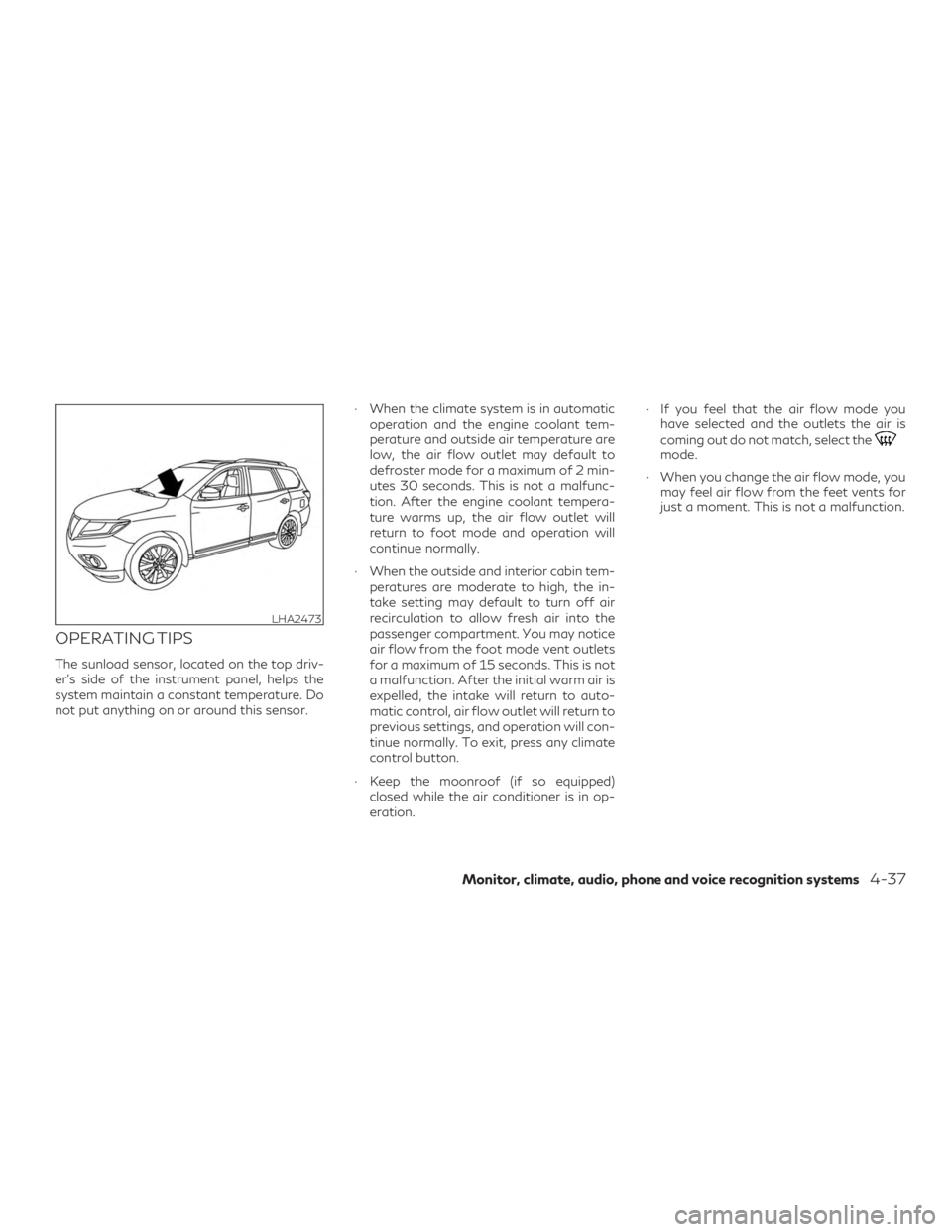
The sunload sensor, located on the top driv-
er’s side of the instrument panel, helps the
system maintain a constant temperature. Do
not put anything on or around this sensor.∙ When the climate system is in automatic
operation and the engine coolant tem-
perature and outside air temperature are
low, the air flow outlet may default to
defroster mode for a maximum of 2 min-
utes 30 seconds. This is not a malfunc-
tion. After the engine coolant tempera-
ture warms up, the air flow outlet will
return to foot mode and operation will
continue normally.
∙ When the outside and interior cabin tem- peratures are moderate to high, the in-
take setting may default to turn off air
recirculation to allow fresh air into the
passenger compartment. You may notice
air flow from the foot mode vent outlets
for a maximum of 15 seconds. This is not
a malfunction. After the initial warm air is
expelled, the intake will return to auto-
matic control, air flow outlet will return to
previous settings, and operation will con-
tinue normally. To exit, press any climate
control button.
∙ Keep the moonroof (if so equipped) closed while the air conditioner is in op-
eration. ∙ If you feel that the air flow mode you
have selected and the outlets the air is
coming out do not match, select the
mode.
∙ When you change the air flow mode, you may feel air flow from the feet vents for
just a moment. This is not a malfunction.
LHA2473
Monitor, climate, audio, phone and voice recognition systems4-37
Page 248 of 540
CLIMATE SETTING SCREEN
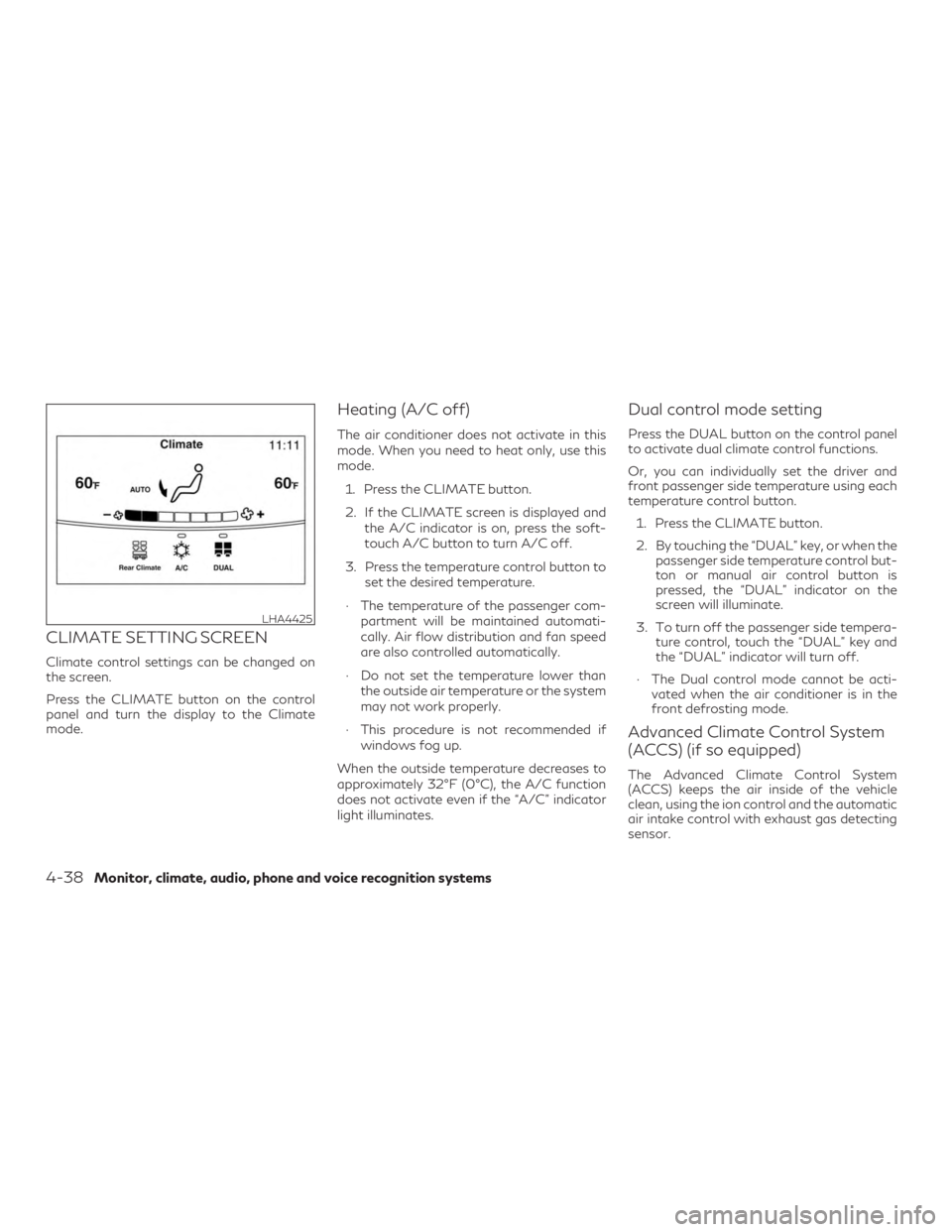
Climate control settings can be changed on
the screen.
Press the CLIMATE button on the control
panel and turn the display to the Climate
mode.
Heating (A/C off)
The air conditioner does not activate in this
mode. When you need to heat only, use this
mode.1. Press the CLIMATE button.
2. If the CLIMATE screen is displayed and the A/C indicator is on, press the soft-
touch A/C button to turn A/C off.
3. Press the temperature control button to set the desired temperature.
∙ The temperature of the passenger com- partment will be maintained automati-
cally. Air flow distribution and fan speed
are also controlled automatically.
∙ Do not set the temperature lower than the outside air temperature or the system
may not work properly.
∙ This procedure is not recommended if windows fog up.
When the outside temperature decreases to
approximately 32°F (0°C), the A/C function
does not activate even if the “A/C” indicator
light illuminates.
Dual control mode setting
Press the DUAL button on the control panel
to activate dual climate control functions.
Or, you can individually set the driver and
front passenger side temperature using each
temperature control button. 1. Press the CLIMATE button.
2. By touching the “DUAL” key, or when the passenger side temperature control but-
ton or manual air control button is
pressed, the “DUAL” indicator on the
screen will illuminate.
3. To turn off the passenger side tempera- ture control, touch the “DUAL” key and
the “DUAL” indicator will turn off.
∙ The Dual control mode cannot be acti- vated when the air conditioner is in the
front defrosting mode.
Advanced Climate Control System
(ACCS) (if so equipped)
The Advanced Climate Control System
(ACCS) keeps the air inside of the vehicle
clean, using the ion control and the automatic
air intake control with exhaust gas detecting
sensor.
LHA4425
4-38Monitor, climate, audio, phone and voice recognition systems
Page 249 of 540
Ion control (if so equipped)
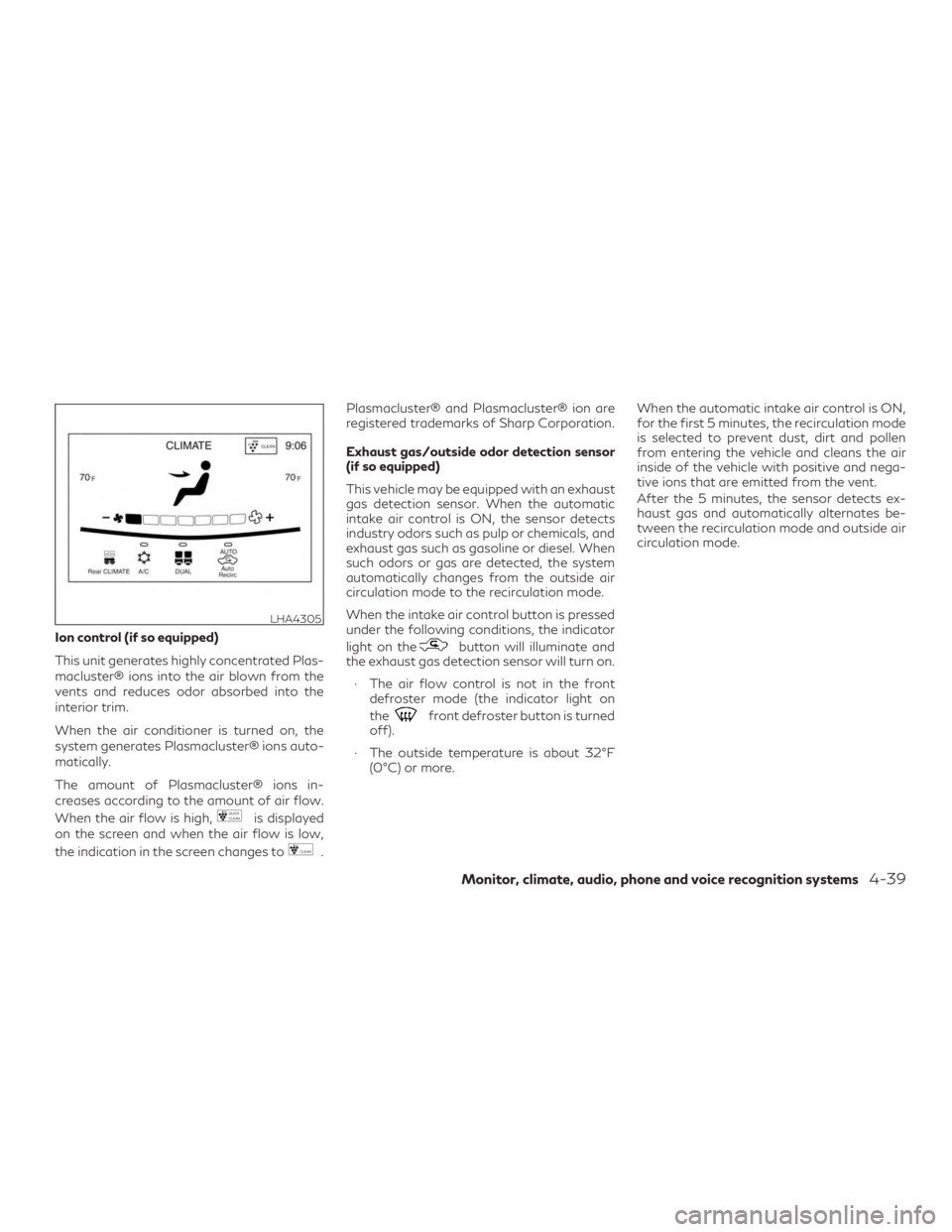
This unit generates highly concentrated Plas-
macluster® ions into the air blown from the
vents and reduces odor absorbed into the
interior trim.
When the air conditioner is turned on, the
system generates Plasmacluster® ions auto-
matically.
The amount of Plasmacluster® ions in-
creases according to the amount of air flow.
When the air flow is high,
is displayed
on the screen and when the air flow is low,
the indication in the screen changes to
. Plasmacluster® and Plasmacluster® ion are
registered trademarks of Sharp Corporation.
Exhaust gas/outside odor detection sensor
(if so equipped)
This vehicle may be equipped with an exhaust
gas detection sensor. When the automatic
intake air control is ON, the sensor detects
industry odors such as pulp or chemicals, and
exhaust gas such as gasoline or diesel. When
such odors or gas are detected, the system
automatically changes from the outside air
circulation mode to the recirculation mode.
When the intake air control button is pressed
under the following conditions, the indicator
light on the
button will illuminate and
the exhaust gas detection sensor will turn on.
∙ The air flow control is not in the front defroster mode (the indicator light on
the
front defroster button is turned
off).
∙ The outside temperature is about 32°F (0°C) or more. When the automatic intake air control is ON,
for the first 5 minutes, the recirculation mode
is selected to prevent dust, dirt and pollen
from entering the vehicle and cleans the air
inside of the vehicle with positive and nega-
tive ions that are emitted from the vent.
After the 5 minutes, the sensor detects ex-
haust gas and automatically alternates be-
tween the recirculation mode and outside air
circulation mode.
LHA4305
Monitor, climate, audio, phone and voice recognition systems4-39
Page 253 of 540
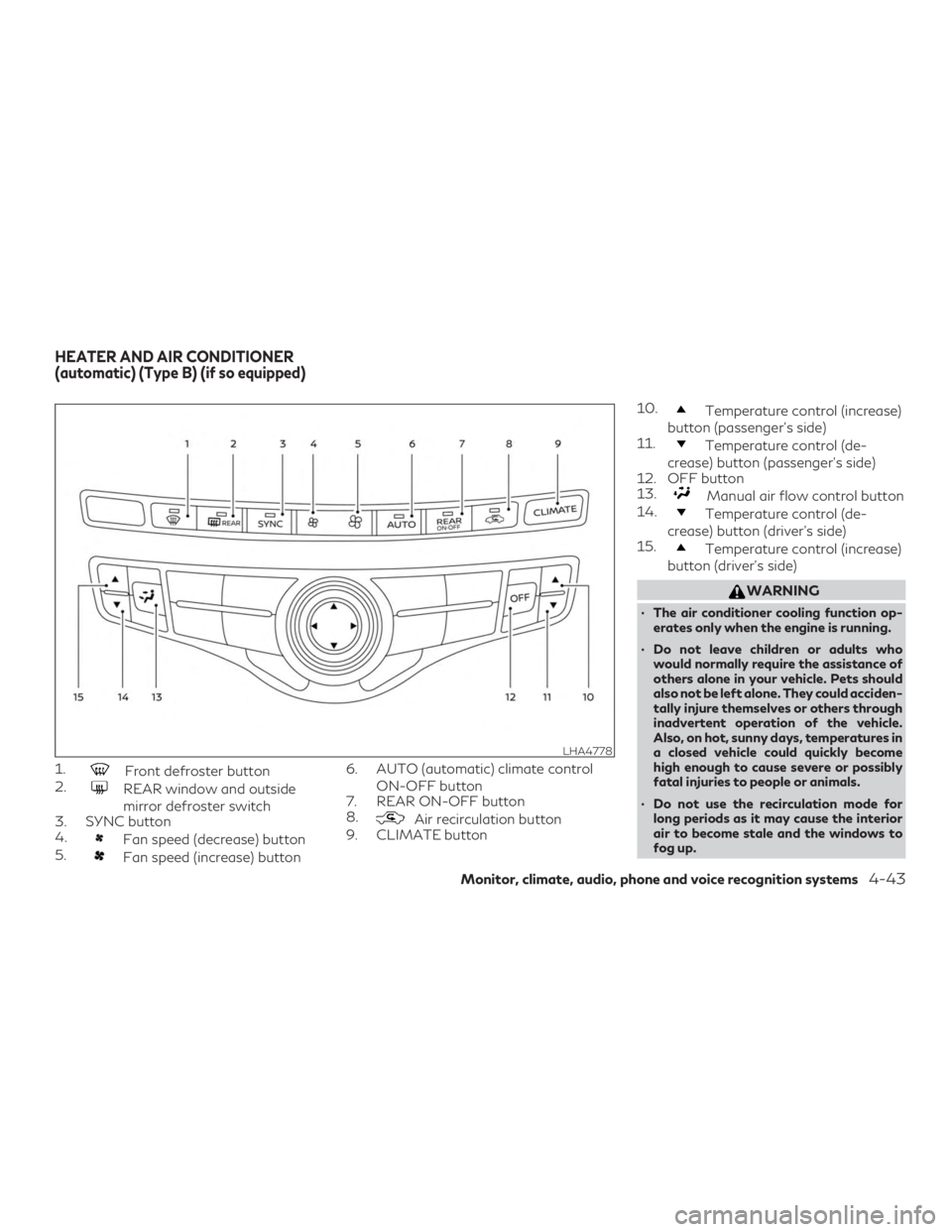
1.Front defroster button
2.
REAR window and outside
mirror defroster switch
3. SYNC button
4.
Fan speed (decrease) button
5.
Fan speed (increase) button 6. AUTO (automatic) climate control
ON-OFF button
7. REAR ON-OFF button
8.
Air recirculation button
9. CLIMATE button 10.
Temperature control (increase)
button (passenger’s side)
11.
Temperature control (de-
crease) button (passenger’s side)
12. OFF button
13.
Manual air flow control button
14.
Temperature control (de-
crease) button (driver’s side)
15.
Temperature control (increase)
button (driver’s side)
WARNING
∙ The air conditioner cooling function op- erates only when the engine is running.
∙ Do not leave children or adults who would normally require the assistance of
others alone in your vehicle. Pets should
also not be left alone. They could acciden-
tally injure themselves or others through
inadvertent operation of the vehicle.
Also, on hot, sunny days, temperatures in
a closed vehicle could quickly become
high enough to cause severe or possibly
fatal injuries to people or animals.
∙ Do not use the recirculation mode for long periods as it may cause the interior
air to become stale and the windows to
fog up.
LHA4778
HEATER AND AIR CONDITIONER
(automatic) (Type B) (if so equipped)
Monitor, climate, audio, phone and voice recognition systems4-43
Page 254 of 540
Start the engine and operate the controls to
activate the air conditioner.
NOTE:∙ Odors from inside and outside the ve-
hicle can build up in the air conditioner
unit. Odor can enter the passenger com-
partment through the vents.
∙ When parking, set the heater and air
conditioner controls to turn off air recir-
culation to allow fresh air into the pas-
senger compartment. This should help
reduce odors inside the vehicle.
AUTOMATIC OPERATION
Cooling and/or dehumidified
heating (AUTO)
This mode may be used all year round as the
system automatically works to keep a con-
stant temperature. Air flow distribution, in-
take air control, and fan speed are also con-
trolled automatically.
1. Press the AUTO button on. (The indica- tor on the button will illuminate and
AUTO will be displayed.) 2. Operate the driver’s side temperature
control buttons.
∙ Adjust the temperature display to about 75°F (24°C) for normal operation.
∙ The temperature of the passenger com- partment will be maintained automati-
cally. Air flow distribution, intake air con-
trol, and fan speed are also controlled
automatically.
∙ A visible mist may be seen coming from the ventilators in hot, humid conditions as
the air is cooled rapidly. This does not
indicate a malfunction.
3. You can individually set the driver’s and front passenger’s side temperature us-
ing each side’s temperature control but-
tons.
∙ To synchronize the driver’s and front pas- senger’s temperature settings, press the
SYNC button. The SYNC indicator will
illuminate and SYNC text will appear in
the Climate display.
Dehumidified defrosting or
defogging
1. Press thefront defroster button
on. (The indicator light on the button will
come on.)
2. Operate the temperature control but- tons to set the desired temperature.
∙ To quickly remove ice from the outside of the windows, use the
fan speed
control buttons to set the fan speed to
maximum.
∙ As soon as possible after the windshield is clean, press the AUTO button to return
to the automatic mode.
∙ When the
front defroster button is
pressed, the air conditioner will auto-
matically be turned on at outside tem-
peratures above 36°F (2°C). The air recir-
culate mode automatically turns off,
allowing outside air to be drawn into the
passenger compartment to further im-
prove the defogging performance.
4-44Monitor, climate, audio, phone and voice recognition systems
Page 255 of 540
Remote Engine Start with
Intelligent Climate Control
(if so equipped)
Vehicles equipped with automatic climate
controls and Remote Engine Start function
may go into automatic heating or cooling
mode when Remote Engine Start is activated
depending on outside and cabin tempera-
tures. During this period, the climate control
display and buttons will be inoperable until
the ignition switch is turned on. In Remote
Engine Start defrosting mode, the rear win-
dow defroster and heated steering wheel (if
so equipped) may be activated automatically.
Voice Recognition logic
(if so equipped)
When the climate control system is on, the
front and rear fan speeds may be automati-
cally lowered so that commands are more
easily recognized. Fan speed can be adjusted
using the fan speed
decrease
and
increase buttons, if desired.
MANUAL OPERATION
Fan speed control buttons
Press thefan speed control buttons to
manually control the fan speed.
Press the AUTO button to return to auto-
matic control of the fan speed.
Temperature control
Press thetemperature control buttons
up or down to set the desired temperature.
The temperature can be set within the fol-
lowing range:
∙ For U.S.: 60 to 90ºF (16 to 32ºC)
∙ For Canada: 64 to 90ºF (18 to 32ºC)
Air recirculation
Press theair recirculation button to re-
circulate interior air inside the vehicle.
The
indicator light on the button will
come on.
The air recirculation cannot be activated
when the air conditioner is in the
front
defrosting mode.
When the outside temperature exceeds 70°F
(21°C), the air conditioning system may de-
fault to air recirculation mode automatically
to reduce overall power consumption. To exit air recirculation mode, deselect the air recir-
culation button (indicator will turn off) to en-
ter fresh air mode.
Automatic intake air control
In the AUTO mode, the intake air will be
controlled automatically. To manually control
the intake air, press the
air recirculation
button.
Air flow control
Press thebutton to manually control
air flow. Pressing the button repeatedly will
cycle through the available modes and dis-
play the corresponding icon on the center
display:
— Air flows from center and side
vents.
— Air flows from center and sidevents and foot outlets.
— Air flows mainly from footoutlets.
— Air flows from defroster andfoot outlets.
Synchronize climate settings
Press the SYNC button to synchronize cli-
mate settings. The sync indicator will turn on
and SYNC text will appear in the Climate
display.
Monitor, climate, audio, phone and voice recognition systems4-45
Page 256 of 540

When rear climate is off, pressing SYNC will
synchronize only driver’s and front passen-
ger’s climate settings. When rear climate is
on, pressing SYNC will synchronize driver,
front passenger, and rear temperature and
fan settings.
To change climate settings when SYNC is
active (the SYNC indicator is on):∙ The driver’s side temperature control buttons will control the driver, front pas-
senger, and rear (if rear climate is on)
temperatures.
∙ The fan speed control buttons will con- trol the front and rear climate fan speeds.
∙ The front AUTO (automatic) climate con- trol on-off button will activate the front
and rear climate automatic settings.
To exit SYNC: ∙ To remove the front passenger from SYNC, press the passenger’s side tem-
perature control buttons. The driver and
rear settings remain in SYNC until rear is
removed from SYNC. ∙ To remove the rear from SYNC, change
any of the rear climate settings. The
driver and front passenger settings re-
main in SYNC until the front passenger is
removed from SYNC.
∙ To reactivate SYNC press the SYNC but- ton.
To turn system off
Press the OFF button.
CLIMATE button
Press the CLIMATE button on the control
panel to display the screen for front air con-
ditioner operations.
Rear window and outside mirror
defroster switch
For additional information, refer to “Rear
window and outside mirror defroster switch”
in the “Instruments and controls” section of
this manual.
OPERATING TIPS
The sunload sensor, located on the top driv-
er’s side of the instrument panel, helps the
system maintain a constant temperature. Do
not put anything on or around this sensor.
LHA2173
4-46Monitor, climate, audio, phone and voice recognition systems
Page 257 of 540
∙ When the climate system is in automaticoperation and the engine coolant tem-
perature and outside air temperature are
low, the air flow outlet may default to
defroster mode for a maximum of 2 min-
utes 30 seconds. This is not a malfunc-
tion. After the engine coolant tempera-
ture warms up, the air flow outlet will
return to foot mode and operation will
continue normally.
∙ When the outside and interior cabin tem- peratures are moderate to high, the in-
take setting may default to turn off air
recirculation to allow fresh air into the
passenger compartment. You may notice
air flow from the foot mode, bi-level
mode, or side demist vent outlets for a
maximum of 15 seconds. This may occur
when the previous climate setting was
turned off. This is not a malfunction. Af-
ter the initial warm air is expelled, the
intake will return to automatic control,
the air flow outlet will return to previous
settings, and operation will continue nor-
mally. To exit, press any climate control
button. ∙ Keep the moonroof closed while the air
conditioner is in operation.
∙ If you feel that the air flow mode you have selected and the outlets the air is
coming out do not match, select the
mode.
∙ When you change the air flow mode, you may feel air flow from the feet vents for
just a moment. This is not a malfunction.
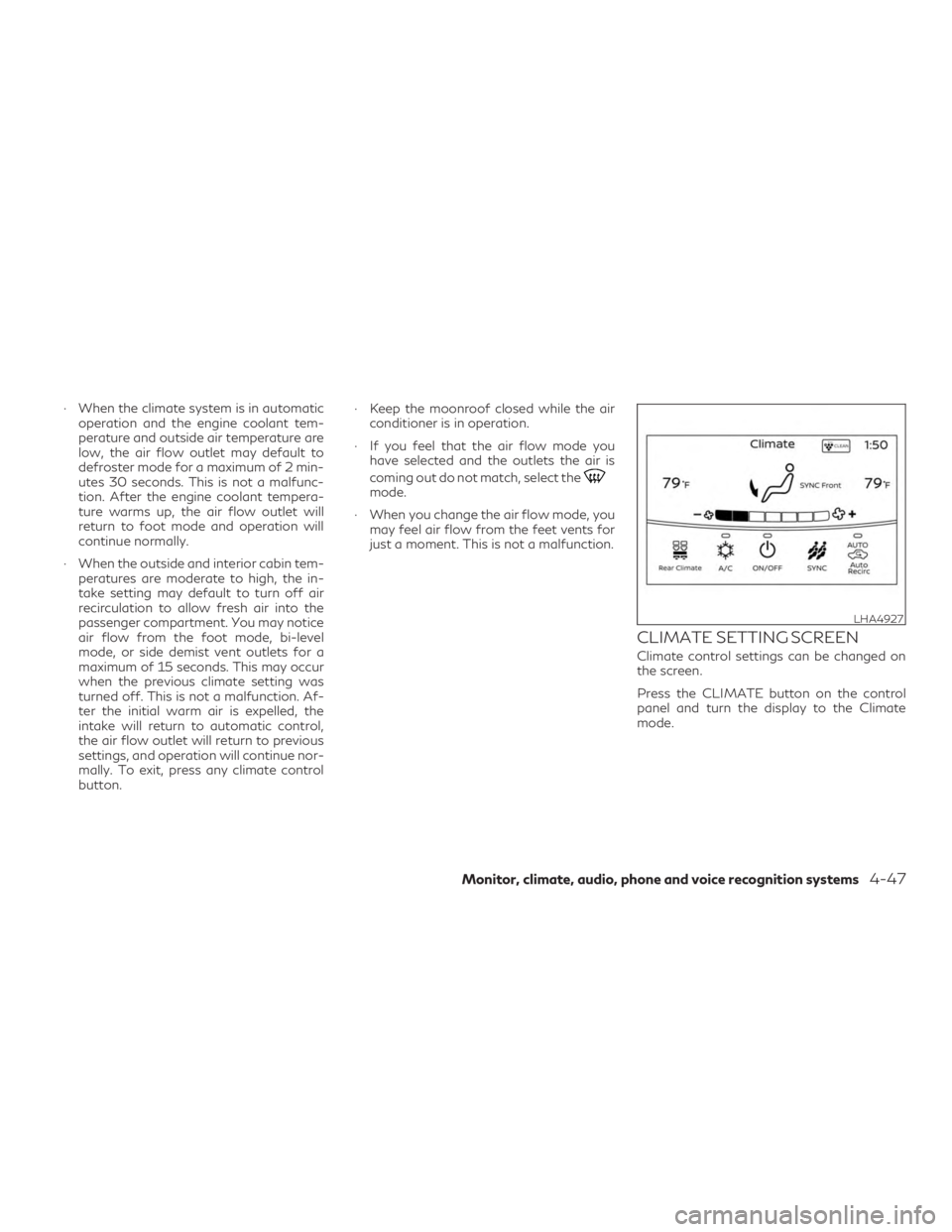
CLIMATE SETTING SCREEN
Climate control settings can be changed on
the screen.
Press the CLIMATE button on the control
panel and turn the display to the Climate
mode.
LHA4927
Monitor, climate, audio, phone and voice recognition systems4-47