brake INFINITI QX60-HYBRID 2015 User Guide
[x] Cancel search | Manufacturer: INFINITI, Model Year: 2015, Model line: QX60-HYBRID, Model: INFINITI QX60-HYBRID 2015Pages: 577, PDF Size: 5.58 MB
Page 51 of 577
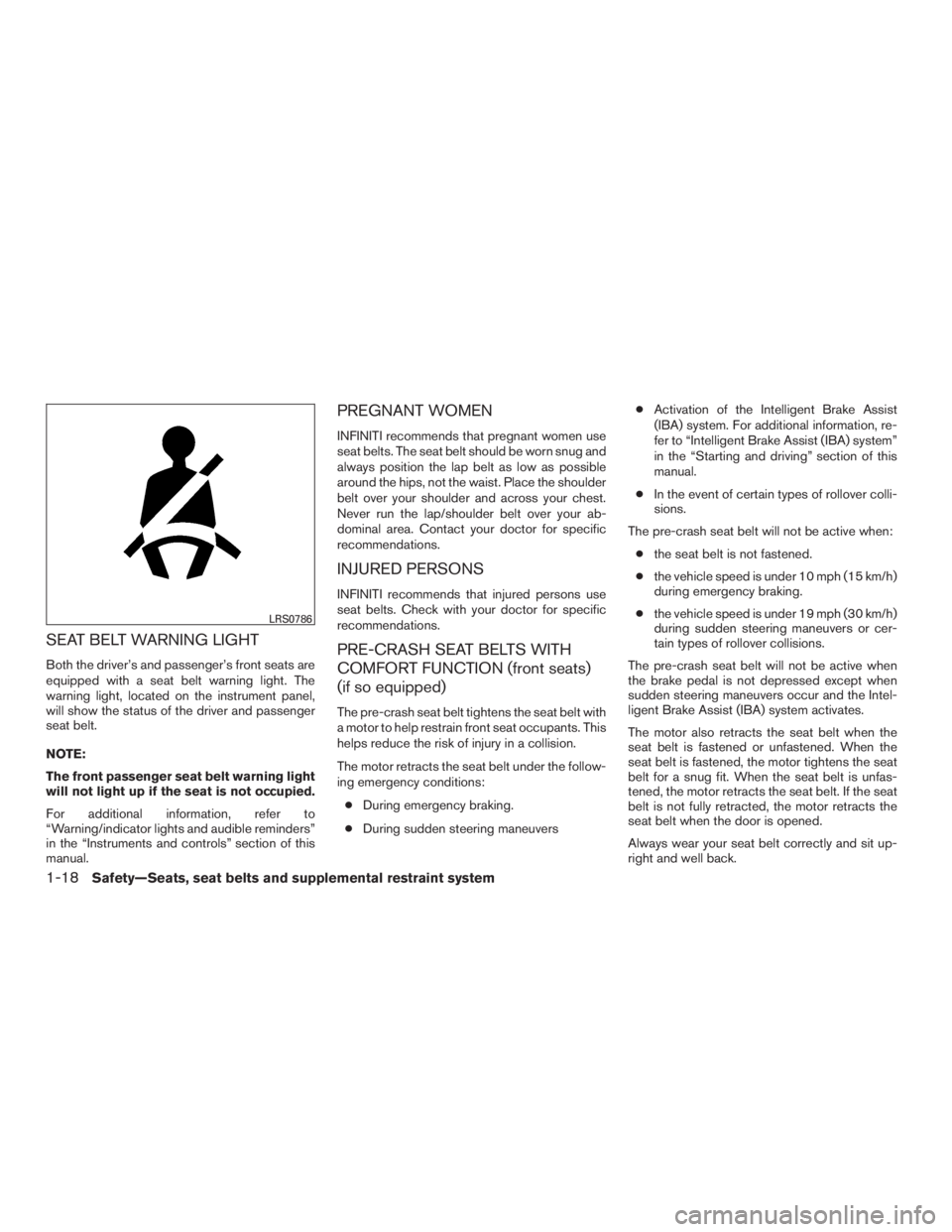
SEAT BELT WARNING LIGHT
Both the driver’s and passenger’s front seats are
equipped with a seat belt warning light. The
warning light, located on the instrument panel,
will show the status of the driver and passenger
seat belt.
NOTE:
The front passenger seat belt warning light
will not light up if the seat is not occupied.
For additional information, refer to
“Warning/indicator lights and audible reminders”
in the “Instruments and controls” section of this
manual.
PREGNANT WOMEN
INFINITI recommends that pregnant women use
seat belts. The seat belt should be worn snug and
always position the lap belt as low as possible
around the hips, not the waist. Place the shoulder
belt over your shoulder and across your chest.
Never run the lap/shoulder belt over your ab-
dominal area. Contact your doctor for specific
recommendations.
INJURED PERSONS
INFINITI recommends that injured persons use
seat belts. Check with your doctor for specific
recommendations.
PRE-CRASH SEAT BELTS WITH
COMFORT FUNCTION (front seats)
(if so equipped)
The pre-crash seat belt tightens the seat belt with
a motor to help restrain front seat occupants. This
helps reduce the risk of injury in a collision.
The motor retracts the seat belt under the follow-
ing emergency conditions:● During emergency braking.
● During sudden steering maneuvers ●
Activation of the Intelligent Brake Assist
(IBA) system. For additional information, re-
fer to “Intelligent Brake Assist (IBA) system”
in the “Starting and driving” section of this
manual.
● In the event of certain types of rollover colli-
sions.
The pre-crash seat belt will not be active when: ● the seat belt is not fastened.
● the vehicle speed is under 10 mph (15 km/h)
during emergency braking.
● the vehicle speed is under 19 mph (30 km/h)
during sudden steering maneuvers or cer-
tain types of rollover collisions.
The pre-crash seat belt will not be active when
the brake pedal is not depressed except when
sudden steering maneuvers occur and the Intel-
ligent Brake Assist (IBA) system activates.
The motor also retracts the seat belt when the
seat belt is fastened or unfastened. When the
seat belt is fastened, the motor tightens the seat
belt for a snug fit. When the seat belt is unfas-
tened, the motor retracts the seat belt. If the seat
belt is not fully retracted, the motor retracts the
seat belt when the door is opened.
Always wear your seat belt correctly and sit up-
right and well back.
LRS0786
1-18Safety—Seats, seat belts and supplemental restraint system
Page 109 of 577
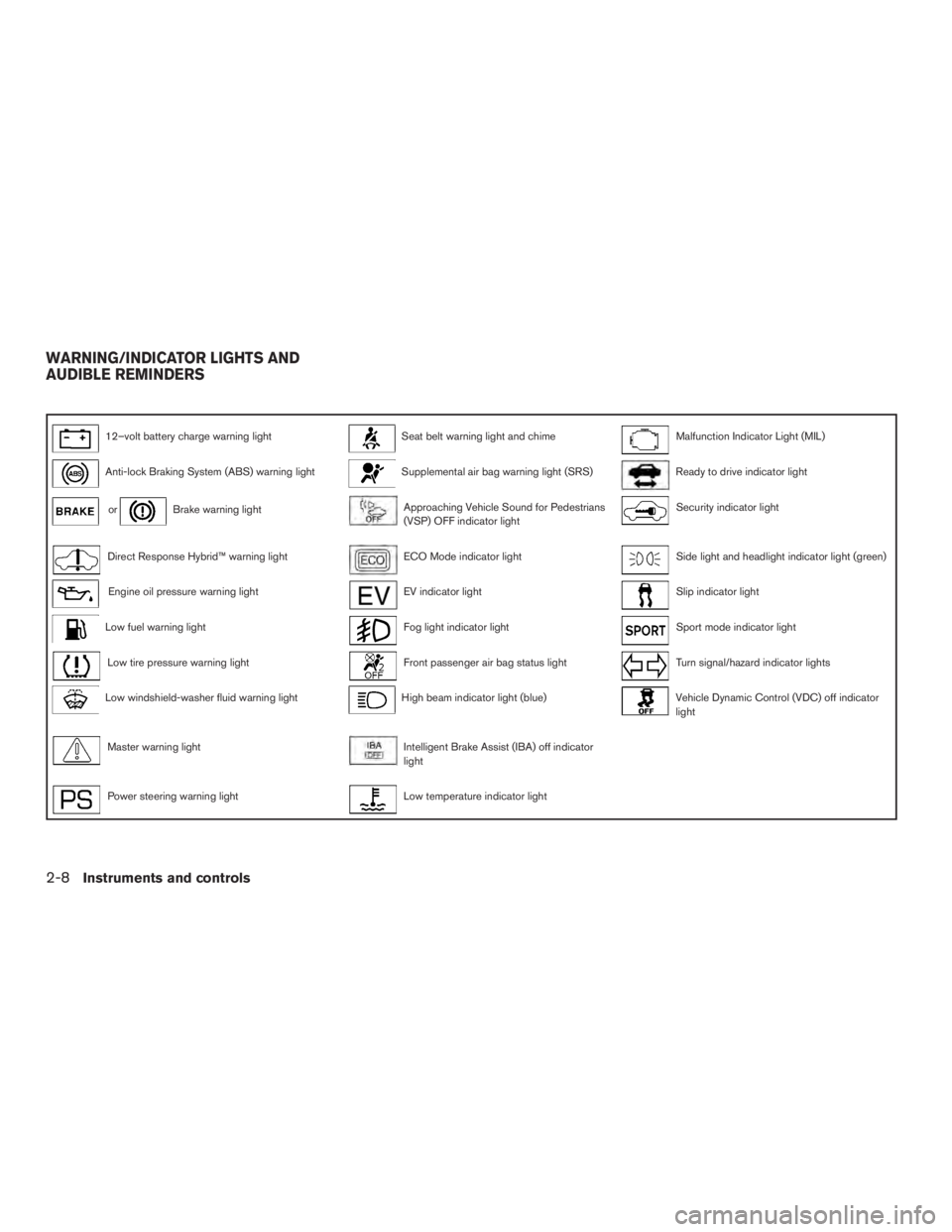
12–volt battery charge warning lightSeat belt warning light and chimeMalfunction Indicator Light (MIL)
Anti-lock Braking System (ABS) warning lightSupplemental air bag warning light (SRS)Ready to drive indicator light
orBrake warning lightApproaching Vehicle Sound for Pedestrians
(VSP) OFF indicator lightSecurity indicator light
Direct Response Hybrid™ warning lightECO Mode indicator lightSide light and headlight indicator light (green)
Engine oil pressure warning lightEV indicator lightSlip indicator light
Low fuel warning lightFog light indicator lightSport mode indicator light
Low tire pressure warning lightFront passenger air bag status lightTurn signal/hazard indicator lights
Low windshield-washer fluid warning lightHigh beam indicator light (blue)Vehicle Dynamic Control (VDC) off indicator
light
Master warning lightIntelligent Brake Assist (IBA) off indicator
light
Power steering warning lightLow temperature indicator light
WARNING/INDICATOR LIGHTS AND
AUDIBLE REMINDERS
2-8Instruments and controls
Page 110 of 577

CHECKING BULBS
With all doors closed, apply the parking brake
and place the ignition switch in the ON position
without starting the engine. The following lights
will come on:
,or,,,
The following lights come on briefly and then go
off:
,,,,,
If any light fails to come on, it may indicate
a burned-out bulb or an open circuit in the
electrical system. Have the system repaired
promptly.
WARNING LIGHTS
For additional information on warnings and indi-
cators, refer to “Vehicle information display” in
this section.
12–volt battery charge warninglight
If this light comes on when the ready to drive
indicator light comes on, it may indicate the
charging system is not functioning properly. See
your INFINITI retailer immediately.
CAUTION
The charging system may not be function-
ing properly if the 12–volt battery charge
warning light comes on while the hybrid
system is running. The hybrid system will
stop operating when the 12–volt battery
becomes discharged. Immediately stop
the vehicle in a safe place and contact
your INFINITI retailer.
Anti-lock Braking System
(ABS) warning light
When the ignition switch is placed in the ON
position, the Anti-lock Braking System (ABS)
warning light illuminates and then turns off. This
indicates the ABS is operational.
If the ABS light comes on while the engine is
running, it may indicate the anti-lock braking sys-
tem is not functioning properly. Have the system
checked by an INFINITI retailer.
If an ABS malfunction occurs, the anti-lock func-
tion is turned off. The brake system then operates
normally, but without anti-lock assistance. For
additional information, refer to “Brake system” in
the “Starting and driving” section.
orBrake warning light
This light functions for both the parking brake and
the foot brake systems.
Parking brake indicator
When the ignition switch is placed in the ON
position, the light comes on when the parking
brake is applied.
Low brake fluid warning light
When the ignition switch is placed in the ON
position, the light warns of a low brake fluid level.
If the light comes on while the engine is running
with the parking brake not applied, stop the ve-
hicle and perform the following:
1. Check the brake fluid level. Add brake fluid as necessary. For additional information, re-
fer to “Brake fluid” in the “Maintenance and
do-it-yourself” section of this manual.
2. If the brake fluid level is correct, have the warning system checked by an INFINITI re-
tailer.
Instruments and controls2-9
Page 111 of 577
WARNING
●Your brake system may not be working
properly if the warning light is on. Driv-
ing could be dangerous. If you judge it
to be safe, drive carefully to the nearest
service station for repairs. Otherwise,
have your vehicle towed because driv-
ing it could be dangerous.
● Pressing the brake pedal with the en-
gine stopped and/or a low brake fluid
level may increase your stopping dis-
tance and braking will require greater
pedal effort as well as pedal travel.
● If the brake fluid level is below the
MINIMUM or MIN mark on the brake
fluid reservoir, do not drive until the
brake system has been checked at an
INFINITI retailer.
Anti-lock Braking System (ABS) warning
indicator
When the parking brake is released and the
brake fluid level is sufficient, if both the brake
warning light and the Anti-lock Braking System
(ABS) warning light illuminate, it may indicate the
ABS is not functioning properly. Have the brake
system checked, and if necessary, repaired by an
INFINITI retailer promptly. Avoid high-speed driv-
ing and abrupt braking. For additional informa- tion, refer to “Anti-lock Braking System (ABS)
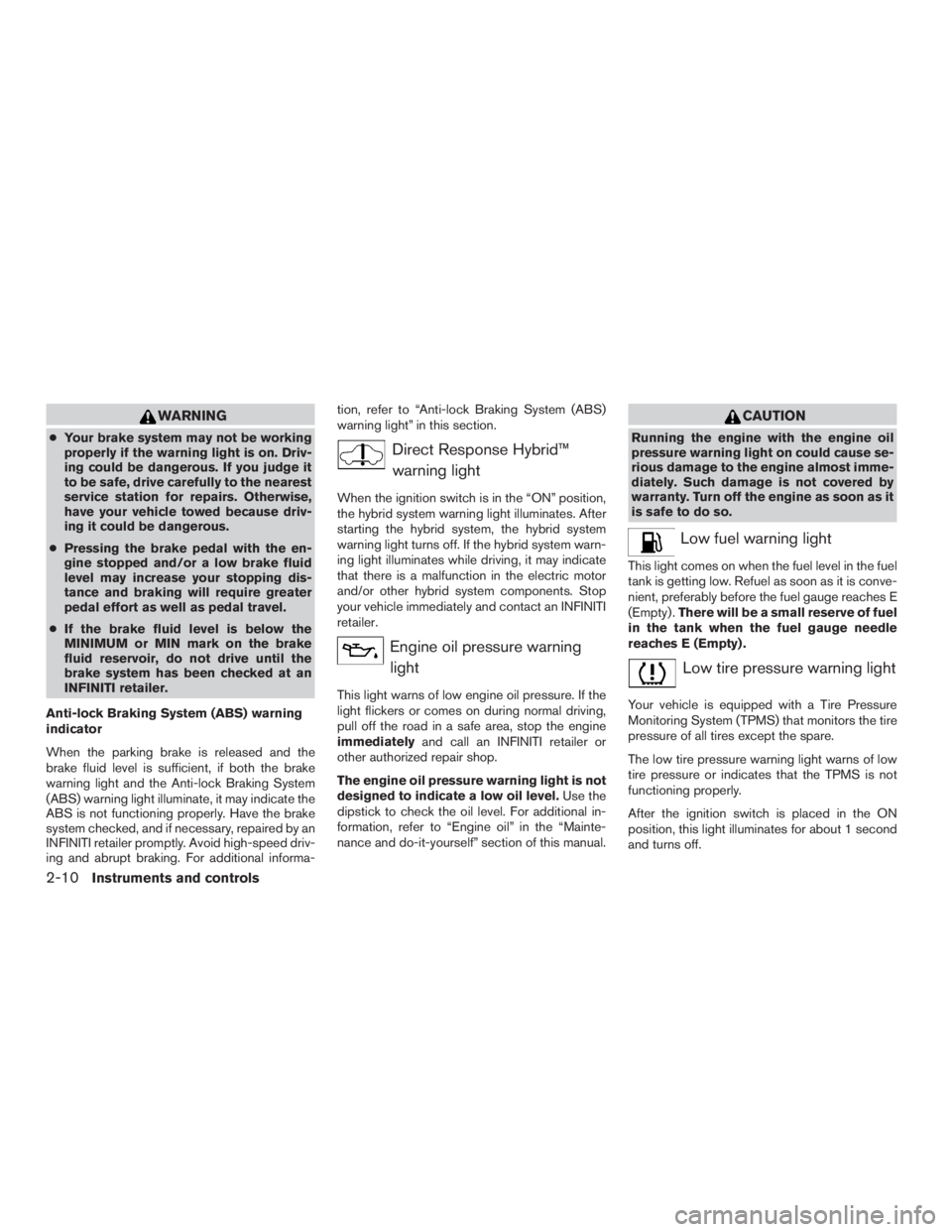
warning light” in this section.Direct Response Hybrid™
warning light
When the ignition switch is in the “ON” position,
the hybrid system warning light illuminates. After
starting the hybrid system, the hybrid system
warning light turns off. If the hybrid system warn-
ing light illuminates while driving, it may indicate
that there is a malfunction in the electric motor
and/or other hybrid system components. Stop
your vehicle immediately and contact an INFINITI
retailer.
Engine oil pressure warninglight
This light warns of low engine oil pressure. If the
light flickers or comes on during normal driving,
pull off the road in a safe area, stop the engine
immediately and call an INFINITI retailer or
other authorized repair shop.
The engine oil pressure warning light is not
designed to indicate a low oil level. Use the
dipstick to check the oil level. For additional in-
formation, refer to “Engine oil” in the “Mainte-
nance and do-it-yourself” section of this manual.
CAUTION
Running the engine with the engine oil
pressure warning light on could cause se-
rious damage to the engine almost imme-
diately. Such damage is not covered by
warranty. Turn off the engine as soon as it
is safe to do so.
Low fuel warning light
This light comes on when the fuel level in the fuel
tank is getting low. Refuel as soon as it is conve-
nient, preferably before the fuel gauge reaches E
(Empty) . There will be a small reserve of fuel
in the tank when the fuel gauge needle
reaches E (Empty) .
Low tire pressure warning light
Your vehicle is equipped with a Tire Pressure
Monitoring System (TPMS) that monitors the tire
pressure of all tires except the spare.
The low tire pressure warning light warns of low
tire pressure or indicates that the TPMS is not
functioning properly.
After the ignition switch is placed in the ON
position, this light illuminates for about 1 second
and turns off.
2-10Instruments and controls
Page 113 of 577
●Replacing tires with those not originally
specified by INFINITI could affect the
proper operation of the TPMS.
CAUTION
●The TPMS is not a substitute for the
regular tire pressure check. Be sure to
check the tire pressure regularly.
● If the vehicle is being driven at speeds
of less than 25 km/h (16 MPH) , the
TPMS may not operate correctly.
● Be sure to install the specified size of
tires to the 4 wheels correctly.
Low windshield-washer fluid
warning light
This light comes on when the windshield-washer
fluid is at a low level. Add windshield-washer fluid
as necessary. For additional information, refer to
“Windshield-washer fluid” in the “Maintenance
and do-it-yourself” section of this manual.
Master warning light
When the ignition switch is in the ON position,
the master warning light illuminates if any of the
following are displayed on the vehicle information
display:
● No key warning
● Low fuel warning
● Low washer fluid warning
● Parking brake release warning
● Door open warning
● Loose fuel cap warning (if so equipped)
● Check tire pressure warning
For additional information, refer to “Vehicle Infor-
mation Display” in this section.
Power steering warning light
WARNING
● If the engine is not running or is turned
off while driving, the power assist for
the steering will not work. Steering will
be harder to operate.
● When the power steering warning light
illuminates with the engine running,
there will be no power assist for the
steering. You will still have control of
the vehicle but the steering will be
harder to operate. Have the power
steering system checked by an INFINITI
retailer.
When the ignition switch is placed in the ON
position, the power steering warning light illumi-
nates. After starting the engine, the power steer-
ing warning light turns off. This indicates that the
electric power steering system is operational.
If the power steering warning light illuminates
while the engine is running, it may indicate the
power steering system is not functioning properly
and may need servicing. Have the hydraulic pump
electric power steering system checked by an
INFINITI retailer.
2-12Instruments and controls
Page 115 of 577
EV indicator light
This illuminates when the engine stops but the
vehicle is running.
Fog light indicator light
The front fog light indicator light illuminates when
the front fog lights are ON when the headlights
are ON. For additional information, refer to “Fog
light switch” in this section.
Front passenger air bag statuslight
The front passenger air bag status light will be lit
and the passenger front air bag will be OFF
depending on how the front passenger seat is
being used.
For front passenger air bag status light operation,
refer to “Front passenger air bag and status light”
in the “Safety — Seats, seat belts and supple-
mental restraint system” section of this manual.
High beam indicator light(blue)
This blue light comes on when the headlight high
beams are on and goes out when the low beams
are selected. The high beam indicator light also comes on
when the passing signal is activated.
Intelligent Brake Assist (IBA)
off indicator light (if so
equipped)
The light illuminates when the Warning System
Switch is off and the IBA is disabled in the Vehicle
Information Display. This indicates that the IBA
system is not operating.
When the IBA off indicator light illuminates while
the system is enabled this indicates that the
system control is temporarily disabled.
If the IBA off indicator light illuminates when the
system is enabled and the Warning System
switch is on, have the system checked at an
INFINITI retailer.
Low temperature indicatorlight
The low temperature indicator light illuminates
when the engine coolant temperature is low.
When the ignition switch is placed in the ON
position, the low temperature indicator light illu-
minates and then turns off after the engine cool-
ant has warmed up. If the low temperature indicator light stays illumi-
nated after the engine has sufficiently warmed
up, it may indicate the low temperature sensor in
the engine coolant system is not functioning
properly and may need servicing. Have the sys-
tem checked, and if necessary repaired, by a
INFINITI retailer promptly.
Malfunction Indicator Light (MIL)
If this indicator light comes on steady or blinks
while the engine is running, it may indicate a
potential emission control malfunction.
The MIL may also come on steady if the fuel-filler
cap is loose or missing, or if the vehicle runs out
of fuel. Check to make sure the fuel-filler cap is
installed and closed tightly, and that the vehicle
has at least 3 gal (11.4 L) of fuel in the fuel tank.
After a few driving trips, the
light should
turn off if no other potential emission control
system malfunction exists.
If this indicator light comes on steady for 20 seconds
and then blinks for 10 seconds when the engine is
not running, it indicates that the vehicle is not ready
for an emission control system
inspection/maintenance test. For additional informa-
tion, refer to “Readiness for inspection/maintenance
(I/M) test” in the “Technical and consumer informa-
tion” section of this manual.
2-14Instruments and controls
Page 117 of 577
Vehicle Dynamic Control(VDC) off indicator light
This indicator light comes on when the VDC off
switch is pushed to OFF. This indicates the VDC
has been turned off.
Push the VDC off switch again or restart the
engine and the system will be reactivated. For
additional information, refer to “Vehicle Dynamic
Control (VDC) system” in the “Starting and driv-
ing” section of this manual.
The VDC light also comes on when the ignition
switch is placed to the ON position. The light will
turn off after about 2 seconds if the system is
operational. If the light stays on or comes on
along with the
indicator light while you are
driving, have the VDC system checked by an
INFINITI retailer.
WARNING
VDC should remain on unless freeing a
vehicle from mud or snow.
While the VDC system is operating, you might
feel slight vibration or hear the system working
when starting the vehicle or accelerating, but this
is normal.
AUDIBLE REMINDERS
Brake pad wear warning
The disc brake pads have audible wear warnings.
When a disc brake pad requires replacement, it
makes a high pitched scraping sound when the
vehicle is in motion, whether or not the brake
pedal is depressed. Have the brakes checked as
soon as possible if the warning sound is heard.
Key reminder chime
A chime sounds if the driver’s door is opened
while the ignition switch is placed in the ACC or
OFF position or placed in the OFF or LOCK
position with the Intelligent Key left in the vehicle.
Make sure the ignition switch is placed in the
LOCK position, and take the Intelligent Key with
you when leaving the vehicle.
Lane departure warning chime (if so
equipped)
When the Lane Departure Warning (LDW) or
Lane Departure Prevention (LDP) system is on,
the chime sounds if the vehicle is traveling close
to either the left or the right of a traveling lane with
detectable lane markers.
For additional information, refer to “Lane Depar-
ture Warning (LDW) system/Lane Departure
Prevention (LDP) system” in the “Starting and
driving” section of this manual.
Light reminder chime
With the ignition switch placed in the OFF posi-
tion, a chime sounds when the driver’s door is
opened if the headlights or parking lights are on.
Turn the headlight control switch off before leav-
ing the vehicle.
Intelligent Key door buzzer
The Intelligent Key door buzzer sounds if any one
of the following improper operations is found. ● The ignition switch is not returned to the
LOCK position when locking the doors.
● The Intelligent Key is left inside the vehicle
when locking the doors.
● The Intelligent Key is taken outside the ve-
hicle when operating the vehicle.
● Any doors are not closed securely when
locking the doors.
When the buzzer sounds, be sure to check both
the vehicle and the Intelligent Key System. For
additional information, refer to “INFINITI Intelli-
gent Key” in the “Pre-driving checks and adjust-
ments” section.
2-16Instruments and controls
Page 120 of 577
Shift to Park Li-ion battery low
This warning appears when the shift lever is in the
“N” position and level of remaining charge in the
Li-ion battery is low.
When this warning appears, place the shift lever
in the P (Park) position. This will turn off in the
following conditions.
When the shift lever has been placed in the P
(Park) position.
HV System Warm Up Please Wait In Park
This warning appears when the hybrid system
has not reached full operating temperature.
When the warning turns off, the vehicle can be
driven.
Shutting Down
This warning appears when the hybrid system
has been turned off.
STARTUP DISPLAY
When the vehicle in placed in the ON or ACC
position the screens that display in the vehicle
information include:● Active system status (if so equipped)
● Trip computer
● Tire pressure information ●
Fuel economy
● Warnings
Warnings will only display if there are any pres-
ent. For additional information, refer to “Vehicle
information display warnings and indicators” re-
garding warnings and indicators in this section.
To control what items display in the vehicle infor-
mation display, refer to “Main menu selection” in
this section.
SETTINGS
The setting mode allows you to change the infor-
mation displayed in the vehicle information display:
● Driver Assistance (if so equipped)
● Vehicle Settings
● Main Menu Selection
● Body Color
● Maintenance
● Alarms
● Language
● Unit
● Welcome Effects
● Factory Reset
Driver Assistance
To change the status, warnings or turn on or off
any of the systems/warnings displayed in the
“Driver Assistance” menu:
Use the
button to select and the ENTER
button to change a menu item:
● Driving Aids
● Back-up Collision Inter. (if so equipped)
● Intelligent Brake Assist (if so equipped)
Driving Aids (if so equipped)
To change the status, warnings or turn on or off
any of the systems/warnings displayed in the
“Driving Aids” menu.
Use the
button to select and the ENTER
button to change a menu item:
● Forward
● Warning (FCW)
●Assistance (DCA)
● Lane
● Warning (LDW)
●Assistance (LDP)
Instruments and controls2-19
Page 121 of 577
●Blind Spot
● Warning (BSW)
●Assistance (BSI)
●Brightness — Bright/STD/Dark
Parking Aids
To turn on or off the system displayed in the
“Parking Aids” menu use the
button to
select and the ENTER button to enable/disable
“Moving Object”.
For additional information, refer to “Moving Ob-
ject Detection (MOD)” in the “Monitor, climate,
audio, phone and voice recognition systems”
section.
Back-up Collision Interv.(ention) (if so
equipped)
The back-up collision intervention system can be
changed to be ON when the ignition switch is
placed in the ON position and to Auto Resume.
Use the
button to select and the ENTER
button to change a menu item:
● Ignition On Status – On/Off Intelligent Brake Assist (if so equipped)
The intelligent brake assist system can be
enabled/disabled in the vehicle information dis-
play.
Use the
button to select and the ENTER
button to change a menu item:
● System – On/Off
Vehicle Settings
Vehicle settings allow the customer to change
settings for rain sensor (if so equipped) , interior
lights, Intelligent Key settings, unlock settings
and other vehicle settings.
The vehicle settings can be changed using
the
,, and the ENTER buttons.
Welcome light
The welcome light can be set to be ON or OFF.
From the Vehicle Settings menu, select “Wel-
come Light”. Use the ENTER button to turn this
feature ON or OFF.
Auto Room Lamp
The interior lights can be set to be ON or OFF if
any door is unlocked. From the Vehicle Settings
menu, select “Auto Room Light”. Use the ENTER
button to turn this feature ON or OFF. Light Sensitivity
Light sensitivity can be set to illuminate earlier
based on the brightness outside the vehicle.
From the Vehicle Settings menu, select “Light
Sensitivity”. Use the ENTER button to change the
sensitivity.
Light Off Delay
The duration of the automatic headlights can be
changed from 0 to 180 seconds. From the Ve-
hicle Settings menu, select “Light Off Delay”. Use
the ENTER button to change the duration.
Rain Sensor (if so equipped)
The rain sensor can be set to be ON or OFF. From
the Vehicle Settings menu, select “Rain Sensor”.
Use the ENTER button to turn this feature ON or
OFF.
Wiper with Speed
The wiper with speed can be set to be ON or
OFF. From the Vehicle Settings menu, select
“Wiper with Speed”. Use the ENTER button to
turn this feature ON or OFF.
I-Key Door Lock
When this item is turned on, the request switch
on the door is activated. From the Vehicle Set-
tings menu, select “I-Key Door Unlock”. Use the
ENTER button to activate this function.
2-20Instruments and controls
Page 126 of 577
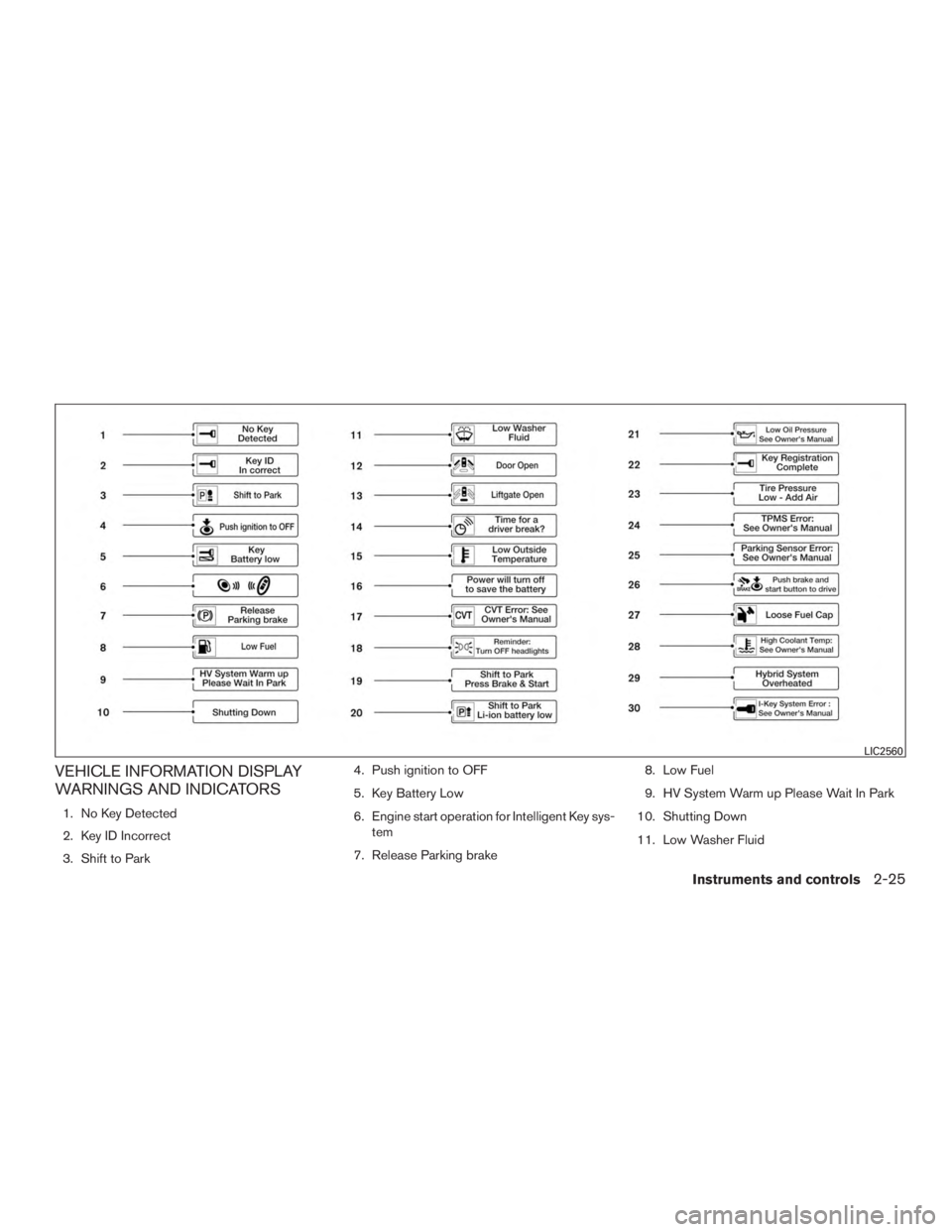
VEHICLE INFORMATION DISPLAY
WARNINGS AND INDICATORS
1. No Key Detected
2. Key ID Incorrect
3. Shift to Park4. Push ignition to OFF
5. Key Battery Low
6. Engine start operation for Intelligent Key sys-
tem
7. Release Parking brake 8. Low Fuel
9. HV System Warm up Please Wait In Park
10. Shutting Down
11. Low Washer Fluid
LIC2560
Instruments and controls2-25