lock JAGUAR XF 2011 1.G Owner's Manual
[x] Cancel search | Manufacturer: JAGUAR, Model Year: 2011, Model line: XF, Model: JAGUAR XF 2011 1.GPages: 225, PDF Size: 7.32 MB
Page 52 of 225
L
(FM8) SEMCON JLR OWNER GUIDE VER 1.00 EURO
LANGUAGE: english-en; MARQUE: jaguar; MODEL: XF
Warning lamps
52
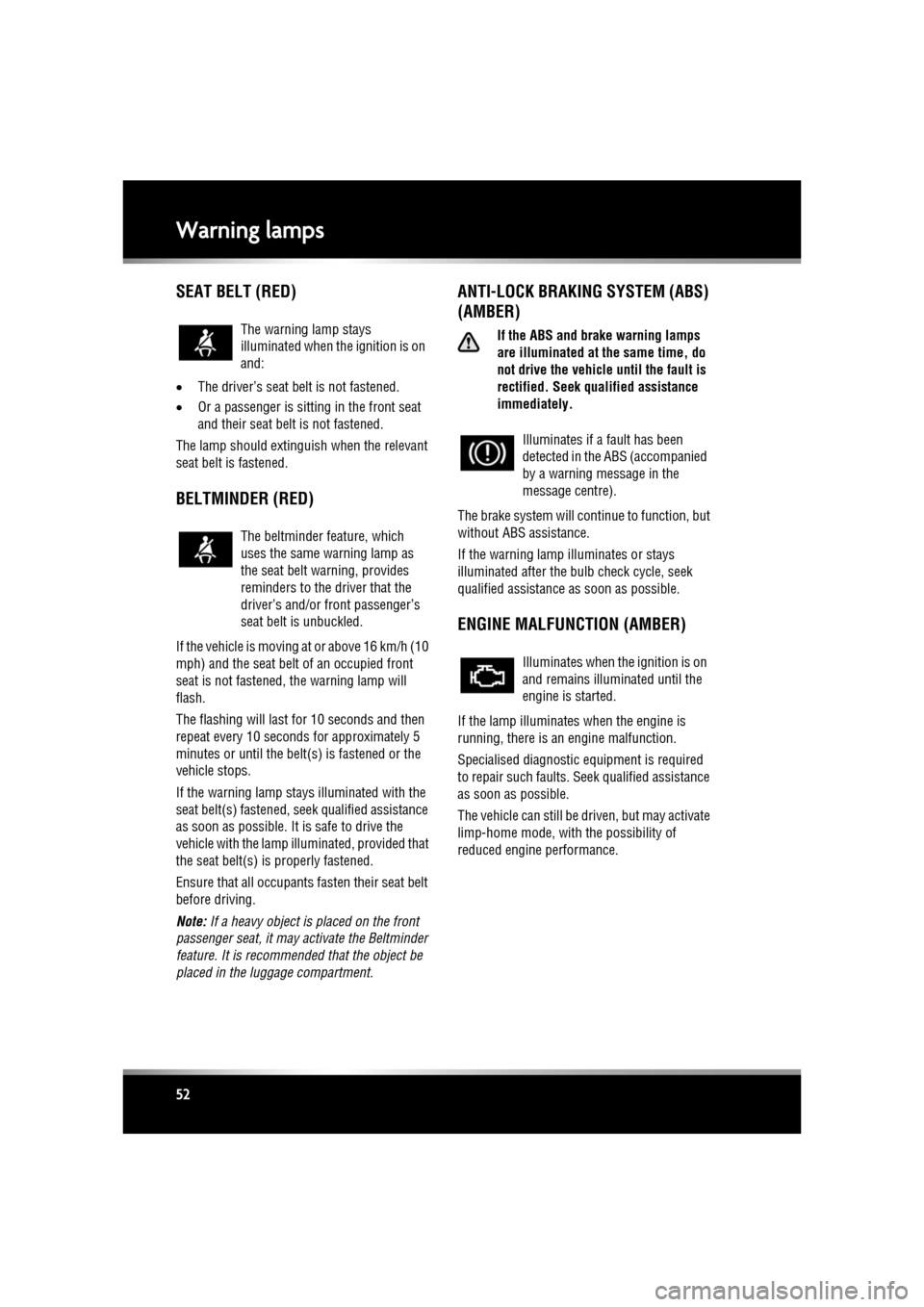
SEAT BELT (RED)
• The driver’s seat be lt is not fastened.
• Or a passenger is sitting in the front seat
and their seat belt is not fastened.
The lamp should extinguish when the relevant
seat belt is fastened.
BELTMINDER (RED)
If the vehicle is moving at or above 16 km/h (10
mph) and the seat belt of an occupied front
seat is not fastened, the warning lamp will
flash.
The flashing will last for 10 seconds and then
repeat every 10 seconds for approximately 5
minutes or until the belt(s) is fastened or the
vehicle stops.
If the warning lamp stays illuminated with the
seat belt(s) fastened, seek qualified assistance
as soon as possible. It is safe to drive the
vehicle with the lamp illu minated, provided that
the seat belt(s) is properly fastened.
Ensure that all occupants fasten their seat belt
before driving.
Note: If a heavy object is placed on the front
passenger seat, it may activate the Beltminder
feature. It is recomme nded that the object be
placed in the luggage compartment.
ANTI-LOCK BRAKING SYSTEM (ABS)
(AMBER)
If the ABS and brake warning lamps
are illuminated at the same time, do
not drive the vehicl e until the fault is
rectified. Seek q ualified assistance
immediately.
The brake system will c ontinue to function, but
without ABS assistance.
If the warning lamp illuminates or stays
illuminated after the bulb check cycle, seek
qualified assistance as soon as possible.
ENGINE MALFUNCTION (AMBER)
If the lamp illuminates when the engine is
running, there is an engine malfunction.
Specialised diagnostic equipment is required
to repair such faults. Seek qualified assistance
as soon as possible.
The vehicle can still be driven, but may activate
limp-home mode, with the possibility of
reduced engine performance.
The warning lamp stays
illuminated when the ignition is on
and:
The beltminder feature, which
uses the same warning lamp as
the seat belt warning, provides
reminders to the driver that the
driver’s and/or
front passenger’s
seat belt is unbuckled.
Illuminates if a fault has been
detected in the ABS (accompanied
by a warning message in the
message centre).
Illuminates when the ignition is on
and remains illuminated until the
engine is started.
Page 60 of 225

L
(FM8) SEMCON JLR OWNER GUIDE VER 1.00 EURO
LANGUAGE: english-en; MARQUE: jaguar; MODEL: XF
Touch screen
60
SCREEN SETTINGS
Screensaver: Select to change the
screensaver. Touch an option to select.
Screen animations : Select to turn animated
transitions between screens on or off.
Note: While screen animations are on, system
response time will be slower than normal.
Time out home : Sub menu selection screens
can be set to revert to the Home menu after a
pre-determined length of time.
Theme : Changes appearance of the touch
screen soft keys.
SYSTEM SETTINGS
Button feedback : Select to turn the soft key
confirmation tone on or off.
Clock adjust : Select 12 or 24 hour clock. Set
current time. Select Date to change the date, or
to alter the date format. Select Set, to store
new settings.
Note: The clock can also be adjusted from the
touch screen time display.
Home menu shortcuts : Select up to three items
from the displayed list to appear as shortcuts
on the Home menu . Select Clear to deselect
highlighted items.
Language: Select the requir ed language. Select
Male or Female voice. Touch Change to select
alternatives for Voice and text displays. Follow
the on-screen instructions to confirm.
Note: Some languages are not yet available for
both System display text and Voice control. In
this event, it will be necessary to select a
separate language for Voice control.
Volume presets : Adjust volume for the
available sy stems (announcements, phone,
voice etc.).
VOICE SETTINGS
• Command list : View the categories and the
acceptable voice commands.
Select an Information button to view
alternative func tion commands.
• Voicetags : View the categories. Select a
category to manage the voicetags for the
chosen system. See 127, VOICETAGS.
• Operating guide: View brief Voice system
instructions. Select Voice tutorial for more
detailed instructions (cancel via the
displayed pop-up or by pressing and
holding the voice button).
• Preferences : Select to alter the following
settings:
• Voice profile: The voice system can be
trained to have a gr eater recognition of
a particular voice or accent.The default
setting is Standard. To build a voice
profile for either User 1 or User 2, it is
necessary to complete a training
program first.
To complete the training for the first
time, select either User 1 or User 2 and
follow the on-screen and audible
instructions.
• Voice feedback : Select On or Off.
• Feedback volume : Adjust using the +/-
buttons. It is not po ssible to reduce the
volume to zero.
• Voice training: Select to access the voice
system training pr ogram, designed to
enable the system to better recognise the
vocal characteristics of a user.
Select User 1 or User 2 and follow the on
screen and audible instructions. See 127,
VOICE TRAINING.
Page 61 of 225

R
(FM8) SEMCON JLR OWNER GUIDE VER 1.00 EURO
LANGUAGE: english-en; MARQUE: jaguar; MODEL: XF
Touch screen
61
The training session can be cancelled at any
time by touching the on-screen pop-up or by
pressing and holding the Voice button on the
steering wheel. See 126, USING VOICE
CONTROL .
TRIP COMPUTER SETTINGS
Trip Computer : Select to switch trip computer
readings between Trip A, Trip B and Trip Auto .
Select Reset to zero the trip computer
readings. Select Units to switch the trip
computer readings between Imperial and
Metric measurements.
VEHICLE SETTINGS
• Security : Select to enable/disable or alter
the settings of the following:
• Single/multi-point entry (2 stage
unlocking).
• Alarm sensors (interior and tilt).
• Drive-away locking.
Scroll down through the menu until the
desired feature is disp layed, then select On
or Off, as appropriate.
If drive-away locking is switched on, select
the desired speed (8, 16 or 32 km/h or 5,
10 or 20 mph).
• Windows/mirrors : Select to
enable/disable:
• Global opening/closing of windows
and sunroof.
• Exterior mirror dip when reversing.
• Automatic folding/unfo lding of exterior
mirrors when vehicle is locked/
unlocked.
• Interior mirror dimming.
Scroll down through the menu until the
desired feature is disp layed, then select On
or Off, as appropriate. •
Units : Select to switch between Imperial
and Metric measurements.
• Auto (AHB) high beam : Select to turn AHB
on or off, and set AHB for side of road
being driven on.
SELECTING VALET MODE
Valet mode allows the vehi cle to be locked by a
parking attendant, without giving access to the
luggage compartment and glove box. Valet
mode also prevents ope ration of the touch
screen, to prevent access to telephone
numbers or naviga tion addresses.
From the Home menu, select Valet, then enter
a four digit Personal Identification Number
(PIN) (personally chosen ). You will then be
prompted to re-enter the same PIN. On
completion, touch the OK soft key.
If you wish to cancel the PIN, touch the C soft
key. If the PIN is cancelled, or incorrectly
entered, you will be prompted to enter the PIN
again.
Once the PIN has been correctly entered, a
security information pop- up is displayed. Read
the information and remove the emergency key
from the Jaguar Smart Key.
Valet on is displayed to indicate that the PIN
has been accepted. The luggage compartment
and glove box are now securely locked in Valet
mode.
On exiting and securing the vehicle, remove the
emergency key from the Jaguar Smart Key.
Retain the emergency key and give the Jaguar
Smart Key to the attendant.
Note: The emergency key ca n be used to open
the luggage compartment, which may
de-activate Valet mode.
Page 67 of 225
R
(FM8) SEMCON JLR OWNER GUIDE VER 1.00 EURO
LANGUAGE: english-en; MARQUE: jaguar; MODEL: XF
Luggage compartment
67
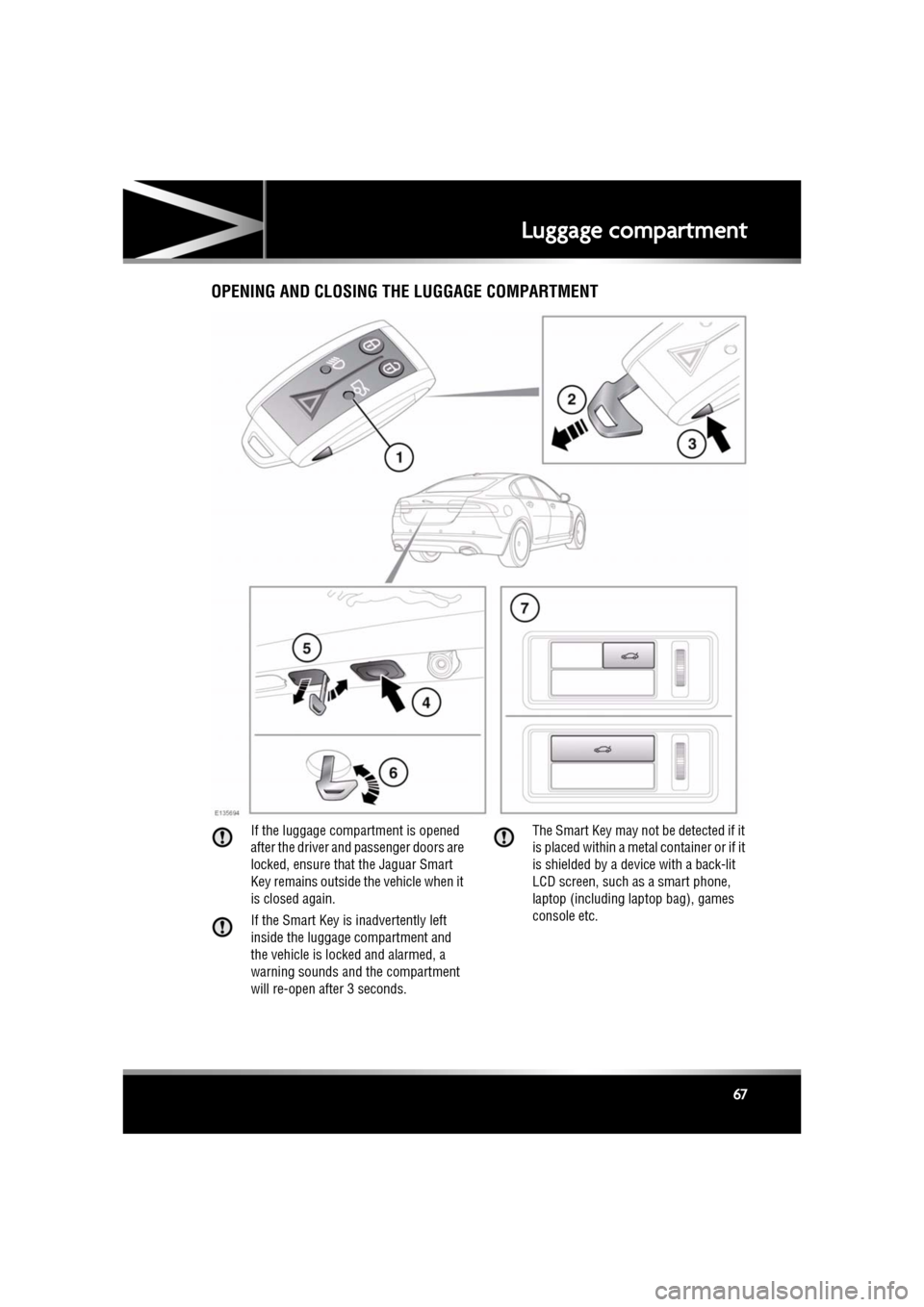
Luggage compartmentOPENING AND CLOSING THE LUGGAGE COMPARTMENT
If the luggage compartment is opened
after the driver and passenger doors are
locked, ensure that the Jaguar Smart
Key remains outside the vehicle when it
is closed again.
If the Smart Key is inadvertently left
inside the luggage compartment and
the vehicle is locked and alarmed, a
warning sounds and the compartment
will re-open after 3 seconds. The Smart Key may not be detected if it
is placed within a meta
l container or if it
is shielded by a device with a back-lit
LCD screen, such as a smart phone,
laptop (including la ptop bag), games
console etc.
Page 68 of 225
L
(FM8) SEMCON JLR OWNER GUIDE VER 1.00 EURO
LANGUAGE: english-en; MARQUE: jaguar; MODEL: XF
Luggage compartment
68
Do not repeatedly attempt to close the
luggage compartment after it
automatically re-ope ns, or the latch
may overheat. If the cause of the
automatic re-ope ning cannot be
determined: Unlock all the doors and
the luggage compartment with the
Smart Key; make sure that all doors, the
bonnet and the luggage compartment
are closed properly; lock the vehicle
again with the Smart Key.
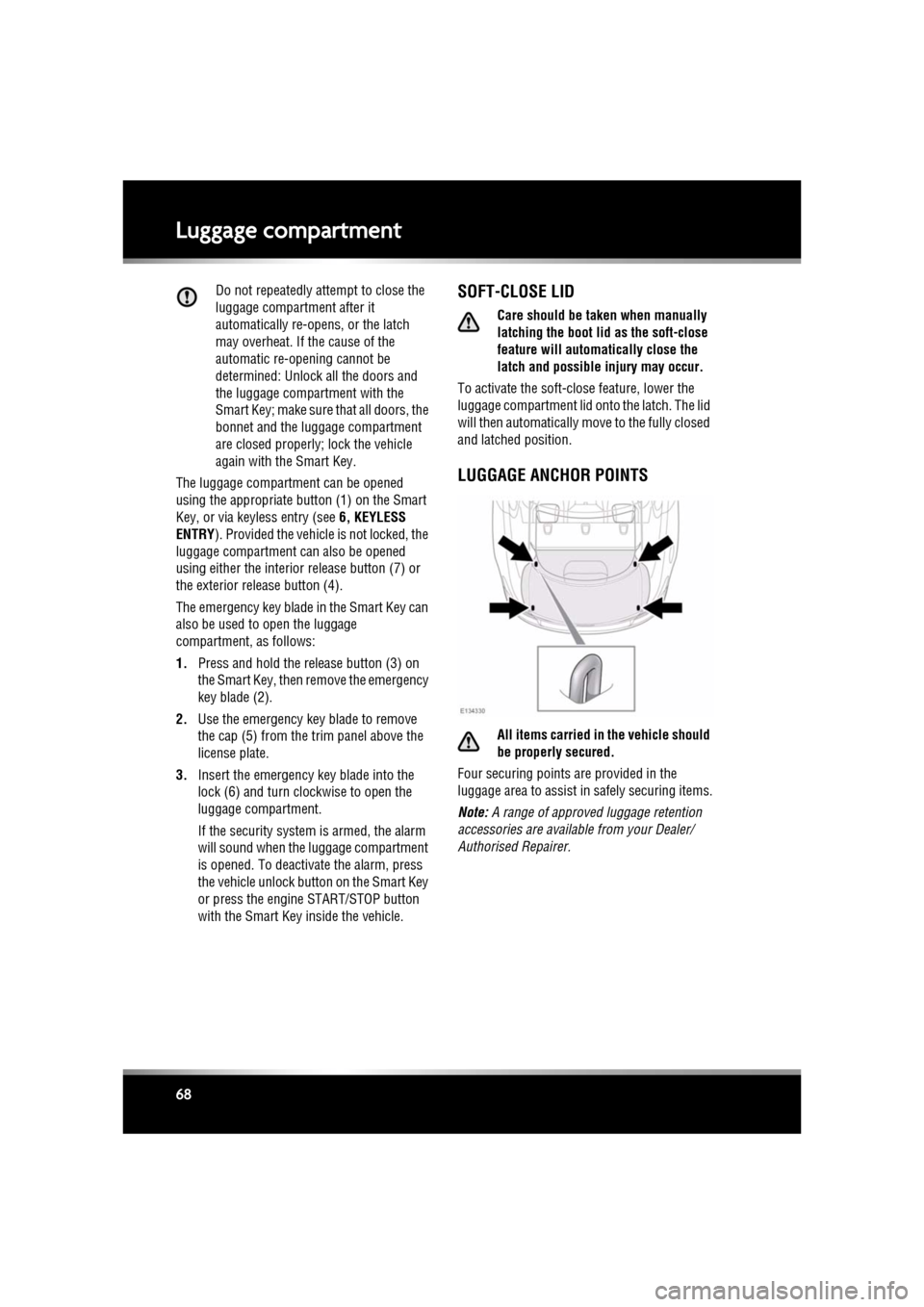
The luggage compartment can be opened
using the appropriate button (1) on the Smart
Key, or via keyless entry (see 6, KEYLESS
ENTRY ). Provided the vehicle is not locked, the
luggage compartment can also be opened
using either the interior release button (7) or
the exterior release button (4).
The emergency key blade in the Smart Key can
also be used to open the luggage
compartment, as follows:
1. Press and hold the release button (3) on
the Smart Key, then remove the emergency
key blade (2).
2. Use the emergency key blade to remove
the cap (5) from the trim panel above the
license plate.
3. Insert the emergency key blade into the
lock (6) and turn clockwise to open the
luggage compartment.
If the security system is armed, the alarm
will sound when the luggage compartment
is opened. To deactiva te the alarm, press
the vehicle unlock button on the Smart Key
or press the engine START/STOP button
with the Smart Key inside the vehicle.SOFT-CLOSE LID
Care should be taken when manually
latching the boot lid as the soft-close
feature will automat ically close the
latch and possible injury may occur.
To activate the soft-close feature, lower the
luggage compartment lid onto the latch. The lid
will then automatically move to the fully closed
and latched position.
LUGGAGE ANCHOR POINTS
All items carried in the vehicle should
be properly secured.
Four securing points are provided in the
luggage area to assist in safely securing items.
Note: A range of approved luggage retention
accessories are available from your Dealer/
Authorised Repairer.
Page 75 of 225

R
(FM8) SEMCON JLR OWNER GUIDE VER 1.00 EURO
LANGUAGE: english-en; MARQUE: jaguar; MODEL: XF
Starting the engine
75
STEERING COLUMN LOCK
The steering column has an electronic lock,
which locks and unlocks in conjunction with
the vehicle Locking/Alarm system. The steering
column lock also locks when the ignition is
switched off, after a time delay. If the steering
column lock malfunctions, Steering Column
Locked is displayed in the message centre. If
this occurs:
1. Lock and then unlock the vehicle using the
Smart Key.
2. Try again to unlock the steering column
lock, by turning the steering wheel gently
to the left and right.
3. If the malfunction pers ists, seek qualified
assistance immediately.
SWITCHING OFF THE ENGINE
With the gear sele ctor in position P, press the
engine START/STOP butt on. The engine will
stop and the ignition sy stem will return to
convenience mode. The audio, telephone and
touch screen systems will revert to stand-by
mode and the JaguarDrive selector will retract
into the centre console.
Page 82 of 225

L
(FM8) SEMCON JLR OWNER GUIDE VER 1.00 EURO
LANGUAGE: english-en; MARQUE: jaguar; MODEL: XF
Gearbox
82
Do not allow the vehicle to remain
stationary with a drive gear selected and
the engine running . Always select P or
N if the engine is to idle for a prolonged
period.
ROTARY GEAR SELECTOR
The JaguarDrive selector elevates out of the
centre console when the engine is started, in
readiness for gear selection
P should be selected before switching off the
engine. However, it is possible to switch the
engine off with R, D or S selected - the selector
will automatica lly select P, while retracting into
the centre console.
Note: If the engine is switched off with N
selected, the system will wait for 10 minutes
before selecting P. This procedure is to allow
the vehicle to be conveyed through a car wash
only and should not be used for vehicle
recovery purposes.
In the event of a vehicle breakdown, the
transmission will automatically select P. This
prevents the vehicle from being towed on all
four wheels. Therefore, vehicle recovery
should only be undertaken by suitably qualified
personnel.
IF THE SELECTOR FAILS TO ELEVATE
If the JaguarDrive selector is obstructed
remove the obstruction and then start the
engine. The selector s hould elevate as normal.
If the selector still fails to elevate, even if there
is no obstruction, a faul t in the system is
indicated. The selector ca n still be used in the
lowered position, but be aware that it will not
automatically select P when the engine is
switched off. P should be selected manually.
The fault should be re ctified by a Dealer/
Authorised Repairer at the earliest opportunity.
MANUAL GEAR SELECTION
When the gear selector is in the D position,
manual mode may be directly accessed by the
single action of operating the steering wheel
mounted shift paddles.
If continued use of manua l mode is required,
the gear selector may be subsequently moved
to the S position to enter permanent manual
mode.
If the gear selector remains in the D position,
temporary manual mode will be held whilst the
driver is accelerating, decelerating, cornering
or continuing to request shifts via the paddles.
LIMP-HOME MODE
Note: The driver should be aware that the
vehicle’s performance will be reduced and
must take this into account when driving. Also
the use of the Jaguar Sequential Shift paddles
will be disabled. In this event, seek qualified
assistance as soon as possible.
In the event of an electrical or mechanical
failure, transmission ope ration will be limited.
P , R , N , D and S may still be used to enable the
vehicle to be driven to a safe area.
Some faults will cause the selector to be locked
in position until the ignition is switched off. If
the selected range flashes, it signifies that the
driver request cannot be engaged. Re-select N
and repeat the attempt.
If the transmission is st ill unable to select the
requested gear, contact your Dealer/
Authorised Repairer.
Page 89 of 225
R
(FM8) SEMCON JLR OWNER GUIDE VER 1.00 EURO
LANGUAGE: english-en; MARQUE: jaguar; MODEL: XF
Tyre pressure monitoring system
89
Tyre pressure monitoring systemTYRE PRESSURE MONITORING
SYSTEM (TPMS)
The TPM system provides a low
pressure warning and does not
re-inflate your tyres. Tyre pressures
should be checked regularly using an
accurate pressure gauge when cold.
The TPM system can NOT register
damage to a tyre. Regularly check the
condition of your tyres, especially if
the vehicle is driven off-road.
When inflating tyre s, care should be
taken to avoid bending or damaging the
TPM system valves. Always ensure
correct alignment of the inflation head
to the valve stem.
Note: Non-approved accessories may interfere
with the system. If this occurs, TYRE
PRESSURE MONITORI NG SYSTEM FAULT is
displayed in the message centre.
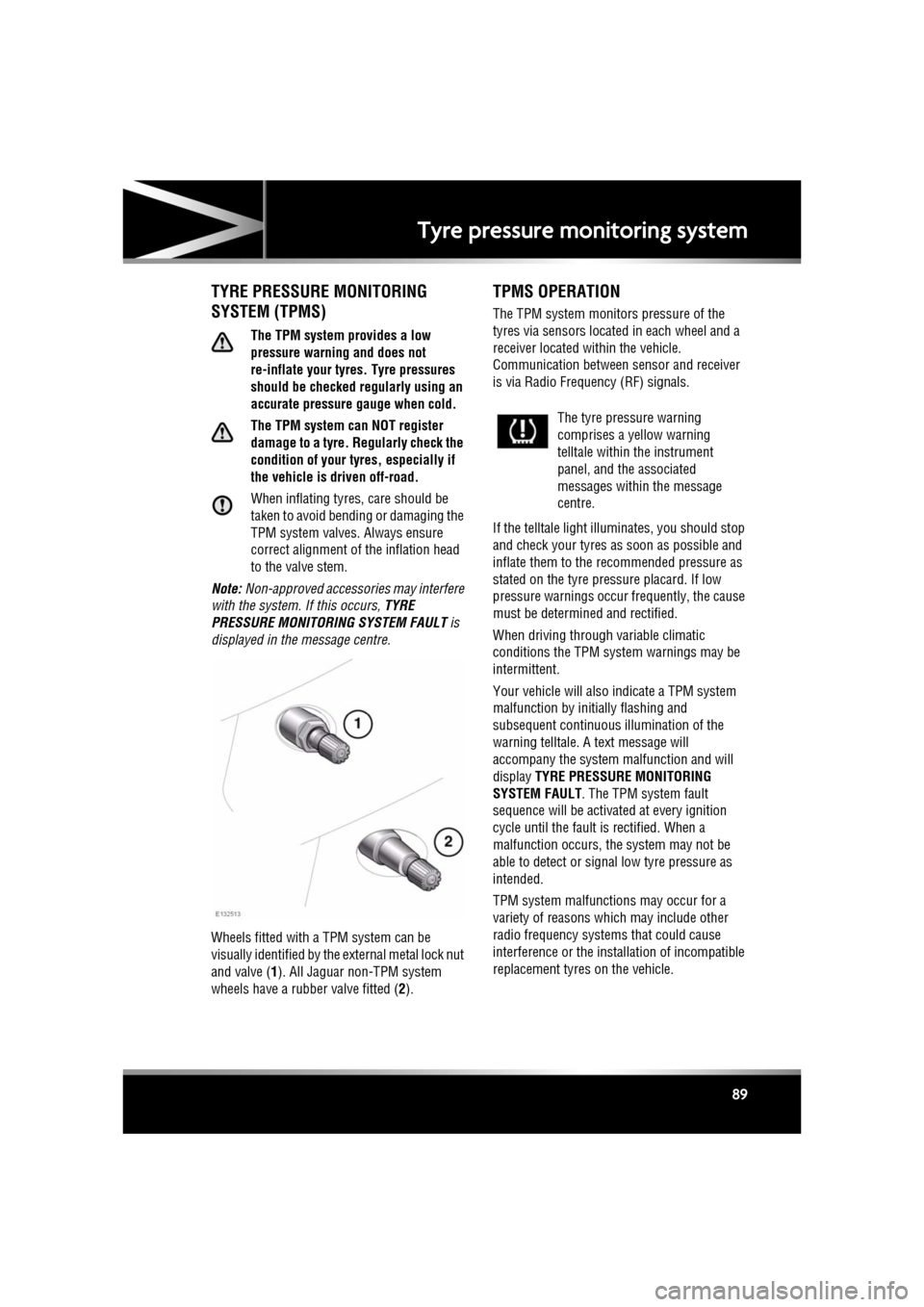
Wheels fitted with a TPM system can be
visually identified by the external metal lock nut
and valve ( 1). All Jaguar n on-TPM system
wheels have a rubber valve fitted (2).
TPMS OPERATION
The TPM system monitors pressure of the
tyres via sensors located in each wheel and a
receiver located within the vehicle.
Communication between sensor and receiver
is via Radio Freque ncy (RF) signals.
If the telltale light illu minates, you should stop
and check your tyres as soon as possible and
inflate them to the recommended pressure as
stated on the tyre pressure placard. If low
pressure warnings occur frequently, the cause
must be determined and rectified.
When driving through variable climatic
conditions the TPM syst em warnings may be
intermittent.
Your vehicle will also indicate a TPM system
malfunction by initially flashing and
subsequent continuous illumination of the
warning telltale. A text message will
accompany the system malfunction and will
display TYRE PRESSURE MONITORING
SYSTEM FAULT . The TPM system fault
sequence will be activated at every ignition
cycle until the fault is rectified. When a
malfunction occurs, the system may not be
able to detect or signal low tyre pressure as
intended.
TPM system malfuncti ons may occur for a
variety of reasons which may include other
radio frequency systems that could cause
interference or the installation of incompatible
replacement tyres on the vehicle.
The tyre pressure warning
comprises a yellow warning
telltale within the instrument
panel, and the associated
messages within the message
centre.
Page 90 of 225

L
(FM8) SEMCON JLR OWNER GUIDE VER 1.00 EURO
LANGUAGE: english-en; MARQUE: jaguar; MODEL: XF
Tyre pressure monitoring system
90
TEMPORARY USE SPARE WHEEL
AND TYRE CHANGE
If the temporary use spare wheel is fitted the
system will automatically recognise the change
in wheel positions. The n after approximately
ten minutes of drivin g above 25 km/h (18
mph), a message deta iling which tyre is
affected (e.g. FRONT LEFT) and TYRE NOT
MONITORED will be displayed accompanied by
illumination of the warning telltale and the
corresponding block in the vehicle graphic.
The warning telltale will initially flash and will
subsequently revert to continuous illumination.
Extended use of the temporary use spare wheel
will produce an additional text message TYRE
PRESSURE MONITORING SYSTEM FAULT .
This TPM system display sequence will be
activated at every ignition cycle until the
temporary use spare wheel is replaced by a
fully operational full size wheel and tyre
assembly. Always replace the temporary use
wheel before having TPM system faults
investigated. The fault may well be rectified
with the fitment of a fu lly operational full size
running tyre in lieu of the temporary use spare
wheel assembly.
TYRE PRESSURE MONITORING
UNAVAILABLE
If all four running wheels and tyres are changed
for a set that are not fitted with TPM system
sensors (e.g. a set of winter wheels and tyres),
the message TYRE PRESSURE MONITORING
UNAVAILABLE is displayed. TPM system
sensors must be fitted to the wheels and tyres
for the system to be able to warn of low tyre
pressures.
When sensors are fitted to the replacement
wheel and tyre set, the vehicle needs to be
driven until the TPM system recognizes the
sensors before TPM will be available ( TYRE
PRESSURE MONITORING AVAILABLE is
displayed).
TYRE CHANGING
Always have your tyres serviced or changed by
a qualified technician.
Care must be taken to avoid contact between
the bead of the tyre and the sensor during
removal and refitting of the tyre, otherwise the
sensor may become damaged and or
inoperable.
Valve stem seal, washer, nut, valve core
and cap should be repl aced at every tyre
change. Valve stem seal, washer and
nut must be replaced if valve retention
nut is loosened. Sensor units and nuts
must be refitted using correct torque
figures and associated profile. Damage
to the vehicle may result if these
precautions are not taken.
Sensors can be removed from the wheel by the
unscrewing of the va lve retention nut.
Page 100 of 225
L
(FM8) SEMCON JLR OWNER GUIDE VER 1.00 EURO
LANGUAGE: english-en; MARQUE: jaguar; MODEL: XF
Adaptive cruise control
100
ACC MALFUNCTION
If a malfunction occurs during operation of the
system in cruise or follow modes, the ACC
system will switch off a nd cannot be used until
the fault is cleared. The message Driver
Intervene appears briefly and is then replaced
by the message Cruise Not Available . If
malfunction of the ACC or any related system
occurs at any other time, the message Cruise
Not Available will be displayed. It will not be
possible to activate the ACC system in any
mode.
Accumulations of dirt, snow or ice on the
sensor or cover may inhibit ACC operation.
Fitting of a vehicle front protector or metallised
badges may also affect ACC operation.
The ACC system relies on its radar to detect
objects and constantly scans ahead. If the
radar is unable to detect any objects ahead,
then ACC will be deactivated, the audible alarm
sounds and the message Driver Intervene
displays briefly. The message ACC Sensor
Blocked will then be displayed.
The same messages may also be displayed
while driving on open ro ads with few objects
for the radar to detect.
Clearing the obstruction fr om in front of the
sensor allows the system to return to normal
operation. If the obstr uction is present when
ACC is inactive (e.g. on initial starting or with
the ACC system switched off), the message
ACC Sensor Blocked will be displayed.
Tyres other than those recommended for your
vehicle, may have different sizes. This can
affect the correct operation of the ACC.
FORWARD ALERT FUNCTION
Limited detect ion and warning of objects
ahead, is provided duri ng ACC operation by the
ACC Forward Alert warning. The enhanced
forward alert feature additionally provides
warnings when ACC is not engaged; if an object
is detected close ahead, then the warning tone
and message will be issu ed. The brakes will not
be applied.
The forward alert system does not initiate any
action. The driver must take appropriate action
when the Forward Alert message is displayed.
However, the system monitors driver actions
(e.g. braking, steering or indicating) and may
not initiate the warning display if the
appropriate action has been taken early
enough.
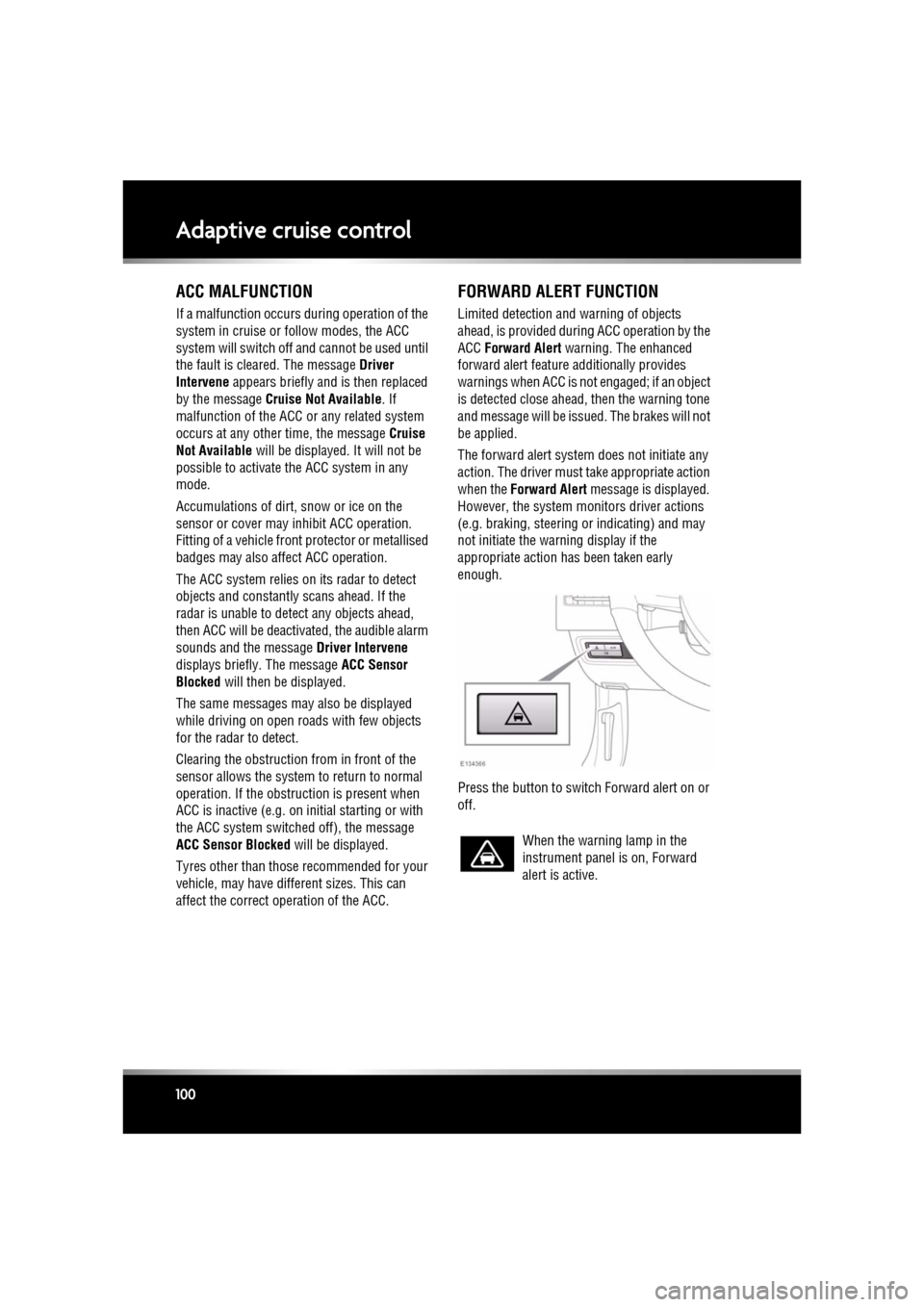
Press the button to switch Forward alert on or
off.
When the warning lamp in the
instrument panel is on, Forward
alert is active.