Change JAGUAR XJ 2004 X350 / 3.G User Guide
[x] Cancel search | Manufacturer: JAGUAR, Model Year: 2004, Model line: XJ, Model: JAGUAR XJ 2004 X350 / 3.GPages: 227, PDF Size: 4.22 MB
Page 83 of 227
4-12 On the Road
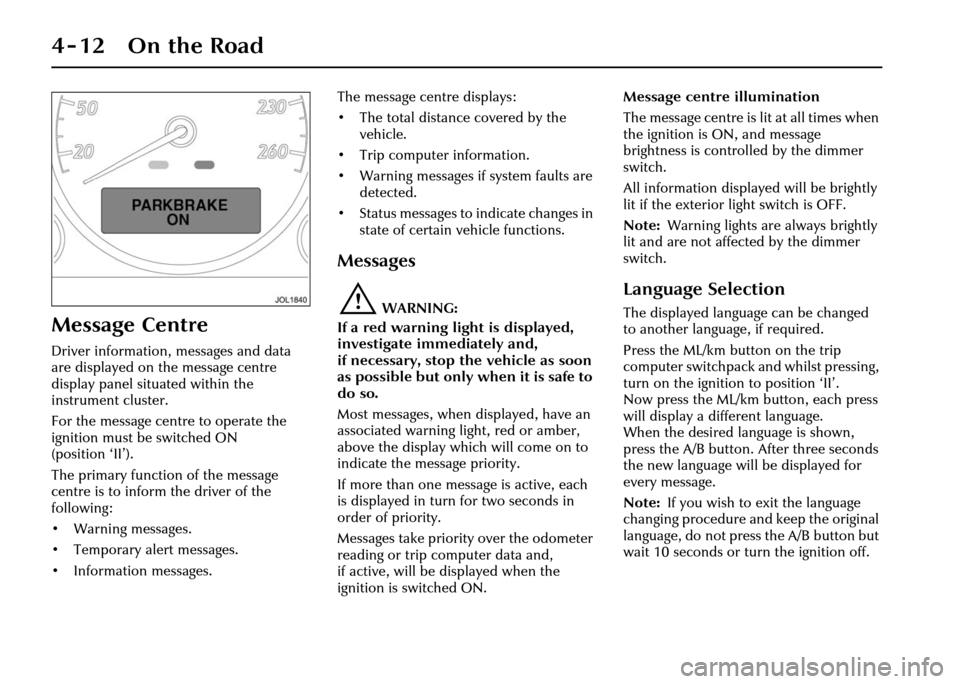
Message Centre
Driver information, messages and data
are displayed on the message centre
display panel situated within the
instrument cluster.
For the message centre to operate the
ignition must be switched ON
(position ‘II’).
The primary function of the message
centre is to inform the driver of the
following:
• Warning messages.
• Temporary alert messages.
• Information messages.The message centre displays:
• The total distance covered by the
vehicle.
• Trip computer information.
• Warning messages if system faults are detected.
• Status messages to indicate changes in
state of certain vehicle functions.
Messages
!WARNING:
If a red warning light is displayed,
investigate immediately and,
if necessary, stop the vehicle as soon
as possible but only when it is safe to
do so.
Most messages, when displayed, have an
associated warning light, red or amber,
above the display which will come on to
indicate the message priority.
If more than one message is active, each
is displayed in turn for two seconds in
order of priority.
Messages take priority over the odometer
reading or trip computer data and,
if active, will be displayed when the
ignition is switched ON. Message centre illumination
The message centre is lit at all times when
the ignition is ON, and message
brightness is controlled by the dimmer
switch.
All information displayed will be brightly
lit if the exterior light switch is OFF.
Note:
Warning lights are always brightly
lit and are not affected by the dimmer
switch.
Language Selection
The displayed language can be changed
to another language, if required.
Press the ML/km button on the trip
computer switchpack and whilst pressing,
turn on the ignition to position ‘II’.
Now press the ML/km button, each press
will display a different language.
When the desired language is shown,
press the A/B button. After three seconds
the new language will be displayed for
every message.
Note: If you wish to exit the language
changing procedure and keep the original
language, do not press the A/B button but
wait 10 seconds or turn the ignition off.
Page 93 of 227
4-22 On the Road
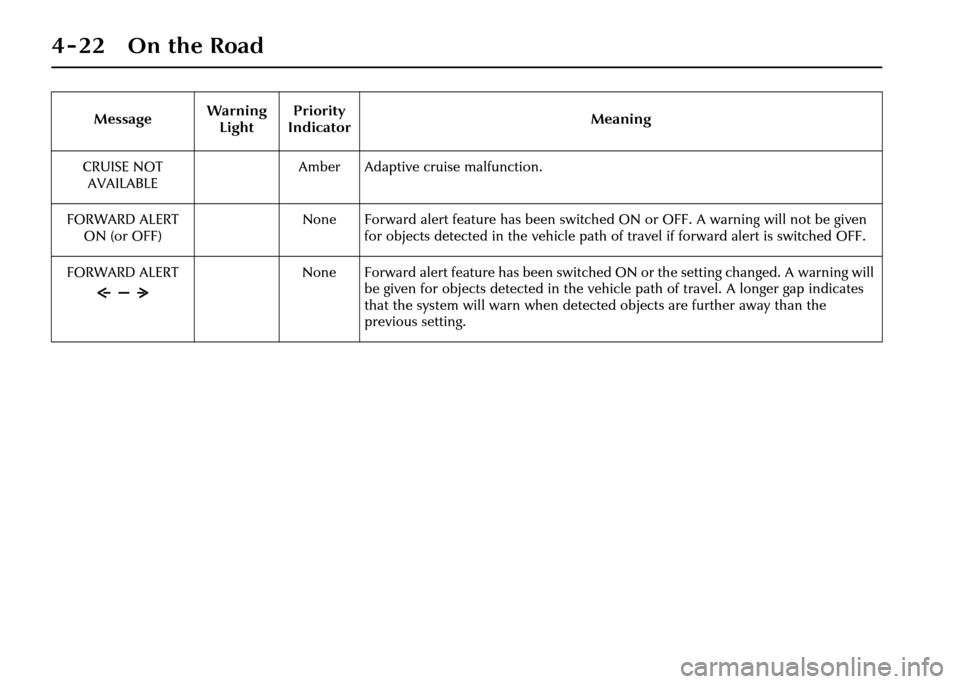
CRUISE NOT AVAILABLE Amber Adaptive cruise malfunction.
FORWARD ALERT ON (or OFF) None Forward alert feature has been switched ON or OFF. A warning will not be given
for objects detected in the vehicle path of travel if forward alert is switched OFF.
FORWARD ALERT None Forward alert feature has been switched ON or the setting changed. A warning will
be given for objects detected in the vehicle path of travel. A longer gap indicates
that the system will warn when detected objects are further away than the
previous setting.
Message
Warning
Light Priority
Indicator Meaning
Page 115 of 227
4-44 On the Road
Note:
1. After selecting forward or reverse drive ranges from Neutral or Park,
wait briefly for th e transmission to
engage before accelerating.
2. When in Neutral or Park the engine can only be a ccelerated to
4500 rev/min.
R = Reverse – Do not select if the vehicle
is moving forward.
The reversing lights come ON
automatically when reverse gear is
selected and the ignition switch is in
position ‘II’.
D = Drive – All six gears are changed
automatically as required by the throttle
position and road speed.
2, 3, 4, 5 = If selected, the transmission
operates automatically in second, third,
fourth or fifth gear but will not engage
gears higher than the one selected. Drive to fifth
When driving in gear position ‘D’ with
sixth gear engaged, the gear selector can
be shifted sideways across the gate to ‘
5’.
Provided that the vehicle’s speed is not
too great, the transmission will shift
down to fifth. Sixth gear will be inhibited
until the gear selector is moved back to
‘D’.
Hill climbing and engine braking
When driving on roads with long
downhill gradients, selecting ‘3’ or ‘2’
(depending on road/traffic conditions)
will give engine braking.
When the gear selector is moved
from ‘D’, ‘5’, ‘4’ or ‘3’ down to ‘2’,
downshift to second ge ar will only take
place at appropriate road speeds.
Reverse inhibit
Reverse is inhibited when the vehicle is
moving forward at speeds above 5 mph
(8 km/h).
Note: Reverse inhibit will not function in
limp-home mode. Kickdown
Kickdown is operated when the pedal is
pressed fully down, beyond the normal
operating range and against a spring
pressure, to provide maximum engine
performance. Kickdown is used in
circumstances where rapid acceleration is
required, such as when overtaking.
Kickdown causes the transmission to
change down to the lowest gear possible
to achieve maximum acceleration.
The gear engaged depends on the road
speed at the time of kickdown.
As well as shifting
down, the gearshift
points are extended to give greater
performance. This mode is in effect for as
long as the pedal is pressed fully down.
Page 120 of 227
On the Road 4 - 49
Cruise (Speed) Control
The cruise (speed) control system can be
used by the driver to maintain a selected
vehicle speed above 17.5 mph (28 km/h)
without the driver having to use the
accelerator.
Switches on the steering wheel allow the
driver manual control of the system.
Brake operation also influences the cruise
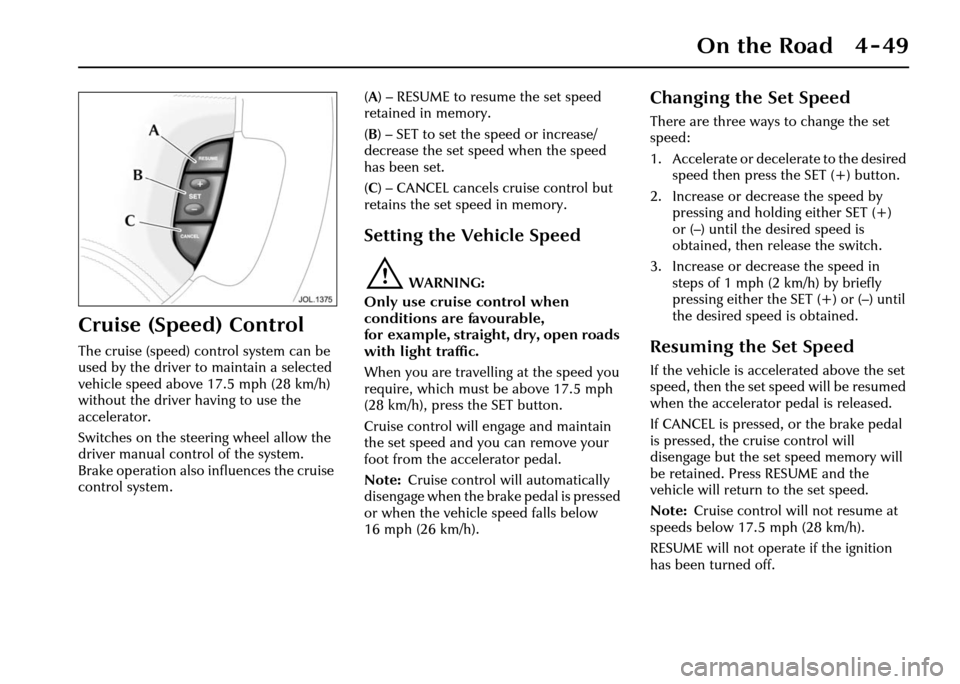
control system. (
A ) – RESUME to resume the set speed
retained in memory.
( B ) – SET to set the speed or increase/
decrease the set speed when the speed
has been set.
( C ) – CANCEL cancels cruise control but
retains the set speed in memory.
Setting the Vehicle Speed
!WARNING:
Only use cruise control when
conditions are favourable,
for example, straight, dry, open roads
with light traffic.
When you are travelling at the speed you
require, which must be above 17.5 mph
(28 km/h), press the SET button.
Cruise control will engage and maintain
the set speed and you can remove your
foot from the accelerator pedal.
Note: Cruise control will automatically
disengage when the brake pedal is pressed
or when the vehicle speed falls below
16 mph (26 km/h).
Changing the Set Speed
There are three ways to change the set
speed:
1. Accelerate or decelerate to the desired speed then press the SET (+) button.
2. Increase or decrease the speed by pressing and holding either SET (+)
or (–) until the desired speed is
obtained, then release the switch.
3. Increase or decrease the speed in steps of 1 mph (2 km/h) by briefly
pressing either the SET (+) or (–) until
the desired speed is obtained.
Resuming the Set Speed
If the vehicle is accelerated above the set
speed, then the set speed will be resumed
when the accelerator pedal is released.
If CANCEL is pressed, or the brake pedal
is pressed, the cruise control will
disengage but the set speed memory will
be retained. Press RESUME and the
vehicle will return to the set speed.
Note: Cruise control will not resume at
speeds below 17.5 mph (28 km/h).
RESUME will not operate if the ignition
has been turned off.
Page 124 of 227
On the Road 4 - 53
When a vehicle ahead enters the same
lane or a slower vehicle is ahead in the
same lane, the vehicle speed will be
adjusted automatically until the gap to
the vehicle ahead corresponds to the
preset gap. The vehicle is now in ‘follow
mode’.The warning light in the
instrument cluster will be
illuminated,
and the message centre
will display the gap set.
The vehicle will then maintain the
constant time gap to the vehicle ahead
until:
• The vehicle ahead accelerates to a speed above the set speed.
• The vehicle ahead moves out of lane or out of view.
• The vehicle ahead slows so that ‘low speed automatic switch off’ occurs.
• A new gap distance is set.
If necessary, the vehicle brakes will be
automatically applied to slow the vehicle
to maintain the gap to the vehicle in
front. The maximum braking which is applied
by the ACC system is limited and can be
overridden by the driver applying the
brakes, if required.
Note:
Driver braking will cancel adaptive
cruise control.
If the ACC system predicts that its
maximum braking level will not be
sufficient, then an audible warning will
sound while the ACC continues to brake.
This is accompanied by a red warning
light and ‘DRIVER INTERVENE’ will be
displayed on the message centre.
The driver should take IMMEDIATE
action.
When in follow mode the vehicle will
automatically return to the set speed
when the road ahead is clear, for instance
when:
• The vehicle in front accelerates or changes lane.
• The driver changes lane to either side or enters an exit lane.
The driver should intervene if
appropriate.
Low speed automatic switch off
If the speed of the vehicle decreases
below 18 mph (30 km/h), the ACC system
will be automatically switched OFF and
the instrument warning lamp will go out. If the brakes were
being applied by the
ACC system, they will be slowly released.
This will be accompanied by an audible
warning, a red warning light and ‘DRIVER
INTERVENE’ will be displayed on the
message centre. The driver must take
control.
Overriding the set speed/follow mode
!WARNING:
Whenever the driver is overriding the
ACC by depressing the accelerator
pedal, the ACC will not automatically
apply the brakes to maintain
separation from any vehicle ahead.
The set speed and gap can be overridden
by pressing the accelerator pedal when
cruising at constant speed or in follow
mode. If the vehicle is in follow mode,
the instrument warning lamp will go out
when the ACC is overridden by the driver
using the accelera tor and ‘CRUISE
OVERRIDE’ will be displayed on the
message centre. When the accelerator is
released the ACC function will operate
again and vehicle speed will decrease to
the set speed, or a lower speed if follow
mode is active.
GAP
Page 125 of 227
4-54 On the Road
Changing the set speed
There are three ways to change the set
speed:
1. Accelerate or brake to the required speed and press the ‘SET +’ button.
2. Increase or decrease the speed by pressing and holding either the
‘SET +’ or ‘–’ button until the required
set speed is shown on the message
centre. The vehicle speed will
gradually change to the selected
speed.
3. Increase or decrease the speed in steps of 1 mph (2 km/h) by briefly
pressing the ‘SET +’ or ‘–’ button.
ACC operates between approximately
20 mph and 110 mph (34 km/h and
180 km/h) dependent on the country
specification.
Set speeds outside this range will not be
captured.
The ACC may apply the brakes to slow
down the vehicle to the new set speed.
The new set speed will be displayed on
the message centre for four seconds after
it has been changed. Changing the gap
The gap from the vehicle ahead can be
decreased or increased by pressing the
gap setting rocker switch on the steering
wheel. Four gaps are available and the
selected gap setting will be displayed on
the message centre when the rocker
switch is pressed. After the ignition is
switched ON the default gap will be
automatically selected ready for ACC
operation.
Note:
It is the driver’s responsibility to
select a gap appropriate to the driving
conditions, and in accordance with
national driving regulations.
ACC automatic switch off
Adaptive cruise control will disengage,
but not clear the memory when:
• The CANCEL button is pressed.
• The brake pedal is pressed.
• The vehicle speed falls below 18 mph (30 km/h).
• Neutral, Park or Reverse gear positions are selected.
• The parkbrake is applied.
• DSC is activated. Adaptive cruise control will disengage,
and clear the memory when:
• The ignition switch is set to
position ‘0’.
• Maximum vehicle speed is reached.
• A fault occurs in the ACC system.
Resuming the set speed/follow mode
By pressing the RESUME button after ACC
has been cancelled, for example, after
braking, the ACC will become active
again provided that the set speed
memory has not been erased. The set
speed will be displayed for four seconds
and the original set speed will be
resumed, unless a vehicle ahead causes
the follow mode to become active.
Caution: ‘RESUME’ should only be
used if the driver is aware of the set
speed and intends to return to it.
Page 126 of 227
On the Road 4 - 55
Forward alert
Limited detection and warning of objects
ahead is provided during ACC operation
by the ACC ‘DRIVER INTERVENE’
warning.
The forward alert feature additionally
provides warnings whilst ACC is not
engaged, if an object is detected close
ahead then a warning tone and message
will be issued. The brakes will not be
applied.
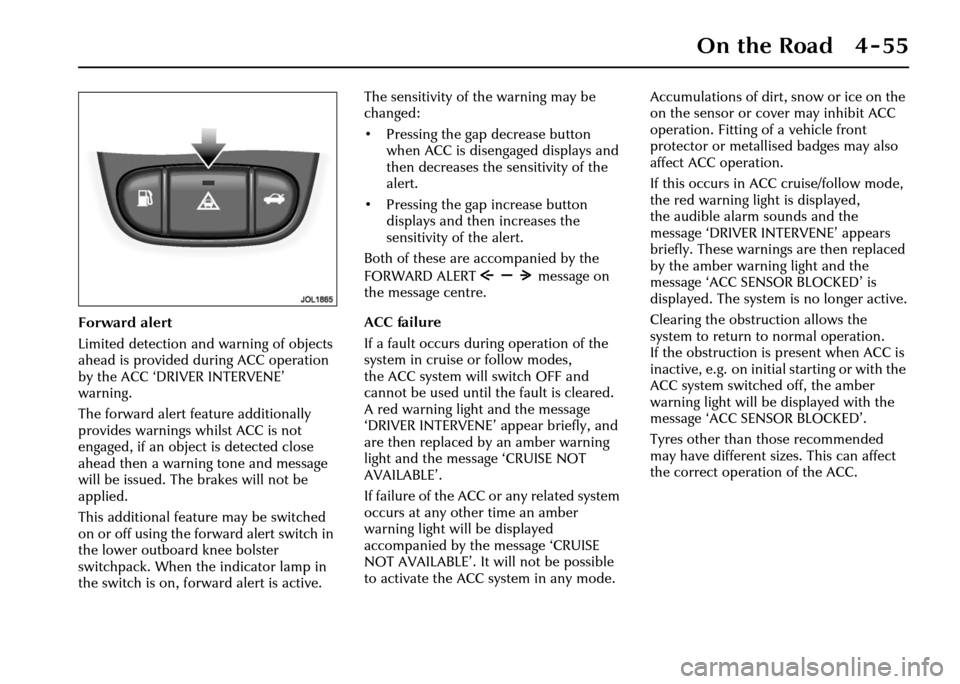
This additional feature may be switched
on or off using the forward alert switch in
the lower outboard knee bolster
switchpack. When the indicator lamp in
the switch is on, forward alert is active.The sensitivity of the warning may be
changed:
• Pressing the gap decrease button
when ACC is disengaged displays and
then decreases the sensitivity of the
alert.
• Pressing the gap increase button displays and then increases the
sensitivity of the alert.
Both of these are accompanied by the
FORWARD ALERT message on
the message centre.
ACC failure
If a fault occurs during operation of the
system in cruise or follow modes,
the ACC system will switch OFF and
cannot be used until the fault is cleared.
A red warning light and the message
‘DRIVER INTERVENE’ appear briefly, and
are then replaced by an amber warning
light and the message ‘CRUISE NOT
AVAILABLE’.
If failure of the ACC or any related system
occurs at any other time an amber
warning light will be displayed
accompanied by th e message ‘CRUISE
NOT AVAILABLE’. It will not be possible
to activate the ACC system in any mode. Accumulations of dirt, snow or ice on the
on the sensor or cover may inhibit ACC
operation. Fitting of a vehicle front
protector or metallis
ed badges may also
affect ACC operation.
If this occurs in ACC cruise/follow mode,
the red warning light is displayed,
the audible alarm sounds and the
message ‘DRIVER INTERVENE’ appears
briefly. These warnings are then replaced
by the amber warning light and the
message ‘ACC SENSOR BLOCKED’ is
displayed. The system is no longer active.
Clearing the obstruction allows the
system to return to normal operation.
If the obstruction is present when ACC is
inactive, e.g. on initial starting or with the
ACC system switched off, the amber
warning light will be displayed with the
message ‘ACC SENSOR BLOCKED’.
Tyres other than those recommended
may have different sizes. This can affect
the correct operation of the ACC.
Page 127 of 227
4-56 On the Road
Notes on using adaptive cruise
control
1. Adaptive cruise control operates when the gear selector lever is in
position ‘2’, ‘3’ ‘4’ ‘5’ or ‘D’.
2. When engaged, the accelerator pedal rests in the raised position.
Fully release the pedal to allow
normal ACC operation.
3. When braking is applied by the ACC
the brake pedal will move down and
up as braking is applied or removed.
The vehicle brake lights will be
switched on while braking is applied.
!WARNING:
The driver must not rest a foot under
the brake pedal, as it may become
trapped. Driving with ACC active
The system acts by regulating the speed
of the vehicle using engine control and
the brakes. Gear changes may occur in
response to decelerati
on or acceleration
whilst in ACC.
ACC is not a collision avoidance system,
however, during some situations the
system may provide the driver with an
indication that intervention is required.
An audible alarm will sound,
accompanied by a re d warning light and
the message ‘DRIVER INTERVENE’ if the
ACC detects:
• That using maximum ACC braking only is not sufficient.
• That the vehicle speed has decreased below the minimum for ACC
operation.
• A failure has occurred whilst the system is active.
Page 129 of 227
4-58 On the Road
Vehicle Suspension
This vehicle is fitted with a fully
automatic air suspension system.
It ensures that the vehicle is always at the
correct ride height with varying load
conditions, including luggage
compartment load or when towing.
The system will automatically adjust the
amount of air in the springs to level the
vehicle. Air is supplied either from an air
reservoir or a compressor.
The compressor will run periodically to
refill the reservoir.
Changes in ambient temperature will also
have an effect on vehicle height when the
vehicle is parked.
Caution:
1. Do not overload the vehicle. Vehicle load weights are shown
on page 8 - 4.
2. A slight air loss is expected over time causing the vehicle to lower,
so do not store or place anything
under the vehicle if it is to be left
for an extended period. Speed lowering
When driving at motorway speeds,
the system will lower the vehicle to
improve aerodynamics and vehicle
stability. The suspension will
automatically return the vehicle to the
normal height when the vehicle slows.
Caution: Speed lowering is
undesirable when towing.
Only Jaguar approved towing
equipment will not allow this feature.
Warning messages
If the message ‘VEHICLE TOO LOW’ is
displayed when the ignition is switched
on, start the engine and wait for the
suspension to raise. The vehicle should
not be driven until the message is
cleared.
If the message ‘VEHICLE TOO LOW’ is
displayed when driv
ing, restrict the
vehicle speed and wait for the system to
regain the correct height and the message
will then clear. If the message is displayed
frequently, it is advisable to inform your
Retailer to have the system attended to.
If the message ‘AIR SUSPENSION FAULT’
is displayed at any time, drive with
caution. Have the vehicle checked by a
Retailer at the earliest opportunity.
Note: If your vehicle needs to be
recovered by a roadside emergency
service ensure that the vehicle is securely
lashed by the wheels and NOT the body.
Page 133 of 227
4-62 On the Road
Towing a Trailer
Your Jaguar Retailer, and the main
motoring organisations can advise you on
towing, towing weight capacities and
about regulations that apply in other
countries.
The following are important points of
safety, stability and comfort upon which
further advice should be sought:
• Maximum braked towing weight is permissible, provided long periods of
uphill driving on gradients over 8%
are not undertaken.
• In high altitude mountainous regions, the thinner atmosphere can reduce
engine performance. Above 3280 feet
(1000 metres) the stipulated
maximum permitted gross train
weight must be reduced by 10% for
every 3280 feet (1000 metres) in
altitude.
• The kerbside weight of the vehicle can be found on page 8 - 4.
• When towing at the maximum permissible rear axle load keep within
legal towing speeds but in any case do
not exceed 62 mph (100 km/h). • Tyres must be inflated to the normal
(higher) pressures shown on the tyre
pressure label on the fuel filler flap.
• The recommended maximum tow-ball nose weight is shown
on page 8 - 5. Having a lower nose
weight or exceeding the maximum
nose weight limit may impair the
vehicle’s handling.
• When towing, the nose weight of the trailer and the tow-bar assembly must
be deducted from the permissible
maximum load, see page 8 - 5.
• Avoid heavy braking. As the overrun brake on the traile r is not connected
to the ABS, heavy trailer braking
could critically affect the stability of
the outfit as a whole.
• Ensure that the towing vehicle’s engine, transmission, suspension,
brakes and tyres are fully efficient and
regularly serviced. Similarly check the
wheels, tyres, brakes and wheel
bearings of the trailer. Caution:
1. When not in use, it is
recommended that the removable
tow-ball is either securely stowed
in the luggage compartment or,
preferably, not in the vehicle.
Do not leave it loose in the
vehicle.
2. It is essential that only a Jaguar tow-bar and Jaguar electrical tow-
bar kit are supplied and fitted by a
Jaguar Retailer. Contact your
Jaguar Retailer for details of
additional parts that are advised
to be fitted before towing. This is
particularly important with this
vehicle having air suspension.
If unapproved towing equipment
is used whilst towing, the air
suspension speed lowering
function will not be inhibited.
This may result in a change in
trailer weight distribution and
attitude.