headlights JEEP CHEROKEE 2014 KL / 5.G User Guide
[x] Cancel search | Manufacturer: JEEP, Model Year: 2014, Model line: CHEROKEE, Model: JEEP CHEROKEE 2014 KL / 5.GPages: 690, PDF Size: 4.74 MB
Page 176 of 690
Interior Lights
The interior lights come on when a door is opened.
To protect the battery, the interior lights will turn off
automatically 10 minutes after the ignition is moved to
the LOCK position. This will occur if the interior lights
were switched on manually or are on because a door is
open. This includes the glove box light, but not the trunk
light. To restore interior light operation, either place the
ignition in the ON/RUN position or cycle the light
switch.
Instrument Panel Dimmer Control
The instrument panel dimmer control is part of the
headlight switch and is located on the drivers side of the
instrument panel.With the parking lights or headlights on, rotating the
instrument panel dimmer control upward will increase
the brightness of the instrument panel lights and lighted
cupholders — if equipped.
Instrument Panel Dimmer
174 UNDERSTANDING THE FEATURES OF YOUR VEHICLE
Page 177 of 690
Ambient Light Control — If Equipped
Rotate the ambient dimmer control upward or down-
ward to increase or decrease the brightness of the ambi-
ent light located in the overhead console, door handle
lights, under I/P lights, door map pocket lights, and
cubby bin lights.
Dome Light Position
Rotate the instrument panel dimmer control completely
upward to the second detent to turn on the interior lights.
The interior lights will remain on when the instrument
panel dimmer control is in this position.
Interior Light Defeat (OFF)
Rotate the instrument panel dimmer control to the ex-
treme bottom OFF position. The interior lights will
remain off when the doors are open.
Parade Mode (Daytime Brightness Feature)
Rotate the instrument panel dimmer control upward to
the first detent. This feature brightens all text displays
such as the odometer, EVIC (if equipped), and radio
when the position lights or headlights are on.
Ambient Light/Door Handle Light Dimmer
3
UNDERSTANDING THE FEATURES OF YOUR VEHICLE 175
Page 328 of 690
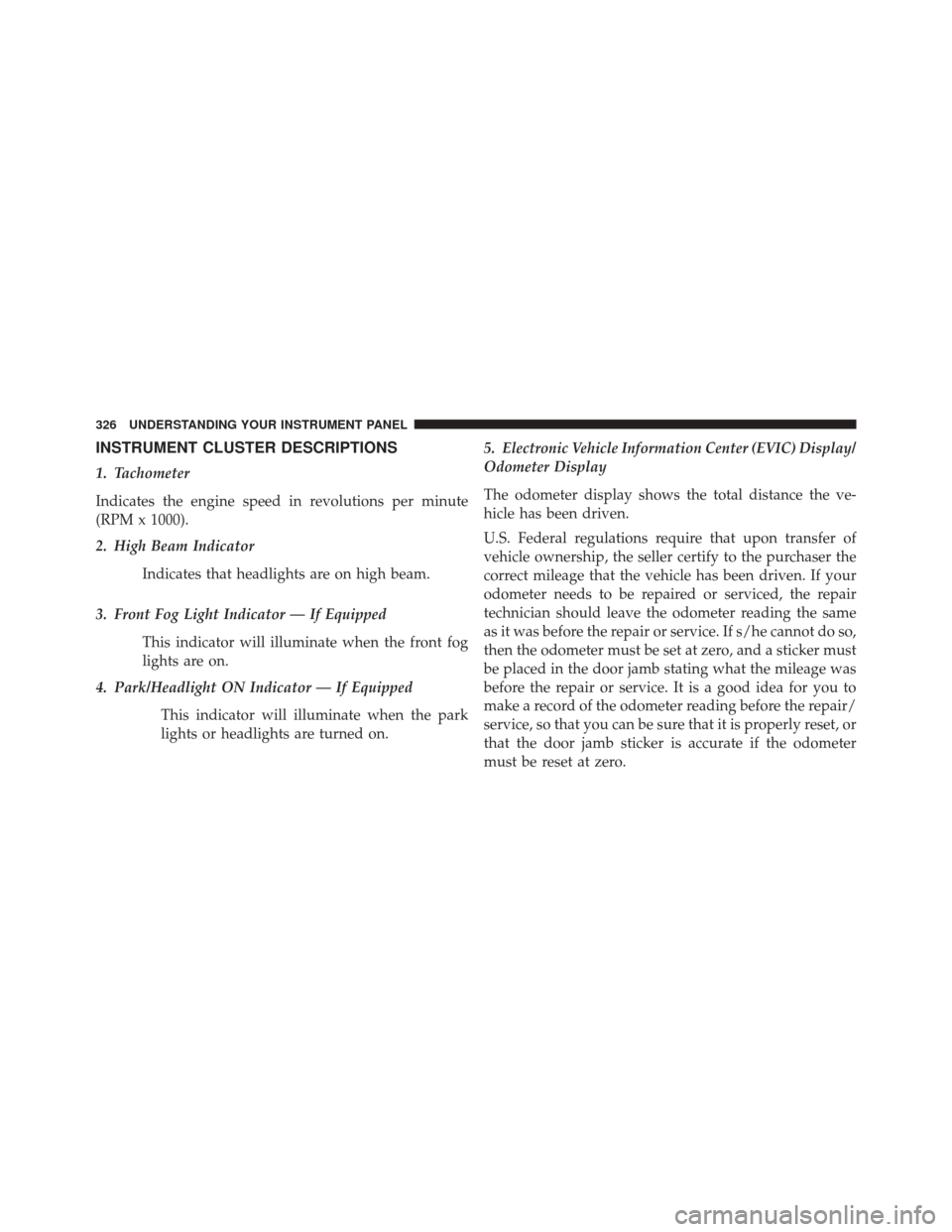
INSTRUMENT CLUSTER DESCRIPTIONS
1. Tachometer
Indicates the engine speed in revolutions per minute
(RPM x 1000).
2. High Beam IndicatorIndicates that headlights are on high beam.
3. Front Fog Light Indicator — If Equipped This indicator will illuminate when the front fog
lights are on.
4. Park/Headlight ON Indicator — If Equipped
This indicator will illuminate when the park
lights or headlights are turned on. 5. Electronic Vehicle Information Center (EVIC) Display/
Odometer Display
The odometer display shows the total distance the ve-
hicle has been driven.
U.S. Federal regulations require that upon transfer of
vehicle ownership, the seller certify to the purchaser the
correct mileage that the vehicle has been driven. If your
odometer needs to be repaired or serviced, the repair
technician should leave the odometer reading the same
as it was before the repair or service. If s/he cannot do so,
then the odometer must be set at zero, and a sticker must
be placed in the door jamb stating what the mileage was
before the repair or service. It is a good idea for you to
make a record of the odometer reading before the repair/
service, so that you can be sure that it is properly reset, or
that the door jamb sticker is accurate if the odometer
must be reset at zero.
326 UNDERSTANDING YOUR INSTRUMENT PANEL
Page 375 of 690
•Display Brightness With Headlights ON
When in this display, you may select the brightness with
the headlights on. Adjust the brightness with the + and –
setting soft-keys or by selecting any point on the scale
between the “+” and “–” soft-keys. Then touch the back
arrow soft-key.
• Display Brightness With Headlights OFF
When in this display, you may select the brightness with
the headlights off. Adjust the brightness with the + and –
setting soft-keys or by selecting any point on the scale
between the “+” and “–” soft-keys. Then touch the back
arrow soft-key.
• Set Language
When in this display, you may select one of multiple
languages (English / Français / Español) for all display
nomenclature, including the trip functions and the navi-
gation system (if equipped). Touch the Set Language soft-key, then touch the desired language soft-key until a
check-mark appears next to the language, showing that
setting has been selected. Touch the back arrow soft-key
to return to the previous menu.
•
Units
When in this display, you may select to have the EVIC,
odometer, and navigation system (if equipped) changed
between US and Metric units of measure. Touch “US” or
“Metric” until a check-mark appears next to the setting,
showing that setting has been selected. Touch the back
arrow soft-key to return to the previous menu.
• Voice Response Length
When in this display, you may change the Voice Re-
sponse Length settings. To change the Voice Response
Length, touch the “Brief” or “Detailed” soft-key until a
check-mark appears next to the setting, showing that
setting has been selected. Touch the back arrow soft-key
to return to the previous menu.
4
UNDERSTANDING YOUR INSTRUMENT PANEL 373
Page 382 of 690
•Electric Park Brake Service Mode
This feature provides a means for a technician or vehicle
owner to utilize a vehicle integrated, menu driven sys-
tem, to command the electric park brake retraction, to
service the rear foundation brakes (brake pads, calipers,
rotors, etc.).
For further information, refer to “Electric Parking Brake
(EPD)” in “Starting and Operating.”
Lights
After pressing the “Lights” soft-key the following set-
tings will be available.
• Headlights Off Delay
When this feature is selected, it allows the adjustment of
the amount of time the headlights remain on after the
engine is shut off. To change the Headlights Off Delay
setting, touch the “Headlights Off Delay” soft-key, and choose either 0 sec, 30 sec, 60 sec or 90 seconds.
A check-mark appears next to setting indicating that the
setting has been selected. Touch the back arrow soft-key
to return to the previous menu.
•
Headlight Illumination On Approach
When this feature is selected, the headlights will activate
and remain on for 0, 30, 60, or 90 seconds when the doors
are unlocked with the Remote Keyless Entry (RKE)
transmitter. To change the Illuminated Approach status,
touch the + or - soft-key to select your desired time
interval. Touch the back arrow soft-key to return to the
previous menu.
• Headlights With Wipers — If Equipped
When this feature is selected, and the headlight switch is
in the AUTO position, the headlights will turn on ap-
proximately 10 seconds after the wipers are turned on.
380 UNDERSTANDING YOUR INSTRUMENT PANEL
Page 383 of 690
The headlights will also turn off when the wipers are
turned off if they were turned on by this feature. To make
your selection, touch the “Headlights With Wipers” soft-
key, until a check-mark appears next to setting, indicating
that the setting has been selected. Touch the back arrow
soft-key to return to the previous menu.
•Auto High Beams “SmartBeam™” — If Equipped
When this feature is selected, the high beam headlights
will activate/deactivate automatically under certain con-
ditions. To make your selection, touch the “Auto High
Beams” soft-key, until a check-mark appears next to
setting, indicating that the setting has been selected.
Touch the back arrow soft-key to return to the previous
menu. Refer to “Lights/SmartBeam™ — If Equipped” in
“Understanding The Features Of Your Vehicle” for fur-
ther information. •
Daytime Running Lights — If Equipped
When this feature is selected, the headlights will turn on
whenever the engine is running. To make your selection,
touch the Daytime Running Lights soft-key, until a
check-mark appears next to setting, indicating that the
setting has been selected. Touch the back arrow soft-key
to return to the previous menu.
• Flash Turn signals With Lock
When this feature is selected, the Turn signals will flash
when the doors are locked or unlocked with the Remote
Keyless Entry (RKE) transmitter. This feature may be
selected with or without the sound horn on lock feature
selected. To make your selection, touch the “Flash Turn
signals with Lock” soft-key, until a check-mark appears
next to setting, indicating that the setting has been
selected. Touch the back arrow soft-key to return to the
previous menu.
4
UNDERSTANDING YOUR INSTRUMENT PANEL 381
Page 387 of 690
To make your selection, touch the Easy Exit Seats soft-
key, until a check-mark appears next to setting, showing
that setting has been selected. Touch the back arrow
soft-key to return to the previous menu.
•Engine Off Power Delay
When this feature is selected, the power window
switches, radio, Uconnect® Phone system (if equipped),
DVD video system (if equipped), power sunroof (if
equipped), and power outlets will remain active for up to
10 minutes after the ignition is cycled to OFF. Opening
either front door will cancel this feature. To change the
Engine Off Power Delay status, touch the “0 seconds,”
“45 seconds,” “5 minutes” or “10 minutes” soft-key. Then
touch the back arrow soft-key.
• Headlight Off Delay
When this feature is selected, the driver can choose to
have the headlights remain on for 0, 30, 60, or 90 seconds when exiting the vehicle. To change the Headlight Off
Delay status, touch the “+” or “–” soft-key to select your
desired time interval. Touch the back arrow soft-key to
return to the previous menu.
Compass Settings
After pushing the Compass Settings button on the touch-
screen the following settings will be available.
•
Variance
Compass Variance is the difference between Magnetic
North and Geographic North. To compensate for the
differences the variance should be set for the zone where
the vehicle is driven, per the zone map. Once properly
set, the compass will automatically compensate for the
differences, and provide the most accurate compass
heading.
4
UNDERSTANDING YOUR INSTRUMENT PANEL 385
Page 629 of 690
Your leather upholstery can be best preserved by regular
cleaning with a damp soft cloth. Small particles of dirt
can act as an abrasive and damage the leather upholstery
and should be removed promptly with a damp cloth.
Stubborn soils can be removed easily with a soft cloth
and MOPAR® Total Clean or equivalent. Care should be
taken to avoid soaking leather upholstery with any
liquid. Please do not use polishes, oils, cleaning fluids,
solvents, detergents, or ammonia-based cleaners to clean
leather upholstery. Application of a leather conditioner is
not required to maintain the original condition.
WARNING!
Do not use volatile solvents for cleaning purposes.
Many are potentially flammable, and if used in
closed areas they may cause respiratory harm.
Cleaning Headlights
Your vehicle is equipped with plastic headlights and fog
lights that are lighter and less susceptible to stone break-
age than glass headlights.
Plastic is not as scratch resistant as glass and therefore
different lens cleaning procedures must be followed.
To minimize the possibility of scratching the lenses and
reducing light output, avoid wiping with a dry cloth. To
remove road dirt, wash with a mild soap solution fol-
lowed by rinsing.
Do not use abrasive cleaning components, solvents, steel
wool or other aggressive material to clean the lenses.
Glass Surfaces
All glass surfaces should be cleaned on a regular basis
with MOPAR® Glass Cleaner, or any commercial
household-type glass cleaner. Never use an abrasive type
7
MAINTAINING YOUR VEHICLE 627
Page 671 of 690
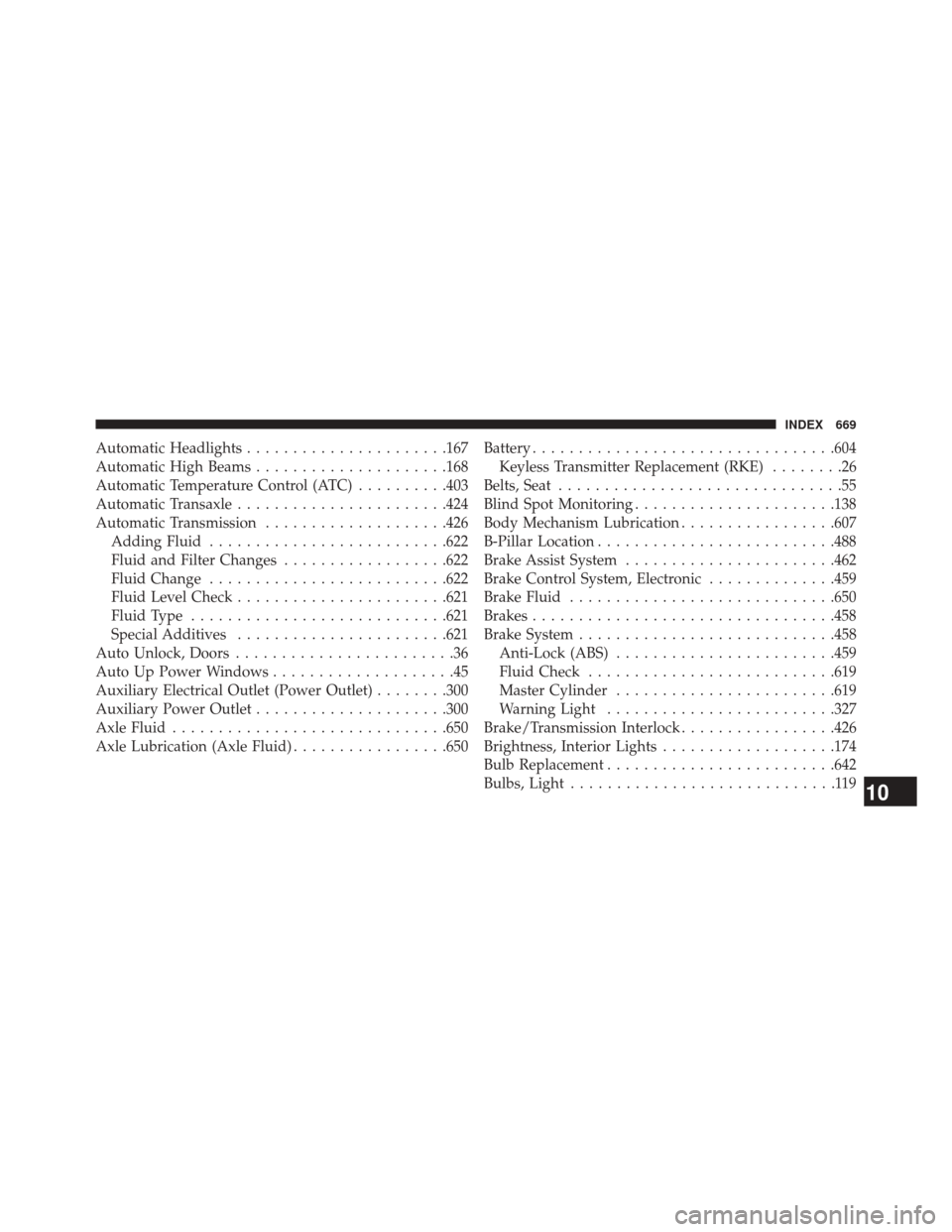
Automatic Headlights..................... .167
Automatic High Beams .....................168
Automatic Temperature Control (ATC) ..........403
Automatic Transaxle ...................... .424
Automatic Transmission ....................426
Adding Fluid ......................... .622
Fluid and Filter Changes ..................622
Fluid Change ......................... .622
Fluid Level Check ...................... .621
Fluid Type ........................... .621
Special Additives ...................... .621
Auto Unlock, Doors ........................36
Auto Up Power Windows ....................45
Auxiliary Electrical Outlet (Power Outlet) ........300
Auxiliary Power Outlet .....................300
Axle Fluid ............................. .650
Axle Lubrication (Axle Fluid) .................650Battery
................................ .604
Keyless Transmitter Replacement (RKE) ........26
Belts, Seat ...............................55
Blind Spot Monitoring ..................... .138
Body Mechanism Lubrication .................607
B-Pillar Location ......................... .488
Brake Assist System ...................... .462
Brake Control System, Electronic ..............459
Brake Fluid ............................ .650
Brakes ................................ .458
Brake System ........................... .458
Anti-Lock (ABS) ....................... .459
Fluid Check .......................... .619
Master Cylinder ....................... .619
Warning Light ........................ .327
Brake/Transmission Interlock .................426
Brightness, Interior Lights ...................174
Bulb Replacement ........................ .642
Bulbs, Light .............................
11910
INDEX 669
Page 676 of 690
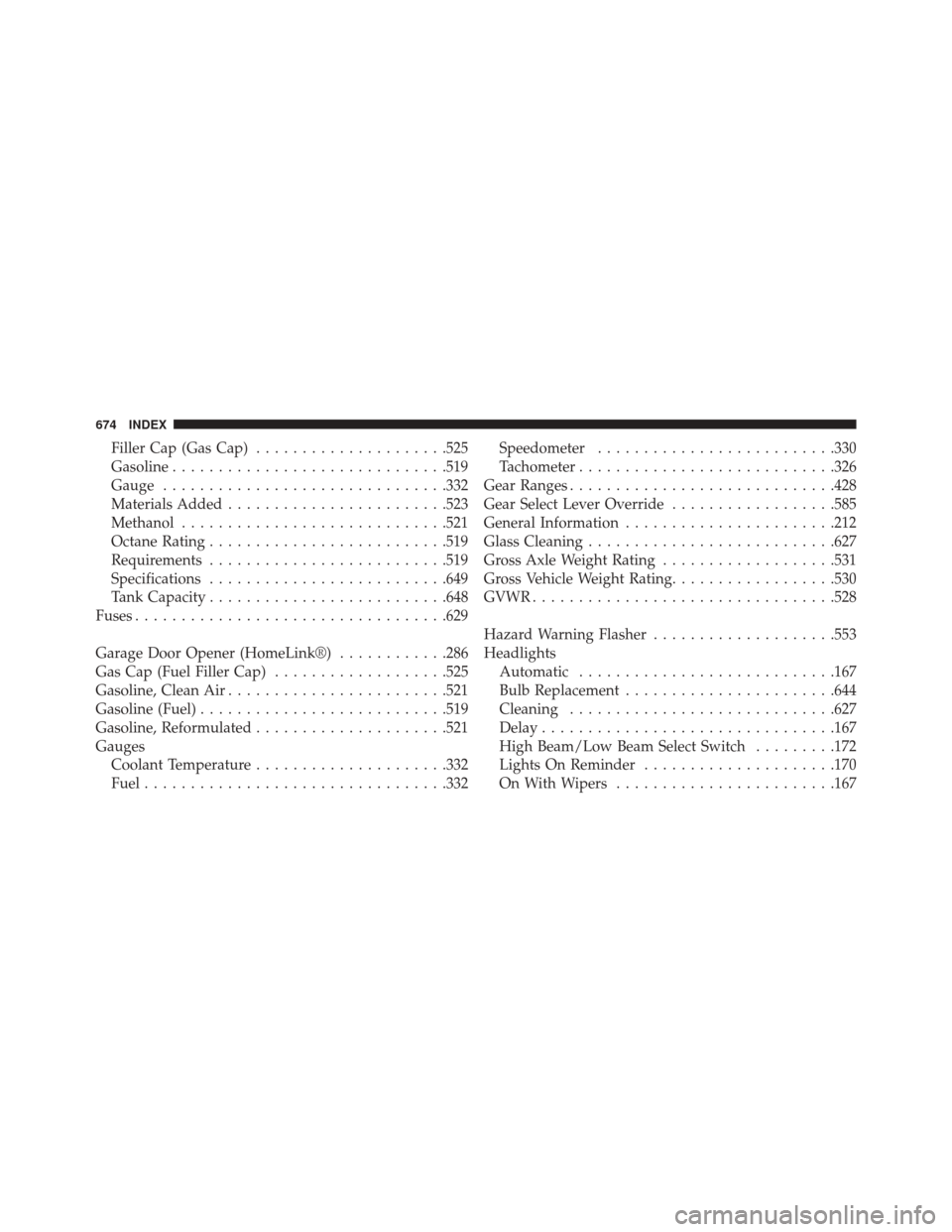
Filler Cap (Gas Cap).....................525
Gasoline ............................. .519
Gauge .............................. .332
Materials Added ....................... .523
Methanol ............................ .521
Octane Rating ......................... .519
Requirements ......................... .519
Specifications ......................... .649
Tank Capacity ......................... .648
Fuses ................................. .629
Garage Door Opener (HomeLink®) ............286
Gas Cap (Fuel Filler Cap) ...................525
Gasoline, Clean Air ....................... .521
Gasoline (Fuel) .......................... .519
Gasoline, Reformulated .....................521
Gauges Coolant Temperature .....................332
Fuel ................................ .332Speedometer
......................... .330
Tachometer ........................... .326
Gear Ranges ............................ .428
Gear Select Lever Override ..................585
General Information ...................... .212
Glass Cleaning .......................... .627
Gross Axle Weight Rating ...................531
Gross Vehicle Weight Rating ..................530
GVWR ................................ .528
Hazard Warning Flasher ....................553
Headlights Automatic ........................... .167
Bulb Replacement ...................... .644
Cleaning ............................ .627
Delay ............................... .167
High Beam/Low Beam Select Switch .........172
Lights On Reminder .....................170
On With Wipers ....................... .167
674 INDEX