mirror JEEP CHEROKEE 2014 KL / 5.G User Guide
[x] Cancel search | Manufacturer: JEEP, Model Year: 2014, Model line: CHEROKEE, Model: JEEP CHEROKEE 2014 KL / 5.GPages: 690, PDF Size: 4.74 MB
Page 139 of 690
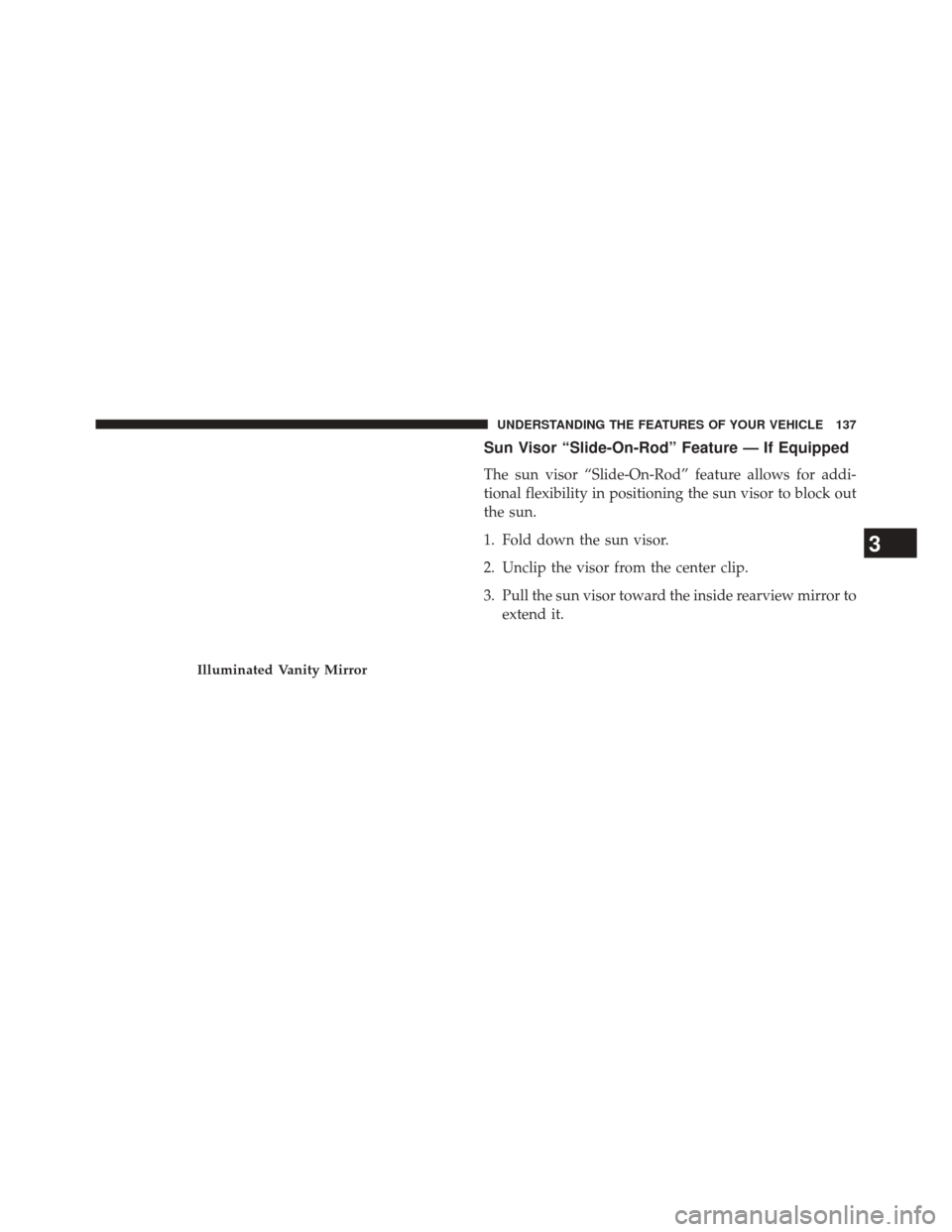
Sun Visor “Slide-On-Rod” Feature — If Equipped
The sun visor “Slide-On-Rod” feature allows for addi-
tional flexibility in positioning the sun visor to block out
the sun.
1. Fold down the sun visor.
2. Unclip the visor from the center clip.
3. Pull the sun visor toward the inside rearview mirror toextend it.
Illuminated Vanity Mirror
3
UNDERSTANDING THE FEATURES OF YOUR VEHICLE 137
Page 140 of 690
BLIND SPOT MONITORING (BSM) — IF EQUIPPED
The Blind Spot Monitoring (BSM) system uses two radar-
based sensors, located inside the rear bumper fascia, to
detect highway licensable vehicles (automobiles, trucks,
motorcycles, etc.) that enter the blind spot zones from the
rear/front/side of the vehicle.When the vehicle is started, the BSM warning light will
momentarily illuminate in both outside rear view mirrors
to let the driver know that the system is operational. The
BSM system sensors operate when the vehicle is in any
forward gear or REVERSE and enters stand-by mode
when the vehicle is in PARK.
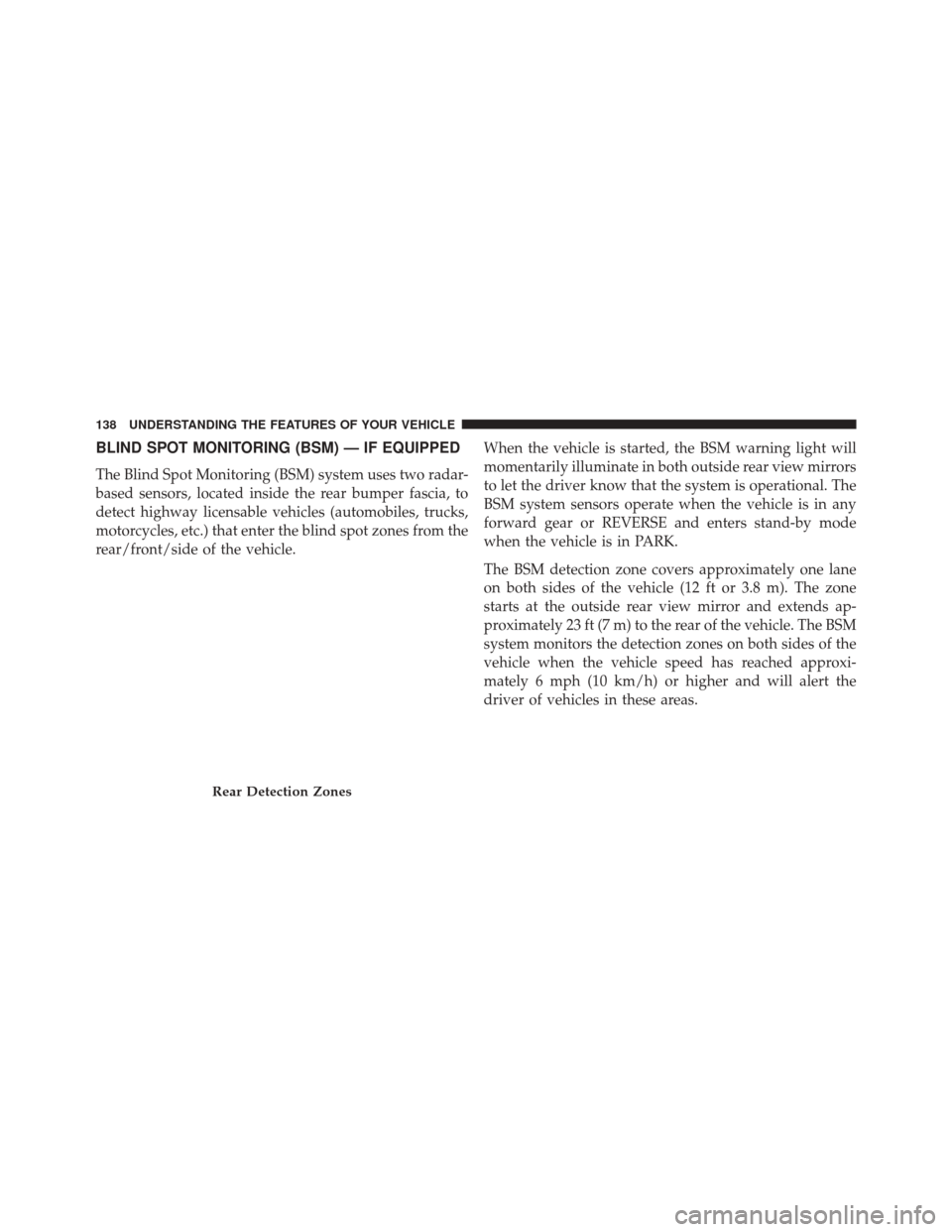
The BSM detection zone covers approximately one lane
on both sides of the vehicle (12 ft or 3.8 m). The zone
starts at the outside rear view mirror and extends ap-
proximately 23 ft (7 m) to the rear of the vehicle. The BSM
system monitors the detection zones on both sides of the
vehicle when the vehicle speed has reached approxi-
mately 6 mph (10 km/h) or higher and will alert the
driver of vehicles in these areas.
Rear Detection Zones
138 UNDERSTANDING THE FEATURES OF YOUR VEHICLE
Page 141 of 690
NOTE:
•The BSM system does NOT alert the driver about
rapidly approaching vehicles that are outside the de-
tection zones.
• The BSM system detection zone DOES NOT change if
your vehicle is towing a trailer. Therefore, visually
verify the adjacent lane is clear for both your vehicle
and trailer before making a lane change. If the trailer or
other object (i.e., bicycle, sports equipment) extends
beyond the side of your vehicle, this may result in the
BSM warning light remaining illuminated the entire
time the vehicle is in a forward gear. The area on the rear fascia where the radar sensors are
located must remain free of snow, ice, and dirt/road
contamination so that the BSM system can function
properly. Do not block the area of the rear fascia where
the radar sensors are located with foreign objects (bum-
per stickers, bicycle racks, etc.).
The BSM system will provide a visual alert in the
appropriate side view mirror based on a detected object.
If the turn signal is then activated, and it corresponds to
an alert present on that side of the vehicle, an audible
chime will also be sounded. Whenever a turn signal and
detected object are present on the same side at the same
time, both the visual and audio alerts will be issued. In
addition to the audible alert the radio (if on) will also be
muted.
3
UNDERSTANDING THE FEATURES OF YOUR VEHICLE 139
Page 145 of 690
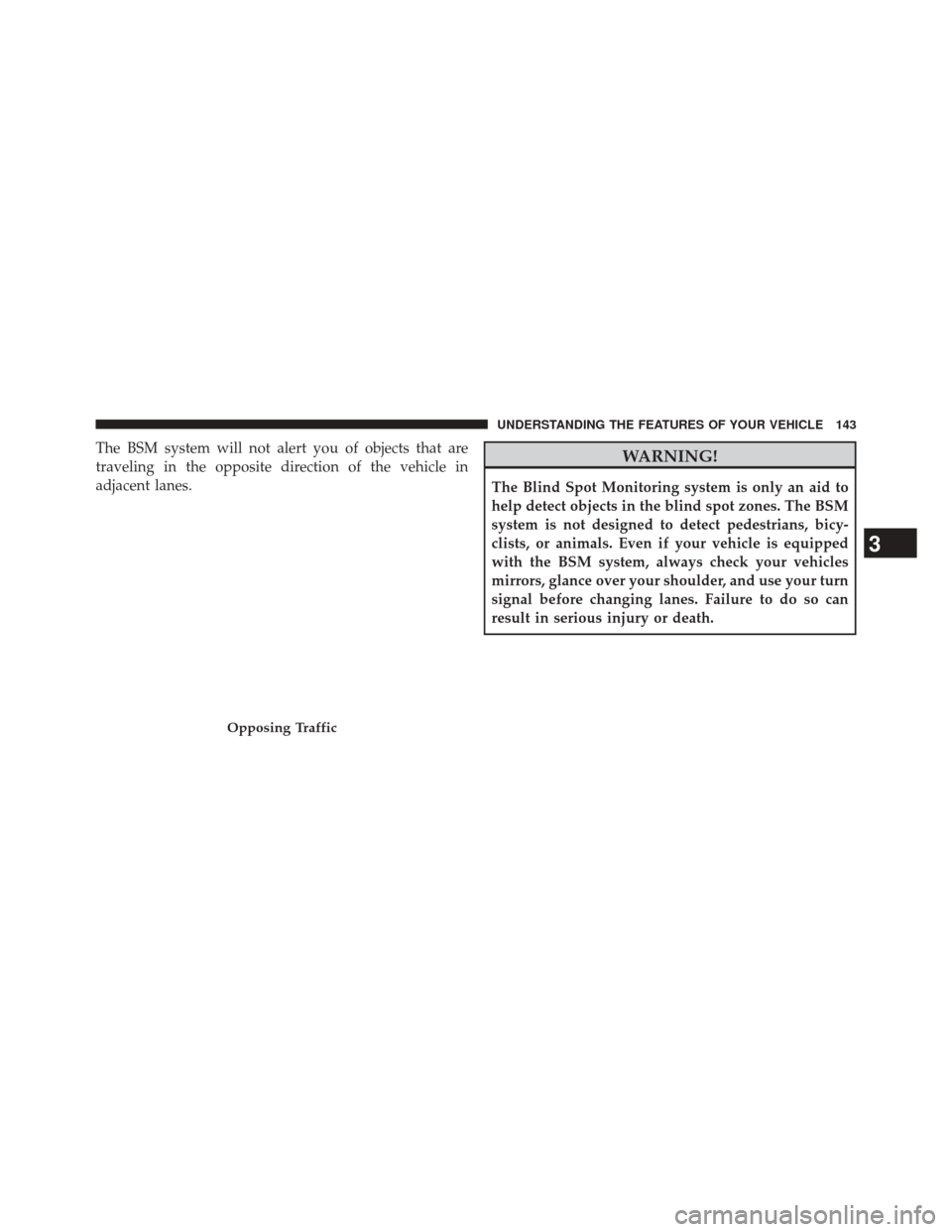
The BSM system will not alert you of objects that are
traveling in the opposite direction of the vehicle in
adjacent lanes.WARNING!
The Blind Spot Monitoring system is only an aid to
help detect objects in the blind spot zones. The BSM
system is not designed to detect pedestrians, bicy-
clists, or animals. Even if your vehicle is equipped
with the BSM system, always check your vehicles
mirrors, glance over your shoulder, and use your turn
signal before changing lanes. Failure to do so can
result in serious injury or death.
Opposing Traffic
3
UNDERSTANDING THE FEATURES OF YOUR VEHICLE 143
Page 147 of 690
NOTE:In a parking lot situation, oncoming vehicles can
be obscured by vehicles parked on either side. If the
sensors are blocked by other structures or vehicles, the
system will not be able to alert the driver.
When RCP is on and the vehicle is in REVERSE, the
driver is alerted using both the visual and audible
alarms, including reducing the radio volume.
WARNING!
RCP is not a Back Up Aid system. It is intended to be
used to help a driver detect an oncoming vehicle in a
parking lot situation. Drivers must be careful when
backing up, even when using RCP. Always check
carefully behind your vehicle, look behind you, and
be sure to check for pedestrians, animals, other
vehicles, obstructions, and blind spots before back-
ing up. Failure to do so can result in serious injury or
death.
Modes Of Operation
Three selectable modes of operation are available in the
Uconnect® System. Refer to “Uconnect® Settings/
Customer Programmable Features” in “Understanding
Your Instrument Panel” for further information.
Blind Spot Alert Lights Only
When operating in Blind Spot Alert mode, the BSM
system will provide a visual alert in the appropriate side
view mirror based on a detected object. However, when
the system is operating in Rear Cross Path (RCP) mode,
the system will respond with both visual and audible
alerts when a detected object is present. Whenever an
audible alert is requested, the radio is muted.
3
UNDERSTANDING THE FEATURES OF YOUR VEHICLE 145
Page 148 of 690
Blind Spot Alert Lights/Chime
When operating in Blind Spot Alert Lights/Chime mode,
the BSM system will provide a visual alert in the appro-
priate side view mirror based on a detected object. If the
turn signal is then activated, and it corresponds to an
alert present on that side of the vehicle, an audible chime
will also be sounded. Whenever a turn signal and de-
tected object are present on the same side at the same
time, both the visual and audible alerts will be issued. In
addition to the audible alert the radio (if on) will also be
muted.
NOTE:
•Whenever an audible alert is requested by the BSM
system, the radio is also muted.
• If the hazard flashers are on, the system will request
the appropriate visual alert only. When the system is in RCP, the system shall respond with
both visual and audible alerts when a detected object is
present. Whenever an audible alert is requested, the radio
is also muted. Turn/hazard signal status is ignored; the
RCP state always requests the chime.
Blind Spot Alert Off
When the BSM system is turned off there will be no
visual or audible alerts from either the BSM or RCP
systems.
NOTE:
The BSM system will store the current operating
mode when the vehicle is shut off. Each time the vehicle
is started the previously stored mode will be recalled and
used.
146 UNDERSTANDING THE FEATURES OF YOUR VEHICLE
Page 161 of 690
Recliner Adjustment
The rear seatback also reclines for additional passenger
comfort. Pull on the pull strap while sitting in the rear
seat to recline the seatback.
WARNING!
Do not ride with the seatback reclined so that the
shoulder belt is no longer resting against your chest.
In a collision you could slide under the seat belt,
which could result in serious injury or death.
DRIVER MEMORY SEAT — IF EQUIPPED
This feature allows the driver to store up to two different
memory profiles, for easy recall through a memory
switch. Each memory profile contains desired position
settings for the driver seat and side mirrors and a set of
desired radio station presets.
Rear Seat Recliner Pull Strap
3
UNDERSTANDING THE FEATURES OF YOUR VEHICLE 159
Page 162 of 690
The memory switch is located on the driver’s side door
panel. The switch contains 3 buttons, a S (SET) button to
activate the memory save function, the number (1)
memory button and the number (2) memory button. The
memory switch allows the driver to recall either of the
two pre-programmed memory profiles by pressing the
appropriate number button on the switch.Programming The Memory Feature
To create a new memory profile, perform the following:
NOTE:Saving a new memory profile will erase an
existing profile from memory.
1. Turn the ignition ON.
2. Adjust all memory profile settings to desired prefer- ences (i.e., seat, side mirror and radio station presets).
3. Press and release the SET button on the memory switch, then press the number (1) button within five
seconds. The Electronic Vehicle Information Center
(EVIC), if equipped, will display which memory po-
sition is being set.
Driver Memory Switch
160 UNDERSTANDING THE FEATURES OF YOUR VEHICLE
Page 163 of 690
If desired, a second memory profile can be stored into
memory as follows:
1. Turn the ignition ON.
2. Adjust all memory profile settings to desired prefer-ences (i.e., seat, side mirror and radio station presets).
3. Press and release the SET button on the memory switch, then press the number (2) button within five
seconds. The EVIC, if equipped, will display which
memory position is being set.
NOTE:
• For vehicles equipped with an automatic transmission,
memory profiles can be set without the vehicle in
PARK, but the vehicle must be in PARK to recall a
memory profile. •
For vehicles equipped with a manual transmission, the
vehicle speed must be at 0 mph (0 km/h) to recall a
memory profile.
• The Recall Memory with Remote Key Unlock feature
can be turned on and off through the EVIC, if
equipped. If the Recall Memory with Remote Key
Unlock is not turned on in (EVIC)/Customer-
Programmable Features then the Linking and Unlink-
ing the Remote Keyless Entry Transmitter to Memory
will not be successful. Refer to “Electronic Vehicle
Information Center (EVIC)/Customer-Programmable
Features” in “Understanding Your Instrument Panel”
for further information.
3
UNDERSTANDING THE FEATURES OF YOUR VEHICLE 161
Page 170 of 690
If you turn the headlights or parking lights on, or place
the ignition in ACC or RUN, the system will cancel the
delay.
If you turn the headlights off before the ignition, they will
turn off in the normal manner.
NOTE:
•The lights must be turned off within 45 seconds of
placing the ignition in the OFF position to activate this
feature.
• The headlight delay time is programmable using the
Uconnect® System, refer to “Uconnect® Settings” in
“Understanding Your Instrument Panel” for further
information.Automatic High Beam Headlamp Control —
If Equipped
The Automatic High Beam Headlamp Control system
provides increased forward lighting at night by automat-
ing high beam control through the use of a digital camera
mounted on the inside rearview mirror. This camera
detects vehicle specific light and automatically switches
from high beams to low beams until the approaching
vehicle is out of view.
NOTE:
• The Automatic High Beam Headlamp Control can be
turned on or off using the Uconnect® System. Refer to
“Uconnect® Settings” in “Understanding Your Instru-
ment Panel” for further information.
168 UNDERSTANDING THE FEATURES OF YOUR VEHICLE