lock JEEP CHEROKEE 2015 KL / 5.G Owners Manual
[x] Cancel search | Manufacturer: JEEP, Model Year: 2015, Model line: CHEROKEE, Model: JEEP CHEROKEE 2015 KL / 5.GPages: 772, PDF Size: 18.21 MB
Page 422 of 772
•Subscription Information
New vehicle purchasers or lessees will receive a free
limited time subscription to SiriusXM Satellite Radio
with your radio. Following the expiration of the free
services, it will be necessary to access the information on
the Subscription Information screen to re-subscribe.
Press the “Subscription Info” button on the touchscreen
to access the Subscription Information screen.
Write down the SIRIUS ID numbers for your receiver. To
reactivate your service, either call the number listed on
the screen or visit the provider online.
NOTE:SiriusXM Travel Link is a separate subscription
and is available for U.S. residents only.
Restore Settings
After pressing the “Restore Settings” button on the
touchscreen the following settings will be available:
•Restore Settings
When this feature is selected it will reset the Display,
Clock, Audio, and Radio Settings to their default settings.
To restore the settings to their default setting, press the
Restore Settings button. A pop-up will appear asking
#Are you sure you want to reset your settings to default?”
select “OK” to restore, or “Cancel” to exit. Once the
settings are restored, a pop up appears stating#settings
reset to default.#
420 UNDERSTANDING YOUR INSTRUMENT PANEL
Page 429 of 772
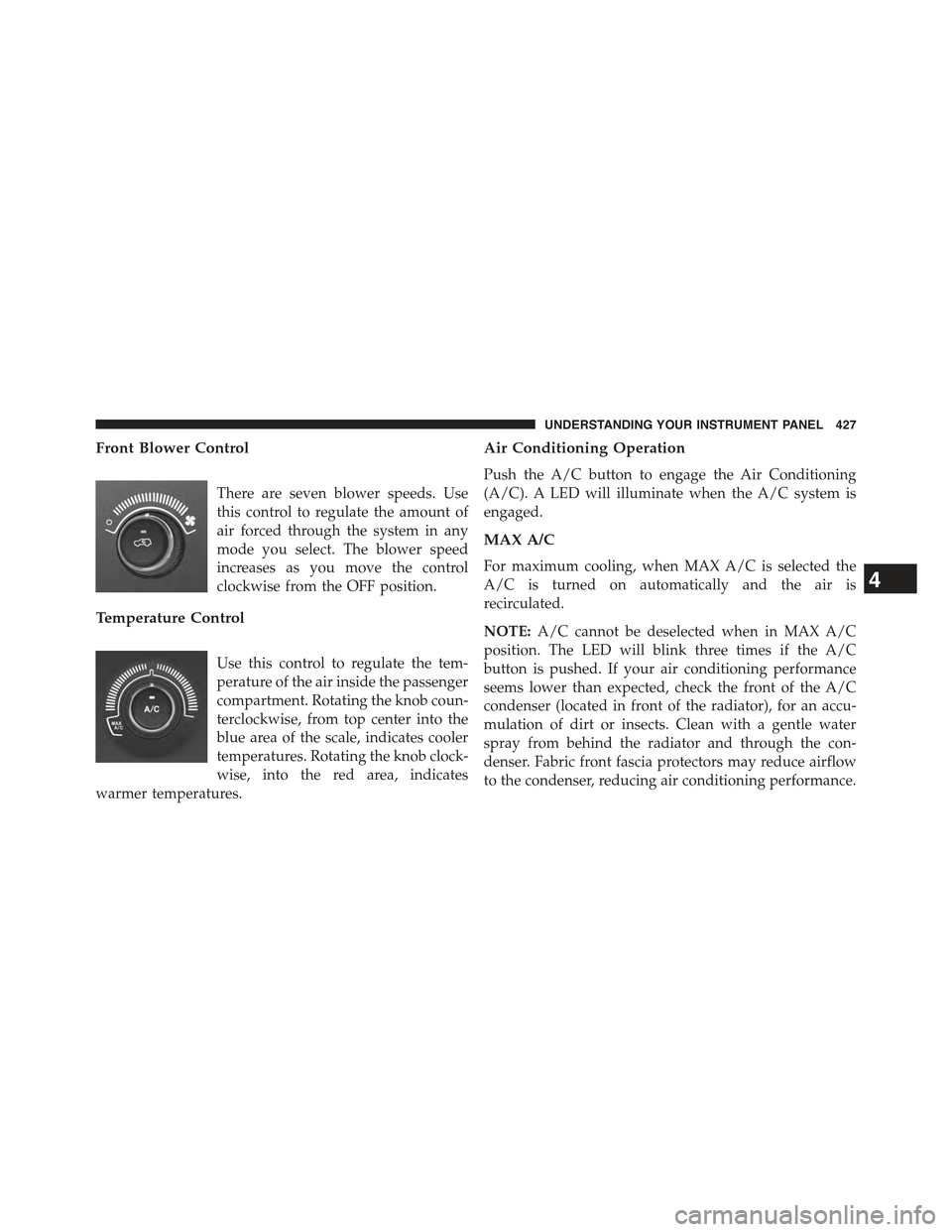
Front Blower Control
There are seven blower speeds. Use
this control to regulate the amount of
air forced through the system in any
mode you select. The blower speed
increases as you move the control
clockwise from the OFF position.
Temperature Control
Use this control to regulate the tem-
perature of the air inside the passenger
compartment. Rotating the knob coun-
terclockwise, from top center into the
blue area of the scale, indicates cooler
temperatures. Rotating the knob clock-
wise, into the red area, indicates
warmer temperatures.
Air Conditioning Operation
Push the A/C button to engage the Air Conditioning
(A/C). A LED will illuminate when the A/C system is
engaged.
MAX A/C
For maximum cooling, when MAX A/C is selected the
A/C is turned on automatically and the air is
recirculated.
NOTE:A/C cannot be deselected when in MAX A/C
position. The LED will blink three times if the A/C
button is pushed. If your air conditioning performance
seems lower than expected, check the front of the A/C
condenser (located in front of the radiator), for an accu-
mulation of dirt or insects. Clean with a gentle water
spray from behind the radiator and through the con-
denser. Fabric front fascia protectors may reduce airflow
to the condenser, reducing air conditioning performance.
4
UNDERSTANDING YOUR INSTRUMENT PANEL 427
Page 431 of 772
Mix Mode
Air is directed through the floor, defrost and side
window demist outlets. This setting works best in
cold or snowy conditions that require extra heat at the
windshield. This setting is good for maintaining comfort,
while reducing moisture on the windshield.
Defrost Mode
Air is directed through the windshield and side
window demist outlets. Use the DEFROST mode
with maximum blower and warm temperature settings
for best windshield and side window defrosting.
NOTE:The air conditioning compressor operates in MIX
and DEFROST, or a blend of these modes even if the A/C
button is not pushed. This dehumidifies the air to help
dry the windshield. To improve fuel economy, use these
modes only when necessary.
Recirculation Control
Push this button to choose between outside air intake or
recirculation of the air inside the vehicle. A LED will
illuminate when you are in Recirculation mode. Only use
the Recirculation mode to temporarily block out any
outside odors, smoke, or dust, and to cool the interior
rapidly upon initial start-up in very hot or humid
weather.
NOTE:
•If the RECIRCULATION button is pushed when the
system is in Defrost mode the Recirculation LED
indicator will flash three times and then turn off to
indicate Recirculation mode is not allowed.
•Continuous use of the Recirculation mode may make
the inside air stuffy and window fogging may occur.
Extended use of this mode is not recommended.
4
UNDERSTANDING YOUR INSTRUMENT PANEL 429
Page 436 of 772
CAUTION!
Failure to follow these cautions can cause damage to
the heating elements:
•Use care when washing the inside of the rear
window. Do not use abrasive window cleaners on
the interior surface of the window. Use a soft cloth
and a mild washing solution, wiping parallel to the
heating elements. Labels can be peeled off after
soaking with warm water.
•Do not use scrapers, sharp instruments, or abrasive
window cleaners on the interior surface of the
window.
•Keep all objects a safe distance from the window.
6. Blower Control
Blower control is used to regulate the amount of air
forced through the climate system. There are seven
blower speeds available. Adjusting the blower will cause
automatic mode to switch to manual operation. The
speeds can be selected using either the blower control
knob on the faceplate or buttons on the touchscreen as
follows:
Blower Control Knob On The Faceplate
The blower speed increases as you turn the blower
control knob clockwise from the lowest blower setting.
The blower speed decreases as you turn the blower
control knob counterclockwise.
Buttons On The Touchscreen
Use the small blower icon to reduce the blower setting
and the large blower icon to increase the blower setting.
Blower can also be selected by pressing the blower bar
area between the icons.
434 UNDERSTANDING YOUR INSTRUMENT PANEL
Page 443 of 772
speeds can be selected using either the blower control
knob on the faceplate or buttons on the touchscreen as
follows:
Blower Control Knob On The Faceplate
The blower speed increases as you turn the blower
control knob clockwise from the lowest blower setting.
The blower speed decreases as you turn the blower
control knob counterclockwise.
Button On The Touchscreen
Use the small blower icon to reduce the blower setting
and the large blower icon to increase the blower setting.
Blower can also be selected by pressing the blower bar
area between the icons.
11. Modes
The airflow distribution mode can be adjusted so air
comes from the instrument panel outlets, floor outlets,
and demist outlets. The Mode settings are as follows:
•Panel Mode
Air comes from the outlets in the instrument
panel. Each of these outlets can be individually
adjusted to direct the flow of air. The air vanes of the
center outlets and outboard outlets can be moved up and
down or side to side to regulate airflow direction. There
is a shut off wheel located below the air vanes to shut off
or adjust the amount of airflow from these outlets.
•Bi-Level Mode
Air comes from the instrument panel outlets and
floor outlets. A slight amount of air is directed
through the defrost and side window demister outlets.
NOTE:BI-LEVEL mode is designed under comfort con-
ditions to provide cooler air out of the panel outlets and
warmer air from the floor outlets.
4
UNDERSTANDING YOUR INSTRUMENT PANEL 441
Page 463 of 772
press the Apps button on the 8.4-inch touchscreen to get
started. Detailed registration instructions can be found
on the next page.
*Uconnect® Access is available only on equipped ve-
hicles purchased within the continental United States and
Alaska. Services can only be used where coverage is
available; see coverage map for details.
9-1-1 Call
Theft Alarm Notification
Remote Door Lock/Unlock
Stolen Vehicle Assistance
Remote Vehicle Start**
Remote Horn and Lights
Yelp® Search
Voice Texting
Roadside Assistance Call
Wi-Fi Hotspot***
**If vehicle is equipped.
***Extra charges apply.
Register (8.4A/8.4AN)
1. Press theAppsbutton on the bottom of the 8.4-inch
touchscreen.
2. If a pop-up message appears, pressRegisteror go to
theFavorite Appsmenu and pressUconnect® Regis-
tration.
3. Read through the registration instructions. Enter and
confirm your personal email address. Then press
Send.
4. Check your personal inbox for an email from
Uconnect® Access.
4
UNDERSTANDING YOUR INSTRUMENT PANEL 461
Page 464 of 772
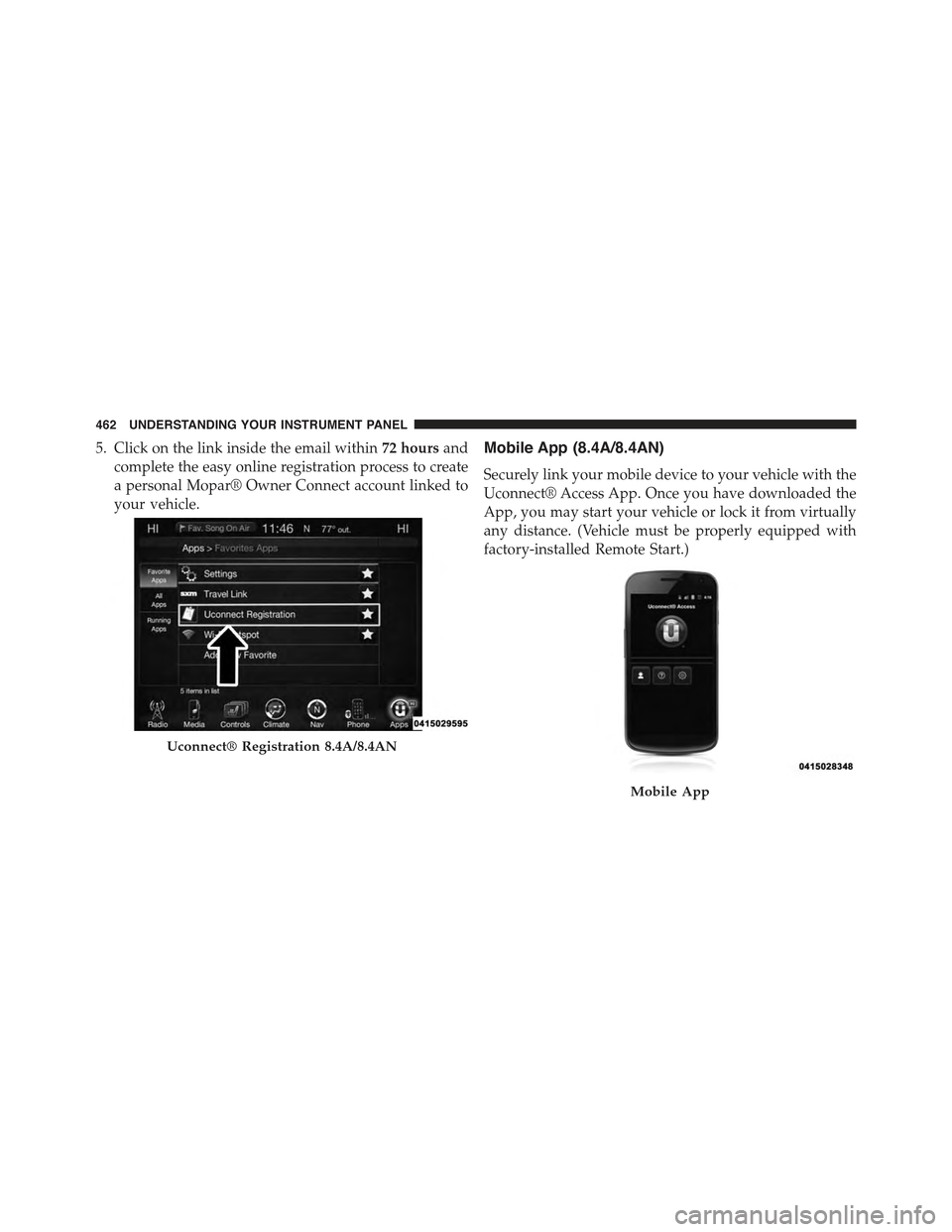
5. Click on the link inside the email within72 hoursand
complete the easy online registration process to create
a personal Mopar® Owner Connect account linked to
your vehicle.
Mobile App (8.4A/8.4AN)
Securely link your mobile device to your vehicle with the
Uconnect® Access App. Once you have downloaded the
App, you may start your vehicle or lock it from virtually
any distance. (Vehicle must be properly equipped with
factory-installed Remote Start.)
Uconnect® Registration 8.4A/8.4AN
Mobile App
462 UNDERSTANDING YOUR INSTRUMENT PANEL
Page 469 of 772
STARTING AND OPERATING
CONTENTS
!STARTING PROCEDURES — GASOLINE
ENGINES............................472
▫Normal Starting.......................472
▫Extreme Cold Weather
(Below –20°F Or−29°C)................473
▫Extended Park Starting..................473
▫If Engine Fails To Start.................474
▫After Starting........................475
!STOP/START SYSTEM — 3.2L ENGINE.......475
▫Automatic Mode......................475
▫Possible Reasons The Engine Does Not
AUTOSTOP . . . . . . . . . . . . . . . . . . . . . . . ..476
▫To Start The Engine While In Autostop Mode . .477
▫To Manually Turn Off The Stop/Start System . .479
▫To Manually Turn On The Stop/Start System . .479
▫System Malfunction....................479
!ENGINE BLOCK HEATER — IF EQUIPPED . . .480
!AUTOMATIC TRANSMISSION............481
▫Key Ignition Park Interlock...............483
▫Brake/Transmission Shift Interlock System . . .483
5
Page 470 of 772
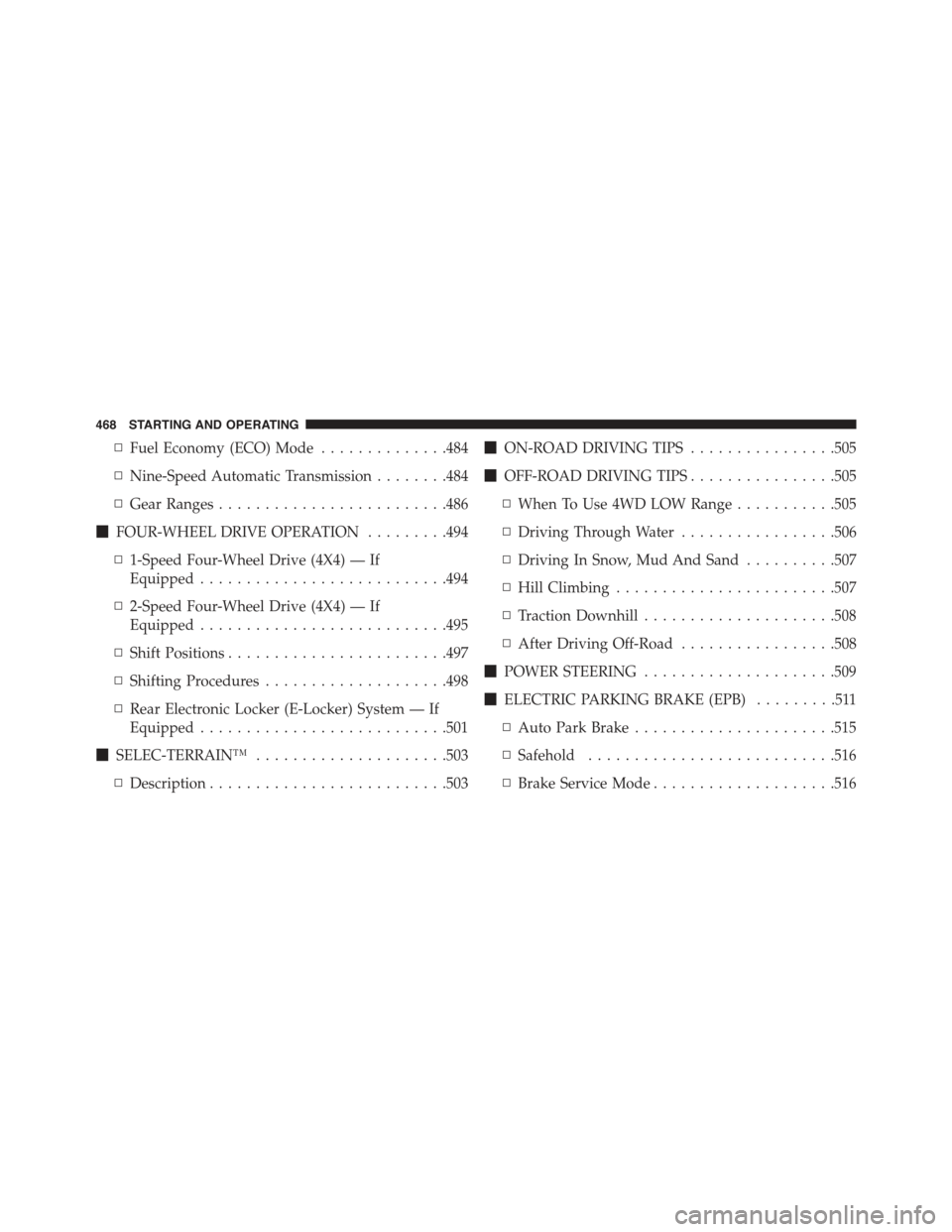
▫Fuel Economy (ECO) Mode..............484
▫Nine-Speed Automatic Transmission........484
▫Gear Ranges.........................486
!FOUR-WHEEL DRIVE OPERATION.........494
▫1-Speed Four-Wheel Drive (4X4) — If
Equipped...........................494
▫2-Speed Four-Wheel Drive (4X4) — If
Equipped...........................495
▫Shift Positions........................497
▫Shifting Procedures....................498
▫Rear Electronic Locker (E-Locker) System — If
Equipped...........................501
!SELEC-TERRAIN™.....................503
▫Description..........................503
!ON-ROAD DRIVING TIPS................505
!OFF-ROAD DRIVING TIPS................505
▫When To Use 4WD LOW Range...........505
▫Driving Through Water.................506
▫Driving In Snow, Mud And Sand..........507
▫Hill Climbing........................507
▫Traction Downhill.....................508
▫After Driving Off-Road.................508
!POWER STEERING.....................509
!ELECTRIC PARKING BRAKE (EPB).........511
▫Auto Park Brake......................515
▫Safehold...........................516
▫Brake Service Mode....................516
468 STARTING AND OPERATING
Page 471 of 772
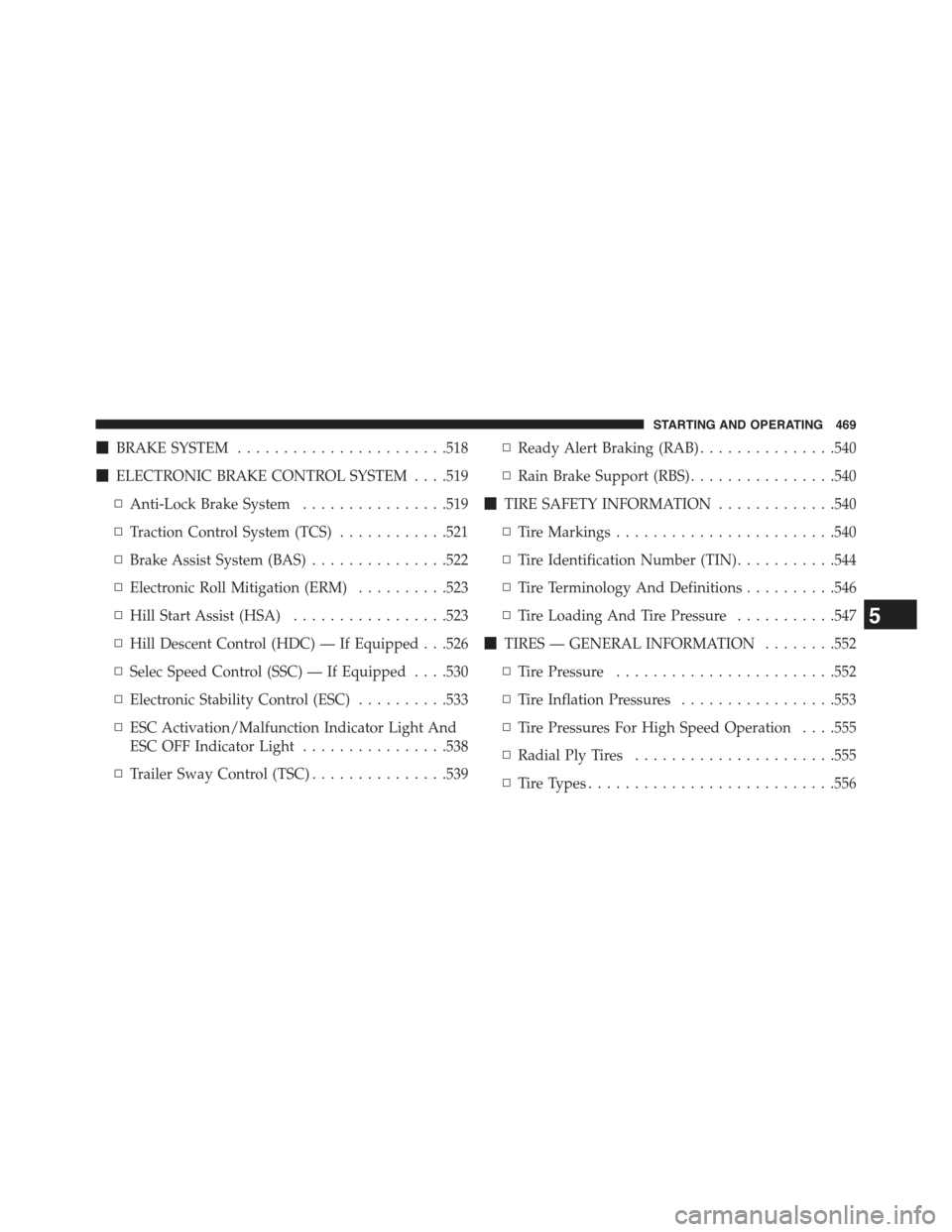
!BRAKE SYSTEM.......................518
!ELECTRONIC BRAKE CONTROL SYSTEM . . . .519
▫Anti-Lock Brake System................519
▫Traction Control System (TCS)............521
▫Brake Assist System (BAS)...............522
▫Electronic Roll Mitigation (ERM)..........523
▫Hill Start Assist (HSA).................523
▫Hill Descent Control (HDC) — If Equipped . . .526
▫Selec Speed Control (SSC) — If Equipped . . . .530
▫Electronic Stability Control (ESC)..........533
▫ESC Activation/Malfunction Indicator Light And
ESC OFF Indicator Light................538
▫Trailer Sway Control (TSC)...............539
▫Ready Alert Braking (RAB)...............540
▫Rain Brake Support (RBS)................540
!TIRE SAFETY INFORMATION.............540
▫Tire Markings........................540
▫Tire Identification Number (TIN)...........544
▫Tire Terminology And Definitions..........546
▫Tire Loading And Tire Pressure...........547
!TIRES — GENERAL INFORMATION........552
▫Tire Pressure........................552
▫Tire Inflation Pressures.................553
▫Tire Pressures For High Speed Operation . . . .555
▫Radial Ply Tires......................555
▫Tire Types...........................556
5
STARTING AND OPERATING 469