THROTTLE JEEP CHEROKEE 2015 KL / 5.G User Guide
[x] Cancel search | Manufacturer: JEEP, Model Year: 2015, Model line: CHEROKEE, Model: JEEP CHEROKEE 2015 KL / 5.GPages: 772, PDF Size: 18.21 MB
Page 526 of 772
time expires, the system will release brake pressure and
the vehicle will roll down the hill as normal. The system
will release brake pressure in proportion to amount of
throttle applied.
The following conditions must be met in order for HSA to
activate:
•The vehicle must be stopped.
•The vehicle must be on a 7% (approximate) grade or
greater hill.
•The gear selection must match vehicle uphill direction
(i.e., vehicle facing uphill is in forward gear; vehicle
backing uphill is in REVERSE gear).
•For vehicles equipped with an automatic transmission,
the HSA will work in REVERSE gear and all forward
gears. The system will not activate if the transmission
is in PARK.
WARNING!
There may be situations where the Hill Start Assist
(HSA) will not activate and slight rolling may occur,
such as on minor hills or with a loaded vehicle, or
while pulling a trailer. HSA is not a substitute for
active driving involvement. It is always the driver ’s
responsibility to be attentive to distance to other
vehicles, people, and objects, and most importantly
brake operation to ensure safe operation of the ve-
hicle under all road conditions. Your complete atten-
tion is always required while driving to maintain
safe control of your vehicle. Failure to follow these
warnings can result in a collision or serious personal
injury.
524 STARTING AND OPERATING
Page 528 of 772
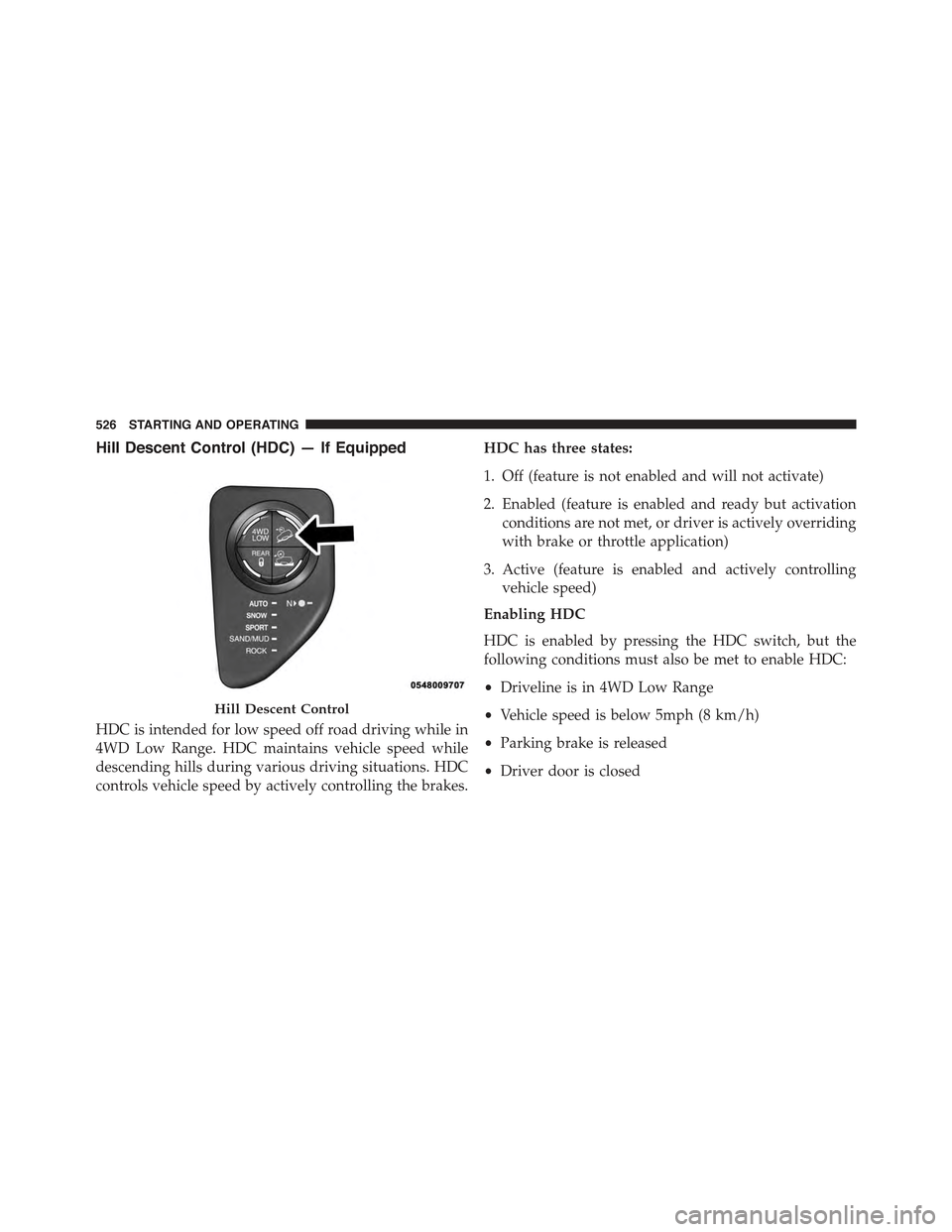
Hill Descent Control (HDC) — If Equipped
HDC is intended for low speed off road driving while in
4WD Low Range. HDC maintains vehicle speed while
descending hills during various driving situations. HDC
controls vehicle speed by actively controlling the brakes.
HDC has three states:
1. Off (feature is not enabled and will not activate)
2. Enabled (feature is enabled and ready but activation
conditions are not met, or driver is actively overriding
with brake or throttle application)
3. Active (feature is enabled and actively controlling
vehicle speed)
Enabling HDC
HDC is enabled by pressing the HDC switch, but the
following conditions must also be met to enable HDC:
•Driveline is in 4WD Low Range
•Vehicle speed is below 5mph (8 km/h)
•Parking brake is released
•Driver door is closed
Hill Descent Control
526 STARTING AND OPERATING
Page 530 of 772
Driver Override:
The driver may override HDC activation with throttle or
brake application at anytime.
Deactivating HDC
HDC will be deactivated but remain available if any of
the following conditions occur:
•Driver overrides HDC set speed with throttle or brake
application.
•Vehicle speed exceeds 20 mph (32 km/h) but remains
below 40 mph (64 km/h).
•Vehicle is on a downhill grade of insufficient magni-
tude (less than approximately 8%), is on level ground,
or is on an uphill grade.
•Vehicle is shifted to park.
Disabling HDC
HDC will be deactivated and disabled if any of the
following conditions occur:
•The driver presses the HDC switch.
•The driveline is shifted out of 4WD Low Range.
•The parking brake is applied.
•Driver door opens.
•The vehicle is driven greater than 20 mph (32 km/h)
for greater than 70 seconds.
•The vehicle is driven greater than 40 mph (64 km/h)
(HDC exits immediately.)
528 STARTING AND OPERATING
Page 532 of 772
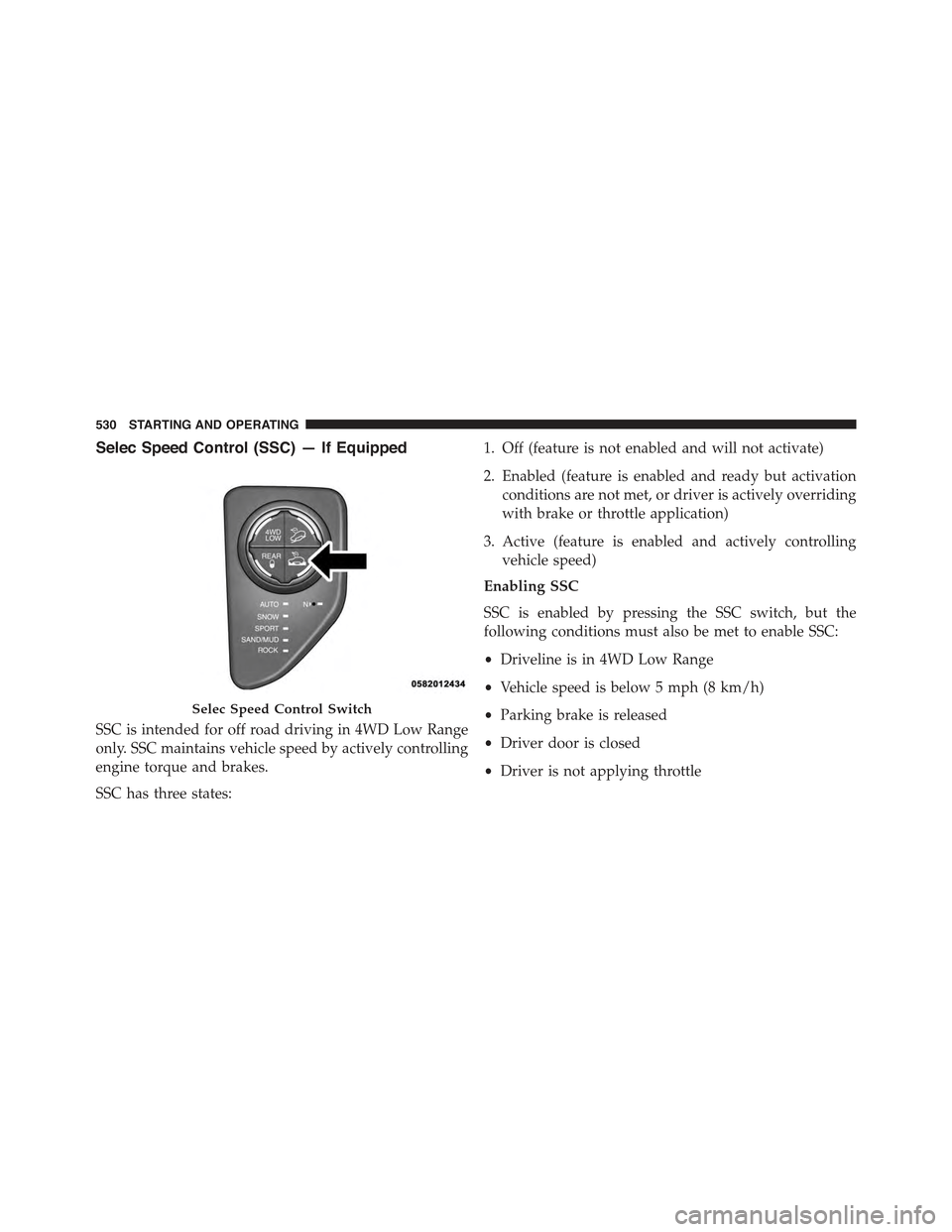
Selec Speed Control (SSC) — If Equipped
SSC is intended for off road driving in 4WD Low Range
only. SSC maintains vehicle speed by actively controlling
engine torque and brakes.
SSC has three states:
1. Off (feature is not enabled and will not activate)
2. Enabled (feature is enabled and ready but activation
conditions are not met, or driver is actively overriding
with brake or throttle application)
3. Active (feature is enabled and actively controlling
vehicle speed)
Enabling SSC
SSC is enabled by pressing the SSC switch, but the
following conditions must also be met to enable SSC:
•Driveline is in 4WD Low Range
•Vehicle speed is below 5 mph (8 km/h)
•Parking brake is released
•Driver door is closed
•Driver is not applying throttle
Selec Speed Control Switch
530 STARTING AND OPERATING
Page 533 of 772
Activating SSC
Once SSC is enabled it will activate automatically once
the following conditions are met:
•Driver releases throttle
•Driver releases brake
•Transmission is in any selection other than P
•Vehicle speed is below 20 mph (32 km/h)
The set speed for SSC is selectable by the driver, and can
be adjusted by using the gear shift lever. Additionally, the
SSC set speed is automatically reduced when climbing a
grade and the level of set speed reduction depends on the
magnitude of grade. The following summarizes the SSC
set speeds:
4WD Low Range Set Speeds
•1st = .6 mph (1 km/h)
•2nd = 1.2 mph (2 km/h)
•3rd = 4 mph (3 km/h)
•4th = 2.5 mph (4 km/h)
•5th = 3.1 mph (5 km/h)
•6th = 3.7 mph (6 km/h)
•7th = 4.3 mph (7 km/h)
•8th = 5 mph (8 km/h)
•9th = 5.6 mph (9 km/h)
•REVERSE = .6 mph (1 km/h)
•NEUTRAL = 1.2 mph (2 km/h)
•PARK = SSC remains enabled but not active
5
STARTING AND OPERATING 531
Page 534 of 772
NOTE:These SSC default set speeds are dependent on
hill grade. That is the steeper the grade of the hill the
vehicle travels on the lower the values of the set speed
will be for all listed gears, with the minimal value being
.6 mph (1 km/h).
NOTE:
•During SSC the ERS +/- shifter input is used for SSC
target speed selection but will not affect the gear
chosen by the transmission. During SSC the transmis-
sion will shift appropriately for the driver-selected set
speed and corresponding driving conditions.
•SSC performance is influenced by the Terrain Select
mode. This difference may be notable to the driver and
may be perceived as a varying level of aggressiveness.
Driver Override:
The driver may override SSC activation with throttle or
brake application at any time.
Deactivating SSC
SSC will be deactivated but remain available if any of the
following conditions occur:
•Driver overrides SSC set speed with throttle or brake
application.
•Vehicle speed exceeds 20 mph (32 km/h) but remains
below 40 mph (64 km/h).
•Vehicle is shifted to park.
Disabling SSC
SSC will deactivate and be disabled if any of the follow-
ing conditions occur:
•The driver presses the SSC switch.
•The driveline is shifted out of 4WD Low Range.
•The parking brake is applied.
•Driver door opens.
532 STARTING AND OPERATING
Page 536 of 772
ESC uses sensors in the vehicle to determine the vehicle
path intended by the driver and compares it to the actual
path of the vehicle. When the actual path does not match
the intended path, ESC applies the brake of the appro-
priate wheel to assist in counteracting the oversteer or
understeer condition.
•Oversteer - when the vehicle is turning more than
appropriate for the steering wheel position.
•Understeer - when the vehicle is turning less than
appropriate for the steering wheel position.
The “ESC Activation/Malfunction Indicator Light” lo-
cated in the instrument cluster will start to flash as soon
as the tires lose traction and the ESC system becomes
active. The “ESC Activation/Malfunction Indicator
Light” also flashes when the TCS is active. If the “ESC
Activation/Malfunction Indicator Light” begins to flash
during acceleration, ease up on the accelerator and apply
as little throttle as possible. Be sure to adapt your speed
and driving to the prevailing road conditions.
WARNING!
The Electronic Stability Control (ESC) cannot pre-
vent the natural laws of physics from acting on the
vehicle, nor can it increase the traction afforded by
prevailing road conditions. ESC cannot prevent col-
lisions, including those resulting from excessive
speed in turns, driving on very slippery surfaces, or
hydroplaning. ESC also cannot prevent collisions
resulting from loss of vehicle control due to inappro-
priate driver input for the conditions. Only a safe,
attentive, and skillful driver can prevent collisions.
The capabilities of an ESC equipped vehicle must
never be exploited in a reckless or dangerous manner
which could jeopardize the user ’s safety or the safety
of others.
534 STARTING AND OPERATING
Page 540 of 772
to the PARK position and then moved out of the PARK
position. This will occur even if the message was
cleared previously.
ESC Activation/Malfunction Indicator Light And
ESC OFF Indicator Light
The “ESC Activation/Malfunction Indicator
Light” in the instrument cluster will come on
when the ignition switch is turned to the ON
position. It should go out with the engine
running. If the “ESC Activation/Malfunction Indicator
Light” comes on continuously with the engine running, a
malfunction has been detected in the ESC system. If this
light remains on after several ignition cycles, and the
vehicle has been driven several miles/kilometers at
speeds greater than 30 mph (48 km/h), see your autho-
rized dealer as soon as possible to have the problem
diagnosed and corrected.
The “ESC Activation/Malfunction Indicator Light” (lo-
cated in the instrument cluster) starts to flash as soon as
the tires lose traction and the ESC system becomes active.
The “ESC Activation/Malfunction Indicator Light” also
flashes when TCS is active. If the “ESC Activation/
Malfunction Indicator Light” begins to flash during ac-
celeration, ease up on the accelerator and apply as little
throttle as possible. Be sure to adapt your speed and
driving to the prevailing road conditions.
NOTE:
•The “ESC Activation/Malfunction Indicator Light”
and the “ESC OFF Indicator Light” come on momen-
tarily each time the ignition switch is turned ON.
•Each time the ignition is turned ON, the ESC system
will be ON even if it was turned off previously.
•The ESC system will make buzzing or clicking sounds
when it is active. This is normal; the sounds will stop
538 STARTING AND OPERATING
Page 542 of 772
Ready Alert Braking (RAB)
Ready Alert Braking may reduce the time required to
reach full braking during emergency braking situations.
It anticipates when an emergency braking situation may
occur by monitoring how fast the throttle is released by
the driver. When the throttle is released very quickly,
Ready Alert Braking applies a small amount of brake
pressure. This brake pressure will not be noticed by the
driver. The brake system uses this brake pressure to allow
a fast brake response if the driver applies the brakes.
Rain Brake Support (RBS)
Rain Brake Support may improve braking performance
in wet conditions. It will periodically apply a small
amount of brake pressure to remove any water buildup
on the front brake rotors. It is triggered by the windshield
wiper setting and only functions when they are in use.
When Rainy Brake Support is active, there is no notifica-
tion to the driver and no driver interaction is required.
TIRE SAFETY INFORMATION
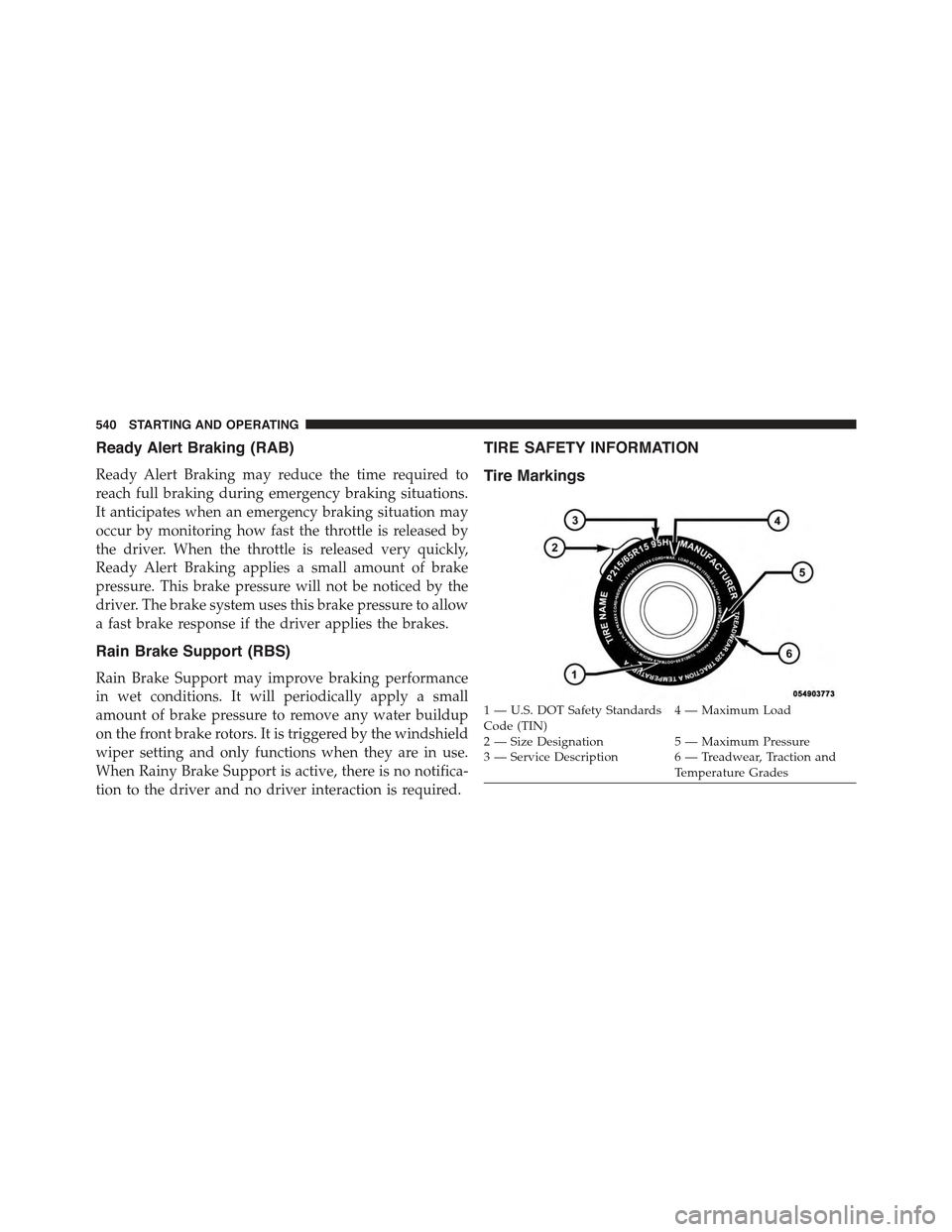
Tire Markings
1—U.S.DOTSafetyStandardsCode (TIN)4—MaximumLoad
2 — Size Designation 5 — Maximum Pressure3 — Service Description 6 — Treadwear, Traction andTemperature Grades
540 STARTING AND OPERATING
Page 603 of 772
WARNING!(Continued)
•Vehicles with trailers should not be parked on a
grade. When parking, apply the parking brake on
the tow vehicle. Put the tow vehicle transmission in
PARK. Always, block or%chock%the trailer wheels.
•GCWR must not be exceeded.
•Total weight must be distributed between the tow
vehicle and the trailer such that the following four
ratings are not exceeded:
1. GVWR
2. GTW
3. GAWR
4. Tongue weight rating for the trailer hitch uti-
lized.
CAUTION!
•Do not tow a trailer at all during the first 500 miles
(805 km) the new vehicle is driven. The engine, axle
or other parts could be damaged.
•Then, during the first 500 miles (805 km) that a
trailer is towed, do not drive over 50 mph (80 km/h)
and do not make starts at full throttle. This helps
the engine and other parts of the vehicle wear in at
the heavier loads.
Towing Requirements — Tires
•Do not attempt to tow a trailer while using a compact
spare tire.
•Proper tire inflation pressures are essential to the safe
and satisfactory operation of your vehicle. Refer to
“Tires – General Information” in “Starting And Oper-
ating” for proper tire inflation procedures.
5
STARTING AND OPERATING 601