keyless JEEP CHEROKEE 2015 KL / 5.G Owner's Manual
[x] Cancel search | Manufacturer: JEEP, Model Year: 2015, Model line: CHEROKEE, Model: JEEP CHEROKEE 2015 KL / 5.GPages: 772, PDF Size: 18.21 MB
Page 47 of 772
WARNING!(Continued)
ignition of a vehicle equipped with Keyless Enter-N-
Go™ in the ACC or ON/RUN mode. Occupants,
particularly unattended children, can become en-
trapped by the windows while operating the power
window switches. Such entrapment may result in
serious injury or death.
AUTO-Down Feature
The driver door power window switch and some model
passenger door power window switches have an AUTO-
down feature. Push the window switch to the second
detent, release, and the window will go down automati-
cally.
To open the window part way, push the window switch
to the first detent and release it when you want the
window to stop.
To stop the window from going all the way down during
the AUTO-down operation, pull up on the switch briefly.
AUTO-Up Feature With Anti-Pinch Protection
Lift the window switch to the second detent, release, and
the window will go up automatically.
To stop the window from going all the way up during the
AUTO operation, push down on the switch briefly.
To close the window part way, lift the window switch to
the first detent and release it when you want the window
to stop.
NOTE:
•If the window runs into any obstacle during auto-
closure, it will reverse direction and then go back
down. Remove the obstacle and use the window
switch again to close the window.
2
THINGS TO KNOW BEFORE STARTING YOUR VEHICLE 45
Page 50 of 772
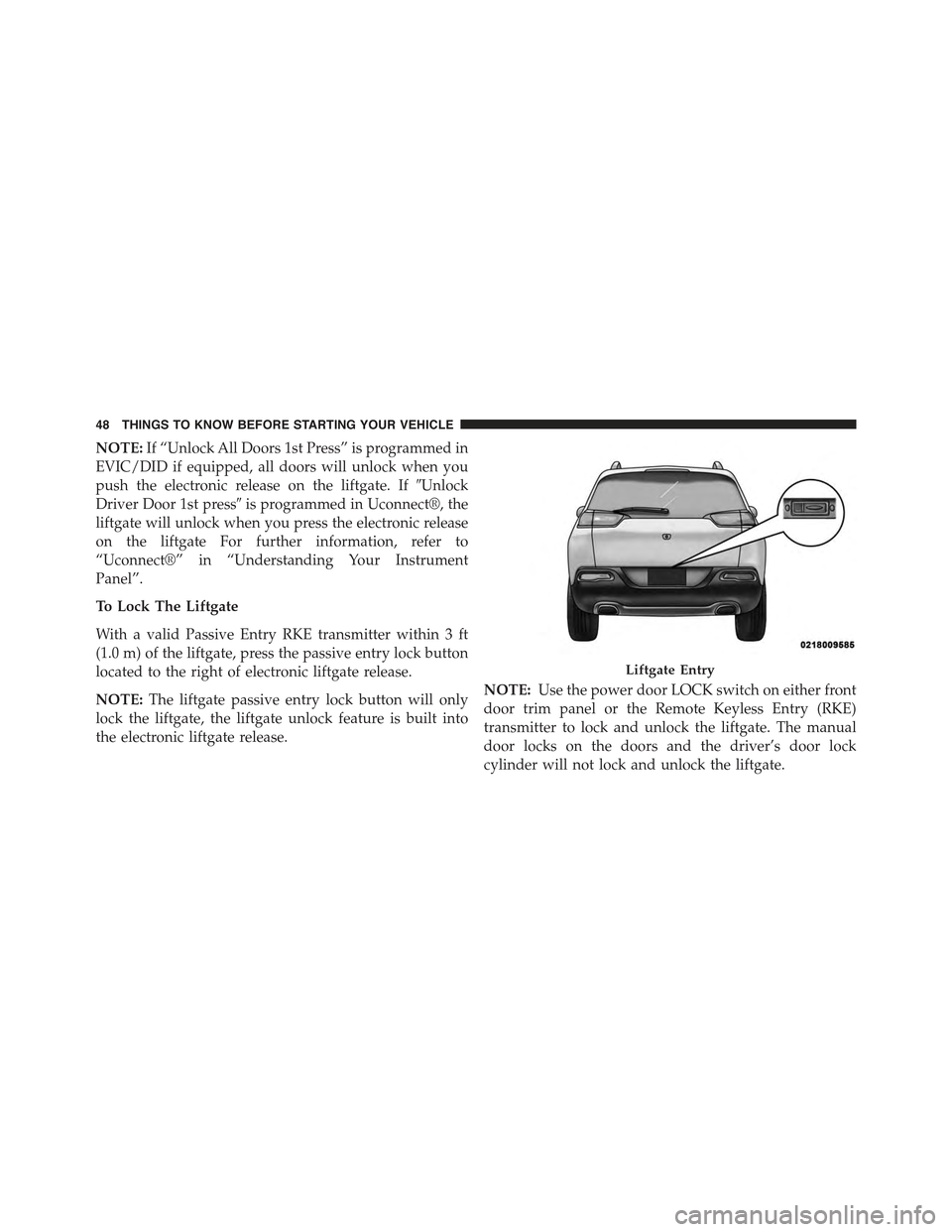
NOTE:If “Unlock All Doors 1st Press” is programmed in
EVIC/DID if equipped, all doors will unlock when you
push the electronic release on the liftgate. If#Unlock
Driver Door 1st press#is programmed in Uconnect®, the
liftgate will unlock when you press the electronic release
on the liftgate For further information, refer to
“Uconnect®” in “Understanding Your Instrument
Panel”.
To Lock The Liftgate
With a valid Passive Entry RKE transmitter within 3 ft
(1.0 m) of the liftgate, press the passive entry lock button
located to the right of electronic liftgate release.
NOTE:The liftgate passive entry lock button will only
lock the liftgate, the liftgate unlock feature is built into
the electronic liftgate release.
NOTE:Use the power door LOCK switch on either front
door trim panel or the Remote Keyless Entry (RKE)
transmitter to lock and unlock the liftgate. The manual
door locks on the doors and the driver’s door lock
cylinder will not lock and unlock the liftgate.
Liftgate Entry
48 THINGS TO KNOW BEFORE STARTING YOUR VEHICLE
Page 51 of 772
WARNING!
Driving with the liftgate open can allow poisonous
exhaust gases into your vehicle. You and your pas-
sengers could be injured by these fumes. Keep the
liftgate closed when you are operating the vehicle.
Power Liftgate — If Equipped
The power liftgate may be opened by pushing
the electronic liftgate release (refer to Keyless
Enter-N-Go™ located in Things To Know Be-
fore Starting) or by pushing the LIFTGATE
button on the Remote Keyless Entry (RKE) transmitter.
Push the LIFTGATE button on the RKE transmitter twice
within five seconds, to open the power liftgate. Once the
liftgate is open, pushing the button twice within five
seconds a second time will close the liftgate.
The power liftgate may also be opened or closed by
pushing the LIFTGATE button located on the left side of
the steering wheel on the instrument panel, or closed by
pushing the LIFTGATE button located on left rear trim
panel, near the liftgate opening. Push the LIFTGATE
button located on left rear trim panel once will close the
liftgate only, this button cannot be used to open the
liftgate.
When the LIFTGATE button on the RKE transmitter is
pushed two times, the turn signals will flash twice to
signal that the liftgate is opening or closing (if Flash
Lamps with Lock is enabled in the Uconnect® settings)
and the liftgate chime will be audible. For further infor-
mation, refer to#Uconnect®#in#Understanding Your
Instrument Panel#.
2
THINGS TO KNOW BEFORE STARTING YOUR VEHICLE 49
Page 126 of 772
▫Front Heated Seats — If Equipped.........154
▫Front Ventilated Seats — If Equipped.......156
▫Head Restraints......................157
▫60/40 Split Folding Rear Seat With Fold-Flat
Feature............................159
!DRIVER MEMORY SEAT — IF EQUIPPED . . . .162
▫Programming The Memory Feature.........163
▫Linking And Unlinking The Remote Keyless Entry
Transmitter To Memory.................164
▫Memory Position Recall.................165
▫Easy Entry/Exit Seat...................165
!TO OPEN AND CLOSE THE HOOD.........166
!LIGHTS.............................168
▫Headlight Switch.....................168
▫Automatic Headlights — If Equipped.......169
▫Headlights On With Wipers (Available With
Automatic Headlights Only).............169
▫Headlight Time Delay..................169
▫Automatic High Beam Headlamp Control — If
Equipped...........................170
▫Daytime Running Lights (DRL) — If
Equipped...........................172
▫Lights-On Reminder...................172
▫Fog Lights — If Equipped...............172
▫Multifunction Lever...................173
▫Turn Signals.........................174
▫Lane Change Assist...................174
▫High/Low Beam Switch................174
124 UNDERSTANDING THE FEATURES OF YOUR VEHICLE
Page 140 of 772
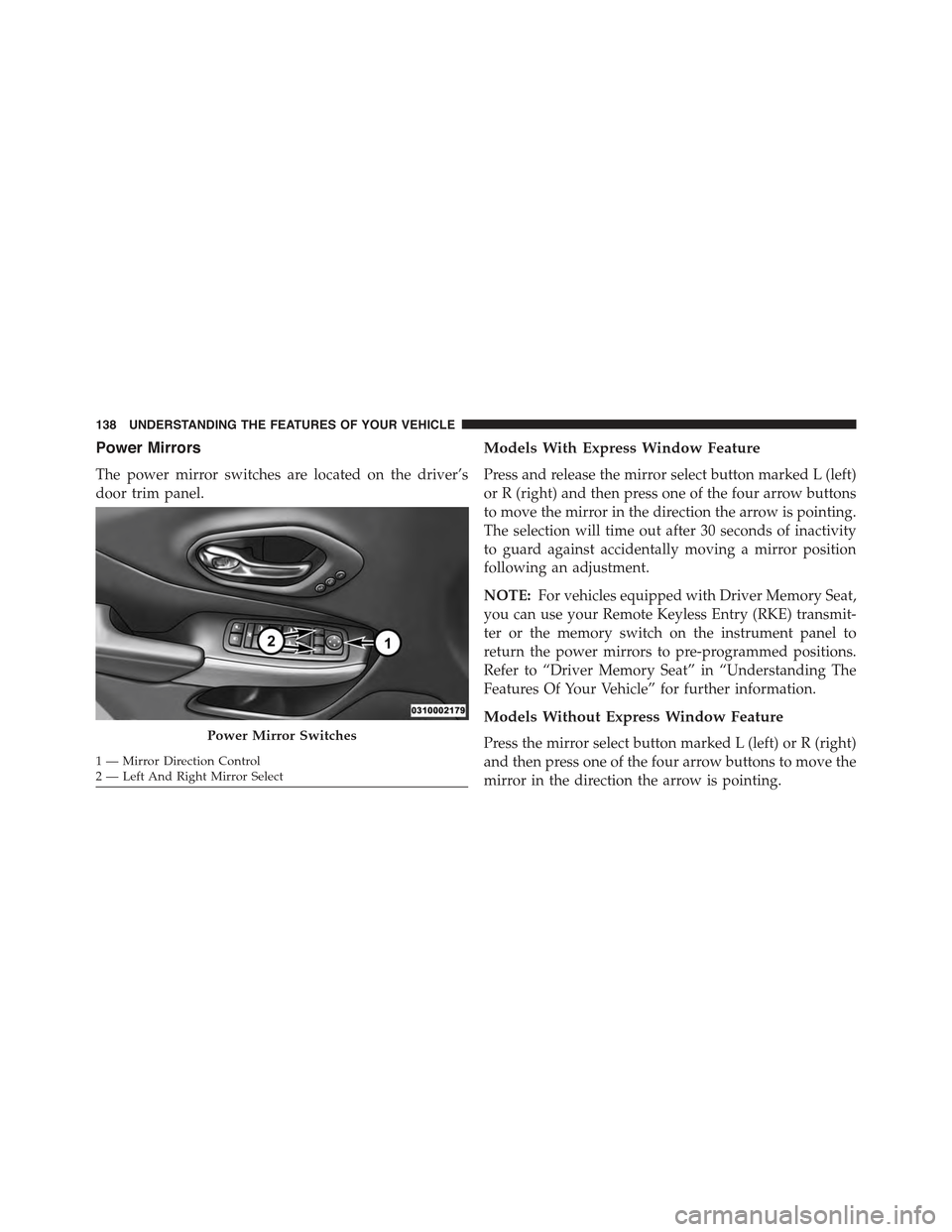
Power Mirrors
The power mirror switches are located on the driver’s
door trim panel.
Models With Express Window Feature
Press and release the mirror select button marked L (left)
or R (right) and then press one of the four arrow buttons
to move the mirror in the direction the arrow is pointing.
The selection will time out after 30 seconds of inactivity
to guard against accidentally moving a mirror position
following an adjustment.
NOTE:For vehicles equipped with Driver Memory Seat,
you can use your Remote Keyless Entry (RKE) transmit-
ter or the memory switch on the instrument panel to
return the power mirrors to pre-programmed positions.
Refer to “Driver Memory Seat” in “Understanding The
Features Of Your Vehicle” for further information.
Models Without Express Window Feature
Press the mirror select button marked L (left) or R (right)
and then press one of the four arrow buttons to move the
mirror in the direction the arrow is pointing.
Power Mirror Switches
1 — Mirror Direction Control2—LeftAndRightMirrorSelect
138 UNDERSTANDING THE FEATURES OF YOUR VEHICLE
Page 165 of 772
Programming The Memory Feature
To create a new memory profile, perform the following:
NOTE:Saving a new memory profile will erase an
existing profile from memory.
1. Cycle the vehicles ignition to the ON position.
2. Adjust all memory profile settings to desired prefer-
ences (i.e., seat, side mirror and radio station presets).
3. Press and release the SET button on the memory
switch, then press the number (1) button within five
seconds. The Electronic Vehicle Information Center
(EVIC) or Driver Information Display (DID), will
display which memory position is being set.
If desired, a second memory profile can be stored into
memory as follows:
1. Cycle the vehicles ignition to the ON position.
2. Adjust all memory profile settings to desired prefer-
ences (i.e., seat, side mirror and radio station presets).
3. Press and release the SET button on the memory
switch, then press the number (2) button within five
seconds. The EVIC/DID will display which memory
position is being set.
NOTE:
•For vehicles equipped with an automatic transmission,
memory profiles can be set without the vehicle in
PARK, but the vehicle must be in PARK to recall a
memory profile.
•For vehicles equipped with a manual transmission, the
vehicle speed must be at 0 mph (0 km/h) to recall a
memory profile.
•To set a memory profile to your RKE transmitter, refer
to “Linking And Unlinking The Remote Keyless Entry
Transmitter To Memory” in this section.
3
UNDERSTANDING THE FEATURES OF YOUR VEHICLE 163
Page 166 of 772
Linking And Unlinking The Remote Keyless Entry
Transmitter To Memory
Your Remote Keyless Entry (RKE) transmitters can be
programmed to recall one of two pre-programmed
memory profiles with a press of the UNLOCK button on
the RKE transmitter.
NOTE:Before programming your RKE transmitters you
must select the “Memory To FOB” feature through the
Uconnect® system screen. Refer to “Uconnect® Settings”
in “Understanding Your Instrument Panel” for further
information.
To program your RKE transmitters, perform the follow-
ing:
1. Cycle the vehicles ignition to the OFF position.
2. Select the desired memory profile 1 or 2.
NOTE:If a memory profile has not already been set, refer
to#Programming The Memory Feature#in this section for
instructions on how to set a memory profile.
3. Press and release the SET button on the memory
switch, then within five seconds press and release the
button labeled 1 or 2 accordingly. “Memory Profile
Set” (1 or 2) will display in the EVIC/DID.
4. Press and release the LOCK button on the RKE
transmitter within 10 seconds.
NOTE:Your RKE transmitters can be unlinked to your
memory settings by pressing the SET (S) button, and
within 10 seconds, followed by pressing the UNLOCK
button on the RKE transmitter.
164 UNDERSTANDING THE FEATURES OF YOUR VEHICLE
Page 177 of 772
Front Map/Reading Lights
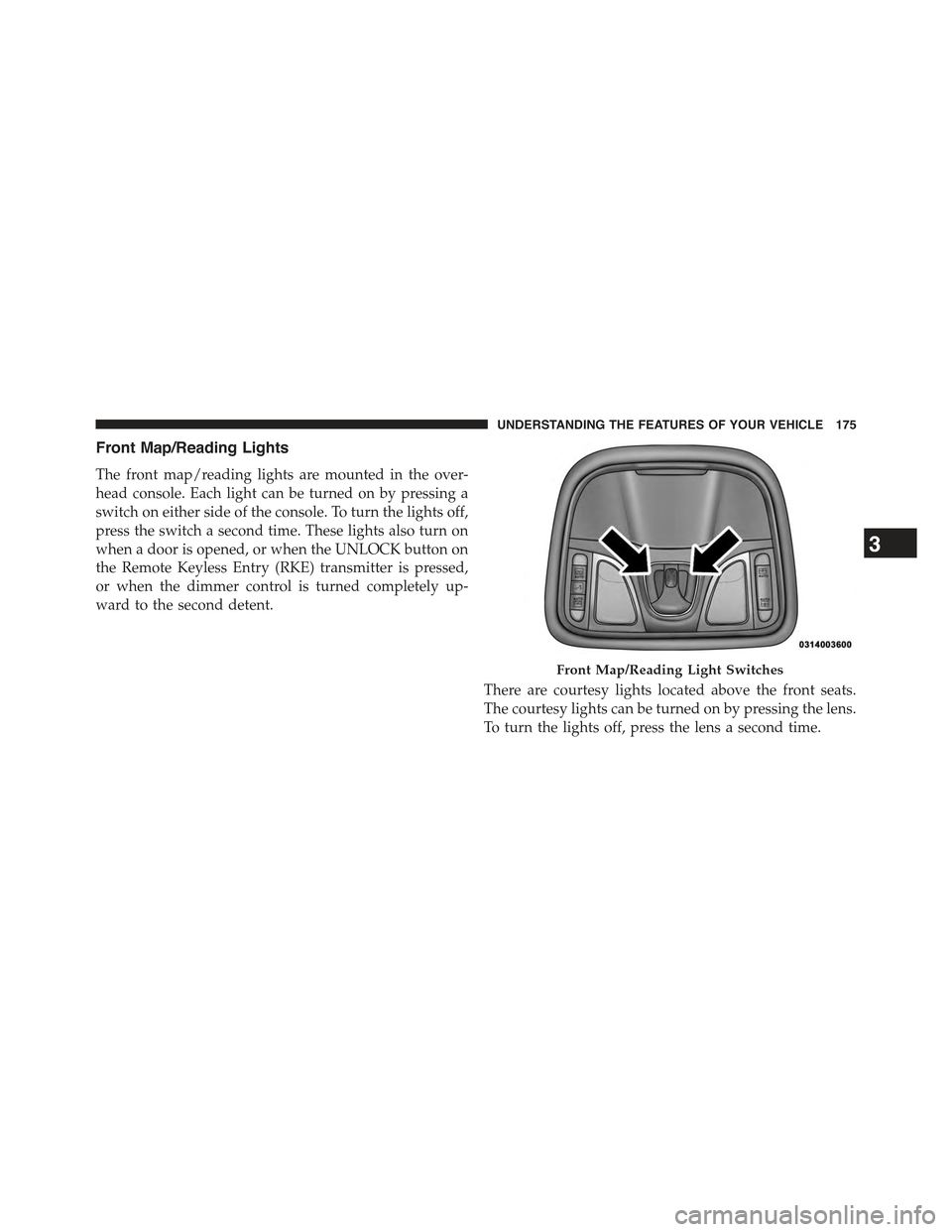
The front map/reading lights are mounted in the over-
head console. Each light can be turned on by pressing a
switch on either side of the console. To turn the lights off,
press the switch a second time. These lights also turn on
when a door is opened, or when the UNLOCK button on
the Remote Keyless Entry (RKE) transmitter is pressed,
or when the dimmer control is turned completely up-
ward to the second detent.
There are courtesy lights located above the front seats.
The courtesy lights can be turned on by pressing the lens.
To turn the lights off, press the lens a second time.
Front Map/Reading Light Switches
3
UNDERSTANDING THE FEATURES OF YOUR VEHICLE 175
Page 294 of 772
Reprogramming A Single HomeLink® Button
(Rolling Code)
To reprogram a channel that has been previously trained,
follow these steps:
1. Turn the ignition switch to the ON/RUN position.
For vehicle’s equipped with Keyless Enter-N-Go, place
the ignition in the RUN position with the Engine ON.
2. Push and hold the desired HomeLink® button until
the indicator light begins to flash after 20 seconds.Do
not release the button.
3.Without releasing the buttonproceed with “Program-
ming A Rolling Code” step 2 and follow all remaining
steps.
Programming A Non-Rolling Code
For programming Garage Door Openers manufactured
before 1995.
1. Cycle the ignition to the ON/RUN position.
2. Place the hand-held transmitter 1 to 3 inches (3 to 8
cm) away from the HomeLink® button you would like
to program while keeping the HomeLink® indicator
light in view.
3. Simultaneously push and hold both the HomeLink®
button you want to program and the hand-held trans-
mitter button.
4. Continue to hold both buttons and observe the indi-
cator light. HomeLink® indicator will flash slowly
and then rapidly after HomeLink® has received the
frequency signal from the hand-held transmitter. Re-
lease both buttons after the indicator light changes
from slow to rapid.
5. Push and hold the programmed HomeLink® button
and observe the indicator light.
292 UNDERSTANDING THE FEATURES OF YOUR VEHICLE
Page 295 of 772
•If the indicator light stays on constantly, program-
ming is complete and the garage door/device should
activate when the HomeLink® button is pressed.
•To program the remaining two HomeLink® buttons,
repeat each step for each remaining button. DO NOT
erase the channels.
Reprogramming A Single HomeLink® Button
(Non — Rolling Code)
To reprogram a channel that has been previously trained,
follow these steps:
1. Cycle the ignition to the ON/RUN position.
For vehicle’s equipped with Keyless Enter-N-Go, place
the ignition in the RUN position with the Engine ON.
2. Push and hold the desired HomeLink® button until
the indicator light begins to flash after 20 seconds.Do
not release the button.
3.Without releasing the buttonproceed with “Program-
ming A Non-Rolling Code” step 2 and follow all
remaining steps.
Canadian/Gate Operator Programming
For programming transmitters in Canada/United States
that require the transmitter signals to “time-out” after
several seconds of transmission.
Canadian radio frequency laws require transmitter sig-
nals to time-out (or quit) after several seconds of trans-
mission – which may not be long enough for HomeLink®
to pick up the signal during programming. Similar to this
Canadian law, some U.S. gate operators are designed to
time-out in the same manner.
It may be helpful to unplug the device during the cycling
process to prevent possible overheating of the garage
door or gate motor.
1. Cycle the ignition to the ON/RUN position.
3
UNDERSTANDING THE FEATURES OF YOUR VEHICLE 293