air condition JEEP COMMANDER 2009 1.G User Guide
[x] Cancel search | Manufacturer: JEEP, Model Year: 2009, Model line: COMMANDER, Model: JEEP COMMANDER 2009 1.GPages: 519, PDF Size: 9.78 MB
Page 272 of 519
CD/DVD MAINTENANCE
To keep a CD/DVD in good condition, take the following
precautions:
1. Handle the disc by its edge; avoid touching the
surface.
2. If the disc is stained, clean the surface with a soft cloth,
wiping from center to edge.
3. Do not apply paper or tape to the disc; avoid scratch-
ing the disc.
4. Do not use solvents such as benzene, thinner, cleaners,
or antistatic sprays.
5. Store the disc in its case after playing.
6. Do not expose the disc to direct sunlight.
7. Do not store the disc where temperatures may become
too high.NOTE:If you experience difficulty in playing a particu-
lar disc, it may be damaged (i.e. scratched, reflective
coating removed, a hair, moisture or dew on the disc)
oversized, or have theft protection encoding. Try a
known good disc before considering disc player service.
RADIO OPERATION AND CELLULAR PHONES
Under certain conditions, the cellular phone being ON in
your vehicle can cause erratic or noisy performance from
your radio. This condition may be lessened or eliminated
by relocating the cellular phone antenna. This condition
is not harmful to the radio. If your radio performance
does not satisfactorily “clear” by the repositioning of the
antenna, it is recommended that the radio volume be
turned down or off during cellular phone operation.
270 UNDERSTANDING YOUR INSTRUMENT PANEL
Page 273 of 519
CLIMATE CONTROLS
Manual Air Conditioning And Heating System —
If Equipped
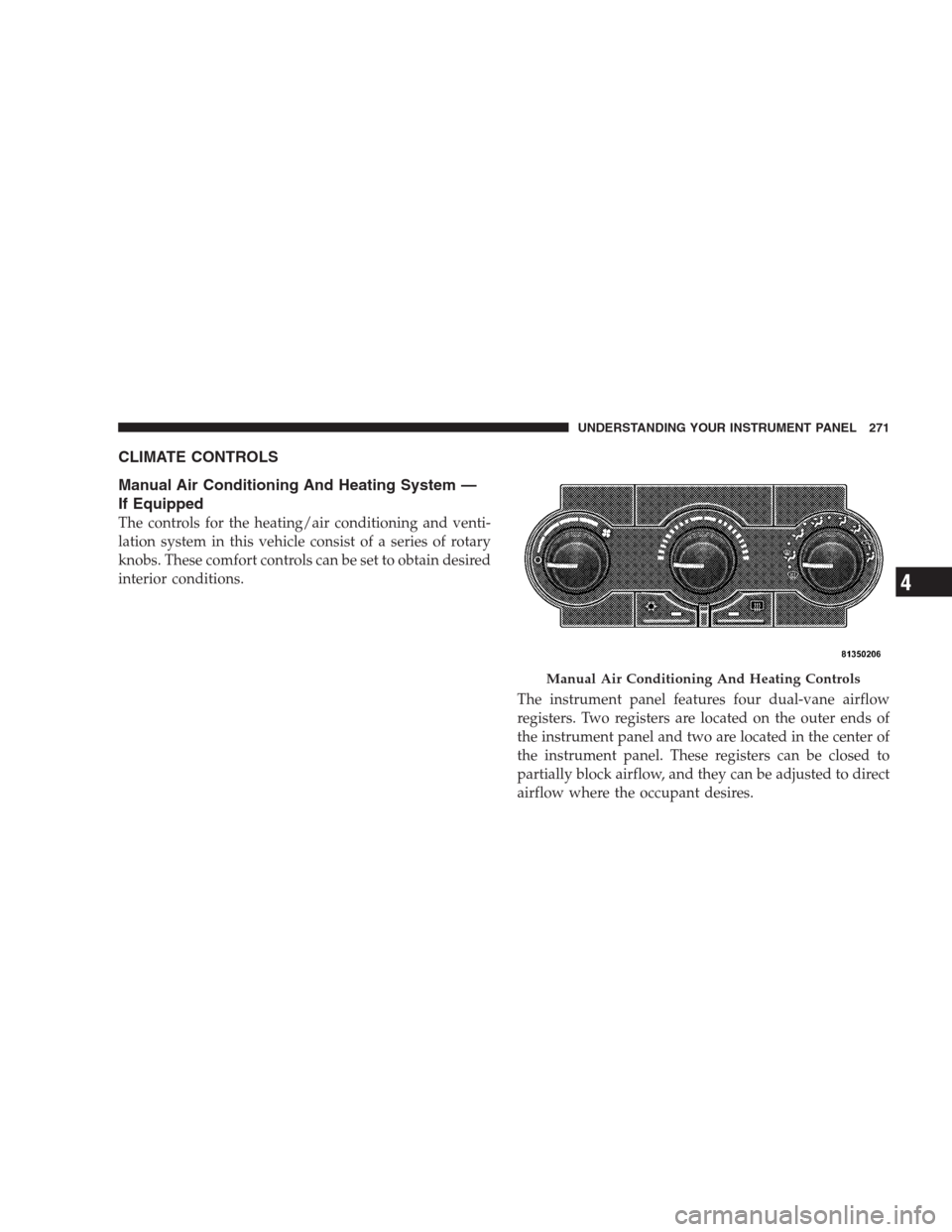
The controls for the heating/air conditioning and venti-
lation system in this vehicle consist of a series of rotary
knobs. These comfort controls can be set to obtain desired
interior conditions.
The instrument panel features four dual-vane airflow
registers. Two registers are located on the outer ends of
the instrument panel and two are located in the center of
the instrument panel. These registers can be closed to
partially block airflow, and they can be adjusted to direct
airflow where the occupant desires.
Manual Air Conditioning And Heating Controls
UNDERSTANDING YOUR INSTRUMENT PANEL 271
4
Page 276 of 519
Recirculation
The recirculation feature can be selected with
the mode control knob. You may choose be-
tween Bi-Level Recirculation and Panel Recir-
culation air outlets while in this mode. Nor-
mally, air enters from outside the vehicle. However, when
in “Recirculation” mode air inside the vehicle is re-used.
Use this mode to rapidly cool the inside of the vehicle.
The “Recirculation” mode can also be used to tempo-
rarily block out outside odors, smoke, and dust.
Air Conditioning
To turn on the Air Conditioning, set the fan control
at any speed and press the snowflake button
located on the control panel. Conditioned air will
be directed through the outlets selected by the mode
control. A light in the snowflake button shows that the air
conditioning is on.Slight changes in engine speed or power may be noticed
when the air conditioning compressor is on. This is a
normal occurrence as the compressor will cycle on and
off to maintain comfort and increase fuel economy.
Automatic Temperature Control — If Equipped
The Infrared Dual-Zone Climate Control System auto-
matically maintains the interior comfort level desired by
the driver and passenger. This is accomplished by a dual
sun-sensor in the top of the instrument panel, and an
infrared sensor located in the face of the control unit.
There are also various sensors monitored by this system
which take account for vehicle speed, A/C pressure,
outside temperature, and engine cooling temperature.
The infrared sensor independently measures the surface
temperature of the driver and passenger. Based on the
sensor input, the system automatically adjusts the air-
flow temperature, the airflow volume, and amount of
outside air recirculation. This maintains a comfortable
temperature even under changing conditions.
274 UNDERSTANDING YOUR INSTRUMENT PANEL
Page 277 of 519
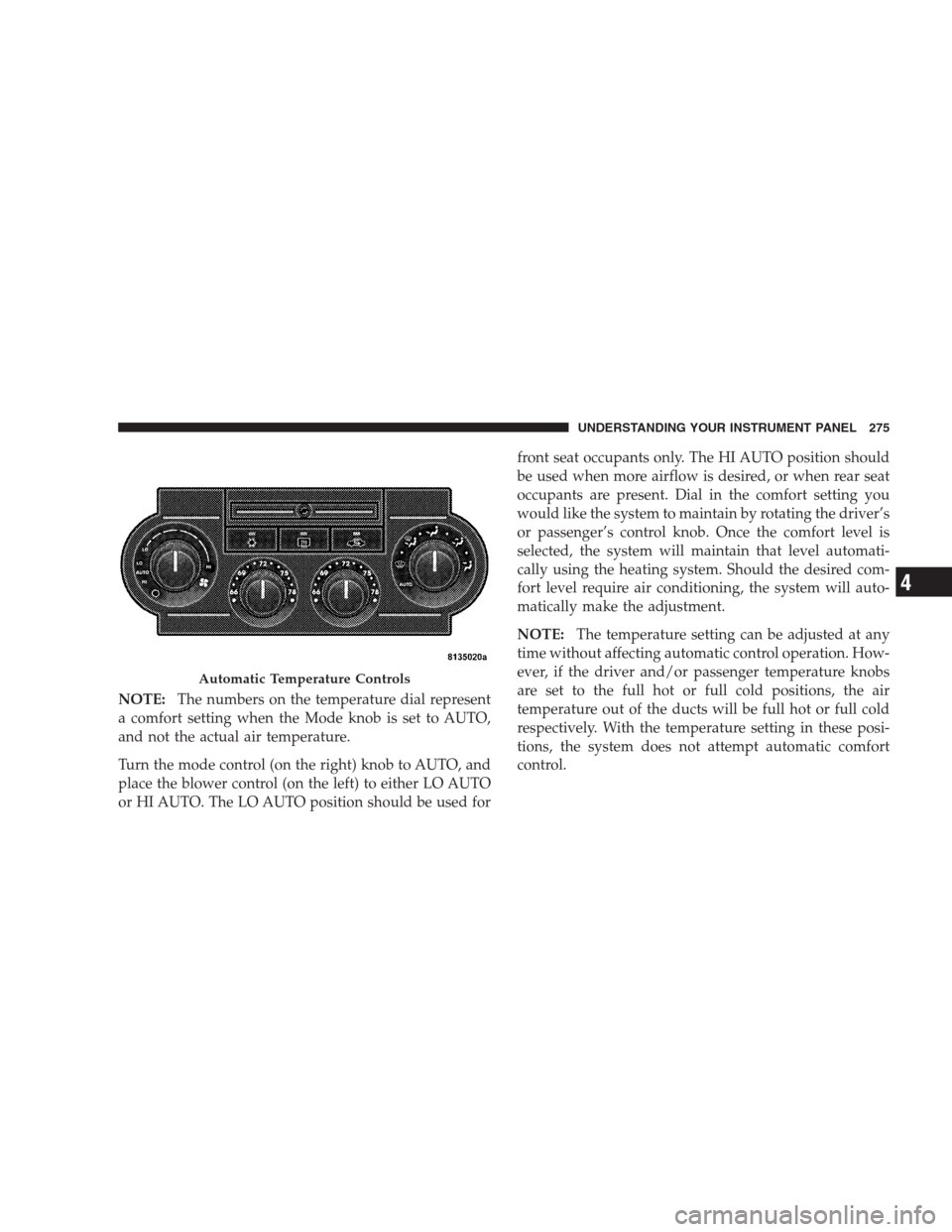
NOTE:The numbers on the temperature dial represent
a comfort setting when the Mode knob is set to AUTO,
and not the actual air temperature.
Turn the mode control (on the right) knob to AUTO, and
place the blower control (on the left) to either LO AUTO
or HI AUTO. The LO AUTO position should be used forfront seat occupants only. The HI AUTO position should
be used when more airflow is desired, or when rear seat
occupants are present. Dial in the comfort setting you
would like the system to maintain by rotating the driver’s
or passenger’s control knob. Once the comfort level is
selected, the system will maintain that level automati-
cally using the heating system. Should the desired com-
fort level require air conditioning, the system will auto-
matically make the adjustment.
NOTE:The temperature setting can be adjusted at any
time without affecting automatic control operation. How-
ever, if the driver and/or passenger temperature knobs
are set to the full hot or full cold positions, the air
temperature out of the ducts will be full hot or full cold
respectively. With the temperature setting in these posi-
tions, the system does not attempt automatic comfort
control.
Automatic Temperature Controls
UNDERSTANDING YOUR INSTRUMENT PANEL 275
4
Page 278 of 519
Air Conditioning
The air conditioning in this system is automatic.
Pressing this button while in AUTO mode will
cause the LED to flash three times and remain off.
This indicates that the system is in AUTO and requesting
the air conditioning is not necessary.
Recirculation
The system will automatically control recircu-
lation. However, pressing this button will tem-
porarily put the system in “Recirculation”
mode. This can be used when outside condi-
tions such as smoke, odors, dust, or high humidity are
present. This will cause the LED to illuminate.NOTE:
•The surface of the climate control panel, and the top
center of the instrument panel should be kept free of
debris due to the climate control sensor’s location.
Mud on the windshield may also cause poor operation
of this system.
•To provide you with maximum comfort in the auto-
matic mode, during cold start-ups the blower fan will
remain off until the engine warms up. However, the
fan will engage immediately if the defrost mode is
selected or if you manually select a blower speed.
•Under certain conditions (after the vehicle is turned
off) the climate control system may recalibrate and a
noise may be heard for 20 seconds. This is part of
normal operation.
276 UNDERSTANDING YOUR INSTRUMENT PANEL
Page 279 of 519
•Most of the time, when in Automatic operation, you
can temporarily put the system into Recirculation
mode by pressing the “Recirculation” button. How-
ever, under certain conditions in automatic the system
is blowing air out of the defrost vents. When these
conditions are present, and the “Recirculation” button
is pressed, the indicator will flash and remain off. This
tells you that you are unable to go into Recirculation
mode at this time. If you would like to go to Recircu-
lation mode, you must first move your mode knob to
Panel, Panel/Floor, or Floor, then press the “Recircu-
lation” button. This feature will reduce the possibility
of window fogging.Manual Operation
This system offers a full complement of manual override
features which consist of Blower Preferred Automatic,
Mode Preferred Automatic with Manual Air Temperature
Control, and Manual. This means the customer can
override the blower, mode, and disable Automatic Tem-
perature Control completely.
NOTE:Please read the Automatic Temperature Control
Operation Chart below for details.
UNDERSTANDING YOUR INSTRUMENT PANEL 277
4
Page 282 of 519
Bi-Level
Air flows both through the outlets located in the
instrument panel and those located on the floor. Air
flows through the registers in the back of the center
console, and under the front seats to the rear seat
passengers. These registers can be closed to block airflow.
The center console outlets deliver conditioned air while
the floor outlets deliver heated air.
Panel
Air flows through the outlets located in the instru-
ment panel. Air flows through the registers in the
back of the center console to the rear seat passengers.
These registers can be closed to block airflow.
Air Conditioning
Press this button to turn on and off the air condi-
tioning during manual operation only. Condi-
tioned outside air is then directed through theoutlets selected on the mode control dial. The button
includes an LED that illuminates when manual operation
is selected.
NOTE:To manually control the air conditioning, the
mode selector must be moved out of the AUTO position.
Recirculation
This button can be used to block out smoke,
odors, dust, high humidity, or if rapid cooling
is desired. The “Recirculation” mode should
only be used temporarily. The button includes
an LED that illuminates, which indicates that the “Recir-
culation” mode is active. You may use this feature
separately.
NOTE:Extended use of recirculation may cause the
windows to fog. If the interior of the windows begins to
fog, press the “Recirculate” icon button to return to
outside air. Some temperature/humidity conditions will
cause captured interior air to condense on windows and
280 UNDERSTANDING YOUR INSTRUMENT PANEL
Page 285 of 519
Rear Temperature Control
The center knob on the Rear Control Panel allows the
third row seat occupants to have control of the rear
temperature as follows:
•When the temperature knob is in the cold (Blue)
position, cold air will be delivered from the outlets. As
the temperature knob is turned towards the hot (Red)
position, the air will get warmer.
Rear Mode Control
Floor
Air flows through the floor outlet located on the
right side of the rear floor into the rear seating area.
Bi-Level
Air flows through both the outlets located in the
rear quarter trim panels, and the one located on the
floor. The rear quarter trim panel outlets can be closed to
block airflow.Panel
Air flows through the outlets located in the rear
quarter trim panels. These registers can be closed to
block airflow.
Operating Tips
Window Fogging
Windows will fog on the inside when the humidity inside
the vehicle is high. This often occurs in mild or cool
temperatures when it’s rainy or humid. In most cases,
turning on the air conditioning (pressing the snowflake
button) will clear the fog. Adjust the temperature control,
air direction and blower speed to maintain comfort.
As the temperature gets colder, it may be necessary to
direct air onto the windshield. Adjust the temperature
control and blower speed to maintain comfort. Higher
blower speeds will reduce fogging. Interior fogging on
the windshield can be quickly removed by selecting the
defrost mode.
UNDERSTANDING YOUR INSTRUMENT PANEL 283
4
Page 286 of 519
Regular cleaning of the inside of the windows with a
non-filming cleaning solution (vinegar and water works
very well) will help prevent contaminates (cigarette
smoke, perfumes, etc.) from sticking to the windows.
Contaminates increase the rate of window fogging.
Summer Operation
Air conditioned vehicles must be protected with a high
quality antifreeze coolant, during summer, to provide
proper corrosion protection and to raise the boiling point
of the coolant for protection against overheating. A 50%
concentration is recommended. Refer to Fluids, Lubri-
cants, and Genuine Parts in Section 7 for the proper
coolant type.
When using the air conditioner in extremely heavy traffic, in
hot weather, especially when towing a trailer, additional
engine cooling may be required. If this situation is encoun-
tered, operate the transmission in a lower gear to increase
engine RPM, coolant flow and fan speed. When stopped inheavy traffic, it may be necessary to shift into NEUTRAL
and depress the accelerator slightly for fast idle operation to
increase coolant flow and fan speed.
Your air conditioning system is also equipped with an
automatic recirculation system. When the system senses
a heavy load or high heat conditions, it may use partial
Recirculation A/C mode to provide additional comfort.
Winter Operation
When operating the system during the winter months, make
sure the air intake, located directly in front of the wind-
shield, is free of ice, slush, snow, or other obstructions.
Vacation Storage
Anytime you store your vehicle, or keep it out of service
(i.e. vacation) for two weeks or more, run the air condi-
tioning system at idle for about five minutes in the fresh
air and high blower setting. This will ensure adequate
system lubrication to minimize the possibility of com-
pressor damage when the system is started again.
284 UNDERSTANDING YOUR INSTRUMENT PANEL
Page 315 of 519
OFF-ROAD DRIVING TIPS
NOTE:Prior to off-road driving, remove the front air
dam to prevent damage. The front air dam is attached to
the lower front fascia with quarter turn fasteners, and can
be removed by hand.
When To Use 4WD LOW Range — If Equipped
When off-road driving, shift to 4WD LOW for additional
traction. This range should be limited to extreme situa-
tions such as deep snow, mud, or sand where additional
low speed pulling power is needed. Vehicle speeds in
excess of 25 mph (40 km/h) should be avoided when in
4WD LOW range.
Driving Through Water
Although your vehicle is capable of driving through
water, there are a number of precautions that must be
considered before entering the water.
CAUTION!
When driving through water, do not exceed 5 mph
(8 km/h). Always check water depth before entering
as a precaution, and check all fluids afterward. Driv-
ing through water may cause damage that may not be
covered by the new vehicle limited warranty.
Driving through water more than a few inches/
centimeters deep will require extra caution to ensure
safety and prevent damage to your vehicle. If you must
drive through water, try to determine the depth and the
bottom condition (and location of any obstacles) prior to
entering. Proceed with caution and maintain a steady
controlled speed less than 5 mph (8 km/h) in deep water
to minimize wave effects.
Flowing Water
If the water is swift flowing and rising (as in storm
run-off) avoid crossing until the water level recedes
STARTING AND OPERATING 313
5