door lock JEEP COMPASS 2008 1.G Owner's Manual
[x] Cancel search | Manufacturer: JEEP, Model Year: 2008, Model line: COMPASS, Model: JEEP COMPASS 2008 1.GPages: 399, PDF Size: 6.59 MB
Page 113 of 399
To prevent possible damage, do not slam the hood to
close it. Lower the hood until it is open approximately 20
cm (8 inches) and then drop it. This should secure both
latches. Never drive your vehicle unless the hood is fully
closed, with both latches engaged.
WARNING!
If the hood is not fully latched it could fly up when
the vehicle is moving and block your forward vision.
You could have a collision. Be sure all hood latches
are fully latched before driving.
LIGHTS
Map/Reading Lights
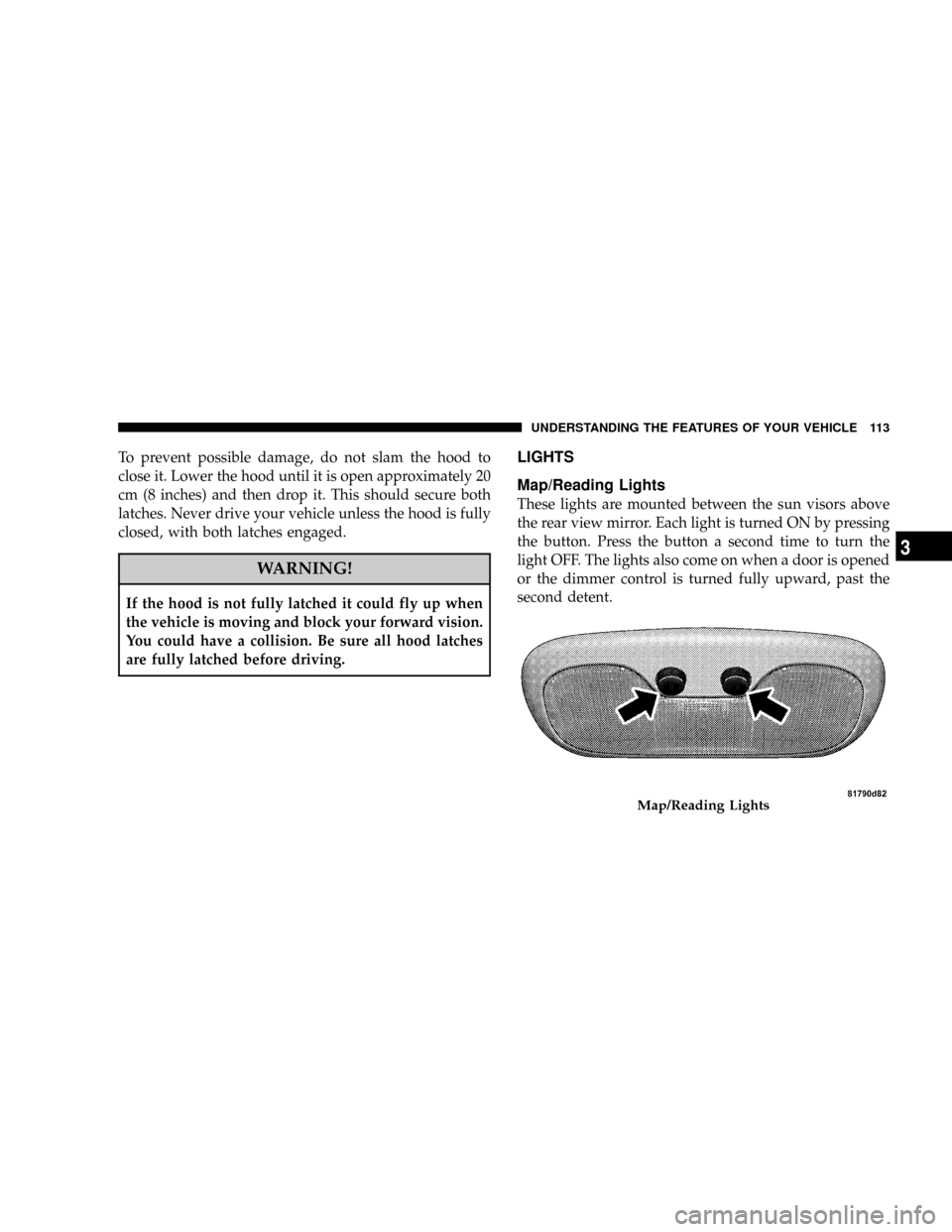
These lights are mounted between the sun visors above
the rear view mirror. Each light is turned ON by pressing
the button. Press the button a second time to turn the
light OFF. The lights also come on when a door is opened
or the dimmer control is turned fully upward, past the
second detent.
Map/Reading Lights
UNDERSTANDING THE FEATURES OF YOUR VEHICLE 113
3
Page 139 of 399

Using HomeLinkT
To operate, simply press and release the programmed
HomeLinktbutton. Activation will now occur for the
trained device (i.e. garage door opener, gate operator,
security system, entry door lock, home/office lighting,
etc. The hand-held transmitter of the device may also be
used at any time.
Reprogramming a Single HomeLinkTButton
To re-program a channel that has been previously
trained, follow these steps:
1. Turn the ignition switch to the ON/RUN position.
2. Press and hold the desired HomeLinktbutton until
the indicator light begins to flash after 20 seconds.Do not
release the button.
3.Without releasing the button,proceed with PRO-
GRAMMING HOMELINK Step #2 and follow all remain-
ing steps.
Security
It is advised to erase all channels before you sell or turn
in your vehicle.
To do this, press and hold the two outside buttons for 20
seconds until the red indicator flashes. Note that all
channels will be erased. Individual channels cannot be
erased.
The HomeLinktUniversal Transceiver is disabled when
the Vehicle Theft Alarm is active.
UNDERSTANDING THE FEATURES OF YOUR VEHICLE 139
3
Page 176 of 399

Language
When in this display you may select different languages
for all display nomenclature, including the trip functions.
Pressing the EVIC button while in this display selects
English, Espanol, Deutsch, Italiano, or Francais depend-
ing on availability. As you continue the displayed infor-
mation will be shown in the selected language.
NOTE:UConnectŸ language will not change using the
EVIC. Please refer to ªLanguage Selectionº in the
HANDS±FREE COMMUNICATION (UConnectŸ) Ð IF
EQUIPPED section of this manual for details.
Lock Doors Automatically at 15 mph (24 km/h)
When ON is selected all doors lock automatically when
the speed of the vehicle reaches 15 mph (24 km/h). Press
and hold the EVIC button when in this display until
ªONº or ªOFFº appears to make your selection.
Auto Unlock On Exit
When ON is selected all the vehicle's doors will unlock
when the driver's door is opened if the vehicle is stopped
(manual transmissions) or the vehicle is stopped and the
transmission is in P (Park) or N (Neutral) position
(automatic transmissions). Press and hold the EVIC but-
ton when in this display until ªONº or ªOFFº appears to
make your selection.
Remote Unlock Driver's Door 1st
WhenDRIVER'S DOOR 1STis selected only the driv-
er's door will unlock on the first press of the remote
keyless entry unlock button and require a second press to
unlock the remaining locked doors. WhenREMOTE
UNLOCK ALL DOORSis selected all of the doors will
unlock at the first press of the remote keyless entry
unlock button. Press and hold the EVIC button when in
this display until ªDRIVER'S DOOR 1STº or ªALL
DOORSº appears to make your selection.
176 UNDERSTANDING YOUR INSTRUMENT PANEL
Page 177 of 399

Sound Horn with Remote Key Lock
When ON is selected a short horn sound will occur when
the remote keyless entry ªLockº button is pressed. This
feature may be selected with or without the flash lights
on lock/unlock feature. Press and hold the EVIC button
when in this display until ªONº or ªOFFº appears to
make your selection.
Flash Lights with Remote Key Lock
When ON is selected, the front and rear turn signals will
flash when the doors are locked or unlocked using the
remote keyless entry transmitter. This feature may be
selected with or without the sound horn on lock feature
selected. Press and hold the EVIC button when in this
display until ªONº or ªOFFº appears to make your
selection.
Delay Turning Headlamps Off
When this feature is selected the driver can choose to
have the headlamps remain on for 0, 30, 60, or 90 secondswhen exiting the vehicle. Press and hold the EVIC button
when in this display until 0, 30, 60, or 90 appears to make
your selection.
Headlamps On With Wipers (Available with Auto
Headlights Only)
When ON is selected and the headlight switch is in the
AUTO position, the headlights will turn on approxi-
mately 10 seconds after the wipers are turned on. The
headlights will also turn off when the wipers are turned
off if they were turned on by this feature. Press and hold
the EVIC button when in this display until ªONº or
ªOFFº appears to make your selection.
NOTE:Turning the headlights on during the daytime
causes the instrument panel lights to dim. To increase the
brightness, refer to ªLightsº in this section.
Delay Power Off to Accessories Until Exit
When this feature is selected, the power window
switches, radio, hands±free system, power sunroof, and
UNDERSTANDING YOUR INSTRUMENT PANEL 177
4
Page 178 of 399

power outlets will remain active for up to 60 minutes
after the ignition switch has been turned off. Opening a
vehicle door will cancel this feature. Press and hold the
EVIC button when in this display until ªOffº, ª45 sec.º,
ª5 min.º, or ª10 min.º appears to make your selection.
Turn Headlamps on with Remote Key Unlock
When this feature is selected the headlamps will activate
and remain on for up to 90 seconds when the doors are
unlocked using the remote keyless entry transmitter.
Press and hold the EVIC button when in this display until
ªOFFº, ª30 sec.º, ª60 sec.º, or ª90 sec.º appears to make
your selection.
Confirmation of Voice Commands Ð If Equipped
When ON is selected all voice commands from the
U-Connect system are confirmed. Press and hold the
EVIC button when in this display until ªONº or ªOFFº
appears to make your selection.
Display English or Metric
The EVIC, odometer, and navigation system units can be
changed between English and Metric.
Press and hold the EVIC button when in this display until
ªUSº or ªMETRICº appears to make your selection.
Compass Variance
Compass Variance is the difference between magnetic
North and Geographic North. In some areas of the
country, the difference between magnetic and geographic
North is great enough to cause the compass to give false
readings. In order to ensure compass accuracy, the com-
pass variance should be set to the zone number on the
compass variance map that corresponds to the current
location of the vehicle.
NOTE:Magnetic materials should be kept away from
the Instrument Panel. This is where the compass sensor is
located.
178 UNDERSTANDING YOUR INSTRUMENT PANEL
Page 182 of 399

will remain active for up to 10 minutes after the ignition
switch has been turned off. Opening a vehicle front door
will cancel this feature.
ELECTRONIC DIGITAL CLOCK
The clock and radio each use the display panel built into
the radio. A digital readout shows the frequency and/or
time in hours and minutes (depending on your radio
model) whenever the ignition switch is in the ªONº or
ªACCº position.
When the ignition switch is in the ªOFFº position, or
when the radio frequency is being displayed, time keep-
ing is accurately maintained.
On the AM/FM/CD (6-disc) radio the time button alter-
nates the location of the time and frequency on the
display. On the AM/FM/CD (single-disc) radio only one
of the two, time or frequency is displayed.
Clock Setting Procedure
1. Press and hold the time button until the hours blink.
2. Adjust the hours by turning the right side Tune /
Audio control.
3. After the hours are adjusted, press the right side Tune
/ Audio control to set the minutes.
4. Adjust the minutes using the right side Tune / Audio
control.
5. To exit, press any button/knob or wait approximately
5 seconds.
182 UNDERSTANDING YOUR INSTRUMENT PANEL
Page 327 of 399
WARNING!
Fluid level should be checked on a level surface and
with the engine off to prevent injury from moving
parts and to insure accurate fluid level reading. Do
not overfill. Use only manufacturers recommended
power steering fluid.
If necessary, add fluid to restore to the proper indicated
level. With a clean cloth, wipe any spilled fluid from all
surfaces. Refer to ªFluids, Lubricants, and Genuine
Partsº for correct fluid types.
Front Suspension Ball Joints
There are two front suspension lower ball joints that are
permanently lubricated. Inspect these ball joints when-
ever under vehicle service is done. Damaged seals and
their corresponding potentially damaged ball joints must
be replaced.
Body Lubrication
Locks and all body pivot points, including such items as
seat tracks, doors, liftgate and hood hinges, should be
lubricated periodically to assure quiet, easy operation
and to protect against rust and wear. Prior to the appli-
cation of any lubricant, the parts concerned should be
wiped clean to remove dust and grit; after lubricating
excess oil and grease should be removed. Particular
attention should also be given to hood latching compo-
nents to insure proper function. When performing other
underhood services, the hood latch, release mechanism
and safety catch should be cleaned and lubricated.
The external lock cylinders should be lubricated twice a
year, preferably in the fall and spring. Apply a small
amount of a high quality lubricant such as MopartLock
Cylinder Lubricant directly into the lock cylinder.
MAINTAINING YOUR VEHICLE 327
7
Page 382 of 399

ABS (Anti-Lock Brake System).............. 244
Adding Engine Coolant (Antifreeze).......... 331
Adding Fuel........................... 279
Adding Washer Fluid..................122,153
Additives, Fuel......................... 277
Air Cleaner, Engine (Engine Air Cleaner Filter) . . . 323
Air Conditioner Maintenance............... 325
Air Conditioning Controls................. 214
Air Conditioning, Operating Tips............ 220
Air Conditioning Refrigerant.............325,326
Air Conditioning System................214,325
Air Pressure, Tires....................... 257
Airbag................................ 46
Airbag Deployment.....................50,52
Airbag Light.....................51,54,67,161
Airbag Maintenance....................... 54
Airbag, Side............................ 52
Airbag, Window (Side Curtain).............46,52
Alarm System (Security Alarm)............18,164Alignment and Balance................... 264
Alterations/Modifications, Vehicle............. 8
Antenna, Satellite Radio................... 211
Antifreeze (Engine Coolant)...........330,360,361
Capacities........................... 360
Disposal............................ 333
Anti-Lock Brake System (ABS)............126,244
Anti-Theft Security Alarm (Theft Alarm)........ 18
Appearance Care........................ 341
Automatic Door Locks...................27,28
Automatic Transaxle...........12,227,232,298,339
Fluid Level Check...................... 339
Interlock System....................... 233
Overheating.......................... 298
Selection Of Lubricant................... 339
Shifting............................. 234
Special Additives...................... 339
Autostick............................. 236
382 INDEX
Page 385 of 399

Points to Remember.................332,333
Pressure Cap......................... 332
Selection of Coolant (Antifreeze)........... 330
Corrosion Protection..................... 341
Crankcase Emission Control System.......... 322
Cruise Light........................... 165
Cup Holder............................ 147
Customer Assistance..................... 372
Data Recorder, Event...................... 55
Dealer Service.......................... 316
Defroster, Rear Window................... 153
Defroster, Windshield................67,216,217
Delay (Intermittent) Wipers................. 122
Diagnostic System, Onboard................ 313
Dimmer Switch, Headlight................. 117
Disposal
Antifreeze (Engine Coolant)............... 333
Engine Oil........................... 320Door Locks............................. 26
Door Locks, Automatic.................... 27
Door Opener, Garage..................... 134
Downshifting.......................... 231
Drive Belts............................ 320
Driver's Seat Back Tilt.................... 105
Driving
On Slippery Surfaces.................... 238
Through Flowing, Rising, or Shallow Standing
Water................................ 239
Electric Remote Mirrors.................... 74
Electrical Power Outlets................... 144
Electronic Brake Control System............. 127
Anti-Lock Brake System................. 127
Brake Assist System.................... 128
Electronic Roll Mitigation................ 129
Electronic Stability Program............... 130
Traction Control System................. 127
INDEX 385
10
Page 390 of 399

Bulb Replacement...................... 351
Cargo .............................. 148
Center Mounted Stop................... 358
Daytime Running...................... 115
Dimmer Switch, Headlight................ 114
Electronic Stability Program (ESP) Indicator . . . 130
Engine Temperature Warning.............. 163
Fog .......................... 116,169,353
Headlight Switch...................... 114
Headlights........................... 114
High Beam Indicator.................... 161
Instrument Cluster..................... 114
License............................. 356
Lights On Reminder.................... 115
Low Fuel............................ 161
Malfunction Indicator (Check Engine)........ 168
Map Reading......................... 113
Off-Road............................ 118
Oil Pressure.......................... 161Seat Belt Reminder..................... 162
Security Alarm (Theft Alarm).............. 18
Theft Alarm (Security Alarm).............. 164
Traction Control....................... 130
Turn Signal.................. 114,117,161,354
Voltage............................. 160
Warning (Instrument Cluster Description)..... 160
Loading Vehicle......................... 281
Tires ............................... 252
Locks
Child Protection........................ 30
Door................................ 26
Power Door........................... 27
Steering Wheel......................... 14
Lubrication, Body....................... 327
Luggage Rack (Roof Rack)................. 154
Lumbar Support........................ 105
Maintenance Free Battery.................. 324
390 INDEX