instrument cluster JEEP COMPASS 2010 1.G User Guide
[x] Cancel search | Manufacturer: JEEP, Model Year: 2010, Model line: COMPASS, Model: JEEP COMPASS 2010 1.GPages: 474, PDF Size: 6.9 MB
Page 193 of 474
23. Odometer / Trip Odometer Display Area
This display indicates the total distance the vehicle has
been driven.
NOTE:U.S. Federal regulations require that upon trans-
fer of vehicle ownership, the seller certify to the pur-
chaser the correct mileage that the vehicle has been
driven. If your odometer needs to be repaired or serviced,
the repair technician should leave the odometer reading
the same as it was before the repair or service. If s/he
cannot do so, then the odometer must be set at zero, and
a sticker must be placed in the door jamb stating what the
mileage was before the repair or service. It is a good idea
for you to make a record of the odometer reading before
the repair/service, so that you can be sure that it is
properly reset, or that the door jamb sticker is accurate if
the odometer must be reset at zero. Vehicle Odometer Messages
When the appropriate conditions exist, the following
odometer messages will display:
door
............................. Door Ajar
gate .............................. Gate Ajar
gASCAP ....................... Fuel Cap Fault
Lo tIrE ...................... LowTirePr essure
CHAngE OIL ............... Oil Change Required
NOTE: If the vehicle is equipped with the optional
Electronic Vehicle Information Center (EVIC) in the in-
strument cluster, all warnings including “Door Ajar”, and
“Gate Ajar” will only be displayed in the EVIC display.
For additional information, refer to “Electronic Vehicle
Information Center — If Equipped”.
gASCAP
If the vehicle diagnostic system determines that the fuel
filler cap is loose, improperly installed, or damaged, a
“gASCAP” message will display in the odometer display
192 UNDERSTANDING YOUR INSTRUMENT PANEL
Page 194 of 474
area. Tighten the fuel filler cap properly and press the
TRIP ODOMETER button to turn off the message. If the
problem continues, the message will appear the next time
the vehicle is started.
A loose, improperly installed, or damaged fuel filler cap
may also turn on the Malfunction Indicator Light (MIL).
Lo tIrE
When tire pressure is low, the odometer display will
toggle between Lo and tIrE for three cycles.
CHAngE OIL Message
Your vehicle is equipped with an engine oil change
indicator system. The “CHAngE OIL” message will flash
in the instrument cluster odometer for approximately
12 seconds after a single chime has sounded to indicate
the next scheduled oil change interval. The engine oil
change indicator system is duty-cycle based, which
means the engine oil change interval may fluctuate
dependent upon your personal driving style. Unlessreset, this message will continue to display each time you
turn the ignition switch to the ON/RUN position. To turn
off the message temporarily, press and release the Trip
Odometer button on the instrument cluster. To reset the
oil change indicator system (after performing the sched-
uled maintenance), refer to the following procedure:
1. Turn the ignition switch to the ON position (do not
start the engine).
2. Fully depress the accelerator pedal, slowly, three
times within 10 seconds.
3. Turn the ignition switch to the OFF/LOCK position.
NOTE: If the indicator message illuminates when you
start the engine, the oil change indicator system did not
reset. If necessary repeat this procedure.
4
UNDERSTANDING YOUR INSTRUMENT PANEL 193
Page 196 of 474
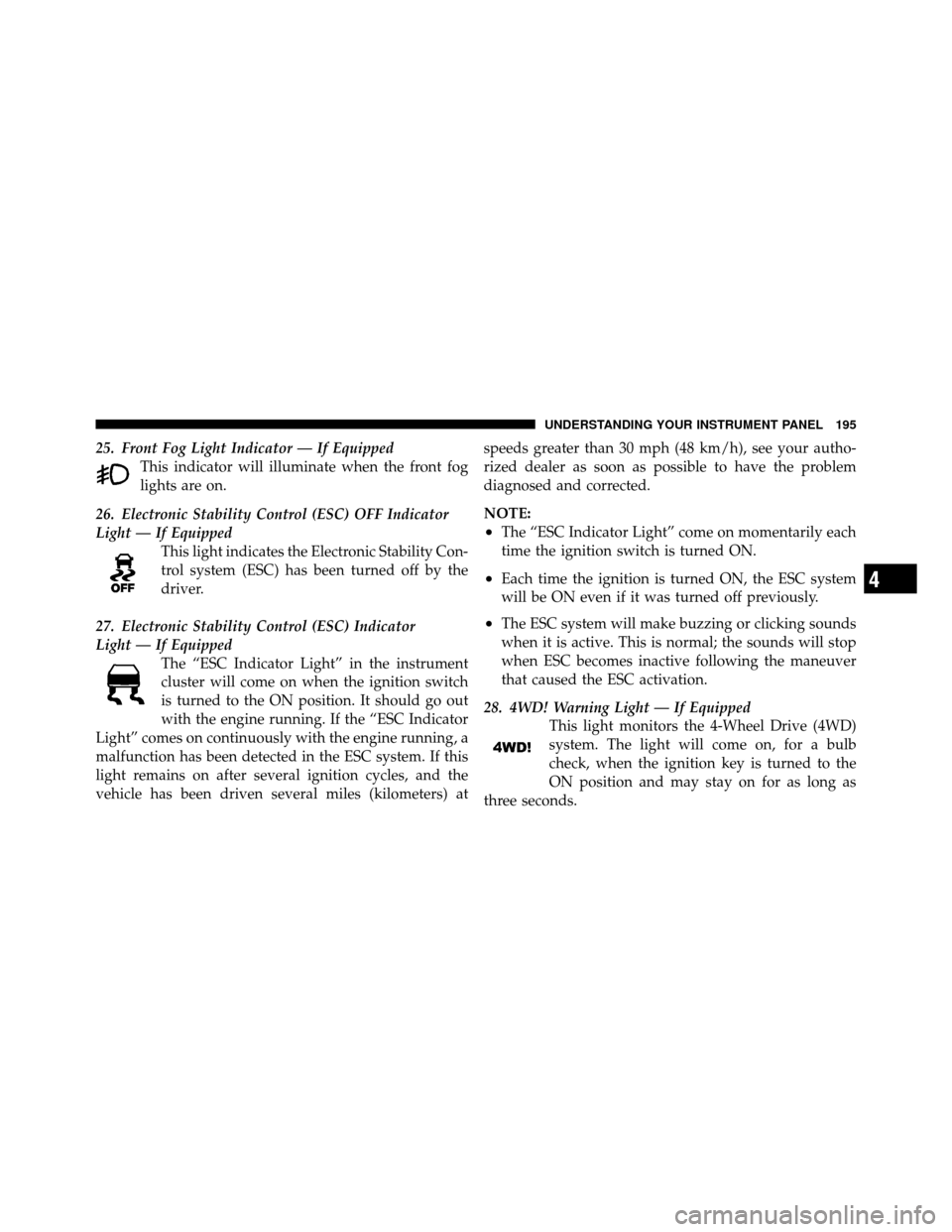
25. Front Fog Light Indicator — If EquippedThis indicator will illuminate when the front fog
lights are on.
26. Electronic Stability Control (ESC) OFF Indicator
Light — If Equipped This light indicates the Electronic Stability Con-
trol system (ESC) has been turned off by the
driver.
27. Electronic Stability Control (ESC) Indicator
Light — If Equipped The “ESC Indicator Light” in the instrument
cluster will come on when the ignition switch
is turned to the ON position. It should go out
with the engine running. If the “ESC Indicator
Light” comes on continuously with the engine running, a
malfunction has been detected in the ESC system. If this
light remains on after several ignition cycles, and the
vehicle has been driven several miles (kilometers) at speeds greater than 30 mph (48 km/h), see your autho-
rized dealer as soon as possible to have the problem
diagnosed and corrected.
NOTE:
•The “ESC Indicator Light” come on momentarily each
time the ignition switch is turned ON.
•Each time the ignition is turned ON, the ESC system
will be ON even if it was turned off previously.
•The ESC system will make buzzing or clicking sounds
when it is active. This is normal; the sounds will stop
when ESC becomes inactive following the maneuver
that caused the ESC activation.
28. 4WD! Warning Light — If Equipped This light monitors the 4-Wheel Drive (4WD)
system. The light will come on, for a bulb
check, when the ignition key is turned to the
ON position and may stay on for as long as
three seconds.
4
UNDERSTANDING YOUR INSTRUMENT PANEL 195
Page 197 of 474
When lit solid:There is an 4WD system fault. 4WD
performance will be at a reduced level. Service the 4WD
system soon.
When blinking: The 4WD system is temporarily dis-
abled due to overload condition.
29. Electronic Vehicle Information Center (EVIC)
Display — If Equipped
When the appropriate conditions exist, this display
shows the EVIC messages.
For further information refer to “Electronic Vehicle Infor-
mation Center (EVIC)”.
30. Electronic Vehicle Information Center (EVIC)
Button — If Equipped
Pushing this button, will change the display to the
choices available for EVIC.
For further information refer to “Electronic Vehicle Infor-
mation Center (EVIC)”.ELECTRONIC VEHICLE INFORMATION CENTER
(EVIC) — IF EQUIPPED
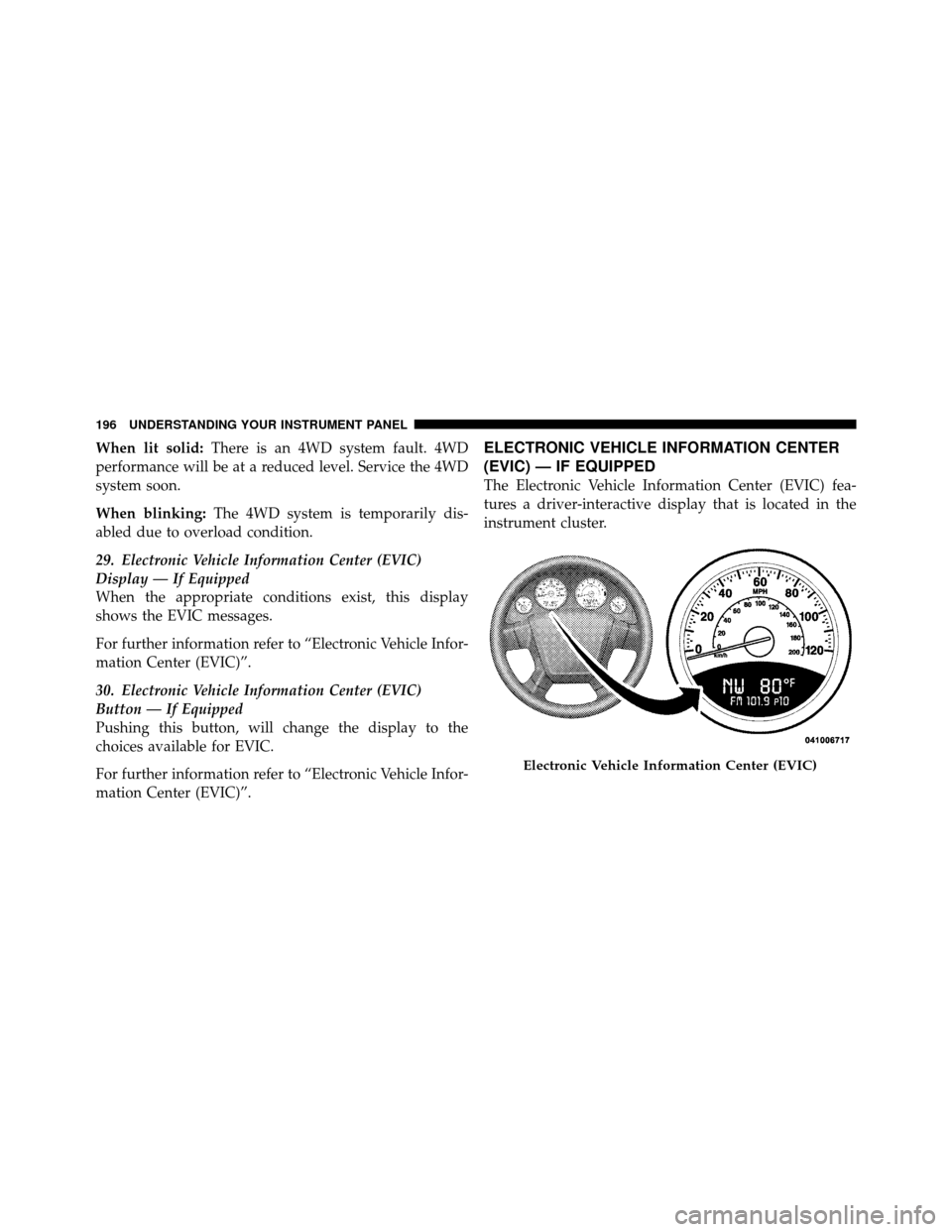
The Electronic Vehicle Information Center (EVIC) fea-
tures a driver-interactive display that is located in the
instrument cluster.
Electronic Vehicle Information Center (EVIC)
196 UNDERSTANDING YOUR INSTRUMENT PANEL
Page 199 of 474
•Gate Ajar (with a single chime)
•Headlamps or Park Lamps On
•Key In Ignition
•Check TPM System
Engine Oil Change Indicator System —
If Equipped
Oil Change Required
Your vehicle is equipped with an engine oil change
indicator system. The “Oil Change Required” message
will flash in the EVIC display for approximately five
seconds after a single chime has sounded, to indicate the
next scheduled oil change interval. The engine oil change
indicator system is duty-cycle based, which means the
engine oil change interval may fluctuate dependent upon
your personal driving style.Unless reset, this message will continue to display each
time you turn the ignition switch to the ON/RUN
position. To turn off the message temporarily, press and
release the Trip Odometer button on the instrument
cluster. To reset the oil change indicator system (after
performing the scheduled maintenance) refer to the fol-
lowing procedure.
1. Turn the ignition switch to the ON position.
Do not
start the engine.
2. Fully depress the accelerator pedal, slowly, three times
within 10 seconds.
3. Turn the ignition switch to the OFF/LOCK position.
NOTE: If the indicator message illuminates when you
start the vehicle, the oil change indicator system did not
reset. If necessary repeat this procedure.
198 UNDERSTANDING YOUR INSTRUMENT PANEL
Page 295 of 474
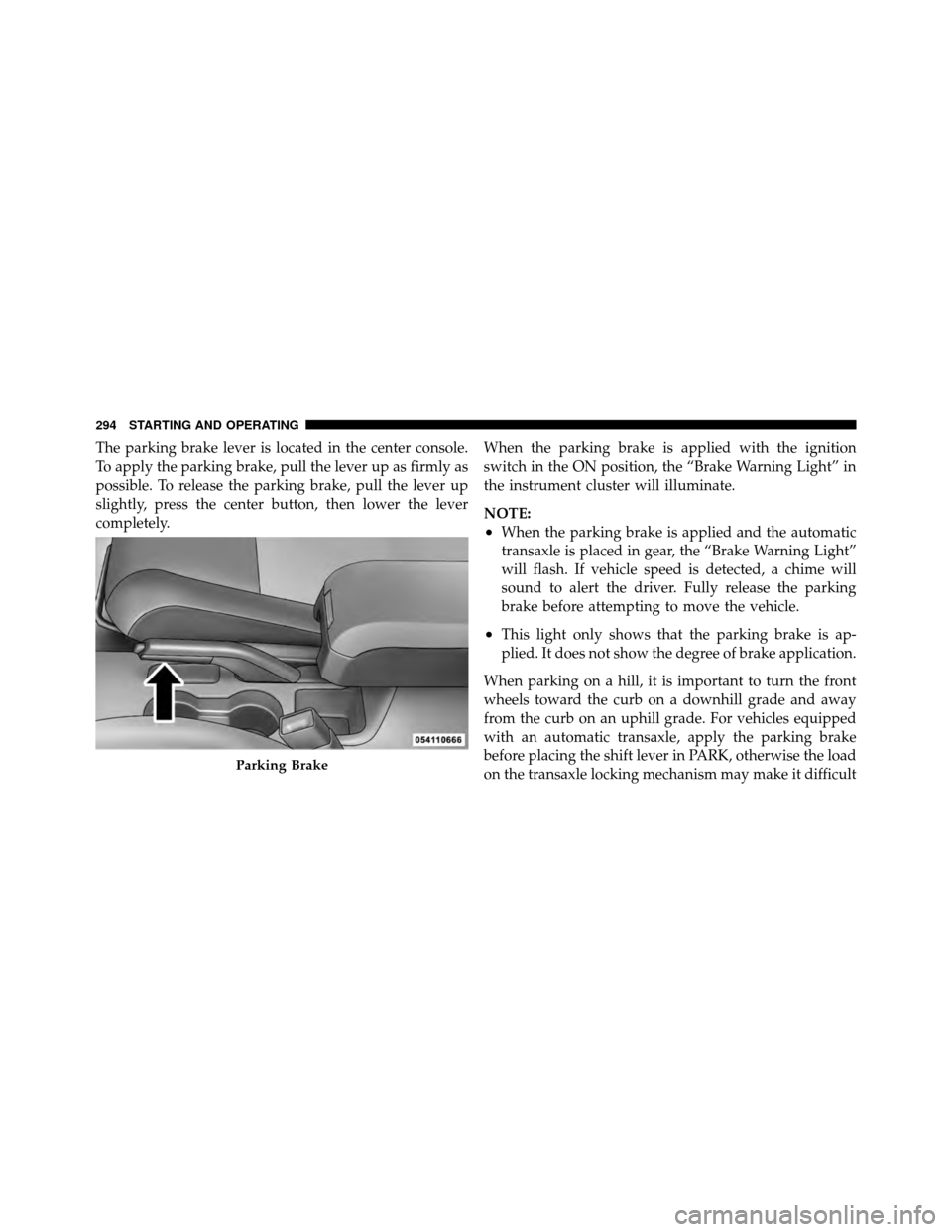
The parking brake lever is located in the center console.
To apply the parking brake, pull the lever up as firmly as
possible. To release the parking brake, pull the lever up
slightly, press the center button, then lower the lever
completely.When the parking brake is applied with the ignition
switch in the ON position, the “Brake Warning Light” in
the instrument cluster will illuminate.
NOTE:
•When the parking brake is applied and the automatic
transaxle is placed in gear, the “Brake Warning Light”
will flash. If vehicle speed is detected, a chime will
sound to alert the driver. Fully release the parking
brake before attempting to move the vehicle.
•This light only shows that the parking brake is ap-
plied. It does not show the degree of brake application.
When parking on a hill, it is important to turn the front
wheels toward the curb on a downhill grade and away
from the curb on an uphill grade. For vehicles equipped
with an automatic transaxle, apply the parking brake
before placing the shift lever in PARK, otherwise the load
on the transaxle locking mechanism may make it difficult
Parking Brake
294 STARTING AND OPERATING
Page 305 of 474
driver and compares it to the actual path of the vehicle.
When the actual path does not match the intended path,
ESC applies the brake of the appropriate wheel to assist
in counteracting the over-steer or under-steer condition
•Over-steer - when the vehicle is turning more than
appropriate for the steering wheel position.
•Under-steer - when the vehicle is turning less than
appropriate for the steering wheel position.
ESC Off Indicator Light
The “ESC Off Indicator Light” (located in the
instrument cluster) starts to flash as soon as the
tires lose traction and the ESC system becomes
active. The “ESC Off Indicator Light” also
flashes when TCS is active. If the “ESC Off Indicator
Light” begins to flash during acceleration, ease up on the
accelerator and apply as little throttle as possible. Be sure
to adapt your speed and driving to the prevailing road
conditions.
WARNING!
•The Electronic Stability Control (ESC) cannot pre-
vent the natural laws of physics from acting on the
vehicle, nor can it increase the traction afforded by
prevailing road conditions.
•ESC cannot prevent accidents, including those
resulting from excessive speed in turns, driving on
very slippery surfaces, or hydroplaning. Only a
safe, attentive, and skillful driver can prevent
accidents.
•The capabilities of an ESC-equipped vehicle must
never be exploited in a reckless or dangerous
manner, which could jeopardize the user’s safety
or the safety of others.
304 STARTING AND OPERATING
Page 306 of 474
ESC Malfunction Indicator Light
The “ESC Malfunction Indicator Light” in the
instrument cluster will come on when the
ignition switch is turned to the ON position. It
should go out with the engine running. If the
“ESC Malfunction Indicator Light” comes on continu-
ously with the engine running, a malfunction has been
detected in the ESC system. If this light remains on after
several ignition cycles, and the vehicle has been driven
several miles (kilometers) at speeds greater than 30 mph
(48 km/h), see your authorized dealer as soon as possible
to have the problem diagnosed and corrected.
NOTE:
•The “ESC Off Indicator Light” and the “ESC Malfunc-
tion Indicator Light” come on momentarily each time
the ignition switch is turned ON.
•Each time the ignition is turned ON, the ESC system
will be ON even if it was turned off previously.
•The ESC system will make buzzing or clicking sounds
when it is active. This is normal; the sounds will stop
when ESC becomes inactive following the maneuver
that caused the ESC activation.
ESC Operating Modes
The ESC system has three available operating modes for
four–wheel drive equipped vehicles and two available
operating modes for two–wheel drive equipped vehicles.
Full On (Four-Wheel Drive Models) or On (Two-Wheel
Drive Models)
This is the normal operating mode for ESC. Whenever
the vehicle is started the ESC system will be in this “On”
mode. This mode should be used for most driving
situations. ESC should only be turned to “Partial Off” or
“ESC Off” for specific reasons as noted below.
5
STARTING AND OPERATING 305
Page 307 of 474
Partial Off (Four-Wheel Drive Models) or On
(Two-Wheel Drive Models)
This mode is entered by momentarily pressing the “ESC
Off” switch. When in “Partial Off” mode, the TCS portion
of ESC, except for the “limited slip” feature described in
the TCS section, has been disabled and the “ESP/TCS
Indicator Light” will be illuminated. All other stability
features of ESC function normally. This mode is intended
to be used if the vehicle is in deep snow, sand or gravel
conditions and more wheel spin than ESC would nor-
mally allow is required to gain traction.
To turn ESC on again, momentarily press the “ESC Off”
switch. This will restore the normal “ESC On” mode of
operation.
NOTE:To improve the vehicle’s traction when driving
with snow chains, or starting off in deep snow, sand or
gravel, it may be desirable to switch to the “Partial Off” mode by pressing the “ESC Off” switch. Once the situa-
tion requiring ESC to be switched to the “Partial Off”
mode is overcome, turn ESC back on by momentarily
pressing the “ESC Off” switch. This may be done while
the vehicle is in motion.
Full Off (Four-Wheel Drive Models Only)
This mode is intended for off-highway or off-road use
when ESC stability features could inhibit vehicle maneu-
verability due to trail conditions. This mode is entered by
pressing and holding the “ESC Off” switch for five
seconds when the vehicle is stopped and the engine is
running. After five seconds, the “ESP/TCS Indicator
Light” will illuminate and the “ESC OFF” message will
appear in the odometer. Press and release the Trip
Odometer button located on the instrument cluster to
clear this message.
In this mode, ESC and TCS, except for the “limited slip”
feature described in the TCS section, are turned off until
306 STARTING AND OPERATING
Page 330 of 474
•Seasonal temperature changes will affect tire pressure,
and the TPMS will monitor the actual tire pressure in
the tire.
Base System
This is the TPMS warning indicator located in the
instrument cluster.
The TPMS uses wireless technology with wheel rim
mounted electronic sensors to monitor tire pressure lev-
els. Sensors, mounted to each wheel as part of the valve
stem, transmit tire pressure readings to the Receiver
Module.
NOTE: It is particularly important for you to check the
tire pressure in all of the tires on your vehicle regularly
and to maintain the proper pressure.
The TPMS consists of the following components:
•Receiver Module
•Four Tire Pressure Monitoring Sensors
•Tire Pressure Monitoring Telltale Light
Tire Pressure Monitoring Low Pressure Warnings
The Tire Pressure Monitoring Telltale Light will illumi-
nate in the instrument cluster, and an audible chime will
be activated when one or more of the four active road tire
pressures are low. Should this occur, you should stop as
soon as possible, check the inflation pressure of each tire
on your vehicle, and inflate each tire to the vehicle’s
recommended cold placard pressure value. The system
will automatically update and the Tire Pressure Monitor-
ing Light will extinguish once the updated tire pressures
have been received. The vehicle may need to be driven
for up to 20 minutes above 15 mph (25 km/h) to receive
this information.
Check TPMS Warnings
The Tire Pressure Monitoring Telltale Light will flash on
and off for 75 seconds and remain on solid when a system
5
STARTING AND OPERATING 329