wheel JEEP COMPASS 2010 1.G Owner's Manual
[x] Cancel search | Manufacturer: JEEP, Model Year: 2010, Model line: COMPASS, Model: JEEP COMPASS 2010 1.GPages: 474, PDF Size: 6.9 MB
Page 293 of 474
in tight spaces. The system will provide mechanical
steering capability if power assist is lost.
If for some reason the power assist is interrupted, it will
still be possible to steer your vehicle. Under these condi-
tions, you will observe a substantial increase in steering
effort, especially at very low vehicle speeds and during
parking maneuvers.
NOTE:
•Increased noise levels at the end of the steering wheel
travel are considered normal and do not indicate that
there is a problem with the power steering system.
•Upon initial start-up in cold weather, the power steer-
ing pump may make noise for a short amount of time.
This is due to the cold, thick fluid in the steering
system. This noise should be considered normal, and it
does not in any way damage the steering system.
WARNING!
Continued operation with reduced power steering
assist could pose a safety risk to yourself and others.
Service should be obtained as soon as possible.
CAUTION!
Prolonged operation of the steering system at the end
of the steering wheel travel will increase the steering
fluid temperature and it should be avoided when
possible. Damage to the power steering pump may
occur.
292 STARTING AND OPERATING
Page 295 of 474
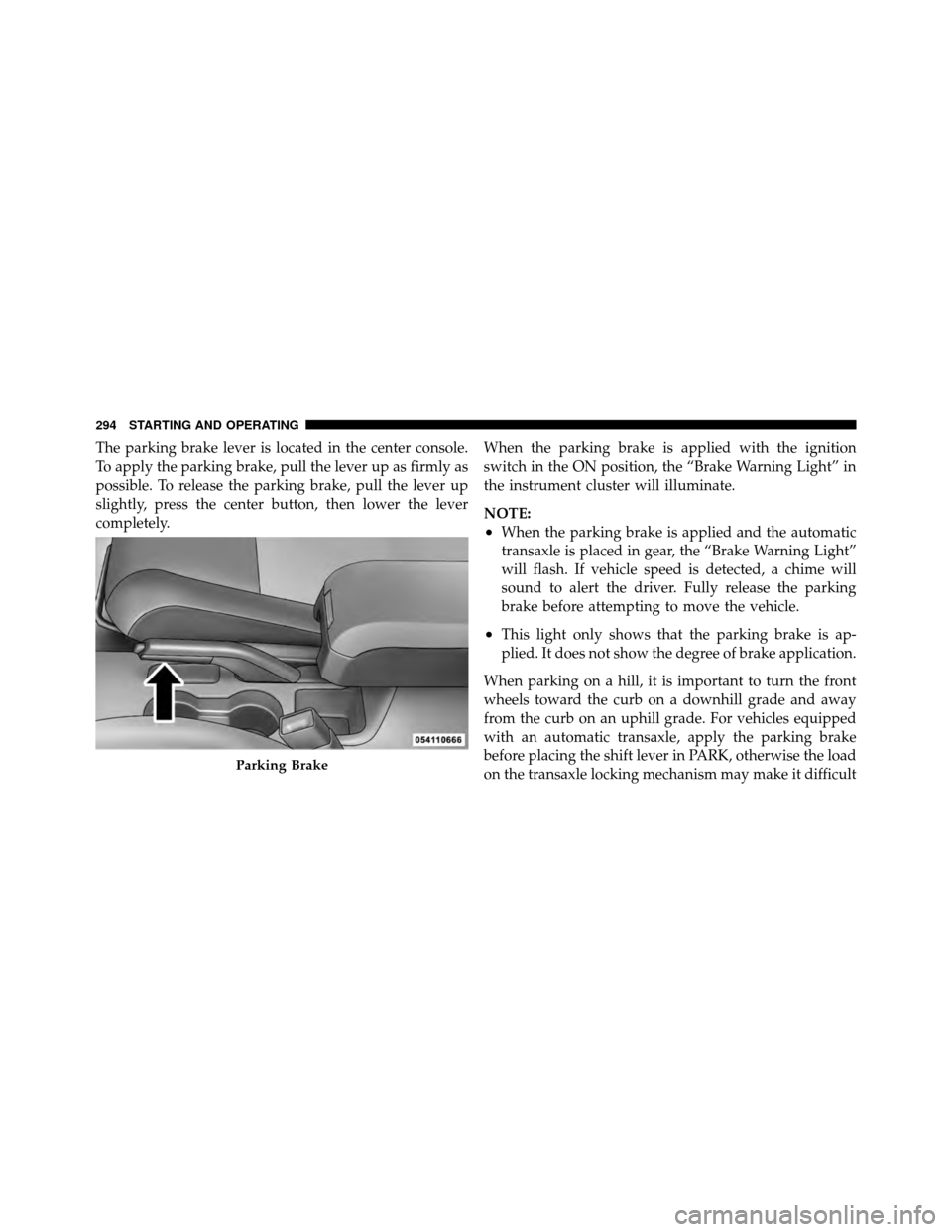
The parking brake lever is located in the center console.
To apply the parking brake, pull the lever up as firmly as
possible. To release the parking brake, pull the lever up
slightly, press the center button, then lower the lever
completely.When the parking brake is applied with the ignition
switch in the ON position, the “Brake Warning Light” in
the instrument cluster will illuminate.
NOTE:
•When the parking brake is applied and the automatic
transaxle is placed in gear, the “Brake Warning Light”
will flash. If vehicle speed is detected, a chime will
sound to alert the driver. Fully release the parking
brake before attempting to move the vehicle.
•This light only shows that the parking brake is ap-
plied. It does not show the degree of brake application.
When parking on a hill, it is important to turn the front
wheels toward the curb on a downhill grade and away
from the curb on an uphill grade. For vehicles equipped
with an automatic transaxle, apply the parking brake
before placing the shift lever in PARK, otherwise the load
on the transaxle locking mechanism may make it difficult
Parking Brake
294 STARTING AND OPERATING
Page 298 of 474
Anti-Lock Brake System (ABS)
The ABS provides increased vehicle stability and brake
performance under most braking conditions. The system
automatically “pumps” the brakes during severe braking
conditions to prevent wheel lock-up.
WARNING!
•Pumping of the anti-lock brakes will diminish
their effectiveness and may lead to an accident.
Pumping makes the stopping distance longer. Just
press firmly on your brake pedal when you need
to slow down or stop.
•The ABS cannot prevent the natural laws of phys-
ics from acting on the vehicle, nor can it increase
braking or steering efficiency beyond that af-
forded by the condition of the vehicle brakes and
tires or the traction afforded.(Continued)
WARNING! (Continued)
•The ABS cannot prevent accidents, including
those resulting from excessive speed in turns,
following another vehicle too closely, or hydro-
planing. Only a safe, attentive, and skillful driver
can prevent accidents.
•The capabilities of an ABS-equipped vehicle must
never be exploited in a reckless or dangerous
manner which could jeopardize the user’s safety
or the safety of others.
The “ABS Warning Light” monitors the ABS
System. The light will come on when the
ignition switch is turned to the ON position
and may stay on for as long as four seconds.
If the “ABS Warning Light” remains on or comes on
while driving, it indicates that the anti-lock portion of the
brake system is not functioning and that service is
5
STARTING AND OPERATING 297
Page 300 of 474
WARNING!
The Anti-Lock Brake System (ABS) contains sophis-
ticated electronic equipment that may be susceptible
to interference caused by improperly installed or
high output radio transmitting equipment. This in-
terference can cause possible loss of Anti-Lock brak-
ing capability. Installation of such equipment should
be performed by qualified professionals.
All vehicle wheels and tires must be the same size and
type and tires must be properly inflated to produce
accurate signals for the computer.
ELECTRONIC BRAKE CONTROL SYSTEM
Your vehicle may be equipped with an optional ad-
vanced electronic brake control system that includes
Anti-Lock Brake System (ABS), Traction Control System (TCS), Brake Assist System (BAS), Electronic Roll Mitiga-
tion (ERM), Hill Start Assist (HSA), and Electronic Sta-
bility Control (ESC). All systems work together to en-
hance vehicle stability and control in various driving
conditions and are commonly referred to as ESC.
Anti-Lock Brake System (ABS)
This system aids the driver in maintaining vehicle control
under adverse braking conditions. The system controls
hydraulic brake pressure to prevent wheel lockup and
help avoid skidding on slippery surfaces during braking.
Refer to “Anti-Lock Brake System” in “Starting and
Operating” for further information.
Traction Control System (TCS)
This system monitors the amount of wheel spin of each of
the driven wheels. If wheel spin is detected, brake pres-
sure is applied to the slipping wheel(s) and engine power
is reduced to provide enhanced acceleration and stability.
A feature of the TCS system functions similar to a limited
5
STARTING AND OPERATING 299
Page 301 of 474
slip differential and controls the wheel spin across a
driven axle. If one wheel on a driven axle is spinning
faster than the other, the system will apply the brake of
the spinning wheel. This will allow more engine torque to
be applied to the wheel that is not spinning. This feature
remains active even if TCS and ESC are in either the
“Partial Off” or “Full Off” modes. Refer to “Electronic
Stability Control (ESC)” in this section of this manual.
Brake Assist System (BAS)
The BAS is designed to optimize the vehicle’s braking
capability during emergency braking maneuvers. The
system detects an emergency braking situation by sens-
ing the rate and amount of brake application and then
applies optimum pressure to the brakes. This can help
reduce braking distances. The BAS complements the
Anti-Lock Brake System (ABS). Applying the brakes very
quickly results in the best BAS assistance. To receive the
benefit of the system, you must applycontinuousbrak-
ing pressure during the stopping sequence (do not “pump” the brakes). Do not reduce brake pedal pressure
unless braking is no longer desired. Once the brake pedal
is released, the BAS is deactivated.
WARNING!
•The Brake Assist System (BAS) cannot prevent the
natural laws of physics from acting on the vehicle,
nor can it increase the traction afforded by prevail-
ing road conditions.
•The BAS cannot prevent accidents, including
those resulting from excessive speed in turns,
driving on very slippery surfaces, or hydroplan-
ing. Only a safe, attentive, and skillful driver can
prevent accidents.
•The capabilities of a BAS-equipped vehicle must
never be exploited in a reckless or dangerous
manner which could jeopardize the user ’s safety
or the safety of others.
300 STARTING AND OPERATING
Page 302 of 474
Electronic Roll Mitigation (ERM)
This system anticipates the potential for wheel lift by
monitoring the driver ’s steering wheel input and the
speed of the vehicle. When ERM determines that the rate
of change of the steering wheel angle and vehicles speed
are sufficient to potentially cause wheel lift, it applies the
brake of the appropriate wheel and may also reduce
engine power to lessen the chance that wheel lift will
occur. ERM will only intervene during very severe or
evasive driving maneuvers.
ERM can only reduce the chance of wheel lift occurring
during severe or evasive driving maneuvers. It can not
prevent wheel lift due to other factors such as road
conditions, leaving the roadway or striking objects or
other vehicles.NOTE:
Anytime the ESC system is in the “Full Off”
mode, ERM is disabled. Refer to “Electronic Stability
Control (ESC)” in this section for a complete explanation
of the available ESC modes.
WARNING!
Many factors, such as vehicle loading, road condi-
tions and driving conditions, influence the chance
that wheel lift or rollover may occur. ERM cannot
prevent all wheel lift or roll overs, especially those
that involve leaving the roadway or striking objects
or other vehicles. Only a safe, attentive, and skillful
driver can prevent accidents. The capabilities of an
ERM-equipped vehicle must never be exploited in a
reckless or dangerous manner which could jeopar-
dize the user’s safety or the safety of others.
5
STARTING AND OPERATING 301
Page 304 of 474
For vehicles not equipped with the EVIC, perform the
following steps:
NOTE:You must complete Steps 1 through 8 within
90 seconds.
1. Center the steering wheel (front wheels pointing
straight forward).
2. Shift the transaxle into NEUTRAL.
3. Apply the parking brake.
4. Start the engine.
5. Release the clutch pedal.
6. Rotate the steering wheel one-half turn to the left.
7. Press the “ESC Off” switch (located in the lower
switch bank below the climate controls) four times within
20 seconds. The “ESC Off Indicator Light” should turn on
and turn off two times. 8. Rotate the steering wheel back to center and then an
additional half-turn to the right.
9. Turn the ignition switch to the OFF position and then
back to the ON position. If the sequence was completed
properly, the “ESC Off Indicator Light” will blink several
times to confirm HSA is disabled.
10. Repeat these steps if you want to return this feature
to it’s previous setting.
Electronic Stability Control (ESC)
This system enhances directional control and stability of
the vehicle under various driving conditions. ESC cor-
rects for over-steering or under-steering of the vehicle by
applying the brake of the appropriate wheel to assist in
counteracting the over-steering or under-steering condi-
tion. Engine power may also be reduced to help the
vehicle maintain the desired path. ESC uses sensors in
the vehicle to determine the vehicle path intended by the
5
STARTING AND OPERATING 303
Page 305 of 474
driver and compares it to the actual path of the vehicle.
When the actual path does not match the intended path,
ESC applies the brake of the appropriate wheel to assist
in counteracting the over-steer or under-steer condition
•Over-steer - when the vehicle is turning more than
appropriate for the steering wheel position.
•Under-steer - when the vehicle is turning less than
appropriate for the steering wheel position.
ESC Off Indicator Light
The “ESC Off Indicator Light” (located in the
instrument cluster) starts to flash as soon as the
tires lose traction and the ESC system becomes
active. The “ESC Off Indicator Light” also
flashes when TCS is active. If the “ESC Off Indicator
Light” begins to flash during acceleration, ease up on the
accelerator and apply as little throttle as possible. Be sure
to adapt your speed and driving to the prevailing road
conditions.
WARNING!
•The Electronic Stability Control (ESC) cannot pre-
vent the natural laws of physics from acting on the
vehicle, nor can it increase the traction afforded by
prevailing road conditions.
•ESC cannot prevent accidents, including those
resulting from excessive speed in turns, driving on
very slippery surfaces, or hydroplaning. Only a
safe, attentive, and skillful driver can prevent
accidents.
•The capabilities of an ESC-equipped vehicle must
never be exploited in a reckless or dangerous
manner, which could jeopardize the user’s safety
or the safety of others.
304 STARTING AND OPERATING
Page 306 of 474
ESC Malfunction Indicator Light
The “ESC Malfunction Indicator Light” in the
instrument cluster will come on when the
ignition switch is turned to the ON position. It
should go out with the engine running. If the
“ESC Malfunction Indicator Light” comes on continu-
ously with the engine running, a malfunction has been
detected in the ESC system. If this light remains on after
several ignition cycles, and the vehicle has been driven
several miles (kilometers) at speeds greater than 30 mph
(48 km/h), see your authorized dealer as soon as possible
to have the problem diagnosed and corrected.
NOTE:
•The “ESC Off Indicator Light” and the “ESC Malfunc-
tion Indicator Light” come on momentarily each time
the ignition switch is turned ON.
•Each time the ignition is turned ON, the ESC system
will be ON even if it was turned off previously.
•The ESC system will make buzzing or clicking sounds
when it is active. This is normal; the sounds will stop
when ESC becomes inactive following the maneuver
that caused the ESC activation.
ESC Operating Modes
The ESC system has three available operating modes for
four–wheel drive equipped vehicles and two available
operating modes for two–wheel drive equipped vehicles.
Full On (Four-Wheel Drive Models) or On (Two-Wheel
Drive Models)
This is the normal operating mode for ESC. Whenever
the vehicle is started the ESC system will be in this “On”
mode. This mode should be used for most driving
situations. ESC should only be turned to “Partial Off” or
“ESC Off” for specific reasons as noted below.
5
STARTING AND OPERATING 305
Page 307 of 474
Partial Off (Four-Wheel Drive Models) or On
(Two-Wheel Drive Models)
This mode is entered by momentarily pressing the “ESC
Off” switch. When in “Partial Off” mode, the TCS portion
of ESC, except for the “limited slip” feature described in
the TCS section, has been disabled and the “ESP/TCS
Indicator Light” will be illuminated. All other stability
features of ESC function normally. This mode is intended
to be used if the vehicle is in deep snow, sand or gravel
conditions and more wheel spin than ESC would nor-
mally allow is required to gain traction.
To turn ESC on again, momentarily press the “ESC Off”
switch. This will restore the normal “ESC On” mode of
operation.
NOTE:To improve the vehicle’s traction when driving
with snow chains, or starting off in deep snow, sand or
gravel, it may be desirable to switch to the “Partial Off” mode by pressing the “ESC Off” switch. Once the situa-
tion requiring ESC to be switched to the “Partial Off”
mode is overcome, turn ESC back on by momentarily
pressing the “ESC Off” switch. This may be done while
the vehicle is in motion.
Full Off (Four-Wheel Drive Models Only)
This mode is intended for off-highway or off-road use
when ESC stability features could inhibit vehicle maneu-
verability due to trail conditions. This mode is entered by
pressing and holding the “ESC Off” switch for five
seconds when the vehicle is stopped and the engine is
running. After five seconds, the “ESP/TCS Indicator
Light” will illuminate and the “ESC OFF” message will
appear in the odometer. Press and release the Trip
Odometer button located on the instrument cluster to
clear this message.
In this mode, ESC and TCS, except for the “limited slip”
feature described in the TCS section, are turned off until
306 STARTING AND OPERATING