spare wheel JEEP COMPASS 2012 1.G User Guide
[x] Cancel search | Manufacturer: JEEP, Model Year: 2012, Model line: COMPASS, Model: JEEP COMPASS 2012 1.GPages: 497, PDF Size: 7.95 MB
Page 389 of 497
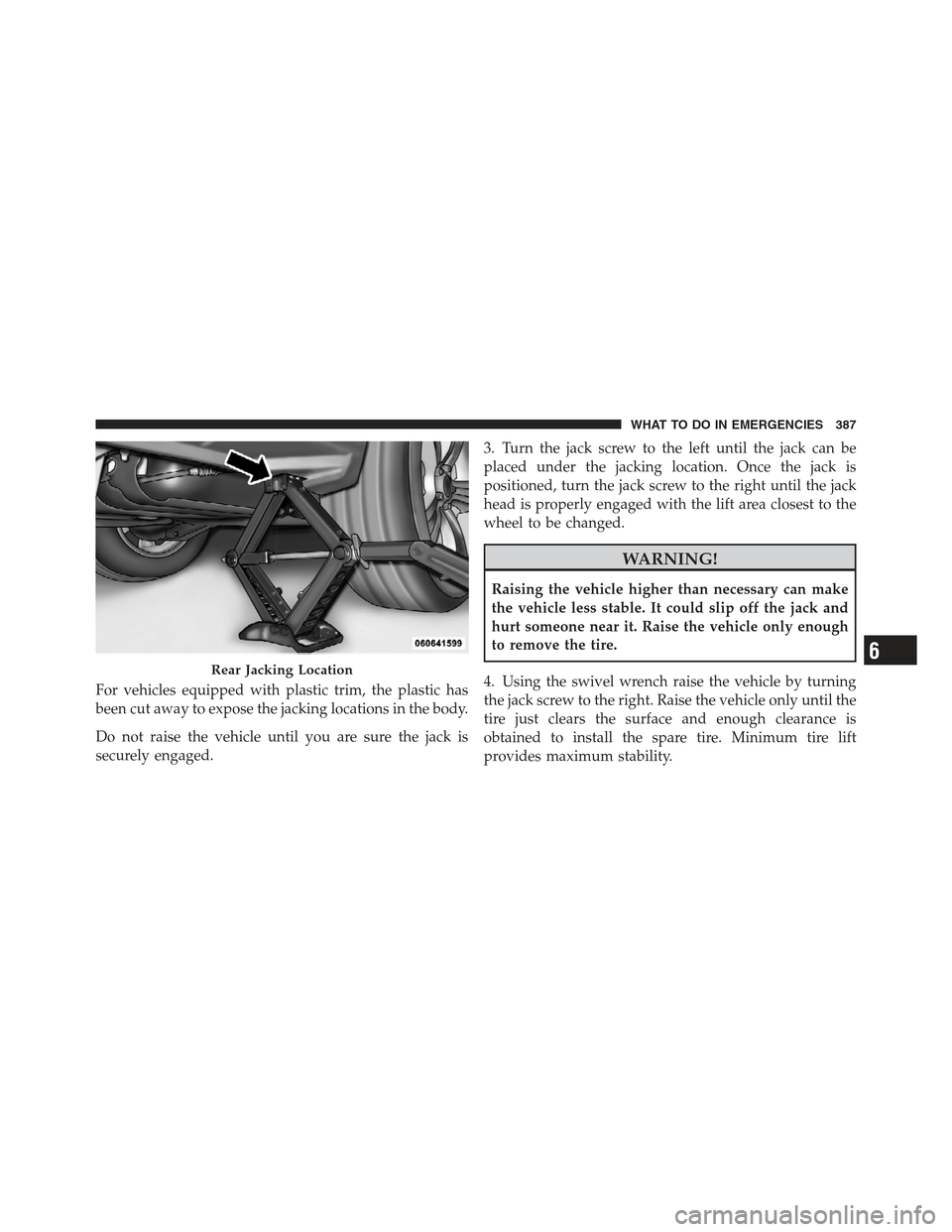
For vehicles equipped with plastic trim, the plastic has
been cut away to expose the jacking locations in the body.
Do not raise the vehicle until you are sure the jack is
securely engaged.3. Turn the jack screw to the left until the jack can be
placed under the jacking location. Once the jack is
positioned, turn the jack screw to the right until the jack
head is properly engaged with the lift area closest to the
wheel to be changed.
WARNING!
Raising the vehicle higher than necessary can make
the vehicle less stable. It could slip off the jack and
hurt someone near it. Raise the vehicle only enough
to remove the tire.
4. Using the swivel wrench raise the vehicle by turning
the jack screw to the right. Raise the vehicle only until the
tire just clears the surface and enough clearance is
obtained to install the spare tire. Minimum tire lift
provides maximum stability.
Rear Jacking Location6
WHAT TO DO IN EMERGENCIES 387
Page 390 of 497
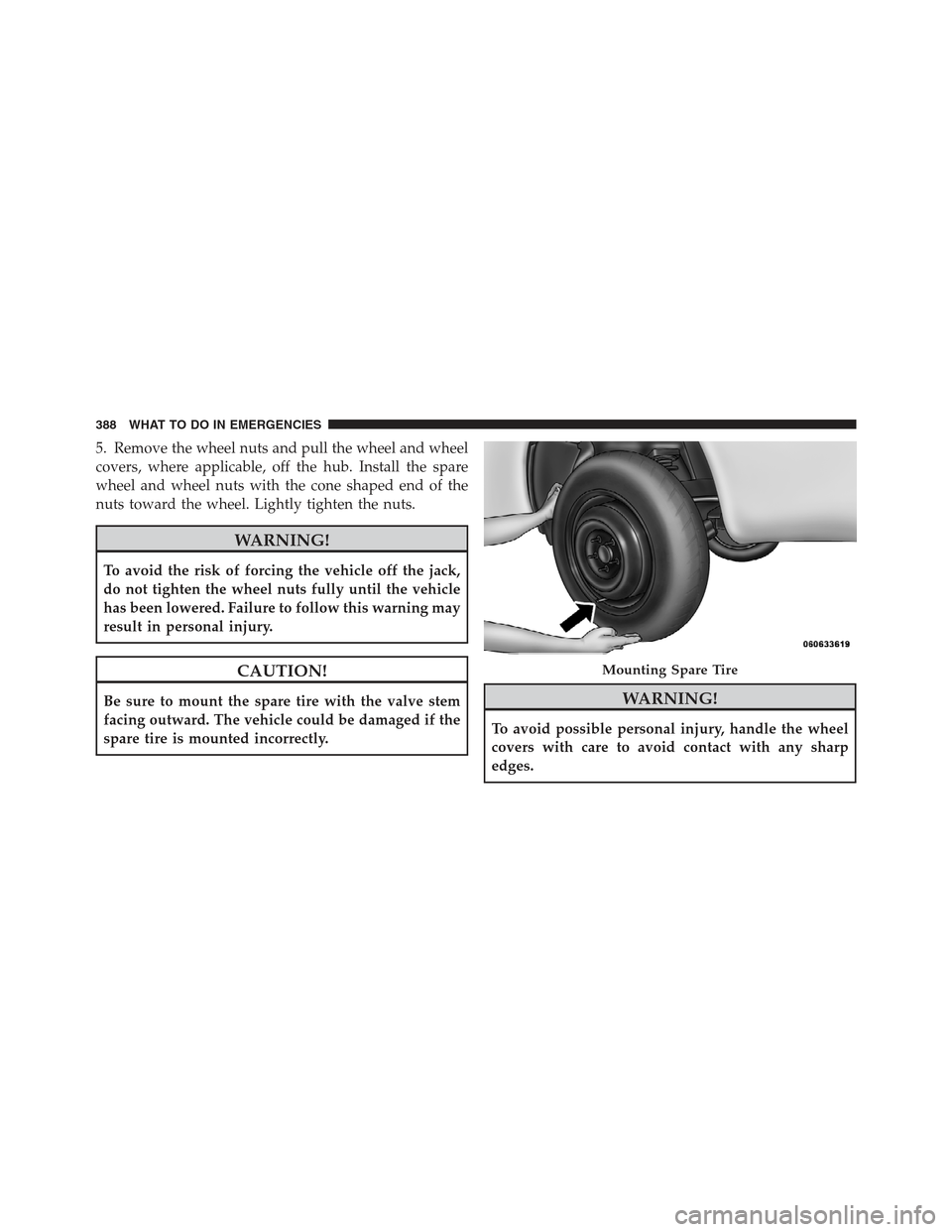
5. Remove the wheel nuts and pull the wheel and wheel
covers, where applicable, off the hub. Install the spare
wheel and wheel nuts with the cone shaped end of the
nuts toward the wheel. Lightly tighten the nuts.
WARNING!
To avoid the risk of forcing the vehicle off the jack,
do not tighten the wheel nuts fully until the vehicle
has been lowered. Failure to follow this warning may
result in personal injury.
CAUTION!
Be sure to mount the spare tire with the valve stem
facing outward. The vehicle could be damaged if the
spare tire is mounted incorrectly.WARNING!
To avoid possible personal injury, handle the wheel
covers with care to avoid contact with any sharp
edges.
Mounting Spare Tire
388 WHAT TO DO IN EMERGENCIES
Page 391 of 497
NOTE:The wheel cover is held on the wheel by the
wheel nuts. When reinstalling the original wheel, prop-
erly align the wheel cover to the valve stem, place the
wheel cover onto the wheel, then install the wheel nuts.
6. Lower the vehicle by turning the jack screw to the left.
7. Finish tightening the nuts. Push down on the wrench
while at the end of the handle for increased leverage.
Tighten the lug nuts in a star pattern until each nut has
been tightened twice. The correct wheel nut torque is
100 ft lbs (135 N·m). If you doubt that you have tightened
the nuts correctly, have them checked with a torque
wrench by your authorized dealer or service station.
8. Remove the wheel blocks and lower the jack until it is
free. Reassemble the lug wrench to the jack assembly and
stow it in the spare tire area. Secure the assembly using
the means provided.WARNING!
A loose tire or jack thrown forward in a collision or
hard stop could endanger the occupants of the ve-
hicle. Always stow the jack parts and the spare tire in
the places provided.
9. Place the deflated (flat) tire in the cargo area, have the
tire repaired or replaced as soon as possible.
WARNING!
A loose tire thrown forward in a collision or hard
stop could injure the occupants in the vehicle. Have
the deflated (flat) tire repaired or replaced immedi-
ately.
10. Check the spare tire pressure as soon as possible.
Correct the tire pressure as required.6
WHAT TO DO IN EMERGENCIES 389
Page 480 of 497
Cargo CompartmentLight ............................. 182
Cargo Light ............................ 182
Cargo Load Floor ........................ 185
Cargo Tie-Downs ........................ 185
Cellular Phone ........................ 98,275
Center High Mounted Stop Light ............ 444
Chains, Tire ............................ 346
Changing A Flat Tire ..................... 382
Chart, Tire Sizing ........................ 328
Check Engine Light
(Malfunction Indicator Light) ............... 406
Checking Your Vehicle For Safety ............. 85
Checks, Safety ........................... 85
Child Restraint ........................ 75,77
Child Restraint Tether Anchors ............... 80
Child Restraint with Automatic Belts ........... 78
Child Safety Locks ........................ 34
Child Seat .............................. 82 Clean Air Gasoline
....................... 357
Cleaning Wheels ............................ 434
Climate Control ......................... 275
Clock ........................... 224,243,252
Clutch ............................... 427
Clutch Fluid ........................... 427
Coin Holder ........................... 181
Compact Disc (CD) Maintenance ............. 274
Compact Spare Tire ...................... 340
Compass .............................. 209
Compass Calibration ..................... 220
Compass Variance ....................... 221
Connector UCI .............................. 266
Universal Consumer Interface (UCI) ....... 266
Console .............................. 181
Contract, Service ........................ 469
Coolant (Antifreeze) ................... 445,446
478 INDEX
Page 491 of 497
Rear Folding (Sedan).................. 144
Seatback Release ..................... 139
Tilting ............................ 139
Security Alarm (Theft Alarm) ................ 18
Selection of Oil ......................... 410
Sentry Key (Immobilizer) ................... 15
Sentry Key Programming ................... 16
Sentry Key Replacement ................... 16
Service Assistance ....................... 467
Service Contract ......................... 469
Service Manuals ........................ 471
Setting the Clock .................. 224,243,252
Settings, Personal ........................ 217
Shift Lever Override ...................... 397
Shift Speeds, Manual Transaxle .............. 298
Short Message Service (SMS) ................ 120
Shoulder Belts ........................... 43
Side Airbag ............................. 69
Side Window Demisters (Defrosters) .......... 287Signals, Turn
...................... 88,197,444
Snow Chains (Tire Chains) ................. 346
Snow Tires ............................ 346
Spare Tire ....................... 340,341,383
Specifications Oil ............................... 410
Speed Control (Cruise Control) ...........157,202
Speedometer ........................... 197
Starting ............................... 293
Automatic Transmission ................ 294
Engine Fails to Start .................. 295
Manual Transmission .................. 293
Remote ............................ 26
Starting Procedures ...................... 293
Steering Power .......................... 308,309
Tilt Column ........................ 156
Steering Wheel Audio Controls .............. 273
10
INDEX 489
Page 492 of 497
Steering Wheel Mounted
Sound System Controls................... 273
Storage ............................ 179,442
Storage Bin ............................ 179
Storage, Vehicle ......................... 286
Stuck, Freeing .......................... 396
Sun Roof .............................. 169
Sun Visor Extension ....................... 98
Supplemental Restraint System - Airbag ........ 61
Synthetic Engine Oil ...................... 411
System, Remote Starting .................... 26
Tachometer ............................ 199
Temperature Control, Automatic (ATC) ........ 280
Temperature Gauge, Engine Coolant .......201,381
Tether Anchor, Child Restraint ............... 80
Text Messaging ......................... 120
Theft Alarm (Security Alarm) ................ 18
Theft System (Security Alarm) ............... 18Tie Down Hooks, Cargo
................... 185
Tilt Steering Column ..................... 156
Tire and Loading Information Placard ......... 332
Tire Identification Number (TIN) ............. 330
Tire Markings .......................... 326
Tire Safety Information .................... 326
Tires ............................ 88,336,473
Aging (Life of Tires) .................. 343
Air Pressure ........................ 336
Chains ............................ 346
Changing .......................... 382
Compact Spare ...................... 340
General Information .................. 336
High Speed ......................... 339
Inflation Pressures .................... 337
Jacking ............................ 382
Life of Tires ........................ 343
Load Capacity .................... 332,333
Pressure Monitor System (TPMS) ......... 348
490 INDEX