ad blue JEEP COMPASS 2015 1.G User Guide
[x] Cancel search | Manufacturer: JEEP, Model Year: 2015, Model line: COMPASS, Model: JEEP COMPASS 2015 1.GPages: 560, PDF Size: 11.51 MB
Page 147 of 560
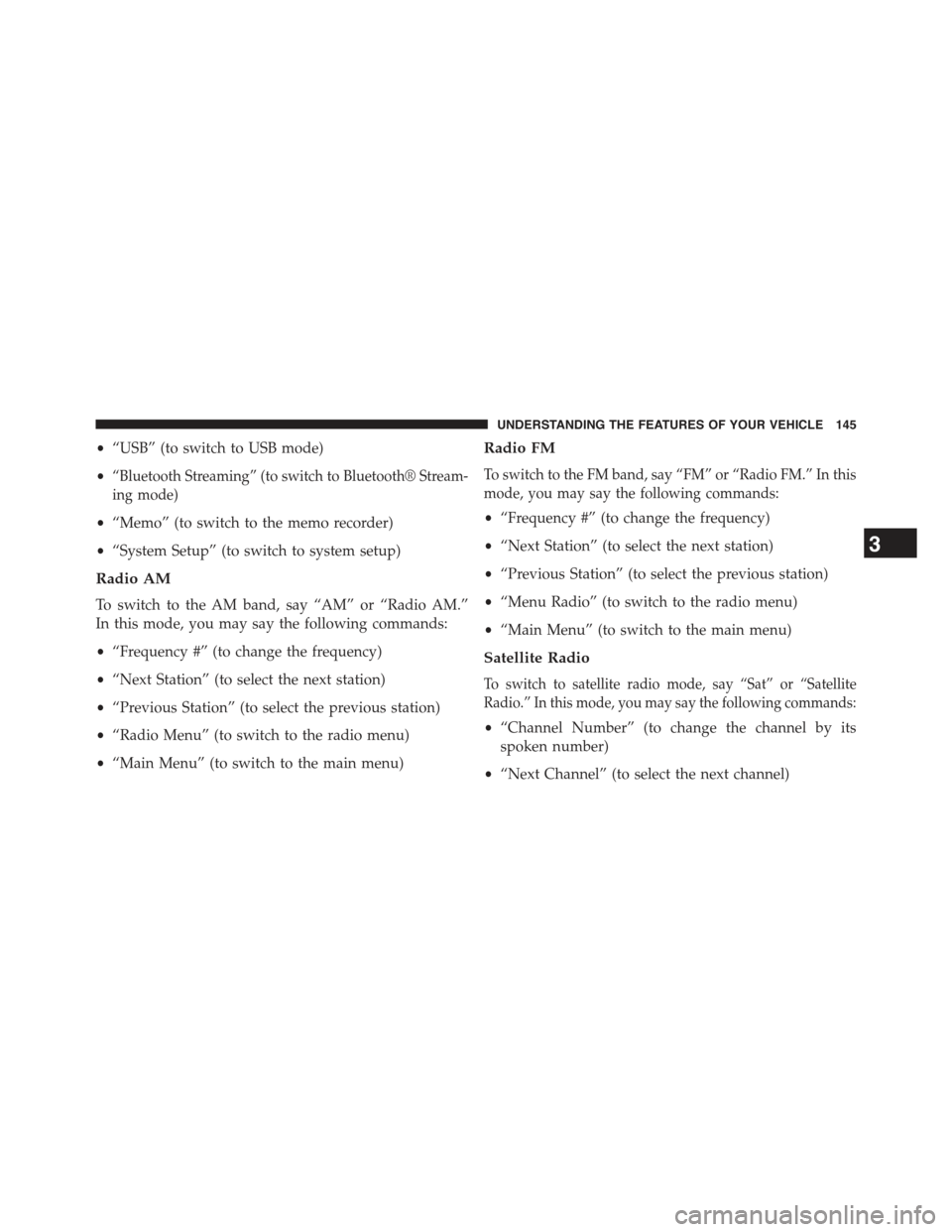
•“USB” (to switch to USB mode)
•“Bluetooth Streaming” (to switch to Bluetooth® Stream-
ing mode)
•“Memo” (to switch to the memo recorder)
•“System Setup” (to switch to system setup)
Radio AM
To switch to the AM band, say “AM” or “Radio AM.”
In this mode, you may say the following commands:
•“Frequency #” (to change the frequency)
•“Next Station” (to select the next station)
•“Previous Station” (to select the previous station)
•“Radio Menu” (to switch to the radio menu)
•“Main Menu” (to switch to the main menu)
Radio FM
To switch to the FM band, say “FM” or “Radio FM.” In this
mode, you may say the following commands:
•“Frequency #” (to change the frequency)
•“Next Station” (to select the next station)
•“Previous Station” (to select the previous station)
•“Menu Radio” (to switch to the radio menu)
•“Main Menu” (to switch to the main menu)
Satellite Radio
To switch to satellite radio mode, say “Sat” or “Satellite
Radio.” In this mode, you may say the following commands:
•“Channel Number” (to change the channel by its
spoken number)
•“Next Channel” (to select the next channel)
3
UNDERSTANDING THE FEATURES OF YOUR VEHICLE 145
Page 148 of 560
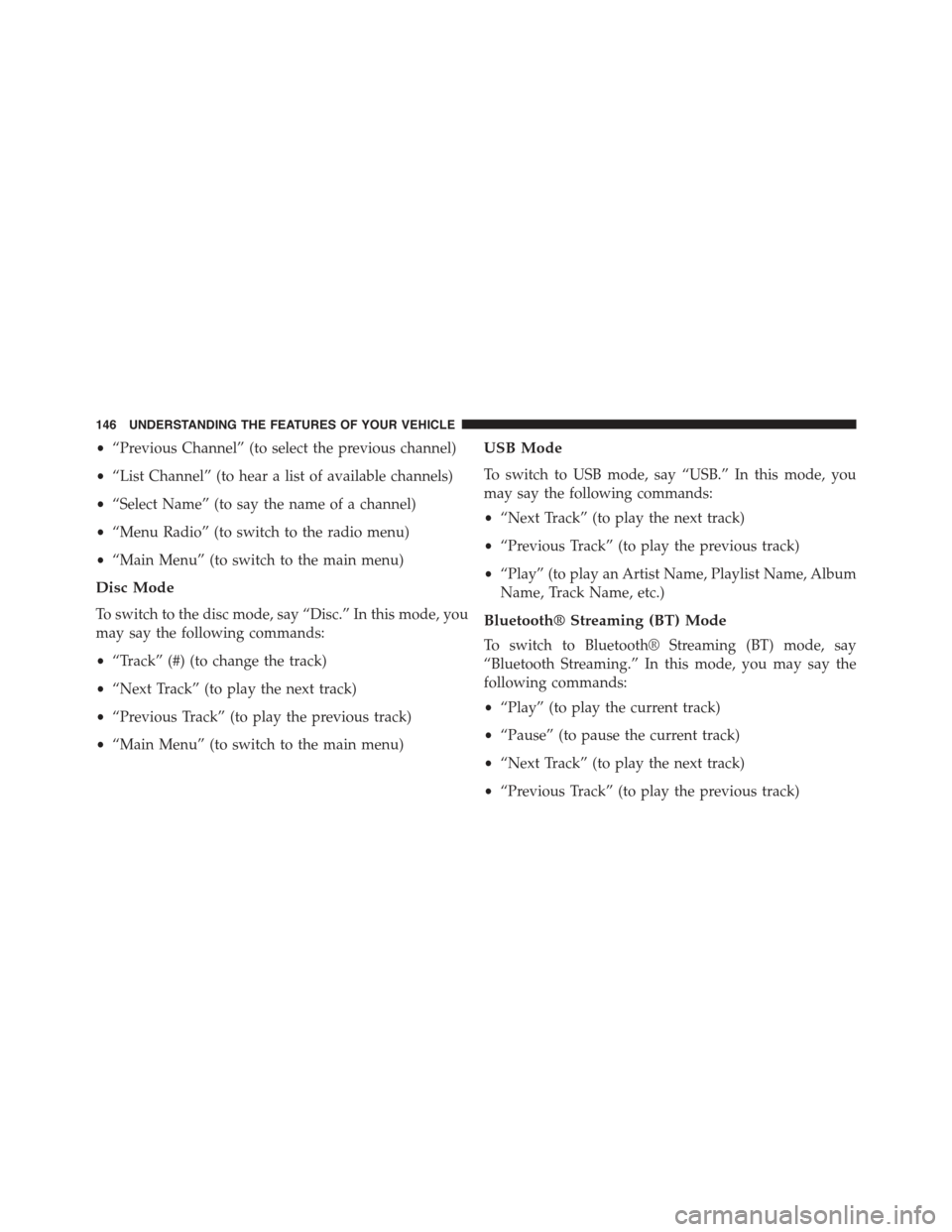
•“Previous Channel” (to select the previous channel)
•“List Channel” (to hear a list of available channels)
•“Select Name” (to say the name of a channel)
•“Menu Radio” (to switch to the radio menu)
•“Main Menu” (to switch to the main menu)
Disc Mode
To switch to the disc mode, say “Disc.” In this mode, you
may say the following commands:
•“Track” (#) (to change the track)
•“Next Track” (to play the next track)
•“Previous Track” (to play the previous track)
•“Main Menu” (to switch to the main menu)
USB Mode
To switch to USB mode, say “USB.” In this mode, you
may say the following commands:
•“Next Track” (to play the next track)
•“Previous Track” (to play the previous track)
•“Play” (to play an Artist Name, Playlist Name, Album
Name, Track Name, etc.)
Bluetooth® Streaming (BT) Mode
To switch to Bluetooth® Streaming (BT) mode, say
“Bluetooth Streaming.” In this mode, you may say the
following commands:
•“Play” (to play the current track)
•“Pause” (to pause the current track)
•“Next Track” (to play the next track)
•“Previous Track” (to play the previous track)
146 UNDERSTANDING THE FEATURES OF YOUR VEHICLE
Page 213 of 560
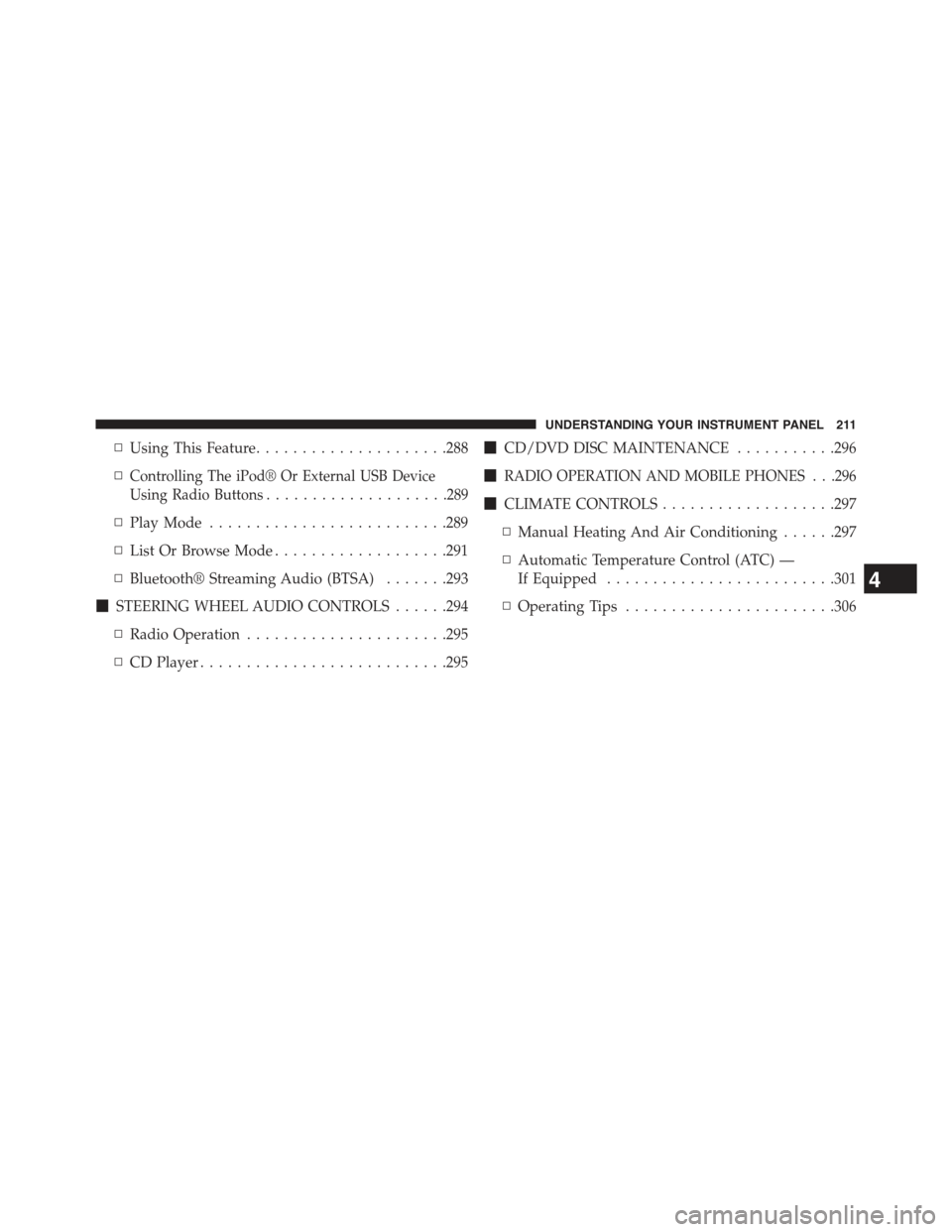
▫Using This Feature.....................288
▫Controlling The iPod® Or External USB Device
Using Radio Buttons....................289
▫Play Mode..........................289
▫List Or Browse Mode...................291
▫Bluetooth® Streaming Audio (BTSA).......293
!STEERING WHEEL AUDIO CONTROLS......294
▫Radio Operation......................295
▫CD Player...........................295
!CD/DVD DISC MAINTENANCE...........296
!RADIO OPERATION AND MOBILE PHONES . . .296
!CLIMATE CONTROLS...................297
▫Manual Heating And Air Conditioning......297
▫Automatic Temperature Control (ATC) —
If Equipped.........................301
▫Operating Tips.......................306
4
UNDERSTANDING YOUR INSTRUMENT PANEL 211
Page 247 of 560
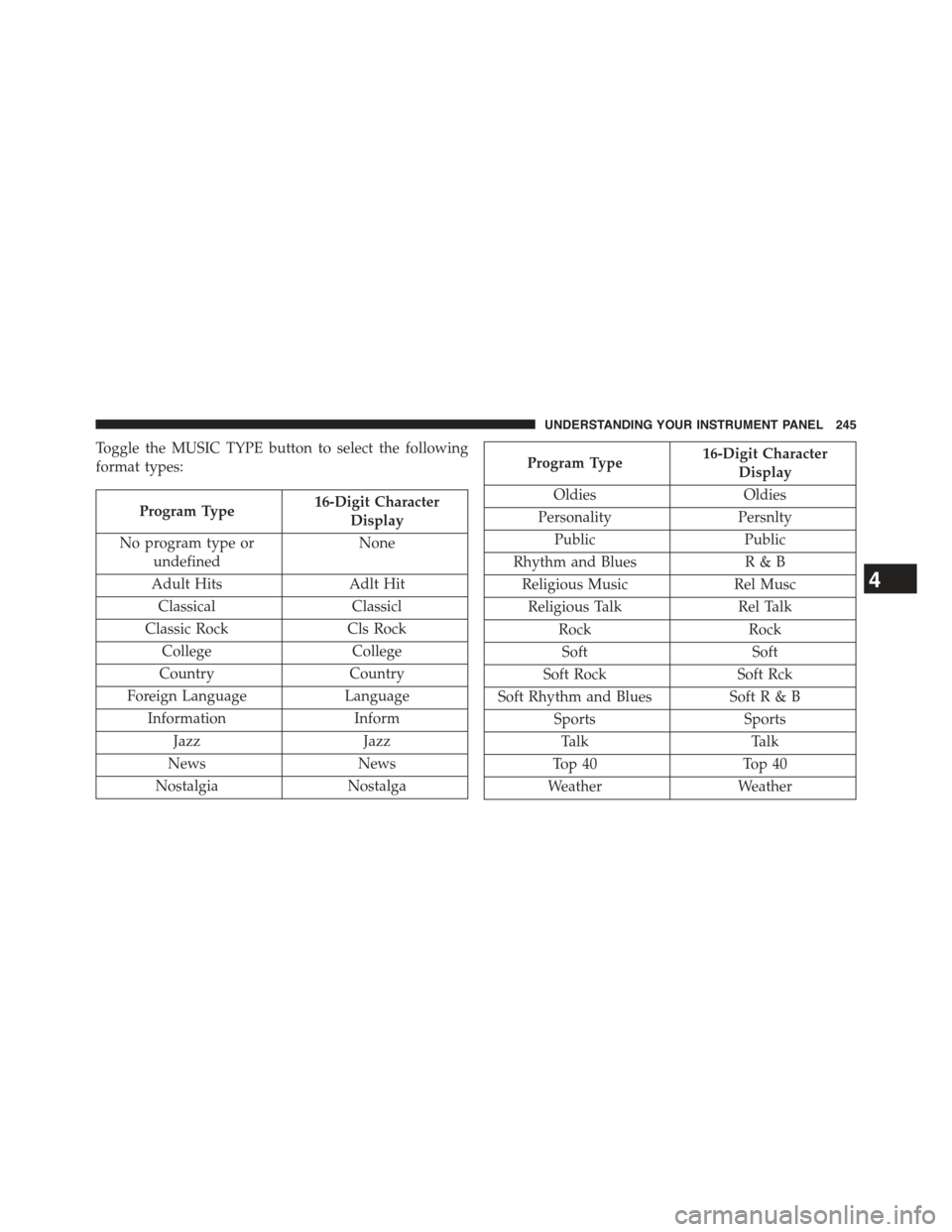
Toggle the MUSIC TYPE button to select the following
format types:
Program Type16-Digit Character
Display
No program type or
undefined
None
Adult Hits Adlt Hit
ClassicalClassicl
Classic RockCls Rock
CollegeCollege
CountryCountry
Foreign LanguageLanguage
InformationInform
JazzJazz
NewsNews
NostalgiaNostalga
Program Type16-Digit Character
Display
OldiesOldies
PersonalityPersnlty
PublicPublic
Rhythm and BluesR&B
Religious MusicRel Musc
Religious TalkRel Talk
RockRock
SoftSoft
Soft RockSoft Rck
Soft Rhythm and BluesSoft R & B
SportsSports
TalkTalk
Top 40Top 40
WeatherWeather
4
UNDERSTANDING YOUR INSTRUMENT PANEL 245
Page 277 of 560
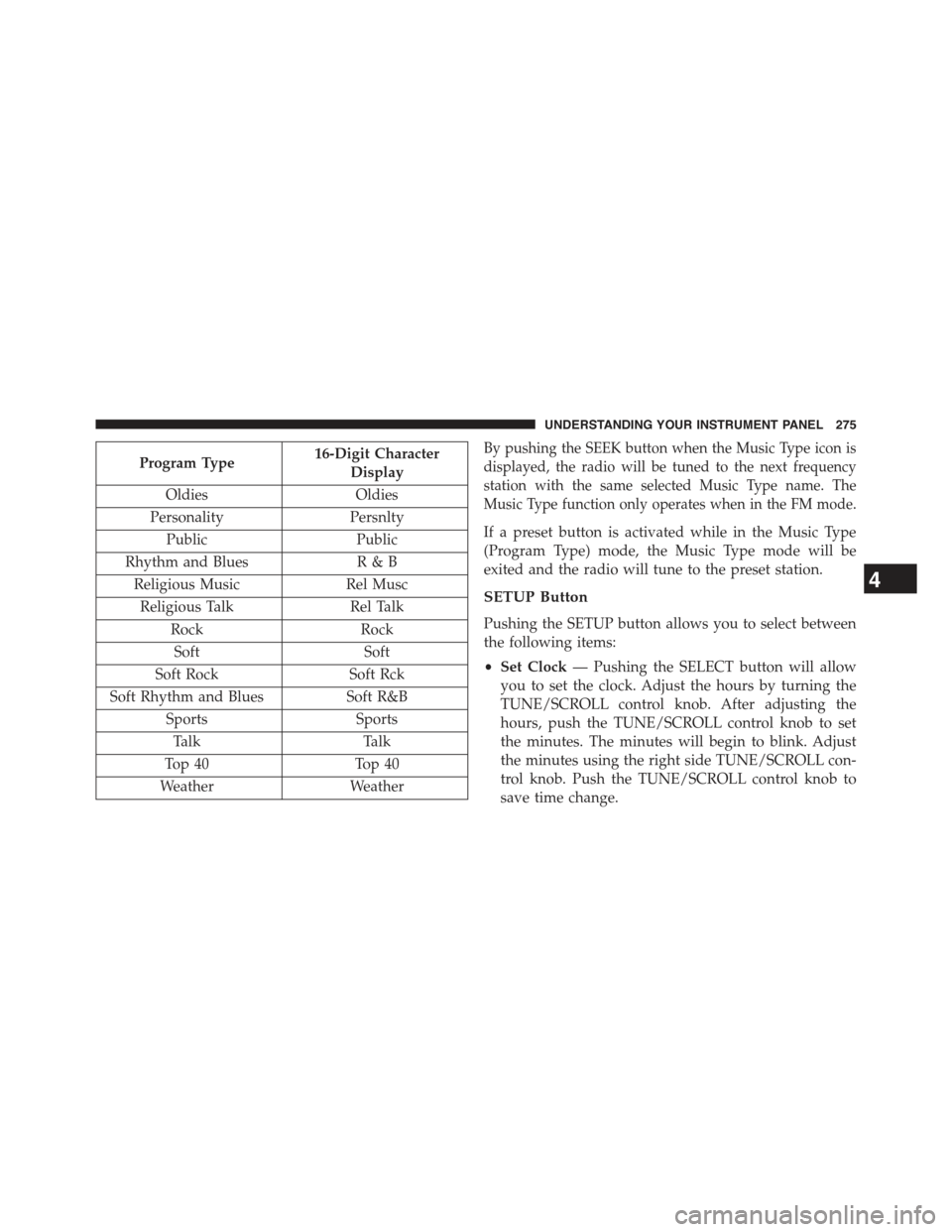
Program Type16-Digit Character
Display
OldiesOldies
PersonalityPersnlty
PublicPublic
Rhythm and BluesR&B
Religious MusicRel Musc
Religious TalkRel Talk
RockRock
SoftSoft
Soft RockSoft Rck
Soft Rhythm and BluesSoft R&B
SportsSports
TalkTalk
Top 40Top 40
WeatherWeather
By pushing the SEEK button when the Music Type icon is
displayed, the radio will be tuned to the next frequency
station with the same selected Music Type name. The
Music Type function only operates when in the FM mode.
If a preset button is activated while in the Music Type
(Program Type) mode, the Music Type mode will be
exited and the radio will tune to the preset station.
SETUP Button
Pushing the SETUP button allows you to select between
the following items:
•Set Clock— Pushing the SELECT button will allow
you to set the clock. Adjust the hours by turning the
TUNE/SCROLL control knob. After adjusting the
hours, push the TUNE/SCROLL control knob to set
the minutes. The minutes will begin to blink. Adjust
the minutes using the right side TUNE/SCROLL con-
trol knob. Push the TUNE/SCROLL control knob to
save time change.
4
UNDERSTANDING YOUR INSTRUMENT PANEL 275
Page 295 of 560
CAUTION!(Continued)
•Placing items on the iPod® or external USB device,
or connections to the iPod® or external USB device
in the vehicle, can cause damage to the device
and/or to the connectors.
WARNING!
Do not plug in or remove the iPod® or external USB
device while driving. Failure to follow this warning
could result in an accident.
Bluetooth® Streaming Audio (BTSA)
Music can be streamed from your cellular phone to the
Uconnect® phone system.
Refer to the Uconnect® Radio Supplement for further
information on Bluetooth® connectivity.
Controlling BTSA Using Radio Buttons
To enter BTSA mode, push either “AUX” button on the
radio or push the VR button and say “Bluetooth Streaming
Audio.”
Play Mode
When switched to BTSA mode, some audio devices can
start playing music over the vehicle’s audio system, but
some devices require the music to be initiated on the device
first, then it will get streamed to the Uconnect® phone
system. Seven devices can be paired to the Uconnect®
phone system, but just one can be selected and played.
Selecting A Different Audio Device
1. Push the PHONE button to begin.
2. After the#Ready#prompt and following the beep, say
#Setup#, then say#Select Audio Devices.#
3. Say the name of the audio device or ask the
Uconnect® phone system to list the audio devices.
4
UNDERSTANDING YOUR INSTRUMENT PANEL 293
Page 296 of 560
Next Track
Use the SEEK UP button, or push the VR button on the
radio and say “Next Track,” to jump to the next music
track on your cellular phone.
Previous Track
Use the SEEK DOWN button, or push the VR button on
the radio and say “Previous Track,” to jump to the
previous music track on your cellular phone.
Browse
Browsing is not available on a Bluetooth® Streaming
Audio (BTSA) device. Only the current song that is
playing will display info.
STEERING WHEEL AUDIO CONTROLS
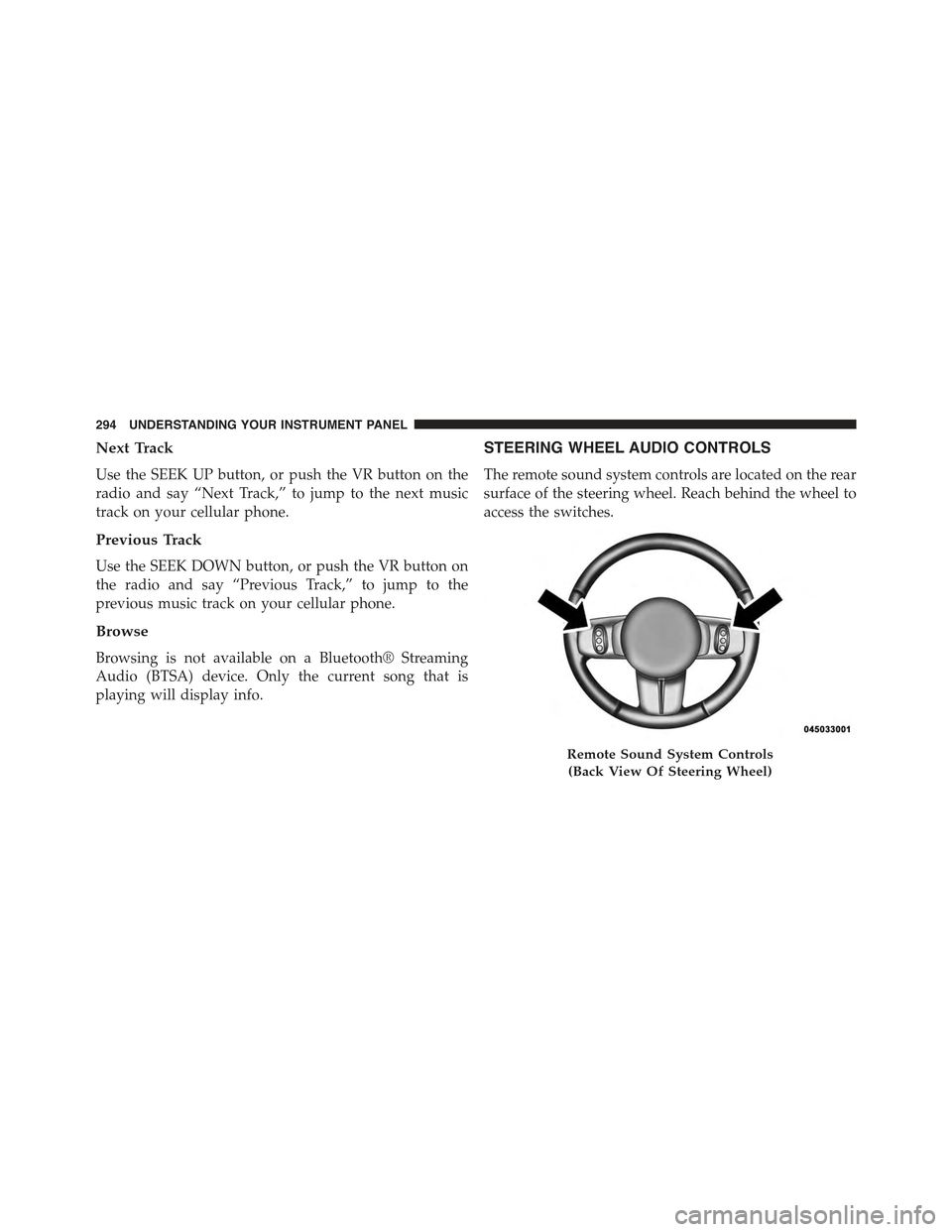
The remote sound system controls are located on the rear
surface of the steering wheel. Reach behind the wheel to
access the switches.
Remote Sound System Controls
(Back View Of Steering Wheel)
294 UNDERSTANDING YOUR INSTRUMENT PANEL
Page 299 of 560
CLIMATE CONTROLS
The air conditioning and heating system is designed to
make you comfortable in all types of weather.
Manual Heating And Air Conditioning
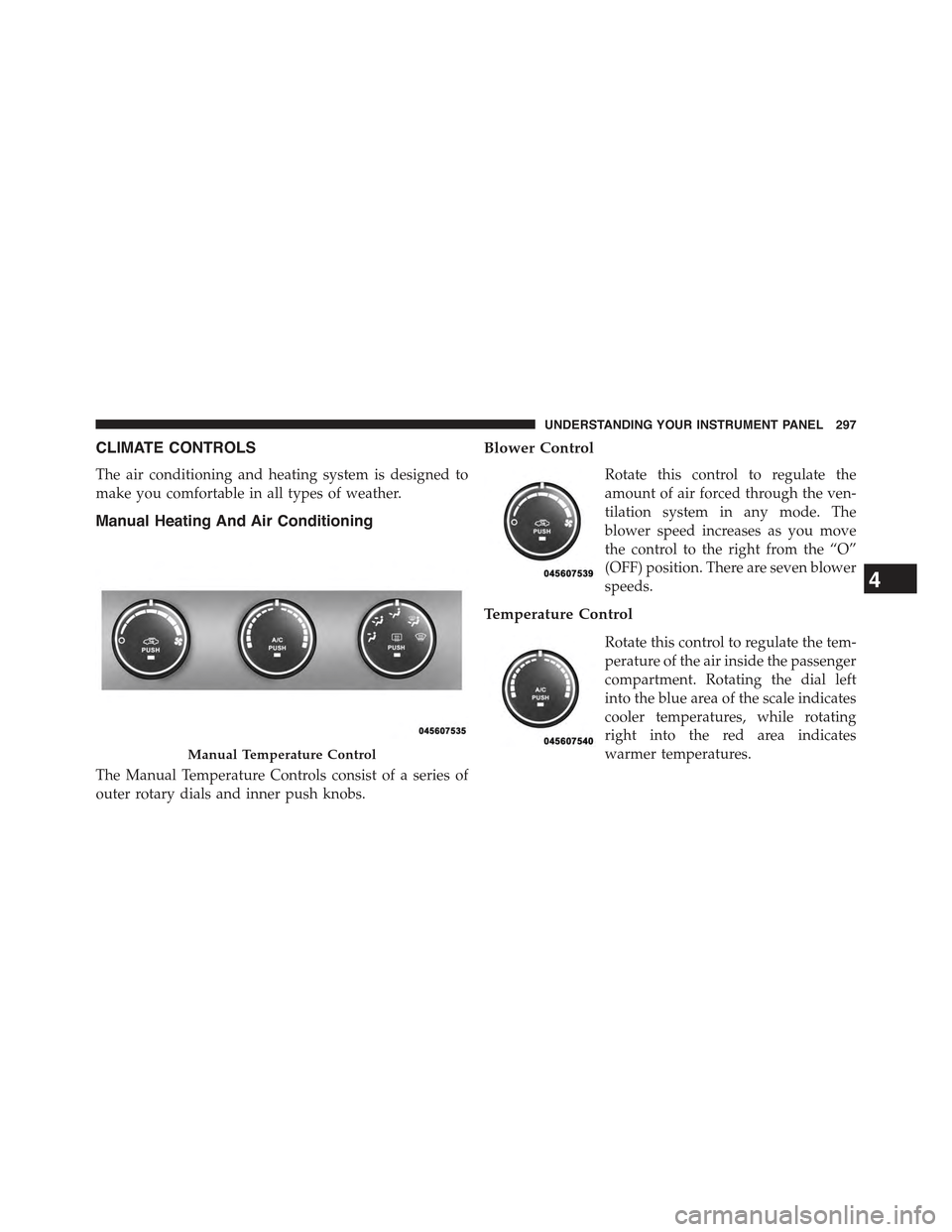
The Manual Temperature Controls consist of a series of
outer rotary dials and inner push knobs.
Blower Control
Rotate this control to regulate the
amount of air forced through the ven-
tilation system in any mode. The
blower speed increases as you move
the control to the right from the “O”
(OFF) position. There are seven blower
speeds.
Temperature Control
Rotate this control to regulate the tem-
perature of the air inside the passenger
compartment. Rotating the dial left
into the blue area of the scale indicates
cooler temperatures, while rotating
right into the red area indicates
warmer temperatures.Manual Temperature Control
4
UNDERSTANDING YOUR INSTRUMENT PANEL 297
Page 300 of 560
NOTE:If your air conditioning performance seems lower
than expected, check the front of the A/C condenser
located in front of the radiator for an accumulation of dirt
or insects. Clean with a gentle water spray from behind
the radiator and through the condenser. Fabric front
fascia protectors may reduce airflow to the condenser,
reducing air conditioning performance.
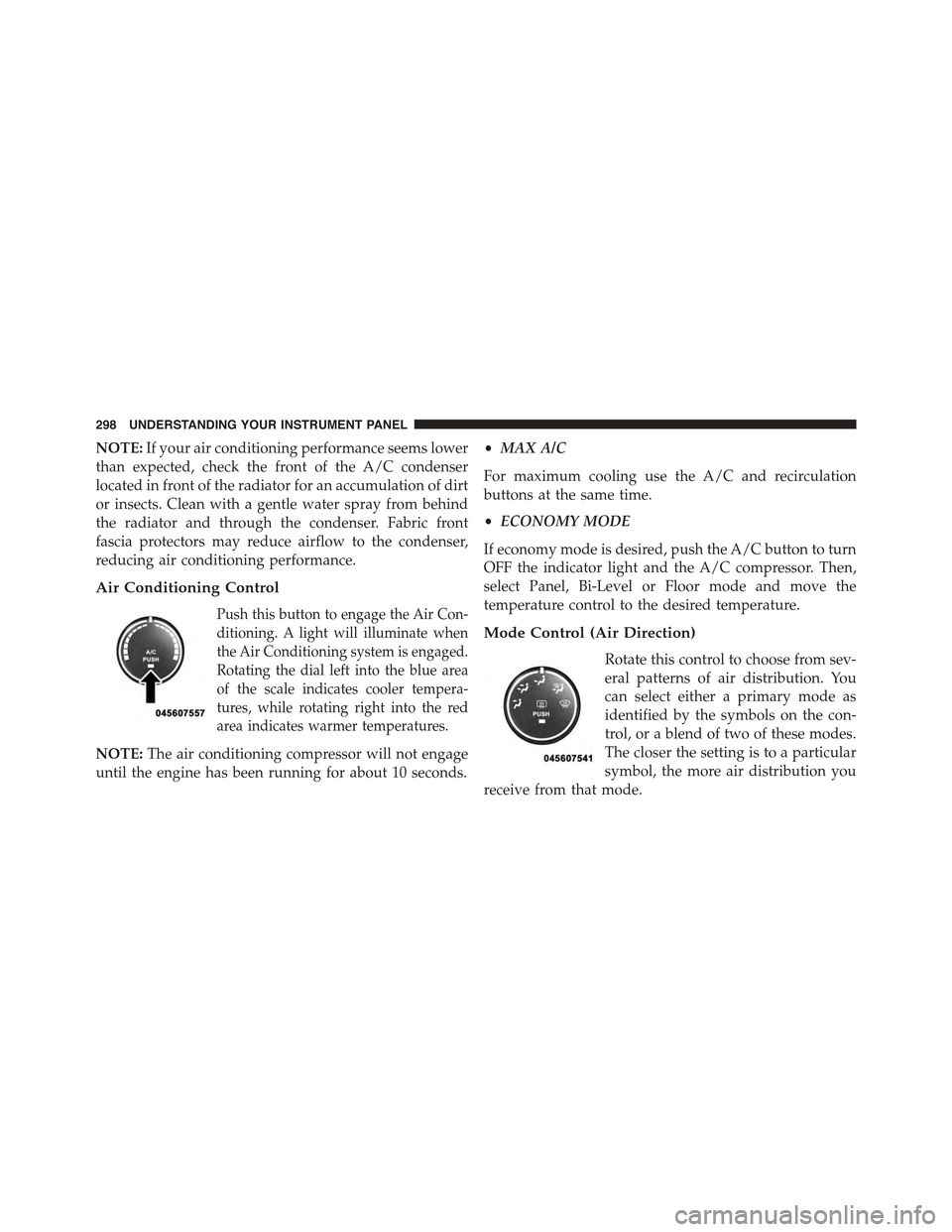
Air Conditioning Control
Push this button to engage the Air Con-
ditioning. A light will illuminate when
the Air Conditioning system is engaged.
Rotating the dial left into the blue area
of the scale indicates cooler tempera-
tures, while rotating right into the red
area indicates warmer temperatures.
NOTE:The air conditioning compressor will not engage
until the engine has been running for about 10 seconds.
•MAX A/C
For maximum cooling use the A/C and recirculation
buttons at the same time.
•ECONOMY MODE
If economy mode is desired, push the A/C button to turn
OFF the indicator light and the A/C compressor. Then,
select Panel, Bi-Level or Floor mode and move the
temperature control to the desired temperature.
Mode Control (Air Direction)
Rotate this control to choose from sev-
eral patterns of air distribution. You
can select either a primary mode as
identified by the symbols on the con-
trol, or a blend of two of these modes.
The closer the setting is to a particular
symbol, the more air distribution you
receive from that mode.
298 UNDERSTANDING YOUR INSTRUMENT PANEL
Page 509 of 560
Integrated Power Module
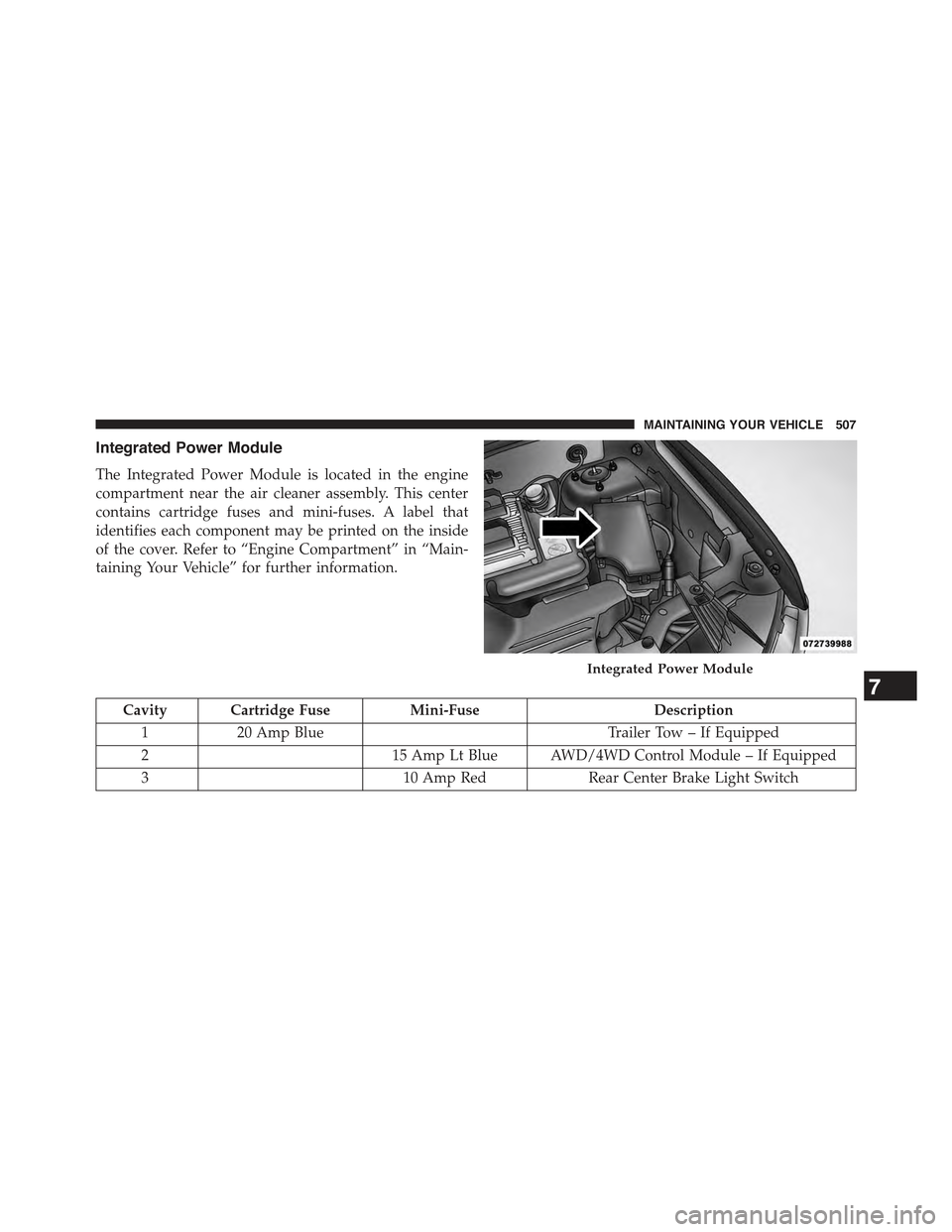
The Integrated Power Module is located in the engine
compartment near the air cleaner assembly. This center
contains cartridge fuses and mini-fuses. A label that
identifies each component may be printed on the inside
of the cover. Refer to “Engine Compartment” in “Main-
taining Your Vehicle” for further information.
Cavity Cartridge FuseMini-FuseDescription
120 Amp BlueTrailer Tow – If Equipped
215 Amp Lt Blue AWD/4WD Control Module – If Equipped
310 Amp RedRear Center Brake Light Switch
Integrated Power Module
7
MAINTAINING YOUR VEHICLE 507