bluetooth JEEP COMPASS 2015 1.G User Guide
[x] Cancel search | Manufacturer: JEEP, Model Year: 2015, Model line: COMPASS, Model: JEEP COMPASS 2015 1.GPages: 560, PDF Size: 11.51 MB
Page 147 of 560
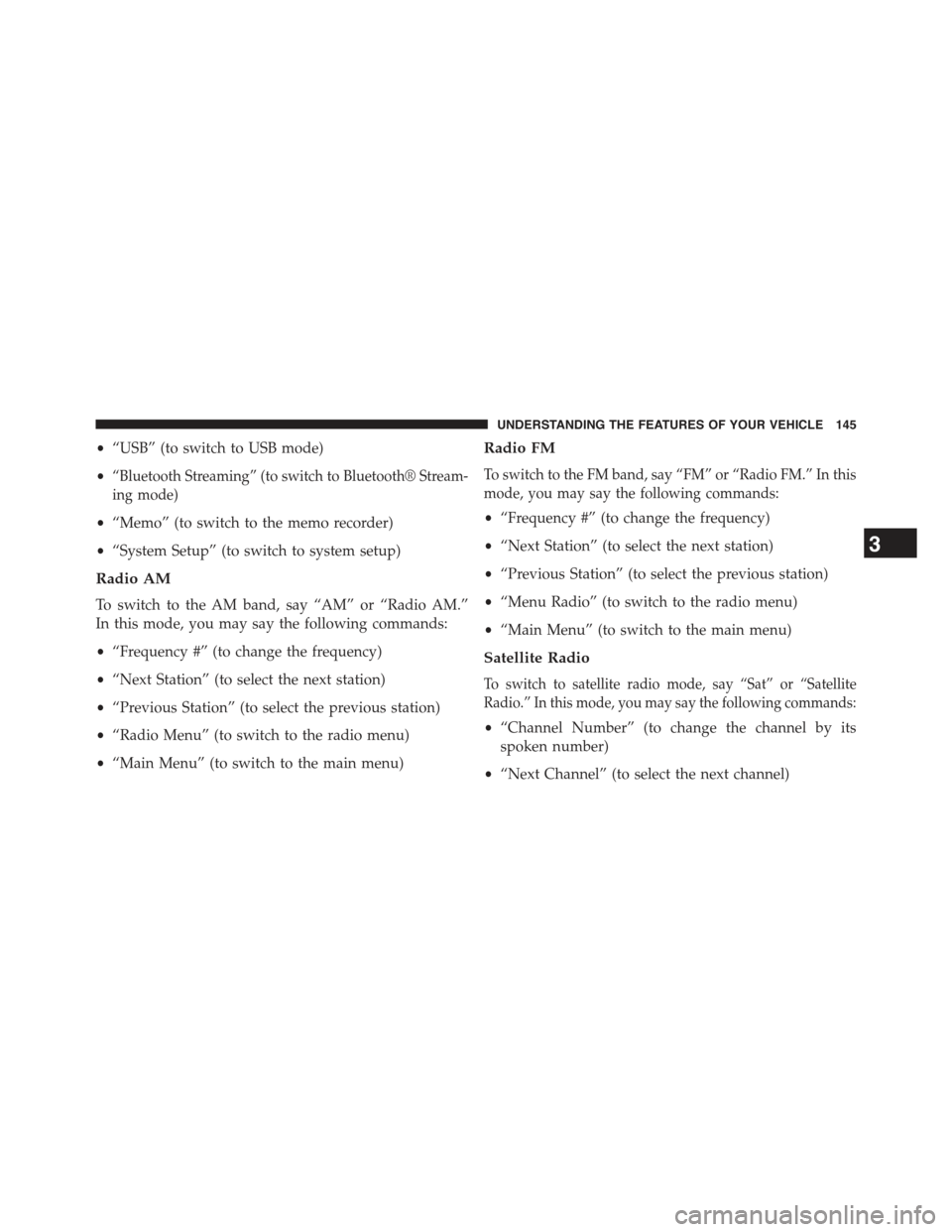
•“USB” (to switch to USB mode)
•“Bluetooth Streaming” (to switch to Bluetooth® Stream-
ing mode)
•“Memo” (to switch to the memo recorder)
•“System Setup” (to switch to system setup)
Radio AM
To switch to the AM band, say “AM” or “Radio AM.”
In this mode, you may say the following commands:
•“Frequency #” (to change the frequency)
•“Next Station” (to select the next station)
•“Previous Station” (to select the previous station)
•“Radio Menu” (to switch to the radio menu)
•“Main Menu” (to switch to the main menu)
Radio FM
To switch to the FM band, say “FM” or “Radio FM.” In this
mode, you may say the following commands:
•“Frequency #” (to change the frequency)
•“Next Station” (to select the next station)
•“Previous Station” (to select the previous station)
•“Menu Radio” (to switch to the radio menu)
•“Main Menu” (to switch to the main menu)
Satellite Radio
To switch to satellite radio mode, say “Sat” or “Satellite
Radio.” In this mode, you may say the following commands:
•“Channel Number” (to change the channel by its
spoken number)
•“Next Channel” (to select the next channel)
3
UNDERSTANDING THE FEATURES OF YOUR VEHICLE 145
Page 148 of 560
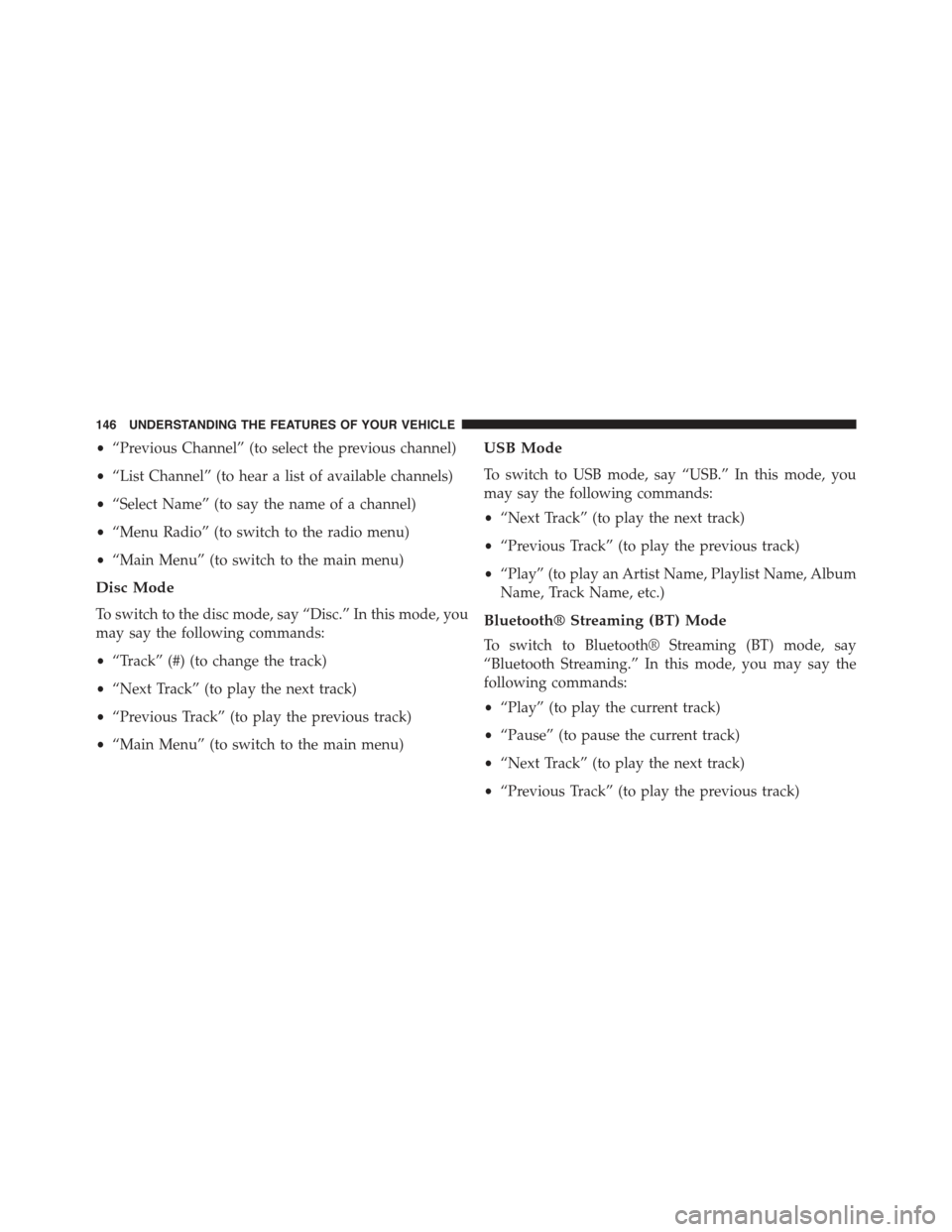
•“Previous Channel” (to select the previous channel)
•“List Channel” (to hear a list of available channels)
•“Select Name” (to say the name of a channel)
•“Menu Radio” (to switch to the radio menu)
•“Main Menu” (to switch to the main menu)
Disc Mode
To switch to the disc mode, say “Disc.” In this mode, you
may say the following commands:
•“Track” (#) (to change the track)
•“Next Track” (to play the next track)
•“Previous Track” (to play the previous track)
•“Main Menu” (to switch to the main menu)
USB Mode
To switch to USB mode, say “USB.” In this mode, you
may say the following commands:
•“Next Track” (to play the next track)
•“Previous Track” (to play the previous track)
•“Play” (to play an Artist Name, Playlist Name, Album
Name, Track Name, etc.)
Bluetooth® Streaming (BT) Mode
To switch to Bluetooth® Streaming (BT) mode, say
“Bluetooth Streaming.” In this mode, you may say the
following commands:
•“Play” (to play the current track)
•“Pause” (to pause the current track)
•“Next Track” (to play the next track)
•“Previous Track” (to play the previous track)
146 UNDERSTANDING THE FEATURES OF YOUR VEHICLE
Page 213 of 560
▫Using This Feature.....................288
▫Controlling The iPod® Or External USB Device
Using Radio Buttons....................289
▫Play Mode..........................289
▫List Or Browse Mode...................291
▫Bluetooth® Streaming Audio (BTSA).......293
!STEERING WHEEL AUDIO CONTROLS......294
▫Radio Operation......................295
▫CD Player...........................295
!CD/DVD DISC MAINTENANCE...........296
!RADIO OPERATION AND MOBILE PHONES . . .296
!CLIMATE CONTROLS...................297
▫Manual Heating And Air Conditioning......297
▫Automatic Temperature Control (ATC) —
If Equipped.........................301
▫Operating Tips.......................306
4
UNDERSTANDING YOUR INSTRUMENT PANEL 211
Page 295 of 560
CAUTION!(Continued)
•Placing items on the iPod® or external USB device,
or connections to the iPod® or external USB device
in the vehicle, can cause damage to the device
and/or to the connectors.
WARNING!
Do not plug in or remove the iPod® or external USB
device while driving. Failure to follow this warning
could result in an accident.
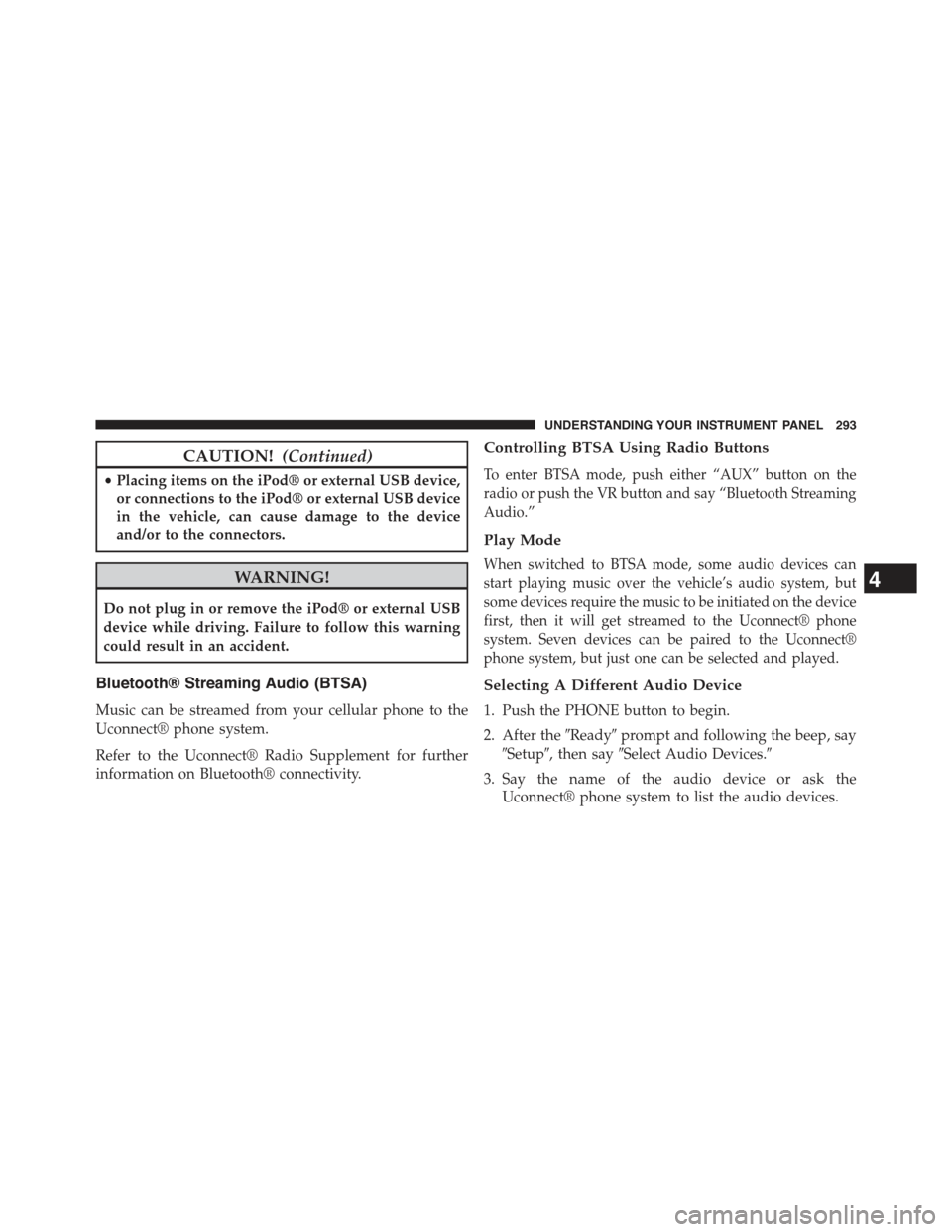
Bluetooth® Streaming Audio (BTSA)
Music can be streamed from your cellular phone to the
Uconnect® phone system.
Refer to the Uconnect® Radio Supplement for further
information on Bluetooth® connectivity.
Controlling BTSA Using Radio Buttons
To enter BTSA mode, push either “AUX” button on the
radio or push the VR button and say “Bluetooth Streaming
Audio.”
Play Mode
When switched to BTSA mode, some audio devices can
start playing music over the vehicle’s audio system, but
some devices require the music to be initiated on the device
first, then it will get streamed to the Uconnect® phone
system. Seven devices can be paired to the Uconnect®
phone system, but just one can be selected and played.
Selecting A Different Audio Device
1. Push the PHONE button to begin.
2. After the#Ready#prompt and following the beep, say
#Setup#, then say#Select Audio Devices.#
3. Say the name of the audio device or ask the
Uconnect® phone system to list the audio devices.
4
UNDERSTANDING YOUR INSTRUMENT PANEL 293
Page 296 of 560
Next Track
Use the SEEK UP button, or push the VR button on the
radio and say “Next Track,” to jump to the next music
track on your cellular phone.
Previous Track
Use the SEEK DOWN button, or push the VR button on
the radio and say “Previous Track,” to jump to the
previous music track on your cellular phone.
Browse
Browsing is not available on a Bluetooth® Streaming
Audio (BTSA) device. Only the current song that is
playing will display info.
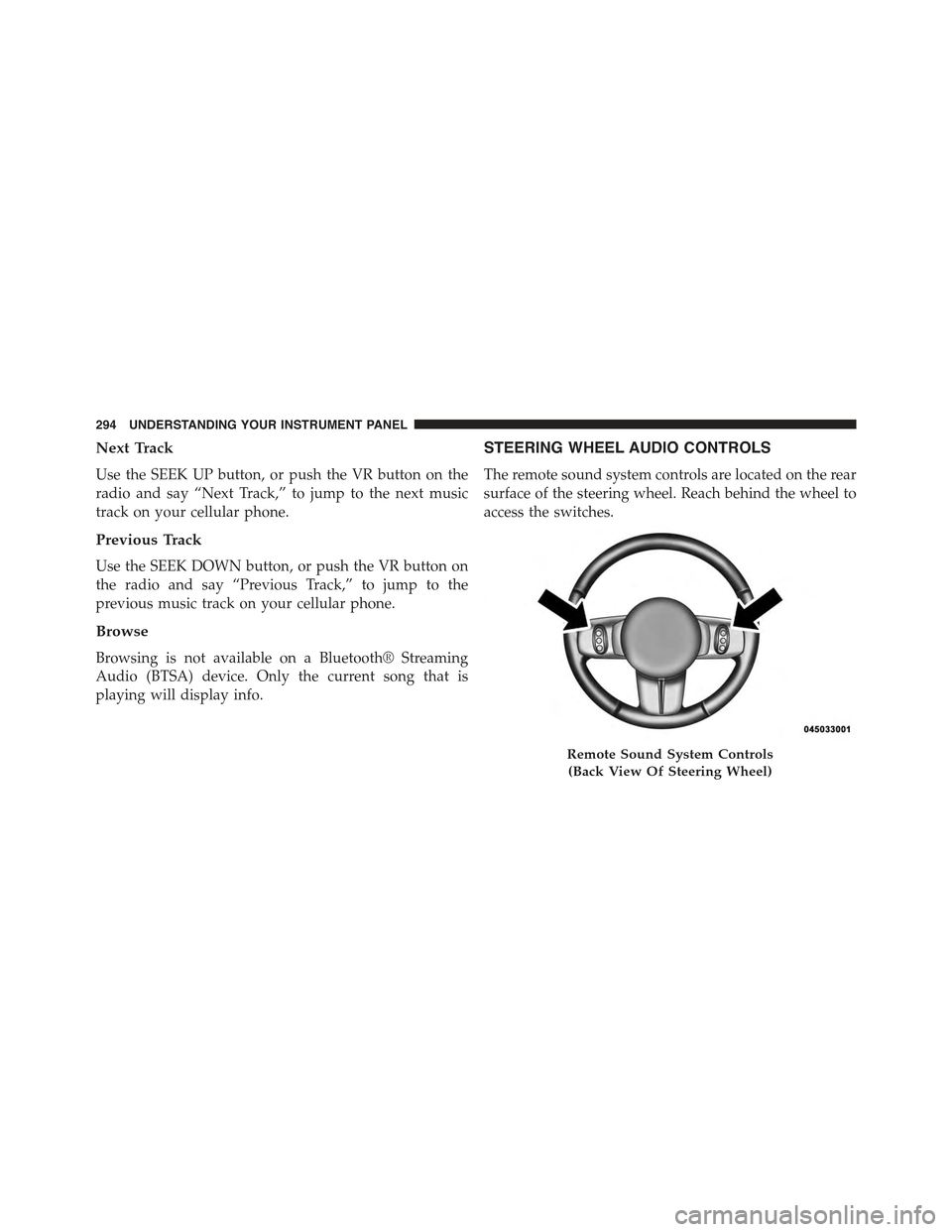
STEERING WHEEL AUDIO CONTROLS
The remote sound system controls are located on the rear
surface of the steering wheel. Reach behind the wheel to
access the switches.
Remote Sound System Controls
(Back View Of Steering Wheel)
294 UNDERSTANDING YOUR INSTRUMENT PANEL
Page 548 of 560
Instrument Cluster........................214
Instrument Panel and Controls................212
Instrument Panel Cover.....................504
Instrument Panel Lens Cleaning...............505
Integrated Power Module (Fuses)..............507
Interior Appearance Care....................503
Intermittent Wipers (Delay Wipers).............169
Introduction..............................4
iPod®/USB/MP3 Control
Bluetooth® Streaming Audio...............146
Jacking Instructions........................434
Jack Location............................433
Jack Operation...........................432
Jump Starting............................452
Key-In Reminder..........................14
Keyless Entry System (Sedan).................20
Key, Programming.........................17
Key, Replacement..........................16
Keys...................................12
Key, Sentry (Immobilizer)....................15
Lane Change and Turn Signals................513
Lane Change Assist........................165
Lap/Shoulder Belts.........................43
Latches................................102
Hood................................160
Lead Free Gasoline........................403
Leaks, Fluid.............................102
Life of Tires.............................389
Liftgate (Sedan)...........................38
Liftgate Window Wiper/Washer...............204
Light Bulbs..............................102
Lights.................................102
Airbag................................72
Alarm...............................219
Anti-Lock.............................216
546 INDEX