steering JEEP COMPASS 2015 1.G User Guide
[x] Cancel search | Manufacturer: JEEP, Model Year: 2015, Model line: COMPASS, Model: JEEP COMPASS 2015 1.GPages: 560, PDF Size: 11.51 MB
Page 170 of 560
WINDSHIELD WIPERS AND WASHERS
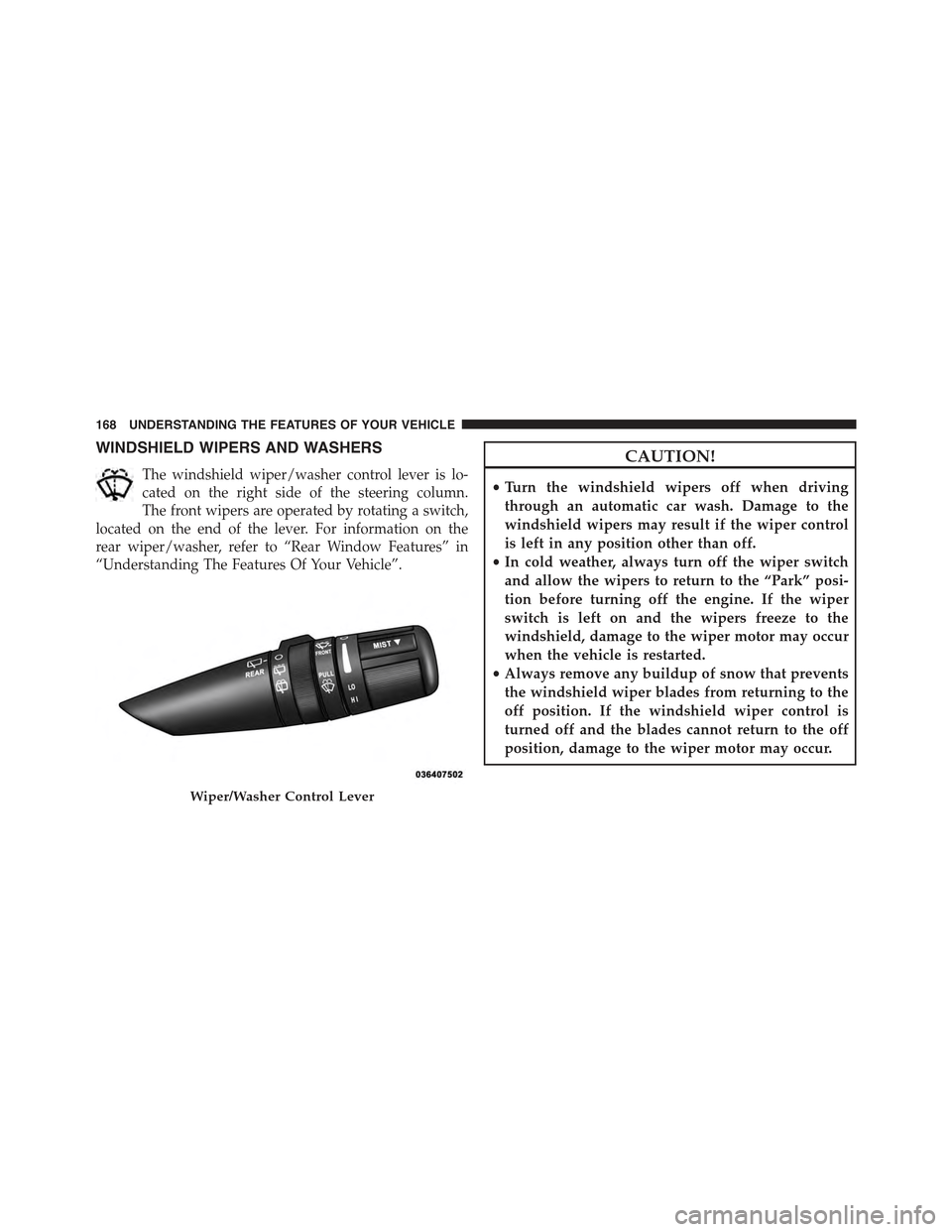
The windshield wiper/washer control lever is lo-
cated on the right side of the steering column.
The front wipers are operated by rotating a switch,
located on the end of the lever. For information on the
rear wiper/washer, refer to “Rear Window Features” in
“Understanding The Features Of Your Vehicle”.
CAUTION!
•Turn the windshield wipers off when driving
through an automatic car wash. Damage to the
windshield wipers may result if the wiper control
is left in any position other than off.
•In cold weather, always turn off the wiper switch
and allow the wipers to return to the “Park” posi-
tion before turning off the engine. If the wiper
switch is left on and the wipers freeze to the
windshield, damage to the wiper motor may occur
when the vehicle is restarted.
•Always remove any buildup of snow that prevents
the windshield wiper blades from returning to the
off position. If the windshield wiper control is
turned off and the blades cannot return to the off
position, damage to the wiper motor may occur.
Wiper/Washer Control Lever
168 UNDERSTANDING THE FEATURES OF YOUR VEHICLE
Page 173 of 560
TILT STEERING COLUMN
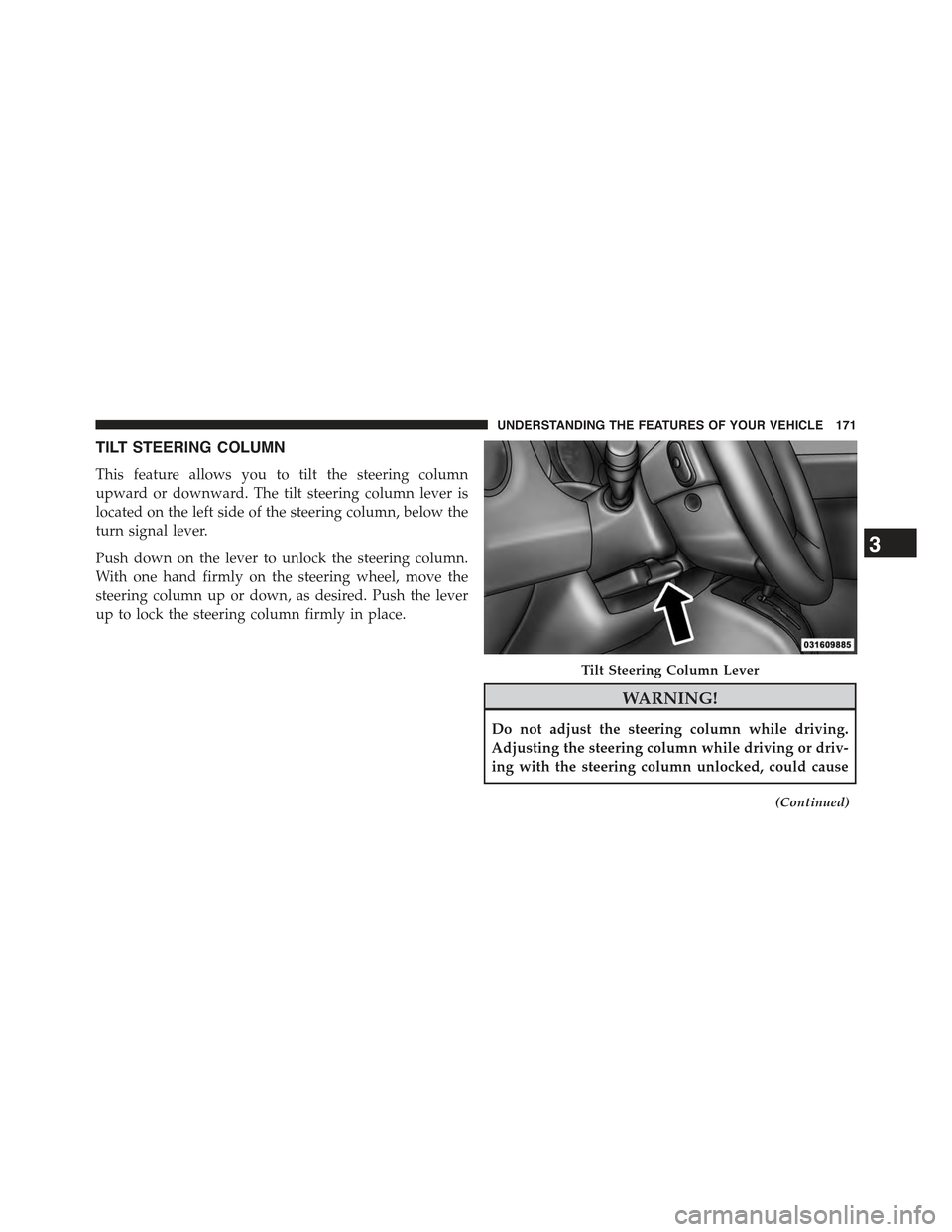
This feature allows you to tilt the steering column
upward or downward. The tilt steering column lever is
located on the left side of the steering column, below the
turn signal lever.
Push down on the lever to unlock the steering column.
With one hand firmly on the steering wheel, move the
steering column up or down, as desired. Push the lever
up to lock the steering column firmly in place.
WARNING!
Do not adjust the steering column while driving.
Adjusting the steering column while driving or driv-
ing with the steering column unlocked, could cause
(Continued)
Tilt Steering Column Lever
3
UNDERSTANDING THE FEATURES OF YOUR VEHICLE 171
Page 174 of 560
WARNING!(Continued)
the driver to lose control of the vehicle. Failure to
follow this warning may result in serious injury or
death.
ELECTRONIC SPEED CONTROL — IF EQUIPPED
When engaged, the Electronic Speed Control takes over
accelerator operations at speeds greater than 25 mph
(40 km/h).
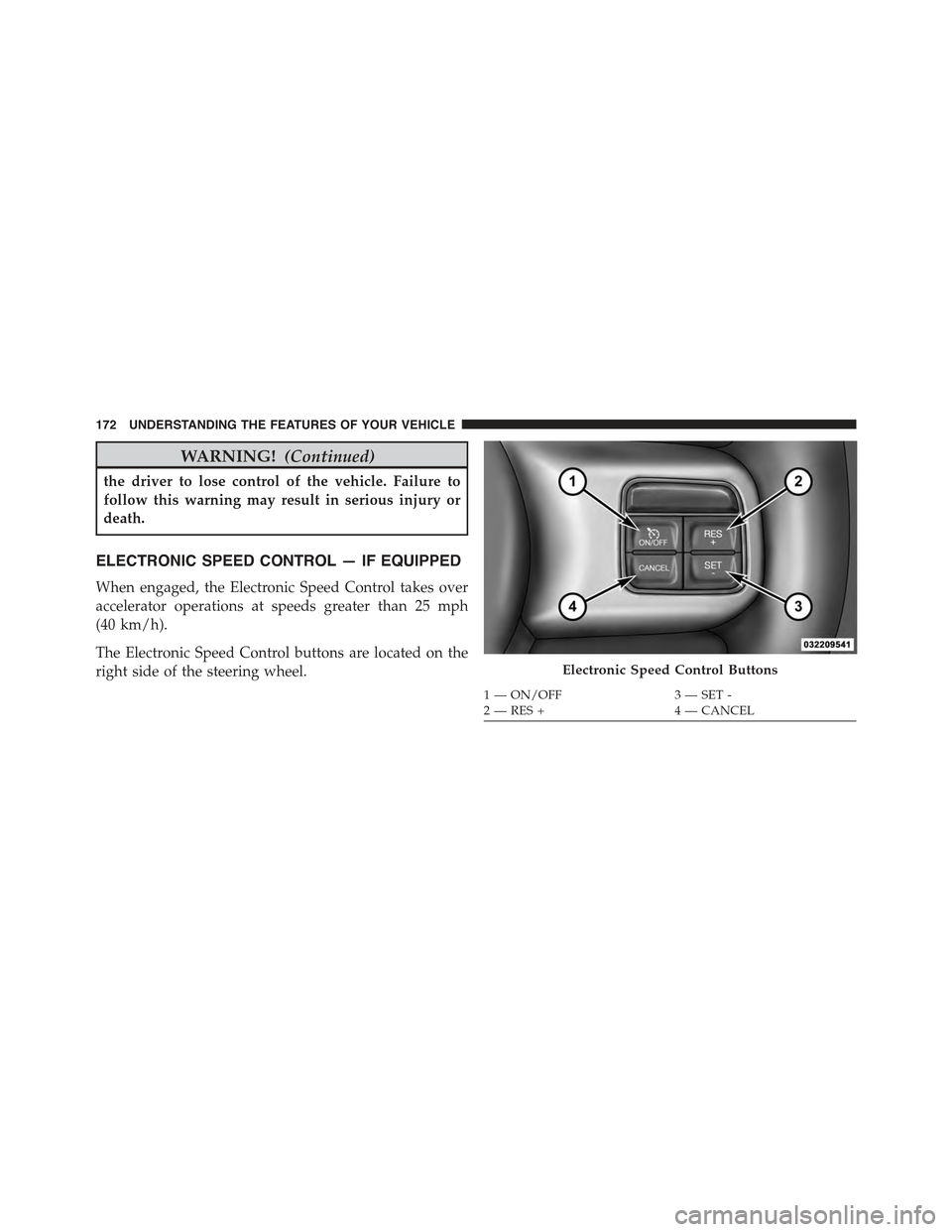
The Electronic Speed Control buttons are located on the
right side of the steering wheel.Electronic Speed Control Buttons
1—ON/OFF3—SET-2—RES+4—CANCEL
172 UNDERSTANDING THE FEATURES OF YOUR VEHICLE
Page 206 of 560
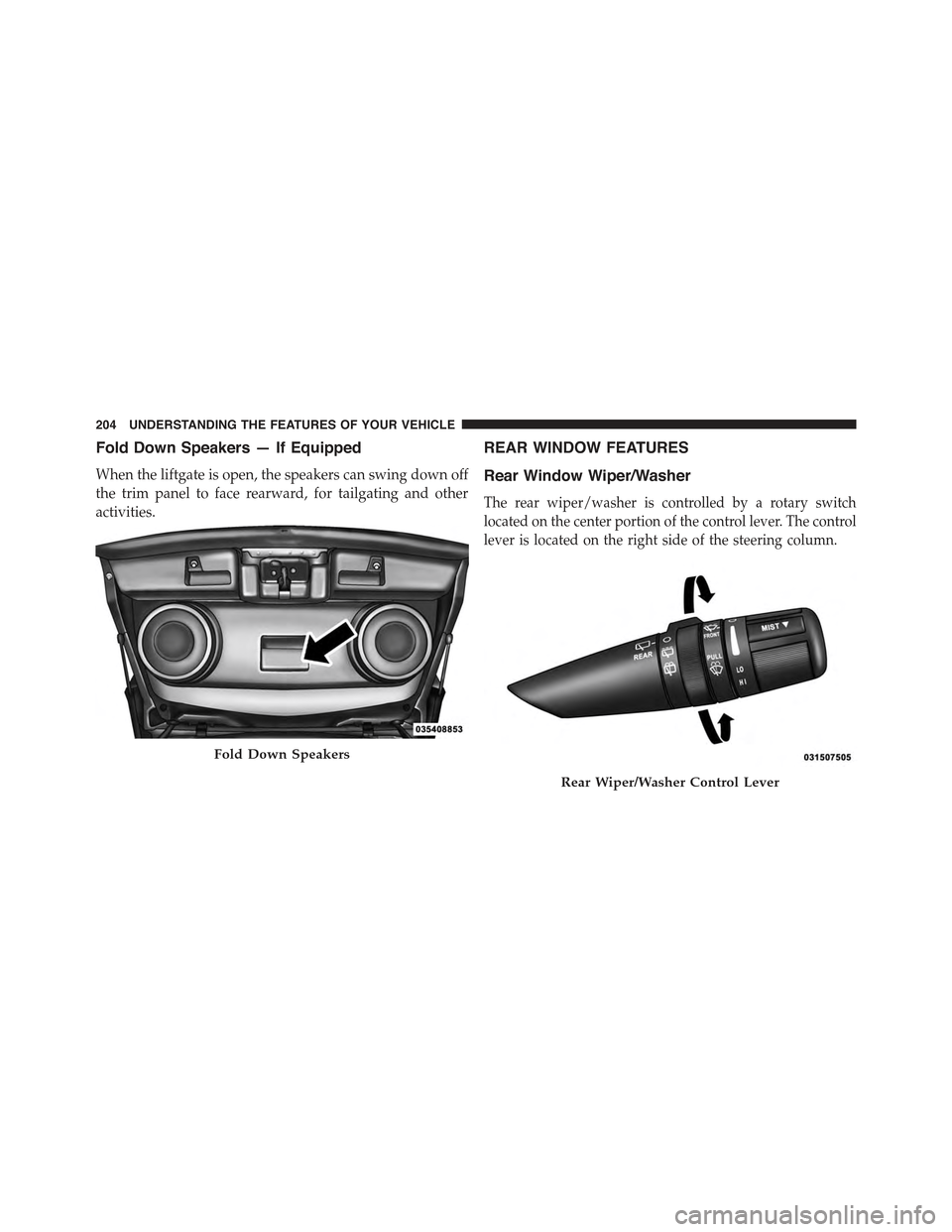
Fold Down Speakers — If Equipped
When the liftgate is open, the speakers can swing down off
the trim panel to face rearward, for tailgating and other
activities.
REAR WINDOW FEATURES
Rear Window Wiper/Washer
The rear wiper/washer is controlled by a rotary switch
located on the center portion of the control lever. The control
lever is located on the right side of the steering column.
Fold Down Speakers
Rear Wiper/Washer Control Lever
204 UNDERSTANDING THE FEATURES OF YOUR VEHICLE
Page 213 of 560
▫Using This Feature.....................288
▫Controlling The iPod® Or External USB Device
Using Radio Buttons....................289
▫Play Mode..........................289
▫List Or Browse Mode...................291
▫Bluetooth® Streaming Audio (BTSA).......293
!STEERING WHEEL AUDIO CONTROLS......294
▫Radio Operation......................295
▫CD Player...........................295
!CD/DVD DISC MAINTENANCE...........296
!RADIO OPERATION AND MOBILE PHONES . . .296
!CLIMATE CONTROLS...................297
▫Manual Heating And Air Conditioning......297
▫Automatic Temperature Control (ATC) —
If Equipped.........................301
▫Operating Tips.......................306
4
UNDERSTANDING YOUR INSTRUMENT PANEL 211
Page 231 of 560
STEP Button
Push the STEP button located on the steering wheel to
scroll through sub menus (i.e., Temperature, Trip Func-
tions: Odometer, Trip A, Trip B).
RESET Button
To reset the display shown, turn the ignition switch to the
ON position, then push and hold the RESET button
located on the steering wheel.
The following displays can be reset or changed:
•Trip A
•Trip B
Trip Odometer (ODO)
This display shows the distance traveled since the last
reset. Push and release the STEP button on the instru-
ment cluster to switch from odometer, to Trip A or Trip B.
Trip A
Shows the total distance traveled for Trip A since the last
reset.
Trip B
Shows the total distance traveled for Trip B since the last
reset.
4
UNDERSTANDING YOUR INSTRUMENT PANEL 229
Page 233 of 560
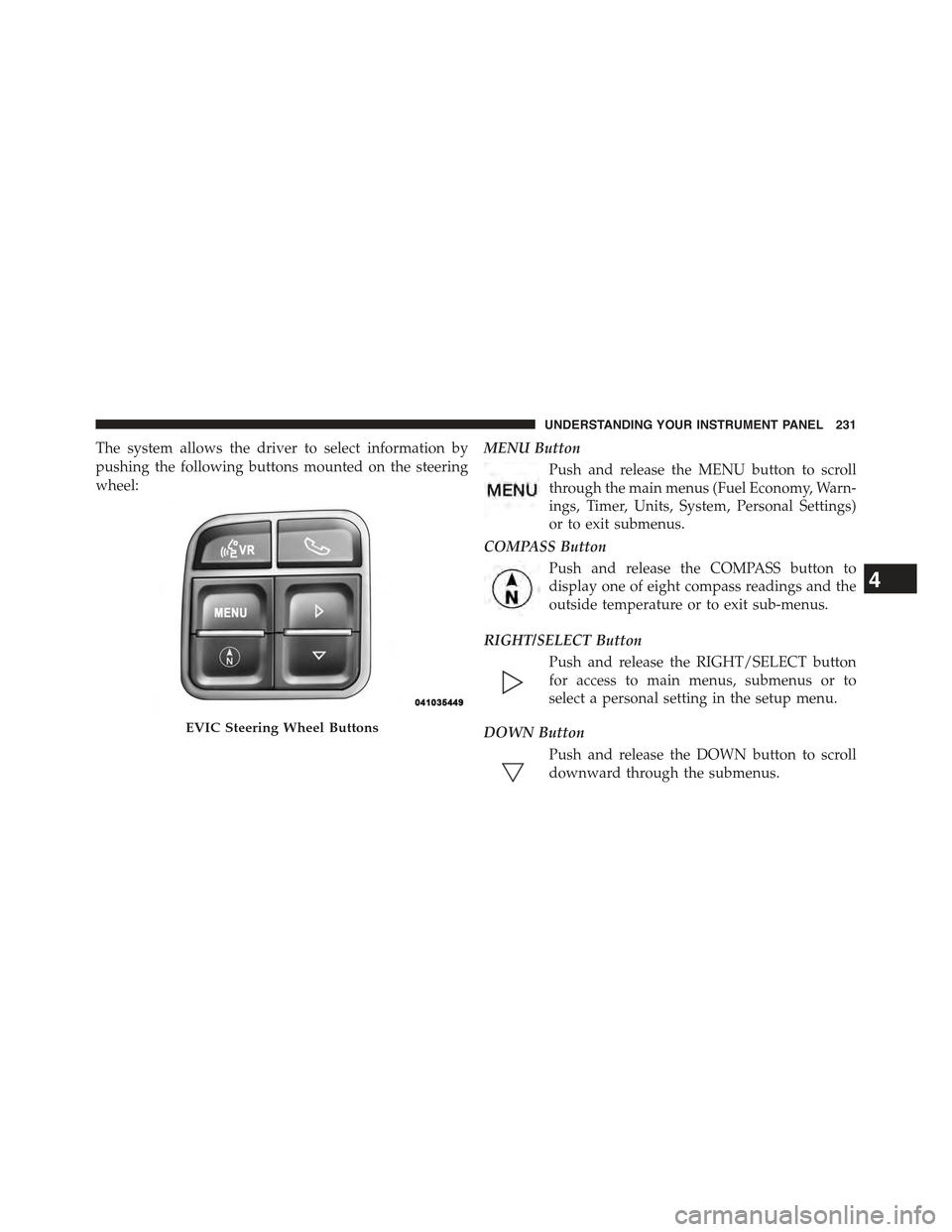
The system allows the driver to select information by
pushing the following buttons mounted on the steering
wheel:
MENU Button
Push and release the MENU button to scroll
through the main menus (Fuel Economy, Warn-
ings, Timer, Units, System, Personal Settings)
or to exit submenus.
COMPASS Button
Push and release the COMPASS button to
display one of eight compass readings and the
outside temperature or to exit sub-menus.
RIGHT/SELECT Button
Push and release the RIGHT/SELECT button
for access to main menus, submenus or to
select a personal setting in the setup menu.
DOWN Button
Push and release the DOWN button to scroll
downward through the submenus.
EVIC Steering Wheel Buttons
4
UNDERSTANDING YOUR INSTRUMENT PANEL 231
Page 296 of 560
Next Track
Use the SEEK UP button, or push the VR button on the
radio and say “Next Track,” to jump to the next music
track on your cellular phone.
Previous Track
Use the SEEK DOWN button, or push the VR button on
the radio and say “Previous Track,” to jump to the
previous music track on your cellular phone.
Browse
Browsing is not available on a Bluetooth® Streaming
Audio (BTSA) device. Only the current song that is
playing will display info.
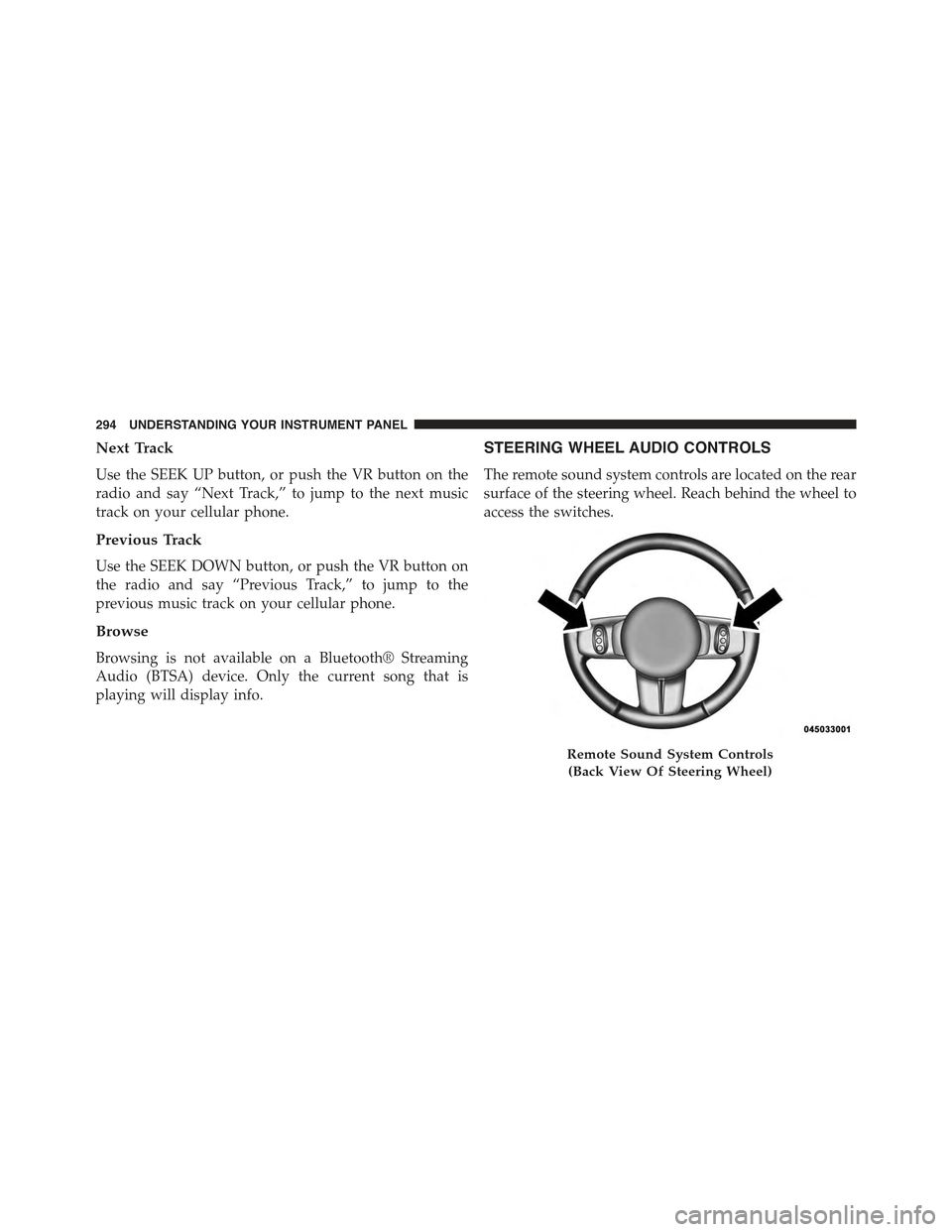
STEERING WHEEL AUDIO CONTROLS
The remote sound system controls are located on the rear
surface of the steering wheel. Reach behind the wheel to
access the switches.
Remote Sound System Controls
(Back View Of Steering Wheel)
294 UNDERSTANDING YOUR INSTRUMENT PANEL
Page 314 of 560
!AUTOSTICK® (SIX-SPEED AUTOMATIC
TRANSMISSION)......................337
▫Operation...........................337
▫AutoStick® (CVT).....................339
▫Operation...........................339
!FOUR-WHEEL DRIVE OPERATION —
IF EQUIPPED.........................341
!ON-ROAD DRIVING TIPS................342
!OFF-ROAD DRIVING TIPS...............342
▫When To Use Low (L Off-Road) With The
4WD Lock Lever Engaged...............343
▫Driving In Snow, Mud And Sand..........343
▫Hill Climbing........................345
▫Driving Through Water.................348
▫After Driving Off-Road.................350
!POWER STEERING.....................351
▫Power Steering Fluid Check..............352
!PARKING BRAKE......................353
!BRAKE SYSTEM.......................355
!ELECTRONIC BRAKE CONTROL SYSTEM . . . .356
▫Anti-Lock Brake System (ABS)............356
▫Traction Control System (TCS)............359
▫Brake Assist System (BAS)...............359
▫Electronic Roll Mitigation (ERM)..........360
▫Hill Descent Control (HDC) — If Equipped . . .361
▫Hill Start Assist (HSA).................362
▫Electronic Stability Control (ESC)..........364
312 STARTING AND OPERATING
Page 318 of 560
STARTING PROCEDURES
Before starting your vehicle, adjust your seat, adjust both
inside and outside mirrors, and fasten your seat belts.
WARNING!
•Before exiting a vehicle, always apply the parking
brake, shift the transmission into PARK, and re-
move the Key Fob from the ignition. When leaving
the vehicle, always lock your vehicle.
•Never leave children alone in a vehicle, or with
access to an unlocked vehicle.
•Allowing children to be in a vehicle unattended is
dangerous for a number of reasons. A child or
others could be seriously or fatally injured. Chil-
dren should be warned not to touch the parking
brake, brake pedal or the shift lever.
(Continued)
WARNING!(Continued)
•Do not leave the Key Fob in or near the vehicle, or
in a location accessible to children. A child could
operate power windows, other controls, or move
the vehicle.
Manual Transmission — If Equipped
Before starting the engine fully apply the parking brake,
press the clutch pedal to the floor, and place the shift
lever in NEUTRAL.
NOTE:
•The engine will not start unless the clutch pedal is
pressed to the floor.
•If the key will not turn and the steering wheel is locked,
rotate the wheel in either direction to relieve pressure on
the locking mechanism and then turn the key.
316 STARTING AND OPERATING