oil pressure JEEP COMPASS 2015 1.G Owners Manual
[x] Cancel search | Manufacturer: JEEP, Model Year: 2015, Model line: COMPASS, Model: JEEP COMPASS 2015 1.GPages: 560, PDF Size: 11.51 MB
Page 104 of 560
Periodic Safety Checks You Should Make Outside
The Vehicle
Tires
Examine tires for excessive tread wear and uneven wear
patterns. Check for stones, nails, glass, or other objects
lodged in the tread or sidewall. Inspect the tread for cuts
and cracks. Inspect sidewalls for cuts, cracks and bulges.
Check the wheel nuts for tightness. Check the tires
(including spare) for proper cold inflation pressure.
Lights
Have someone observe the operation of brake lights and
exterior lights while you work the controls. Check turn
signal and high beam indicator lights on the instrument
panel.
Door Latches
Check for positive closing, latching, and locking.
Fluid Leaks
Check area under vehicle after overnight parking for fuel,
engine coolant, oil, or other fluid leaks. Also, if gasoline
fumes are detected or if fuel, power steering fluid (if
equipped), or brake fluid leaks are suspected, the cause
should be located and corrected immediately.
102 THINGS TO KNOW BEFORE STARTING YOUR VEHICLE
Page 211 of 560
UNDERSTANDING YOUR INSTRUMENT PANEL
CONTENTS
!INSTRUMENT PANEL FEATURES..........212
!INSTRUMENT CLUSTER.................213
!INSTRUMENT CLUSTER DESCRIPTIONS.....214
!MINI-TRIP COMPUTER — IF EQUIPPED.....228
▫Control Buttons.......................228
!ELECTRONIC VEHICLE INFORMATION
CENTER (EVIC) — IF EQUIPPED...........230
▫Engine Oil Change Indicator System —
If Equipped.........................233
▫EVIC Functions.......................234
▫Compass/Temperature/Audio............234
▫Average Fuel Economy..................234
▫Distance To Empty (DTE)................235
▫Tire Pressure Monitor (TPM)..............235
▫Elapsed Time........................235
▫Display Units Of Measure In.............236
▫Personal Settings (Customer-Programmable
Features)...........................236
!Uconnect® 230 – AM/FM STEREO RADIO
AND 6-DISC CD/DVD CHANGER
(MP3/WMA AUX JACK).................241
▫Operating Instructions — Radio Mode.......241
4
Page 217 of 560
on briefly as a bulb check. If the light does not come on
during starting, have the system checked by an autho-
rized dealer.
4. Oil Pressure Warning Light
This light indicates low engine oil pressure. The
light should turn on momentarily when the engine is
started. If the light turns on while driving, stop the
vehicle and shut off the engine as soon as possible. A
chime will sound when this light turns on.
Do not operate the vehicle until the cause is corrected.
This light does not indicate how much oil is in the engine.
The engine oil level must be checked under the hood.
5. Low Fuel Light
When the fuel level reaches approximately 2.0 gal
(7.8 L) this light will turn on, and remain on until
fuel is added.
6. Speedometer
The Speedometer shows the vehicle speed in miles per
hour (MPH) and kilometers per hour (km/h).
7. Air Bag Warning Light
This light will turn on for four to eight seconds
as a bulb check when the ignition switch is first
turned to ON/RUN. If the light is either not on
during starting, stays on, or turns on while
driving, have the system inspected at an authorized
dealer as soon as possible. Refer to “Occupant Restraints”
in “Things To Know Before Starting Your Vehicle” for
further information.
8. Turn Signal Indicators
The arrow will flash with the exterior turn
signal when the turn signal lever is operated.
4
UNDERSTANDING YOUR INSTRUMENT PANEL 215
Page 222 of 560
The gauge pointer will likely indicate a higher tempera-
ture when driving in hot weather, up mountain grades,
or when towing a trailer. It should not be allowed to
exceed the upper limits of the normal operating range.
CAUTION!
Driving with a hot engine cooling system could
damage your vehicle. If the temperature gauge reads
“H” pull over and stop the vehicle. Idle the vehicle
with the air conditioner turned off until the pointer
drops back into the normal range. If the pointer
remains on the “H” and you hear continuous chimes,
turn the engine off immediately and call an autho-
rized dealer for service.
WARNING!
A hot engine cooling system is dangerous. You or
others could be badly burned by steam or boiling
coolant. You may want to call an authorized dealer
for service if your vehicle overheats. If you decide to
look under the hood yourself, see “Maintaining Your
Vehicle”. Follow the warnings under the Cooling
System Pressure Cap paragraph.
18. Cruise Indicator — If Equipped
This indicator shows that the Electronic Speed
Control System is ON.
19. 4WD Indicator — If Equipped
This light indicates the vehicle is in the 4-Wheel Drive
mode.
220 UNDERSTANDING YOUR INSTRUMENT PANEL
Page 225 of 560
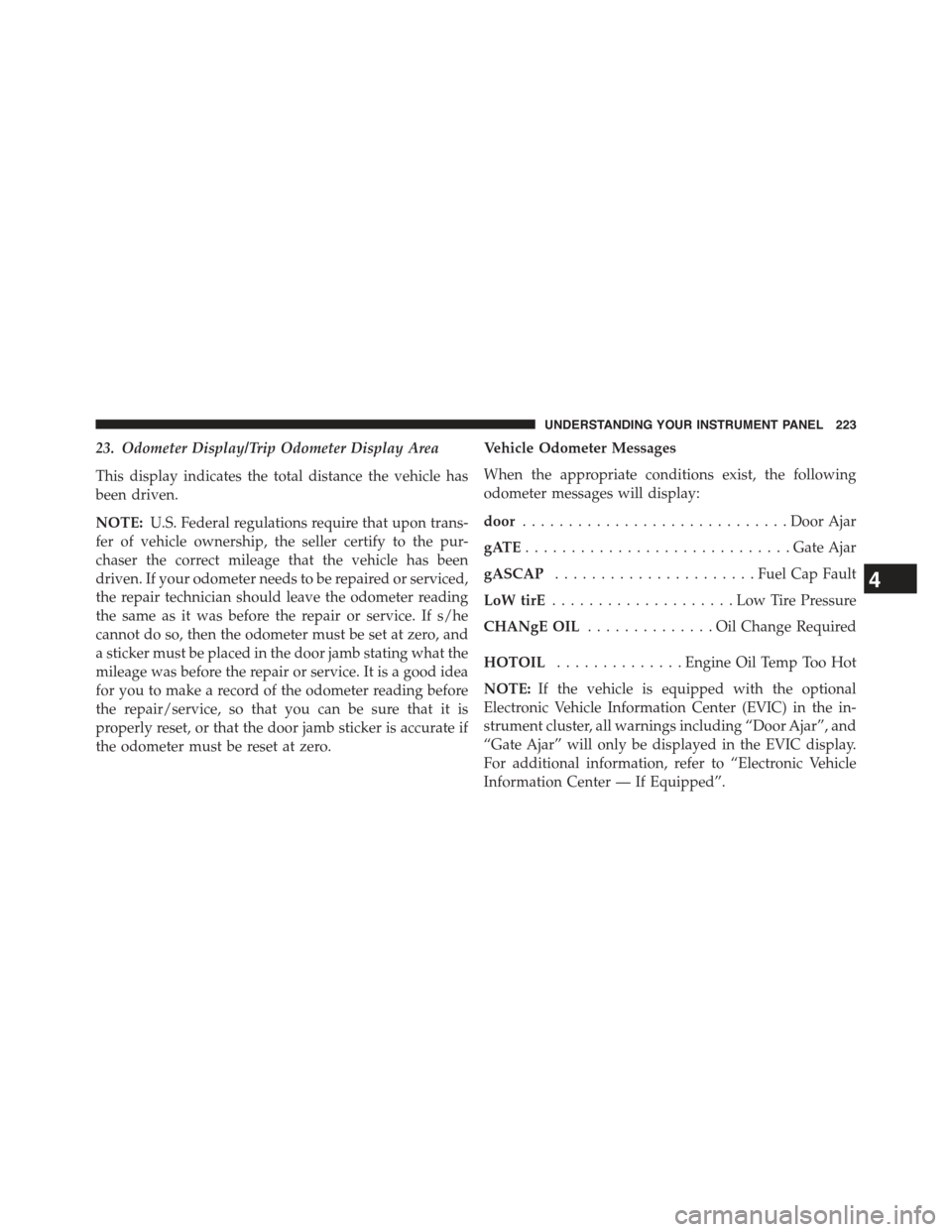
23. Odometer Display/Trip Odometer Display Area
This display indicates the total distance the vehicle has
been driven.
NOTE:U.S. Federal regulations require that upon trans-
fer of vehicle ownership, the seller certify to the pur-
chaser the correct mileage that the vehicle has been
driven. If your odometer needs to be repaired or serviced,
the repair technician should leave the odometer reading
the same as it was before the repair or service. If s/he
cannot do so, then the odometer must be set at zero, and
a sticker must be placed in the door jamb stating what the
mileage was before the repair or service. It is a good idea
for you to make a record of the odometer reading before
the repair/service, so that you can be sure that it is
properly reset, or that the door jamb sticker is accurate if
the odometer must be reset at zero.
Vehicle Odometer Messages
When the appropriate conditions exist, the following
odometer messages will display:
door.............................Door Ajar
gATE.............................Gate Ajar
gASCAP......................Fuel Cap Fault
LoW tirE....................LowTirePressure
CHANgE OIL..............OilChange Required
HOTOIL..............Engine Oil Temp Too Hot
NOTE:If the vehicle is equipped with the optional
Electronic Vehicle Information Center (EVIC) in the in-
strument cluster, all warnings including “Door Ajar”, and
“Gate Ajar” will only be displayed in the EVIC display.
For additional information, refer to “Electronic Vehicle
Information Center — If Equipped”.
4
UNDERSTANDING YOUR INSTRUMENT PANEL 223
Page 226 of 560
gASCAP
If the vehicle diagnostic system determines that the fuel
filler cap is loose, improperly installed, or damaged, a
“gASCAP” message will display in the odometer display
area. Tighten the fuel filler cap properly and press the
TRIP ODOMETER button to turn off the message. If the
problem continues, the message will appear the next time
the vehicle is started.
A loose, improperly installed, or damaged fuel filler cap
may also turn on the Malfunction Indicator Light (MIL).
LoW tirE
When tire pressure is low, the odometer display will
toggle between LoW and tirE for three cycles.
HOTOIL
When this message is displayed there is a engine over-
temperature condition. When this condition occurs, the
“HOTOIL” message will be displayed in the odometer
along with a chime.
Refer to “Engine Oil Overheating” under in “What To Do
In Emergencies”.
CHANgE OIL Message
Your vehicle is equipped with an engine oil change
indicator system. The “CHANgE OIL” message will flash
in the instrument cluster odometer for approximately
12b seconds after a single chime has sounded to indicate
the next scheduled oil change interval. The engine oil
change indicator system is duty-cycle based, which
means the engine oil change interval may fluctuate
dependent upon your personal driving style. Unless
reset, this message will continue to display each time you
turn the ignition switch to the ON/RUN position. To turn
off the message temporarily, press and release the Trip
Odometer button on the instrument cluster. To reset the
224 UNDERSTANDING YOUR INSTRUMENT PANEL
Page 235 of 560
•Low Tire
•Low Tire Pressure Display for Premium TPM System
•Service TPM System
Engine Oil Change Indicator System —
If Equipped
Oil Change Required
Your vehicle is equipped with an engine oil change
indicator system. The “Oil Change Required” message
will display in the EVIC display for approximately five
seconds after a single chime has sounded, to indicate the
next scheduled oil change interval. The engine oil change
indicator system is duty-cycle based, which means the
engine oil change interval may fluctuate dependent upon
your personal driving style.
Unless reset, this message will continue to display each
time you turn the ignition switch to the ON/RUN
position. To turn off the message temporarily, push and
release the Trip Odometer button on the instrument
cluster. To reset the oil change indicator system (after
performing the scheduled maintenance) refer to the fol-
lowing procedure.
1. Turn the ignition switch to the ON position.Do not
start the engine.
2. Fully push the accelerator pedal, slowly, three times
within 10 seconds.
3. Turn the ignition switch to the OFF/LOCK position.
NOTE:If the indicator message illuminates when you
start the vehicle, the oil change indicator system did not
reset. If necessary repeat this procedure.
4
UNDERSTANDING YOUR INSTRUMENT PANEL 233
Page 391 of 560
These indicators are molded into the bottom of the tread
grooves. They will appear as bands when the tread depth
becomes 1/16” (2 mm). When the tread is worn to the
tread wear indicators, the tire should be replaced. Refer
to “Replacement Tires” in this section for further infor-
mation.
Life Of Tire
The service life of a tire is dependent upon varying
factors including, but not limited to:
•Driving style
•Tire pressure - Improper cold tire inflation pressures can
cause uneven wear patterns to develop across the tire
tread. These abnormal wear patterns will reduce tread
life, resulting in the need for earlier tire replacement.
•Distance driven
•Performance tires, tires with a speed rating of V or
higher, and summer tires typically have a reduced
tread life. Rotation of these tires per the vehicle main-
tenance schedule is highly recommended.
WARNING!
Tires and the spare tire should be replaced after six
years, regardless of the remaining tread. Failure to
follow this warning can result in sudden tire failure.
You could lose control and have a collision resulting
in serious injury or death.
Keep dismounted tires in a cool, dry place with as little
exposure to light as possible. Protect tires from contact
with oil, grease, and gasoline.
5
STARTING AND OPERATING 389
Page 432 of 560
CAUTION!
Driving with a hot cooling system could damage your
vehicle. If the pointer rises to the H (red) mark, the
instrument cluster will sound a chime. When safe,
pull over and stop the vehicle with the engine at idle.
Turn off the air conditioning and wait until the pointer
drops back into the normal range. If the pointer
remains on the H (red) mark for more than a minute,
turn the engine off immediately and call for service.
WARNING!
You or others can be badly burned by hot engine
coolant (antifreeze) or steam from your radiator. If
you see or hear steam coming from under the hood,
do not open the hood until the radiator has had time
to cool. Never try to open a cooling system pressure
cap when the radiator or coolant bottle is hot.
WHEEL AND TIRE TORQUE SPECIFICATIONS
Proper lug nut/bolt torque is very important to ensure
that the wheel is properly mounted to the vehicle. Any
time a wheel has been removed and reinstalled on the
vehicle the lug nuts/bolts should be torqued using a
properly calibrated torque wrench.
Torque Specifications
Lug Nut/Bolt
Torque
**Lug Nut/
Bolt Size
Lug Nut/Bolt
Socket Size
100 Ft-Lbs
(135 N·m)
M12 x 1.25 19 mm
**Use only Chrysler recommended lug nuts/bolts and
clean or remove any dirt or oil before tightening.
430 WHAT TO DO IN EMERGENCIES
Page 452 of 560
(D) Drive Vehicle:
Immediately after injecting sealant and inflating the tire,
drive the vehicle 5 miles (8 km) or 10 minutes to ensure
distribution of the Tire Service Kit Sealant within the tire.
Do not exceed 55 mph (90 km/h).
WARNING!
Tire Service Kit is not a permanent flat tire repair.
Have the tire inspected and repaired or replaced after
using Tire Service Kit. Do not exceed 55 mph (90
km/h) until the tire is repaired or replaced. Failure to
follow this warning can result in injuries that are
serious or fatal to you, your passengers, and others
around you.
(E) After Driving:
Pull over to a safe location. Refer to “Whenever You Stop
to Use Tire Service Kit” before continuing.
1. Push in the Mode Select Knob (5) and turn to the Air
Mode position.
2. Uncoil the power plug and insert the plug into the
vehicle’s 12 Volt power outlet.
3.Uncoil the Air Pump Hose (7) (black in color) and screw
the fitting at the end of hose (7) onto the valve stem.
4. Check the pressure in the tire by reading the Pressure
Gauge (3).
If tire pressure is less than 19 psi (1.3 Bar):
The tire is too badly damaged. Do not attempt to drive
the vehicle further. Call for assistance.
450 WHAT TO DO IN EMERGENCIES