belt JEEP COMPASS 2023 User Guide
[x] Cancel search | Manufacturer: JEEP, Model Year: 2023, Model line: COMPASS, Model: JEEP COMPASS 2023Pages: 344, PDF Size: 18.8 MB
Page 83 of 344
GETTING TO KNOW YOUR INSTRUMENT PANEL81
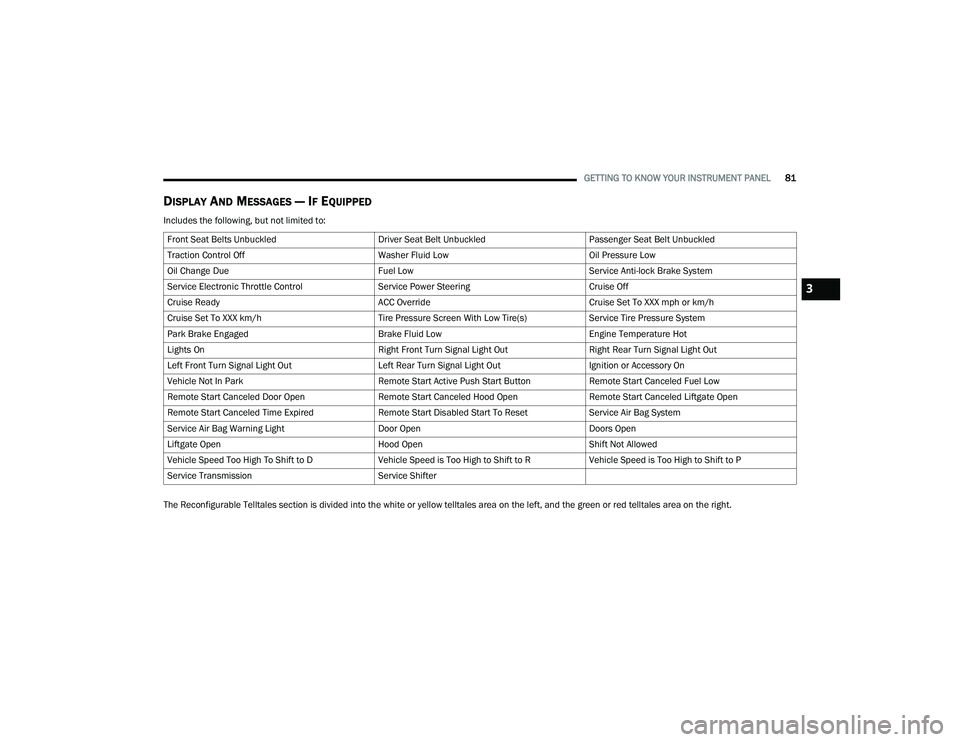
DISPLAY AND MESSAGES — IF EQUIPPED
Includes the following, but not limited to:
The Reconfigurable Telltales section is divided into the white or yellow telltales area on the left, and the green or red telltales area on the right.Front Seat Belts Unbuckled
Driver Seat Belt UnbuckledPassenger Seat Belt Unbuckled
Traction Control Off Washer Fluid LowOil Pressure Low
Oil Change Due Fuel LowService Anti-lock Brake System
Service Electronic Throttle Control Service Power SteeringCruise Off
Cruise Ready ACC OverrideCruise Set To XXX mph or km/h
Cruise Set To XXX km/h Tire Pressure Screen With Low Tire(s)Service Tire Pressure System
Park Brake Engaged Brake Fluid LowEngine Temperature Hot
Lights On Right Front Turn Signal Light OutRight Rear Turn Signal Light Out
Left Front Turn Signal Light Out Left Rear Turn Signal Light OutIgnition or Accessory On
Vehicle Not In Park Remote Start Active Push Start ButtonRemote Start Canceled Fuel Low
Remote Start Canceled Door Open Remote Start Canceled Hood OpenRemote Start Canceled Liftgate Open
Remote Start Canceled Time Expired Remote Start Disabled Start To ResetService Air Bag System
Service Air Bag Warning Light Door OpenDoors Open
Liftgate Open Hood OpenShift Not Allowed
Vehicle Speed Too High To Shift to D Vehicle Speed is Too High to Shift to RVehicle Speed is Too High to Shift to P
Service Transmission Service Shifter
3
22_MP_OM_EN_USC_t.book Page 81
Page 88 of 344
86GETTING TO KNOW YOUR INSTRUMENT PANEL
VEHICLE SETTINGS — IF EQUIPPED
Push and release the up or down arrow
button until the Vehicle Setup Menu item is
displayed in the instrument cluster display. This
menu item allows you to change the settings for
the following:
Display
Navigation Repetition
Security
Passenger Airbag
Seat Belt Reminder
Safety and Assistance
Speed Warning
Hill Start Assist
NOTE:Most vehicle settings will be moved into the radio
if a touchscreen radio is present Ú page 165.
Display
By selecting Display, the following settings can be
selected:
Language: select the language in which to
display the information/warnings.
Phone Repetition: displays information relating
to the phone mode. Units
By selecting Units, the unit of measurement to use
for displaying various values can be set. Possible
options are:
US
Metric
Custom: allows individual changes of units for
temperature, distance, consumption, and tire
pressure.
Clock And Date
By selecting Clock and Date, the time and date can
be set. Possible options are:
Set Time: adjust hours/minutes
Set Format: adjust the time format “12h”
(12 hours) or “24h” (24 hours)
Set Date: adjust day/month/year
Security
Passenger Air Bag Disable (PAD): a selection of
Passenger Air Bag Disable (ON/OFF) may be made
if a child restraint must be installed in the front
seat. Safety And Assistance
By selecting the item Safety and Assistance, the
following adjustments can be made:
ParkSense (If Equipped): a selection of the type
of information provided by ParkSense
Front ParkSense Volume (If Equipped): selec
-
tion of the volume of the beeps provided by the
front ParkSense
Rear ParkSense Volume (If Equipped): selection
of the volume of the beeps provided by the rear
ParkSense
Forward Collision Warning (FCW) (If Equipped): a
selection of operating modes of the system
Forward Collision Warning Plus
FCW Sensitivity (If Equipped): a selection of the
“readiness” of intervention of the Forward Colli -
sion Warning Plus system, based on the
distance to the obstacle
Rain Sensing Wipers (If Equipped): enabling/
disabling the automatic operation of wipers in
the event of rain
Active Lane Management Force (If Equipped):
selection of the force to be applied to the
steering wheel to put the car in the roadway
through the system of electrical drive, in case of
operation of the system Active Lane Manage -
ment
22_MP_OM_EN_USC_t.book Page 86
Page 94 of 344
92GETTING TO KNOW YOUR INSTRUMENT PANEL
Oil Temperature Warning Light
This warning light will illuminate to
indicate the engine oil temperature is
high. If the light turns on while driving,
stop the vehicle and shut off the engine
as soon as possible. Wait for oil temperature to
return to normal levels.
Seat Belt Reminder Warning Light
This warning light indicates when the
driver or passenger seat belt is
unbuckled. When the ignition is first
placed in the ON/RUN position and if the
driver’s seat belt is unbuckled, a chime will sound
and the light will turn on. When driving, if the driver
or front passenger seat belt remains unbuckled,
the Seat Belt Reminder Light will flash or remain on
continuously and a chime will sound Ú page 204.
Transmission Fault Warning Light
This light will illuminate (together with a
message in the instrument cluster
display and a buzzer) to indicate a
transmission fault. Contact an authorized
dealer if the message remains after restarting
the engine.
Transmission Temperature Warning Light —
If Equipped
This warning light will illuminate to warn
of a high transmission fluid temperature.
This may occur with strenuous usage
such as trailer towing. If this light turns
on, stop the vehicle and run the engine at idle or
slightly faster, with the transmission in PARK or
NEUTRAL, until the light turns off. Once the light
turns off, you may continue to drive normally.
Vehicle Security Warning Light —
If Equipped
This light will flash at a fast rate for
approximately 15 seconds when the
Vehicle Security system is arming,
and then will flash slowly until the vehicle
is disarmed.
YELLOW WARNING LIGHTS
Anti-Lock Brake System (ABS) Warning
Light
This warning light monitors the ABS.
The light will turn on when the ignition is
placed in the ON/RUN position and may
stay on for as long as four seconds.
If the ABS light remains on or turns on while
driving, then the Anti-Lock portion of the brake
system is not functioning and service is required as
soon as possible. However, the conventional brake
system will continue to operate normally,
assuming the Brake Warning Light is not also on.
If the ABS light does not turn on when the ignition
is placed in the ON/RUN position, have the brake
system inspected by an authorized dealer.WARNING!
If you continue operating the vehicle when the
Transmission Temperature Warning Light is
illuminated you could cause the fluid to boil over,
come in contact with hot engine or exhaust
components and cause a fire.
CAUTION!
Continuous driving with the Transmission
Temperature Warning Light illuminated will
eventually cause severe transmission damage
or transmission failure.
22_MP_OM_EN_USC_t.book Page 92
Page 102 of 344
100 (Continued)
STARTING AND OPERATING
STARTING THE ENGINE
Before starting your vehicle, adjust your seat,
adjust both inside and outside mirrors, and fasten
your seat belts. Start the engine with the gear selector in the
NEUTRAL or PARK position. Apply the brake before
shifting to any driving range.
NORMAL STARTING
Place the ignition switch in the START position and
release when the engine starts. If the engine fails
to start within 10 seconds, place the ignition
switch in the LOCK/OFF position, wait 10 to
15 seconds, then repeat the “Normal Starting”
procedure.
Tip Start Feature
Place the ignition switch in the START position
and release it as soon as the starter engages.
The starter motor will continue to run, and will
automatically disengage itself when the engine is
running. If the engine fails to start, place the
ignition switch in the OFF position, wait 10 to
15 seconds, then repeat the “Normal Starting”
procedure.
Automatic Transmission
The gear selector must be in the NEUTRAL or PARK
position before you can start the engine. Apply the
brakes before shifting into any driving gear.
Keyless Enter ’n Go™ Functions — Using The
ENGINE START/STOP Button
1. The transmission must be in PARK or NEUTRAL.
2. Press and hold the brake pedal while pushing the ENGINE START/STOP button once.
WARNING!
When exiting the vehicle, always remove the
key fob from the vehicle and lock your vehicle.
Never leave children alone in a vehicle, or with
access to an unlocked vehicle.
Allowing children to be in a vehicle unattended
is dangerous for a number of reasons. A child
or others could be seriously or fatally injured.
Children should be warned not to touch the
parking brake, brake pedal or the transmis -
sion gear selector.
Do not leave the key fob in or near the vehicle,
or in a location accessible to children, and do
not leave the ignition of a vehicle equipped
with Keyless Enter ’n Go™ in the ON/RUN
position. A child could operate power
windows, other controls, or move the vehicle.
Do not leave children or animals inside parked
vehicles in hot weather. Interior heat build-up
may cause serious injury or death.
WARNING!
CAUTION!
Damage to the transmission may occur if the
following precautions are not observed:
Do not shift between PARK, REVERSE,
NEUTRAL, or DRIVE when the engine is
above idle speed.
Shift into or out of PARK or REVERSE only after
the vehicle has come to a complete stop.
Before shifting into any gear, make sure your
foot is firmly on the brake pedal.
22_MP_OM_EN_USC_t.book Page 100
Page 105 of 344
STARTING AND OPERATING103
While cruising, brief full-throttle acceleration within
the limits of local traffic laws contributes to a good
break-in. Wide-open throttle acceleration in low
gear can be detrimental and should be avoided.
The engine oil installed in the engine at the factory
is a high-quality energy conserving type lubricant.
Oil changes should be consistent with anticipated
climate conditions under which vehicle operations
will occur. For the recommended viscosity and
quality grades Ú page 323.
NOTE:A new engine may consume some oil during its first
few thousand miles (kilometers) of operation. This
should be considered a normal part of the break-in
and not interpreted as a problem.
PARK BRAKE
ELECTRIC PARK BRAKE (EPB)
Your vehicle is equipped with an EPB system that
offers simple operation, and some additional
features that make the parking brake more
convenient and useful. The parking brake is primarily intended to prevent
the vehicle from rolling while parked. Before
leaving the vehicle, make sure that the parking
brake is applied. Also, be certain to leave the
transmission in PARK.
You can engage the parking brake in two ways:
Manually, by applying the EPB switch.
Automatically, by enabling the Auto Park Brake
feature in the Customer Programmable
Features section of the Uconnect settings
Ú
page 165.
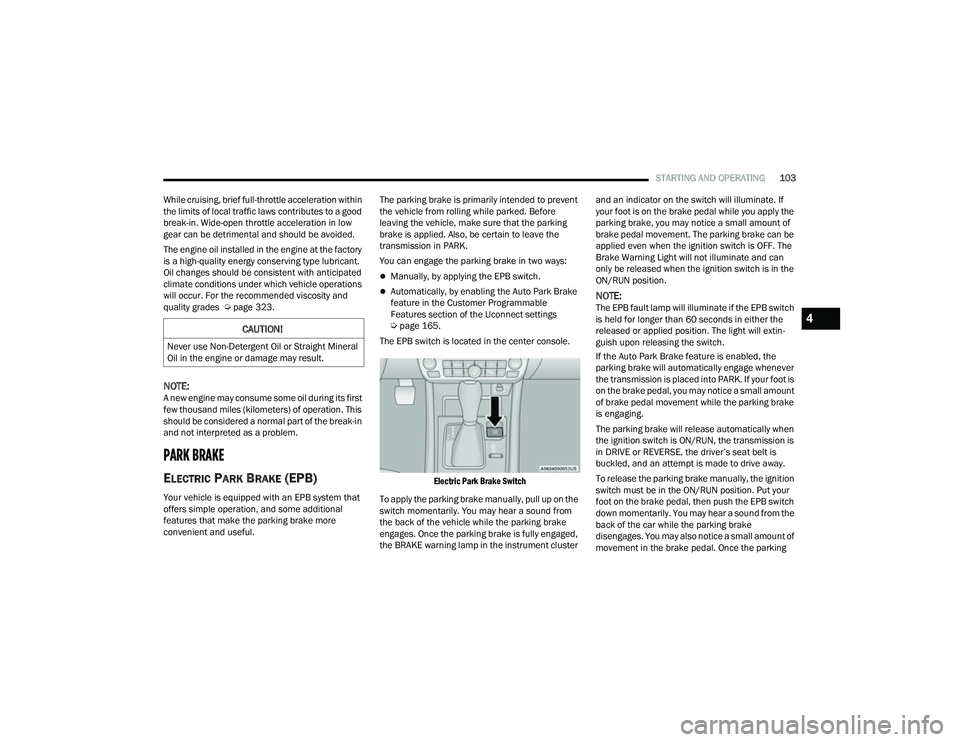
The EPB switch is located in the center console.
Electric Park Brake Switch
To apply the parking brake manually, pull up on the
switch momentarily. You may hear a sound from
the back of the vehicle while the parking brake
engages. Once the parking brake is fully engaged,
the BRAKE warning lamp in the instrument cluster and an indicator on the switch will illuminate. If
your foot is on the brake pedal while you apply the
parking brake, you may notice a small amount of
brake pedal movement. The parking brake can be
applied even when the ignition switch is OFF. The
Brake Warning Light will not illuminate and can
only be released when the ignition switch is in the
ON/RUN position.NOTE:The EPB fault lamp will illuminate if the EPB switch
is held for longer than 60 seconds in either the
released or applied position. The light will extin
-
guish upon releasing the switch.
If the Auto Park Brake feature is enabled, the
parking brake will automatically engage whenever
the transmission is placed into PARK. If your foot is
on the brake pedal, you may notice a small amount
of brake pedal movement while the parking brake
is engaging.
The parking brake will release automatically when
the ignition switch is ON/RUN, the transmission is
in DRIVE or REVERSE, the driver’s seat belt is
buckled, and an attempt is made to drive away.
To release the parking brake manually, the ignition
switch must be in the ON/RUN position. Put your
foot on the brake pedal, then push the EPB switch
down momentarily. You may hear a sound from the
back of the car while the parking brake
disengages. You may also notice a small amount of
movement in the brake pedal. Once the parking
CAUTION!
Never use Non-Detergent Oil or Straight Mineral
Oil in the engine or damage may result.
4
22_MP_OM_EN_USC_t.book Page 103
Page 107 of 344
STARTING AND OPERATING105
In the unlikely event of a malfunction of the EPB
system, a yellow EPB fault lamp will illuminate. This
may be accompanied by the Brake Warning Light
flashing. In this event, urgent service of the EPB
system is required. Do not rely on the parking
brake to hold the vehicle stationary.
Auto Park Brake
The EPB can be programmed to be applied
automatically whenever the vehicle speed is below
1.9 mph (3 km/h) and the transmission is placed
in PARK. Auto Park Brake is enabled and disabled
by customer selection through the Customer
Programmable Features section of the Uconnect
Settings Ú page 165.
Any single Auto Park Brake application can be
bypassed by pushing the EPB switch to the release
position while the transmission is placed in PARK
and the ignition is in the ON/RUN position.
SafeHold
SafeHold is a safety feature of the EPB system that
will engage the parking brake automatically if the
vehicle is left unsecured while the ignition switch is
in ON/RUN. For automatic transmissions, the EPB will
automatically engage if all of the following
conditions are met:
Vehicle speed is below 1.9 mph (3 km/h).
There is no attempt to press the brake pedal
and accelerator pedal.
The seat belt is unbuckled.
The driver’s door is open.
The vehicle is not in the PARK position.
SafeHold can be temporarily bypassed by pushing
the EPB switch while the driver’s door is open and
the brake pedal is pressed. Once manually
bypassed, SafeHold will be enabled again once the
vehicle reaches 12 mph (20 km/h) or the ignition
is turned to the OFF position and back to ON/RUN
again.
Auto Hold — If Equipped
Auto Hold is a comfort feature that allows the
driver to remove their foot from the brake pedal
once the vehicle has come to a stop. The vehicle
must be held at a standstill for a predetermined
amount of time by hydraulic braking. The EPB will
then engage and continue to hold the vehicle at a
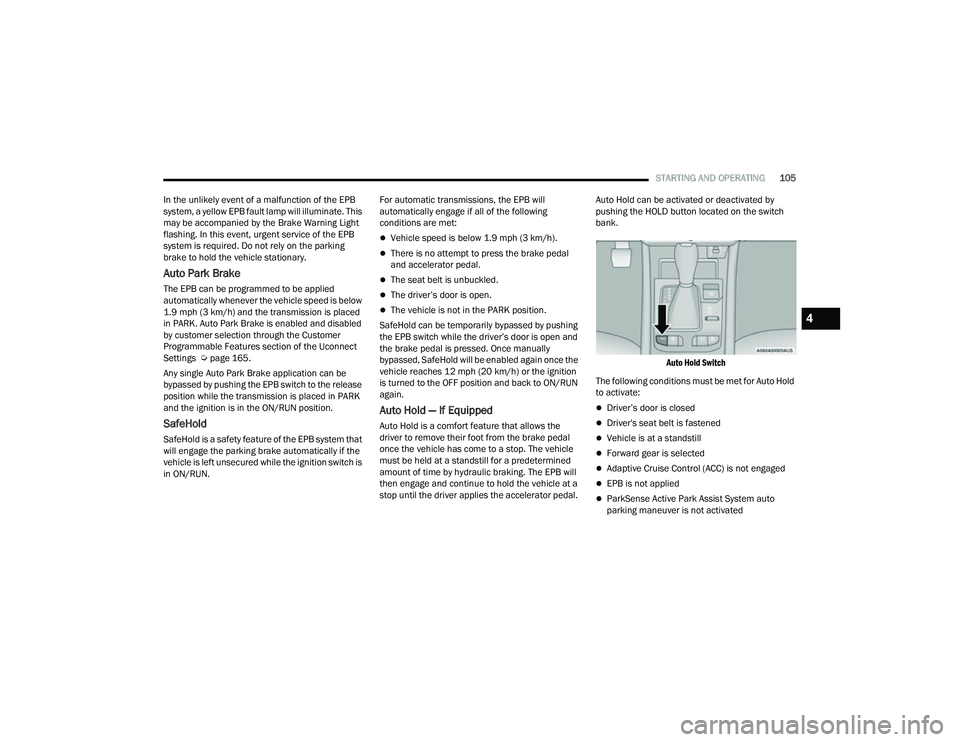
stop until the driver applies the accelerator pedal. Auto Hold can be activated or deactivated by
pushing the HOLD button located on the switch
bank.
Auto Hold Switch
The following conditions must be met for Auto Hold
to activate:
Driver’s door is closed
Driver's seat belt is fastened
Vehicle is at a standstill
Forward gear is selected
Adaptive Cruise Control (ACC) is not engaged
EPB is not applied
ParkSense Active Park Assist System auto
parking maneuver is not activated
4
22_MP_OM_EN_USC_t.book Page 105
Page 117 of 344
STARTING AND OPERATING115
POSSIBLE REASONS THE ENGINE DOES
N
OT AUTOSTOP
Prior to engine shut down, the system will check
many safety and comfort conditions to see if they
are fulfilled. Detailed information about the
operation of the Stop/Start system may be viewed
in the instrument cluster display Stop/Start
Screen. In the following situations the engine will
not stop:
Driver’s seat belt is not buckled.
Driver’s door is not closed.
Battery temperature is too warm or cold.
Battery charge is low.
The vehicle is on a steep grade.
Cabin heating or cooling is in process and an
acceptable cabin temperature has not been
achieved.
HVAC is set to full defrost mode at a high blower
speed.
HVAC is set to MAX A/C.
Engine has not reached normal operating
temperature.
The transmission is not in a forward gear.
Hood is open.
Vehicle is in 4WD LOW transfer case mode.
Brake pedal is not pressed with sufficient pres -
sure.
Accelerator pedal input.
Engine temperature is too high.
5 mph (8 km/h) threshold has not been
achieved from previous Autostop.
Steering angle beyond threshold.
Adaptive Cruise Control is on and speed is set.
It may be possible for the vehicle to be driven
several times without the Stop/Start system going
into a STOP/START READY state under more
extreme conditions of the items listed above.
TO START THE ENGINE WHILE IN
A
UTOSTOP MODE
While in a forward gear, the engine will start when
the brake pedal is released or the throttle pedal is
pressed. The transmission will automatically
re-engage upon engine restart. Conditions That Will Cause The Engine To Start
Automatically While In Autostop Mode:
The transmission selector is moved out of
DRIVE (D).
To maintain cabin temperature comfort.
HVAC is set to full defrost mode.
HVAC system temperature or fan speed is
manually adjusted.
Battery voltage drops too low.
Stop/Start OFF switch is pressed.
A Stop/Start system error occurs.
Vehicle is in 4WD LOW transfer case mode.
Conditions That Force An Application Of The
Electric Park Brake While In Autostop Mode:
The driver’s door is open and brake pedal
released.
The driver’s door is open and the driver’s seat
belt is unbuckled.
The engine hood has been opened.
A Stop/Start system error occurs.
If the Electric Park Brake (EPB) is applied with the
engine off, the engine may require a manual
restart and the EPB may require a manual release
(press brake pedal and press EPB switch)
Ú page 77.
4
22_MP_OM_EN_USC_t.book Page 115
Page 122 of 344
120STARTING AND OPERATING
Adaptive Cruise Control (ACC) Menu
The instrument cluster display will show the
current ACC system settings. The information it
displays depends on ACC system status.
Push the Adaptive Cruise Control (ACC) on/off
button until one of the following appears in the
instrument cluster display:
Adaptive Cruise Control Off
When ACC is deactivated, the display will read
“Adaptive Cruise Control Off.”
Adaptive Cruise Control Ready
When ACC is activated, but the vehicle speed
setting has not been selected, the display will read
“Adaptive Cruise Control Ready.”
Adaptive Cruise Control Set
When the SET (+) or the SET (-) button is pushed,
the display will read “ACC SET.”
When ACC is set, the set speed will show in the
instrument cluster display.
The ACC screen may display once again if any of
the following ACC activity occurs:
System Cancel
Driver Override
System Off
ACC Proximity Warning
ACC Unavailable Warning The instrument cluster display will return to the last
display selected after five seconds of no ACC
display activity.
Activating Adaptive Cruise Control (ACC)
The minimum set speed for the ACC system is
20 mph (32 km/h).
When the system is turned on and in the ready
state, the instrument cluster display will read
“ACC Ready.”
When the system is off, the instrument cluster
display will read “Adaptive Cruise Control (ACC)
Off.”
NOTE:You cannot engage ACC under the following condi
-
tions:
When in 4WD Low
When the brakes are applied
When the parking brake is applied
When the automatic transmission is in PARK,
REVERSE or NEUTRAL
When the vehicle speed is below the minimum
speed range
When the brakes are overheated
When the driver’s door is open at low speeds
When the driver’s seat belt is unbuckled at low
speeds
When there is a stationary vehicle in front of
your vehicle in close proximity
When ESC Full Off Mode is active
To Activate/Deactivate
Push and release the Adaptive Cruise Control
(ACC) on/off button. The ACC menu in the
instrument cluster display will read “ACC Ready.”
Then proceed to setting the desired speed as
described in the next section.
To turn the system off, push and release the
Adaptive Cruise Control (ACC) on/off button again.
At this time, the system will turn off and the
instrument cluster display will read “Adaptive
Cruise Control (ACC) Off.” The system will also
turn off during any of the conditions listed in
“To Turn Off” Ú page 121.
WARNING!
Leaving the Adaptive Cruise Control (ACC)
system on when not in use is dangerous. You
could accidentally set the system or cause it to
go faster than you want. You could lose control
and have a collision. Always leave the system off
when you are not using it.
22_MP_OM_EN_USC_t.book Page 120
Page 123 of 344
STARTING AND OPERATING121
To Set A Desired Speed
When the vehicle reaches the speed desired, push
the SET (+) button or the SET (-) button and
release. The instrument cluster display will show
the set speed.
NOTE:Fixed Speed Cruise Control can be used without
ACC enabled. To change between the different
modes, push the ACC on/off button which turns
the ACC and the Fixed Speed Cruise Control off.
Pushing the Fixed Speed Cruise Control on/off
button will result in turning on (changing to) Fixed
Speed Cruise Control mode.
If ACC is set when the vehicle speed is below
20 mph (32 km/h), the set speed will default to
20 mph (32 km/h).
NOTE:Fixed Speed Cruise Control cannot be set below
20 mph (32 km/h).
If either system is set when the vehicle speed is
above 20 mph (32 km/h), the set speed shall be
the current speed of the vehicle.
NOTE:
Keeping your foot on the accelerator pedal can
cause the vehicle to continue to accelerate
beyond the set speed. If this occurs, the
message “DRIVER OVERRIDE” will display in the
instrument cluster display.
If you continue to accelerate beyond the set
speed while ACC is enabled, the system will not
be controlling the distance between your vehicle
and the vehicle ahead. The vehicle speed will
only be determined by the position of the accel-
erator pedal.
To Cancel
The following conditions cancel the ACC or Fixed
Speed Cruise Control systems:
The brake pedal is applied
The CANC (cancel) button is pushed
The Anti-Lock Brake System (ABS) activates
The gear selector is removed from the DRIVE
position
The Electronic Stability Control/Traction Control
System (ESC/TCS) activates
The vehicle parking brake is applied
The Trailer Sway Control (TSC) activates
The driver switches ESC to Full Off mode
The braking temperature exceeds normal range
(overheated)
The following conditions will only cancel the ACC
system:
Driver seat belt is unbuckled at low speeds
Driver door is opened at low speeds
To Turn Off
The system will turn off and clear the set speed in
memory if:
The Adaptive Cruise Control (ACC) on/off button
is pushed
The Fixed Speed Cruise Control on/off button is
pushed
The ignition is placed in the OFF position
4WD Low is engaged
WARNING!
In Fixed Speed Cruise Control mode, the system
will not react to vehicles ahead. In addition, the
proximity warning does not activate and no
alarm will sound even if you are too close to the
vehicle ahead since neither the presence of the
vehicle ahead nor the vehicle-to-vehicle distance
is detected. Be sure to maintain a safe distance
between your vehicle and the vehicle ahead.
Always be aware which mode is selected.
4
22_MP_OM_EN_USC_t.book Page 121
Page 126 of 344
124STARTING AND OPERATING
NOTE:After the ACC system holds your vehicle at a stand -
still for approximately three consecutive minutes,
the parking brake will be activated, and the ACC
system will be cancelled.
While ACC is holding your vehicle at a standstill, if
the driver seat belt is unbuckled or the driver door
is opened, the parking brake will be activated, and
the ACC system will be cancelled.
Display Warnings And Maintenance
“WIPE FRONT RADAR SENSOR IN FRONT OF
VEHICLE” WARNING
The “ACC Unavailable Wipe Front Radar Sensor”
warning will display and a chime will sound when
conditions temporarily limit system performance.
This most often occurs at times of poor visibility,
such as in snow or heavy rain. The ACC system may
also become temporarily blinded due to obstructions, such as mud, dirt or ice. In these
cases, the instrument cluster display will display
the above message and the system will deactivate.
This message can sometimes be displayed while
driving in highly reflective areas (i.e. ice and snow,
or tunnels with reflective tiles). The ACC system will
recover after the vehicle has left these areas.
Under rare conditions, when the radar is not
tracking any vehicles or objects in its path this
warning may temporarily occur.
NOTE:If the “ACC Unavailable Wipe Front Radar Sensor”
warning is active, Fixed Speed Cruise Control is still
available.
If weather conditions are not a factor, the driver
should examine the sensor. It may require cleaning
or removal of an obstruction. The sensor is located
in the center of the vehicle behind the lower grille.
To keep the ACC system operating properly, it is
important to note the following maintenance
items:
Always keep the sensor clean. Carefully wipe the
sensor lens with a soft cloth. Be cautious not to
damage the sensor lens.
Do not remove any screws from the sensor.
Doing so could cause an ACC system malfunc
-
tion or failure and require a sensor realignment.
If the sensor or front end of the vehicle is
damaged due to a collision, see an authorized
dealer for service.
Do not attach or install any accessories near the
sensor, including transparent material or after -
market grilles. Doing so could cause an ACC
system failure or malfunction.
When the condition that deactivated the system is
no longer present, the system will return to the
“Adaptive Cruise Control Off” state and will resume
function by simply reactivating it.
NOTE:
If the “ACC Unavailable Wipe Front Radar
Sensor” message occurs frequently (e.g. more
than once on every trip) without any snow, rain,
mud, or other obstruction, have the radar
sensor realigned at an authorized dealer.
Installing a snow plow, front-end protector, an
aftermarket grille or modifying the grille is not
recommended. Doing so may block the sensor
and inhibit ACC operation.
WARNING!
When the ACC system is resumed, the driver
must ensure that there are no pedestrians,
vehicles or objects in the path of the vehicle.
Failure to follow these warnings can result in a
collision and death or serious personal injury.
22_MP_OM_EN_USC_t.book Page 124