wheel JEEP COMPASS TRAILHAWK 2019 User Guide
[x] Cancel search | Manufacturer: JEEP, Model Year: 2019, Model line: COMPASS TRAILHAWK, Model: JEEP COMPASS TRAILHAWK 2019Pages: 554, PDF Size: 5.29 MB
Page 187 of 554
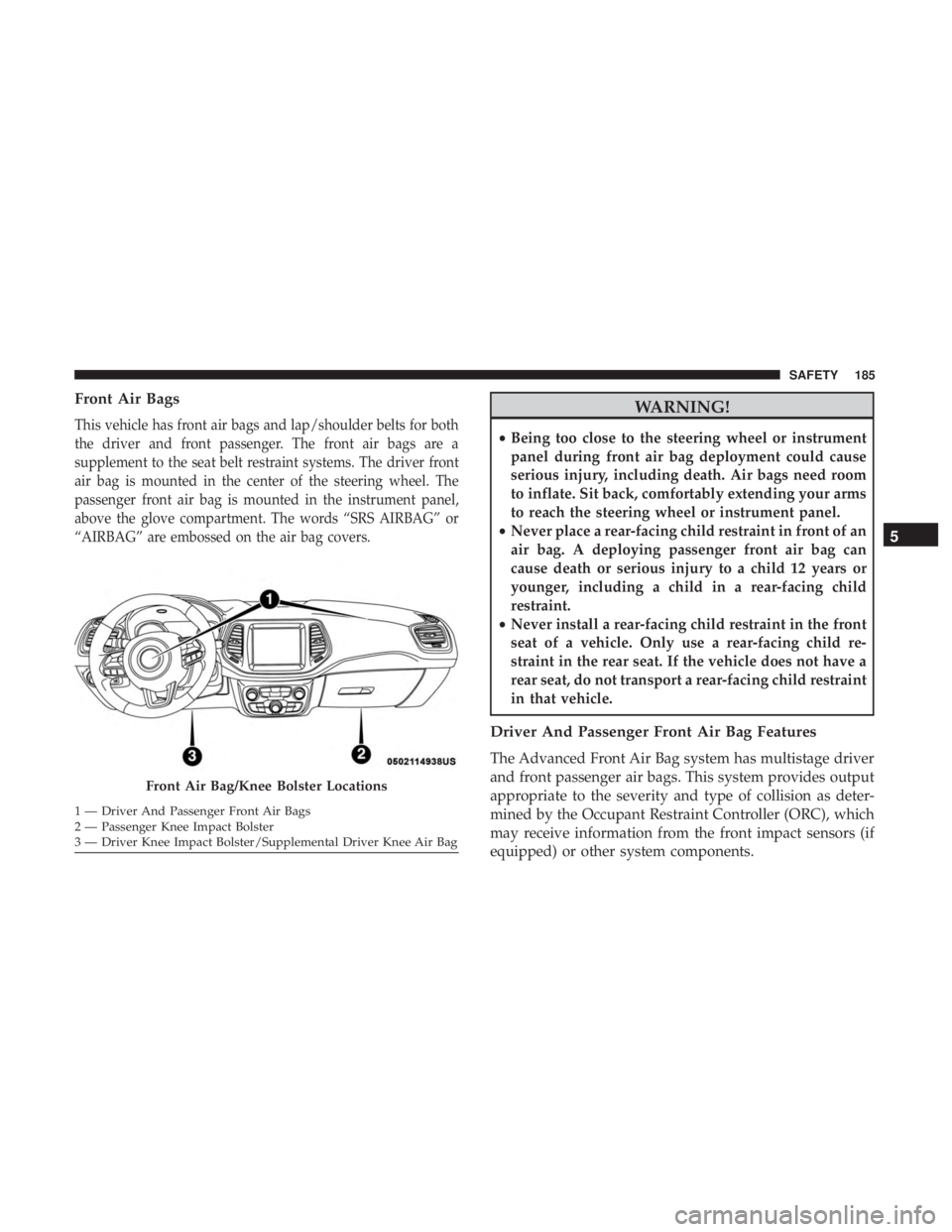
Front Air Bags
This vehicle has front air bags and lap/shoulder belts for both
the driver and front passenger. The front air bags are a
supplement to the seat belt restraint systems. The driver front
air bag is mounted in the center of the steering wheel. The
passenger front air bag is mounted in the instrument panel,
above the glove compartment. The words “SRS AIRBAG” or
“AIRBAG” are embossed on the air bag covers.
Page 227 of 554
WARNING!(Continued)
•If the vehicle carpet has been removed and re-
installed, always properly attach carpet to the floor
and check the floor mat fasteners are secure to the
vehicle carpet. Fully depress each pedal to check for
interference with the accelerator, brake, or clutch
pedals then re-install the floor mats.
• It is recommended to only use mild soap and water
to clean your floor mats. After cleaning, always check
your floor mat has been properly installed and is
secured to your vehicle using the floor mat fasteners
by lightly pulling mat.
Periodic Safety Checks You Should Make Outside
The Vehicle
Tires
Examine tires for excessive tread wear and uneven wear
patterns. Check for stones, nails, glass, or other objects
lodged in the tread or sidewall. Inspect the tread for cuts
and cracks. Inspect sidewalls for cuts, cracks, and bulges.
Check the wheel nuts for tightness. Check the tires (includ-
ing spare) for proper cold inflation pressure.
Lights
Have someone observe the operation of brake lights and
exterior lights while you work the controls. Check turn
signal and high beam indicator lights on the instrument
panel.
Door Latches
Check for proper closing, latching, and locking.
Fluid Leaks
Check area under the vehicle after overnight parking for
fuel, coolant, oil, or other fluid leaks. Also, if gasoline
fumes are detected or if fuel, or brake fluid leaks are
suspected. The cause should be located and corrected
immediately.
5
SAFETY 225
Page 239 of 554
NOTE:The EPB fault lamp will illuminate if the EPB
switch is held for longer than 60 seconds in either the
released or applied position. The light will extinguish upon
releasing the switch.
If the Auto Park Brake feature is enabled, the parking brake
will automatically engage whenever the transmission is
placed into PARK, or with a manual transmission, when
the ignition switch is turned OFF. If your foot is on the
brake pedal, you may notice a small amount of brake pedal
movement while the park brake is engaging.
The park brake will release automatically when the igni-
tion switch is ON, the transmission is in DRIVE or RE-
VERSE, the driver seat belt is buckled, and an attempt is
made to drive away.
To release the park brake manually, the ignition switch
must be in the ON/RUN position. Put your foot on the
brake pedal, then push the park brake switch down
momentarily. You may hear a slight whirring sound from
the back of the car while the parking brake disengages. You
may also notice a small amount of movement in the brake
pedal. Once the park brake is fully disengaged, the BRAKE
warning lamp in the instrument cluster and the LED
indicator on the switch will extinguish. NOTE:
When parking on a hill, it is important to turn the
front wheels toward the curb on a downhill grade and
away from the curb on an uphill grade. Apply the park
brake before placing the gear selector in PARK, otherwise
the load on the transmission locking mechanism may make
it difficult to move the gear selector out of PARK. The
parking brake should always be applied whenever the
driver is not in the vehicle.
Page 247 of 554
CAUTION!
If you skip a gear while downshifting or downshift at
too high of a vehicle speed, these conditions may cause
the engine to overspeed if too low of a gear is selected
and the clutch pedal is released. Damage to the clutch
and the transmission can result from skipping a gear
while downshifting or downshifting at too high of a
vehicle speed even if the clutch pedal is held pressed
(i.e., not released).
Parking
When parking and leaving the vehicle, proceed as follows:
•Engage a gear (first gear if facing uphill or reverse if
facing downhill) and leave the wheels turned.
• Stop the engine and engage the park brake.
• Always remove the key fob.
• Block the wheels with a wedge or a stone if the vehicle
is parked on a steep slope.
NOTE: NEVER leave the car with the gearbox in neutral
(or, if equipped with automatic transmission, before plac-
ing the gear lever in PARK).
Page 251 of 554
NOTE:After selecting any gear range, wait a moment to
allow the selected gear to engage before accelerating. This
is especially important when the engine is cold.
PARK (P)
This range supplements the parking brake by locking the
transmission. The engine can be started in this range.
Never attempt to use PARK while the vehicle is in motion.
Apply the parking brake when exiting the vehicle in this
range.
When parking on a level surface, you may shift the
transmission into PARK first, and then apply the parking
brake.
When parking on a hill, apply the parking brake before
shifting the transmission to PARK, otherwise the load on
the transmission locking mechanism may make it difficult
to move the gear selector out of PARK. As an added
precaution, turn the front wheels toward the curb on a
downhill grade and away from the curb on an uphill grade.
When exiting the vehicle, always:
1. Apply the parking brake.
2. Shift the transmission into PARK.
3. Turn the ignition OFF. 4. Remove the key fob from the vehicle.
NOTE:
Block the wheels with a wedge or a stone if the
vehicle is parked on a steep slope.
Page 260 of 554
operating conditions), the transmission may use second
gear (rather than first gear) during launches, to mini-
mize wheel slippage.
• SAND: For off-road driving or use on surfaces with poor
traction, such as dry sand. The transmission is set to
provide maximum traction.
• MUD: For off-road driving or use on surfaces with poor
traction, such as roads covered by mud or wet grass.
• ROCK (Trailhawk only): This mode is only available in
4WD LOW range. The device sets the vehicle to maxi-
mize traction and allow the highest steering capacity for
off-road surfaces. This mode gives you the maximum
performance off-road. Use for low speed obstacles such
as large rocks, deep ruts, etc.
NOTE:
• Rock mode is only available on the vehicles equipped
with the Off-Road package.
• Activate the Hill Descent Control for steep downhill
control. See “Electronic Brake Control System” in this
section for further information.POWER STEERING
The electric power steering system will give you good
vehicle response and increased ease of maneuverability in
tight spaces. The system will vary its assist to provide light
efforts while parking and good feel while driving. If the
electric steering system experiences a fault that reduces
assist or prevents the vehicle from providing assist, you
will still have the ability to steer the vehicle manually.
Page 265 of 554
SPEED CONTROL — IF EQUIPPED
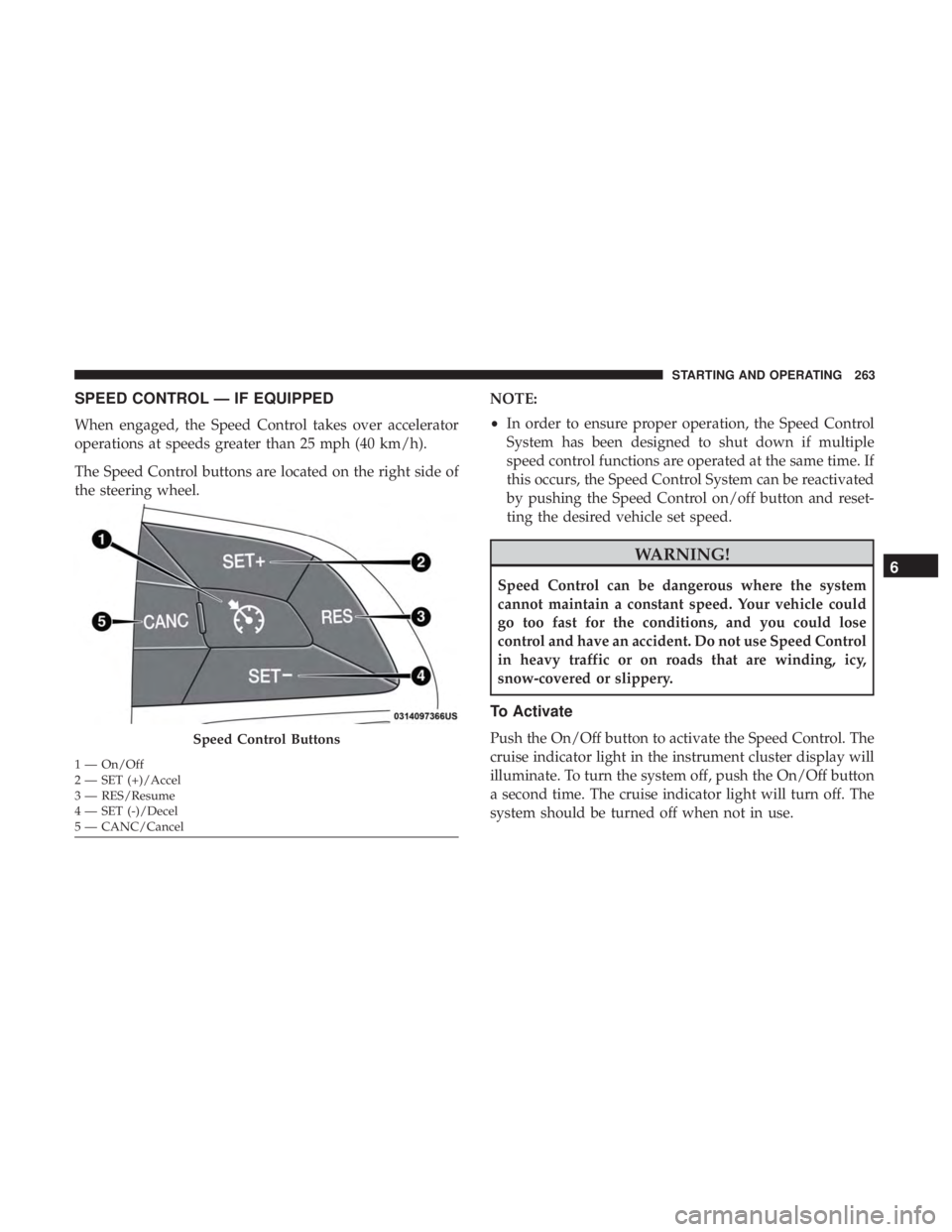
When engaged, the Speed Control takes over accelerator
operations at speeds greater than 25 mph (40 km/h).
The Speed Control buttons are located on the right side of
the steering wheel.NOTE:
•
In order to ensure proper operation, the Speed Control
System has been designed to shut down if multiple
speed control functions are operated at the same time. If
this occurs, the Speed Control System can be reactivated
by pushing the Speed Control on/off button and reset-
ting the desired vehicle set speed.
Page 271 of 554
WARNING!
Leaving the Adaptive Cruise Control (ACC) system on
when not in use is dangerous. You could accidentally
set the system or cause it to go faster than you want.
You could lose control and have a collision. Always
leave the system off when you are not using it.
Activating Adaptive Cruise Control (ACC)
You can only engage ACC if the vehicle speed is above
0 mph (0 km/h).The minimum set speed for the ACC system is 20 mph
(32 km/h).
When the system is turned on and in the ready state, the
instrument cluster display will read “ACC Ready.”
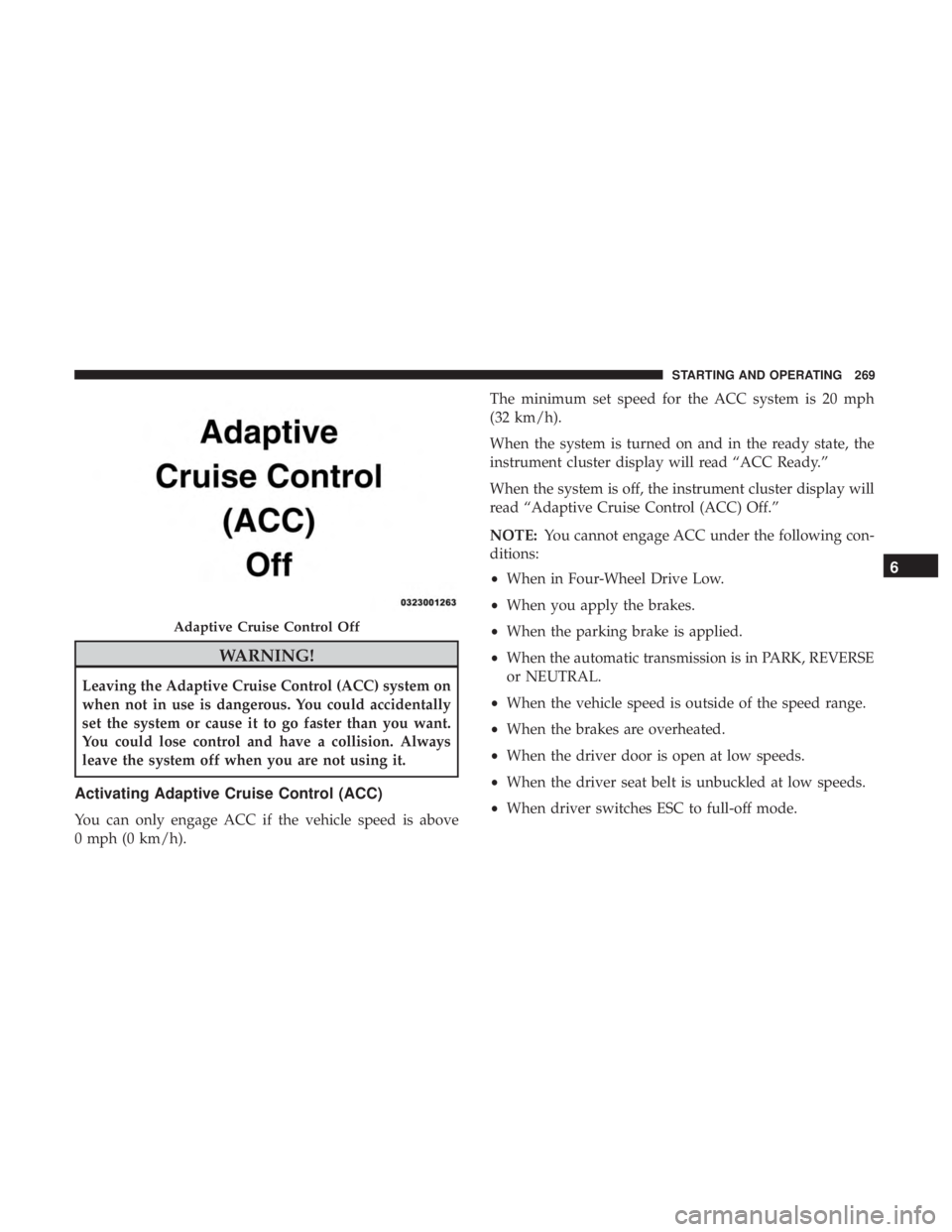
When the system is off, the instrument cluster display will
read “Adaptive Cruise Control (ACC) Off.”
NOTE:
You cannot engage ACC under the following con-
ditions:
• When in Four-Wheel Drive Low.
• When you apply the brakes.
• When the parking brake is applied.
• When the automatic transmission is in PARK, REVERSE
or NEUTRAL.
• When the vehicle speed is outside of the speed range.
• When the brakes are overheated.
• When the driver door is open at low speeds.
• When the driver seat belt is unbuckled at low speeds.
• When driver switches ESC to full-off mode.
Page 273 of 554
To Turn Off
The system will turn off and clear the set speed in memory if:
•The Adaptive Cruise Control (ACC) on/off button is
pushed.
• The Normal (Fixed Speed) Cruise Control on/off button
is pushed.
• The ignition is turned OFF.
• You switch to Four-Wheel Drive Low.
To Resume
If there is a set speed in the memory, push the RES button
and then remove your foot from the accelerator pedal. The
instrument cluster display will show the last set speed.
Page 279 of 554
WARNING!
When the ACC system is resumed, the driver must
ensure that there are no pedestrians, vehicles or objects
in the path of the vehicle. Failure to follow these
warnings can result in a collision and death or serious
personal injury.
Adaptive Cruise Control (ACC) Menu
The instrument cluster display shows the current ACC
system settings. The instrument cluster display is located
in the center of the instrument cluster. The information it
displays depends on ACC system status.
Push the Adaptive Cruise Control (ACC) on/off button
(located on the steering wheel) until one of the following
shows in the instrument cluster display:
Adaptive Cruise Control Off
When ACC is deactivated, the display will read “Adaptive
Cruise Control Off.”
Adaptive Cruise Control Ready
When ACC is activated but the vehicle speed setting has
not been selected, the display will read “Adaptive Cruise
Control Ready.”Push the SET (+) or the SET (-) button (located on the
steering wheel) and the following will read in the instru-
ment cluster display:
ACC SET
When ACC is set, the set speed will appear in the instru-
ment cluster display.
The ACC screen may display once again if any ACC
activity occurs, which may include any of the following:
•
System Cancel
• Driver Override
• System Off
• ACC Proximity Warning
• ACC Unavailable Warning
• The instrument cluster display will return to the last
display selected after five seconds of no ACC display
activity6
STARTING AND OPERATING 277