brakes JEEP GRAND CHEROKEE 2011 WK2 / 4.G Owners Manual
[x] Cancel search | Manufacturer: JEEP, Model Year: 2011, Model line: GRAND CHEROKEE, Model: JEEP GRAND CHEROKEE 2011 WK2 / 4.GPages: 587, PDF Size: 5.74 MB
Page 173 of 587
NOTE:You cannot enable ACC under the following
conditions:
•When in Four-Wheel Drive Low.
•When you apply the brakes.
•When the parking brake is set.
•When the automatic transmission is in PARK, RE-
VERSE or NEUTRAL.
•When pushing the RES +button without a previously
set speed in memory.
To Activate
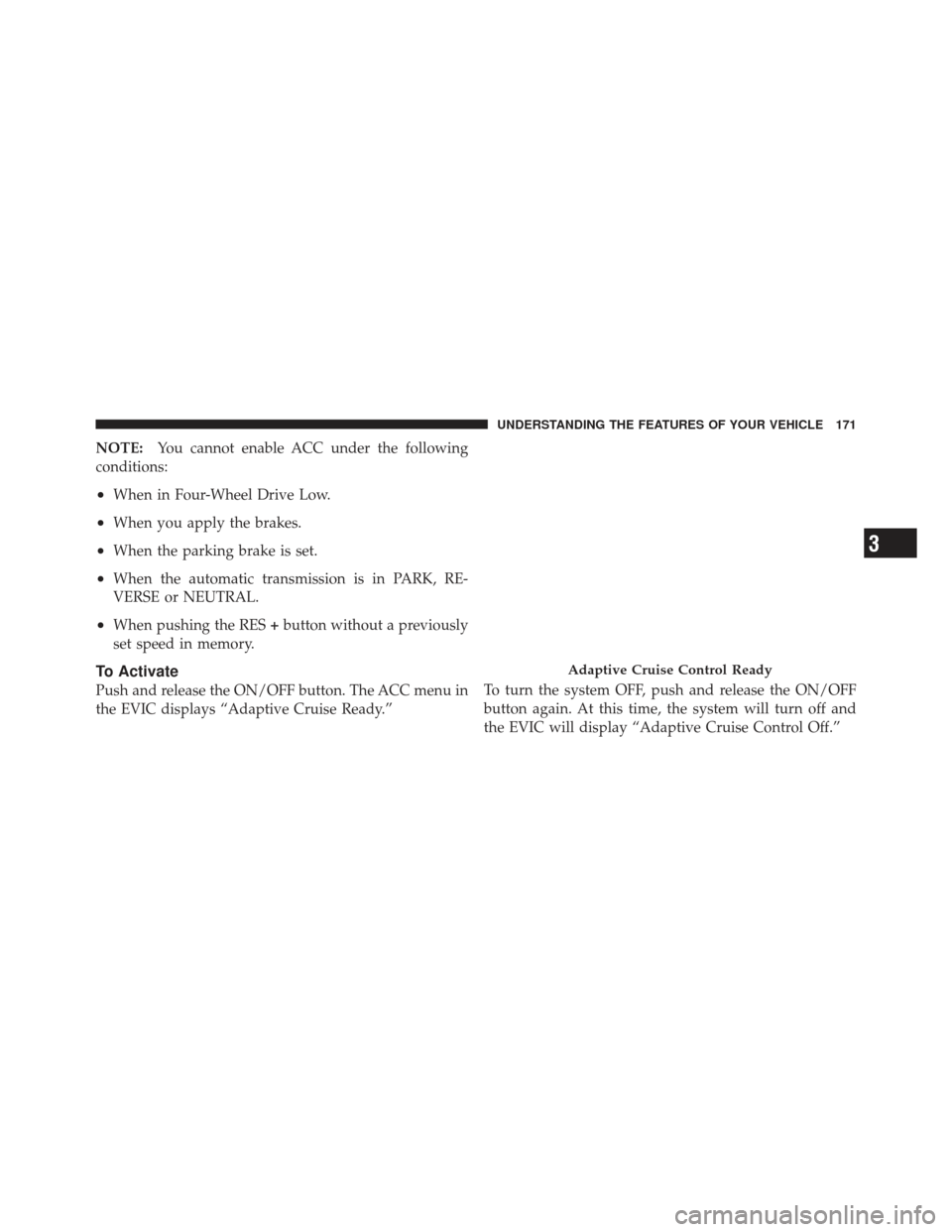
Push and release the ON/OFF button. The ACC menu in
the EVIC displays “Adaptive Cruise Ready.” To turn the system OFF, push and release the ON/OFF
button again. At this time, the system will turn off and
the EVIC will display “Adaptive Cruise Control Off.”
Adaptive Cruise Control Ready
3
UNDERSTANDING THE FEATURES OF YOUR VEHICLE 171
Page 180 of 587
•The system disengages. (Refer to the information on
ACC Activation).
The maximum braking applied by ACC is limited; how-
ever, the driver can always apply the brakes manually, if
necessary.
NOTE: The brake lights will illuminate whenever the
ACC system applies the brakes.
A Proximity Warning will alert the driver if ACC predicts
that its maximum braking level is not sufficient to
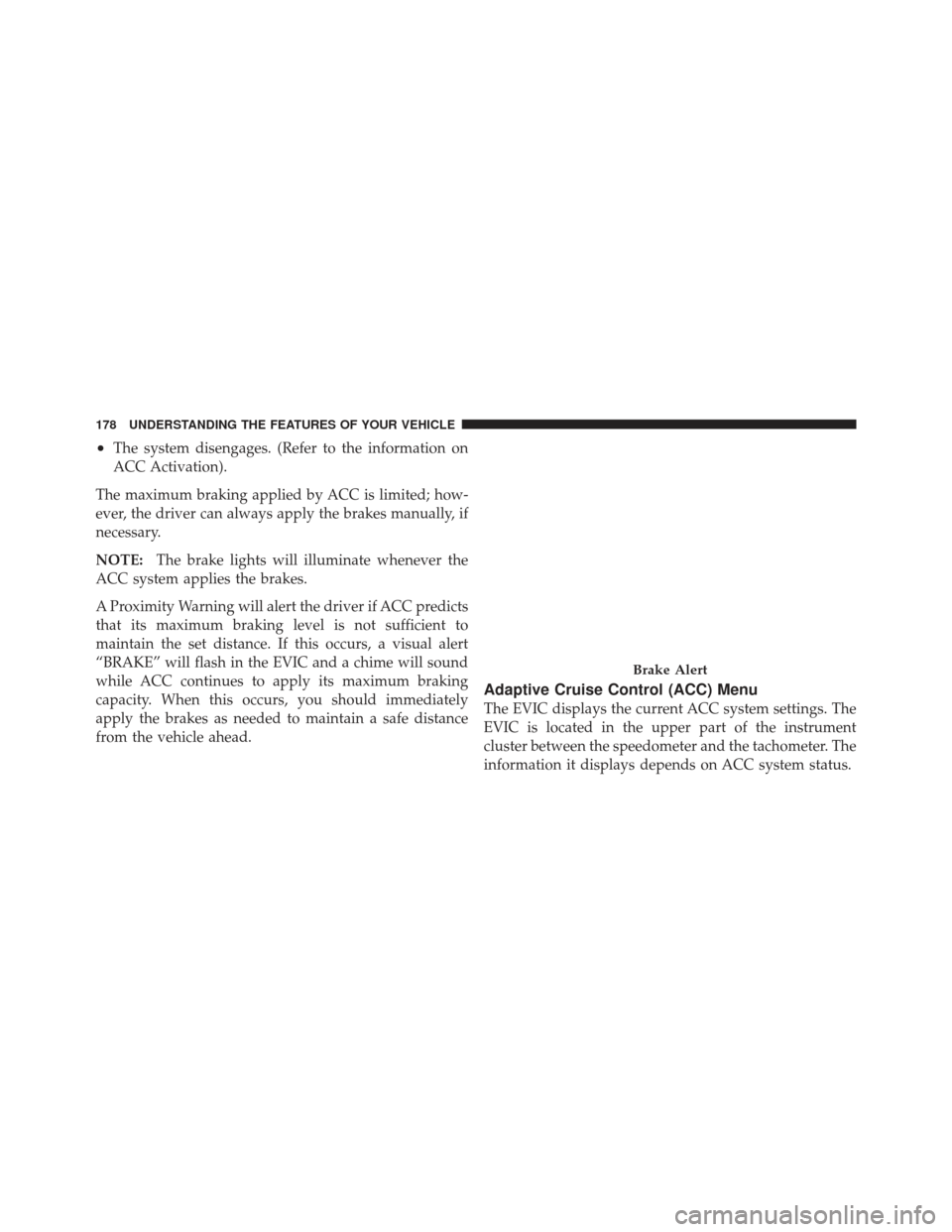
maintain the set distance. If this occurs, a visual alert
“BRAKE” will flash in the EVIC and a chime will sound
while ACC continues to apply its maximum braking
capacity. When this occurs, you should immediately
apply the brakes as needed to maintain a safe distance
from the vehicle ahead.
Adaptive Cruise Control (ACC) Menu
The EVIC displays the current ACC system settings. The
EVIC is located in the upper part of the instrument
cluster between the speedometer and the tachometer. The
information it displays depends on ACC system status.
Brake Alert
178 UNDERSTANDING THE FEATURES OF YOUR VEHICLE
Page 187 of 587
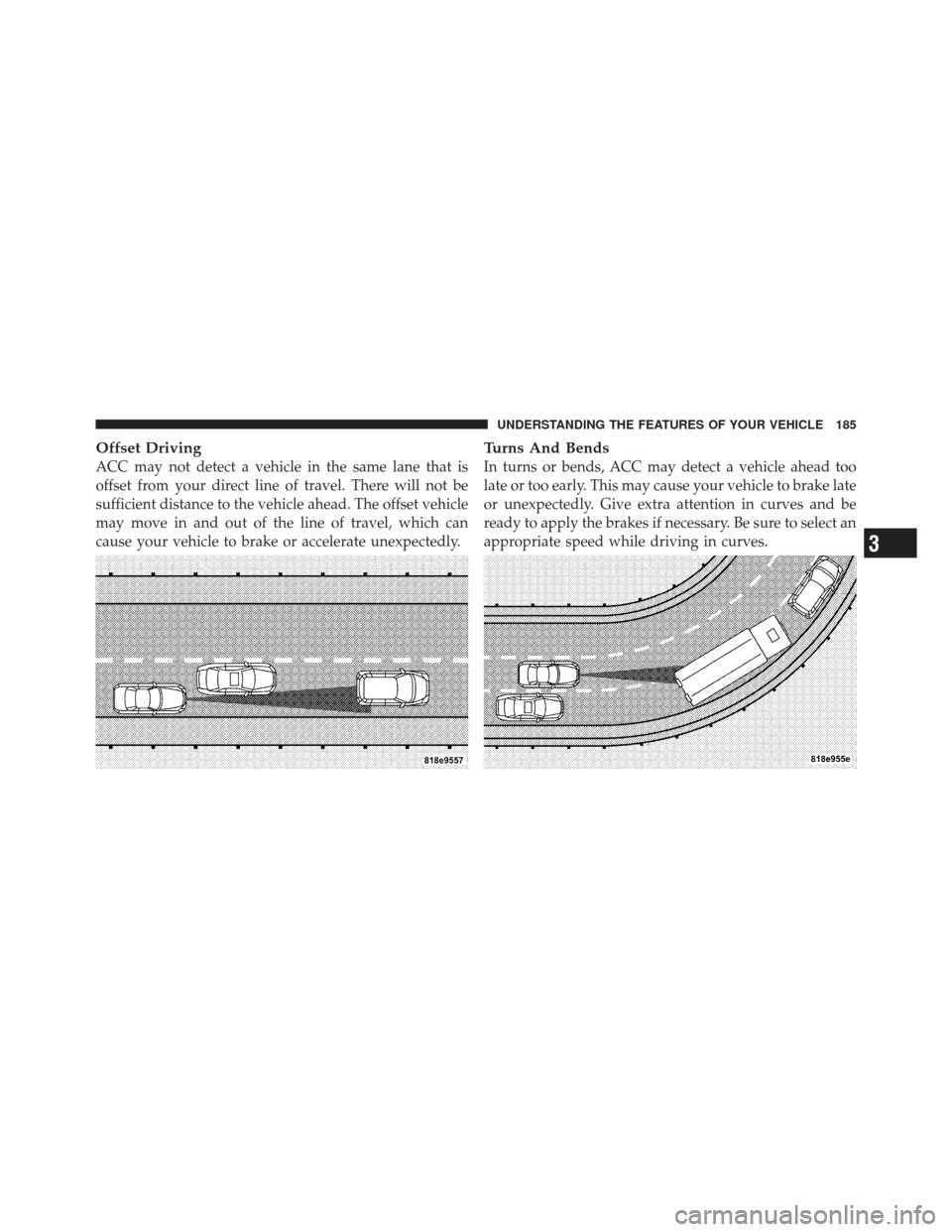
Offset Driving
ACC may not detect a vehicle in the same lane that is
offset from your direct line of travel. There will not be
sufficient distance to the vehicle ahead. The offset vehicle
may move in and out of the line of travel, which can
cause your vehicle to brake or accelerate unexpectedly.
Turns And Bends
In turns or bends, ACC may detect a vehicle ahead too
late or too early. This may cause your vehicle to brake late
or unexpectedly. Give extra attention in curves and be
ready to apply the brakes if necessary. Be sure to select an
appropriate speed while driving in curves.
3
UNDERSTANDING THE FEATURES OF YOUR VEHICLE 185
Page 188 of 587
Using ACC On Hills
When driving on hills, ACC may not detect a vehicle in
your lane. Depending on the speed, vehicle load, traffic
conditions, and the steepness of the hills, ACC perfor-
mance may be limited.
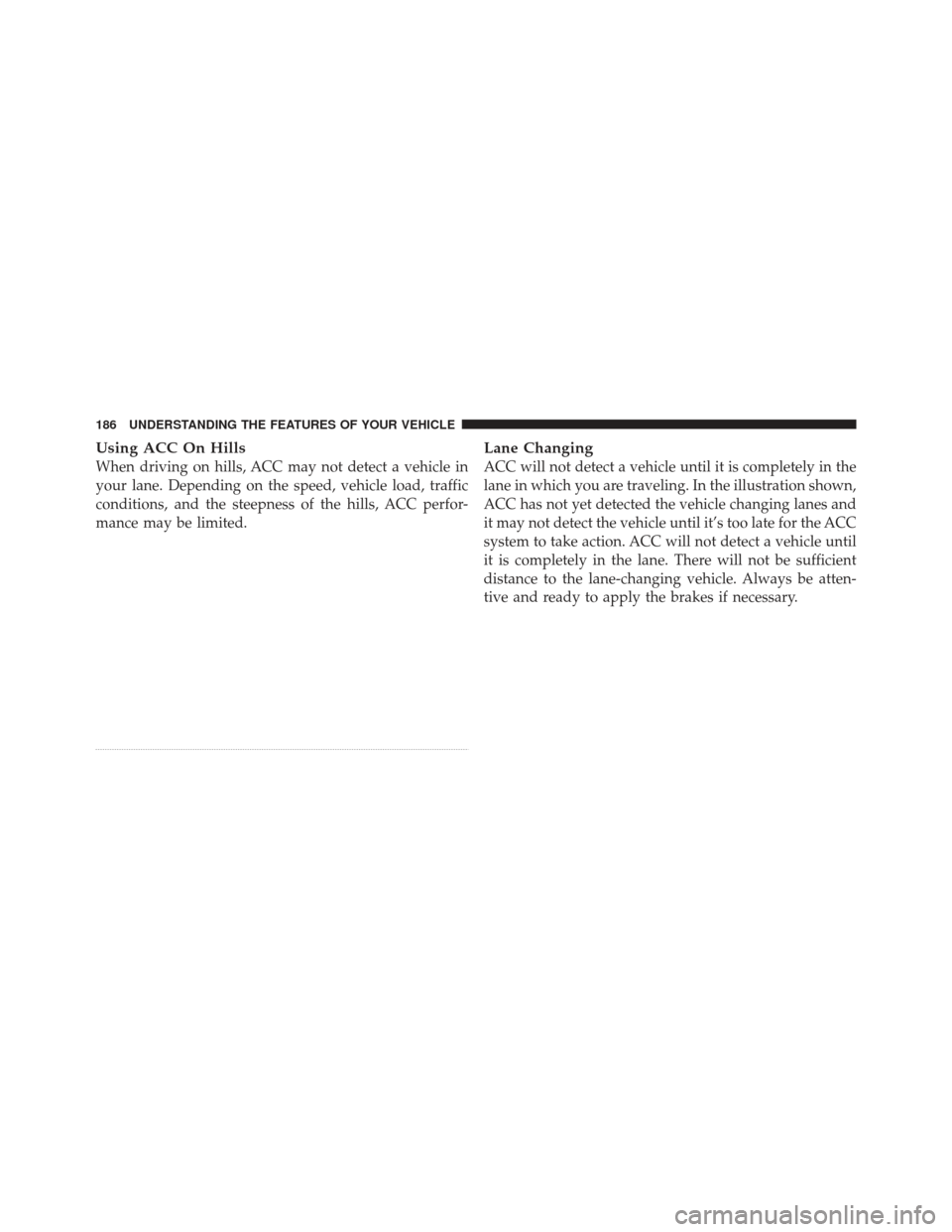
Lane Changing
ACC will not detect a vehicle until it is completely in the
lane in which you are traveling. In the illustration shown,
ACC has not yet detected the vehicle changing lanes and
it may not detect the vehicle until it’s too late for the ACC
system to take action. ACC will not detect a vehicle until
it is completely in the lane. There will not be sufficient
distance to the lane-changing vehicle. Always be atten-
tive and ready to apply the brakes if necessary.
186 UNDERSTANDING THE FEATURES OF YOUR VEHICLE
Page 190 of 587
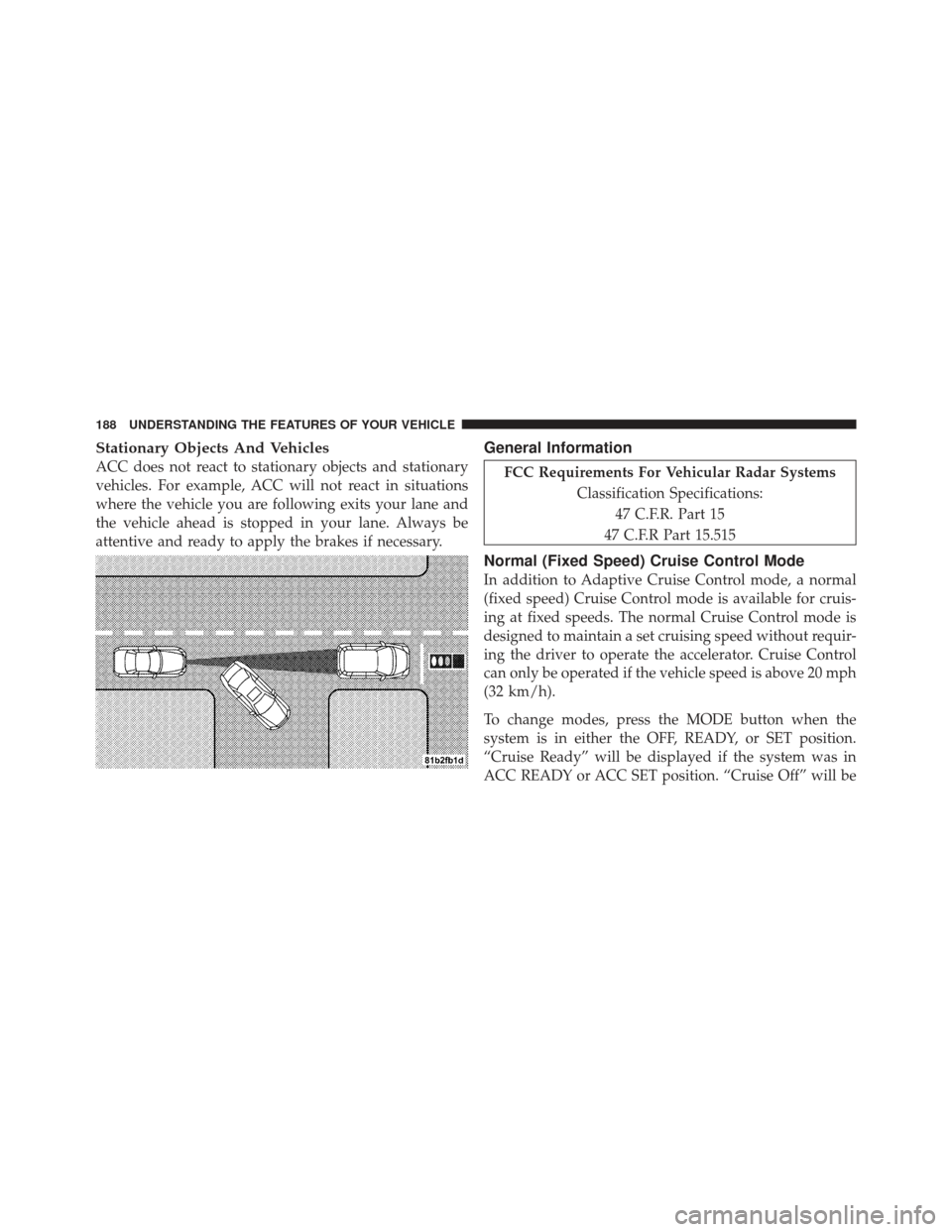
Stationary Objects And Vehicles
ACC does not react to stationary objects and stationary
vehicles. For example, ACC will not react in situations
where the vehicle you are following exits your lane and
the vehicle ahead is stopped in your lane. Always be
attentive and ready to apply the brakes if necessary.
General Information
FCC Requirements For Vehicular Radar SystemsClassification Specifications:47 C.F.R. Part 15
47 C.F.R Part 15.515
Normal (Fixed Speed) Cruise Control Mode
In addition to Adaptive Cruise Control mode, a normal
(fixed speed) Cruise Control mode is available for cruis-
ing at fixed speeds. The normal Cruise Control mode is
designed to maintain a set cruising speed without requir-
ing the driver to operate the accelerator. Cruise Control
can only be operated if the vehicle speed is above 20 mph
(32 km/h).
To change modes, press the MODE button when the
system is in either the OFF, READY, or SET position.
“Cruise Ready” will be displayed if the system was in
ACC READY or ACC SET position. “Cruise Off” will be
188 UNDERSTANDING THE FEATURES OF YOUR VEHICLE
Page 257 of 587
The light also will turn on when the parking brake is
applied with the ignition switch in the ON/RUN posi-
tion.
NOTE:This light shows only that the parking brake is
applied. It does not show the degree of brake application.
15. Anti-Lock Brake (ABS) Light This light monitors the Anti-Lock Brake System
(ABS). The light will turn on when the ignition
switch is turned to the ON/RUN position and
may stay on for as long as four seconds.
If the ABS light remains on or turns on while driving, it
indicates that the Anti-Lock portion of the brake system
is not functioning and that service is required. However,
the conventional brake system will continue to operate
normally if the BRAKE warning light is not on.
If the ABS light is on, the brake system should be serviced
as soon as possible to restore the benefits of Anti-Lock brakes. If the ABS light does not turn on when the
ignition switch is turned to the ON/RUN position, have
the light inspected by an authorized dealer.
16. 4 LOW
This light alerts the driver that the vehicle is in
the four-wheel drive LOW mode. The front and
rear driveshafts are mechanically locked to-
gether forcing the front and rear wheels to
rotate at the same speed. Low range provides a greater
gear reduction ratio to provide increased torque at the
wheels.
For further information on four-wheel drive operation
and proper use, refer to “Four-Wheel Drive Operation —
If Equipped” in “Starting And Operating”.
17. Speedometer
Indicates vehicle speed.
4
UNDERSTANDING YOUR INSTRUMENT PANEL 255
Page 263 of 587
•Adaptive Cruise Off — When the Adaptive Cruise
Control (ACC) system is turned off. Refer to “Adap-
tive Cruise Control (ACC)” in “Understanding The
Features Of Your Vehicle” (if equipped).
•ACC Ready — When the ACC system is activated.
Refer to “Adaptive Cruise Control (ACC)” in “Under-
standing The Features Of Your Vehicle” (if equipped).
•ACC Set — After setting the desired speed in the ACC
system. Refer to “Adaptive Cruise Control (ACC)” in
“Understanding The Features Of Your Vehicle” (if
equipped).
•ACC Cancelled — To disable the ACC system. Refer to
“Adaptive Cruise Control (ACC)” in “Understanding
The Features Of Your Vehicle” (if equipped).
•Sensed Vehicle Indicator — The system detects a
slower moving vehicle in the same lane. Refer to
“Adaptive Cruise Control (ACC)” in “Understanding
The Features Of Your Vehicle” (if equipped).
•Driver Override — If you apply the accelerator after
setting the desired speed in the ACC system. Refer to
“Adaptive Cruise Control (ACC)” in “Understanding
The Features Of Your Vehicle” (if equipped).
•Distance Set — After changing the desired following
distance in the ACC system, this message will display
momentarily. Refer to “Adaptive Cruise Control
(ACC)” in “Understanding The Features Of Your
Vehicle” (if equipped).
•Brake — If the ACC system predicts that its maximum
braking level is not sufficient to maintain the set
distance, this message will flash and a chime will
sound while ACC continues to apply its maximum
braking capacity. When this occurs, you should imme-
diately apply the brakes as needed to maintain a safe
distance from the vehicle ahead. Refer to “Adaptive
Cruise Control (ACC)” in “Understanding The Fea-
tures Of Your Vehicle” (if equipped).
4
UNDERSTANDING YOUR INSTRUMENT PANEL 261
Page 345 of 587
STARTING PROCEDURES
Before starting your vehicle, adjust your seat, adjust the
inside and outside mirrors, fasten your seat belt, and if
present, instruct all other occupants to buckle their seat
belts.
WARNING!
Never leave children alone in a vehicle. Leaving
unattended children in a vehicle is dangerous for a
number of reasons. A child or others could be seri-
ously or fatally injured. Do not leave the key fob in
the ignition switch. A child could operate power
windows, other controls, or move the vehicle.
Automatic Transmission
The shift lever must be in the NEUTRAL or PARK
position before you can start the engine. Apply the brakes
before shifting into any driving gear.
CAUTION!
Damage to the transmission may occur if the follow-
ing precautions are not observed:
•Shift into PARK only after the vehicle has come to
a complete stop.
•Shift into or out of REVERSE only after the
vehicle has come to a complete stop and the engine
is at idle speed.
•Do not shift from REVERSE, PARK, or NEUTRAL
into any forward gear when the engine is above
idle speed.
•Before shifting into any gear, make sure your foot
is firmly on the brake pedal.
Using Fob With Integrated Key (Tip Start)
NOTE:Normal starting of either a cold or a warm
engine is obtained without pumping or pressing the
accelerator pedal.
5
STARTING AND OPERATING 343
Page 353 of 587
WARNING!
•Never use the PARK position as a substitute for
the parking brake. Always apply the parking
brake fully when parked to guard against vehicle
movement and possible injury or damage.
•It is dangerous to move the shift lever out of PARK
or NEUTRAL if the engine speed is higher than
idle speed. If your foot is not firmly on the brake
pedal, the vehicle could accelerate quickly forward
or in reverse. You could lose control of the vehicle
and hit someone or something. Only shift into
gear when the engine is idling normally and when
your right foot is firmly on the brake pedal.
REVERSE
This range is for moving the vehicle backward. Use only
after the vehicle has come to a complete stop.
NEUTRAL
This range is used when vehicle is standing for pro-
longed periods with engine running. Engine may be
started in this range. Set the parking brake and shift the
transmission into PARK if you must leave the vehicle.
NOTE:Towing the vehicle, coasting, or driving for any
other reason with the shift lever in NEUTRAL can result
in severe transmission damage. Refer to “Recreational
Towing” in “Starting and Operating” and “Towing a
Disabled Vehicle” in “What To Do In Emergencies” for
further information.
DRIVE
This range should be selected only when the vehicle is at
a complete stop and the brakes are firmly applied. The
transmission automatically upshifts through fifth gear.
The DRIVE position provides optimum driving charac-
teristics under all normal operating conditions.
5
STARTING AND OPERATING 351
Page 375 of 587
Standing Water
Avoid driving in standing water deeper than 20 inches
(51 cm), and reduce speed appropriately to minimize
wave effects. Maximum speed in 20 inches (51 cm) of
water is less than 5 mph (8 km/h).
Maintenance
After driving through deep water, inspect your vehicle
fluids and lubricants (engine oil, transmission oil, axle,
transfer case) to assure the fluids have not been contami-
nated. Contaminated fluid (milky, foamy in appearance)
should be flushed/changed as soon as possible to pre-
vent component damage.
Driving In Snow, Mud And Sand
In heavy snow, when pulling a load, or for additional
control at slower speeds, shift the transmission to a low
gear and shift the transfer case to 4WD LOW if necessary.
Refer to “Four-Wheel Drive Operation” in “Starting and
Operating” for further information. Do not shift to alower gear than necessary to maintain forward motion.
Over-revving the engine can spin the wheels and traction
will be lost.
Avoid abrupt downshifts on icy or slippery roads, be-
cause engine braking may cause skidding and loss of
control.
Hill Climbing
NOTE:
Before attempting to climb a hill, determine the
conditions at the crest and/or on the other side.
Before climbing a steep hill, shift the transmission to a
lower gear and shift the transfer case to 4WD LOW. Use
first gear and 4WD LOW for very steep hills.
If you stall or begin to lose forward motion while
climbing a steep hill, allow your vehicle to come to a stop
and immediately apply the brakes. Restart the engine,
and shift into REVERSE. Back slowly down the hill,
allowing the compression braking of the engine to help5
STARTING AND OPERATING 373