radio JEEP GRAND CHEROKEE 2018 Owner handbook (in English)
[x] Cancel search | Manufacturer: JEEP, Model Year: 2018, Model line: GRAND CHEROKEE, Model: JEEP GRAND CHEROKEE 2018Pages: 368, PDF Size: 5.72 MB
Page 323 of 368
UCONNECT PHONE
Uconnect Phone (Bluetooth Hands Free Calling)
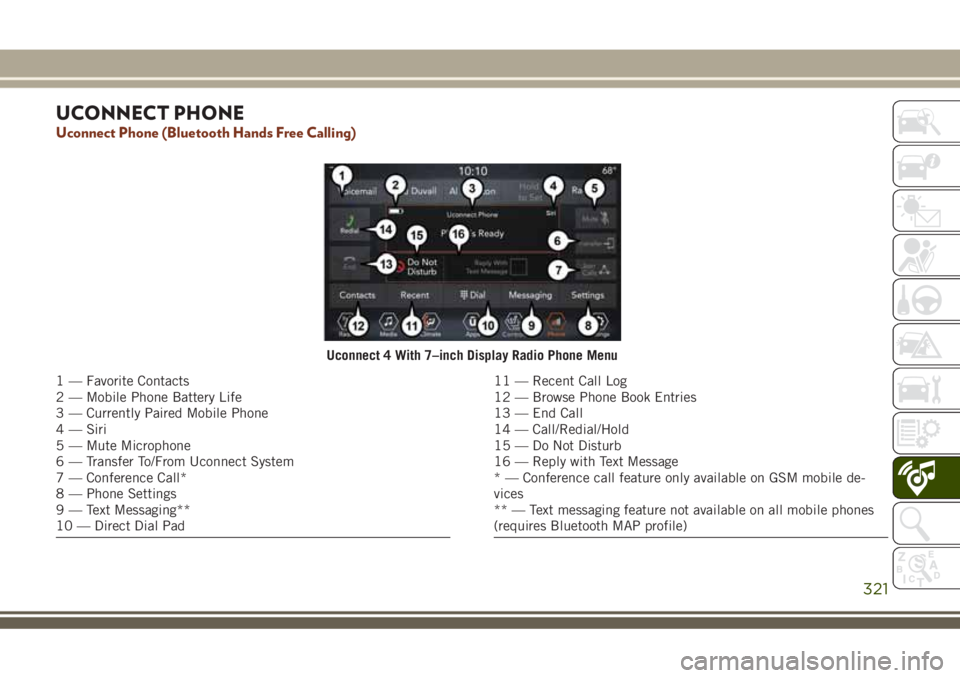
Uconnect 4 With 7–inch Display Radio Phone Menu
1 — Favorite Contacts
2 — Mobile Phone Battery Life
3 — Currently Paired Mobile Phone
4 — Siri
5 — Mute Microphone
6 — Transfer To/From Uconnect System
7 — Conference Call*
8 — Phone Settings
9 — Text Messaging**
10 — Direct Dial Pad11 — Recent Call Log
12 — Browse Phone Book Entries
13 — End Call
14 — Call/Redial/Hold
15 — Do Not Disturb
16 — Reply with Text Message
* — Conference call feature only available on GSM mobile de-
vices
** — Text messaging feature not available on all mobile phones
(requires Bluetooth MAP profile)
321
Page 325 of 368
The Uconnect Phone feature enables you to
place and receive hands-free mobile phone
calls. Drivers can also place mobile phone
calls using their voice or by using the buttons
on the touchscreen (see Voice Command sec-
tion).
The hands-free calling feature is made pos-
sible through Bluetooth technology — the
global standard that enables different elec-
tronic devices to connect to each other wire-
lessly.
If the Uconnect Phone Button
exists on
your steering wheel, you then have the
Uconnect Phone features.
NOTE:
• The Uconnect Phone requires a mobile
phone equipped with the Bluetooth Hands-
Free Profile, Version 1.0 or higher.
• Most mobile phones/devices are compat-
ible with the Uconnect system, however
some mobile phones/devices may not be
equipped with all of the required features to
utilize all of the Uconnect system features.For Uconnect Customer Care:
• Visit UconnectPhone.com or call
1-877-855-8400.
Pairing (Wirelessly Connecting) Your
Mobile Phone To The Uconnect System
Mobile phone pairing is the process of estab-
lishing a wireless connection between a cel-
lular phone and the Uconnect system.
NOTE:
• To use the Uconnect Phone feature, you
first must determine if your mobile phone
and software are compatible with the
Uconnect system. Please visit
UconnectPhone.com for complete mobile
phone compatibility information.
• Mobile phone pairing is not available while
the vehicle is in motion.
• A maximum of ten mobile phones can be
paired to the Uconnect system.Start Pairing Procedure On The Radio
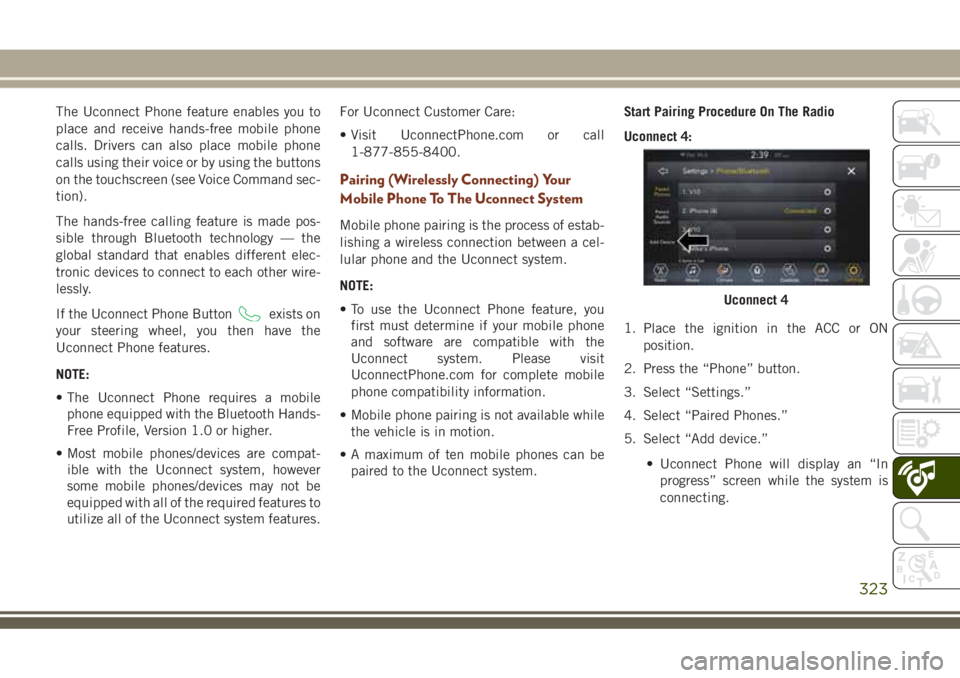
Uconnect 4:
1. Place the ignition in the ACC or ON
position.
2. Press the “Phone” button.
3. Select “Settings.”
4. Select “Paired Phones.”
5. Select “Add device.”
• Uconnect Phone will display an “In
progress” screen while the system is
connecting.
Uconnect 4
323
Page 329 of 368
• Your phonebook can be browsed on the
Uconnect system touchscreen, but editing
can only be done on your phone. To browse,
press the “Phone” button on the touch-
screen, then the “Phonebook” button on
the touchscreen.
Favorite phonebook entries can be saved as
Favorites for quicker access. Favorites are
shown at the top of the main phone screen.
Voice Command Tips
• Speaking complete names (i.e; Call John
Doe vs. Call John) will result in greater
system accuracy.
• You can “link” commands together for
faster results. Say “Call John Doe, mobile,”
for example.
• If you are listening to available voice com-
mand options, you do not have to listen to
the entire list. When you hear the command
that you need, push the
button on the
steering wheel, wait for the beep and say
your command.
Changing The Volume
• Start a dialogue by pushing the VR button
, then say a command. For example,
"Help".
• Use the radio VOLUME rotary knob to ad-
just the volume to a comfortable level while
the Uconnect system is speaking.
NOTE:
The volume setting for Uconnect is different
than the audio system.
NOTE:
To access help, push the Uconnect VR button
(if active) on the steering wheel and say
"help." Push the Uconnect VR Pickup button
(if active) or the VR button(if
active) and say "cancel" to cancel the help
session.
Using Do Not Disturb
With Do Not Disturb, you can disable notifi-
cations from incoming calls and texts, allow-
ing you to keep your eyes on the road and
hands on the wheel. For your convenience,there is a counter display to keep track of your
missed calls and text messages while you
were using Do Not Disturb.
Do Not Disturb can automatically reply with a
text message, a call or both, when declining
an incoming call and send it to voicemail.
Automatic reply messages can be:
• “I am driving right now, I will get back to
you shortly.”
• Create a custom auto reply message up to
160 characters.
While in Do Not Disturb, Conference Call can
be selected so you can still place a second
call without being interrupted by incoming
calls.
NOTE:
• Only the beginning of your custom message
will be seen on the touchscreen.
• Reply with text message is not compatible
with iPhones.
• Auto reply with text message is only avail-
able on phones that supporting Bluetooth
MAP.
327
Page 333 of 368
Basic Voice Commands
The basic Voice Commands below can be
given at any point while using your Uconnect
system.
Push the VR button
. After the beep,
say:
•“Cancel” to stop a current voice session
•“Help” to hear a list of suggested Voice
Commands
•“Repeat” to listen to the system prompts
again
Notice the visual cues that inform you of your
voice recognition system’s status. Cues ap-
pear on the touchscreen.
Radio
Use your voice to quickly get to the AM or FM
radio stations you would like to hear.
Push the VR button
. After the beep,
say:
•“Tune toninety-five-point-five FM”TIP:At any time, if you are not sure of what to
say or want to learn a Voice Command, push
the VR button
and say “Help.” The
system provides you with a list of commands.
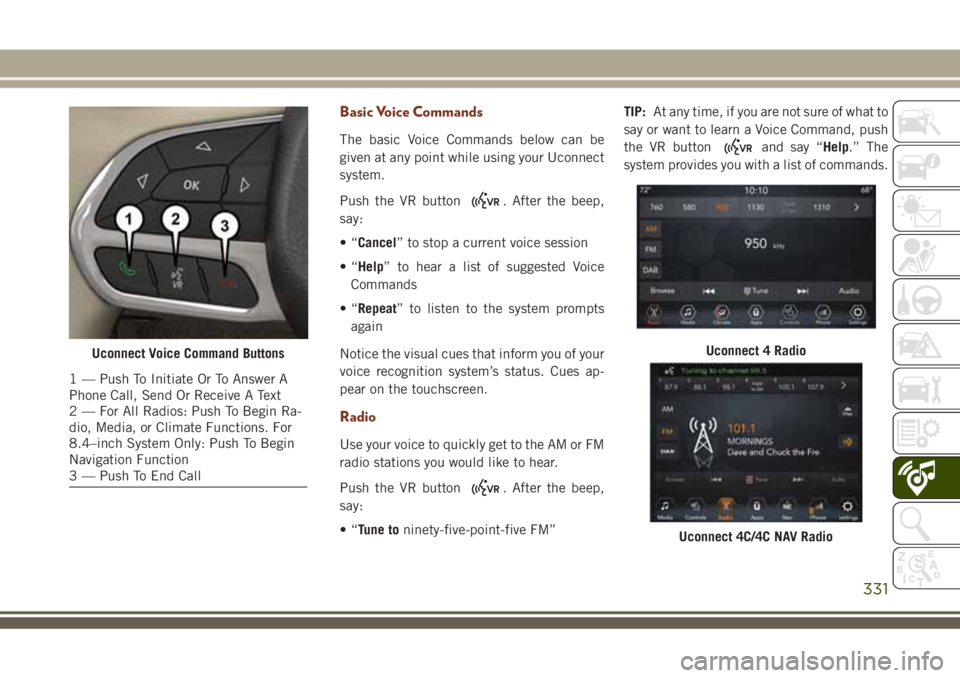
Uconnect Voice Command Buttons
1 — Push To Initiate Or To Answer A
Phone Call, Send Or Receive A Text
2 — For All Radios: Push To Begin Ra-
dio, Media, or Climate Functions. For
8.4–inch System Only: Push To Begin
Navigation Function
3 — Push To End Call
Uconnect 4 Radio
Uconnect 4C/4C NAV Radio
331
Page 362 of 368
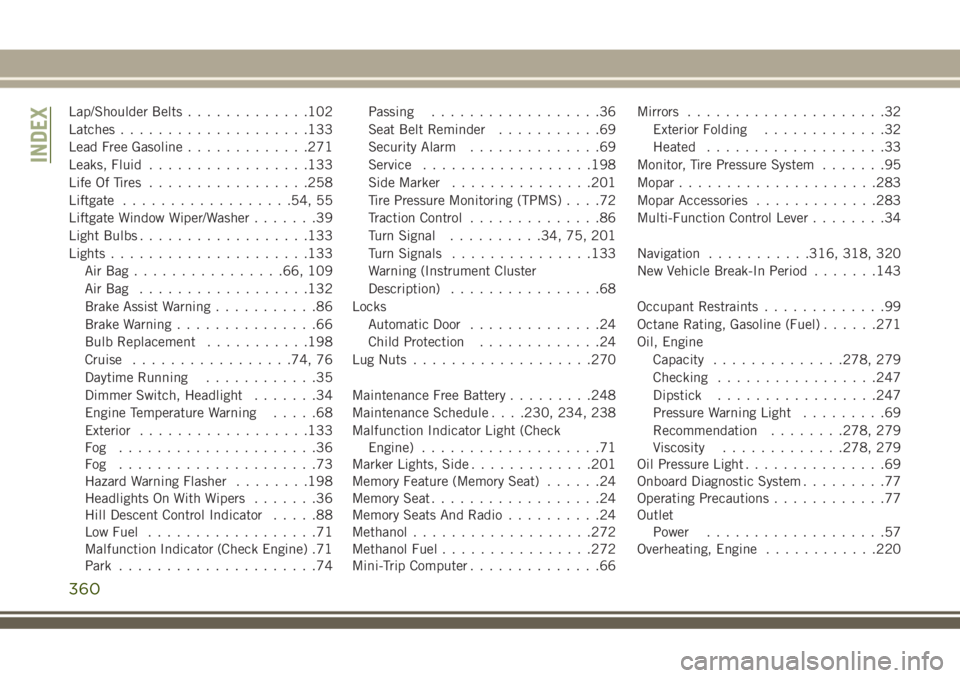
Lap/Shoulder Belts.............102
Latches....................133
Lead Free Gasoline.............271
Leaks, Fluid.................133
Life Of Tires.................258
Liftgate..................54, 55
Liftgate Window Wiper/Washer.......39
Light Bulbs..................133
Lights.....................133
AirBag................66, 109
AirBag ..................132
Brake Assist Warning...........86
Brake Warning...............66
Bulb Replacement...........198
Cruise.................74, 76
Daytime Running............35
Dimmer Switch, Headlight.......34
Engine Temperature Warning.....68
Exterior..................133
Fog .....................36
Fog .....................73
Hazard Warning Flasher........198
Headlights On With Wipers.......36
Hill Descent Control Indicator.....88
Low Fuel..................71
Malfunction Indicator (Check Engine) .71
Park.....................74Passing..................36
Seat Belt Reminder...........69
Security Alarm..............69
Service..................198
Side Marker...............201
Tire Pressure Monitoring (TPMS)....72
Traction Control..............86
Turn Signal..........34, 75, 201
Turn Signals...............133
Warning (Instrument Cluster
Description)................68
Locks
Automatic Door..............24
Child Protection.............24
Lug Nuts...................270
Maintenance Free Battery.........248
Maintenance Schedule. . . .230, 234, 238
Malfunction Indicator Light (Check
Engine)
...................71
Marker Lights, Side
.............201
Memory Feature (Memory Seat)......24
Memory Seat..................24
Memory Seats And Radio..........24
Methanol...................272
Methanol Fuel................272
Mini-Trip Computer..............66Mirrors.....................32
Exterior Folding.............32
Heated...................33
Monitor, Tire Pressure System.......95
Mopar.....................283
Mopar Accessories.............283
Multi-Function Control Lever........34
Navigation...........316, 318, 320
New Vehicle Break-In Period.......143
Occupant Restraints.............99
Octane Rating, Gasoline (Fuel)......271
Oil, Engine
Capacity..............278, 279
Checking.................247
Dipstick.................247
Pressure Warning Light.........69
Recommendation........278, 279
Viscosity.............278, 279
Oil Pressure Light...............69
Onboard Diagnostic System.........77
Operating Precautions............77
Outlet
Power...................57
Overheating, Engine............220
INDEX
360
Page 363 of 368
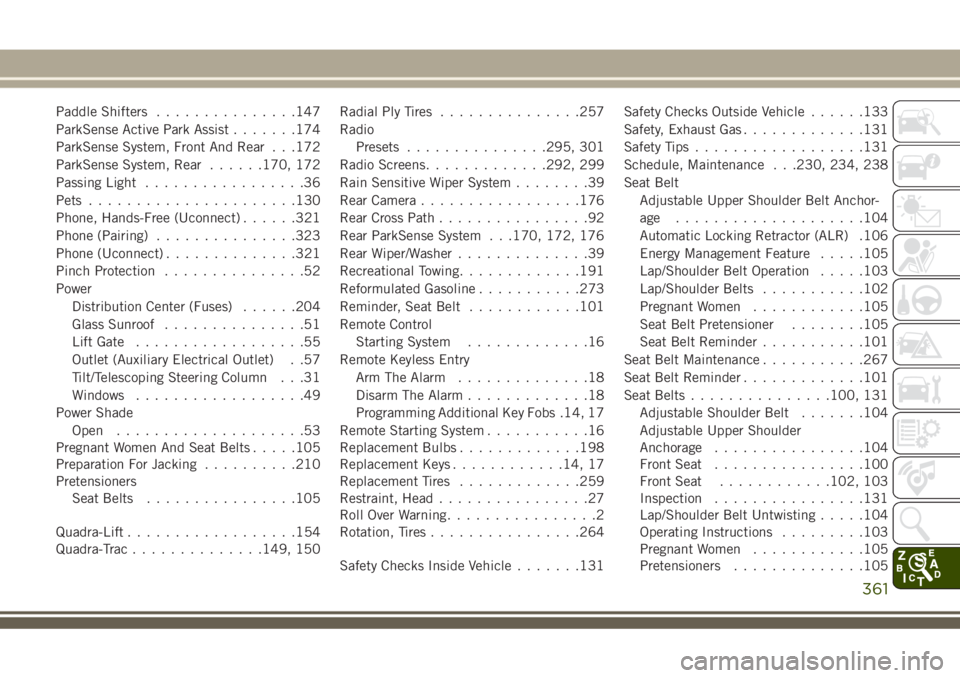
Paddle Shifters...............147
ParkSense Active Park Assist.......174
ParkSense System, Front And Rear . . .172
ParkSense System, Rear......170, 172
Passing Light.................36
Pets......................130
Phone, Hands-Free (Uconnect)......321
Phone (Pairing)...............323
Phone (Uconnect)..............321
Pinch Protection...............52
Power
Distribution Center (Fuses)......204
Glass Sunroof...............51
Lift Gate..................55
Outlet (Auxiliary Electrical Outlet) . .57
Tilt/Telescoping Steering Column . . .31
Windows..................49
Power Shade
Open....................53
Pregnant Women And Seat Belts.....105
Preparation For Jacking..........210
Pretensioners
Seat Belts................105
Quadra-Lift..................154
Quadra-Trac..............149, 150Radial Ply Tires...............257
Radio
Presets...............295, 301
Radio Screens.............292, 299
Rain Sensitive Wiper System........39
Rear Camera.................176
Rear Cross Path................92
Rear ParkSense System . . .170, 172, 176
Rear Wiper/Washer..............39
Recreational Towing.............191
Reformulated Gasoline...........273
Reminder, Seat Belt............101
Remote Control
Starting System.............16
Remote Keyless Entry
Arm The Alarm..............18
Disarm The Alarm.............18
Programming Additional Key Fobs .14, 17
Remote Starting System...........16
Replacement Bulbs.............198
Replacement Keys...........
.14, 17
Replacement Tires............
.259
Restraint, Head................27
Roll Over Warning................2
Rotation, Tires................264
Safety Checks Inside Vehicle.......131Safety Checks Outside Vehicle......133
Safety, Exhaust Gas.............131
Safety Tips..................131
Schedule, Maintenance . . .230, 234, 238
Seat Belt
Adjustable Upper Shoulder Belt Anchor-
age ....................104
Automatic Locking Retractor (ALR) .106
Energy Management Feature.....105
Lap/Shoulder Belt Operation.....103
Lap/Shoulder Belts...........102
Pregnant Women............105
Seat Belt Pretensioner........105
Seat Belt Reminder...........101
Seat Belt Maintenance...........267
Seat Belt Reminder.............101
Seat Belts...............100, 131
Adjustable Shoulder Belt.......104
Adjustable Upper Shoulder
Anchorage................104
Front Seat................100
Front Seat............102, 103
Inspection................131
Lap/Shoulder Belt Untwisting.....104
Operating Instructions.........103
Pregnant Women............105
Pretensioners..............105
361