seats JEEP GRAND CHEROKEE 2023 User Guide
[x] Cancel search | Manufacturer: JEEP, Model Year: 2023, Model line: GRAND CHEROKEE, Model: JEEP GRAND CHEROKEE 2023Pages: 424, PDF Size: 15.48 MB
Page 44 of 424

42GETTING TO KNOW YOUR VEHICLE
Adjusting The Seat Forward Or Rearward
The seat can be adjusted both forward and
rearward. Push the seat switch forward or
rearward. The seat will move in the direction of the
switch. Release the switch when the desired
position has been reached.
Adjusting The Seat Up Or Down
The height of the seats can be adjusted up or
down. Pull upward or push downward on the rear of
seat switch, the seat will move in the direction of
the switch. Release the switch when the desired
position has been reached.
Tilting The Seat Up Or Down
The angle of the seat cushion can be adjusted in
two directions. Pull upward or push downward on
the front of the seat switch, the front of the seat
cushion will move in the direction of the switch.
Release the switch when the desired position has
been reached.
Reclining The Seatback
The angle of the seatback can be adjusted forward
or rearward. Push the seatback switch forward or
rearward, the seat will move in the direction of the
switch. Release the switch when the desired
position is reached.
Seatback Bolster Adjustment
The front driver and passenger seatback bolsters
can be extended outward, or retracted inward by
pushing the bolster adjustment button located in
the center of the seatback switch.
Push the top of the button to extend the bolsters,
or push the bottom of the button to retract the
bolsters.
Seatback Bolster Adjustment Button
WARNING!
Adjusting a seat while driving may be
dangerous. Moving a seat while driving could
result in loss of control which could cause a
collision and serious injury or death.
Seats should be adjusted before fastening the
seat belts and while the vehicle is parked.
Serious injury or death could result from a
poorly adjusted seat belt.
Do not ride with the seatback reclined so that
the shoulder belt is no longer resting against
your chest. In a collision you could slide under
the seat belt, which could result in serious
injury or death.
CAUTION!
Do not place any article under a power seat or
impede its ability to move as it may cause
damage to the seat controls. Seat travel may
become limited if movement is stopped by an
obstruction in the seat's path.
1 — Extend Seatback Bolsters
2 — Retract Seatback Bolsters
23_WL_OM_EN_USC_t.book Page 42
Page 45 of 424

GETTING TO KNOW YOUR VEHICLE43
Cushion Extender
The cushion can be extended forward a few inches
(centimeters) to increase thigh support. Push the
cushion extender switch forward or rearward to
extend or retract the cushion. Release the switch
when the desired position has been reached.
Power Lumbar — If Equipped
Vehicles equipped with power driver or passenger
seats may also be equipped with power lumbar.
The power lumbar switch is located on the
outboard side of the power seat. Push the switch
forward to increase the lumbar support. Push the
switch rearward to decrease the lumbar support.
Pushing upward or downward on the switch will
raise and lower the position of the support.
Power Lumbar Switch
Easy Entry/Exit Seat — If Equipped
This feature provides automatic driver seat
positioning to enhance driver mobility when
entering and exiting the vehicle.
The distance the driver seat moves depends on
where you have the driver seat positioned when
you place the vehicle’s ignition in the OFF position.
When you place the vehicle’s ignition in the OFF
position, the driver seat will move about
2.4 inches (6 cm) rearward if the driver seat
position is greater than or equal to 2.7 inches
(6.8 cm) forward of the rear stop. The seat will
return to its previously set position when you
place the vehicle’s ignition in the ON/RUN posi -
tion.
The Easy Entry/Easy Exit feature is disabled
when the driver seat position is less than 0.9 of
an inch (2.3 cm) forward of the rear stop. At this
position, there is no benefit to the driver by
moving the seat for Easy Exit or Easy Entry.
When enabled in Uconnect Settings, Easy Entry
and Easy Exit positions are stored in each memory
setting profile Ú page 34.
NOTE:The Easy Entry/Exit feature is enabled or disabled
within the Uconnect system Ú page 204.
POWER ADJUSTMENT (REAR SEATS) —
I
F EQUIPPED
WARNING!
Adjusting a seat while driving may be
dangerous. Moving a seat while driving could
result in loss of control which could cause a
collision and serious injury or death.
Seats should be adjusted before fastening the
seat belts and while the vehicle is parked.
Serious injury or death could result from a
poorly adjusted seat belt.
Do not ride with the seatback reclined so that
the shoulder belt is no longer resting against
your chest. In a collision you could slide under
the seat belt, which could result in serious
injury or death.
Do not place the seat belt webbing behind the
third row stow clip when using the seat belt to
restrain an occupant. The seat belt will not be
positioned properly on the occupant and they
could be more seriously injured in an accident
as a result.
2
23_WL_OM_EN_USC_t.book Page 43
Page 46 of 424

44GETTING TO KNOW YOUR VEHICLE
Rear Seat Power Folding Seatbacks —
If Equipped
If the vehicle is equipped with third row seating, the
second and third rows may be equipped with
power folding seatbacks.
A one-touch power folding seat switch is located in
the right rear trim panel inside the cargo area, as
part of a switch bank.
NOTE:
You may need to move the front seats forward to
allow the second row seats to fold properly, as
they may bump into the Rear Seat Entertain -
ment touchscreens (if equipped).
The third row seat belts may interfere with the
power folding of the seat. Place the seat belt
webbing behind the stow clip before stowing or
opening the seat. When the seat is in the
desired position, remove the webbing from the
stow clip so that it is ready for use. Never leave
the seat belt in the stow clip when it is used to
restrain an occupant.
The head restraints will lower automatically as
necessary when the power seat begins to move
when the vehicle is in PARK, and a rear door or
the liftgate is open.
The rear switch bank allows multiple power folding
positions for the second and third row seats. The
second row seats can be folded using these
switches, while the third row can be folded or
unfolded.
Rear Panel Power Switch Bank
There are also power folding switches for the third
row seats located on the C-pillar (just behind the
rear doors on the trim panels).
C-Pillar Power Folding Switches (Left Side Shown)
POWER SEATBACK MASSAGE —
I
F EQUIPPED
The driver’s and front passenger’s seatbacks may
be equipped with power massage.
The massage feature can be turned on/off through
the massage button located on the door panel
near the handle, or through the Comfort screen on
the radio.
CAUTION!
Do not place any article under a power seat or
impede its ability to move as it may cause
damage to the seat controls. Seat travel may
become limited if movement is stopped by an
obstruction in the seat's path.
1 — Second Row Left Side Fold
2 — Second Row Right Side Fold
3 — Third Row Left Side Fold/Unfold
4 — Third Row Right Side Fold/Unfold
1 — Third Row Left Side Fold/Unfold
2 — Third Row Right Side Fold/Unfold
23_WL_OM_EN_USC_t.book Page 44
Page 47 of 424

GETTING TO KNOW YOUR VEHICLE45
(Continued)
Door Panel Massage Button
Once activated by either method, the massage
controls will display on the radio screen, and
“Massage Type” and “Intensity Level” can be
selected for the activated seat.
There are four intensity levels and five massage
types that can be selected.
Intensity Levels:
High
Med
Low
Off
Massage Types:
Waterfall
Lower Back
Extend
Low Extend
Rock Climb
The selected settings will save in the system’s
memory when turned off, and will resume the next
time the system is turned on.
NOTE:
The engine must be running for the power seat -
back massage to operate.
The massage feature will turn off after
20 minutes of use. However, if the massage
type or intensity level is changed, the timer then
resets.
HEATED SEATS — IF EQUIPPED
Front Heated Seats
The front heated seats control buttons
are located on the center stack below the
radio screen or within the Uconnect
system. You can gain access to the
control buttons through the Comfort screen.
Press the heated seat switch once to turn the HI
setting on.
Press the heated seat switch a second time to
turn the MED setting on.
Press the heated seat switch a third time to turn
the LO setting on.
Press the heated seat switch a fourth time to
turn the heating elements off.
WARNING!
Persons who are unable to feel pain to the
skin because of advanced age, chronic illness,
diabetes, spinal cord injury, medication,
alcohol use, exhaustion or other physical
condition must exercise care when using the
seat heater. It may cause burns even at low
temperatures, especially if used for long
periods of time.
Do not place anything on the seat or seatback
that insulates against heat, such as a blanket
or cushion. This may cause the seat heater to
overheat. Sitting in a seat that has been over -
heated could cause serious burns due to the
increased surface temperature of the seat.
WARNING!
2
23_WL_OM_EN_USC_t.book Page 45
Page 48 of 424
46GETTING TO KNOW YOUR VEHICLE
NOTE:
Once a heat setting is selected, heat will be felt
within two to five minutes.
The engine must be running for the heated
seats to operate.
The level of heat selected will stay on until the
operator changes it.
For information on use with the Remote Start
system, see Ú page 25.
Rear Heated Seats — If Equipped
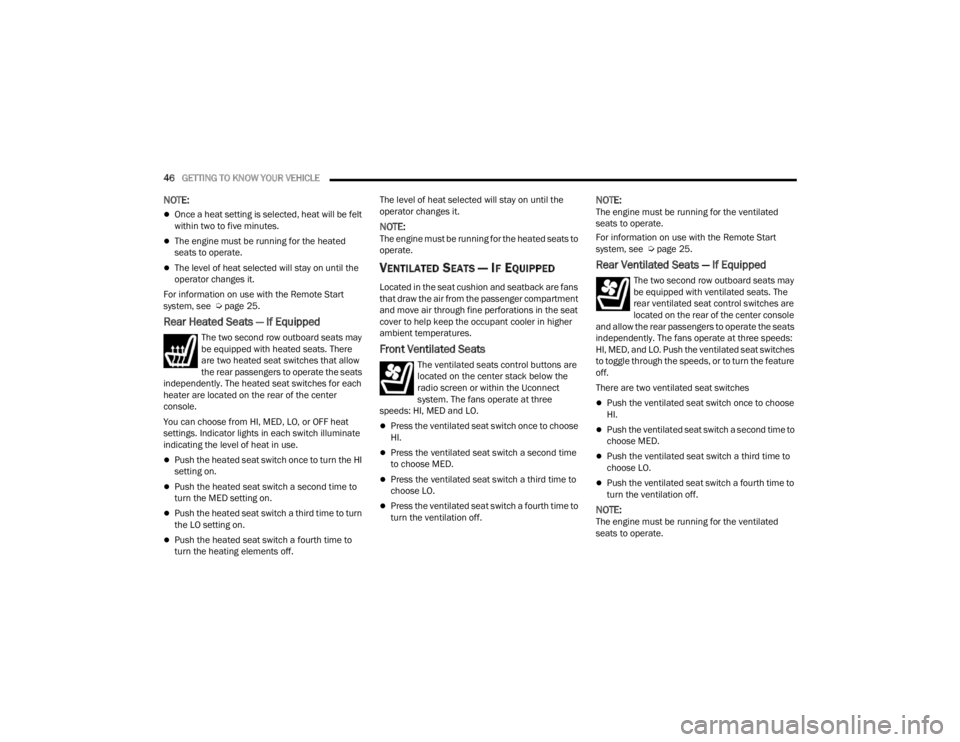
The two second row outboard seats may
be equipped with heated seats. There
are two heated seat switches that allow
the rear passengers to operate the seats
independently. The heated seat switches for each
heater are located on the rear of the center
console.
You can choose from HI, MED, LO, or OFF heat
settings. Indicator lights in each switch illuminate
indicating the level of heat in use.
Push the heated seat switch once to turn the HI
setting on.
Push the heated seat switch a second time to
turn the MED setting on.
Push the heated seat switch a third time to turn
the LO setting on.
Push the heated seat switch a fourth time to
turn the heating elements off. The level of heat selected will stay on until the
operator changes it.
NOTE:The engine must be running for the heated seats to
operate.
VENTILATED SEATS — IF EQUIPPED
Located in the seat cushion and seatback are fans
that draw the air from the passenger compartment
and move air through fine perforations in the seat
cover to help keep the occupant cooler in higher
ambient temperatures.
Front Ventilated Seats
The ventilated seats control buttons are
located on the center stack below the
radio screen or within the Uconnect
system. The fans operate at three
speeds: HI, MED and LO.
Press the ventilated seat switch once to choose
HI.
Press the ventilated seat switch a second time
to choose MED.
Press the ventilated seat switch a third time to
choose LO.
Press the ventilated seat switch a fourth time to
turn the ventilation off.
NOTE:The engine must be running for the ventilated
seats to operate.
For information on use with the Remote Start
system, see Ú page 25.
Rear Ventilated Seats — If Equipped
The two second row outboard seats may
be equipped with ventilated seats. The
rear ventilated seat control switches are
located on the rear of the center console
and allow the rear passengers to operate the seats
independently. The fans operate at three speeds:
HI, MED, and LO. Push the ventilated seat switches
to toggle through the speeds, or to turn the feature
off.
There are two ventilated seat switches
Push the ventilated seat switch once to choose
HI.
Push the ventilated seat switch a second time to
choose MED.
Push the ventilated seat switch a third time to
choose LO.
Push the ventilated seat switch a fourth time to
turn the ventilation off.
NOTE:The engine must be running for the ventilated
seats to operate.
23_WL_OM_EN_USC_t.book Page 46
Page 50 of 424

48GETTING TO KNOW YOUR VEHICLE
Head Restraints — Second Row Captain’s
Chairs (If Equipped)
If the second row is equipped with captain’s chairs,
the head restraints are not adjustable or
removable. They automatically fold forward when
the seatback is folded, and do not return to their
normal position when the seatback is raised. After
returning the seatback to its upright position after
a folding operation, raise the head restraint until it
locks in place.
Head Restraints — Second Row Bench
(If Equipped)
If the second row is equipped with a bench seat,
the head restraints on the outboard seats are not
adjustable or removable. They automatically fold
forward when the seatback is folded, and do not
return to their normal position when the seatback
is raised. After returning the seatback to its upright
position after a folding operation, raise the head
restraint until it locks in place. The center head restraint has one adjustment
position, and can be adjusted up or down when the
seat is occupied. Pull up on the head restraint to
raise it. To lower the head restraint, push the
adjustment button located on the base of the head
restraint, and push downward on the head
restraint until it locks into place.
NOTE:The center head restraint is not removable.
Center Seat Head Restraint Adjustment Button
NOTE:For information on child restraint tethering, see
Úpage 269.
WARNING!
All occupants, including the driver, should not
operate a vehicle or sit in a vehicle’s seat until
the head restraints are placed in their proper
positions in order to minimize the risk of neck
injury in the event of a crash.
Head restraints should never be adjusted
while the vehicle is in motion. Driving a vehicle
with the head restraints improperly adjusted
or removed could cause serious injury or
death in the event of a collision.
WARNING!
All occupants, including the driver, should not
operate a vehicle or sit in a vehicle’s seat until
the head restraints are placed in their proper
positions in order to minimize the risk of neck
injury in the event of a crash.
Head restraints should never be adjusted
while the vehicle is in motion. Driving a vehicle
with the head restraints improperly adjusted
or removed could cause serious injury or
death in the event of a collision.
23_WL_OM_EN_USC_t.book Page 48
Page 51 of 424
GETTING TO KNOW YOUR VEHICLE49
Third Row Head Restraints — If Equipped
The third row head restraints are not adjustable or
removable, but can be folded for improved visibility
when the vehicle is in REVERSE, and there are no
occupants in the seats.
Press the Headrest Fold button within the
Controls menu of the Uconnect system to
power fold the third row head restraints.
The head restraints will also automatically fold
when the seatbacks are folded forward using the
release handles on the backs of the seats from the
cargo area.
NOTE:
The head restraints must be raised manually
when occupying the third row.
Do not fold if there are passengers seated in the
third row seats.
MIRRORS
INSIDE REARVIEW MIRROR
Manual Mirror — If Equipped
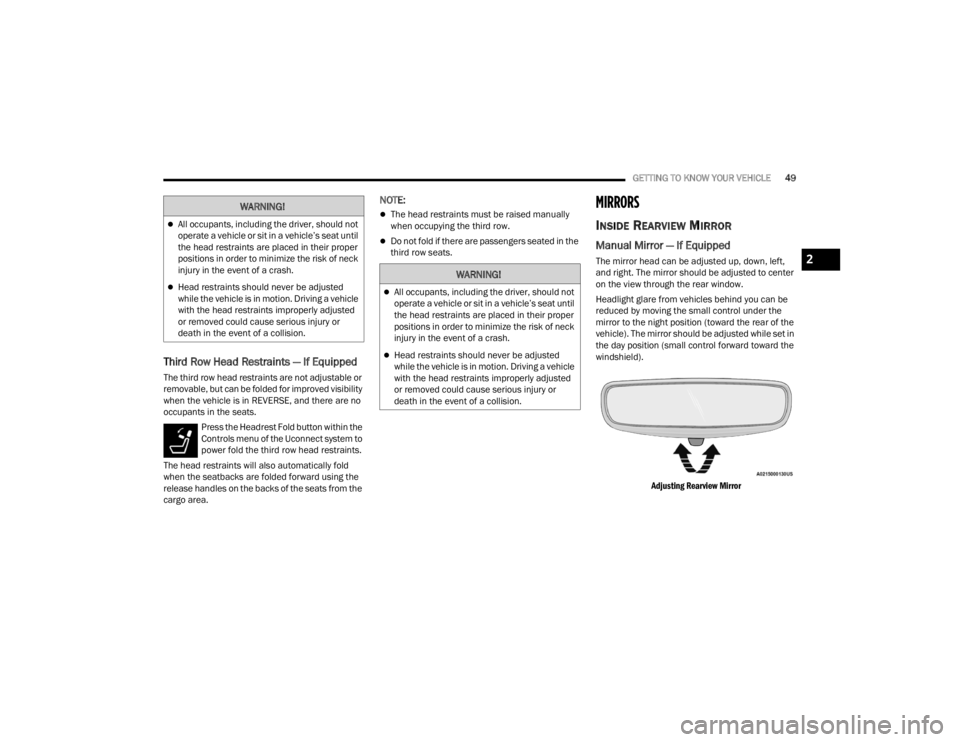
The mirror head can be adjusted up, down, left,
and right. The mirror should be adjusted to center
on the view through the rear window.
Headlight glare from vehicles behind you can be
reduced by moving the small control under the
mirror to the night position (toward the rear of the
vehicle). The mirror should be adjusted while set in
the day position (small control forward toward the
windshield).
Adjusting Rearview Mirror
WARNING!
All occupants, including the driver, should not
operate a vehicle or sit in a vehicle’s seat until
the head restraints are placed in their proper
positions in order to minimize the risk of neck
injury in the event of a crash.
Head restraints should never be adjusted
while the vehicle is in motion. Driving a vehicle
with the head restraints improperly adjusted
or removed could cause serious injury or
death in the event of a collision.
WARNING!
All occupants, including the driver, should not
operate a vehicle or sit in a vehicle’s seat until
the head restraints are placed in their proper
positions in order to minimize the risk of neck
injury in the event of a crash.
Head restraints should never be adjusted
while the vehicle is in motion. Driving a vehicle
with the head restraints improperly adjusted
or removed could cause serious injury or
death in the event of a collision.
2
23_WL_OM_EN_USC_t.book Page 49
Page 65 of 424
GETTING TO KNOW YOUR VEHICLE63
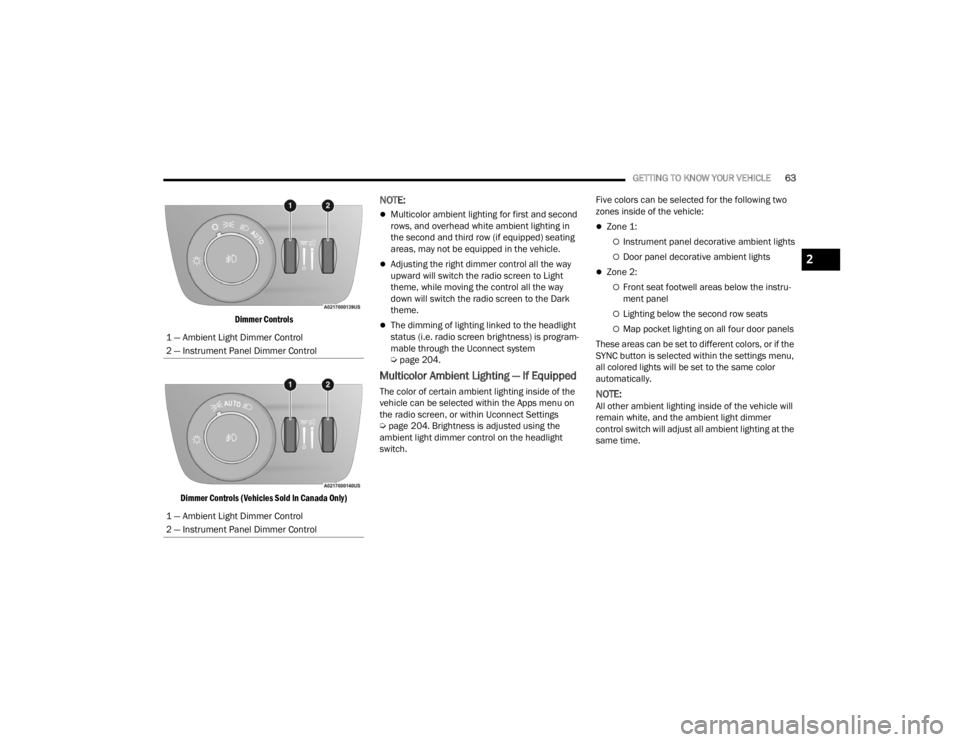
Dimmer Controls
Dimmer Controls (Vehicles Sold In Canada Only)
NOTE:
Multicolor ambient lighting for first and second
rows, and overhead white ambient lighting in
the second and third row (if equipped) seating
areas, may not be equipped in the vehicle.
Adjusting the right dimmer control all the way
upward will switch the radio screen to Light
theme, while moving the control all the way
down will switch the radio screen to the Dark
theme.
The dimming of lighting linked to the headlight
status (i.e. radio screen brightness) is program-
mable through the Uconnect system
Ú page 204.
Multicolor Ambient Lighting — If Equipped
The color of certain ambient lighting inside of the
vehicle can be selected within the Apps menu on
the radio screen, or within Uconnect Settings
Úpage 204. Brightness is adjusted using the
ambient light dimmer control on the headlight
switch. Five colors can be selected for the following two
zones inside of the vehicle:
Zone 1:
Instrument panel decorative ambient lights
Door panel decorative ambient lights
Zone 2:
Front seat footwell areas below the instru
-
ment panel
Lighting below the second row seats
Map pocket lighting on all four door panels
These areas can be set to different colors, or if the
SYNC button is selected within the settings menu,
all colored lights will be set to the same color
automatically.
NOTE:All other ambient lighting inside of the vehicle will
remain white, and the ambient light dimmer
control switch will adjust all ambient lighting at the
same time.
1 — Ambient Light Dimmer Control
2 — Instrument Panel Dimmer Control
1 — Ambient Light Dimmer Control
2 — Instrument Panel Dimmer Control
2
23_WL_OM_EN_USC_t.book Page 63
Page 73 of 424
GETTING TO KNOW YOUR VEHICLE71
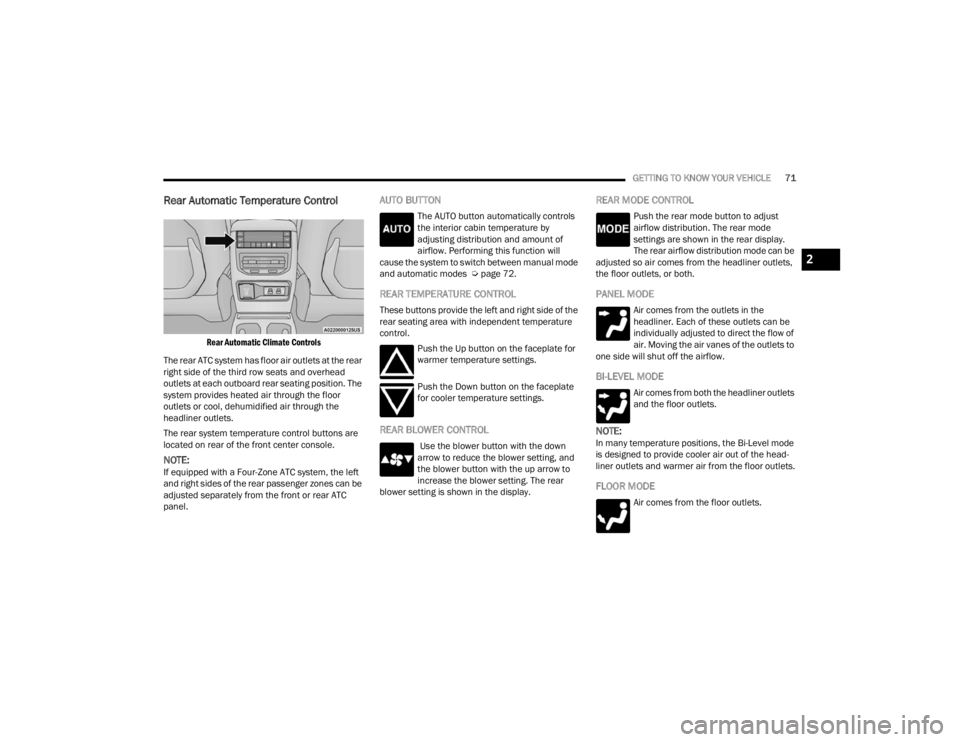
Rear Automatic Temperature Control
Rear Automatic Climate Controls
The rear ATC system has floor air outlets at the rear
right side of the third row seats and overhead
outlets at each outboard rear seating position. The
system provides heated air through the floor
outlets or cool, dehumidified air through the
headliner outlets.
The rear system temperature control buttons are
located on rear of the front center console.
NOTE:If equipped with a Four-Zone ATC system, the left
and right sides of the rear passenger zones can be
adjusted separately from the front or rear ATC
panel.
AUTO BUTTON
The AUTO button automatically controls
the interior cabin temperature by
adjusting distribution and amount of
airflow. Performing this function will
cause the system to switch between manual mode
and automatic modes Ú page 72.
REAR TEMPERATURE CONTROL
These buttons provide the left and right side of the
rear seating area with independent temperature
control.
Push the Up button on the faceplate for
warmer temperature settings.
Push the Down button on the faceplate
for cooler temperature settings.
REAR BLOWER CONTROL
Use the blower button with the down
arrow to reduce the blower setting, and
the blower button with the up arrow to
increase the blower setting. The rear
blower setting is shown in the display.
REAR MODE CONTROL
Push the rear mode button to adjust
airflow distribution. The rear mode
settings are shown in the rear display.
The rear airflow distribution mode can be
adjusted so air comes from the headliner outlets,
the floor outlets, or both.
PANEL MODE
Air comes from the outlets in the
headliner. Each of these outlets can be
individually adjusted to direct the flow of
air. Moving the air vanes of the outlets to
one side will shut off the airflow.
BI-LEVEL MODE
Air comes from both the headliner outlets
and the floor outlets.
NOTE:In many temperature positions, the Bi-Level mode
is designed to provide cooler air out of the head -
liner outlets and warmer air from the floor outlets.
FLOOR MODE
Air comes from the floor outlets.
2
23_WL_OM_EN_USC_t.book Page 71
Page 75 of 424
GETTING TO KNOW YOUR VEHICLE73
Push the VR button. After the beep, say one of the
following commands:
“ Set the driver temperature to 70 degrees ”
“Set the passenger temperature to 70 degrees ”
Did You Know: Voice Command for Climate may
only be used to adjust the interior temperature of
your vehicle. Voice Command will not work to
adjust the heated seats or steering wheel if
equipped.
OPERATING TIPS
NOTE:Refer to the chart at the end of this section for
suggested control settings for various weather
conditions.
Summer Operation
The engine cooling system must be protected with
a high-quality antifreeze coolant to provide proper
corrosion protection and to protect against engine
overheating. OAT coolant (conforming to
MS.90032) is recommended. For more
information, see Ú page 401.
Winter Operation
To ensure the best possible heater and defroster
performance, make sure the engine cooling
system is functioning properly and the proper
amount, type, and concentration of coolant is
used. Use of the Air Recirculation mode during
Winter months is not recommended, because it
may cause window fogging.
Vacation/Storage
For information on maintaining the Climate Control
system when the vehicle is being stored for an
extended period of time, see Ú page 392.
Window Fogging
Vehicle windows tend to fog on the inside in mild,
rainy, and/or humid weather. To clear the
windows, select Defrost or Mix mode and increase
the front blower speed. Do not use the
Recirculation mode without A/C for long periods,
as fogging may occur.
Outside Air Intake
Make sure the air intake, located directly in front of
the windshield, is free of obstructions, such as
leaves. Leaves collected in the air intake may
reduce airflow, and if they enter the air distribution
box, they could plug the water drains. In Winter
months, make sure the air intake is clear of ice,
slush, and snow.
Cabin Air Filter
The Climate Control system filters out dust and
pollen from the air. Contact an authorized dealer to
service your cabin air filter, and to have it replaced
when needed.
Stop/Start System — If Equipped
While in an Autostop, the Climate Control system
may automatically adjust airflow to maintain cabin
comfort. Customer settings will be maintained
upon return to an engine running condition.
Windshield Wiper De-Icer — If Equipped
The Windshield Wiper De-Icer is a heating element
located at the base of the windshield.
It operates automatically once the following
conditions are met:
Activation By Front Defrost
The Windshield Wiper De-Icer activates auto -
matically during a cold weather manual start
with full defrost, and when the ambient
temperature is below 33°F (0.6°C) .
CAUTION!
Interior air enters the Rear Automatic
Temperature Control system through an intake
grille, located in the right side trim panel behind
the third row seats. The heater outlets are
located in the right side trim panel, just behind
the rear doors. Do not block or place objects
directly in front of the inlet grille or heater
outlets. The electrical system could overload
causing damage to the blower motor.
2
23_WL_OM_EN_USC_t.book Page 73