light JEEP GRAND CHEROKEE LIMITED 2019 Owner's Manual
[x] Cancel search | Manufacturer: JEEP, Model Year: 2019, Model line: GRAND CHEROKEE LIMITED, Model: JEEP GRAND CHEROKEE LIMITED 2019Pages: 626, PDF Size: 3.77 MB
Page 79 of 626
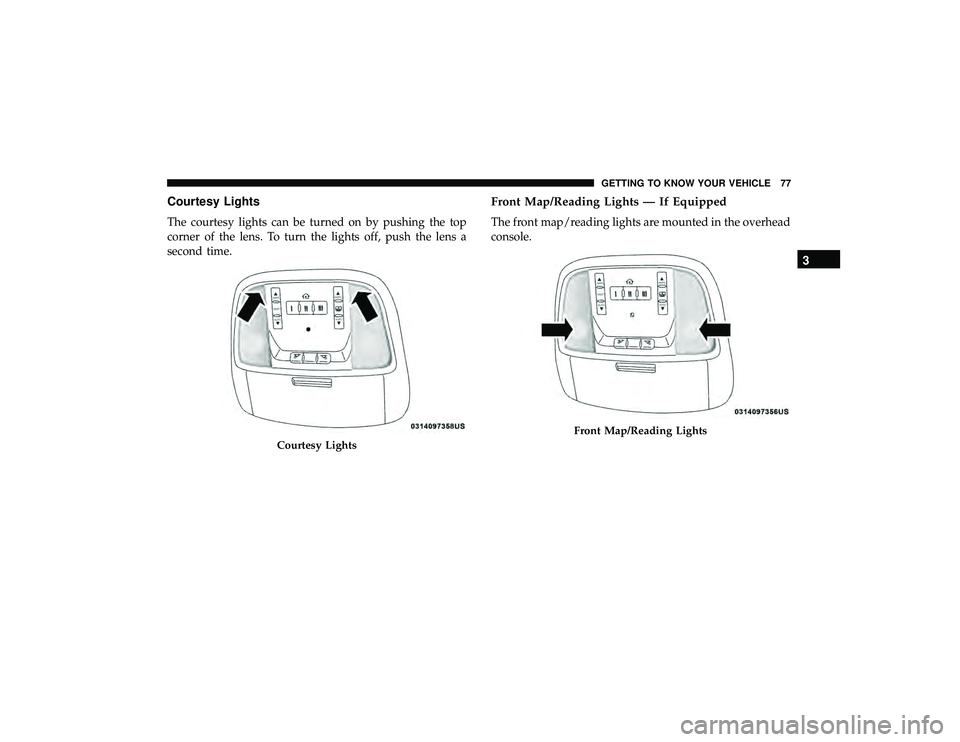
Courtesy Lights
The courtesy lights can be turned on by pushing the top
corner of the lens. To turn the lights off, push the lens a
second time.
Front Map/Reading Lights — If Equipped
The front map/reading lights are mounted in the overhead
console.
Front Map/Reading Lights
3
GETTING TO KNOW YOUR VEHICLE 77
Page 80 of 626
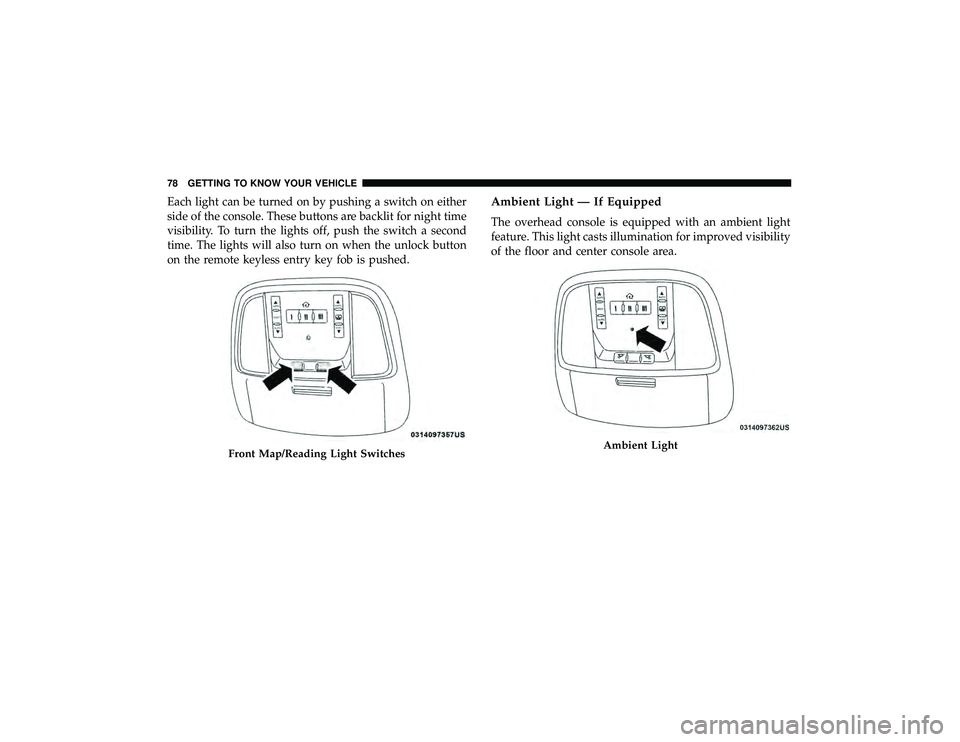
Each light can be turned on by pushing a switch on either
side of the console. These buttons are backlit for night time
visibility. To turn the lights off, push the switch a second
time. The lights will also turn on when the unlock button
on the remote keyless entry key fob is pushed.Ambient Light — If Equipped
The overhead console is equipped with an ambient light
feature. This light casts illumination for improved visibility
of the floor and center console area.
Ambient Light
78 GETTING TO KNOW YOUR VEHICLE
Page 81 of 626
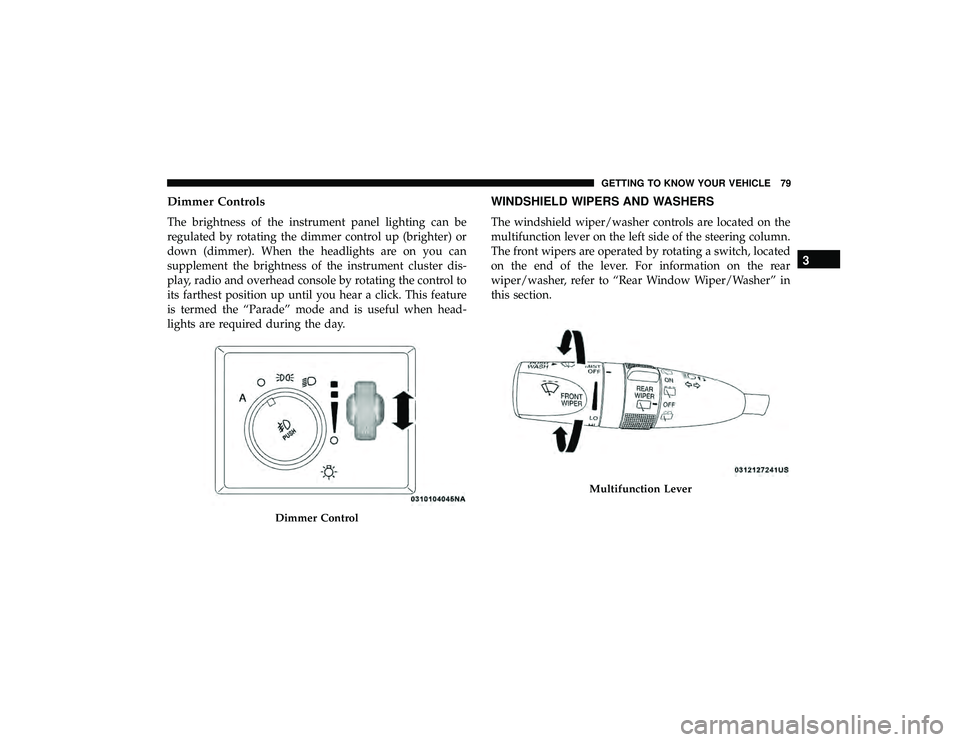
Dimmer Controls
The brightness of the instrument panel lighting can be
regulated by rotating the dimmer control up (brighter) or
down (dimmer). When the headlights are on you can
supplement the brightness of the instrument cluster dis-
play, radio and overhead console by rotating the control to
its farthest position up until you hear a click. This feature
is termed the “Parade” mode and is useful when head-
lights are required during the day.
WINDSHIELD WIPERS AND WASHERS
The windshield wiper/washer controls are located on the
multifunction lever on the left side of the steering column.
The front wipers are operated by rotating a switch, located
on the end of the lever. For information on the rear
wiper/washer, refer to “Rear Window Wiper/Washer” in
this section.
Multifunction Lever
3
GETTING TO KNOW YOUR VEHICLE 79
Page 87 of 626
HEADLIGHT WASHERS — IF EQUIPPED
The multifunction lever operates the headlight washers
when the ignition switch is in the ON position and the
headlights are turned on. The multifunction lever is located
on the left side of the steering column.
To use the headlight washers, push the multifunction lever
inward (toward the steering column) and release it. The
headlight washers will spray a timed high-pressure spray
of washer fluid onto each headlight lens. In addition, the
windshield washers will spray the windshield and the
windshield wipers will cycle.
NOTE:After turning the ignition switch and headlights
ON, the headlight washers will operate on the first spray of
the windshield washer and then every eleventh spray after
that.
CLIMATE CONTROLS
The Climate Control System allows you to regulate the
temperature, air flow, and direction of air circulating
throughout the vehicle. The controls are located on the
touchscreen (if equipped) and on the instrument panel
below the radio.
3
GETTING TO KNOW YOUR VEHICLE 85
Page 93 of 626
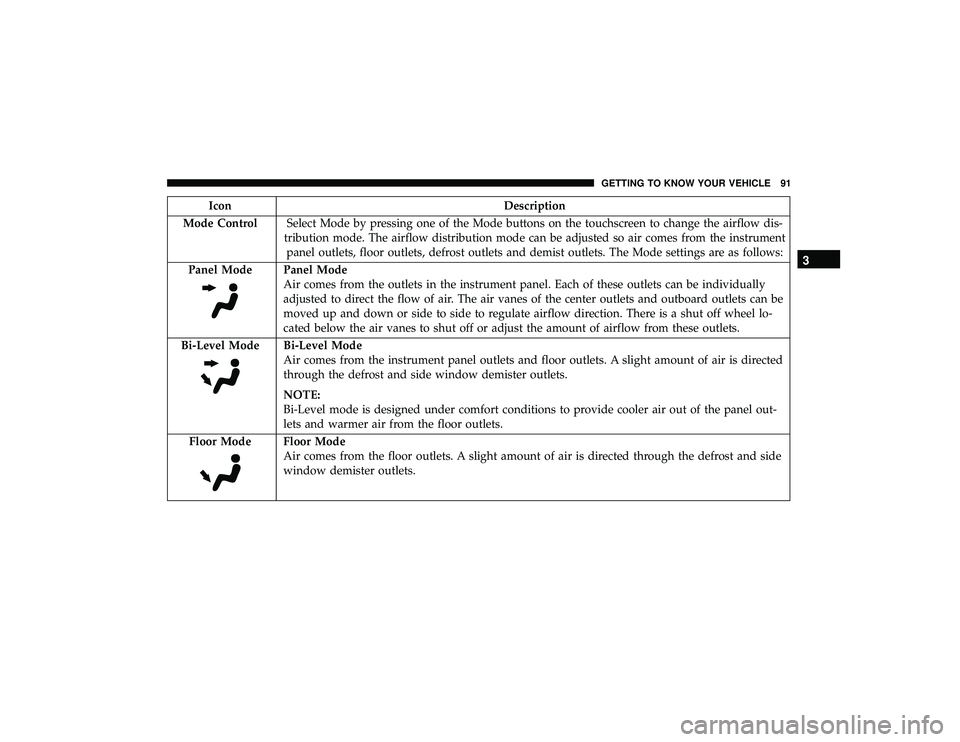
IconDescription
Mode Control Select Mode by pressing one of the Mode buttons on the touchscreen to change the airflow dis-
tribution mode. The airflow distribution mode can be adjusted so air comes from the instrument panel outlets, floor outlets, defrost outlets and demist outlets. The Mode settings are as follows:
Panel Mode
Panel Mode
Air comes from the outlets in the instrument panel. Each of these outlets can be individually
adjusted to direct the flow of air. The air vanes of the center outlets and outboard outlets can be
moved up and down or side to side to regulate airflow direction. There is a shut off wheel lo-
cated below the air vanes to shut off or adjust the amount of airflow from these outlets.
Bi-Level Mode
Bi-Level Mode
Air comes from the instrument panel outlets and floor outlets. A slight amount of air is directed
through the defrost and side window demister outlets.
NOTE:
Bi-Level mode is designed under comfort conditions to provide cooler air out of the panel out-
lets and warmer air from the floor outlets.
Floor Mode
Floor Mode
Air comes from the floor outlets. A slight amount of air is directed through the defrost and side
window demister outlets.
3
GETTING TO KNOW YOUR VEHICLE 91
Page 99 of 626
Auto-Down Feature
The driver door power window switch and the front and
rear passenger doors window switches have an Auto-
Down feature.
Push the window switch down for half a second and
release. The window will go down automatically.
To stop the window from going all the way down during
the Auto-Down operation, pull up or push down on the
switch briefly.
To open the window part way (manually), push the
window switch down briefly and release.
Auto-Up Feature With Anti-Pinch Protection
Lift the window switch up, for a short period of time, and
release and the window will go up automatically.
To stop the window from going all the way up during the
Auto-Up operation, push down on the switch briefly.
To close the window part way, lift the window switch
briefly and release it when you want the window to stop.NOTE:
•
If the window runs into any obstacle during auto-
closure, it will reverse direction and then go back down.
Remove the obstacle and use the window switch again
to close the window.
• Any impact due to rough road conditions may trigger
the auto-reverse function unexpectedly during auto-
closure. If this happens, pull the switch lightly and hold
to close the window manually.
Page 100 of 626
Reset Auto-Up
Should the Auto-Up feature stop working, the window
probably needs to be reset. To reset Auto-Up:
1. Pull the window switch up to close the window com-pletely and continue to hold the switch up for an
additional two seconds after the window is closed.
2. Push the window switch down firmly to open the window completely and continue to hold the switch
down for an additional two seconds after the window is
fully open.
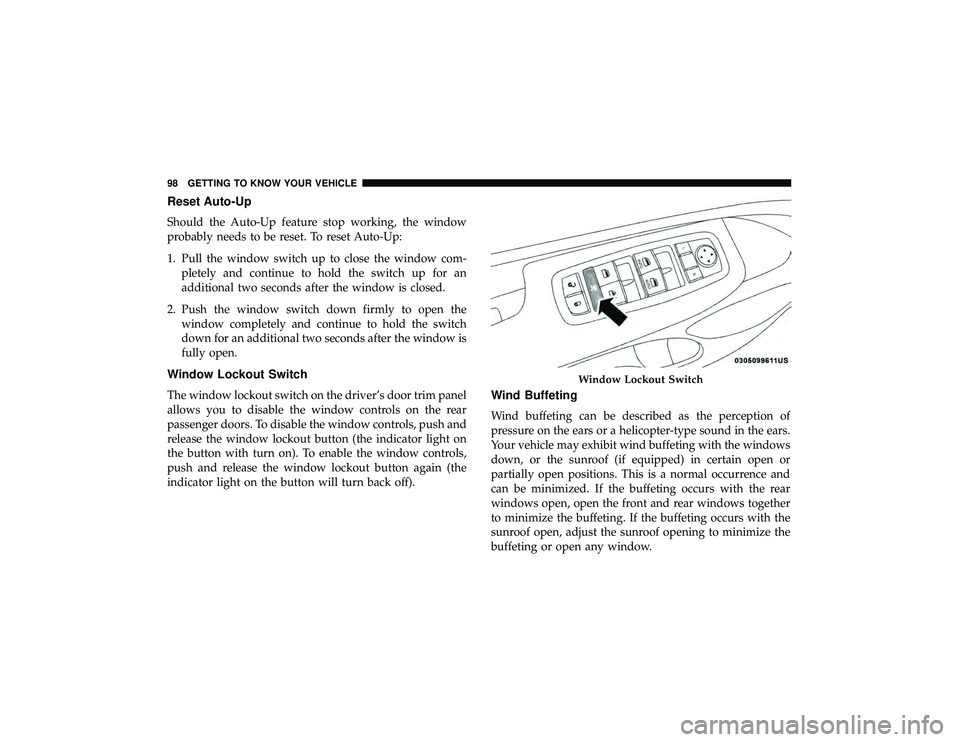
Window Lockout Switch
The window lockout switch on the driver’s door trim panel
allows you to disable the window controls on the rear
passenger doors. To disable the window controls, push and
release the window lockout button (the indicator light on
the button with turn on). To enable the window controls,
push and release the window lockout button again (the
indicator light on the button will turn back off).Wind Buffeting
Wind buffeting can be described as the perception of
pressure on the ears or a helicopter-type sound in the ears.
Your vehicle may exhibit wind buffeting with the windows
down, or the sunroof (if equipped) in certain open or
partially open positions. This is a normal occurrence and
can be minimized. If the buffeting occurs with the rear
windows open, open the front and rear windows together
to minimize the buffeting. If the buffeting occurs with the
sunroof open, adjust the sunroof opening to minimize the
buffeting or open any window.
Page 112 of 626
NOTE:
•The power liftgate will not operate in temperatures
below 22°F (30°C) or temperatures above 150° F
(65° C). Be sure to remove any buildup of snow or ice
from the liftgate before pushing any of the power liftgate
switches.
• If anything obstructs the power liftgate while it is
closing or opening, the liftgate will automatically re-
verse to the closed or open position, provided it meets
sufficient resistance.
• There are also pinch sensors attached to the side of the
liftgate. Light pressure anywhere along these strips will
cause the liftgate to return to the open position.
• If the liftgate is not fully open, push the liftgate button
on the key fob twice to operate the liftgate.
• If the electronic liftgate release is pushed while the
power liftgate is closing, the liftgate will reverse to the
full open position. •
If the electronic liftgate release is pushed while the
power liftgate is opening, the liftgate motor will disen-
gage to allow manual operation.
• If the power liftgate encounters multiple obstructions
within the same cycle, the system will automatically
stop and the liftgate must be opened or closed manually.
Page 116 of 626
WARNING!(Continued)
•Place as much cargo as possible in front of the rear
axle. Too much weight or improperly placed weight
over or behind the rear axle can cause the rear of the
vehicle to sway.
• Do not pile luggage or cargo higher than the top of
the seatback. This could impair visibility or become
a dangerous projectile in a sudden stop or accident.
GARAGE DOOR OPENER — IF EQUIPPED
HomeLink replaces up to three hand-held transmitters that
operate devices such as garage door openers, motorized
gates, lighting or home security systems. The HomeLink
unit is powered by your vehicle’s 12 Volt battery.
The HomeLink buttons, located on the overhead console,
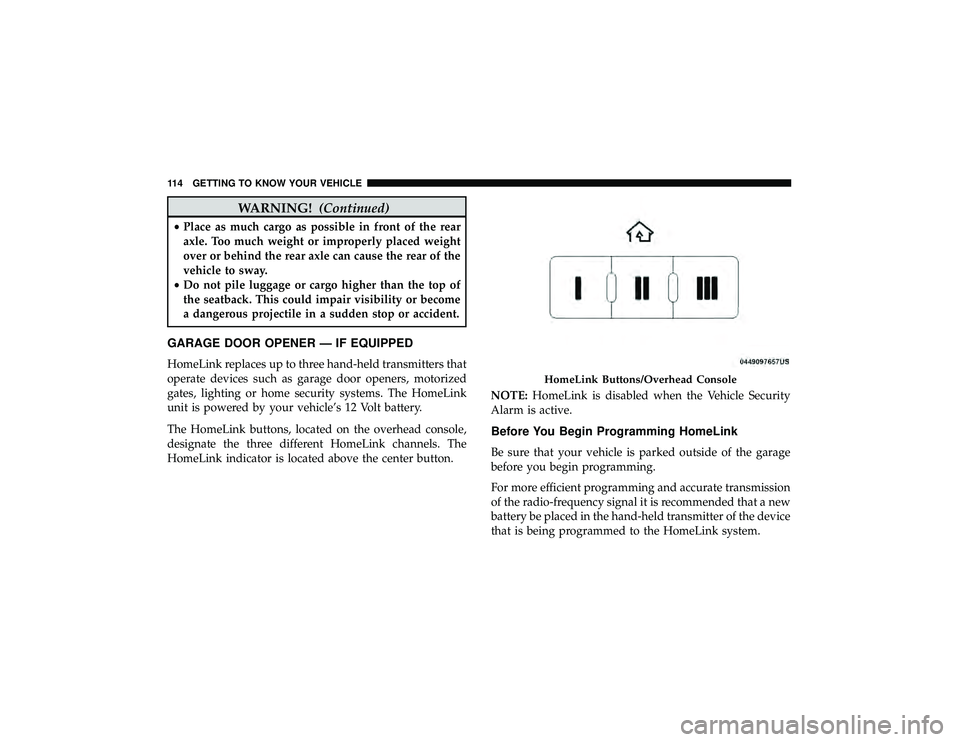
designate the three different HomeLink channels. The
HomeLink indicator is located above the center button. NOTE:
HomeLink is disabled when the Vehicle Security
Alarm is active.
Before You Begin Programming HomeLink
Be sure that your vehicle is parked outside of the garage
before you begin programming.
For more efficient programming and accurate transmission
of the radio-frequency signal it is recommended that a new
battery be placed in the hand-held transmitter of the device
that is being programmed to the HomeLink system.
Page 117 of 626
To erase the channels, place the ignition in the ON/RUN
position, and push and hold the two outside HomeLink
buttons (I and III) for up to 20 seconds or until the orange
indicator flashes.
NOTE:
•Erasing all channels should only be performed when
programming HomeLink for the first time. Do not erase
channels when programming additional buttons.
• If you have any problems, or require assistance, please
call toll-free 1-800-355-3515 or, on the Internet at
HomeLink.com for information or assistance.
Programming A Rolling Code
For programming garage door openers that were manufac-
tured after 1995. These garage door openers can be identi-
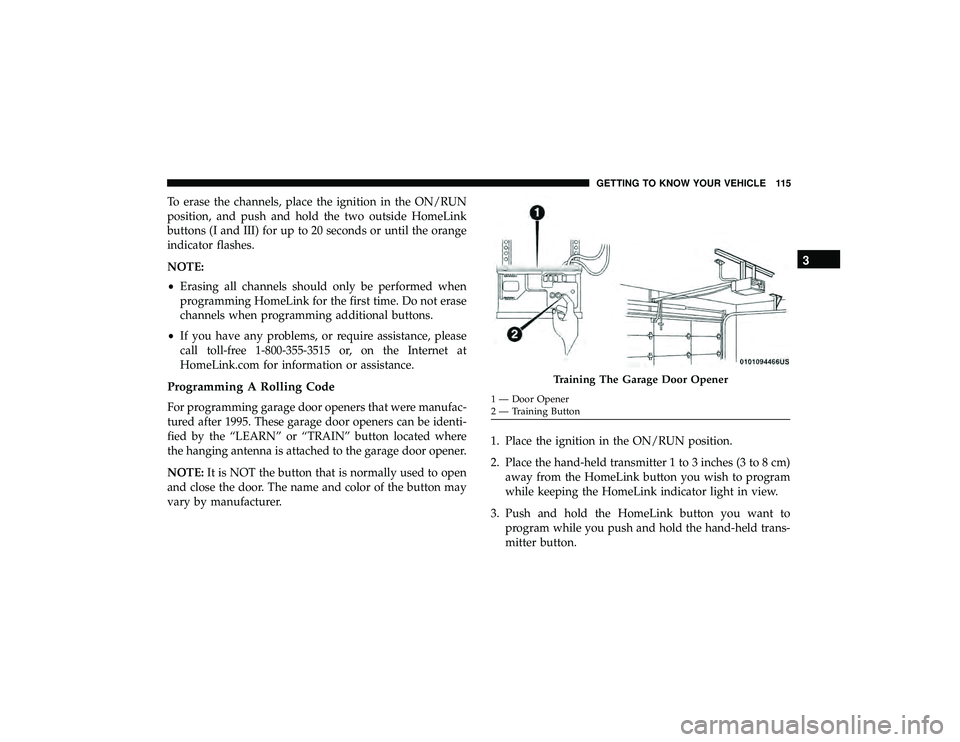
fied by the “LEARN” or “TRAIN” button located where
the hanging antenna is attached to the garage door opener.
NOTE: It is NOT the button that is normally used to open
and close the door. The name and color of the button may
vary by manufacturer. 1. Place the ignition in the ON/RUN position.
2. Place the hand-held transmitter 1 to 3 inches (3 to 8 cm)
away from the HomeLink button you wish to program
while keeping the HomeLink indicator light in view.
3. Push and hold the HomeLink button you want to program while you push and hold the hand-held trans-
mitter button.