clock JEEP GRAND CHEROKEE LIMITED 2019 Owners Manual
[x] Cancel search | Manufacturer: JEEP, Model Year: 2019, Model line: GRAND CHEROKEE LIMITED, Model: JEEP GRAND CHEROKEE LIMITED 2019Pages: 626, PDF Size: 3.77 MB
Page 73 of 626
Sun Visor “Slide-On-Rod” Feature — If Equipped
The sun visor “Slide-On-Rod” feature allows for additional
flexibility in positioning the sun visor to block out the sun.
1. Fold down the sun visor.
2. Unclip the visor from the center clip.
3. Pivot the sun visor toward the side window.
4. Extend the sun visor blade for additional sun blockage.
NOTE:The sun visor blade can also be extended while the
sun visor is against the windshield for additional sun
blockage through the front of the vehicle.
EXTERIOR LIGHTS
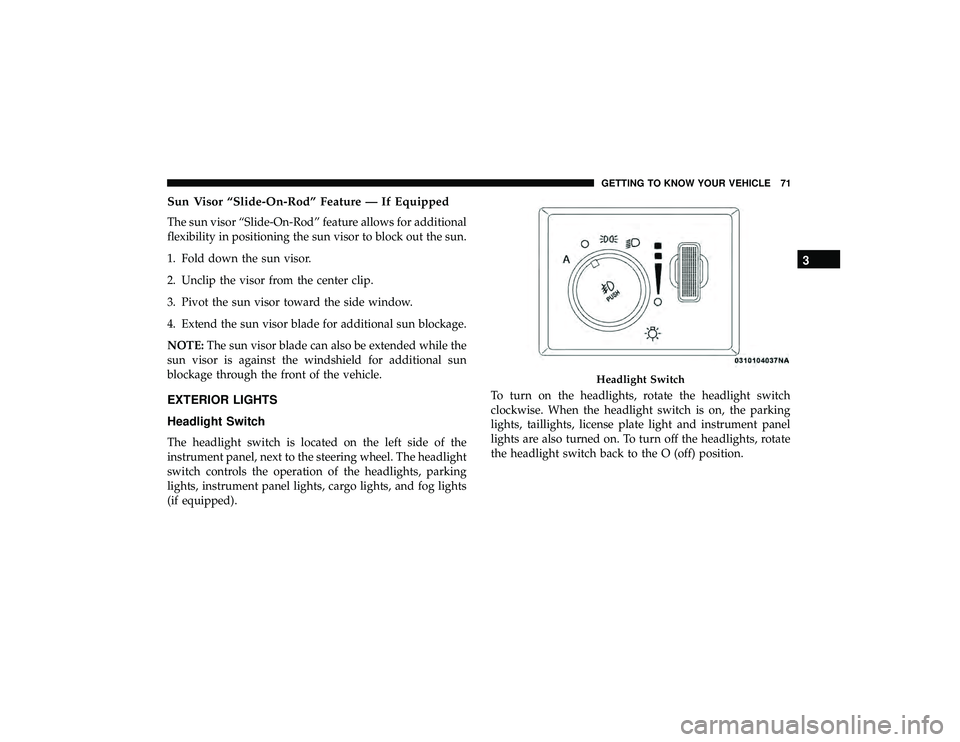
Headlight Switch
The headlight switch is located on the left side of the
instrument panel, next to the steering wheel. The headlight
switch controls the operation of the headlights, parking
lights, instrument panel lights, cargo lights, and fog lights
(if equipped). To turn on the headlights, rotate the headlight switch
clockwise. When the headlight switch is on, the parking
lights, taillights, license plate light and instrument panel
lights are also turned on. To turn off the headlights, rotate
the headlight switch back to the O (off) position.
Page 76 of 626
Automatic Headlights — If Equipped
This system automatically turns the headlights on or off
according to ambient light levels. To turn the system on,
rotate the headlight switch to the A (auto) position.
When the system is on, the Headlight Delay feature is also
on. This means the headlights will stay on for up to 90
seconds after you turn the ignition switch to the OFF
position. To turn the automatic headlights off, turn the
headlight switch out of the A (auto) position.
NOTE:The engine must be running before the headlights
will turn on in the Automatic Mode.
Parking Lights And Panel Lights
To turn on the parking lights and instrument panel lights,
rotate the headlight switch clockwise. To turn off the
parking lights, rotate the headlight switch back to the O
(off) position.
Headlights On Automatically With Wipers
If your vehicle is equipped with Automatic Headlights, it
also has this customer-programmable feature. When your
headlights are in the automatic mode and the engine is
running, they will automatically turn on when the wiper system is on. This feature is programmable through the
Uconnect system screen. Refer to “Uconnect Settings” in
“Multimedia” for further information.
If your vehicle is equipped with a “Rain Sensitive Wiper
System” and it is activated, the headlights will automati-
cally turn on after the wipers complete five wipe cycles
within approximately one minute, and they will turn off
approximately four minutes after the wipers completely
stop.
Refer to “Windshield Wipers And Washers” in “Getting To
Know Your Vehicle” for further information.
NOTE:
When your headlights come on during the day-
time, the instrument panel lights will automatically dim to
the lower nighttime intensity.
Headlight Delay
To aid in your exit, your vehicle is equipped with a
headlight delay that will leave the headlights on for
approximately up to 90 seconds. This delay is initiated
when the ignition is turned OFF while the headlight switch
is on, and then the headlight switch is cycled off. Headlight
delay can be cancelled by either turning the headlight
switch on then off, or by turning the ignition ON.
74 GETTING TO KNOW YOUR VEHICLE
Page 92 of 626
IconDescription
SYNC Button
Press the SYNC button on the touchscreen to toggle the SYNC feature on/off. The SYNC indica-
tor is illuminated when this feature is enabled. SYNC is used to synchronize the passenger tem-
perature setting with the driver temperature setting. Changing the passenger ’s temperature set-
ting while in SYNC will automatically exit this feature.
NOTE:
The SYNC setting is only available on the touchscreen.
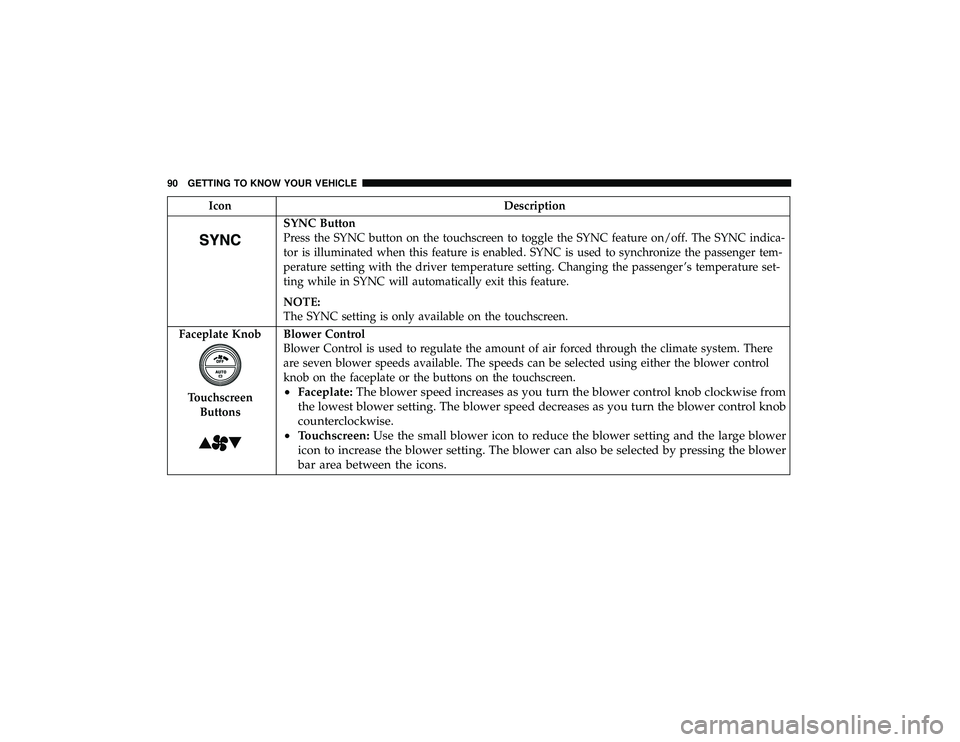
Faceplate Knob
Touchscreen Buttons
Blower Control
Blower Control is used to regulate the amount of air forced through the climate system. There
are seven blower speeds available. The speeds can be selected using either the blower control
knob on the faceplate or the buttons on the touchscreen.
• Faceplate: The blower speed increases as you turn the blower control knob clockwise from
the lowest blower setting. The blower speed decreases as you turn the blower control knob
counterclockwise.
• Touchscreen: Use the small blower icon to reduce the blower setting and the large blower
icon to increase the blower setting. The blower can also be selected by pressing the blower
bar area between the icons.
90 GETTING TO KNOW YOUR VEHICLE
Page 370 of 626
NOTE:The trailer tongue weight must be considered as
part of the combined weight of occupants and cargo, and
should never exceed the weight referenced on the Tire and
Loading Information placard. Refer to “Tires” in “Servicing
And Maintenance” for further information. The addition of
passengers and cargo may require reducing trailer tongue
load and Gross Trailer Weight (GTW). Redistributing cargo
(to the trailer) may be necessary to avoid exceeding Rear
Gross Axle Weight Rating (GAWR) of 3,700 lbs (1,678 kg).
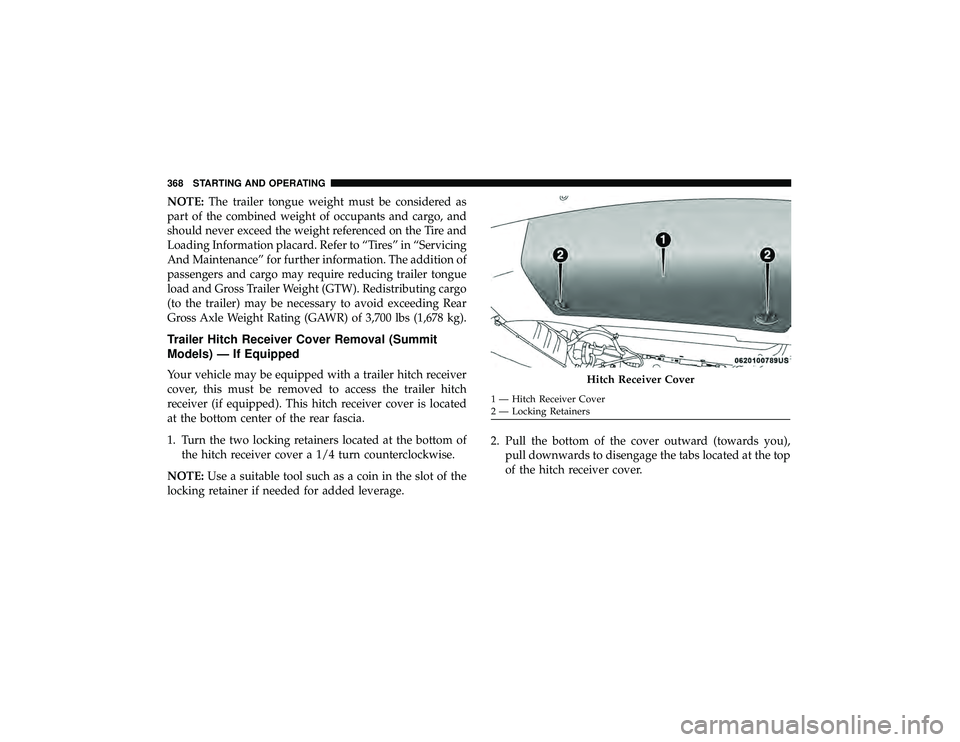
Trailer Hitch Receiver Cover Removal (Summit
Models) — If Equipped
Your vehicle may be equipped with a trailer hitch receiver
cover, this must be removed to access the trailer hitch
receiver (if equipped). This hitch receiver cover is located
at the bottom center of the rear fascia.
1. Turn the two locking retainers located at the bottom of the hitch receiver cover a 1/4 turn counterclockwise.
NOTE: Use a suitable tool such as a coin in the slot of the
locking retainer if needed for added leverage. 2. Pull the bottom of the cover outward (towards you),
pull downwards to disengage the tabs located at the top
of the hitch receiver cover.
Page 405 of 626

4. Twist socket counter clockwise and remove from lamp.
5. Pull the bulb to remove it from the socket.
6. Replace the bulb, reinstall the socket, and reattach thelamp assembly.Rear Liftgate Mounted Tail Lamp
1. Raise the liftgate.
Page 406 of 626
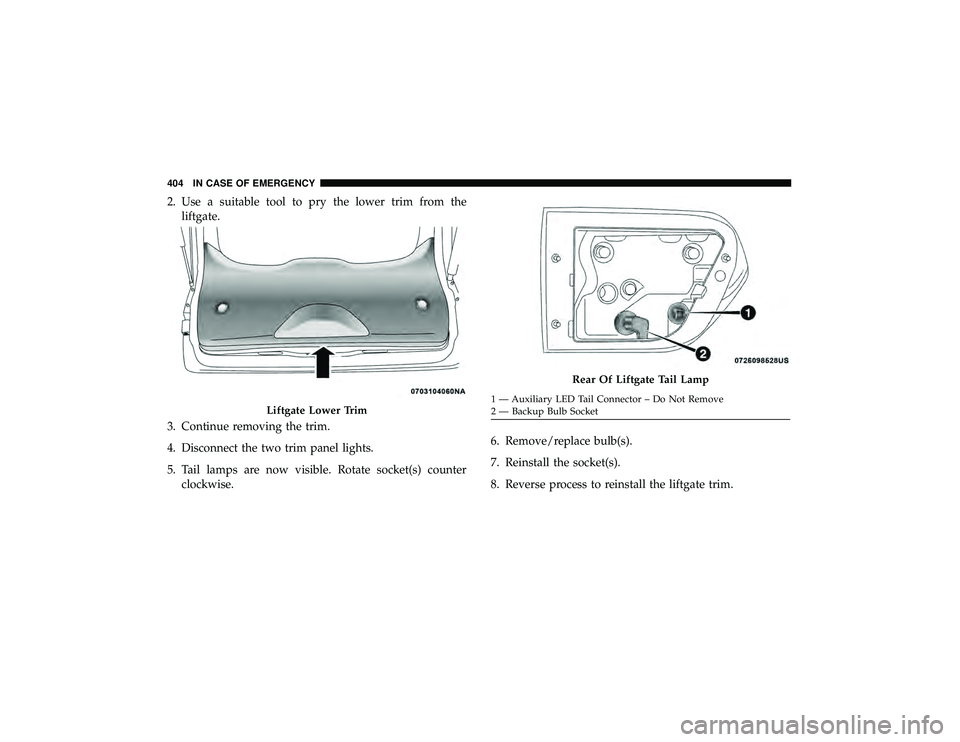
2. Use a suitable tool to pry the lower trim from theliftgate.
3. Continue removing the trim.
4. Disconnect the two trim panel lights.
5. Tail lamps are now visible. Rotate socket(s) counter clockwise. 6. Remove/replace bulb(s).
7. Reinstall the socket(s).
8. Reverse process to reinstall the liftgate trim.
Rear Of Liftgate Tail Lamp
Page 421 of 626
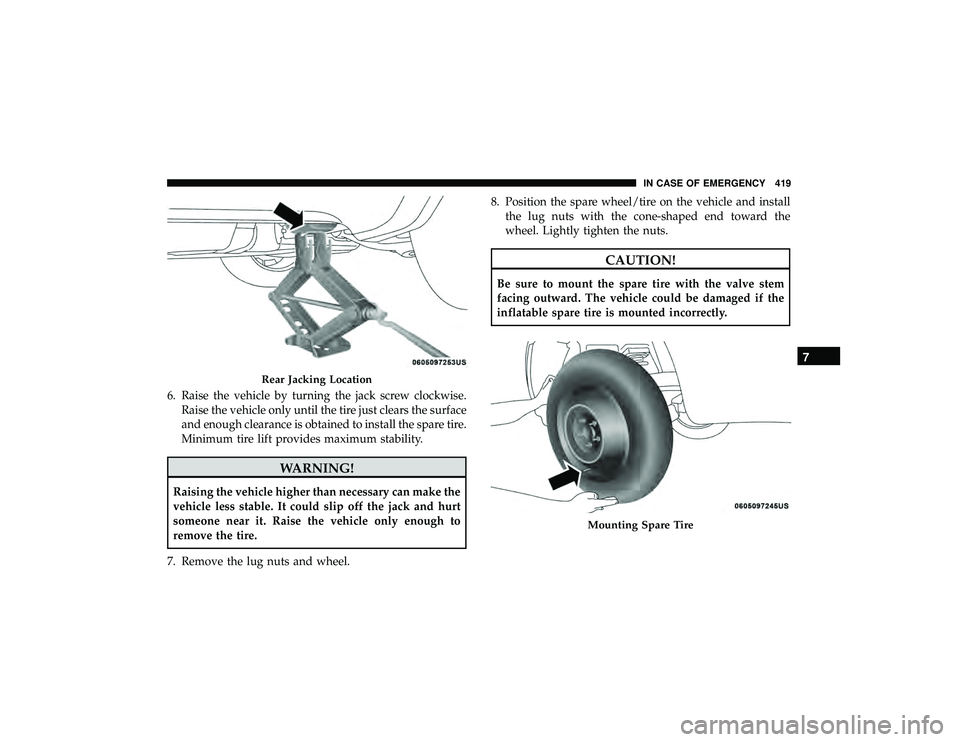
6. Raise the vehicle by turning the jack screw clockwise.Raise the vehicle only until the tire just clears the surface
and enough clearance is obtained to install the spare tire.
Minimum tire lift provides maximum stability.
Rear Jacking Location
Mounting Spare Tire
7
IN CASE OF EMERGENCY 419
Page 422 of 626
WARNING!
To avoid the risk of forcing the vehicle off the jack, do
not tighten the wheel nuts fully until the vehicle has
been lowered. Failure to follow this warning may
result in serious injury.
9. Lower the vehicle by turning the jack screw counter- clockwise, and remove the jack and wheel blocks.
10. Finish tightening the lug nuts. Push down on the wrench while at the end of the handle for increased
leverage. Tighten the lug nuts in a star pattern until
each nut has been tightened twice. For correct lug nut
torque, refer to “Torque Specifications” in “Technical
Specifications”. If in doubt about the correct tightness,
have them checked with a torque wrench by an autho-
rized dealer or at a service station.
11. Lower the jack to the fully closed position and return it and the tools to the proper positions in the foam tray.
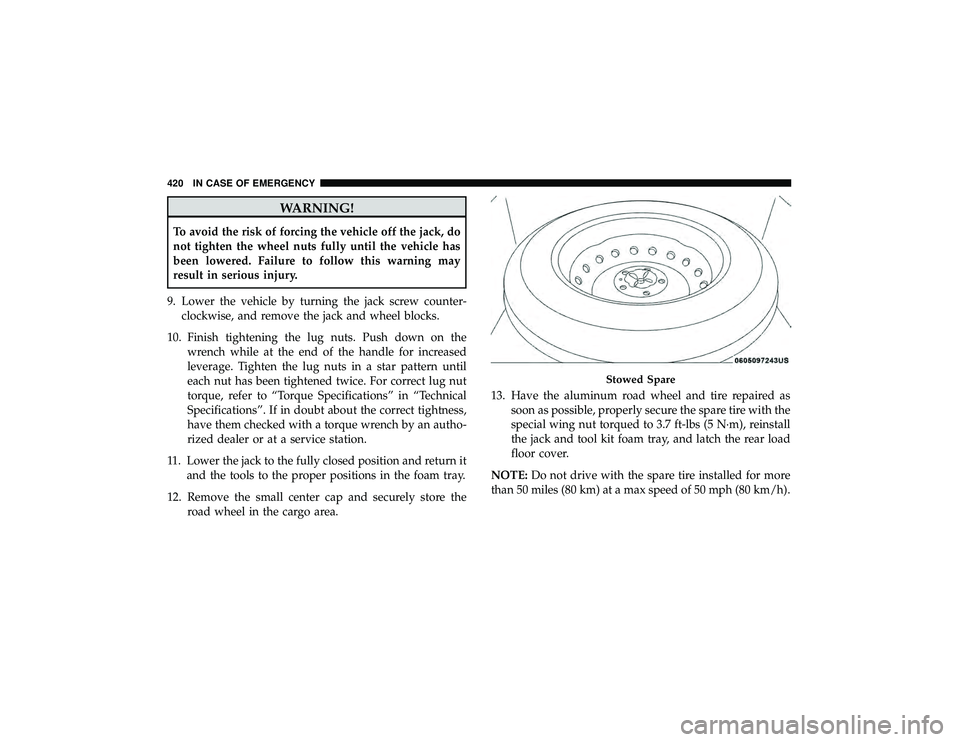
12. Remove the small center cap and securely store the road wheel in the cargo area. 13. Have the aluminum road wheel and tire repaired as
soon as possible, properly secure the spare tire with the
special wing nut torqued to 3.7 ft-lbs (5 N·m), reinstall
the jack and tool kit foam tray, and latch the rear load
floor cover.
NOTE: Do not drive with the spare tire installed for more
than 50 miles (80 km) at a max speed of 50 mph (80 km/h).
Page 516 of 626
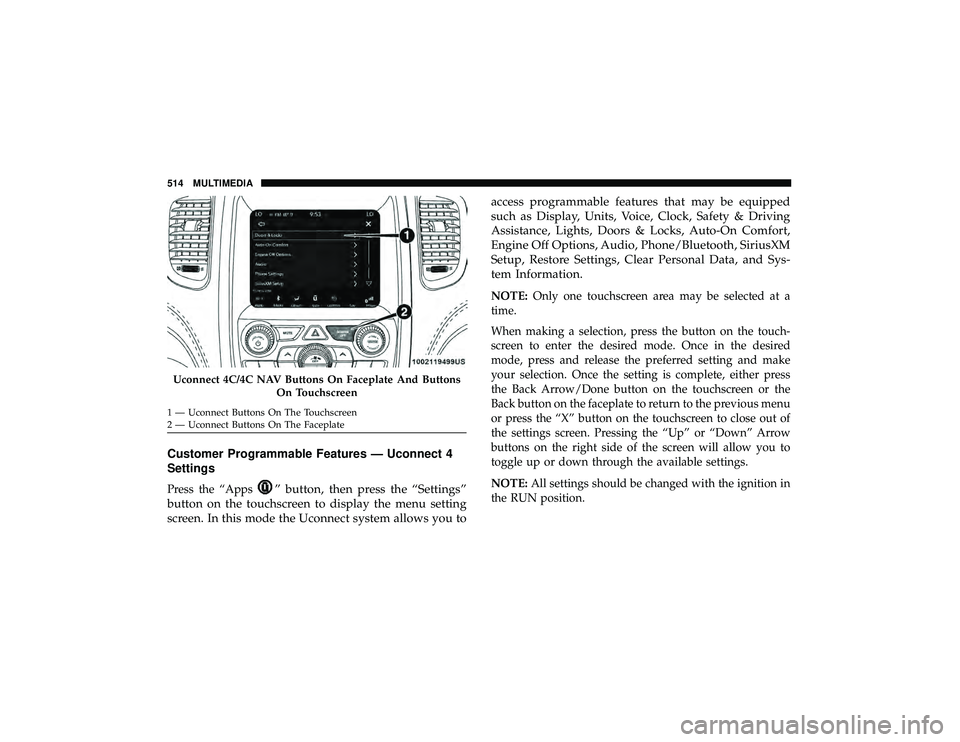
Customer Programmable Features — Uconnect 4
Settings
Press the “Apps” button, then press the “Settings”
button on the touchscreen to display the menu setting
screen. In this mode the Uconnect system allows you to access programmable features that may be equipped
such as Display, Units, Voice, Clock, Safety & Driving
Assistance, Lights, Doors & Locks, Auto-On Comfort,
Engine Off Options, Audio, Phone/Bluetooth, SiriusXM
Setup, Restore Settings, Clear Personal Data, and Sys-
tem Information.
NOTE:
Only one touchscreen area may be selected at a
time.
When making a selection, press the button on the touch-
screen to enter the desired mode. Once in the desired
mode, press and release the preferred setting and make
your selection. Once the setting is complete, either press
the Back Arrow/Done button on the touchscreen or the
Back button on the faceplate to return to the previous menu
or press the “X” button on the touchscreen to close out of
the settings screen. Pressing the “Up” or “Down” Arrow
buttons on the right side of the screen will allow you to
toggle up or down through the available settings.
NOTE: All settings should be changed with the ignition in
the RUN position.
Page 519 of 626
Clock & Date
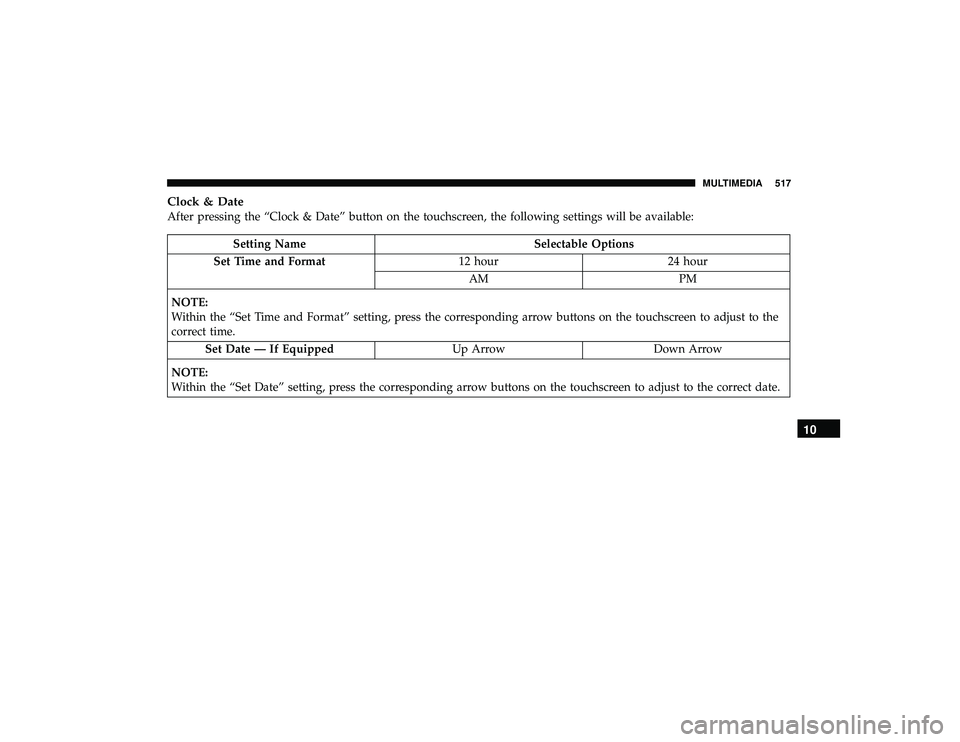
After pressing the “Clock & Date” button on the touchscreen, the following settings will be available: