engine JEEP LIBERTY 2004 KJ / 1.G User Guide
[x] Cancel search | Manufacturer: JEEP, Model Year: 2004, Model line: LIBERTY, Model: JEEP LIBERTY 2004 KJ / 1.GPages: 374, PDF Size: 5.71 MB
Page 126 of 374

Retain the original transmitter of the RF device you are
programming for use in other vehicles as well as for
future HomeLink programming. It is also suggested that
upon the sale of the vehicle, the programmed HomeLink
buttons be erased for security purposes. To erase the
programmed buttons, perform the procedure shown
below under9When Your Vehicle Is New9, or, for assis-
tance, contact HomeLink at:www.homelink.comor by
calling:1-800-355-3515.
When Your Vehicle Is New
Prior to programming HomeLink for the first time the
factory test codes must be erased. To erase HomeLink
memory, press and hold the two outer HomeLink buttons
(buttons one and three). The message CLEARING
CHANNELS will appear on the HomeLink display. After
approximately 20 seconds, the message CHANNELS
CLEARED will appear on the EVIC display. Do not hold
the buttons for longer than 30 seconds.
Programming HomeLink
NOTE:It is recommended that a new battery be placed
in the hand-held transmitter of the device being pro-
grammed to HomeLink for quicker training and accurate
transmission of the radio frequency signal.
WARNING!
Vehicle exhaust contains carbon monoxide, a danger-
ous gas. Do not run the vehicle's engine while
programming HomeLink. Exhaust gas can cause se-
rious injury or death.
126 UNDERSTANDING THE FEATURES OF YOUR VEHICLE
Page 134 of 374

The rear power outlet is a direct feed from the battery so
it receives power whether the ignition is in the ON or
OFF position.
All accessories connected to this outlet should be re-
moved or turned off when the vehicle is not in use.CAUTION!
Electrical Outlet Use With Engine Off
²Many accessories that can be plugged in draw
power from the vehicle's battery, even when not
in use (i.e., cellular phones, etc.). Eventually, if
plugged in long enough, the vehicle's battery will
discharge sufficiently to degrade battery life
and/or prevent engine starting.
²Accessories that draw higher power (i.e., coolers,
vacuum cleaners, lights, etc.) will degrade the
battery even more quickly. Only use these inter-
mittently and with greater caution.
²After the use of high power draw accessories, or
long periods of the vehicle not being started (with
accessories still plugged in), the vehicle must be
driven a sufficient length of time to allow the
alternator to recharge the vehicle's battery.
134 UNDERSTANDING THE FEATURES OF YOUR VEHICLE
Page 151 of 374

INSTRUMENT CLUSTER DESCRIPTION
1. Tachometer
Indicates the permissible engine revolutions-per-minute
for each gear range. Before reaching the red area, ease up
on the accelerator to prevent engine damage.
2. Turn Signal Indicator Light
The arrows will flash in unison with the exterior
turn signals, when using the multi-function control
lever. A chime will sound if the turn signals are left on
continuously for 2 miles (3 km) until they are deacti-
vated.
3. High Beam Indicator Light
This light shows that the headlights are on high
beam. Pull the multi-function control lever to-
wards the steering wheel to switch the headlights from
high to low beam.4. Speedometer
Indicates vehicle speed.
5. Tire Pressure Monitor Warning Light Ð If Equipped
This light will turn on when there is a low tire
pressure condition. The light will also turn on
if a problem exist with any tire sensor. The light
will remain on until the tire pressure is prop-
erly set or the problem with the sensor is corrected.
This light will turn on momentarily as a bulb check when
the engine is started.
When the ªTire Pressure Monitor Warning Lightº is lit,
one or more of your tires is significantly under-inflated.
You should stop and check your tires as soon as possible,
and inflate them to the proper pressure as indicated on
the vehicle's tire information placard. Driving on a
significantly under-inflated tire causes the tire to over-
heat and can lead to tire failure. Under-inflation also
reduces fuel efficiency and tire tread life, and may affect
UNDERSTANDING YOUR INSTRUMENT PANEL 151
4
Page 152 of 374

the vehicle's handling and stopping ability. Each tire,
including the spare, should be checked monthly when
cold and set to the recommended inflation pressure as
specified on the vehicle placard.
6. 4LO Mode Indicator Light Ð If Equipped
This light alerts the driver that the vehicle is in
the 4 LO four±wheel drive mode. The front and
rear driveshafts are mechanically locked to-
gether forcing the front and rear wheels to
rotate at the same speed.
7. Fog Light Indicator Light Ð If Equipped
This light shows when the front fog lights are on.
8. Malfunction Indicator Light
This light is part of an onboard diagnostic system
called OBD II which monitors engine and auto-
matic transmission control systems. This light
will illuminate when the ignition is in the ON positionbefore engine start. If the bulb does not come on when
turning the ignition key from OFF to ON, have the
condition checked promptly.
Certain conditions such has a loose or missing gas cap,
poor fuel quality, etc. may illuminate the light after
engine start. The vehicle should be serviced if the light
stays on through several typical driving cycles. In most
situations, the vehicle will drive normally and will not
require towing.
When the engine is running, the ªMalfunction Indicator
Lightº may flash to alert of serious conditions that could
lead to immediate loss of power or severe catalytic
converter damage. The vehicle should be serviced as
soon as possible if this occurs.
9. Anti-Lock Warning Light (ABS) Ð If Equipped
This light monitors the Anti-Lock Brake System
(ABS) described elsewhere in this manual. This
152 UNDERSTANDING YOUR INSTRUMENT PANEL
Page 153 of 374

light will come on when the ignition switch is turned to
the ON position and may stay on for as long as three
seconds.
If the light comes back on immediately or comes on
during driving, it indicates that the Anti-Lock portion of
the brake system is not functioning and that service is
required, however, the conventional brake system will
continue to operate normally provided that the BRAKE
warning light is not on. Also, a chime will sound if the
light comes back on.
If the ABS light is on, the brake system should be serviced
as soon as possible to restore the benefit of Anti-Lock
Brakes.
The operation of the ABS light can be checked by turning
the ignition switch from the OFF position to the ON
position. The light should illuminate for approximately
two seconds. The light should then turn off unless theparking brake is applied or a brake fault is detected. If the
light does not illuminate, have the light inspected by an
authorized dealer.
10. Charging System Warning Light
This light shows the status of the electrical charg-
ing system. The light should come on for three
seconds when the ignition is first turned ON. If the light
comes back on immediately or comes on while driving, it
means that there is a problem with the charging system
or the battery is low. Also, a chime will sound if the light
comes back on. See your authorized dealer immediately.
11. Temperature Gage
Indicates engine coolant temperature. Any read-
ing within the normal range indicates that the
cooling system is operating satisfactorily.
The gage pointer will likely indicate a higher temperature
(above center scale) when driving in hot weather, up
mountain grades, in heavy stop and go traffic, or when
UNDERSTANDING YOUR INSTRUMENT PANEL 153
4
Page 154 of 374

towing a trailer. It should not be allowed to exceed the
upper limits of the normal operating range.
If the pointer rises to the red zone (five chimes will
occur), pull over and stop the vehicle. Do not turn the
engine off. Idle the vehicle with the air conditioning
turned off, until the pointer drops back into the normal
range. If the engine remains in the high range, turn the
engine off and call for service.
12. Reset Button
Press this button to toggle between the odometer and trip
odometer display. When in the trip odometer mode,
holding the button in resets the trip odometer. Also,
pressing the ªResetº button will clear out any warning
messages in the odometer display.
13. Odometer/Trip Odometer
A vacuum fluorescent display indicates the total distance
the vehicle has been driven. Also, the cluster will display,
replacing the odometer/trip odometer, vehicle warningmessages such as: door/gate/glass ajar and low washer
fluid. See appropriate sections for more information.
NOTE:If vehicle is equipped with the optional Elec-
tronic Vehicle Information Center (EVIC) in the overhead
console, all warnings including ªdoorº, ªGATEº,
ªGLASSº, and ªLOWASHº will only be displayed in the
EVIC display (not in the instrument cluster). For addi-
tional information, refer to ªOverhead Console Ð If
Equippedº in Section 3.
U.S. federal regulations require that upon transfer of
vehicle ownership, the seller certify to the purchaser the
correct mileage that the vehicle has been driven. There-
fore, if the odometer reading is changed during repair or
replacement, be sure to keep a record of the reading
before and after the service so that the correct mileage can
be determined.
154 UNDERSTANDING YOUR INSTRUMENT PANEL
Page 155 of 374

14. Cruise Indicator Light
This indicator lights when the speed control
system is turned ON.
15. Oil Pressure Warning Light
Shows low engine oil pressure. The light will come
on and remain on when the ignition switch is
turned from the OFF to the ON position, and the light
will turn off after the engine is started. If the bulb does
not come on, have the system checked by your autho-
rized dealer.
If the warning light comes on and remains on while
driving, stop the vehicle and shut off the engine. DO
NOT OPERATE THE VEHICLE UNTIL THE CAUSE IS
CORRECTED. Also, a single chime will sound.
16. Transmission Temperature Warning Light
This light indicates that there is excessive trans-
mission fluid temperature that might occur with
severe usage such as trailer towing or snow plowing. Ifthis light comes on, stop the vehicle and run the engine at
idle or faster, with the transmission in N (Neutral) until
the light goes off.
17. Part Time Indicator Light Ð If Equipped
This light alerts the driver that the vehicle is in
the PART TIME four±wheel drive high range
mode, and the front and rear driveshafts are
mechanically locked together forcing the front and rear
wheels to rotate at the same speed.
18. Brake Warning Light
This light monitors various brake functions,
including brake fluid level and parking brake
application. If the light comes on, it may indi-
cate that the parking brake is applied, or there
is a low brake fluid level. On vehicles equipped with
Anti-Lock brakes (ABS), it may also indicate an ABS
malfunction that could lead to reduced braking perfor-
mance.
UNDERSTANDING YOUR INSTRUMENT PANEL 155
4
Page 204 of 374

If the rear wiper is operating when the ignition is turned
OFF, the wiper will automatically return to the ªParkº
position. When the vehicle is restarted, the wiper will
resume function at whichever position the switch is set
at.
If the swing gate flip-up window is open or the swing
gate is open, connection to the rear window wiper is
interrupted preventing activation of the rear wiper blade.
When the swing gate flip-up window or the swing gate is
closed, the rear wiper switch or the ignition switch needs
to be turned OFF, and then to ON to restart the rear
wiper.
NOTE: The rear swing gate will lock while the rear
wiper is operating. The gate will stay locked until the
wiper is turned off and the gate is unlocked (by key,
lock switch, or key fob).Adding Washer Fluid
The fluid reservoir for the windshield washers and the
rear window washer is shared. It is located in the front of
the engine compartment on the passenger side and
should be checked for fluid level at regular intervals. Fill
the reservoir with windshield washer solvent (not radia-
tor antifreeze) and operate the system for a few seconds
to flush out the residual water.
Rear Window Defroster
On the top of the climate control panel is a push
button for rear window defrosting. An amber
indicator in the push button will light when the defroster
is turned on. Push again to turn off the defroster prior to
an automatic time-out.
204 UNDERSTANDING YOUR INSTRUMENT PANEL
Page 205 of 374
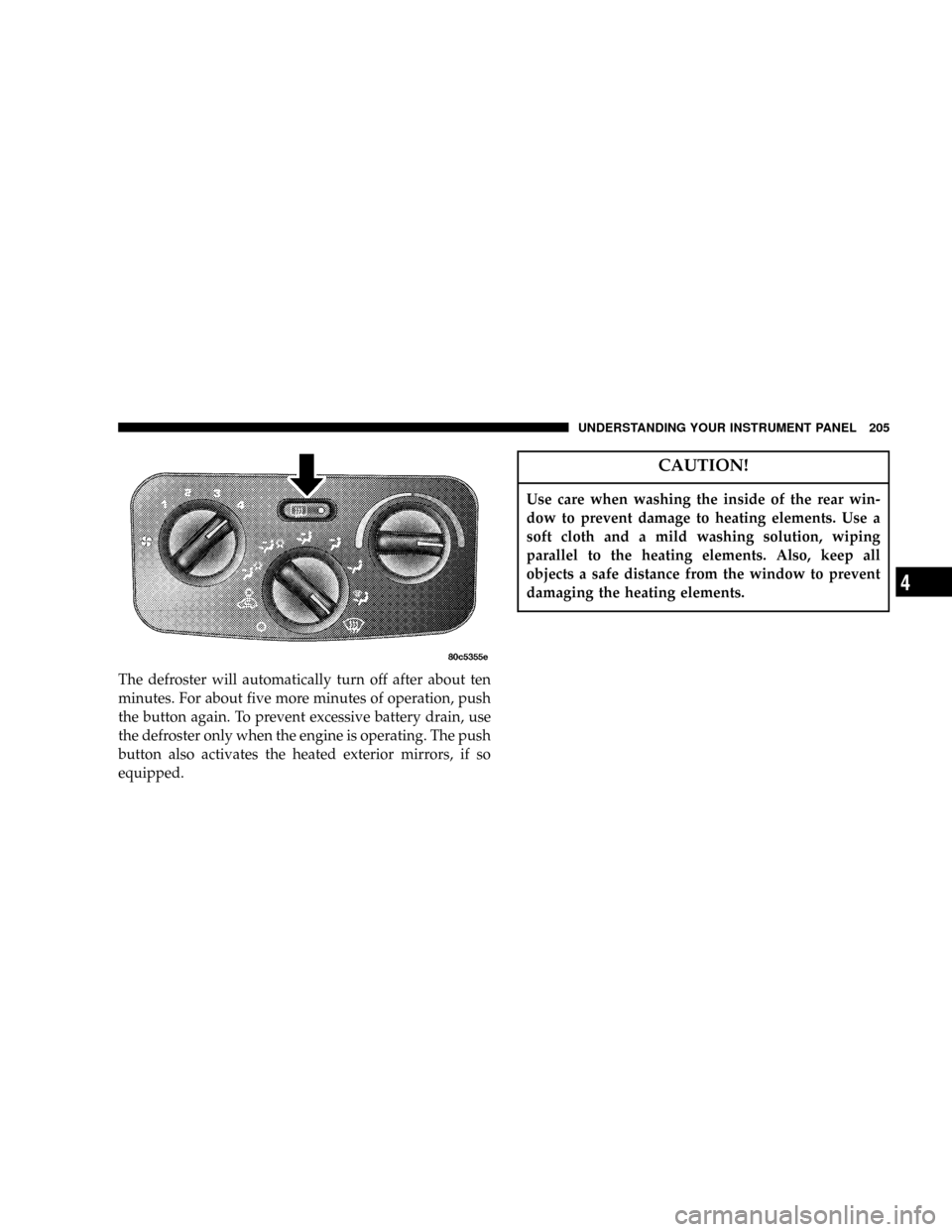
The defroster will automatically turn off after about ten
minutes. For about five more minutes of operation, push
the button again. To prevent excessive battery drain, use
the defroster only when the engine is operating. The push
button also activates the heated exterior mirrors, if so
equipped.
CAUTION!
Use care when washing the inside of the rear win-
dow to prevent damage to heating elements. Use a
soft cloth and a mild washing solution, wiping
parallel to the heating elements. Also, keep all
objects a safe distance from the window to prevent
damaging the heating elements.
UNDERSTANDING YOUR INSTRUMENT PANEL 205
4
Page 207 of 374

STARTING AND OPERATING
CONTENTS
mStarting Procedures.....................210
NManual Transmission..................210
NAutomatic Transmission................210
NNormal Starting......................210
NExtreme Cold Weather..................211
NIf Engine Fails To Start.................211
NAfter Starting........................212
mEngine Block Heater Ð If Equipped.........212
mTransmission Shifting....................213N5-Speed Manual Overdrive Transmission.....213
NAutomatic Transmission................216
mFour-Wheel Drive Operation...............222
NCommand-TractOperating
Information/Precautions................222
NShift Positions........................224
NShifting Procedure....................225
NSelec-TractOperating Information/Precautions Ð
If Equipped.........................226
NShift Positions........................229
5