instrument cluster JEEP LIBERTY 2011 KK / 2.G User Guide
[x] Cancel search | Manufacturer: JEEP, Model Year: 2011, Model line: LIBERTY, Model: JEEP LIBERTY 2011 KK / 2.GPages: 542
Page 221 of 542
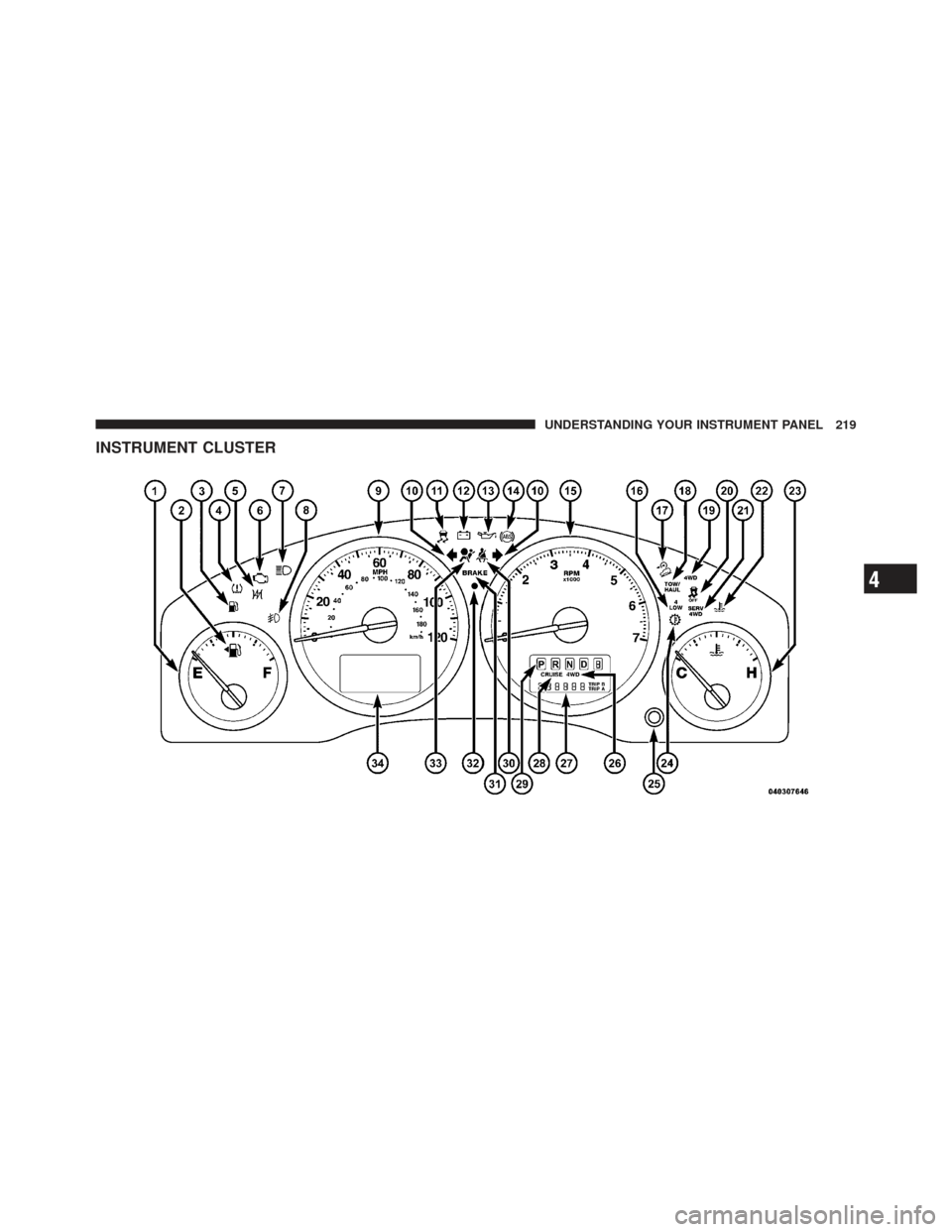
INSTRUMENT CLUSTER
4
UNDERSTANDING YOUR INSTRUMENT PANEL 219
Page 222 of 542
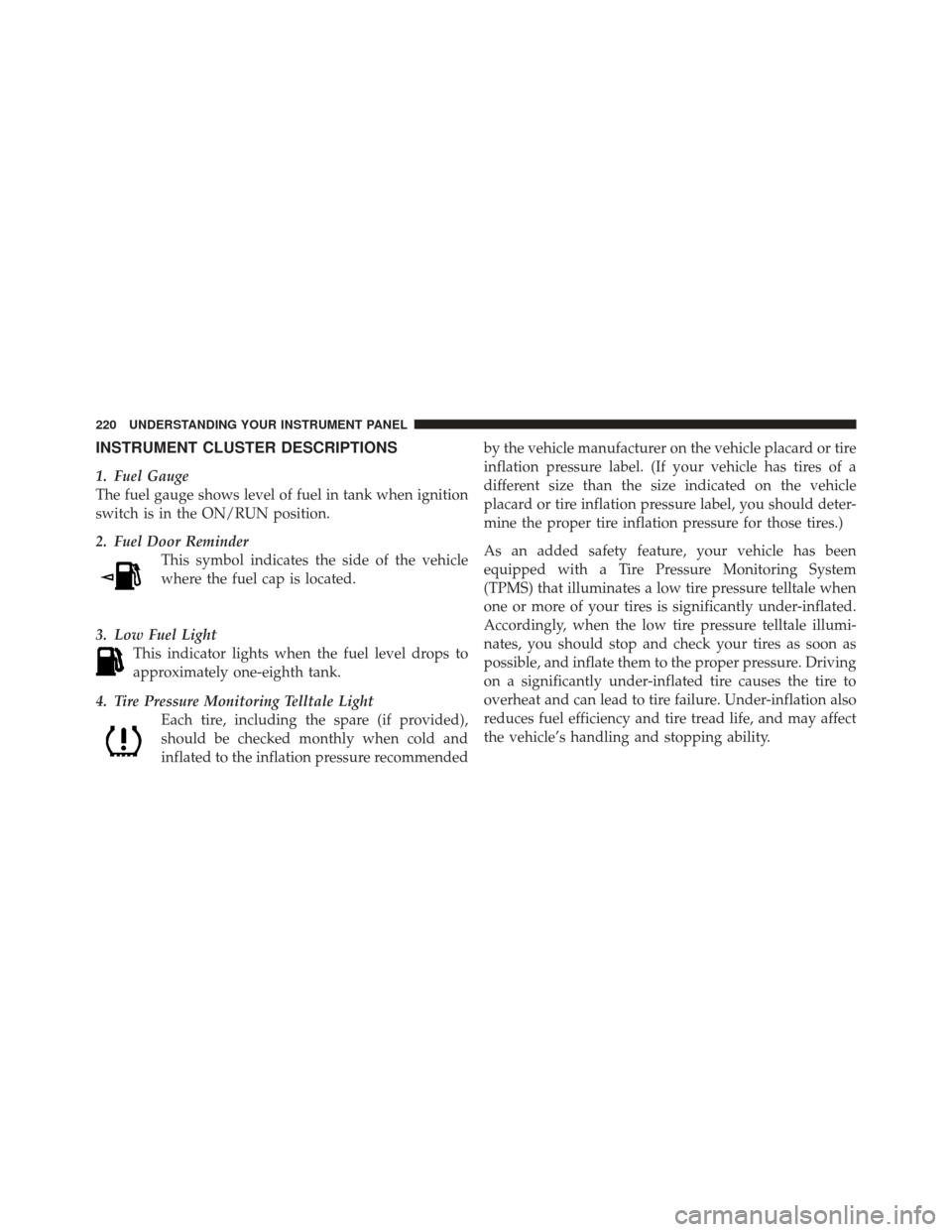
INSTRUMENT CLUSTER DESCRIPTIONS
1. Fuel Gauge
The fuel gauge shows level of fuel in tank when ignition
switch is in the ON/RUN position.
2. Fuel Door ReminderThis symbol indicates the side of the vehicle
where the fuel cap is located.
3. Low Fuel Light This indicator lights when the fuel level drops to
approximately one-eighth tank.
4. Tire Pressure Monitoring Telltale Light Each tire, including the spare (if provided),
should be checked monthly when cold and
inflated to the inflation pressure recommended by the vehicle manufacturer on the vehicle placard or tire
inflation pressure label. (If your vehicle has tires of a
different size than the size indicated on the vehicle
placard or tire inflation pressure label, you should deter-
mine the proper tire inflation pressure for those tires.)
As an added safety feature, your vehicle has been
equipped with a Tire Pressure Monitoring System
(TPMS) that illuminates a low tire pressure telltale when
one or more of your tires is significantly under-inflated.
Accordingly, when the low tire pressure telltale illumi-
nates, you should stop and check your tires as soon as
possible, and inflate them to the proper pressure. Driving
on a significantly under-inflated tire causes the tire to
overheat and can lead to tire failure. Under-inflation also
reduces fuel efficiency and tire tread life, and may affect
the vehicle’s handling and stopping ability.
220 UNDERSTANDING YOUR INSTRUMENT PANEL
Page 226 of 542
If the vehicle electronics sense that the vehicle is driven
more than 1 mile (1.6 km) with either turn signal on, a
continuous chime will sound to alert you to turn the
signals off. If either indicator flashes at a rapid rate, check
for a defective outside light bulb.
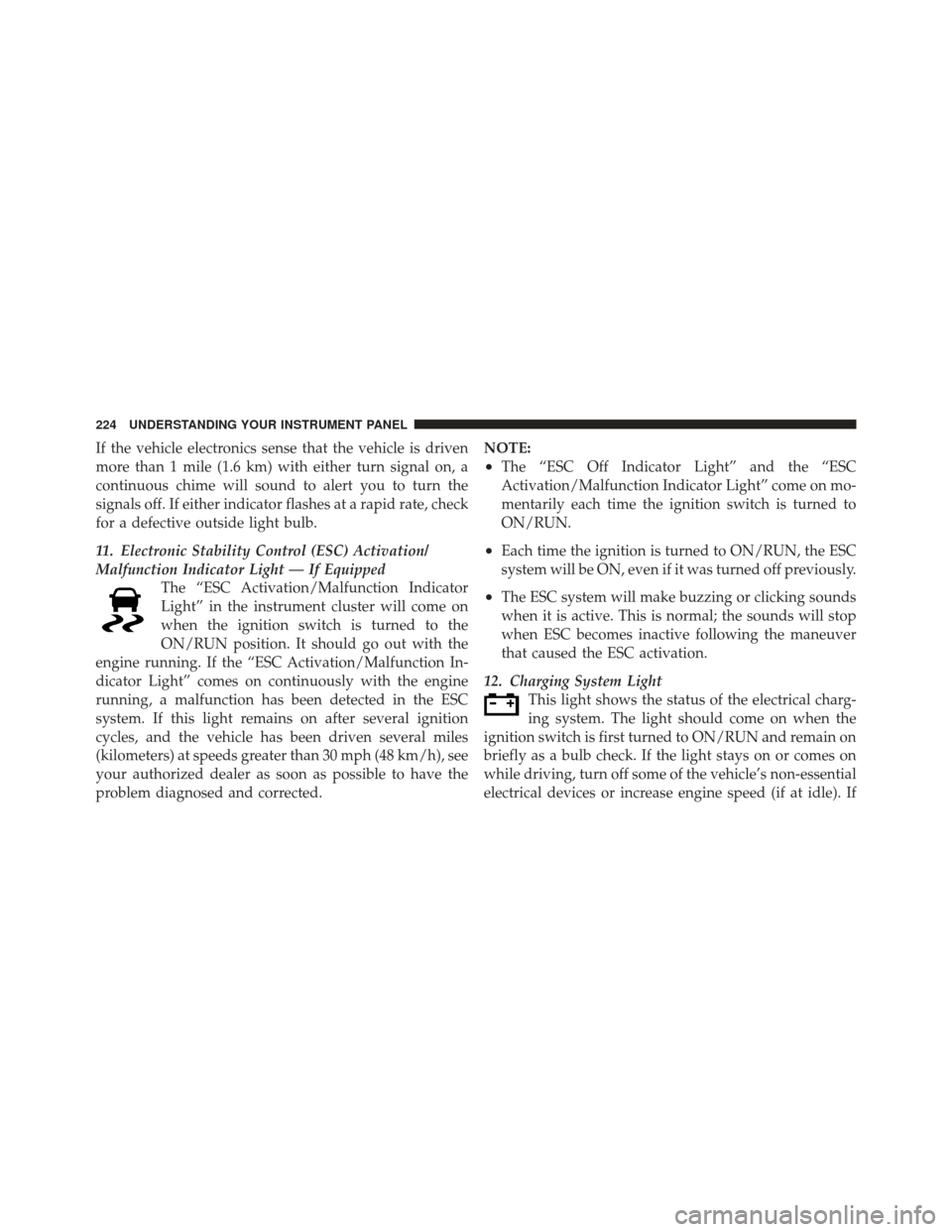
11. Electronic Stability Control (ESC) Activation/
Malfunction Indicator Light — If EquippedThe “ESC Activation/Malfunction Indicator
Light” in the instrument cluster will come on
when the ignition switch is turned to the
ON/RUN position. It should go out with the
engine running. If the “ESC Activation/Malfunction In-
dicator Light” comes on continuously with the engine
running, a malfunction has been detected in the ESC
system. If this light remains on after several ignition
cycles, and the vehicle has been driven several miles
(kilometers) at speeds greater than 30 mph (48 km/h), see
your authorized dealer as soon as possible to have the
problem diagnosed and corrected. NOTE:
•The “ESC Off Indicator Light” and the “ESC
Activation/Malfunction Indicator Light” come on mo-
mentarily each time the ignition switch is turned to
ON/RUN.
•Each time the ignition is turned to ON/RUN, the ESC
system will be ON, even if it was turned off previously.
•The ESC system will make buzzing or clicking sounds
when it is active. This is normal; the sounds will stop
when ESC becomes inactive following the maneuver
that caused the ESC activation.
12. Charging System Light This light shows the status of the electrical charg-
ing system. The light should come on when the
ignition switch is first turned to ON/RUN and remain on
briefly as a bulb check. If the light stays on or comes on
while driving, turn off some of the vehicle’s non-essential
electrical devices or increase engine speed (if at idle). If
224 UNDERSTANDING YOUR INSTRUMENT PANEL
Page 231 of 542
CAUTION!
Continuous driving with the Transmission Tempera-
ture Warning Light illuminated will eventually cause
severe transmission damage or transmission failure.
WARNING!
If the Transmission Temperature Warning Light is
illuminated and you continue operating the vehicle,
in some circumstances you could cause the fluid to
boil over, come in contact with hot engine or exhaust
components and cause a fire.25. Odometer / Trip Odometer / ECO (Fuel Saver
Indicator) Button
Changing the Display
Press this button to change the display from odometer to
either of the two trip odometer settings or the “ECO”
display. Trip A or Trip B will appear when in the trip
odometer mode. On vehicles equipped with a Base
Cluster, press and release it once again to display the
outside temperature. On vehicles equipped with a Mid
Line Cluster, press and release it once again to display the
outside temperature and compass heading in the screen
below the speedometer. Refer to “Electronic Vehicle In-
formation Center (EVIC) — If Equipped” for details.
Resetting the Trip Odometer
Display the trip mileage that you want to reset, “Trip A”
or “Trip B.” Then push and hold the button (approxi-
mately two seconds) until the display resets to 0. The
odometer must be in Trip Mode to reset the trip odometer.
4
UNDERSTANDING YOUR INSTRUMENT PANEL 229
Page 234 of 542
CHAngE OIL Message (Base And Mid Line Clusters
Only)
Your vehicle is equipped with an engine oil change
indicator system. The “CHANgE OIL” message will flash
in the instrument cluster odometer for approximately
12 seconds after a single chime has sounded to indicate
the next scheduled oil change interval. The engine oil
change indicator system is duty cycle based, which
means the engine oil change interval may fluctuate
dependent upon your personal driving style.
Unless reset, this message will continue to display each
time you turn the ignition switch to the ON/RUN
position. To turn off the message temporarily, press and
release the Trip Odometer button on the instrument
cluster. To reset the oil change indicator system (after
performing the scheduled maintenance) perform the
following procedure:1. Turn the ignition switch to the ON/RUN position.
Do not start the engine. 2. Fully depress the accelerator pedal slowly three
times within 10 seconds.
3. Turn the ignition switch to the LOCK position.
NOTE: If the indicator message illuminates when you
start the vehicle, the oil change indicator system did not
reset. If necessary, repeat this procedure.
28. Cruise Indicator — If Equipped This indicator lights when the electronic speed
control system is turned on.
29. Shift Lever Indicator
The Shift Lever Indicator is self-contained within the
instrument cluster. It displays the gear position of the
automatic transmission.
30. Seat Belt Reminder Light When the ignition switch is first turned to ON/
RUN, this light will turn on for four to eight
seconds as a bulb check. During the bulb check, if
232 UNDERSTANDING YOUR INSTRUMENT PANEL
Page 237 of 542
33. Airbag Warning LightThis light will turn on for four to eight seconds
as a bulb check when the ignition switch is first
turned to ON/RUN. If the light is either not on
during starting, stays on, or turns on while
driving, have the system inspected at an authorized
dealer as soon as possible. Refer to “Occupant Restraints”
in “Things To Know Before Starting Your Vehicle” for
further information.
34. Electronic Vehicle Information Center (EVIC) /
Compass Display — If Equipped
On vehicles equipped with a Premium Cluster, this
display shows the Electronic Vehicle Information Center
(EVIC) messages when the appropriate conditions exist.
Refer to “Electronic Vehicle Information Center (EVIC) —
If Equipped” for further information.
On vehicles equipped with a Mid Line Cluster, this
display shows the compass heading (N, S, E, W, NE, NW,
SE, and SW) and the outside temperature.ELECTRONIC VEHICLE INFORMATION CENTER
(EVIC) — IF EQUIPPED
The Electronic Vehicle Information Center (EVIC) fea-
tures a driver-interactive display that is located in the
instrument cluster.
Electronic Vehicle Information Center (EVIC)
4
UNDERSTANDING YOUR INSTRUMENT PANEL 235
Page 322 of 542
NOTE:TOW/HAUL mode locks out Overdrive.
The “TOW/HAUL Indicator Light” will illuminate in the
instrument cluster to indicate when the switch has been
activated. Pressing the switch a second time restores
normal operation. If the TOW/HAUL mode is desired,
the switch must be pressed each time the engine is started.
Transmission Limp Home Mode
Transmission function is monitored for abnormal condi-
tions. If a condition is detected that could result in
transmission damage, the Transmission Limp Home
Mode will be engaged. In this mode, the transmission
will remain in second gear in any forward driving range.
To reset the transmission, use the following procedure:
1. Stop the vehicle.
2. Move the shift lever into the PARK position.
3. Turn the engine off and turn the key to the LOCK
position.
4. Wait approximately 10 seconds, then restart the en-
gine.
5. Move the shift lever into the desired gear range.
Tow/Haul Button
320 STARTING AND OPERATING
Page 327 of 542
N
Neutral - This range disengages both the front driveshaft
and rear driveshaft from the powertrain. To be used for
flat towing behind another vehicle. Refer to “Recreational
Towing” in “Starting and Operating” for further
information.
Transfer Case Position Indicator Lights
The four-wheel drive indicator lights (4WD and 4 LOW)
are located in the instrument cluster. The NEUTRAL
indicator light is located on the transfer case switch. If
there is no indicator light on or flashing, the transfer case
position is two-wheel drive (2WD). If the indicator light
is on, the desired position (4WD LOCK, 4WD LOW, or
NEUTRAL) has been obtained.
If One Or More Shift Requirements Are Not Met:
•An indicator light will flash.
•The transfer casewill notshift. NOTE:
The “SERV 4WD Warning Light” monitors the
electric shift four-wheel drive system. If this light re-
mains on after engine start up, or it illuminates during
driving, it means that the four-wheel drive system is not
functioning properly and that service is required.
Shifting Procedures
NOTE: If any of the requirements to select a new
transfer case position have not been met, the transfer case
will not shift, the indicator light for the previous position
will remain on, and the newly selected position indicator
light will continue to flash until all the requirements for
the selected position have been met. To retry a shift, move
the transfer case switch back to the original position,
make certain all shift requirements have been met, wait
five seconds, and try the shift again.
2WD To 4WD Lock
Move the transfer case switch to the desired position.
Shifts between 2WD and 4WD LOCK can be done with
5
STARTING AND OPERATING 325
Page 333 of 542
N
Neutral - This range disengages both the front driveshaft
and rear driveshaft from the powertrain. To be used for
flat towing behind another vehicle. Refer to “Recreational
Towing” in “Starting and Operating” for further
information.
Transfer Case Position Indicator Lights
The four-wheel drive indicator lights (4WD, 4 LOW) are
located in the instrument cluster. The NEUTRAL indica-
tor light is located on the transfer case switch. If there is
no indicator light on or flashing, the transfer case posi-
tion is two-wheel drive (2WD). If the indicator light is on,
the desired position (4WD AUTO, 4WD LOW, or NEU-
TRAL) has been obtained.
If One Or More Shift Requirements Are Not Met:
•An indicator light will flash.
•The transfer casewill notshift. NOTE:
The “SERV 4WD Warning Light” monitors the
electric shift four-wheel drive system. If this light re-
mains on after engine start up, or it illuminates during
driving, it means that the four-wheel drive system is not
functioning properly and that service is required.
Shifting Procedures
NOTE: If any of the requirements to select a new
transfer case position have not been met, the transfer case
will not shift, the indicator light for the previous position
will remain on, and the newly selected position indicator
light will continue to flash until all the requirements for
the selected position have been met. To retry a shift, move
the transfer case switch back to the original position,
make certain all shift requirements have been met, wait
five seconds, and try the shift again.
2WD To 4WD Auto
Move the transfer case switch to the desired position.
Shifts between 2WD and 4WD Auto can be done with the
5
STARTING AND OPERATING 331
Page 342 of 542
The parking brake lever is located in the center console.
To apply the parking brake, pull the lever up as firmly as
possible. To release the parking brake, pull the lever up
slightly, press the center button, then lower the lever
completely.When the parking brake is applied with the ignition
switch ON, the “Brake Warning Light” in the instrument
cluster will illuminate.
NOTE:
•When the parking brake is applied and the transmis-
sion is placed in gear, the “Brake Warning Light” will
flash. If vehicle speed is detected, a chime will sound
to alert the driver. Fully release the parking brake
before attempting to move the vehicle.
•This light only shows that the parking brake is ap-
plied. It does not show the degree of brake application.
When parking on a hill, it is important to turn the front
wheels toward the curb on a downhill grade and away
from the curb on an uphill grade. Apply the parking
brake before placing the shift lever in PARK, otherwise
the load on the transmission locking mechanism may
Parking Brake
340 STARTING AND OPERATING