ESP JEEP PATRIOT 2014 1.G Owners Manual
[x] Cancel search | Manufacturer: JEEP, Model Year: 2014, Model line: PATRIOT, Model: JEEP PATRIOT 2014 1.GPages: 568, PDF Size: 3.61 MB
Page 20 of 568
NOTE:If a programmed key is lost, see your authorized
dealer to have all remaining keys erased from the sys-
tem’s memory. This will prevent the lost key from
starting your vehicle. The remaining keys must then be
reprogrammed. All vehicle keys must be taken to an
authorized dealer at the time of service to be repro-
grammed.
General Information
The Sentry Key® system complies with FCC rules part 15
and with RSS-210 of Industry Canada. Operation is
subject to the following conditions:
• This device may not cause harmful interference.
• This device must accept any interference that may be
received, including interference that may cause unde-
sired operation. NOTE:
Changes or modifications not expressly approved
by the party responsible for compliance could void the
user’s authority to operate the equipment.
VEHICLE SECURITY ALARM — IF EQUIPPED
This Vehicle Security Alarm monitors the doors, liftgate,
and ignition switch for unauthorized operation.
When the alarm is activated, the interior switches for
door locks are disabled. The Vehicle Security Alarm
provides both audio and visual signals, the horn will
sound, the headlights, park lamps and/or turn signals
will flash repeatedly for three minutes. If the disturbance
is still present (driver’s door, passenger door, other doors,
ignition) after three minutes, the parking lights and tail
lights will flash for an additional 15 minutes.
18 THINGS TO KNOW BEFORE STARTING YOUR VEHICLE
Page 28 of 568
NOTE:If the RKE transmitter is equipped with a screw,
reinstall and tighten the screw until snug.
General Information
This device complies with Part 15 of the FCC rules and
RSS 210 of Industry Canada. Operation is subject to the
following conditions:
• This device may not cause harmful interference.
• This device must accept any interference received,
including interference that may cause undesired op-
eration.
NOTE: Changes or modifications not expressly approved
by the party responsible for compliance could void the
user’s authority to operate the equipment. If your RKE transmitter fails to operate from a normal
distance, check for these two conditions:
1. A weak battery in the transmitter. The expected life of
the battery is a minimum of three years.
2. Closeness to a radio transmitter such as a radio station tower, airport transmitter, and some mobile or CB
radios.
REMOTE STARTING SYSTEM — IF EQUIPPED
This system uses the Remote Keyless Entry
(RKE) transmitter to start the engine conve-
niently from outside the vehicle while still
maintaining security. The system has a range of
approximately 300 ft (91 m). Obstructions between the
vehicle and RKE transmitter may reduce this range.
26 THINGS TO KNOW BEFORE STARTING YOUR VEHICLE
Page 61 of 568
NOTE:
•If you have difficulties or problems resetting the Active
Head Restraints, see an authorized dealer.
• For safety reasons, have the Active Head Restraints
checked by a qualified specialist at an authorized
dealer.
Enhanced Seat Belt Use Reminder System
(BeltAlert®)
BeltAlert® is a feature intended to remind the driver and
front passenger (if equipped with front passenger
BeltAlert®) to fasten their seat belts. The feature is active
whenever the ignition is on. If the driver or front seat
passenger is unbelted, the Seat Belt Reminder Light will
turn on and remain on until both front seat belts are
fastened.
The BeltAlert® warning sequence begins after the vehicle
speed is over 5 mph (8 km/h), by blinking the Seat Belt Reminder Light and sounding an intermittent chime.
Once the sequence starts, it will continue for the entire
duration or until the respective seatbelts are fastened.
After the sequence completes, the Seat Belt Reminder
Light remains illuminated until the respective seat belts
are fastened. The driver should instruct all other occu-
pants to fasten their seat belts. If a front seat belt is
unbuckled while traveling at speeds greater than 5 mph
(8 km/h), BeltAlert® will provide both audio and visual
notification.
The front passenger seat BeltAlert® is not active when
the front passenger seat is unoccupied. BeltAlert® may
be triggered when an animal or heavy object is on the
front passenger seat or when the seat is folded flat (if
equipped). It is recommended that pets be restrained in
the rear seat (if equipped) in pet harnesses or pet carriers
that are secured by seat belts, and cargo is properly
stowed.
2
THINGS TO KNOW BEFORE STARTING YOUR VEHICLE 59
Page 69 of 568
seriously injured or killed. Occupants, especially chil-
dren, should not lean on or sleep against the door, side
windows, or area where the SAB or SABIC air bags
inflate, even if they are in an infant or child restraint.
Always sit upright as possible with your back against the
seat back, use the seat belts properly, and use the appro-
priate sized child restraint, infant restraint or booster seat
recommended for the size and weight of the child.
Knee Impact Bolsters
The Knee Impact Bolsters help protect the knees of the
driver and front passengers, and position front occupants
for the best interaction with the Advanced Front Air Bags.
Along with seat belts and pretensioners, Advanced Front
Air Bags work with the knee impact bolsters to provide
improved protection for the driver and front passenger.
Air Bag Deployment Sensors And Controls
Occupant Restraint Controller (ORC)
The ORC is part of a Federally regulated safety system
required for this vehicle.
The ORC determines if deployment of the front and/or
side air bags in a frontal or side collision is required.
Based on the impact sensor’s signals, a central electronic
ORC deploys the Advanced Front Air Bags, SABIC air
bags, Supplemental Seat-Mounted Side Air Bags, and
front seat belt pretensioners, as required, depending on
several factors, including the severity and type of impact.
Advanced Front Air Bags are designed to provide addi-
tional protection by supplementing the seat belts in
certain frontal collisions depending on several factors,
including the severity and type of collision. Advanced
Front Air Bags are not expected to reduce the risk of
injury in rear, side, or rollover collisions.2
THINGS TO KNOW BEFORE STARTING YOUR VEHICLE 67
Page 72 of 568
Supplemental Seat-Mounted Side Air Bag (SAB)
Inflator Units
The Supplemental Seat-Mounted Side Air Bags (SAB) are
designed to activate only in certain side collisions.
The ORC determines if a side collision requires the side
air bags to inflate, based on the severity and type of
collision.
Based on the severity and type of collision, the side air
bag inflator on the crash side of the vehicle may be
triggered, releasing a quantity of non-toxic gas. The
inflating SAB exits through the seat seam into the space
between the occupant and the door. The SAB fully inflate
in about 10 milliseconds. The side air bag moves at a very
high speed and with such a high force that it could injure
you if you are not seated properly, or if items are
positioned in the area where the side air bag inflates. This
especially applies to children.
Supplemental Side Air Bag Inflatable Curtain
(SABIC) Inflator Units
During collisions where the impact is confined to a
particular area of the side of the vehicle, the ORC may
deploy the SABIC air bags, depending on the severity
and type of collision. In these events, the ORC will
deploy the SABIC only on the impact side of the vehicle.
A quantity of non-toxic gas is generated to inflate the side
curtain air bag. The inflating side curtain air bag pushes
the outside edge of the headliner out of the way and
covers the window. The air bag inflates in about 30
milliseconds (about one-quarter of the time that it takes
to blink your eyes) with enough force to injure you if you
are not belted and seated properly, or if items are
positioned in the area where the side curtain air bag
inflates. This especially applies to children. The side
curtain air bag is only about 3-1/2 in (9 cm) thick when
it is inflated.
70 THINGS TO KNOW BEFORE STARTING YOUR VEHICLE
Page 73 of 568
Because air bag sensors estimate deceleration over time,
vehicle speed and damage are not good indicators of
whether or not an air bag should have deployed.
NOTE:In a rollover the pretensioners and/or SAB and
SABIC air bags may deploy on both sides of the vehicle.
Front And Side Impact Sensors
In front and side impacts, impact sensors can aid the
ORC in determining appropriate response to impact
events.
Enhanced Accident Response System
In the event of an impact causing air bag deployment, if
the communication network remains intact, and the
power remains intact, depending on the nature of the event the ORC will determine whether to have the
Enhanced Accident Response System perform the follow-
ing functions:
•
Cut off fuel to the engine.
• Flash hazard lights as long as the battery has power or
until the ignition key is turned off.
• Turn on the interior lights, which remain on as long as
the battery has power or until the ignition key is
removed.
• Unlock the doors automatically.
In order to reset the Enhanced Accident Response System
functions after an event, the ignition switch must be
changed from IGN ON/RUN to IGN OFF.
2
THINGS TO KNOW BEFORE STARTING YOUR VEHICLE 71
Page 117 of 568
mobilephones are in the vehicle at the same time. For
example, if priority three and priority five phones are
present in the vehicle, the Uconnect® Phone will use the
priority three mobile phone when you make a call. You can
select to use a lower priority mobile phone at any time
(refer to “Advanced Phone Connectivity” in this section).
Dial By Saying A Number
• Push thebutton to begin.
•After the “Ready” prompt and the following beep, say
“Dial.”
• The system will prompt you to say the number you
want to call.
• For example, you can say “234-567-8901.”
• The Uconnect® Phone will confirm the phone number
and then dial. The number will appear in the display
of certain radios.
Call By Saying A Name
• Push thebutton to begin.
•After the “Ready” prompt and the following beep, say
“Call.”
• The system will prompt you to say the name of the
person you want to call.
• After the “Ready” prompt and the following beep, say
the name of the person you want to call. For example,
you can say “John Doe,” where John Doe is a previ-
ously stored name entry in the Uconnect® phonebook
or downloaded phonebook. To learn how to store a
name in the phonebook, refer to “Add Names to Your
Uconnect® Phonebook.”
• The Uconnect® system will confirm the name and then
dial the corresponding phone number, which may
appear in the display of certain radios.
3
UNDERSTANDING THE FEATURES OF YOUR VEHICLE 115
Page 125 of 568
Call Continuation
Call continuation is the progression of a phone call on the
Uconnect® Phone after the vehicle ignition has been
switched to OFF. Call continuation functionality avail-
able on the vehicle can be any one of three types:
1. After the ignition is switched to OFF, a call cancontinue on the Uconnect® Phone either until the call
ends, or until the vehicle battery condition dictates
cessation of the call on the Uconnect® Phone and
transfer of the call to the mobile phone.
2. After the ignition is cycled to OFF, a call can continue on the Uconnect® Phone for a certain duration, after
which the call is automatically transferred from the
Uconnect® Phone to the mobile phone.
3. An active call is automatically transferred to the mobile phone after the ignition is cycled to OFF.
Uconnect® Phone Features
Language Selection
To change the language that the Uconnect® Phone is
using:
•Press the
button to begin.
•After the “Ready” prompt and the following beep, say
the name of the language you wish to switch to
English, Espanol, or Francais.
• Continue to follow the system prompts to complete the
language selection.
After selecting one of the languages, all prompts and
voice commands will be in that language.
NOTE: After every Uconnect® Phone language change
operation, only the language-specific 32-name phone-
book is usable. The paired phone name is not language-
specific and is usable across all languages.
3
UNDERSTANDING THE FEATURES OF YOUR VEHICLE 123
Page 128 of 568
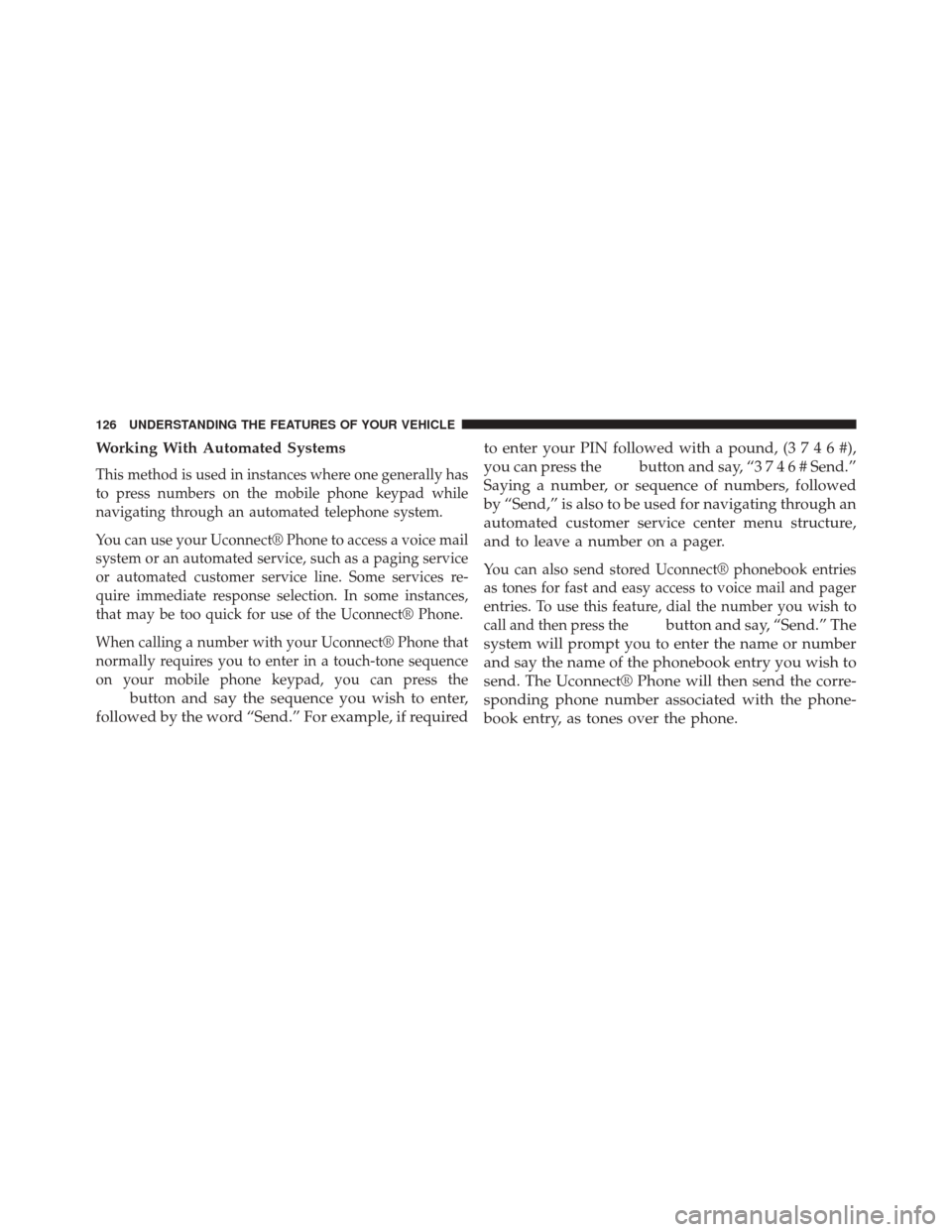
Working With Automated Systems
This method is used in instances where one generally has
to press numbers on the mobile phone keypad while
navigating through an automated telephone system.
You can use your Uconnect® Phone to access a voice mail
system or an automated service, such as a paging service
or automated customer service line. Some services re-
quire immediate response selection. In some instances,
that may be too quick for use of the Uconnect® Phone.
When calling a number with your Uconnect® Phone that
normally requires you to enter in a touch-tone sequence
on your mobile phone keypad, you can press the
button and say the sequence you wish to enter,
followed by the word “Send.” For example, if required to enter your PIN followed with a pound, (
3746#),
you can press the
button and say, “3 7 4 6 # Send.”
Saying a number, or sequence of numbers, followed
by “Send,” is also to be used for navigating through an
automated customer service center menu structure,
and to leave a number on a pager.
You can also send stored Uconnect® phonebook entries
as tones for fast and easy access to voice mail and pager
entries. To use this feature, dial the number you wish to
call and then press the
button and say, “Send.” The
system will prompt you to enter the name or number
and say the name of the phonebook entry you wish to
send. The Uconnect® Phone will then send the corre-
sponding phone number associated with the phone-
book entry, as tones over the phone.
126 UNDERSTANDING THE FEATURES OF YOUR VEHICLE
Page 142 of 568
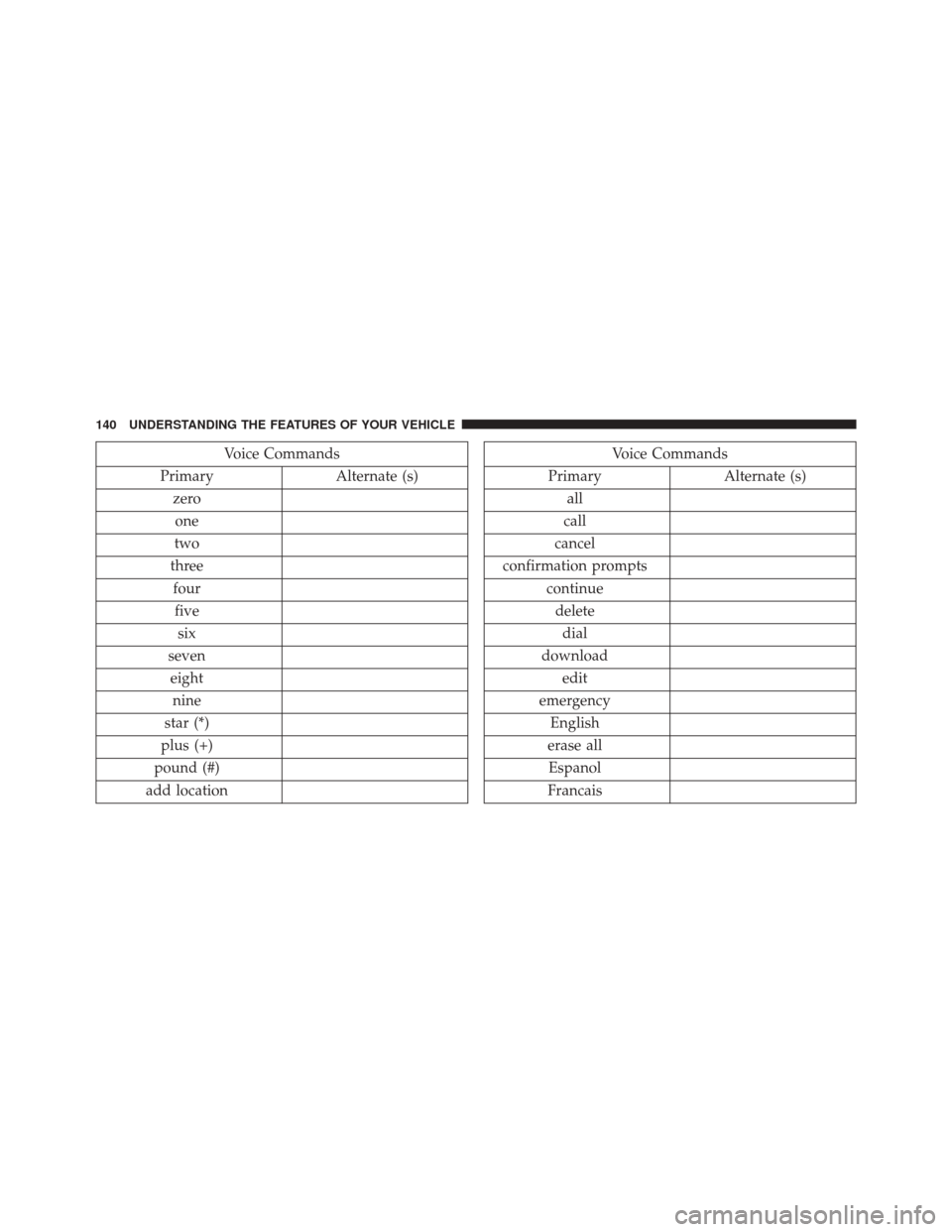
Voice Commands
Primary Alternate (s)
zero one
two
three fourfive six
seven eight nine
star (*)
plus (+)
pound (#)
add locationVoice Commands
Primary Alternate (s)
all
call
cancel
confirmation prompts continuedeletedial
download edit
emergency English
erase all Espanol
Francais
140 UNDERSTANDING THE FEATURES OF YOUR VEHICLE