language JEEP PATRIOT 2015 1.G User Guide
[x] Cancel search | Manufacturer: JEEP, Model Year: 2015, Model line: PATRIOT, Model: JEEP PATRIOT 2015 1.GPages: 572, PDF Size: 11.46 MB
Page 252 of 572
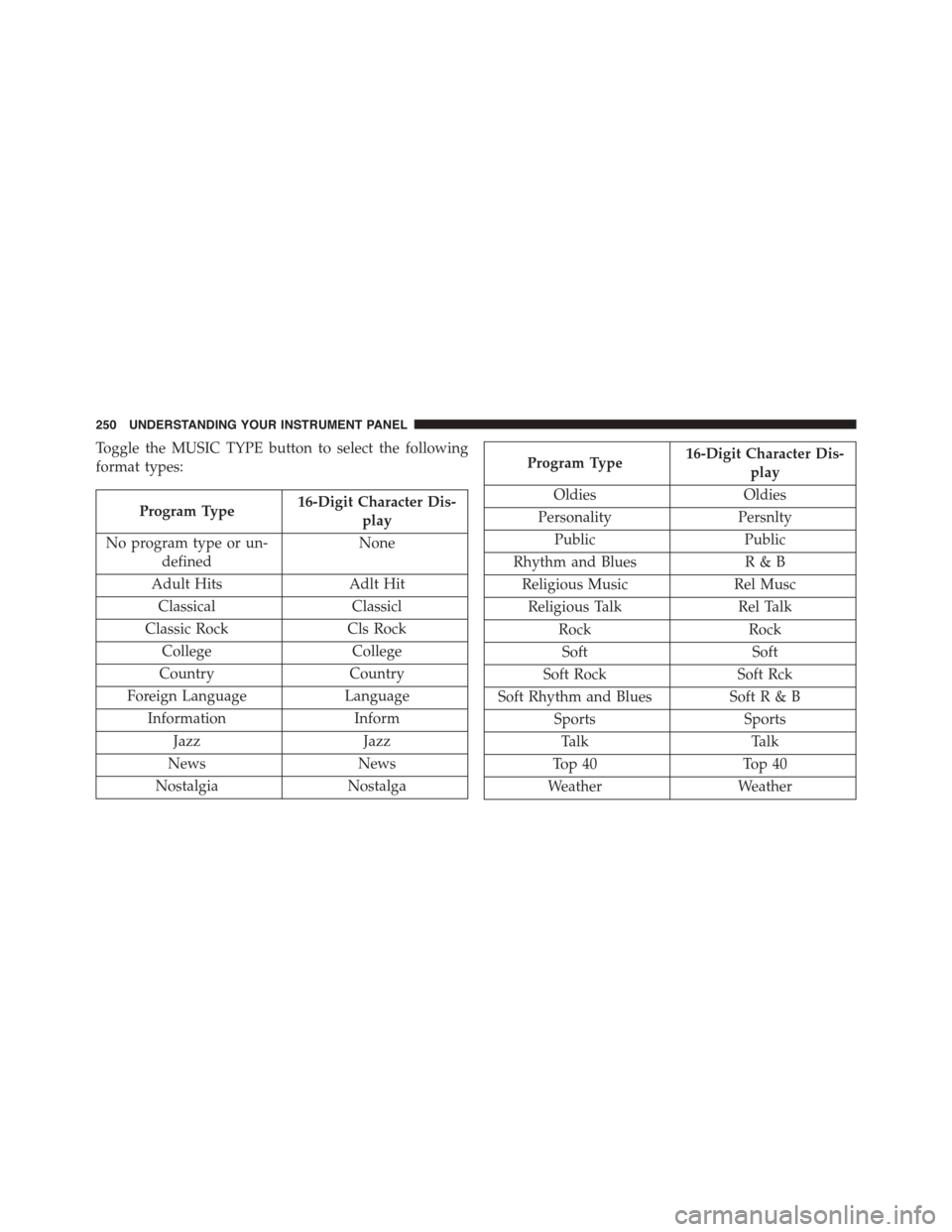
Toggle the MUSIC TYPE button to select the following
format types:
Program Type16-Digit Character Dis-
play
No program type or un-
defined
None
Adult HitsAdlt Hit
ClassicalClassicl
Classic RockCls Rock
CollegeCollege
CountryCountry
Foreign LanguageLanguage
InformationInform
JazzJazz
NewsNews
NostalgiaNostalga
Program Type16-Digit Character Dis-
play
OldiesOldies
PersonalityPersnlty
PublicPublic
Rhythm and BluesR&B
Religious MusicRel Musc
Religious TalkRel Talk
RockRock
SoftSoft
Soft RockSoft Rck
Soft Rhythm and BluesSoft R & B
SportsSports
TalkTalk
Top 40Top 40
WeatherWeather
250 UNDERSTANDING YOUR INSTRUMENT PANEL
Page 253 of 572
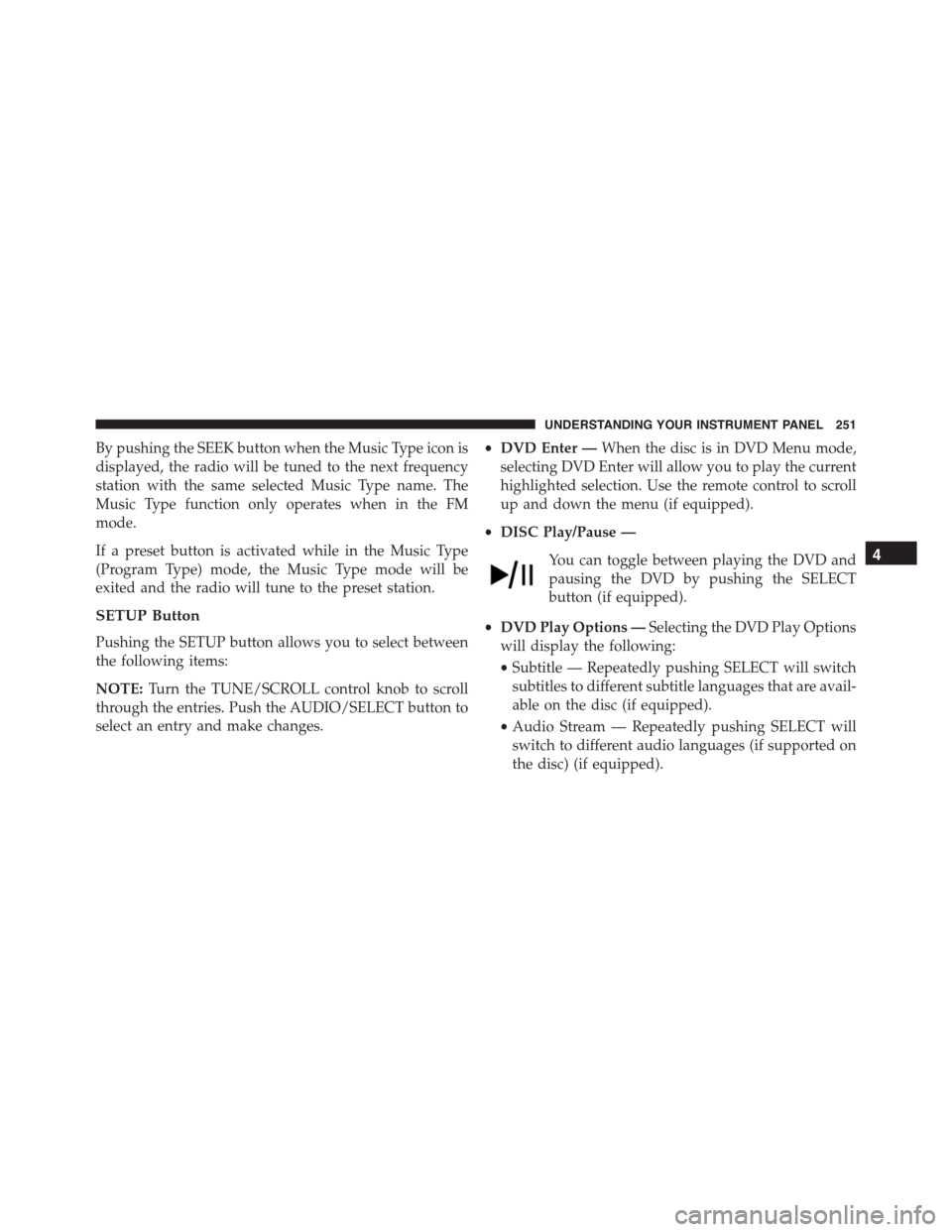
By pushing the SEEK button when the Music Type icon is
displayed, the radio will be tuned to the next frequency
station with the same selected Music Type name. The
Music Type function only operates when in the FM
mode.
If a preset button is activated while in the Music Type
(Program Type) mode, the Music Type mode will be
exited and the radio will tune to the preset station.
SETUP Button
Pushing the SETUP button allows you to select between
the following items:
NOTE:Turn the TUNE/SCROLL control knob to scroll
through the entries. Push the AUDIO/SELECT button to
select an entry and make changes.
•DVD Enter —When the disc is in DVD Menu mode,
selecting DVD Enter will allow you to play the current
highlighted selection. Use the remote control to scroll
up and down the menu (if equipped).
•DISC Play/Pause —
You can toggle between playing the DVD and
pausing the DVD by pushing the SELECT
button (if equipped).
•DVD Play Options —Selecting the DVD Play Options
will display the following:
•Subtitle — Repeatedly pushing SELECT will switch
subtitles to different subtitle languages that are avail-
able on the disc (if equipped).
•Audio Stream — Repeatedly pushing SELECT will
switch to different audio languages (if supported on
the disc) (if equipped).
4
UNDERSTANDING YOUR INSTRUMENT PANEL 251
Page 254 of 572
•Angle — Repeatedly pushing SELECT will change
the viewing angle if supported by the DVD disc (if
equipped).
NOTE:
•The available selections for each of the above entries
varies depending upon the disc.
•These selections can only be made while playing a
DVD.
•Power —Allows you to turn the power ON and OFF
(if equipped).
•Lock —Locks out rear remote controls (if equipped).
•CH1/CH2 —Allows the user to change the mode of
either the IR1 or IR2 wireless headphones by pushing
the AUDIO/SELECT button (if equipped).
•Set Home Clock —Pushing the SELECT button
allows you to set the clock. Turn the TUNE/SCROLL
control knob to adjust the hours and then push and
turn the TUNE/SCROLL control knob to adjust the
minutes. Push the TUNE/SCROLL control knob again
to save changes.
•Player Defaults —Selecting this item will allow the
user to scroll through the following items and set
defaults according to customer preference.
Menu Language — If Equipped
Selecting this item will allow the user to choose the
default startup DVD menu language (effective only if
language supported by disc). If you want to select a
language not listed, then scroll down and select#other.#
Enter the four-digit country code using the TUNE/
SCROLL control knob to scroll up and down to select the
number and then push to select.
252 UNDERSTANDING YOUR INSTRUMENT PANEL
Page 255 of 572
Audio Language — If Equipped
Selecting this item allows you to choose a default audio
language (effective only if the language is supported by
the disc). You can select a language not listed by scrolling
down and selecting#other.#Enter the country code using
the TUNE/SCROLL control knob to scroll up and down
to select the number and then push to select.
Subtitle Language — If Equipped
Selecting this item allows you to choose a default subtitle
language (effective only if the language is supported by
the disc). You can select a language not listed by scrolling
down and selecting#other.#Enter the country code using
the TUNE/SCROLL control knob to scroll up and down
to select the number and then push to select.
Subtitles — If Equipped
Selecting this item allows you to choose between subtitle
Off or On.
Audio DRC — If Equipped
Selecting this item allows you to limit maximum audio
dynamic range. The default is set to#High,#and under
this setting, dialogues will play at 11 db higher than if the
setting is#Normal.#
Aspect Ratio — If Equipped
Selecting this item allows you to choose between wide
screen, pan scan, and letter box.
AutoPlay — If Equipped
When this is set to On and a DVD video is inserted, it will
bypass the DVD menu screen and automatically play the
movie. In some rare cases, the DVD player may not
auto-play the main title. In such cases, use the MENU
button on the remote control to select desired title to play.
4
UNDERSTANDING YOUR INSTRUMENT PANEL 253
Page 282 of 572
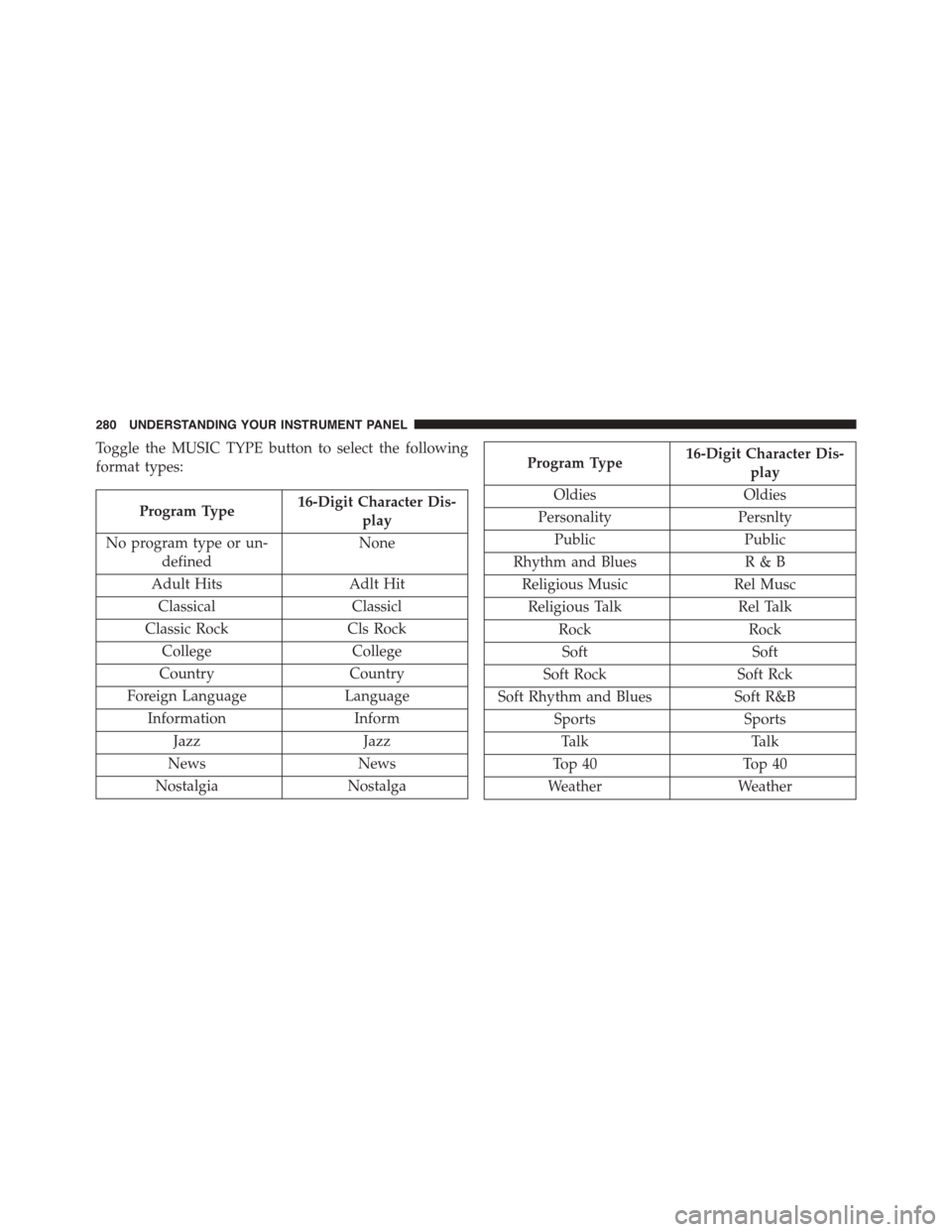
Toggle the MUSIC TYPE button to select the following
format types:
Program Type16-Digit Character Dis-
play
No program type or un-
defined
None
Adult HitsAdlt Hit
ClassicalClassicl
Classic RockCls Rock
CollegeCollege
CountryCountry
Foreign LanguageLanguage
InformationInform
JazzJazz
NewsNews
NostalgiaNostalga
Program Type16-Digit Character Dis-
play
OldiesOldies
PersonalityPersnlty
PublicPublic
Rhythm and BluesR&B
Religious MusicRel Musc
Religious TalkRel Talk
RockRock
SoftSoft
Soft RockSoft Rck
Soft Rhythm and BluesSoft R&B
SportsSports
TalkTalk
Top 40Top 40
WeatherWeather
280 UNDERSTANDING YOUR INSTRUMENT PANEL