ignition JEEP PATRIOT 2017 1.G User Guide
[x] Cancel search | Manufacturer: JEEP, Model Year: 2017, Model line: PATRIOT, Model: JEEP PATRIOT 2017 1.GPages: 421, PDF Size: 3.4 MB
Page 29 of 421
3. Insert the second valid key into the ignition. Place theignition in the ON/RUN position within 15 seconds.
After 10 seconds, a chime will sound. In addition, the
Vehicle Security Light will begin to flash. Place the
ignition in the LOCK position and remove the second
key.
4. Insert a blank key into the ignition. Place the ignition in the ON/RUN position within 60 seconds. After 10
seconds, a single chime will sound. In addition, the
Vehicle Security Light will stop flashing. To indicate that
programming is complete, the Vehicle Security Light
will turn on again for three seconds and then turn off.
The new key is programmed. The key fob will also be
programmed during this procedure.
Repeat this procedure to program up to eight keys. If you
do not have a programmed key fob, contact your autho-
rized dealer for details.
NOTE: If a programmed key fob is lost, see your autho-
rized dealer to have all remaining key fobs erased from the
system’s memory. This will prevent the lost key from
starting your vehicle. The remaining key fobs must then be
reprogrammed. All vehicle key fobs must be taken to an
authorized dealer at the time of service to be repro-
grammed.General Information
The following regulatory statement applies to all radio
frequency (RF) devices equipped in this vehicle:
This device complies with Part 15 of the FCC Rules and
with Industry Canada license-exempt RSS standard(s).
Operation is subject to the following two conditions:
1. This device may not cause harmful interference, and
2.
This device must accept any interference received, includ-
ing interference that may cause undesired operation.
NOTE: Changes or modifications not expressly approved
by the party responsible for compliance could void the
user ’s authority to operate the equipment.
VEHICLE SECURITY ALARM — IF EQUIPPED
This Vehicle Security Alarm monitors the doors, liftgate,
and ignition switch for unauthorized operation.
When the alarm is activated, the interior switches for door
locks are disabled. The Vehicle Security Alarm provides both
audio and visual signals, the horn will sound, the headlights,
park lamps and/or turn signals will flash repeatedly for
three minutes. If the disturbance is still present (driver’s
3
GETTING TO KNOW YOUR VEHICLE 27
Page 30 of 421
door, passenger door, other doors, ignition) after three min-
utes, the parking lights and tail lights will flash for an
additional 15 minutes.
To Arm The System
1. Remove the key fob from the ignition and get out of thevehicle.
2. Lock the door using either the power door lock
switch or the key fob lockbutton and close all
doors.
3. The Vehicle Security Light in the instrument cluster will flash rapidly for approximately 16 seconds. This shows
that the Vehicle Security Alarm is arming. During this
period, if a door is opened, the ignition is placed in the
ON/RUN position, or the power door locks are un-
locked in any manner, the Vehicle Security Alarm will
automatically disarm. After approximately 16 seconds,
the Vehicle Security Light will flash slowly. This shows
that the Vehicle Security Alarm is fully armed.
Rearming The System
If something triggers the alarm, and no action is taken to
disarm it, the Vehicle Security Alarm will turn off the horn
after three minutes, turn off all of the visual signals after 15
minutes, and then the Vehicle Security Alarm will rearm itself.
To Disarm The System
Push unlockon the key fob, or insert the key into the
ignition and place the ignition in the ON/RUN position.
If something has triggered the Vehicle Security Alarm in
your absence, the horn will sound three times, and exterior
lights blink three times when you unlock the doors. Check
the vehicle for tampering. The Vehicle Security Alarm is
designed to protect your vehicle. However, you can create
conditions where the Vehicle Security Alarm will arm
unexpectedly. If you remain in the vehicle and lock the
doors with the key fob, once the Vehicle Security Alarm is
armed (after 16 seconds), when you pull the door handle to
exit, the alarm will sound. If this occurs, push the unlock
button on the key fob to disarm the Vehicle Security
Alarm.
Vehicle Security Alarm Manual Override
The Vehicle Security Alarm will not arm if you lock the
doors using the manual door lock plunger.
DOOR LOCKS
Manual Door Locks
Use the manual door lock knob to lock the doors from
inside the vehicle. If the lock knob is down when the door
28 GETTING TO KNOW YOUR VEHICLE
Page 32 of 421
NOTE:To prevent from locking the key in the vehicle, the
power door lock switch will not operate when the key is in
the ignition and either front door is open. A chime will
sound as a reminder to remove the key.Auto Lock Doors — If Equipped
The auto door lock feature default condition is enabled.
When enabled, the door locks will lock automatically when
the vehicle’s speed exceeds 15 mph (24 km/h).
Auto Lock Doors Programming
The Automatic Door Locks feature can be enabled or
disabled as follows:
• For vehicles equipped with the instrument cluster dis-
play, refer to “Instrument Cluster Display — If
Equipped/Personal Settings (Customer Programmable
Features)” in “Getting To Know Your Instrument Panel”
for further information.
• For vehicles not equipped with the instrument cluster
display, perform the following procedure:
1. Close all doors and place the key in the ignition.
2. Within 15 seconds, place the ignition between LOCK and ON/RUN and then back to LOCK four times,
ending up in the LOCK position (do not start the
engine).
3. Within 30 seconds, push the power door LOCK switch to lock the doors.
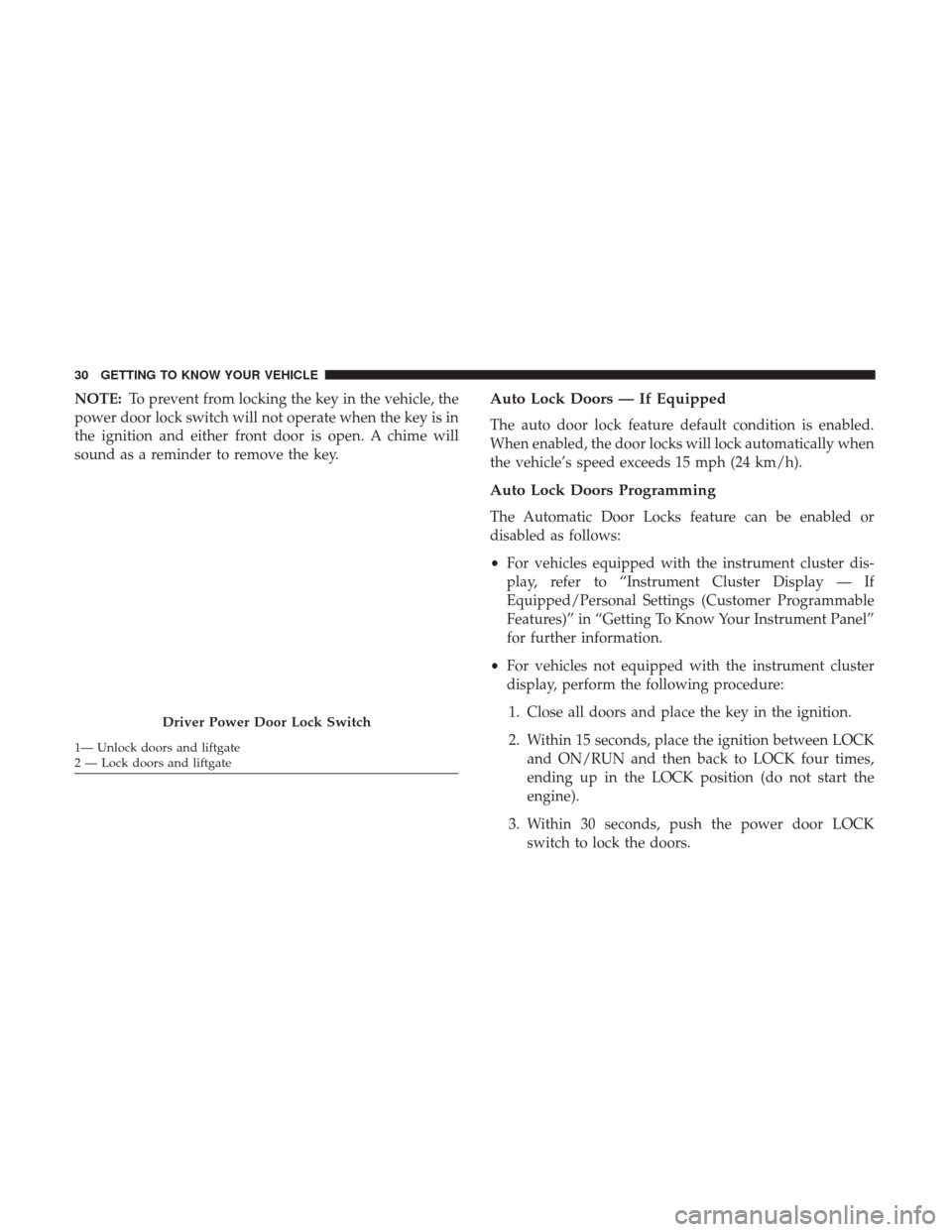
Driver Power Door Lock Switch
1— Unlock doors and liftgate
2 — Lock doors and liftgate 30 GETTING TO KNOW YOUR VEHICLE
Page 33 of 421
4. A single chime will indicate the completion of theprogramming.
5. Repeat these steps if you want to return this feature to its previous setting.
NOTE:
• If you do not hear the chime, it means that the system
did not enter the programming mode and you will need
to repeat the procedure.
• Use the Automatic Door Lock feature in accordance with
local laws.
Automatic Unlock Doors On Exit
The doors will unlock automatically if:
• The Automatic Unlock Doors On Exit feature is enabled.
• The transmission was in gear, and the vehicle speed
returned to 0 MPH (0 km/h).
• The transmission is in NEUTRAL or PARK.
• The driver’s door is opened.
• The doors were not previously unlocked.
Automatic Unlock Doors On Exit Programming
The Automatic Unlock Doors On Exit feature can be
enabled or disabled as follows:
•For vehicles equipped with the instrument cluster dis-
play, refer to “Instrument Cluster Display — If
Equipped/Personal Settings (Customer-Programmable
Features)” in “Getting To Know Your Instrument Panel”
for further information.
• For vehicles not equipped with the instrument cluster
display, perform the following procedure:
1. Close all doors and place the key in the ignition.
2. Within 15 seconds, place the ignition between LOCK and ON/RUN and then back to LOCK five times,
ending up in the ON/RUN position (do not start the
engine).
3. Within 30 seconds, push the power door UNLOCK switch to unlock the doors.
4. A single chime will indicate the completion of the programming.
5. Repeat these steps if you want to return this feature to its previous setting.
3
GETTING TO KNOW YOUR VEHICLE 31
Page 34 of 421
NOTE:
•If you do not hear the chime, it means that the system
did not enter the programming mode and you will need
to repeat the procedure.
• Use the Automatic Unlock Doors On Exit feature in
accordance with local laws.
Child-Protection Door Lock System — Rear Doors
To provide a safer environment for small children riding in
the rear seats, the rear doors are equipped with Child-
Protection Door Lock system.
To Engage Or Disengage The Child-Protection Door
Lock System
1. Open the rear door.
2. Insert the tip of the ignition key into the lock and rotate to the LOCK or UNLOCK position. 3. Repeat steps 1 and 2 for the opposite rear door.
Child-Protection Door Lock Location
32 GETTING TO KNOW YOUR VEHICLE
Page 49 of 421
Daytime Running Lights — If Equipped
The high beam lights will come on as Daytime Running
Lights (lower intensity), whenever the ignition is ON, the
engine is running, the headlight switch is off, the parking
brake is off, the turn signal is off, and the gear selector is in
any position except PARK.
High/Low Beam Switch
Push the multifunction lever away from you to switch the
headlights to high beam. Pull the multifunction lever
toward you to switch the headlights back to low beam.
Flash-To-Pass
You can signal another vehicle with your headlights by
lightly pulling the multifunction lever toward you. This
will turn on the high beam headlights until the lever is
released.
NOTE:If the multifunction lever is held in the flash-to-
pass position for more than 20 seconds, the high beams will
shut off. If this occurs, wait 30 seconds for the next
flash-to-pass operation.
Automatic Headlights — If Equipped
Turning the end of the multifunction lever to the third
detent (AUTO), will activate the automatic headlight sys-
tem.
With the engine running and the multifunction lever in the
AUTO position, the headlights will turn on and turn off
based on the surrounding light levels.
Headlight Switch
3
GETTING TO KNOW YOUR VEHICLE 47
Page 51 of 421
Lane Change Assist
Tap the lever up or down once, without moving beyond
the detent, and the turn signal (right or left) will flash three
times then automatically turn off.
Lights-On Reminder
If the headlights or parking lights are left on after the
ignition is turned OFF, a chime will sound to alert the
driver when the driver’s door is opened.
Headlights On With Wipers (Available With
Automatic Headlights Only)
When this feature is active, the headlights will turn on
approximately 10 seconds after the wipers are turned on if
the headlight switch is placed in the AUTO position. In
addition, the headlights will turn off when the wipers are
turned off if they were turned on by this feature.
NOTE:The Headlights On with Wipers feature can be
turned on or off using the instrument cluster display. Refer
to “Instrument Cluster Display” in “Getting To Know Your
Instrument Panel” for further information.
INTERIOR LIGHTS
Instrument Panel Dimming
Rotate the center portion of the lever to the extreme bottom
position to fully dim the instrument panel lights and
prevent the interior lights from illuminating when a door is
opened.
Rotate the center portion of the lever up to increase the
brightness of the instrument panel lights when the parking
lights or headlights are on.
Rotate the center portion of the lever upward to the next
detent position to brighten the odometer and radio when
the parking lights or headlights are on.
3
GETTING TO KNOW YOUR VEHICLE 49
Page 56 of 421
Rear Window Wiper/Washer
The rear wiper/washer is controlled by a rotary switch
located on the center portion of the control lever. The
control lever is located on the right side of the steering
column.Rotate the center portion of the lever upward to the
first detent position for rear wiper operation. NOTE:
The rear wiper operates in an intermittent mode
only.
Rotate the center portion of the lever past the
first detent to activate the rear washer. The
washer pump and the wiper will continue to
operate as long as the switch is held (for a
maximum of 10 seconds). Upon release, the wiper will
continue to cycle two times before returning to the set
position.
If the rear wiper is operating when the ignition is turned
OFF, the wiper will automatically return to the “park”
position if power accessory delay is active. Power acces-
sory delay can be cancelled by opening the door, if this
happens the rear wiper will stop at its current position and
will not go to “park”.
Rear Wiper/Washer Control Lever
54 GETTING TO KNOW YOUR VEHICLE
Page 69 of 421
POWER WINDOWS — IF EQUIPPED
Power Window Switches
The window controls on the driver ’s door trim panel
control all the door windows. There are single window
controls on each passenger door trim panel, which operate
the passenger door windows. The window controls will
operate when the ignition placed in the ON/RUN or ACC
position.
NOTE:
•For vehicles not equipped with the instrument cluster
display, the power window switches will remain active
for 45 seconds after the ignition is placed in the LOCK
position. Opening either front door will cancel this
feature.
• For vehicles equipped with the instrument cluster dis-
play, the power window switches will remain active for
up to 10 minutes after the ignition is placed in the LOCK
position. Opening either front door will cancel this
feature. The time for this feature is programmable. Refer
to “Instrument Cluster Display/Personal Settings
(Customer-Programmable Features)” in “Getting To
Know Your Instrument Panel” for further information.
WARNING!
Never leave children unattended in a vehicle, and do
not let children play with power windows. Do not
leave the key fob in or near the vehicle, or in a location
accessible to children. Occupants, particularly unat-
tended children, can become entrapped by the win-
dows while operating the power window switches.
Such entrapment may result in serious injury or death.
Power Window Switch Location
3
GETTING TO KNOW YOUR VEHICLE 67
Page 73 of 421
Pinch Protect Feature
This feature will detect an obstruction in the opening of the
sunroof during Express Close operation. If an obstruction
in the path of the sunroof is detected, the sunroof will
automatically retract. Remove the obstruction if this oc-
curs. Next, push the switch forward and release to Express
Close.
Sunroof Maintenance
Use only a non-abrasive cleaner and a soft cloth to clean the
glass panel.
Ignition Off Operation
For Vehicles Not Equipped With The Instrument Cluster
Display
The power sunroof switch will remain active for 45 seconds
after the ignition switch is turned to the LOCK position.
Opening either front door will cancel this feature.
For Vehicles Equipped With The Instrument Cluster
Display
The power sunroof switch will remain active for up to
approximately ten minutes after the ignition switch is
turned to the LOCK position. Opening either front door
will cancel this feature.
TO OPEN AND CLOSE THE HOOD
To open the hood, two latches must be released.
1. Pull the hood release lever located on the left kick panel.
Hood Release Lever
3
GETTING TO KNOW YOUR VEHICLE 71