engine JEEP PATRIOT 2017 1.G Owner's Manual
[x] Cancel search | Manufacturer: JEEP, Model Year: 2017, Model line: PATRIOT, Model: JEEP PATRIOT 2017 1.GPages: 421, PDF Size: 3.4 MB
Page 100 of 421
CHAngE OIL
Your vehicle is equipped with an engine oil change indi-
cator system. The odometer display will toggle between
CHAngEandOilfor approximately 12 seconds, after a
single chime has sounded, to indicate the next scheduled
oil change interval. The engine oil change indicator system
is duty cycle-based, which means the engine oil change
interval may fluctuate dependent upon your personal
driving style.
5. Fuel Gauge
•The pointer shows the level of fuel in the fuel tank
when the ignition is in the ON/RUN position
•
The fuel pump symbol points to the side of the
vehicle where the fuel door is located. WARNING/INDICATOR LIGHTS AND MESSAGES
IMPORTANT:
The warning/indicator light switches on in
the instrument panel together with a dedicated message
and/or acoustic signal when applicable. These indications
are indicative and precautionary and as such must not be
considered as exhaustive and/or alternative to the infor-
mation contained in the Owner Manual, which you are
advised to read carefully in all cases. Always refer to the
information in this chapter in the event of a failure indica-
tion.
All active telltales will display first, if applicable. The
system check menu may appear different based upon
equipment options and current vehicle status. Some tell-
tales are optional and may not appear.
98 GETTING TO KNOW YOUR INSTRUMENT PANEL
Page 104 of 421
Oil Pressure Warning Light
Red TelltaleLight What It Means
Oil Pressure Warning Light
This light indicates low engine oil pressure. If the light turns on while driving, stop the vehicle
and shut off the engine as soon as possible. A chime will sound when this light turns on.
Do not operate the vehicle until the cause is corrected. This light does not indicate how much oil
is in the engine. The engine oil level must be checked under the hood.
Battery Charge Warning Light
Red Telltale
Light What It Means
Battery Charge Warning Light
This light illuminates when the battery is not charging properly. If it stays on while the engine is
running, there may be a malfunction with the charging system. Contact your authorized dealer as
soon as possible. This indicates a possible problem with the electrical system or a related compo-
nent.
If jump starting is required, refer to “Jump-Starting” in “In Case Of Emergency.”
102 GETTING TO KNOW YOUR INSTRUMENT PANEL
Page 105 of 421
Electronic Throttle Control (ETC) Warning Light
Red TelltaleLight What It Means
Electronic Throttle Control (ETC) Warning Light
This light informs you of a problem with the Electronic Throttle Control (ETC) system. If a prob-
lem is detected while the engine is running, the light will either stay on or flash depending on
the nature of the problem. Cycle the ignition key when the vehicle is safely and completely
stopped and the transmission is placed in the PARK position. The light should turn off. If the
light remains on with the vehicle under power, your vehicle will usually be drivable; however,
see an authorized dealer for service as soon as possible.
If the light continues to flash when the engine vehicle under power, immediate service is re-
quired and you may experience reduced performance, and your vehicle may require towing. The
light will come on when the ignition is placed in the ON/RUN position and remain on briefly as
a bulb check. If the light does not come on during starting, have the system checked by an au-
thorized dealer.
4
GETTING TO KNOW YOUR INSTRUMENT PANEL 103
Page 106 of 421
Yellow Telltale Lights
Engine Malfunction Warning Light
Yellow TelltaleLight What It Means
Engine Check/Malfunction Indicator Light (MIL)
The Engine Check/Malfunction Indicator Light (MIL) is a part of an Onboard Diagnostic System
called OBD II that monitors engine and automatic transmission control systems. The light will
illuminate when the ignition is in the ON position before engine start. If the bulb does not come
on when turning the key from OFF to ON/RUN, have the condition checked promptly.
Certain conditions, such as a loose or missing gas cap, poor quality fuel, etc., may illuminate the
light after engine start. The vehicle should be serviced if the light stays on through several typical
driving styles. In most situations, the vehicle will drive normally and will not require towing.
When the engine is running, the MIL may flash to alert serious conditions that could lead to im-
mediate loss of power or severe catalytic converter damage. The vehicle should be serviced as
soon as possible if this occurs.
WARNING!
A malfunctioning catalytic converter, as referenced
above, can reach higher temperatures than in normal
operating conditions. This can cause a fire if you drive
slowly or park over flammable substances such as dry
plants, wood, cardboard, etc. This could result in death
or serious injury to the driver, occupants or others.
CAUTION!
Prolonged driving with the Malfunction Indicator
Light (MIL) on could cause damage to the engine
control system. It also could affect fuel economy and
driveability. If the MIL is flashing, severe catalytic
converter damage and power loss will soon occur.
Immediate service is required.
104 GETTING TO KNOW YOUR INSTRUMENT PANEL
Page 110 of 421
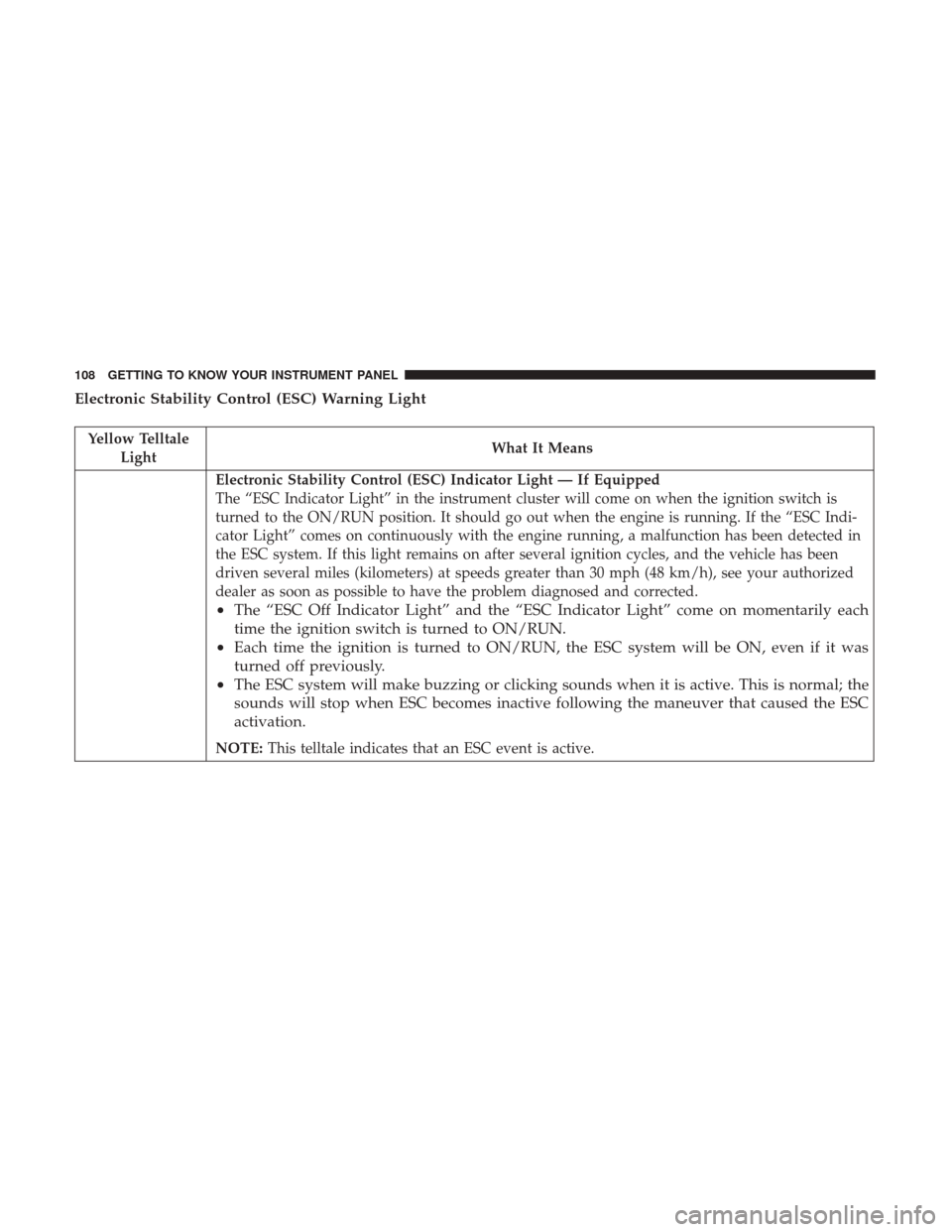
Electronic Stability Control (ESC) Warning Light
Yellow TelltaleLight What It Means
Electronic Stability Control (ESC) Indicator Light — If Equipped
The “ESC Indicator Light” in the instrument cluster will come on when the ignition switch is
turned to the ON/RUN position. It should go out when the engine is running. If the “ESC Indi-
cator Light” comes on continuously with the engine running, a malfunction has been detected in
the ESC system. If this light remains on after several ignition cycles, and the vehicle has been
driven several miles (kilometers) at speeds greater than 30 mph (48 km/h), see your authorized
dealer as soon as possible to have the problem diagnosed and corrected.
•
The “ESC Off Indicator Light” and the “ESC Indicator Light” come on momentarily each
time the ignition switch is turned to ON/RUN.
• Each time the ignition is turned to ON/RUN, the ESC system will be ON, even if it was
turned off previously.
• The ESC system will make buzzing or clicking sounds when it is active. This is normal; the
sounds will stop when ESC becomes inactive following the maneuver that caused the ESC
activation.
NOTE: This telltale indicates that an ESC event is active.
108 GETTING TO KNOW YOUR INSTRUMENT PANEL
Page 114 of 421
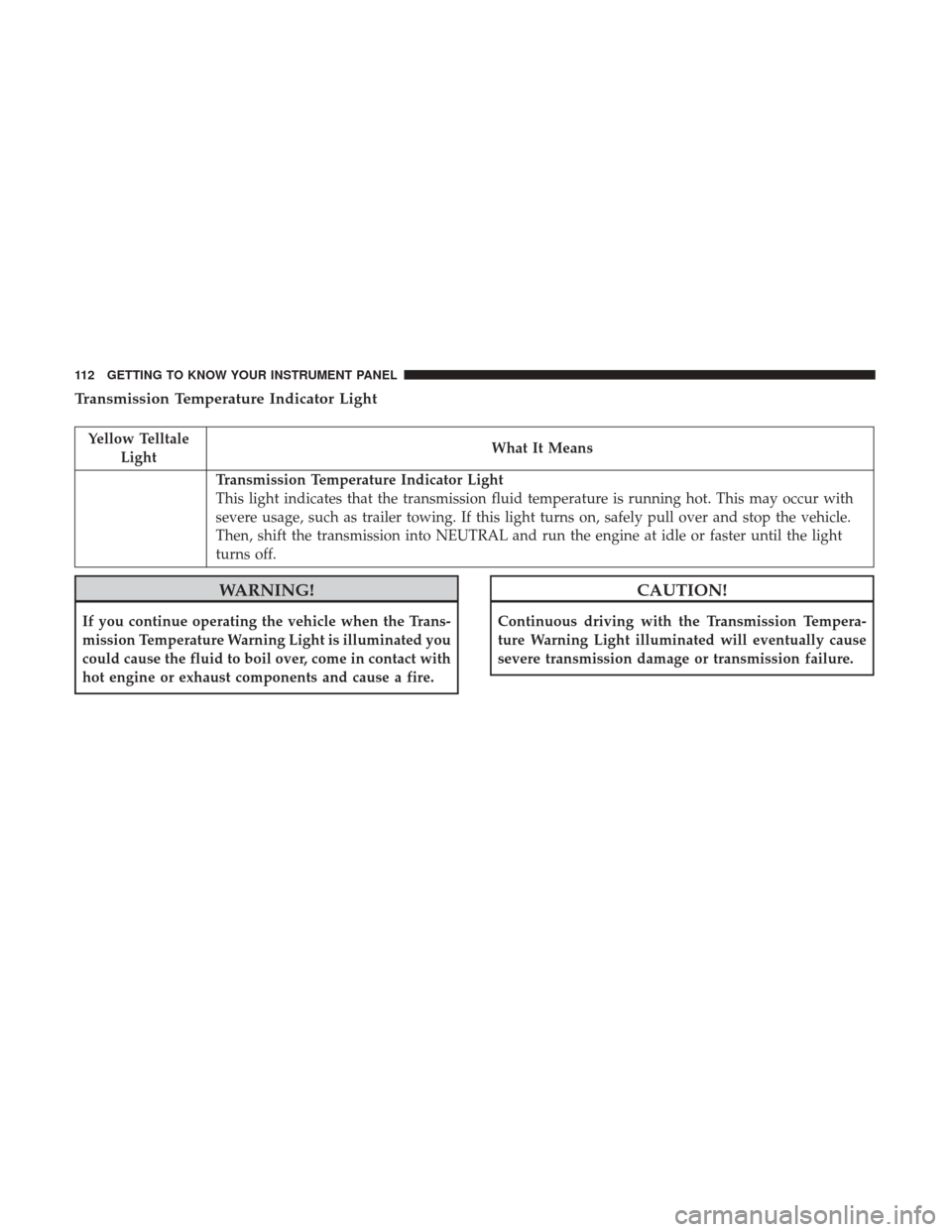
Transmission Temperature Indicator Light
Yellow TelltaleLight What It Means
Transmission Temperature Indicator Light
This light indicates that the transmission fluid temperature is running hot. This may occur with
severe usage, such as trailer towing. If this light turns on, safely pull over and stop the vehicle.
Then, shift the transmission into NEUTRAL and run the engine at idle or faster until the light
turns off.
WARNING!
If you continue operating the vehicle when the Trans-
mission Temperature Warning Light is illuminated you
could cause the fluid to boil over, come in contact with
hot engine or exhaust components and cause a fire.
CAUTION!
Continuous driving with the Transmission Tempera-
ture Warning Light illuminated will eventually cause
severe transmission damage or transmission failure.
112 GETTING TO KNOW YOUR INSTRUMENT PANEL
Page 117 of 421
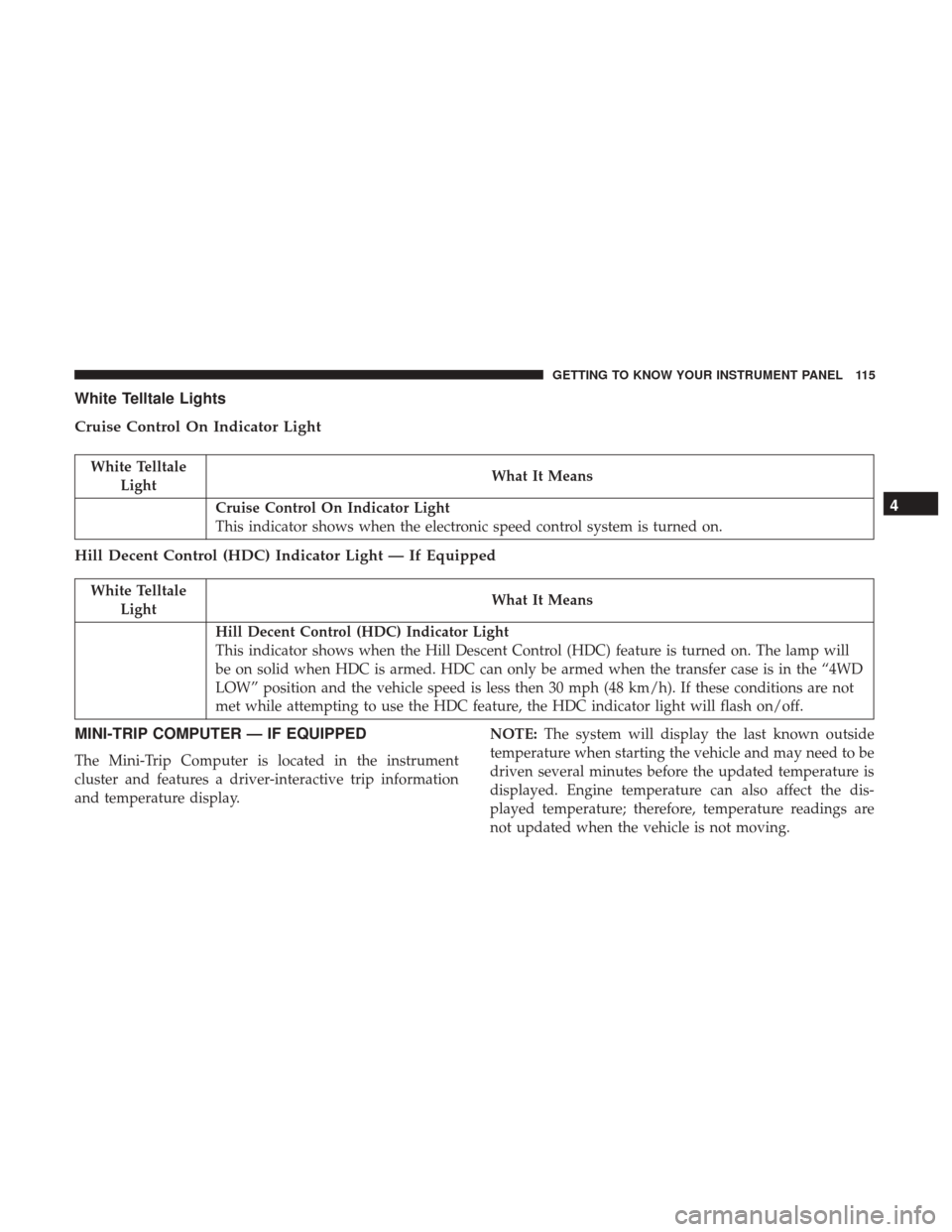
White Telltale Lights
Cruise Control On Indicator Light
White TelltaleLight What It Means
Cruise Control On Indicator Light
This indicator shows when the electronic speed control system is turned on.
Hill Decent Control (HDC) Indicator Light — If Equipped
White Telltale
Light What It Means
Hill Decent Control (HDC) Indicator Light
This indicator shows when the Hill Descent Control (HDC) feature is turned on. The lamp will
be on solid when HDC is armed. HDC can only be armed when the transfer case is in the “4WD
LOW” position and the vehicle speed is less then 30 mph (48 km/h). If these conditions are not
met while attempting to use the HDC feature, the HDC indicator light will flash on/off.
MINI-TRIP COMPUTER — IF EQUIPPED
The Mini-Trip Computer is located in the instrument
cluster and features a driver-interactive trip information
and temperature display. NOTE:
The system will display the last known outside
temperature when starting the vehicle and may need to be
driven several minutes before the updated temperature is
displayed. Engine temperature can also affect the dis-
played temperature; therefore, temperature readings are
not updated when the vehicle is not moving.
4
GETTING TO KNOW YOUR INSTRUMENT PANEL 115
Page 121 of 421
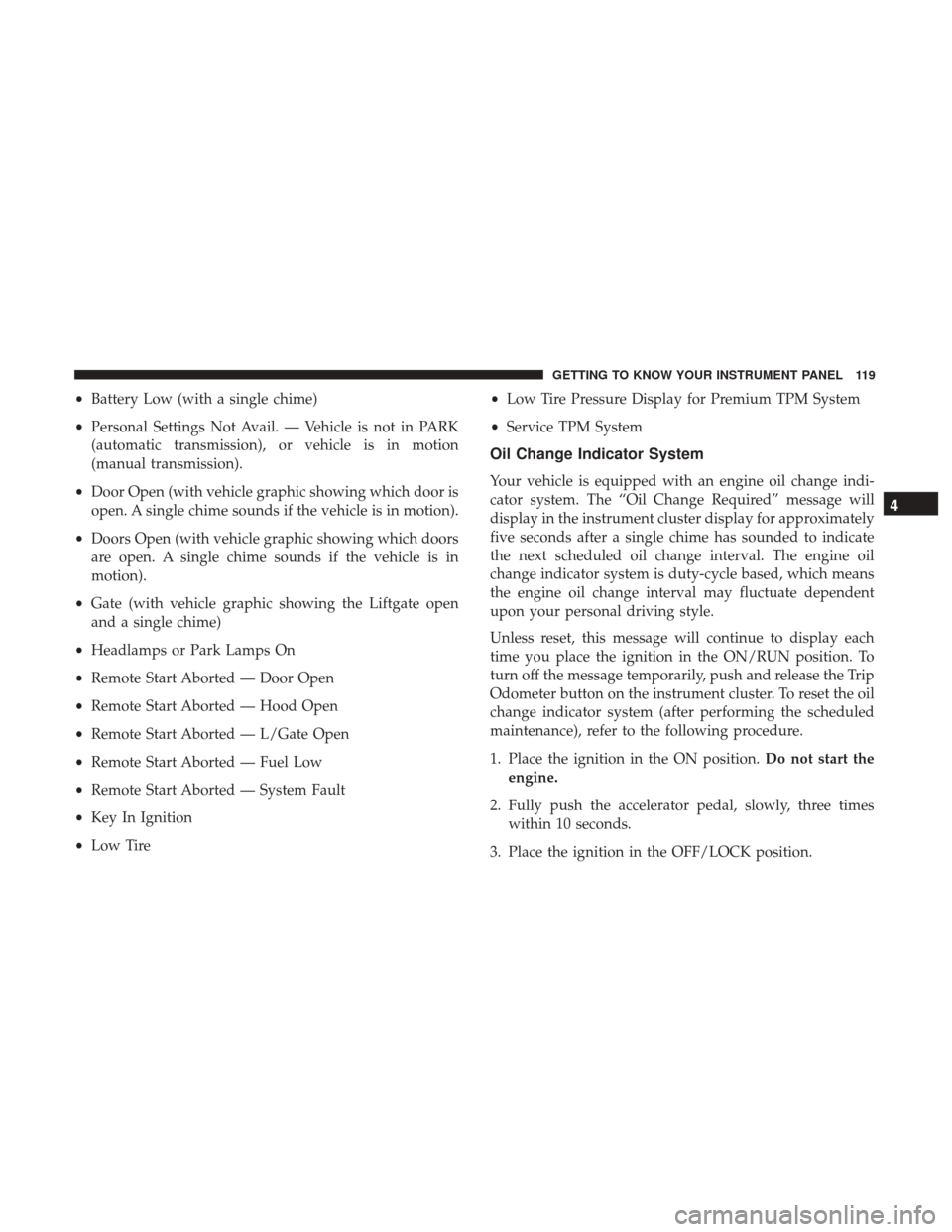
•Battery Low (with a single chime)
• Personal Settings Not Avail. — Vehicle is not in PARK
(automatic transmission), or vehicle is in motion
(manual transmission).
• Door Open (with vehicle graphic showing which door is
open. A single chime sounds if the vehicle is in motion).
• Doors Open (with vehicle graphic showing which doors
are open. A single chime sounds if the vehicle is in
motion).
• Gate (with vehicle graphic showing the Liftgate open
and a single chime)
• Headlamps or Park Lamps On
• Remote Start Aborted — Door Open
• Remote Start Aborted — Hood Open
• Remote Start Aborted — L/Gate Open
• Remote Start Aborted — Fuel Low
• Remote Start Aborted — System Fault
• Key In Ignition
• Low Tire •
Low Tire Pressure Display for Premium TPM System
• Service TPM System
Oil Change Indicator System
Your vehicle is equipped with an engine oil change indi-
cator system. The “Oil Change Required” message will
display in the instrument cluster display for approximately
five seconds after a single chime has sounded to indicate
the next scheduled oil change interval. The engine oil
change indicator system is duty-cycle based, which means
the engine oil change interval may fluctuate dependent
upon your personal driving style.
Unless reset, this message will continue to display each
time you place the ignition in the ON/RUN position. To
turn off the message temporarily, push and release the Trip
Odometer button on the instrument cluster. To reset the oil
change indicator system (after performing the scheduled
maintenance), refer to the following procedure.
1. Place the ignition in the ON position. Do not start the
engine.
2. Fully push the accelerator pedal, slowly, three times within 10 seconds.
3. Place the ignition in the OFF/LOCK position.
4
GETTING TO KNOW YOUR INSTRUMENT PANEL 119
Page 126 of 421
Automatic Compass Calibration
This compass is self-calibrating, which eliminates the need
to set the compass manually. When the vehicle is new, the
compass may appear erratic, and the instrument cluster
display will display “CAL” until the compass is calibrated.
You may also calibrate the compass by completing one or
more 360 – degree turns (in an area free from large metal or
metallic objects) until the “CAL” message displayed in the
instrument cluster display turns off. The compass will now
function normally.
NOTE:A good calibration requires a level surface and an
environment free from large metallic objects such as build-
ings, bridges, underground cables, railroad tracks, etc.
Manual Compass Calibration
If the compass appears erratic and the “CAL” indicator
does not appear in the instrument cluster display, you must
put the compass into the Calibration Mode manually as
follows:
1. Start the engine. Leave the gear selector in PARK in order to enter the instrument cluster display Program-
ming Menus. 2. Push and release the
MENUbutton until the Personal
Settings (Customer-Programmable Features) menu dis-
plays in the instrument cluster display.
3. Push and release the down
arrow button until
“Calibrate Compass” displays in the instrument clus-
ter display.
4. Push and release the rightarrow button to start the
calibration. The “CAL” indicator will display in the
instrument cluster display.
5. Complete one or more 360 – degree turns (in an area free from large metal or metallic objects) until the “CAL”
indicator turns off. The compass will now function
normally.
Compass Variance
Compass Variance is the difference between Magnetic
North and Geographic North. To compensate for the
differences, the variance should be set for the zone where
the vehicle is driven, per the zone map. Once properly set,
the compass will automatically compensate for the differ-
ences and provide the most accurate compass heading.
124 GETTING TO KNOW YOUR INSTRUMENT PANEL
Page 127 of 421
NOTE:Magnetic materials should be kept away from the
top of the right rear quarter window. This is where the
compass sensor is located.
1. Turn the ignition switch ON.
2. Push and hold the compassbutton for approximately
two seconds. 3. Push and release the
downarrow button until
“Compass Variance” message and the last variance
zone number displays in the instrument cluster dis-
play.
4. Push and release the rightarrow button until the
proper variance zone is selected according to the
map.
5. Push and release the compassbutton to exit.
ONBOARD DIAGNOSTIC SYSTEM — OBD II
Your vehicle is equipped with a sophisticated Onboard
Diagnostic system called OBD II. This system monitors the
performance of the emissions, engine, and automatic trans-
mission control systems. When these systems are operating
properly, your vehicle will provide excellent performance
and fuel economy, as well as engine emissions well within
current government regulations.
If any of these systems require service, the OBD II system
will turn on the Malfunction Indicator Light (MIL). It will
also store diagnostic codes and other information to assist
Compass Variance Map
4
GETTING TO KNOW YOUR INSTRUMENT PANEL 125