front door JEEP RENEGADE 2015 1.G Owners Manual
[x] Cancel search | Manufacturer: JEEP, Model Year: 2015, Model line: RENEGADE, Model: JEEP RENEGADE 2015 1.GPages: 678, PDF Size: 29.84 MB
Page 22 of 678
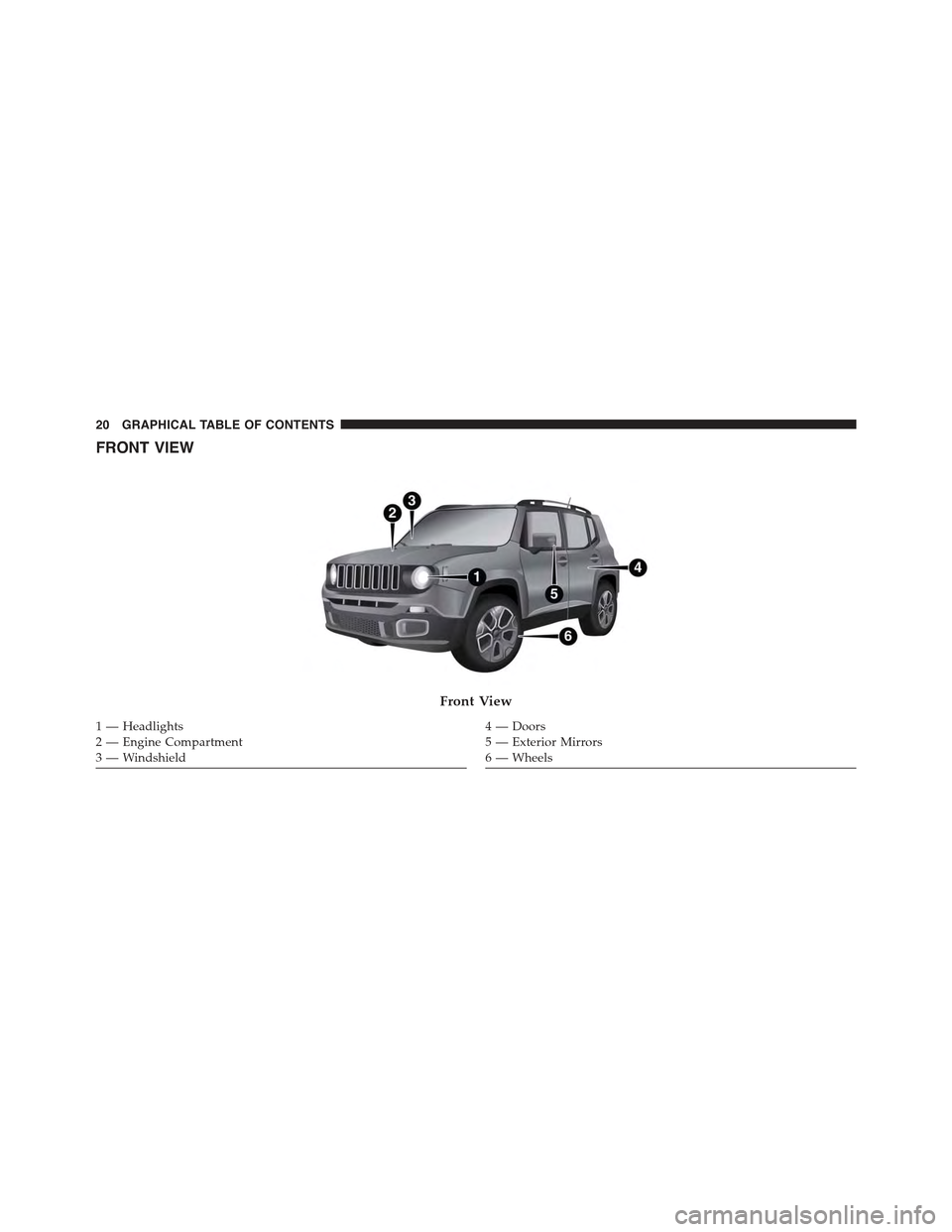
FRONT VIEW
Front View
1 — Headlights2—EngineCompartment3 — Windshield
4—Doors5 — Exterior Mirrors6 — Wheels
20 GRAPHICAL TABLE OF CONTENTS
Page 23 of 678
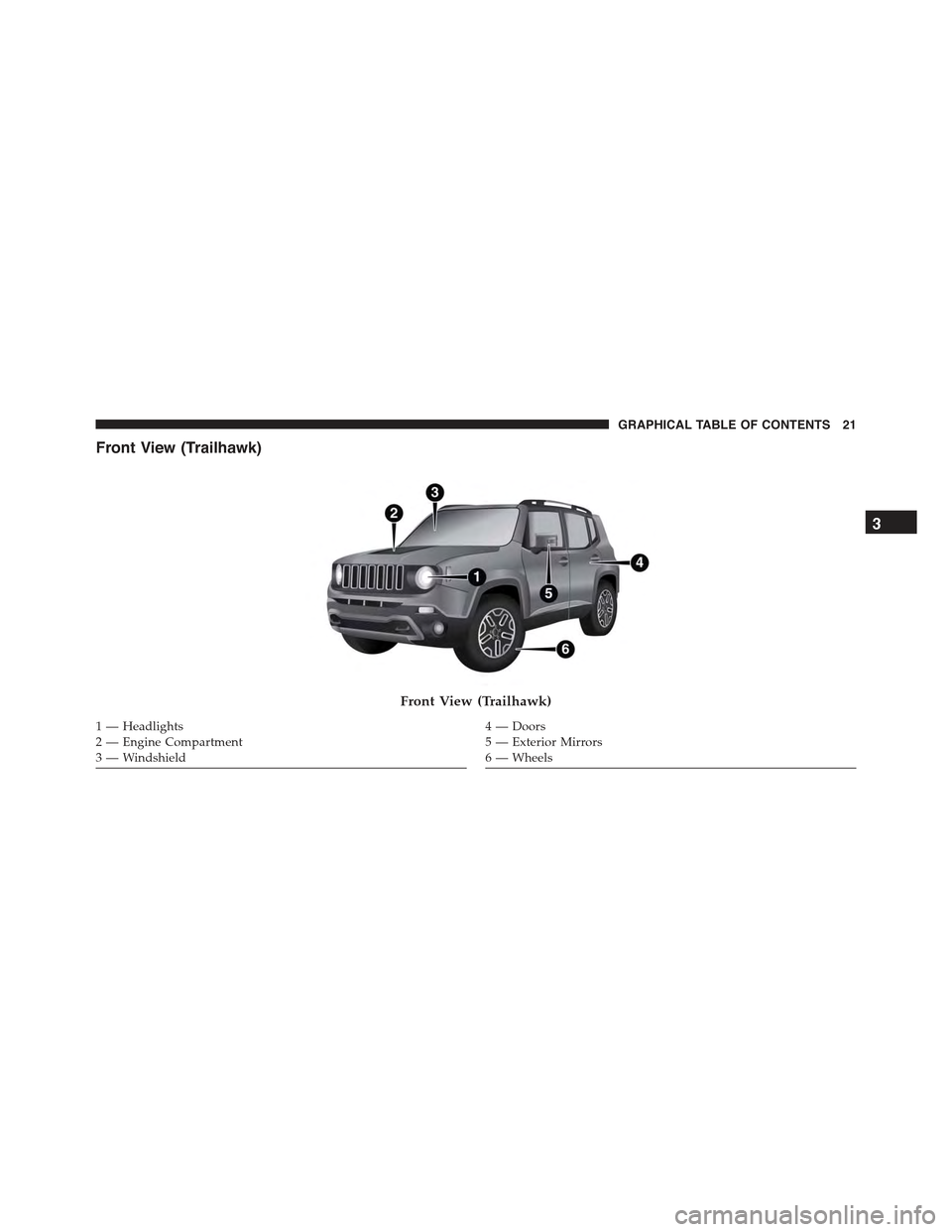
Front View (Trailhawk)
Front View (Trailhawk)
1 — Headlights2—EngineCompartment3 — Windshield
4—Doors5 — Exterior Mirrors6 — Wheels
3
GRAPHICAL TABLE OF CONTENTS 21
Page 30 of 678
▫Disabling............................53
!DOORS..............................53
▫Manual Door Locks.....................53
▫Power Door Locks......................55
▫Keyless Enter-N-Go™...................56
▫Child Locks..........................64
!SEATS . . . . . . . . . . . . . . . . . . . . . . . . . . . . . . .65
▫Manual Front Seats.....................66
▫Power Seats — If Equipped...............68
▫Heated Seats — If Equipped...............69
▫Rear Seats............................71
!HEAD RESTRAINTS.....................77
▫Front Head Restraints...................77
▫Rear Head Restraints....................78
!TILT/TELESCOPING STEERING COLUMN....79
!HEATED STEERING WHEEL — IF EQUIPPED . .80
!REAR-VIEW MIRRORS...................81
▫Inside Day/Night Mirror................81
▫Dimming Mirror — If Equipped............82
▫Outside Mirrors.......................83
▫Heated Mirrors — If Equipped............85
!BLIND SPOT MONITORING (BSM) — IF
EQUIPPED............................85
▫Rear Cross Path (RCP)..................91
▫Mode Of Operation.....................93
▫Blind Spot Monitoring Fault Warnings.......94
28 GETTING TO KNOW YOUR VEHICLE
Page 57 of 678
WARNING!
•For personal security and safety in the event of a
collision, lock the vehicle doors before you drive as
well as when you park and leave the vehicle.
•When leaving the vehicle, always remove the Key
Fob from the vehicle and lock your vehicle. Unsu-
pervised use of vehicle equipment may cause se-
vere personal injuries or death.
•Never leave children alone in a vehicle, or with
access to an unlocked vehicle. Allowing children to
be in a vehicle unattended is dangerous for a
number of reasons. A child or others could be
seriously or fatally injured. Children should be
warned not to touch the parking brake, brake pedal
or the shift lever.
(Continued)
WARNING!(Continued)
•Do not leave the Key Fob in or near the vehicle, or
in a location accessible to children, and do not
leave the ignition of a vehicle equipped with
Keyless Enter-N-Go™ in the RUN mode. A child
could operate power windows, other controls, or
move the vehicle.
Power Door Locks
A power door lock switch is located on each of the front
door trim panels. This switch is used to lock or unlock the
doors and liftgate.
Locking/Unlocking From The Inside
Press the button on the driver or passenger door trim
panel to lock the doors.
With the doors locked, press the button to unlock the
doors.
4
GETTING TO KNOW YOUR VEHICLE 55
Page 58 of 678
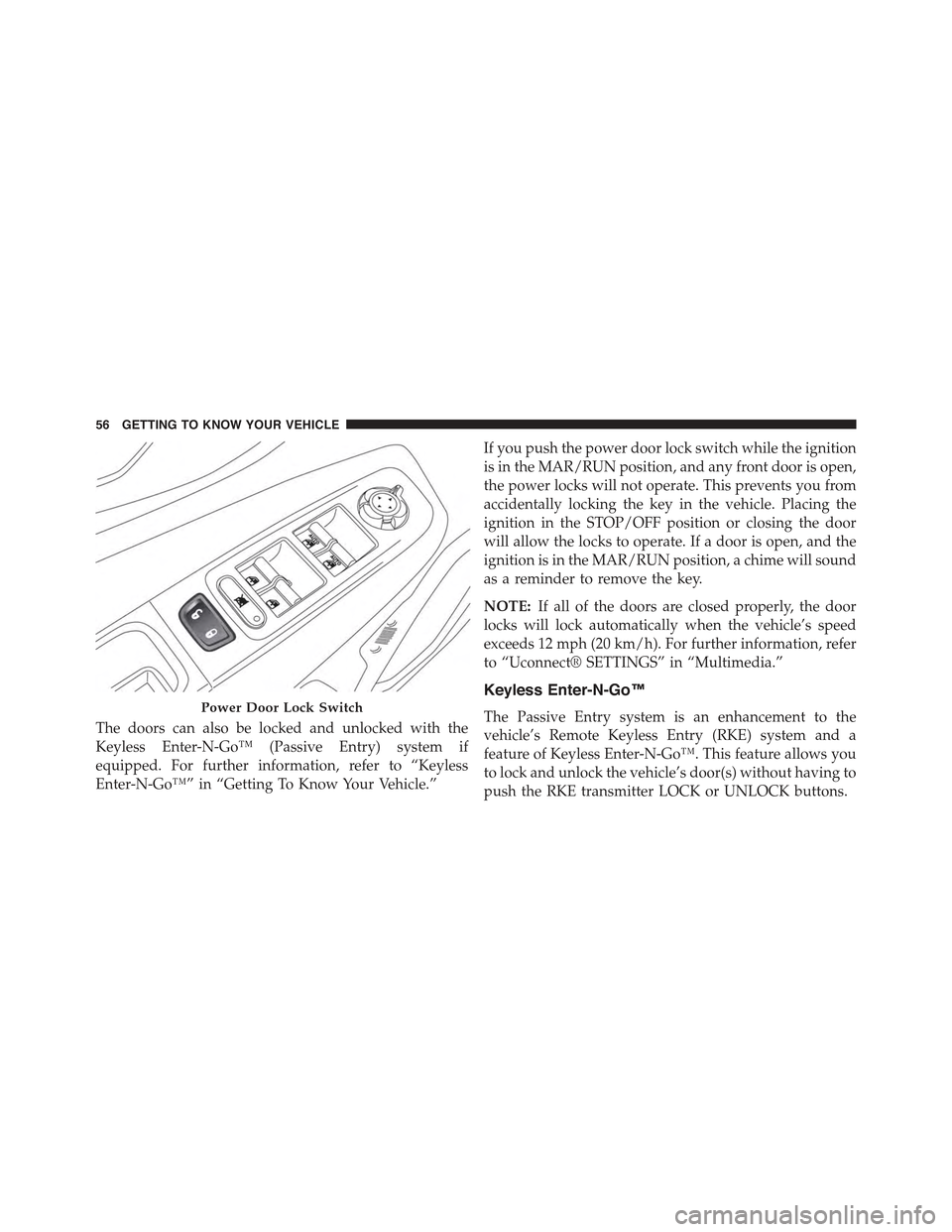
The doors can also be locked and unlocked with the
Keyless Enter-N-Go™ (Passive Entry) system if
equipped. For further information, refer to “Keyless
Enter-N-Go™” in “Getting To Know Your Vehicle.”
If you push the power door lock switch while the ignition
is in the MAR/RUN position, and any front door is open,
the power locks will not operate. This prevents you from
accidentally locking the key in the vehicle. Placing the
ignition in the STOP/OFF position or closing the door
will allow the locks to operate. If a door is open, and the
ignition is in the MAR/RUN position, a chime will sound
as a reminder to remove the key.
NOTE:If all of the doors are closed properly, the door
locks will lock automatically when the vehicle’s speed
exceeds 12 mph (20 km/h). For further information, refer
to “Uconnect® SETTINGS” in “Multimedia.”
Keyless Enter-N-Go™
The Passive Entry system is an enhancement to the
vehicle’s Remote Keyless Entry (RKE) system and a
feature of Keyless Enter-N-Go™. This feature allows you
to lock and unlock the vehicle’s door(s) without having to
push the RKE transmitter LOCK or UNLOCK buttons.
Power Door Lock Switch
56 GETTING TO KNOW YOUR VEHICLE
Page 59 of 678
NOTE:
•Passive Entry can be enabled or disabled. Refer to
“Uconnect® SETTINGS” in “Multimedia” for further
information.
•If wearing gloves on your hands, or if it has been
raining on the Passive Entry door handle, the unlock
sensitivity can be affected, resulting in a slower re-
sponse time.
•If the vehicle is unlocked by the Passive Entry Door
Handle, and no door goes ajar within 60 seconds, the
vehicle will re-lock and if equipped, the security alarm
will arm.
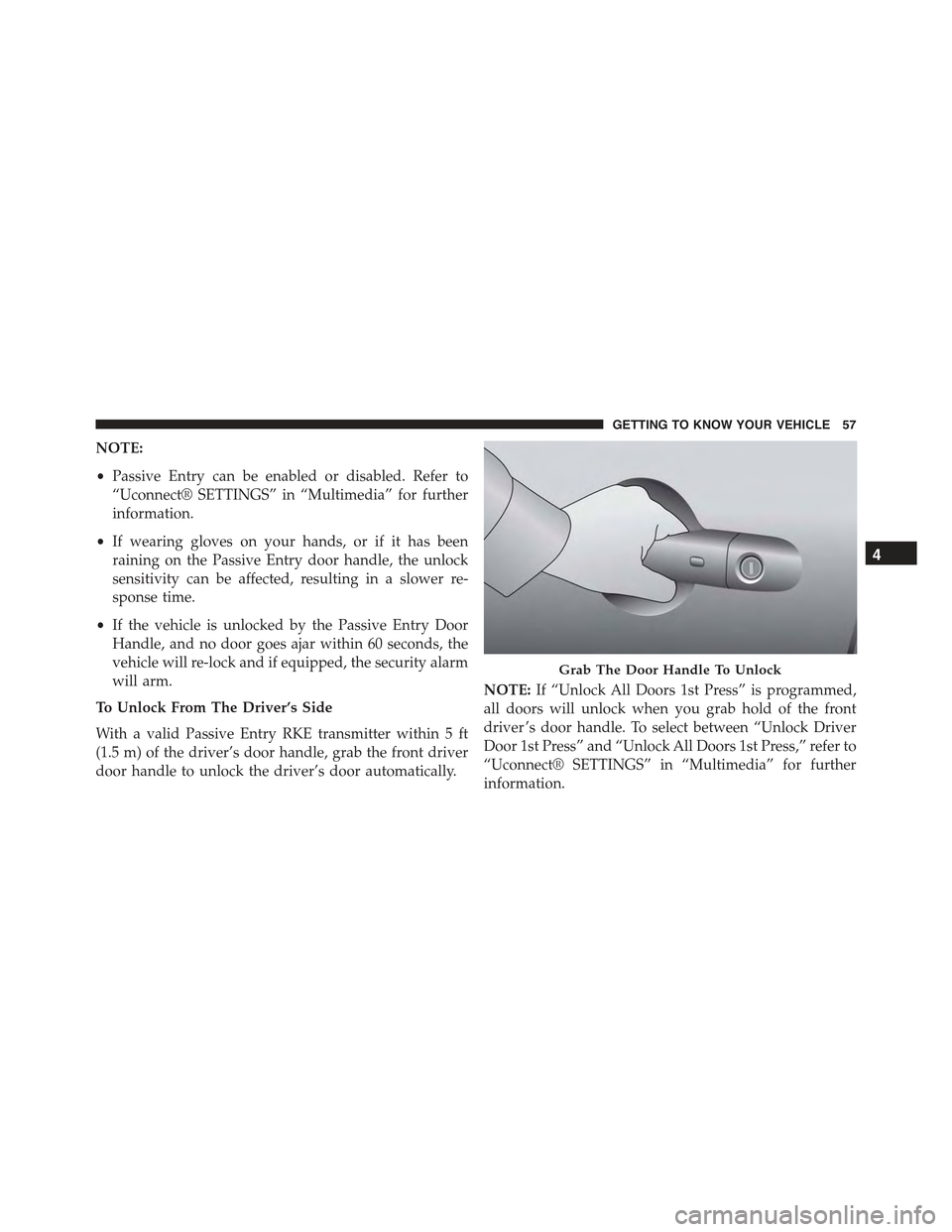
To Unlock From The Driver’s Side
With a valid Passive Entry RKE transmitter within 5 ft
(1.5 m) of the driver’s door handle, grab the front driver
door handle to unlock the driver’s door automatically.
NOTE:If “Unlock All Doors 1st Press” is programmed,
all doors will unlock when you grab hold of the front
driver ’s door handle. To select between “Unlock Driver
Door 1st Press” and “Unlock All Doors 1st Press,” refer to
“Uconnect® SETTINGS” in “Multimedia” for further
information.
Grab The Door Handle To Unlock
4
GETTING TO KNOW YOUR VEHICLE 57
Page 60 of 678

To Unlock From The Passenger Side
With a valid Passive Entry RKE transmitter within 5 ft
(1.5 m) of the passenger door handle, grab the front
passenger door handle to unlock all four doors and the
liftgate automatically.
NOTE:All doors will unlock when the front passenger
door handle is grabbed regardless of the driver ’s door
unlock preference setting (“Unlock Driver Door 1st
Press” or “Unlock All Doors 1st Press”).
To Lock The Vehicle’s Doors And Liftgate
With one of the vehicle’s Passive Entry RKE transmitters
within 5 ft (1.5 m) of the driver or passenger front door
handles, push the door handle LOCK button to lock all
four doors.
Do NOT grab the door handle when pushing the door
handle LOCK button. This could unlock the door(s).
Push The Door Handle Button To Lock
58 GETTING TO KNOW YOUR VEHICLE
Page 112 of 678
WINDOWS
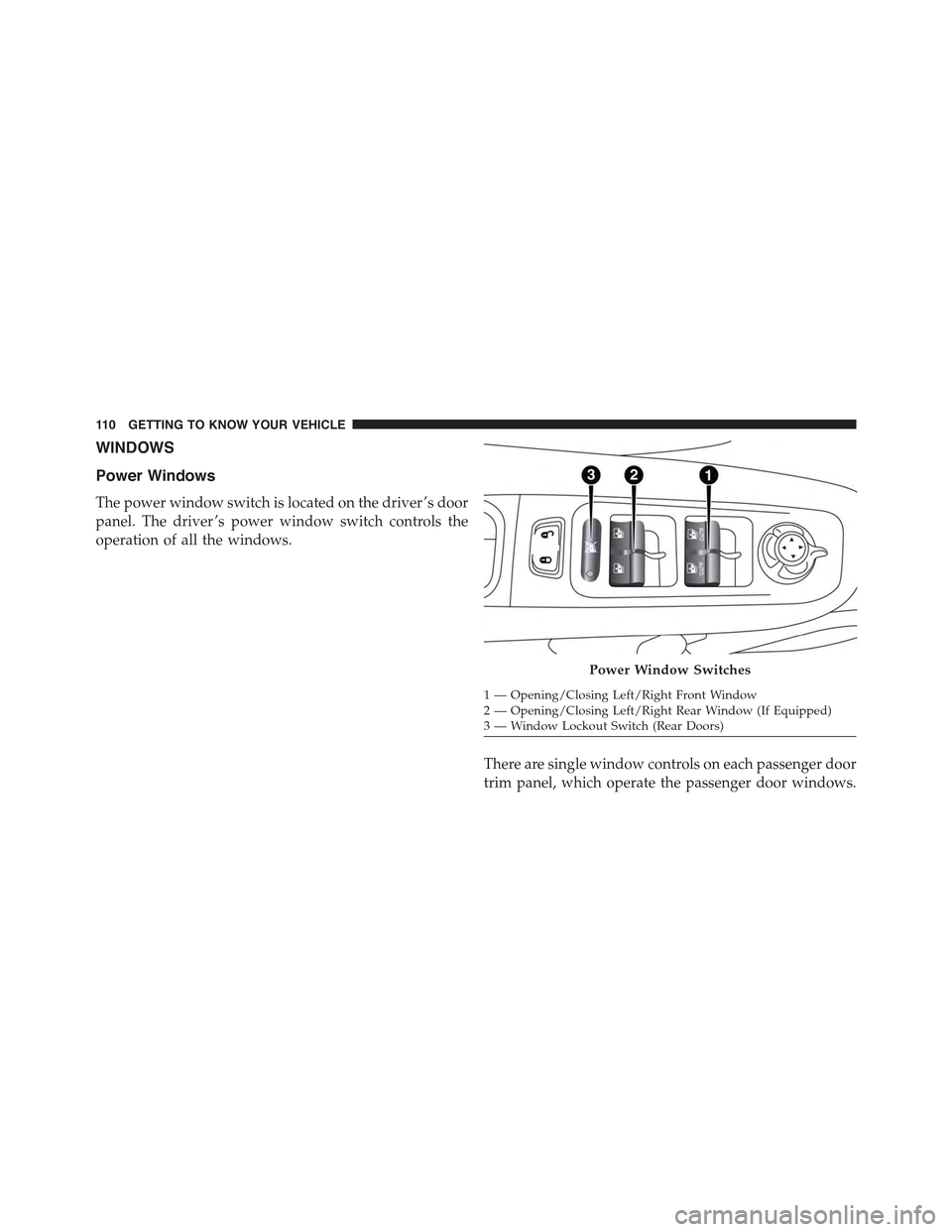
Power Windows
The power window switch is located on the driver ’s door
panel. The driver ’s power window switch controls the
operation of all the windows.
There are single window controls on each passenger door
trim panel, which operate the passenger door windows.
Power Window Switches
1—Opening/ClosingLeft/RightFrontWindow2—Opening/ClosingLeft/RightRearWindow(IfEquipped)3—WindowLockoutSwitch(RearDoors)
11 0 G E T T I N G TO K N O W Y O U R V E H I C L E
Page 113 of 678
The window controls will operate only when the ignition
is in the MAR/RUN or AVV/START position.
NOTE:For vehicles equipped with Uconnect®, the
power window switches will remain active for up to
three minutes after the ignition is cycled to the STOP/
OFF position. Opening either front door will cancel this
feature. Refer to “Uconnect® Settings” in “Multimedia”
for further information.
WARNING!
Never leave children unattended in a vehicle, and do
not let children play with power windows. Do not
leave the Key Fob in or near the vehicle, or in a
location accessible to children, and do not leave the
ignition of a vehicle equipped with Keyless Enter-N-
Go™ in the RUN mode. Occupants, particularly
unattended children, can become entrapped by the
(Continued)
WARNING!(Continued)
windows while operating the power window
switches. Such entrapment may result in serious
injury or death.
AUTO-Down Feature — If Equipped
The driver and passenger power window switches have
an AUTO-down feature. Push the switch for half a
second and release it, the window will go down auto-
matically.
To partially open the window, push the window switch
and release it when you want the window to stop.
To stop the window from going all the way down during
the AUTO-down operation, pull up on the switch briefly
when the when the window has reached the desired
position.
4
GETTING TO KNOW YOUR VEHICLE 111
Page 133 of 678
NOTE:The Front Defrost Control (MAX-DEF) function
remains on for approximately three minutes from when
the engine coolant reaches the appropriate temperature.
When the function is activated, the AUTO button LED
turns off. With the function activated, the only possible
manual adjustments are adjusting the fan speed and
turning the heated rear window off.
When the Recirculation Control, Rear Defrost Control , or
AUTO buttons are pushed, the Climate Control system
will deactivate the Front Defrost (MAX-DEF) function.
Selecting the footwell/windshield or only windshield
distribution activates the Climate Control system com-
pressor (LED on A/C button on) and the air recirculation
is set to#outside air#intake (LED on the recirculation
button off).
This logic guarantees optimum visibility at the windows.
It is, however, always possible to manage air recirculation
and the Climate Control system compressor manually.
Rear Window Defrosting
Push and release the rear window defrost button to turn
the function on/off.
Activation of this function is indicated by the rear defrost
indicator light on the instrument panel turning on. The
function is automatically deactivated after 20 minutes.
If equipped, push the rear defrost button to activate the
defrosting of door mirrors and heated rear window.
CAUTION!
To avoid causing damage to the rear window de-
froster heating filaments do not affix stickers or other
objects to the inside of the rear glass.
4
GETTING TO KNOW YOUR VEHICLE 131