climate control JEEP RENEGADE 2017 1.G User Guide
[x] Cancel search | Manufacturer: JEEP, Model Year: 2017, Model line: RENEGADE, Model: JEEP RENEGADE 2017 1.GPages: 516, PDF Size: 5.73 MB
Page 78 of 516
IconDescription
Bi-Level Mode
Bi-Level Mode
Bi-Level Mode is obtained by pressing both the Panel Mode button and the Floor Mode button,
activating them both. Air comes from the instrument panel outlets and floor outlets. A slight
amount of air is directed through the defrost and side window demister outlets.
NOTE: Bi-Level Mode is designed under comfort conditions to provide cooler air out of the
panel outlets and warmer air from the floor outlets.
Mix Mode
Mix Mode
Mix Mode is obtained by pressing both the Windshield Mode button and the Floor Mode but-
ton, activating them both. Air is directed through the floor, defrost, and side window demister
outlets. This setting works best in cold or snowy conditions that require extra heat to the wind-
shield. This setting is good for maintaining comfort while reducing moisture on the windshield.
Climate Control Power Button
Press and release this button to turn the Climate Control on/off.
Driver Temperature Knob
Provides the driver with independent temperature control. Rotate the adjustment knob to set
desired temperature shown in the Temperature Display. Rotate fully counterclockwise for maxi-
mum A/C (LO). The set temperature is shown on the display. Turning the control knob com-
pletely in one direction or the other activates the HI (maximum heating) or LO (maximum cool-
ing) functions shown in the display, respectively. To deactivate these functions, turn the
temperature knob to the desired temperature.
76 GETTING TO KNOW YOUR VEHICLE
Page 79 of 516
CAUTION!
Failure to follow these cautions can cause damage to
the heating elements:
•Use care when washing the inside of the rear win-
dow. Do not use abrasive window cleaners on the
interior surface of the window. Use a soft cloth and a
mild washing solution, wiping parallel to the heat-
ing elements. Labels can be peeled off after soaking
with warm water.
• Do not use scrapers, sharp instruments, or abrasive
window cleaners on the interior surface of the win-
dow.
• Keep all objects a safe distance from the window.
Climate Control System Compressor
Push the A/C Control button to activate/deactivate the
compressor (activation is indicated by the LED on the
button turning on).
The system remembers that the compressor has been
turned off, even after the engine has stopped.
Pushing the A/C button will stop AUTO MODE (AUTO
LED will turn off). To restore automatic control of compres-
sor, push the AUTO button again. NOTE:
With the compressor off, air cannot be introduced
to the passenger compartment with a temperature lower
than the outside temperature. Under certain environmental
conditions, windows could fog rapidly since the air is not
dehumidified.
MAX A/C
MAX A/C sets the system for maximum cooling perfor-
mance.
Rotate the driver temperature control adjust knob counter-
clockwise for MAX A/C. Both driver and passenger tem-
perature displays will show MAX A/C LO.
In MAX A/C, the blower speed and mode position can be
adjusted to desired user settings. Pressing other settings
will cause the MAX A/C operation to switch to the selected
setting and MAX A/C to exit.
Rapid Window Demisting (MAX-Defrost Function)
Push the MAX-defrost button to activate (LED on) the
windshield and side window demisting function.
The Climate Control system carries out the following
operations:
• Turns on the air conditioning compressor when environ-
mental conditions are suitable.
3
GETTING TO KNOW YOUR VEHICLE 77
Page 80 of 516
•Turns air recirculation off.
• Sets blower fan to the maximum speed.
• Directs air flow to windshield and front side window
diffusers.
• Activates the heated rear window defrost.
• Activates the heated windshield (if equipped).
• Displays the fan speed (Blower Control Indicator LED
illuminated).
When the function is activated, the AUTO button LED
turns off. With the function activated, the only possible
manual adjustments are pushing the A/C control button,
adjusting the fan speed and turning the heated rear win-
dow off.
When the Recirculation Control or AUTO buttons are
pushed, the Climate Control system will deactivate the
Front Defrost (MAX-DEF) function.
Selecting the footwell/windshield or only windshield dis-
tribution activates the Climate Control system compressor
and the air recirculation is set to outside air intake.
This logic guarantees optimum visibility at the windows.
Max-defrost is also available in manual mode. Rear Window Defrosting
Push and release the rear window defrost button to turn
the function on/off.
Activation of this function is indicated by the rear defrost
indicator light on the instrument panel turning on. The
function is automatically deactivated after 20 minutes. If
equipped, push the rear defrost button to activate the
defrosting of door mirrors and heated rear window.
CAUTION!
To avoid causing damage to the rear window defroster
heating filaments do not affix stickers or other objects
to the inside of the rear glass.
Turning Off The Climate Control System
Push the ON/OFF button.
With the Climate Control system off:
• Air recirculation is on, isolating the passenger compart-
ment from the outside.
• The A/C compressor is off.
• The blower is off.
• The heated rear window can be activated/deactivated.
78 GETTING TO KNOW YOUR VEHICLE
Page 81 of 516
NOTE:The Climate Control unit stores the temperatures
set before the system was turned off and restores them
when one of the following knobs/buttons is pushed:
• A/C
• Recirculation
• Max Defrost
• Blower Increase
• AUTO
To restart the Climate Control system in fully automatic
mode, push the AUTO button.
System Maintenance
In Winter, the Climate Control system must be turned on at
least once a month for approximately 10 minutes.
Have the system inspected at an authorized dealership
before the summer.
NOTE: The system uses R-1234yf (refrigerant) which does
not pollute the environment in the event of accidental
leakage. Under no circumstances is the use of R-134a
(refrigerant) allowed.Automatic Temperature Control (ATC) — If
Equipped
Automatic Operation
1. Push the AUTO button on the front ATC panel and the word “AUTO” will illuminate in the front ATC display,
along with two temperatures for the driver and front
passenger. The system will then automatically regulate
the amount of airflow.
2. Adjust the temperature you would like the system to maintain, by adjusting the driver, and passenger tem-
peratures. Once the desired temperature is displayed,
the system will achieve and automatically maintain that
comfort level.
3. When the system is set up for your comfort level, it is not necessary to change the settings. You will experience
the greatest efficiency by simply allowing the system to
function automatically.
3
GETTING TO KNOW YOUR VEHICLE 79
Page 83 of 516
Vacation/Storage
Before you store your vehicle, or keep it out of service (i.e.,
vacation) for two weeks or more, run the air conditioning
system at idle for about five minutes, in fresh air with the
blower setting on high. This will ensure adequate system
lubrication to minimize the possibility of compressor dam-
age when the system is started again.
Window Fogging
Vehicle windows tend to fog on the inside in mild, rainy
and/or humid weather. To clear the windows, select De-
frost or Mix mode and increase the front blower speed. Do
not use the Recirculation mode without A/C for long
periods, as fogging may occur.
Outside Air Intake
Make sure the air intake, located directly in front of the
windshield, is free of obstructions such as leaves. Leaves
collected in the air intake may reduce airflow, and if they
enter the plenum, they could plug the water drains. In
winter months, make sure the air intake is clear of ice,
slush, and snow.
Cabin Air Filter
The climate control system filters out dust and pollen from
the air. Contact your authorized dealer to service your
cabin air filter, and to have it replaced when needed.
3
GETTING TO KNOW YOUR VEHICLE 81
Page 177 of 516
Full Off – Four-Wheel Drive Vehicles In 4WD High And
4WD Low Range
The “Full Off” mode is intended for off-highway and
off-road use when ESC stability features could inhibit
vehicle maneuverability due to trail conditions. The “ESC
Off” button is located in the lower switch bank above the
climate control panel. To enter “Full Off” mode, push and
hold the “ESC Off” button for five seconds while the
vehicle is stopped with the engine running. After five
seconds, the ESC Off indicator light will illuminate and an
“ESC Off” message will appear in the odometer.
In this mode, ESC and TCS are turned off (except for the
“limited slip” feature described in the TCS section) until
the vehicle reaches a speed of 40 mph (64 km/h). At speeds
over 40 mph (64 km/h), the system automatically switches
to “Partial Off” mode, described above. When the vehicle
speed returns to less than 35 mph (56 km/h), the ESC
system will return to “Full Off” mode. The ESC OFF
indicator light is always illuminated when ESC is off. To
turn ESC on again, momentarily push the “ESC Off”
button. This will restore the normal “ESC On” mode of
operation.NOTE:
With the ESC switched off, the enhanced vehicle
stability offered by ESC is unavailable. In an emergency
evasive maneuver, the ESC system will not engage to assist
in maintaining stability. “Full Off” mode is only intended
for off-highway or off-road use.
NOTE:
• “Full Off” is the only operating mode for ESC in 4WD
LOW range. The ESC system will be in this mode
whenever the vehicle is started in 4WD LOW range or
the power transfer unit is shifted into 4WD LOW range.
• The “ESC OFF” message will display and a chime will
sound when the gear selector is moved from any posi-
tion to the PARK position and then moved out of the
PARK position. This will occur even if the message was
cleared previously.
Selec-Terrain — If Equipped
On models equipped with Selec-Terrain, the activation of
some driving modes provide partial off or full off of some
active safety systems in order to optimize performance in
specific modes.
Partial or full off of the active safety systems will be
indicated by a light in the instrument cluster.
5
SAFETY 175
Page 246 of 516
WARNING!(Continued)
•Be sure everyone in your vehicle is in a seat and
using a seat belt properly.
Exhaust Gas
WARNING!
Exhaust gases can injure or kill. They contain carbon
monoxide (CO), which is colorless and odorless.
Breathing it can make you unconscious and can even-
tually poison you. To avoid breathing (CO), follow
these safety tips:
• Do not run the engine in a closed garage or in
confined areas any longer than needed to move your
vehicle in or out of the area.
• If you are required to drive with the trunk/liftgate/
rear doors open, make sure that all windows are
closed and the climate control BLOWER switch is set
at high speed. DO NOT use the recirculation mode.
• If it is necessary to sit in a parked vehicle with the
engine running, adjust your heating or cooling con-
trols to force outside air into the vehicle. Set the
blower at high speed. The best protection against carbon monoxide entry into the
vehicle body is a properly maintained engine exhaust
system.
Whenever a change is noticed in the sound of the exhaust
system, when exhaust fumes can be detected inside the
vehicle, or when the underside or rear of the vehicle is
damaged, have a competent mechanic inspect the complete
exhaust system and adjacent body areas for broken, dam-
aged, deteriorated, or mispositioned parts. Open seams or
loose connections could permit exhaust fumes to seep into
the passenger compartment. In addition, inspect the ex-
haust system each time the vehicle is raised for lubrication
or oil change. Replace as required.
Safety Checks You Should Make Inside The Vehicle
Seat Belts
Inspect the seat belt system periodically, checking for cuts,
frays, and loose parts. Damaged parts must be replaced
immediately. Do not disassemble or modify the system.
Front seat belt assemblies must be replaced after a collision.
Rear seat belt assemblies must be replaced after a collision
if they have been damaged (i.e., bent retractor, torn web-
bing, etc.). If there is any question regarding seat belt or
retractor condition, replace the seat belt.
244 SAFETY
Page 426 of 516
DEPARTMENT OF TRANSPORTATION UNIFORM
TIRE QUALITY GRADES
The following tire grading categories were established
by the National Highway Traffic Safety Administration.
The specific grade rating assigned by the tire’s manu-
facturer in each category is shown on the sidewall of the
tires on your vehicle.
All passenger vehicle tires must conform to Federal
safety requirements in addition to these grades.
Treadwear
The Treadwear grade is a comparative rating, based on
the wear rate of the tire when tested under controlled
conditions on a specified government test course. For
example, a tire graded 150 would wear one and one-half
times as well on the government course as a tire graded
100. The relative performance of tires depends upon the
actual conditions of their use, however, and may depart
significantly from the norm due to variations in driving
habits, service practices, and differences in road charac-
teristics and climate.
Traction Grades
The Traction grades, from highest to lowest, are AA, A,
B, and C. These grades represent the tire’s ability to stopon wet pavement, as measured under controlled condi-
tions on specified government test surfaces of asphalt
and concrete. A tire marked C may have poor traction
performance.
WARNING!
The traction grade assigned to this tire is based on
straight-ahead braking traction tests, and does not
include acceleration, cornering, hydroplaning, or
peak traction characteristics.
Temperature Grades
The Temperature grades are A (the highest), B, and C,
representing the tire’s resistance to the generation of
heat and its ability to dissipate heat, when tested under
controlled conditions on a specified indoor laboratory
test wheel.
Sustained high temperature can cause the material of
the tire to degenerate and reduce tire life, and excessive
temperature can lead to sudden tire failure. The grade C
corresponds to a level of performance, which all pas-
senger vehicle tires must meet under the Federal Motor
Vehicle Safety Standard No. 109. Grades B and A
424 SERVICING AND MAINTENANCE
Page 447 of 516
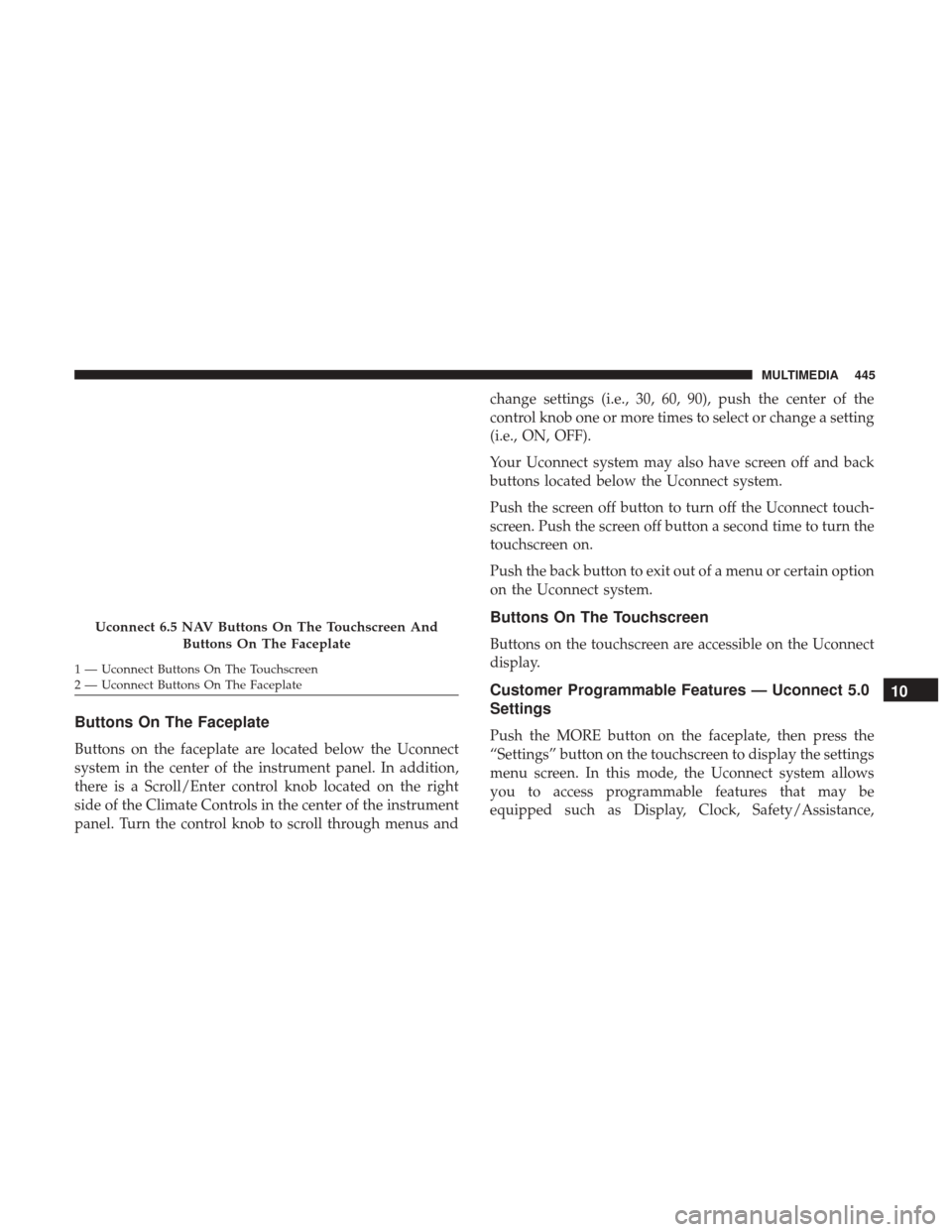
Buttons On The Faceplate
Buttons on the faceplate are located below the Uconnect
system in the center of the instrument panel. In addition,
there is a Scroll/Enter control knob located on the right
side of the Climate Controls in the center of the instrument
panel. Turn the control knob to scroll through menus andchange settings (i.e., 30, 60, 90), push the center of the
control knob one or more times to select or change a setting
(i.e., ON, OFF).
Your Uconnect system may also have screen off and back
buttons located below the Uconnect system.
Push the screen off button to turn off the Uconnect touch-
screen. Push the screen off button a second time to turn the
touchscreen on.
Push the back button to exit out of a menu or certain option
on the Uconnect system.
Buttons On The Touchscreen
Buttons on the touchscreen are accessible on the Uconnect
display.
Customer Programmable Features — Uconnect 5.0
Settings
Push the MORE button on the faceplate, then press the
“Settings” button on the touchscreen to display the settings
menu screen. In this mode, the Uconnect system allows
you to access programmable features that may be
equipped such as Display, Clock, Safety/Assistance,
Uconnect 6.5 NAV Buttons On The Touchscreen And
Buttons On The Faceplate
1 — Uconnect Buttons On The Touchscreen
2 — Uconnect Buttons On The Faceplate
10
MULTIMEDIA 445
Page 504 of 516
Older Children And Child Restraints...........230
Seating Positions ........................ .232
Child Safety Locks ..........................37
Clean Air Gasoline ........................ .435
Cleaning Wheels ............................... .419
Climate Control ............................66
Manual ................................66
Clutch ................................. .398
Clutch Fluid ............................. .398
Coin Holder ..............................116
Cold Weather Operation ..................... .253
Compact Spare Tire ........................ .418
Connector UCI ................................. .475
Universal Consumer Interface (UCI) ...........475
Console .................................116
Console, Floor .............................116
Contract, Service .......................... .496
Coolant Pressure Cap (Radiator Cap) .............396
Cooling System ........................ .384, 393
Adding Coolant (Antifreeze) .................395
Coolant Capacity ........................ .438
Coolant Level ....................385, 394, 397
Disposal Of Used Coolant ..................397 Drain, Flush, And Refill
....................394
Inspection ............................. .397
Points To Remember ..................... .397
Pressure Cap ........................... .396
Radiator Cap .......................... .396
Selection Of Coolant (Antifreeze) .......394, 438, 439
Corrosion Protection ....................... .426
Cruise Light ....................... .159, 162, 163
Cupholders ...............................117
Customer Assistance ....................... .494
Customer Programmable Features ...............445
Daytime Running Lights ......................52
Dealer Service ............................ .386
Defroster, Rear Window .......................
64
Defroster, Windshield ....................... .245
Dimmer Switch, Headlight .....................52
Disabled Vehicle Towing .....................368
Disposal Antifreeze (Engine Coolant) .................397
Door Ajar ............................ .141, 142
Door Ajar Light ....................... .141, 142
Driver’s Seat Back Tilt ........................38
Driving ................................. .306
502 INDEX