fuel consumption JEEP RENEGADE 2023 Owners Manual
[x] Cancel search | Manufacturer: JEEP, Model Year: 2023, Model line: RENEGADE, Model: JEEP RENEGADE 2023Pages: 364, PDF Size: 18.65 MB
Page 68 of 364

66 GETTING TO KNOW YOUR INSTRUMENT PANEL
INSTRUMENT CLUSTER DISPLAY MENU
I
TEMS
NOTE:
The instrument cluster display menu items display
in th e
center of the instrument cluster. Menu items
may vary depending on your vehicle features.
Speedometer
Push and release the up or down arrow
button until the speedometer is displayed in the
i n s
tr
u
ment cluster display. Push and release the
OK button to toggle units (mph or km/h) of the
speedometer.
Vehicle Info
Push and release the up or down arrow
button until “Vehicle Info” is highlighted in the
instr u
ment cluster display. Push and release the
right arrow button and Coolant Temp will be
displayed. Push the right
or left arrow button
to sc
roll through the following information displays:
Tire Pressure — View the information relating to
the Tire Pressure Monitoring System (If
Equipped).
Coolant Temperature — View the engine coolant
temperature.
Trans Temperature — View the trans oil
temperature.
Oil Temperature — View the oil temperature.
Battery Voltage — View the voltage value (state
of charge) of the battery.
Service — View the service status message(s) (If
Equipped).
Driver Assist — If Equipped
Push and release the up or down arrow
button until the Driver Assist menu title displayed
is hi g
hlighted in the instrument cluster display.
LaneSense — If Equipped
The instrument cluster display displays the current
LaneSe n
se status and information. The
information displayed depends on LaneSense
system status and the conditions that need to be
met Ú page 133.
Fuel Economy
This menu item allows you to view the fuel
economy of the vehicle. The following will display:
Range (Miles or km)
Current Consumption (mpg or L/100 km or
km/L)
Average Consumption (mpg or L/100 km or
km/L)
Reset procedure shown at the bottom of the
d ispla
y.
Trip Info
Push and release the up or down arrow
button until the Trip menu title is displayed in the
instr u
ment cluster display. Toggle the left
or
right arrow button to select Trip A or Trip B. The
Trip information will display the following:
Distance – Shows the total distance (mi or km)
traveled for Trip A or Trip B since the last reset.
Average Fuel Economy – Shows the average
fuel economy (MPG or L/100 km or km/L) of
Trip A
or Trip B since the last reset.
Elapsed Time – Shows the total elapsed time of
travel since Trip A or Trip B has been reset.
Hold the OK butt
on to reset feature information.
Stop/Start – If Equipped
Push and release the up or down arrow
button until the Stop/Start menu title is displayed
i n
t h
e
instrument cluster display.
This menu shows messages related to Stop/Start.
Only on
e message can be viewed at a time until the
condition is cleared. When the Stop/Start is
engaged (and the engine is off), the associated
hardware telltale is turned on. Whenever a user
pushes the Stop/Start button on the central stack,
a pop-up message of the Stop/Start status will
appear on the instrument cluster display.
Page 71 of 364

GETTING TO KNOW YOUR INSTRUMENT PANEL 69
Sound Horn With Lock: activate/deactivate the
horn when pushing the LOCK button on the key
fob. The options are “Off,” “First Press,” and
“Second Press”
Horn With Remote Start: activate/deactivate
the horn at the Remote Starting of the engine
with the key fob
Remote Door Unlock: allows you to open the
driver door only on the first push of the UNLOCK
button on the key fob
“Compass”
By selecting the item “Compass” you can make the
f ollowi
ng adjustments:
Compass Calibration
Compass Variance
TRIP COMPUTER
The Trip computer is used to display information on
car operation when the key is turned to the RUN
position.
This function allows you to define two separate
trips
called “Trip A” and “Trip B” where the car's
“complete trips” are monitored in an independent
manner.
Both trips can be reset (reset - start of a new trip).
To perf
orm a reset, push and hold the OK button on
the steering wheel controls. “Trip A” and “Trip B” are used to display the figures
relat
i
ng to:
Distance Traveled
Average Consumption
Travel Time (driving time)
Quantities Displayed
Distance Traveled
Indicates the distance traveled by the start of
the new trip.
Average Consumption
Represents the average fuel consumption since
the start of the new trip.
Travel Time
Elapsed time since the start of the new trip.
OK Button
Short Push Of The Button: display of various
p arame
ters.
Long Push Of The Button: reset quantities and
begin
a new trip.
New trip
Starts after reset:
“Manual” by pushing the OK button.
“Automatic” when the “distance” reaches the
value of 62140 (99999.9 km) or when the “time
travel” reaches the value of 999.59
(999 hours and 59 minutes).
After each disconnection and reconnection of
the battery.
WARNING/INDICATOR LIGHTS AND
MESSAGES
The warning/indicator light switches on in the
instrument panel together with a dedicated
message and/or acoustic signal when applicable.
These indications are indicative and precautionary
and as such must not be considered as exhaustive
and/or alternative to the information contained in
the Owner Manual, which you are advised to read
carefully in all cases. Always refer to the
information in this chapter in the event of a failure
indication.
All active telltales will display first, if applicable.
The sy
stem check menu may appear different
based upon equipment options and current vehicle
status. Some telltales are optional and may not
appear.
The following warning lamps and indicators will
alert
you to a vehicle condition that may become
serious. Some lamps will illuminate when you start
your vehicle to make sure they work. If any lamps
remain on after starting your vehicle, refer to the
respective system warning lamp for further
information.
3
Page 76 of 364
74 GETTING TO KNOW YOUR INSTRUMENT PANEL
Service Forward Collision Warning (FCW)
Light — If Equipped
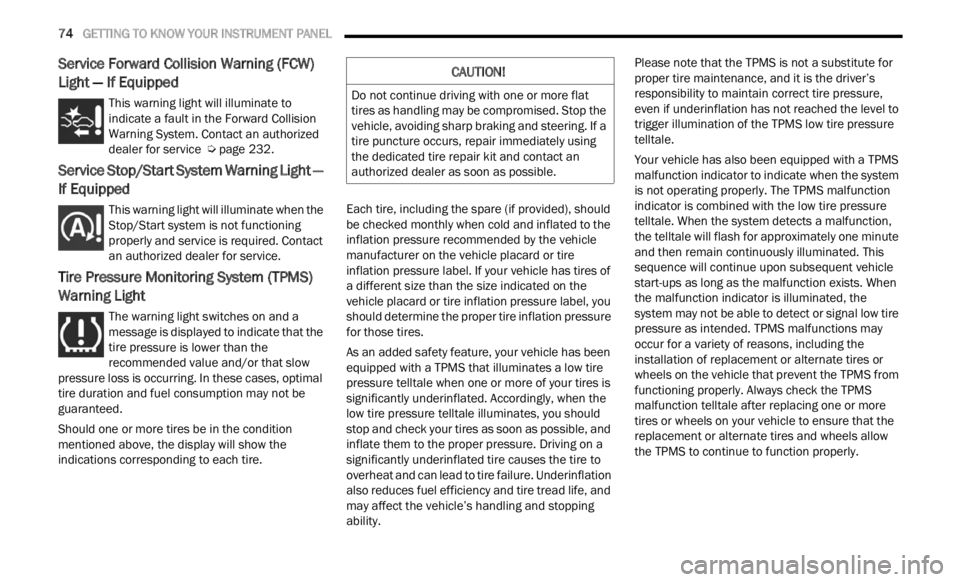
This warning light will illuminate to
indicate a fault in the Forward Collision
W
ar
n i
n
g System. Contact an authorized
dealer for service Ú page 232.
Service Stop/Start System Warning Light —
If Equipped
This warning light will illuminate when the
Stop/Start system is not functioning
p
rop
er
l
y and service is required. Contact
an authorized dealer for service.
Tire Pressure Monitoring System (TPMS)
Warning Light
The warning light switches on and a
message is displayed to indicate that the
tire p
ressure is lower than the
recommended value and/or that slow
pressure loss is occurring. In these cases, optimal
tire duration and fuel consumption may not be
guaranteed.
Should one or more tires be in the condition
mention
ed above, the display will show the
indications corresponding to each tire. Each tire, including the spare (if provided), should
be ch
e
cked monthly when cold and inflated to the
inflation pressure recommended by the vehicle
manufacturer on the vehicle placard or tire
inflation pressure label. If your vehicle has tires of
a different size than the size indicated on the
vehicle placard or tire inflation pressure label, you
should determine the proper tire inflation pressure
for those tires.
As an added safety feature, your vehicle has been
equip p
ed with a TPMS that illuminates a low tire
pressure telltale when one or more of your tires is
significantly underinflated. Accordingly, when the
low tire pressure telltale illuminates, you should
stop and check your tires as soon as possible, and
inflate them to the proper pressure. Driving on a
significantly underinflated tire causes the tire to
overheat and can lead to tire failure. Underinflation
also reduces fuel efficiency and tire tread life, and
may affect the vehicle’s handling and stopping
ability. Please note that the TPMS is not a substitute for
proper
tire maintenance, and it is the driver’s
responsibility to maintain correct tire pressure,
even if underinflation has not reached the level to
trigger illumination of the TPMS low tire pressure
telltale.
Your vehicle has also been equipped with a TPMS
malfu n
ction indicator to indicate when the system
is not operating properly. The TPMS malfunction
indicator is combined with the low tire pressure
telltale. When the system detects a malfunction,
the telltale will flash for approximately one minute
and then remain continuously illuminated. This
sequence will continue upon subsequent vehicle
start-ups as long as the malfunction exists. When
the malfunction indicator is illuminated, the
system may not be able to detect or signal low tire
pressure as intended. TPMS malfunctions may
occur for a variety of reasons, including the
installation of replacement or alternate tires or
wheels on the vehicle that prevent the TPMS from
functioning properly. Always check the TPMS
malfunction telltale after replacing one or more
tires or wheels on your vehicle to ensure that the
replacement or alternate tires and wheels allow
the TPMS to continue to function properly.
CAUTION!
Do not continue driving with one or more flat
tires as handling may be compromised. Stop the
vehicle, avoiding sharp braking and steering. If a
tire puncture occurs, repair immediately using
the dedicated tire repair kit and contact an
authorized dealer as soon as possible.
Page 94 of 364
92 STARTING AND OPERATING
SELEC-TERRAIN
Selec-Terrain combines the capabilities of the
vehicle control systems, along with driver input, to
provide the best performance for all terrains.
MODE SELECTION GUIDE
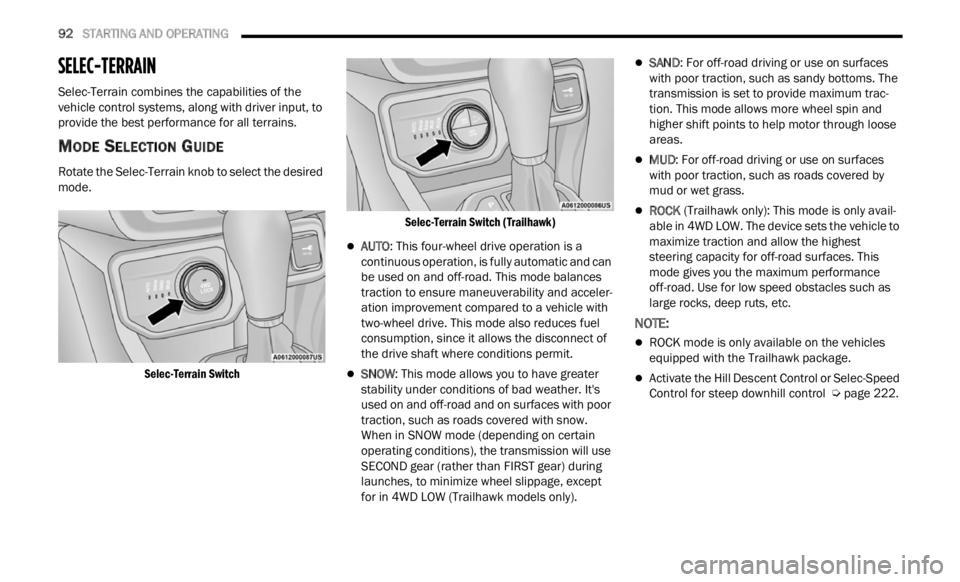
Rotate the Selec-Terrain knob to select the desired
mode.
Selec-Terrain Switch Selec-Terrain Switch (Trailhawk)
AUTO
: This four-wheel drive operation is a
continuous operation, is fully automatic and can
be used on and off-road. This mode balances
traction to ensure maneuverability and acceler -
ation improvement compared to a vehicle with
t wo-whe
el drive. This mode also reduces fuel
consumption, since it allows the disconnect of
the drive shaft where conditions permit.
SNOW : This mode allows you to have greater
stability under conditions of bad weather. It's
used on and off-road and on surfaces with poor
traction, such as roads covered with snow.
When in SNOW mode (depending on certain
operating conditions), the transmission will use
SECOND gear (rather than FIRST gear) during
launches, to minimize wheel slippage, except
for in 4WD LOW (Trailhawk models only).
SAND : For off-road driving or use on surfaces
with poor traction, such as sandy bottoms. The
transmission is set to provide maximum trac -
tion. This mode allows more wheel spin and
highe r
shift points to help motor through loose
areas.
MUD : For off-road driving or use on surfaces
with poor traction, such as roads covered by
mud or wet grass.
ROCK (Trailhawk only): This mode is only avail -
able in 4WD LOW. The device sets the vehicle to
m ax
im
i
ze traction and allow the highest
steering capacity for off-road surfaces. This
mode gives you the maximum performance
off-road. Use for low speed obstacles such as
large rocks, deep ruts, etc.
NOTE:
ROCK mode is only available on the vehicles
equipped with the Trailhawk package.
Activate the Hill Descent Control or Selec-Speed
Control for steep downhill control Ú page 222.
Page 95 of 364
STARTING AND OPERATING 93
ACTIVE GRILLE SHUTTERS — IF EQUIPPED
Your vehicle may be equipped with Active Grille
Shutters. Active Grille Shutters is an automatic
system with mobile flaps applied in front of the
cooling module that aims to improve vehicle
aerodynamic efficiency with its automatic
opening/closing movement. The opening/closing
movement of the Active Grill Shutters reduces
consumption while ensuring optimal engine
operating temperature conditions.
When a greater air flow is required for cooling (e.g.
when d
riving in urban traffic) the flaps open,
whereas when temperature is low or air flow is
enough (example when driving on highways), the
flaps close.
POWER STEERING
The electric power steering system will provide
increased vehicle response and ease of
maneuverability. The power steering system
adapts to different driving conditions. If the “SERVICE POWER STEERING” OR “POWER
STEER
I
NG ASSIST OFF - SERVICE SYSTEM”
message and a steering wheel icon are displayed
on the instrument cluster screen, it indicates that
the vehicle needs to be taken to the dealer for
service. It is likely the vehicle has lost power
steering assistance Ú page 64.
NOTE:
Even if the power steering assistance is no
longer operational, it is still possible to steer the
vehicle. Under these conditions there will be a
substantial increase in steering effort, espe
-
cially at low speeds and during parking maneu -
vers.
If the condition persists, see an authorized
dealer for service.
STOP/START SYSTEM
The Stop/Start function was developed to reduce
fuel consumption. The system will stop the engine
automatically during a vehicle stop if the required
conditions are met. Releasing the brake pedal or
pressing the accelerator pedal will automatically
restart the engine.
AUTOSTOP MODE
The Stop/Start feature is enabled after every
normal customer engine start. At that time, the
system will go into STOP/START READY and if all
other conditions are met, can go into a STOP/
START AUTOSTOP ACTIVE “Autostop” mode.
To Activate The Autostop Mode, The Following
Must O
ccur:
The system must be in STOP/START READY
state. A STOP/START READY message will be
displayed in the instrument cluster display
within the Stop/Start section Ú page 64.
The vehicle must be completely stopped.
The gear selector must be in a forward gear and
the brake pedal pressed.
The engine will shut down, the tachometer will
move to
the zero position and the Stop/Start
telltale will illuminate indicating you are in
Autostop. Customer settings will be maintained
upon return to an engine running condition.
WARNING!
Continued operation with reduced assist could
pose a safety risk to yourself and others. Service
should be obtained as soon as possible.
4
Page 138 of 364

136 MULTIMEDIA
Units
Display Brightness With Headlights OFF This setting will allow you to set the brightness when the headlights are off. To
acces
s
this setting, Display Mode must be set to Manual. The “+” setting will
increase the brightness; the “-” will decrease the brightness.
Touchscreen Beep This setting will allow you to turn the touchscreen beep on or off.
Control Screen Timeout This setting will allow you to set the Control Screen to turn off automatically
after
five seconds or stay open until manually closed.
Navigation Next Turn Pop-ups Displayed in Cluster This setting will display navigation prompts in the Instrument Cluster Display.
Setting NameDescription
When the Units button is pressed on the touchscreen, the system displays the different measurement options. The selected unit of measurement will display in
the instrument cluster display and Navigation system (if equipped). The available settings are:
NOTE:
Depending on the vehicle’s options, feature settings may vary.
Setting Name Description
US This setting will change the unit of measurement on the display to US.
Metric This setting will change the unit of measurement on the display to Metric.
Custom This setting will change the “Speed” (MPH or km/h), “Distance” (mi or km),
“Fuel
Consumption” (MPG [US], MPG [UK], L/100 km, or km/L), “Pressure”
(psi,
kPa, or bar), and “Temperature” (°C or °F) units of measurement
independently.
Page 331 of 364
SERVICING AND MAINTENANCE 329
(Continued)
TIRES — GENERAL INFORMATION
Tire Pressure
Proper tire inflation pressure is essential to the
safe and satisfactory operation of your vehicle.
Four primary areas are affected by improper tire
pressure:
Safety
Fuel Economy
Tread Wear
Ride Comfort And Vehicle Stability
Safety Both underinflation and overinflation affect the
stabil
ity of the vehicle and can produce a feeling of
sluggish response or over responsiveness in the
steering.
NOTE:
Unequal tire pressures from side to side may
cause erratic and unpredictable steering
response.
Unequal tire pressure from side to side may
cause the vehicle to drift left or right.
Fuel Economy
Underinflated tires will increase tire rolling
resis t
ance resulting in higher fuel consumption. Tread Wear
Improper cold tire inflation pressures can cause
a
bnorm a
l wear patterns and reduced tread life,
resulting in the need for earlier tire replacement.
Ride Comfort And Vehicle Stability
Proper tire inflation contributes to a comfortable
ride.
Overinflation produces a jarring and
uncomfortable ride.
Tire Inflation Pressures
The proper cold tire inflation pressure is listed on
the driver's side B-pillar or rear edge of the driver's
side door.
At least once a month:
Check and adjust tire pressure with a good
quality pocket-type pressure gauge. Do not
make a visual judgment when determining
proper inflation. Tires may look properly inflated
even when they are under-inflated.
Inspect tires for signs of tire wear or visible
damage.
WARNING!
Improperly inflated tires are dangerous and
can cause collisions.
Underinflation increases tire flexing and can
result in overheating and tire failure.
Overinflation reduces a tire's ability to cushion
shock. Objects on the road and chuckholes
can cause damage that result in tire failure.
Overinflated or underinflated tires can affect
vehicle handling and can fail suddenly,
resulting in loss of vehicle control.
Unequal tire pressures can cause steering
problems. You could lose control of your
vehicle.
Unequal tire pressures from one side of the
vehicle to the other can cause the vehicle to
drift to the right or left.
Always drive with each tire inflated to the
recommended cold tire inflation pressure.
WARNING!
CAUTION!
After inspecting or adjusting the tire pressure,
always reinstall the valve stem cap. This will
prevent moisture and dirt from entering the
valve stem, which could damage the valve stem.
8