night vision JEEP WAGONEER 2023 Owners Manual
[x] Cancel search | Manufacturer: JEEP, Model Year: 2023, Model line: WAGONEER, Model: JEEP WAGONEER 2023Pages: 396, PDF Size: 15.17 MB
Page 6 of 396

4
STARTING AND OPERATING
STARTING THE ENGINE ................................................. 119
Automatic Transmission ........................................... 119
Keyless Enter ‘n Go™ — Ignition .............................. 119
Normal Starting ...................................................... 119AutoPark .................................................................... 120Extended Park Starting............................................. 121
If Engine Fails To Start ............................................. 121
Cold Weather Operation
(Below –22°F Or −30°C) ........................................ 122After Starting ............................................................. 122Turbocharger “Cool Down” —
3.0L Engine Only ....................................................... 122
ENGINE BLOCK HEATER — IF EQUIPPED ..................... 122
ENGINE BREAK-IN RECOMMENDATIONS ..................... 122
PARKING BRAKE ........................................................... 122 Electric Park Brake (EPB) ....................................... 122
AUTOMATIC TRANSMISSION ........................................ 125 Ignition Park Interlock............................................... 126Brake/Transmission Shift Interlock (BTSI)
System ...................................................................... 126
8-Speed Automatic Transmission ........................... 126
FOUR-WHEEL DRIVE OPERATION ................................. 129 Quadra-Trac I Operating Instructions/
Precautions — If Equipped........................................ 129Quadra-Trac II Operating Instructions/
Precautions — If Equipped........................................ 130Shift Positions ........................................................... 130
Shifting Procedures .................................................. 130
Quadra-Drive II System — If Equipped ..................... 131
SELEC-TERRAIN — IF EQUIPPED .................................... 131 Selec-Terrain Mode Selection .................................. 131Instrument Cluster Display Messages ..................... 132 QUADRA-LIFT — IF EQUIPPED ........................................ 132
Description ................................................................ 132Air Suspension Modes.............................................. 134
Instrument Cluster Display Messages .................... 134
Operation................................................................... 135
FUEL SAVER TECHNOLOGY 5.7L AND 6.4L
ONLY — IF EQUIPPED ...................................................... 135
POWER STEERING ........................................................... 135
STOP/START SYSTEM — IF EQUIPPED ......................... 136 Autostop Mode.......................................................... 136
Possible Reasons The Engine Does
Not Autostop ............................................................. 136
To Start The Engine While In Autostop Mode ......... 136
To Manually Turn Off The
Stop/Start System .................................................... 137
To Manually Turn On The
Stop/Start System .................................................... 137
System Malfunction.................................................. 137
CRUISE CONTROL SYSTEMS — IF EQUIPPED .............. 137 Cruise Control ........................................................... 138
Adaptive Cruise Control (ACC).................................. 139
TRAFFIC SIGN ASSIST SYSTEM —
IF EQUIPPED ..................................................................... 146 Activation/Deactivation ............................................ 147
Traffic Sign Assist Modes ......................................... 147
Indications On The Display....................................... 147
ACTIVE DRIVING ASSIST SYSTEM —
IF EQUIPPED ..................................................................... 148 Operation................................................................... 148
Turning Active Driving Assist On Or Off ................... 150
Indications On The Display....................................... 152
System Status ........................................................... 152
System Operation/Limitations................................. 153 PARKSENSE FRONT/REAR PARK
ASSIST SYSTEM ................................................................ 154
ParkSense Sensors ................................................... 154
ParkSense Display .................................................... 154
ParkSense Warning Display...................................... 157Enabling And Disabling ParkSense .......................... 157
Service The ParkSense Park Assist System ............ 157
Cleaning The ParkSense System ............................. 157
ParkSense System Usage Precautions .................... 158
Side Distance Warning System —
If Equipped................................................................. 158
PARKSENSE ACTIVE PARK ASSIST
SYSTEM — IF EQUIPPED .................................................. 160 Enabling And Disabling The ParkSense
Active Park Assist System ......................................... 161
ParkSense Automated Parking —
If Equipped................................................................. 162
Semi-Automatic ParkSense Active
Park Assist — If Equipped ......................................... 165
ACTIVE LANE MANAGEMENT SYSTEM —
IF EQUIPPED......................................................................167 Active Lane Management Operation ....................... 167
Turning Active Lane Management On Or Off ........... 168Active Lane Management Warning Message .......... 168Changing Active Lane Management Status ............ 170
PARKVIEW REAR BACK UP CAMERA ........................... 170 Zoom View ................................................................. 171
Viewing At Speed ....................................................... 171
FAMCAM SYSTEM — IF EQUIPPED ................................171
NIGHT VISION CAMERA SYSTEM —
IF EQUIPPED ....................................................................172 Detection Range ........................................................ 173
Service The Night Vision System .............................. 174
Night Vision System Limitations ............................... 174
23_WS_OM_EN_USC_t.book Page 4
Page 13 of 396
11
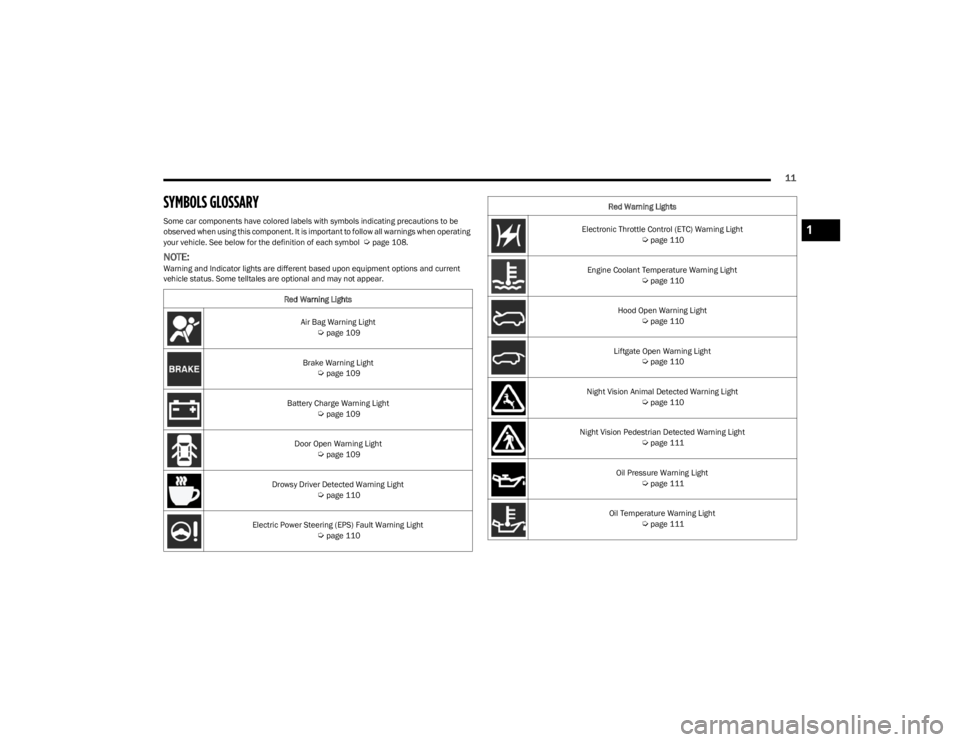
SYMBOLS GLOSSARY
Some car components have colored labels with symbols indicating precautions to be
observed when using this component. It is important to follow all warnings when operating
your vehicle. See below for the definition of each symbol
Úpage 108.
NOTE:Warning and Indicator lights are different based upon equipment options and current
vehicle status. Some telltales are optional and may not appear.Red Warning Lights
Air Bag Warning Light
Úpage 109
Brake Warning Light
Úpage 109
Battery Charge Warning Light
Úpage 109
Door Open Warning Light
Úpage 109
Drowsy Driver Detected Warning Light
Úpage 110
Electric Power Steering (EPS) Fault Warning Light
Úpage 110
Electronic Throttle Control (ETC) Warning Light Úpage 110
Engine Coolant Temperature Warning Light
Úpage 110
Hood Open Warning Light
Úpage 110
Liftgate Open Warning Light
Úpage 110
Night Vision Animal Detected Warning Light
Úpage 110
Night Vision Pedestrian Detected Warning Light
Úpage 111
Oil Pressure Warning Light
Úpage 111
Oil Temperature Warning Light
Úpage 111
Red Warning Lights
1
23_WS_OM_EN_USC_t.book Page 11
Page 14 of 396
12
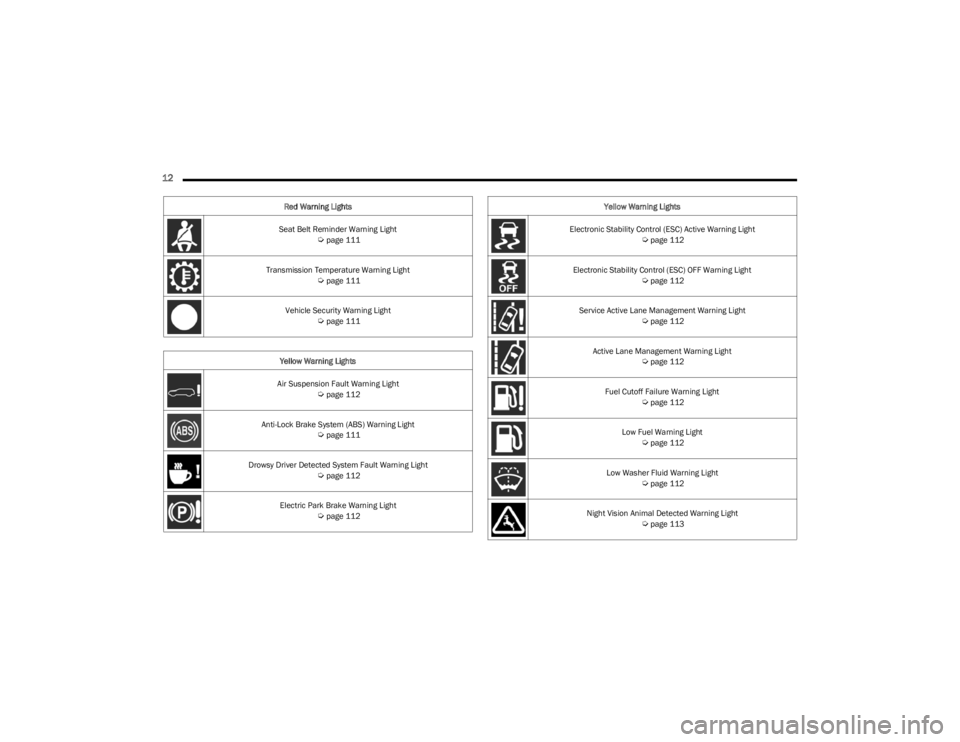
Seat Belt Reminder Warning Light Úpage 111
Transmission Temperature Warning Light
Úpage 111
Vehicle Security Warning Light
Úpage 111
Yellow Warning Lights
Air Suspension Fault Warning Light
Úpage 112
Anti-Lock Brake System (ABS) Warning Light
Úpage 111
Drowsy Driver Detected System Fault Warning Light
Úpage 112
Electric Park Brake Warning Light
Úpage 112
Red Warning Lights
Electronic Stability Control (ESC) Active Warning Light
Úpage 112
Electronic Stability Control (ESC) OFF Warning Light
Úpage 112
Service Active Lane Management Warning Light
Úpage 112
Active Lane Management Warning Light
Úpage 112
Fuel Cutoff Failure Warning Light
Úpage 112
Low Fuel Warning Light
Úpage 112
Low Washer Fluid Warning Light
Úpage 112
Night Vision Animal Detected Warning Light
Úpage 113
Yellow Warning Lights
23_WS_OM_EN_USC_t.book Page 12
Page 15 of 396
13
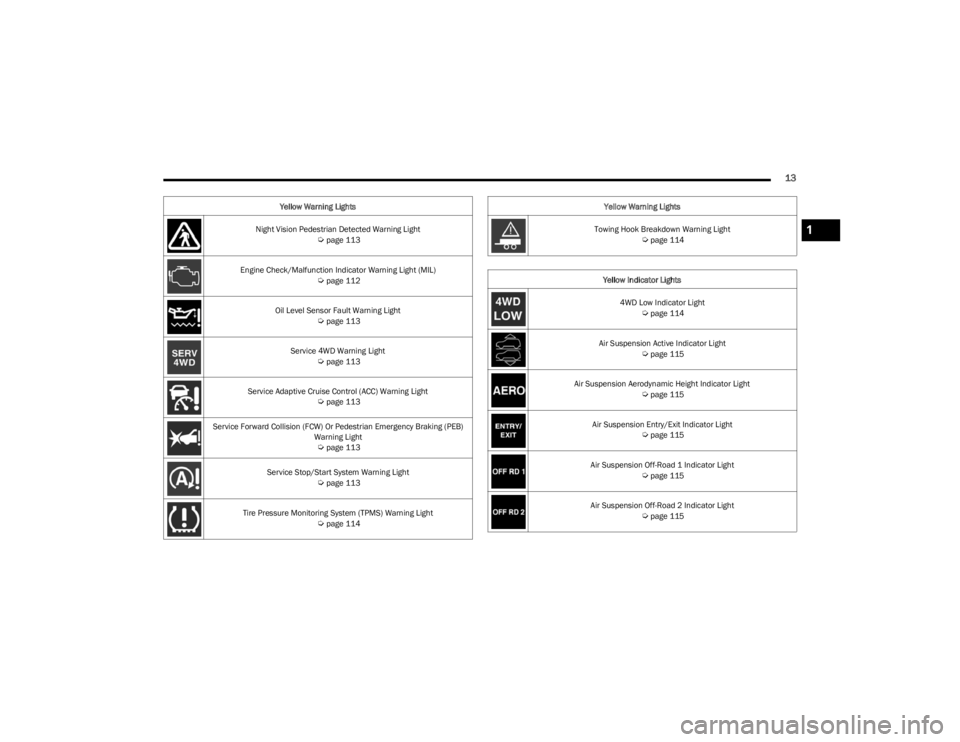
Night Vision Pedestrian Detected Warning Light Úpage 113
Engine Check/Malfunction Indicator Warning Light (MIL)
Úpage 112
Oil Level Sensor Fault Warning Light
Úpage 113
Service 4WD Warning Light
Úpage 113
Service Adaptive Cruise Control (ACC) Warning Light
Úpage 113
Service Forward Collision (FCW) Or Pedestrian Emergency Braking (PEB) Warning Light
Úpage 113
Service Stop/Start System Warning Light
Úpage 113
Tire Pressure Monitoring System (TPMS) Warning Light
Úpage 114
Yellow Warning Lights
Towing Hook Breakdown Warning Light
Úpage 114
Yellow Indicator Lights 4WD Low Indicator Light
Úpage 114
Air Suspension Active Indicator Light
Úpage 115
Air Suspension Aerodynamic Height Indicator Light
Úpage 115
Air Suspension Entry/Exit Indicator Light
Úpage 115
Air Suspension Off-Road 1 Indicator Light
Úpage 115
Air Suspension Off-Road 2 Indicator Light
Úpage 115
Yellow Warning Lights
1
23_WS_OM_EN_USC_t.book Page 13
Page 16 of 396
14
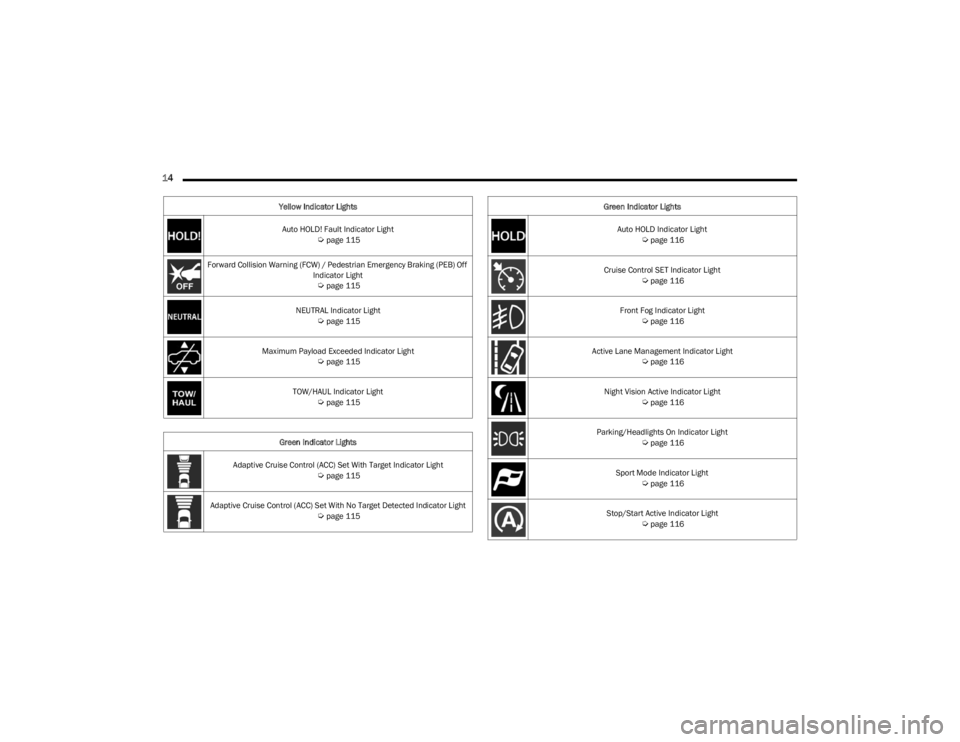
Auto HOLD! Fault Indicator Light Úpage 115
Forward Collision Warning (FCW) / Pedestrian Emergency Braking (PEB) Off Indicator Light
Úpage 115
NEUTRAL Indicator Light
Úpage 115
Maximum Payload Exceeded Indicator Light
Úpage 115
TOW/HAUL Indicator Light
Úpage 115
Green Indicator Lights
Adaptive Cruise Control (ACC) Set With Target Indicator Light
Úpage 115
Adaptive Cruise Control (ACC) Set With No Target Detected Indicator Light
Úpage 115
Yellow Indicator Lights
Auto HOLD Indicator Light
Úpage 116
Cruise Control SET Indicator Light
Úpage 116
Front Fog Indicator Light
Úpage 116
Active Lane Management Indicator Light
Úpage 116
Night Vision Active Indicator Light
Úpage 116
Parking/Headlights On Indicator Light
Úpage 116
Sport Mode Indicator Light
Úpage 116
Stop/Start Active Indicator Light
Úpage 116
Green Indicator Lights
23_WS_OM_EN_USC_t.book Page 14
Page 17 of 396
15
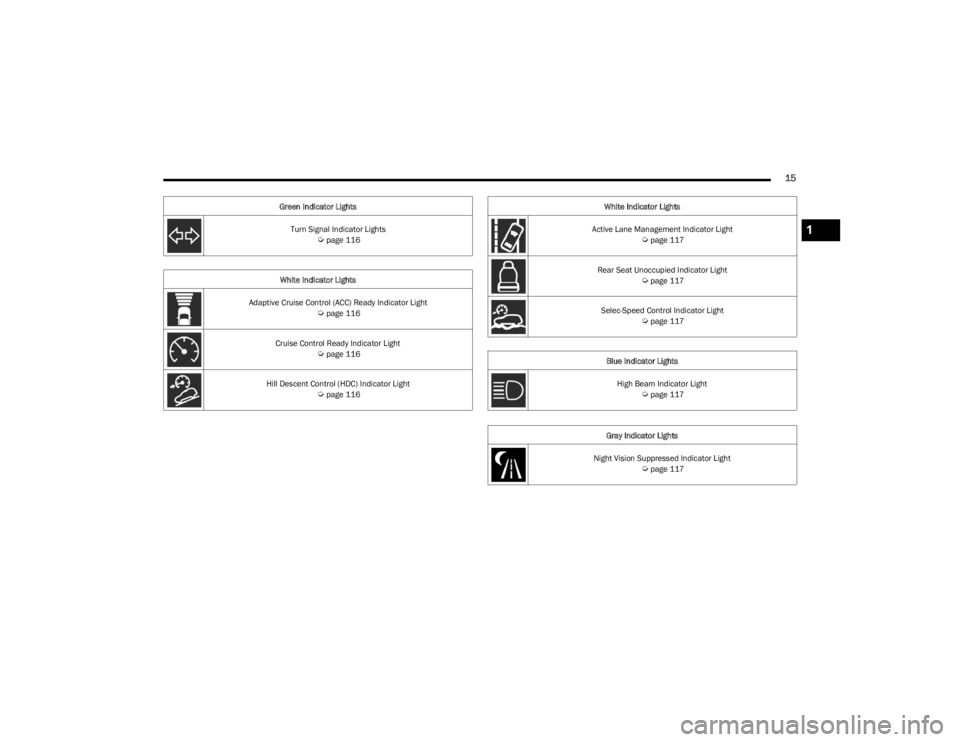
Turn Signal Indicator Lights Úpage 116
White Indicator Lights
Adaptive Cruise Control (ACC) Ready Indicator Light
Úpage 116
Cruise Control Ready Indicator Light
Úpage 116
Hill Descent Control (HDC) Indicator Light
Úpage 116
Green Indicator Lights
Active Lane Management Indicator Light
Úpage 117
Rear Seat Unoccupied Indicator Light
Úpage 117
Selec-Speed Control Indicator Light
Úpage 117
Blue Indicator Lights High Beam Indicator Light
Úpage 117
Gray Indicator Lights
Night Vision Suppressed Indicator Light
Úpage 117
White Indicator Lights
1
23_WS_OM_EN_USC_t.book Page 15
Page 52 of 396
50GETTING TO KNOW YOUR VEHICLE
MIRRORS
INSIDE REARVIEW MIRROR
Automatic Dimming Mirror — If Equipped
The mirror head can be adjusted up, down, left, and right.
The mirror should be adjusted to center on the view
through the rear window.
This mirror automatically adjusts for headlight glare from
vehicles behind you.
NOTE:The Automatic Dimming Mirror feature is disabled when
the vehicle is in REVERSE to improve the driver’s view.
You can turn the feature on or off through the Uconnect
system
Úpage 197.
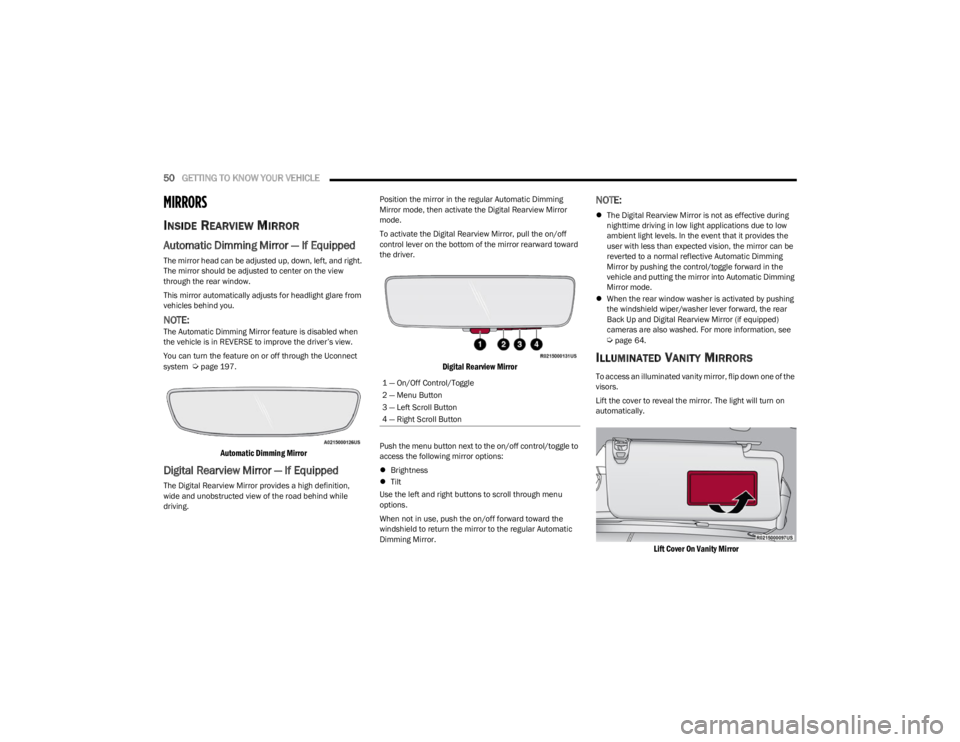
Automatic Dimming Mirror
Digital Rearview Mirror — If Equipped
The Digital Rearview Mirror provides a high definition,
wide and unobstructed view of the road behind while
driving. Position the mirror in the regular Automatic Dimming
Mirror mode, then activate the Digital Rearview Mirror
mode.
To activate the Digital Rearview Mirror, pull the on/off
control lever on the bottom of the mirror rearward toward
the driver.
Digital Rearview Mirror
Push the menu button next to the on/off control/toggle to
access the following mirror options:
Brightness
Tilt
Use the left and right buttons to scroll through menu
options.
When not in use, push the on/off forward toward the
windshield to return the mirror to the regular Automatic
Dimming Mirror.
NOTE:
The Digital Rearview Mirror is not as effective during
nighttime driving in low light applications due to low
ambient light levels. In the event that it provides the
user with less than expected vision, the mirror can be
reverted to a normal reflective Automatic Dimming
Mirror by pushing the control/toggle forward in the
vehicle and putting the mirror into Automatic Dimming
Mirror mode.
When the rear window washer is activated by pushing
the windshield wiper/washer lever forward, the rear
Back Up and Digital Rearview Mirror (if equipped)
cameras are also washed. For more information, see
Úpage 64.
ILLUMINATED VANITY MIRRORS
To access an illuminated vanity mirror, flip down one of the
visors.
Lift the cover to reveal the mirror. The light will turn on
automatically.
Lift Cover On Vanity Mirror
1 — On/Off Control/Toggle
2 — Menu Button
3 — Left Scroll Button
4 — Right Scroll Button
23_WS_OM_EN_USC_t.book Page 50
Page 106 of 396
104GETTING TO KNOW YOUR INSTRUMENT PANEL
INSTRUMENT CLUSTER DISPLAY MENU
I
TEMS
The instrument cluster display can be used to view the
main menu items for several features. Use the up and
down arrow buttons to scroll through the driver
interactive display menu options until the desired menu is
reached.
NOTE:Depending on the vehicle’s options, feature settings may
vary.
Main Menu
DRIVER INFO
Push and release the up or down arrow button until
the Driver Info icon/title is highlighted in the instrument
cluster display. Push the left or right arrow button to
scroll through the information submenus.
Speedometer
Push and release the OK button to toggle units (mph or
km/h) of the speedometer. Hold the OK button to toggle
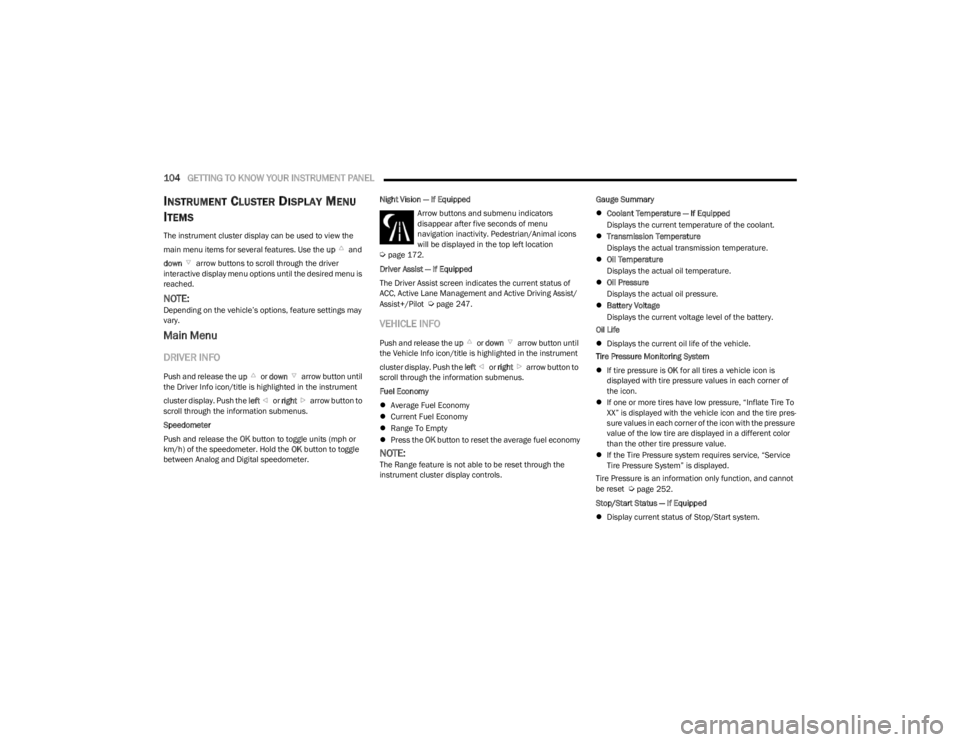
between Analog and Digital speedometer. Night Vision — If Equipped
Arrow buttons and submenu indicators
disappear after five seconds of menu
navigation inactivity. Pedestrian/Animal icons
will be displayed in the top left location
Úpage 172.
Driver Assist — If Equipped
The Driver Assist screen indicates the current status of
ACC, Active Lane Management and Active Driving Assist/
Assist+/Pilot
Úpage 247.
VEHICLE INFO
Push and release the up or down arrow button until
the Vehicle Info icon/title is highlighted in the instrument
cluster display. Push the left or right arrow button to
scroll through the information submenus.
Fuel Economy
Average Fuel Economy
Current Fuel Economy
Range To Empty
Press the OK button to reset the average fuel economy
NOTE:The Range feature is not able to be reset through the
instrument cluster display controls. Gauge Summary
Coolant Temperature — If Equipped
Displays the current temperature of the coolant.
Transmission Temperature
Displays the actual transmission temperature.
Oil Temperature
Displays the actual oil temperature.
Oil Pressure
Displays the actual oil pressure.
Battery Voltage
Displays the current voltage level of the battery.
Oil Life
Displays the current oil life of the vehicle.
Tire Pressure Monitoring System
If tire pressure is OK for all tires a vehicle icon is
displayed with tire pressure values in each corner of
the icon.
If one or more tires have low pressure, “Inflate Tire To
XX” is displayed with the vehicle icon and the tire pres -
sure values in each corner of the icon with the pressure
value of the low tire are displayed in a different color
than the other tire pressure value.
If the Tire Pressure system requires service, “Service
Tire Pressure System” is displayed.
Tire Pressure is an information only function, and cannot
be reset
Úpage 252.
Stop/Start Status — If Equipped
Display current status of Stop/Start system.
23_WS_OM_EN_USC_t.book Page 104
Page 112 of 396
110GETTING TO KNOW YOUR INSTRUMENT PANEL
Drowsy Driver Detected Warning Light —
If Equipped
The Drowsy Driver Detected (DDD) system,
monitors certain vehicle movement and driver
interactions to identify patterns suggesting
drowsiness. If detected, the system sends the
driver an auditory and visual signal to take precaution. A
pop-up will display continuously until the driver presses
the OK button to clear.
Once the pop-up message is cleared, it is stored until the
condition is no longer true
Úpage 240.
Electric Power Steering (EPS) Fault
Warning Light
This warning light will turn on when there's a
fault with the EPS system Úpage 135.
Electronic Throttle Control (ETC) Warning
Light
This warning light will illuminate to indicate a
problem with the ETC system. If a problem is
detected while the vehicle is running, the light
will either stay on or flash depending on the
nature of the problem. Cycle the ignition when the vehicle is safely and
completely stopped and the transmission is placed in the
PARK position. The light should turn off. If the light
remains on with the vehicle running, your vehicle will
usually be drivable; however, see an authorized dealer for
service as soon as possible.
NOTE:This light may turn on if the accelerator and brake pedals
are pressed at the same time.
If the light continues to flash when the vehicle is running,
immediate service is required and you may experience
reduced performance, an elevated/rough idle, or engine
stall and your vehicle may require towing. The light will
come on when the ignition is placed in the ON/RUN
position and remain on briefly as a bulb check. If the light
does not come on during starting, have the system
checked by an authorized dealer.
Engine Coolant Temperature Warning
Light
This warning light warns of an overheated
engine condition. If the engine coolant
temperature is too high, this indicator will
illuminate and a single chime will sound. If the
temperature reaches the upper limit, a continuous chime
will sound for four minutes or until the engine is able to
cool; whichever comes first.
If the light turns on while driving, safely pull over and stop
the vehicle. If the Air Conditioning (A/C) system is on, turn
it off. Also, shift the transmission into NEUTRAL (N) and
idle the vehicle. If the temperature reading does not return
to normal, turn the engine off immediately and call for
service
Úpage 303.
Hood Open Warning Light
This warning light will illuminate when the hood
is left open and not fully closed.
NOTE:If the vehicle is moving, there will also be a single chime.
Liftgate Open Warning Light
This warning light will illuminate when the
liftgate is open.
NOTE:If the vehicle is moving, there will also be a single chime.
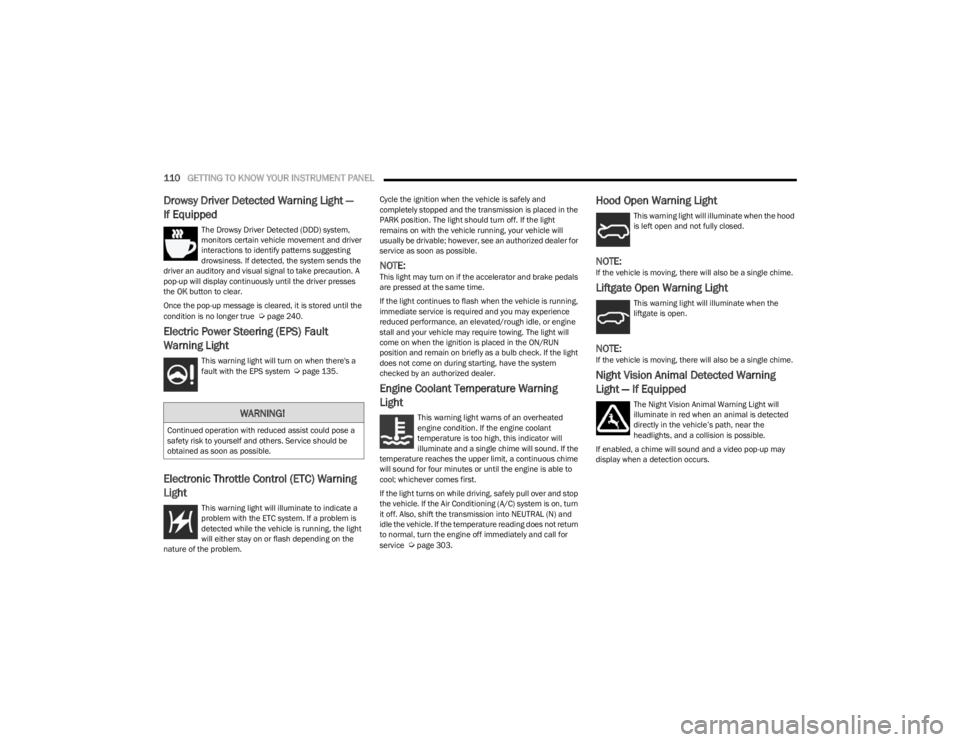
Night Vision Animal Detected Warning
Light — If Equipped
The Night Vision Animal Warning Light will
illuminate in red when an animal is detected
directly in the vehicle’s path, near the
headlights, and a collision is possible.
If enabled, a chime will sound and a video pop-up may
display when a detection occurs.WARNING!
Continued operation with reduced assist could pose a
safety risk to yourself and others. Service should be
obtained as soon as possible.
23_WS_OM_EN_USC_t.book Page 110
Page 113 of 396
GETTING TO KNOW YOUR INSTRUMENT PANEL111
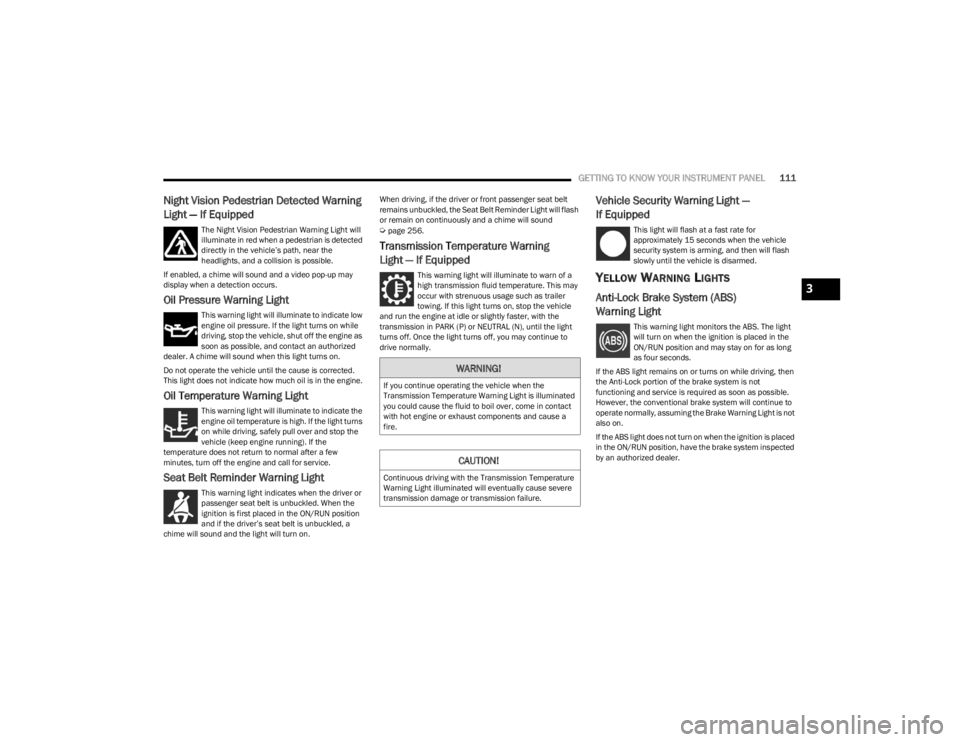
Night Vision Pedestrian Detected Warning
Light — If Equipped
The Night Vision Pedestrian Warning Light will
illuminate in red when a pedestrian is detected
directly in the vehicle’s path, near the
headlights, and a collision is possible.
If enabled, a chime will sound and a video pop-up may
display when a detection occurs.
Oil Pressure Warning Light
This warning light will illuminate to indicate low
engine oil pressure. If the light turns on while
driving, stop the vehicle, shut off the engine as
soon as possible, and contact an authorized
dealer. A chime will sound when this light turns on.
Do not operate the vehicle until the cause is corrected.
This light does not indicate how much oil is in the engine.
Oil Temperature Warning Light
This warning light will illuminate to indicate the
engine oil temperature is high. If the light turns
on while driving, safely pull over and stop the
vehicle (keep engine running). If the
temperature does not return to normal after a few
minutes, turn off the engine and call for service.
Seat Belt Reminder Warning Light
This warning light indicates when the driver or
passenger seat belt is unbuckled. When the
ignition is first placed in the ON/RUN position
and if the driver’s seat belt is unbuckled, a
chime will sound and the light will turn on. When driving, if the driver or front passenger seat belt
remains unbuckled, the Seat Belt Reminder Light will flash
or remain on continuously and a chime will sound
Úpage 256.
Transmission Temperature Warning
Light — If Equipped
This warning light will illuminate to warn of a
high transmission fluid temperature. This may
occur with strenuous usage such as trailer
towing. If this light turns on, stop the vehicle
and run the engine at idle or slightly faster, with the
transmission in PARK (P) or NEUTRAL (N), until the light
turns off. Once the light turns off, you may continue to
drive normally.
Vehicle Security Warning Light —
If Equipped
This light will flash at a fast rate for
approximately 15 seconds when the vehicle
security system is arming, and then will flash
slowly until the vehicle is disarmed.
YELLOW WARNING LIGHTS
Anti-Lock Brake System (ABS)
Warning Light
This warning light monitors the ABS. The light
will turn on when the ignition is placed in the
ON/RUN position and may stay on for as long
as four seconds.
If the ABS light remains on or turns on while driving, then
the Anti-Lock portion of the brake system is not
functioning and service is required as soon as possible.
However, the conventional brake system will continue to
operate normally, assuming the Brake Warning Light is not
also on.
If the ABS light does not turn on when the ignition is placed
in the ON/RUN position, have the brake system inspected
by an authorized dealer.
WARNING!
If you continue operating the vehicle when the
Transmission Temperature Warning Light is illuminated
you could cause the fluid to boil over, come in contact
with hot engine or exhaust components and cause a
fire.
CAUTION!
Continuous driving with the Transmission Temperature
Warning Light illuminated will eventually cause severe
transmission damage or transmission failure.
3
23_WS_OM_EN_USC_t.book Page 111