lock JEEP WRANGLER 2008 JK / 3.G User Guide
[x] Cancel search | Manufacturer: JEEP, Model Year: 2008, Model line: WRANGLER, Model: JEEP WRANGLER 2008 JK / 3.GPages: 466, PDF Size: 8.97 MB
Page 21 of 466
NOTE:The line of transmission must not be blocked
with metal objects.
To Unlock the Doors and Swing Gate
Press and release the UNLOCK button once to unlock the
driver’s door only, or twice to unlock all the doors and
swing gate. When the UNLOCK button is pressed, the
illuminated entry will initiate and the parking lights will
flash twice.
The system can be programmed to unlock all the doors
upon the first UNLOCK button press, using the follow-
ing procedure:
1. Press and hold the LOCK button on a programmed
key fob.
2. Continue to hold the LOCK button for at least four
seconds, but not longer than 10 seconds, then press and
hold the UNLOCK button.
3. Release both buttons at the same time. 4. Test this feature while outside of the vehicle, by
pressing the LOCK/UNLOCK button on the key fob.
NOTE:
Pressing the LOCK button while you are inside
of the vehicle will activate the Security Alarm. Opening a
door with the Security Alarm activated will cause the
alarm to sound. Press the UNLOCK button to deactivate
the Security Alarm.
5. If the desired programming was not achieved or to
reactivate this feature, repeat the above steps.
To Lock the Doors and Swing Gate
Press and release the LOCK button on the key fob to lock
all doors. The turn signals will flash and the horn will
chirp once to acknowledge the lock signal. If desired, the
“Sound Horn On Lock” feature can be turned on or off
using the following steps:
1. Press the LOCK button for 4 to 10 seconds.
20 THINGS TO KNOW BEFORE STARTING YOUR VEHICLE
Page 22 of 466
2. While the LOCK button is pressed (after four seconds),
press the PANIC button. Release both buttons.
The “Sound Horn On Lock” feature can be reactivated by
repeating this procedure.
Using The Panic Alarm
To turn the panic alarm feature ON or OFF, press and
hold the PANIC button on the key fob for at least one
second and release. When the panic alarm is activated,
the headlights and park lights will flash, the horn will
pulse on and off and the interior lights will turn on.
The panic alarm will stay on for three minutes unless you
turn it off by pressing the PANIC button a second time, or
if the vehicle speed is 5 mph (8 km/h) or greater.
NOTE:When you turn off the panic alarm by pressing
the PANIC button a second time, you may have to be
closer to the vehicle due to the radio frequency noises of
the system.
To Turn Off “Flash Lights With Lock”
NOTE: The “Flash Lights With Lock” feature can be
turned on or off using the following steps:
1. Press the UNLOCK button for 4 to 10 seconds.
2. While the UNLOCK button is pressed, (after four
seconds) press the LOCK button. Release both buttons.
3. Test the “Flash Lights With Lock” feature outside of
the vehicle, by pressing the LOCK button with the
ignition in the LOCK position, and the key removed.
NOTE: Pressing the LOCK button, while you are in the
vehicle, will activate the Security Alarm. Opening a door
with the Security Alarm activated will cause the alarm to
sound. Press the UNLOCK button to deactivate the
Security Alarm.
The “Flash Lights With Lock” feature can be reactivated
by repeating this procedure.
THINGS TO KNOW BEFORE STARTING YOUR VEHICLE 21
2
Page 23 of 466
Programming Additional Transmitters
Vehicles will be shipped from the assembly plants with
two key fob transmitters programmed only for that
vehicle. A total of eight key fobs can be programmed for
your vehicle. Additional key fobs can be programmed to
your vehicle through the use of a currently programmed
fob.
NOTE:When entering the program mode using that
key fob, all other programmed key fobs will be erased
and you will have to reprogram them for your vehicle.
Use the following procedure to program additional key
fobs if the vehicle is not equipped with a Sentry Key:
1. Enter the vehicle and close all of the doors.
2. Fasten your seat belt (Fastening the seat belt will
cancel any chiming that may confuse you during this
programming procedure).
3. Place the ignition key into the ignition. 4. Turn the ignition to the ON position.
Do not start the
engine.
5. Press and hold the UNLOCK button.
6. After holding the UNLOCK button for four seconds,
also press the PANIC button within six seconds.
7. When a single chime is heard, release both buttons.
The chime is an indication that you have successfully
entered program mode. All key fobs that are to be
programmed must be done so within 60 seconds of when
the chime was heard.
8. Using the key fob to be programmed, press and
release both the LOCK and UNLOCK buttons, simulta-
neously.
9. A single chime will be heard.
10. Within four seconds of hearing the chime, press and
release the UNLOCK button.
22 THINGS TO KNOW BEFORE STARTING YOUR VEHICLE
Page 27 of 466
The park lamps will remain illuminated to indicate that
the vehicle has remote started and the engine is running.
The lamps will turn off when the ignition is turned to
RUN or the remote start is cancelled.
To enter the vehicle while the engine is running during a
remote start, you must first unlock the vehicle using the
UNLOCK button on the key fob. Then, prior to the end of
the 15 minute cycle, insert the key into the ignition switch
and turn the switch to the ON position, otherwise the
engine will cancel remote start and automatically turn
off.
Remote start will also cancel if any of the following occur:
•If the engine stalls or RPM exceeds 2500
•Any engine warning lamps come on
•The hood is opened
•The hazard switch is pressed
•The transmission is moved out of PARK
The vehicle can be started remotely up to a maximum of
two times. The vehicle is also allowed a maximum of one
failed start, where the remote start sequence was initiated
but the engine stopped cranking without starting. After
either of these conditions, or if the Security Alarm is
alarming, or if the PANIC button was pressed, the vehicle
must be reset by inserting a valid key into the ignition
and moving it to the RUN position, then back to LOCK.
DOORS
The vacuum fluorescent (VF) display located in the
odometer area will display the word “door” as an
indication of a door ajar or not completely closed. When
the vehicle is not moving and the door is ajar or not
completely closed, the VF display will show the word
“door.”
26 THINGS TO KNOW BEFORE STARTING YOUR VEHICLE
Page 32 of 466
DOOR LOCKS
The vacuum fluorescent (VF) display located in the
odometer area displays the word “door” as an indication
of a door ajar or door not completely closed. When the
vehicle is not moving and the door is ajar or not
completely closed, the VF display will show the word
“door.”
If any other active warnings including “gATE”, “gAS-
CAP”, “noFUSE”, “CHANgE OIL”, or “ESPOFF” are
present, they will be shown in the VF display and will
also continue to cycle. If the vehicle is moving, three
single chimes will occur, one chime for each complete
display cycle (three cycles total). After this, the display
will continue to cycle only (no chimes).If the trip/reset button is pressed while the VF warnings
are being displayed, the VF display will revert back to
only displaying the odometer/trip odometer mileage.
NOTE:
The ignition key that is used to start the vehicle
is used to lock or unlock the doors, swing gate, and
console storage.
THINGS TO KNOW BEFORE STARTING YOUR VEHICLE 31
2
Page 33 of 466
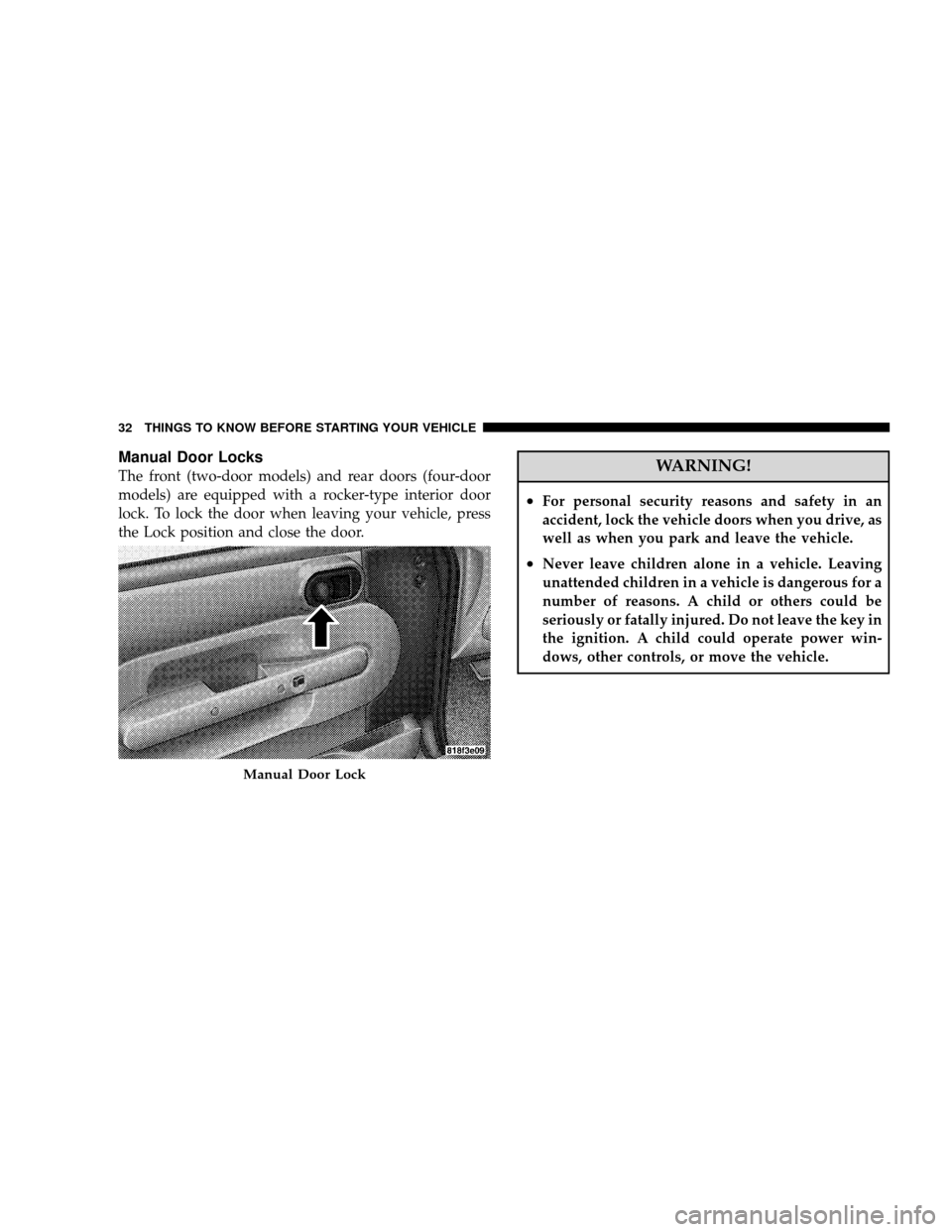
Manual Door Locks
The front (two-door models) and rear doors (four-door
models) are equipped with a rocker-type interior door
lock. To lock the door when leaving your vehicle, press
the Lock position and close the door.WARNING!
•For personal security reasons and safety in an
accident, lock the vehicle doors when you drive, as
well as when you park and leave the vehicle.
•Never leave children alone in a vehicle. Leaving
unattended children in a vehicle is dangerous for a
number of reasons. A child or others could be
seriously or fatally injured. Do not leave the key in
the ignition. A child could operate power win-
dows, other controls, or move the vehicle.
Manual Door Lock
32 THINGS TO KNOW BEFORE STARTING YOUR VEHICLE
Page 34 of 466
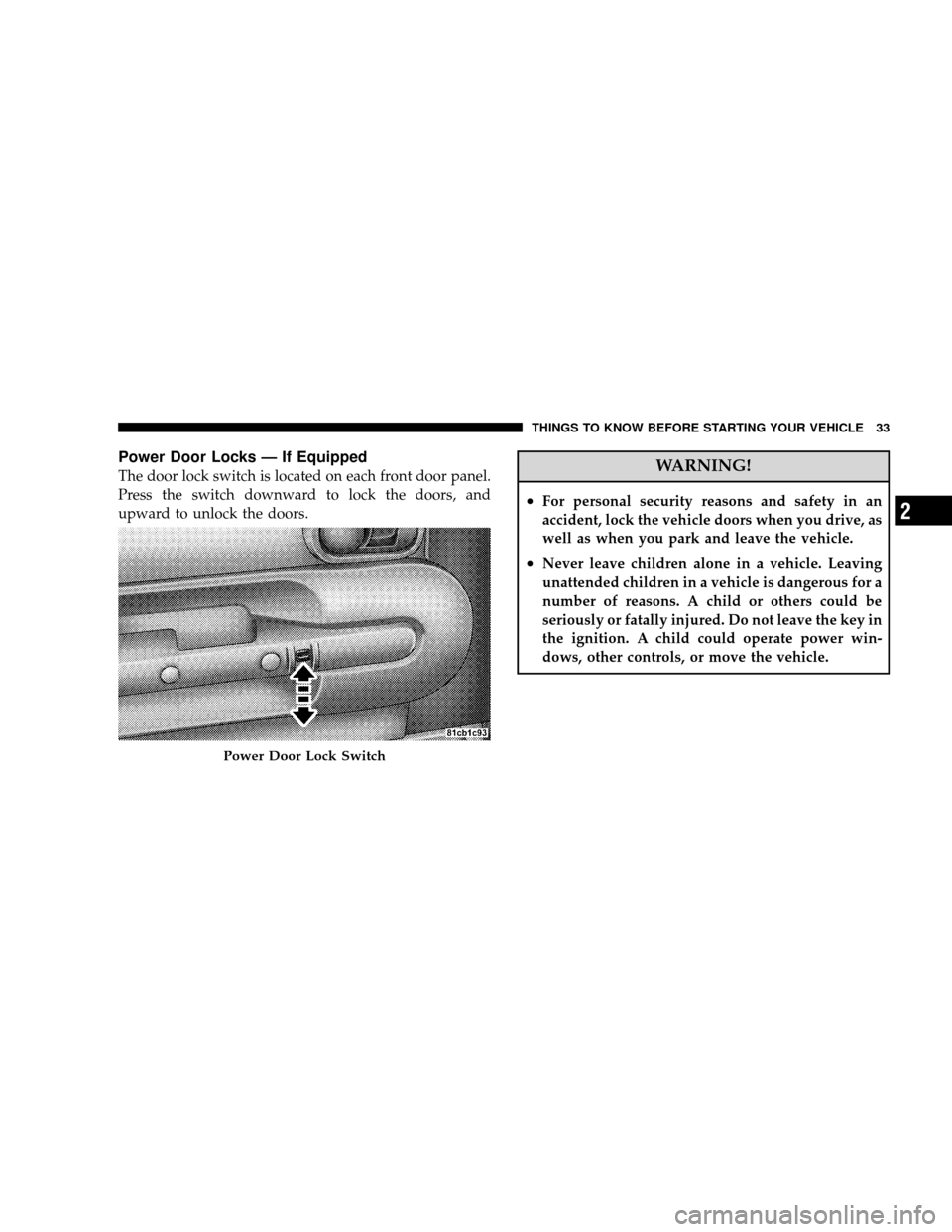
Power Door Locks — If Equipped
The door lock switch is located on each front door panel.
Press the switch downward to lock the doors, and
upward to unlock the doors.WARNING!
•For personal security reasons and safety in an
accident, lock the vehicle doors when you drive, as
well as when you park and leave the vehicle.
•Never leave children alone in a vehicle. Leaving
unattended children in a vehicle is dangerous for a
number of reasons. A child or others could be
seriously or fatally injured. Do not leave the key in
the ignition. A child could operate power win-
dows, other controls, or move the vehicle.
Power Door Lock Switch
THINGS TO KNOW BEFORE STARTING YOUR VEHICLE 33
2
Page 35 of 466
Automatic Unlock Doors On Exit
The doors will unlock automatically on vehicles with
power door locks if:
1. The “Automatic Unlock Doors On Exit” feature is
enabled
2. The transmission was in gear and the vehicle speed
returned to 0 mph (0 km/h)
3. The transmission is in NEUTRAL or PARK
4. The driver door is opened
5. The doors were not previously unlocked
6. The vehicle speed is 0 mph (0 km/h).
Automatic Unlock Doors on Exit Programming
The “Automatic Unlock Doors On Exit” feature can be
enabled or disabled as follows:
1. Close all doors and place the key in the ignition.
2. Cycle the ignition switch between LOCK and ON and
then back to LOCK four times ending up in the LOCK
position.
3. Depress the power door unlock switch to unlock the
doors.
4. A single chime will indicate the completion of the
programming.
5. Repeat these steps if you want to return this feature to
its previous setting.
NOTE:Use the “Automatic Unlock Doors On Exit”
feature in accordance with local laws.
34 THINGS TO KNOW BEFORE STARTING YOUR VEHICLE
Page 36 of 466
Automatic Door Locks
The doors will lock automatically on vehicles with power
door locks if all of the following conditions are met:
1. The “Automatic Door Locks” feature is enabled
2. The transmission is in gear
3. All doors are closed
4. The throttle is pressed
5. The vehicle speed is above 15 mph (24 km/h)
6. The doors were not previously locked using the power
door lock switch or remote keyless entry transmitter.
Automatic Door Locks Programming
The “Automatic Door Locks” feature can be enabled or
disabled as follows:
1. Close all doors and place the key in the ignition.2. Cycle the ignition switch between LOCK and ON and
then back to LOCK four times ending up in the LOCK
position.
3. Depress the power door lock switch to lock the doors.
4. A single chime will indicate the completion of the
programming.
5. Repeat these steps if you want to return this feature to
its previous setting.
NOTE:
Use the “Automatic Door Locks” feature in
accordance with local laws.
THINGS TO KNOW BEFORE STARTING YOUR VEHICLE 35
2
Page 37 of 466
WINDOWS
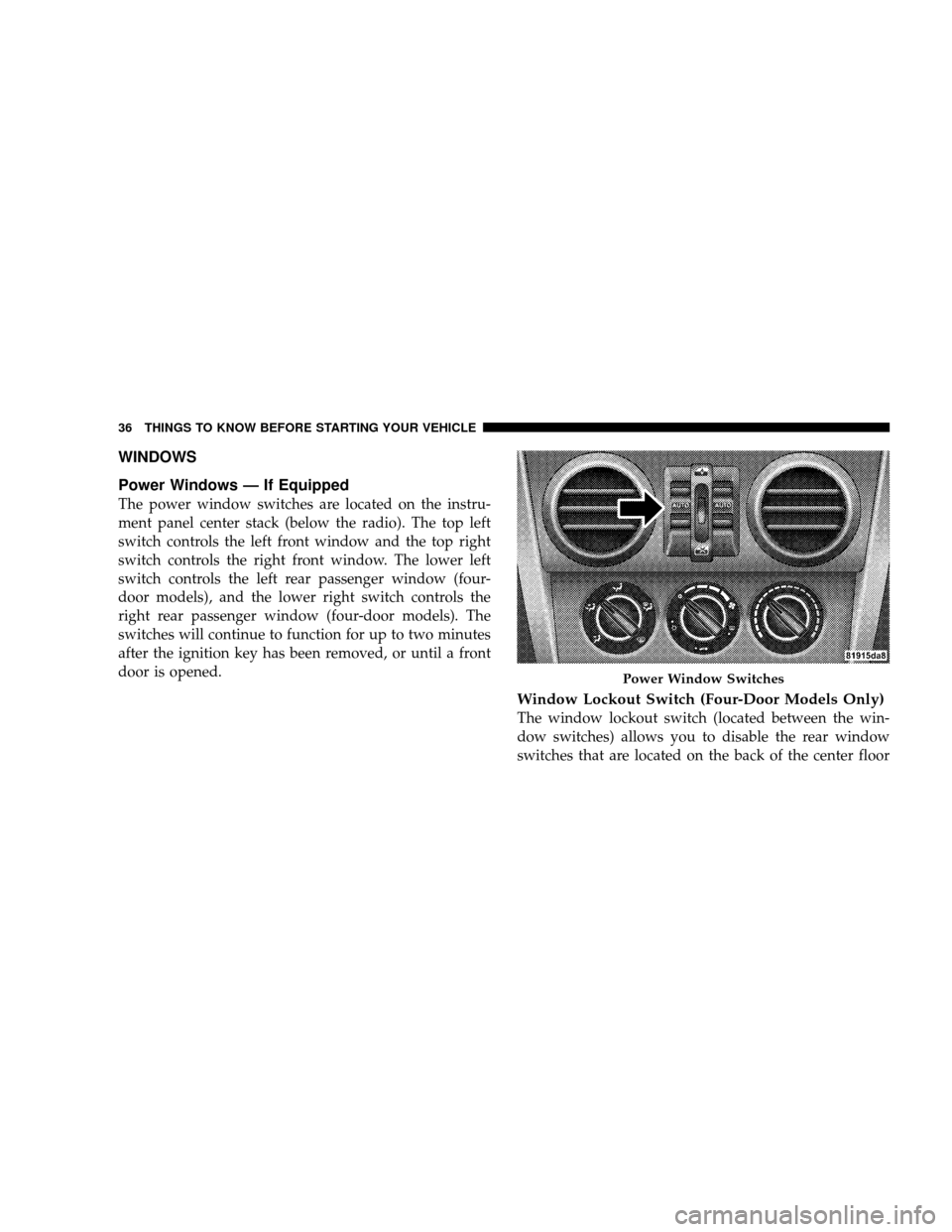
Power Windows — If Equipped
The power window switches are located on the instru-
ment panel center stack (below the radio). The top left
switch controls the left front window and the top right
switch controls the right front window. The lower left
switch controls the left rear passenger window (four-
door models), and the lower right switch controls the
right rear passenger window (four-door models). The
switches will continue to function for up to two minutes
after the ignition key has been removed, or until a front
door is opened.
Window Lockout Switch (Four-Door Models Only)
The window lockout switch (located between the win-
dow switches) allows you to disable the rear window
switches that are located on the back of the center floor
Power Window Switches
36 THINGS TO KNOW BEFORE STARTING YOUR VEHICLE