pairing phone JEEP WRANGLER 2DOORS 2018 Owner handbook (in English)
[x] Cancel search | Manufacturer: JEEP, Model Year: 2018, Model line: WRANGLER 2DOORS, Model: JEEP WRANGLER 2DOORS 2018Pages: 348, PDF Size: 6.5 MB
Page 310 of 348
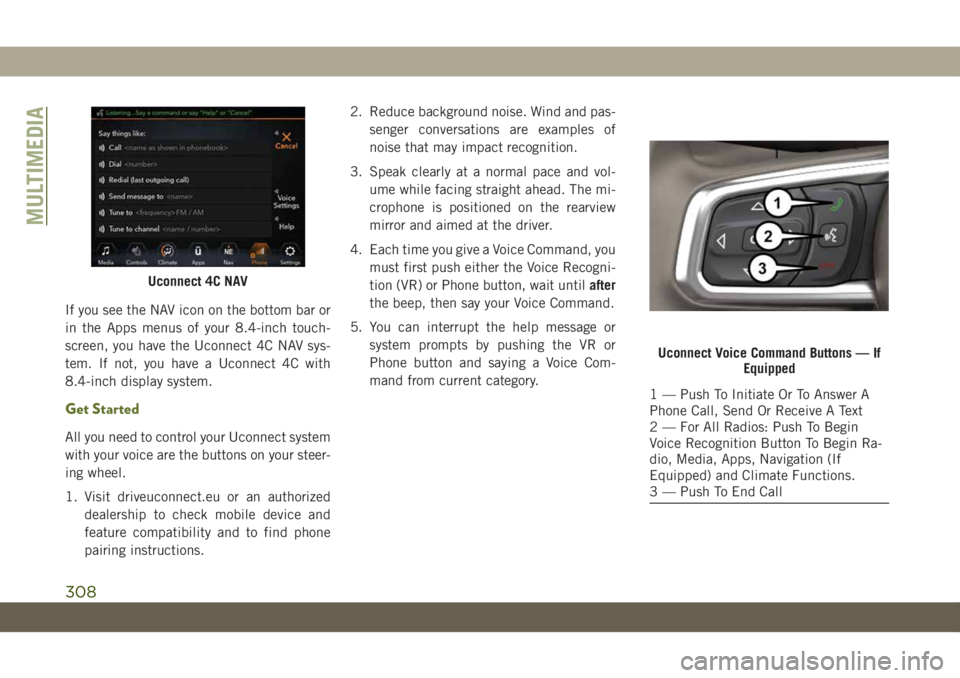
If you see the NAV icon on the bottom bar or
in the Apps menus of your 8.4-inch touch-
screen, you have the Uconnect 4C NAV sys-
tem. If not, you have a Uconnect 4C with
8.4-inch display system.
Get Started
All you need to control your Uconnect system
with your voice are the buttons on your steer-
ing wheel.
1. Visit driveuconnect.eu or an authorized
dealership to check mobile device and
feature compatibility and to find phone
pairing instructions.2. Reduce background noise. Wind and pas-
senger conversations are examples of
noise that may impact recognition.
3. Speak clearly at a normal pace and vol-
ume while facing straight ahead. The mi-
crophone is positioned on the rearview
mirror and aimed at the driver.
4. Each time you give a Voice Command, you
must first push either the Voice Recogni-
tion (VR) or Phone button, wait untilafter
the beep, then say your Voice Command.
5. You can interrupt the help message or
system prompts by pushing the VR or
Phone button and saying a Voice Com-
mand from current category.
Uconnect 4C NAV
Uconnect Voice Command Buttons — If
Equipped
1 — Push To Initiate Or To Answer A
Phone Call, Send Or Receive A Text
2 — For All Radios: Push To Begin
Voice Recognition Button To Begin Ra-
dio, Media, Apps, Navigation (If
Equipped) and Climate Functions.
3 — Push To End Call
MULTIMEDIA
308
Page 312 of 348
•“Play artistBeethoven”; “Play albumGreat-
est Hits”; “Play songMoonlight Sonata”;
“Play genreClassical”
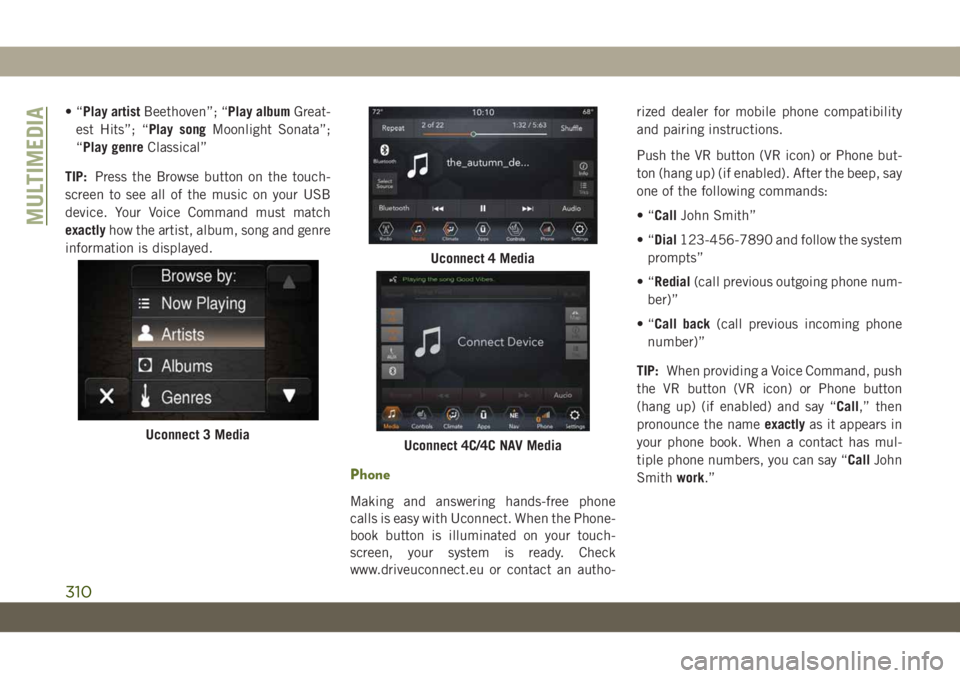
TIP:Press the Browse button on the touch-
screen to see all of the music on your USB
device. Your Voice Command must match
exactlyhow the artist, album, song and genre
information is displayed.
Phone
Making and answering hands-free phone
calls is easy with Uconnect. When the Phone-
book button is illuminated on your touch-
screen, your system is ready. Check
www.driveuconnect.eu or contact an autho-rized dealer for mobile phone compatibility
and pairing instructions.
Push the VR button (VR icon) or Phone but-
ton (hang up) (if enabled). After the beep, say
one of the following commands:
•“CallJohn Smith”
•“Dial123-456-7890 and follow the system
prompts”
•“Redial(call previous outgoing phone num-
ber)”
•“Call back(call previous incoming phone
number)”
TIP:When providing a Voice Command, push
the VR button (VR icon) or Phone button
(hang up) (if enabled) and say “Call,” then
pronounce the nameexactlyas it appears in
your phone book. When a contact has mul-
tiple phone numbers, you can say “CallJohn
Smithwork.”
Uconnect 3 Media
Uconnect 4 Media
Uconnect 4C/4C NAV Media
MULTIMEDIA
310
Page 341 of 348
Low Tire Pressure System..........94
Lug Nuts...................246
Maintenance..................54
Maintenance Free Battery.........221
Maintenance Schedule.......208, 213
Malfunction Indicator Light (Check
Engine)...................71
Manual Park Release............200
Memory Feature (Memory Seats)......26
Memory Seat..................26
Memory Seats And Radio..........26
Mirrors.....................35
Heated...................35
Modifications/Alterations
Vehicle....................3
Monitor, Tire Pressure System.......94
Mopar Accessories.............262
Navigation..................292
New Vehicle Break-In Period.......146
Occupant Restraints.............99
Octane Rating, Gasoline (Fuel) . .252, 259
Oil, Engine..................259
Capacity.................257
Dipstick..................220Filter....................259
Pressure Warning Light.........69
Recommendation............257
Viscosity.................257
Oil Pressure Light...............69
Onboard Diagnostic System.........78
Operating Precautions............78
Operator Manual
Owner's Manual...............2
Overheating, Engine............199
Paddle Shifters...............149
ParkSense System, Rear..........163
Passenger Airbag Disable.........111
Passive Entry..................18
Personalized Main Menu......273, 279
Pets......................136
Phonebook..................304
Phone (Uconnect)..............297
Pairing
..................300
Placard, Tire And Loading Information .226
Power
Inverter...................59
Windows..................46
Power Sliding Top...............54
Operation..................54
Pinch Protect...............54Power Steering Fluid............261
Pregnant Women And Seat Belts.....106
Preparation For Jacking..........191
Pretensioners
Seat Belts................106
Radial Ply Tires...............232
Radio
Presets...........270, 274, 280
Radio Operation........268, 272, 278
Radio Screens.............272, 278
Raising.....................47
Raising The Soft Top.............47
Rear Camera.................165
Rear Cross Path................93
Rear ParkSense System..........163
Rear Swing Gate...............57
Rear Wiper/Washer..............38
Recreational Towing.............171
Shifting Into Transfer Case Neutral
(N) .....................172
Shifting Out Of Transfer Case Neutral
(N) .....................173
Release, Hood.................56
Reminder, Seat Belt............100
Remote Control
Starting System..............16
339
Page 344 of 348
Maintenance...............225
Shifting..................147
Transporting Pets..............136
Tread Wear Indicators...........233
Turn Signals...........76, 178, 179
UCI Connector................289
Uconnect
Uconnect Settings...........288
Uconnect 3 With 5-Inch Display.....268
Uconnect 4C/4C Nav With 8.4-Inch
Display...................278
Uconnect 4 With 7-Inch Display.....272
Uconnect Phone...............297
Making A Call..............304
Pairing..................300Uconnect Settings
Customer Programmable
Features...............18, 288
Passive Entry Programming.......18
Universal Consumer Interface (UCI)
Connector.................289
Untwisting Procedure, Seat Belt.....105
Vehicle Identification Number (VIN) . . .246
Vehicle Loading...............227
Vehicle Modifications/Alterations......3
Vehicle Storage.............45, 239
Voice Command...........304, 307
Voice Recognition System (VR) . .304, 307
Warning Lights (Instrument Cluster
Descriptions)................71Warnings And Cautions............3
Warnings, Roll Over..............2
Washers, Windshield............220
Washing Vehicle...............239
Wheel And Wheel Tire Care........236
Wheel And Wheel Tire Trim........236
Wind Buffeting................47
Window Fogging................45
Windows....................46
Power....................46
Windshield Defroster............138
Windshield Washers..........37, 220
Fluid
....................220
Windshield Wiper Blades.........222
Windshield Wipers..............37
Wiper, Rear...................38
Wipers Blade Replacement........222
INDEX
342