instrument panel KIA AMANTI 2006 Owner's Manual
[x] Cancel search | Manufacturer: KIA, Model Year: 2006, Model line: AMANTI, Model: KIA AMANTI 2006Pages: 322, PDF Size: 44.16 MB
Page 174 of 322
Driving your vehicle52
4
1
2
3
4
5
6
7
8
910
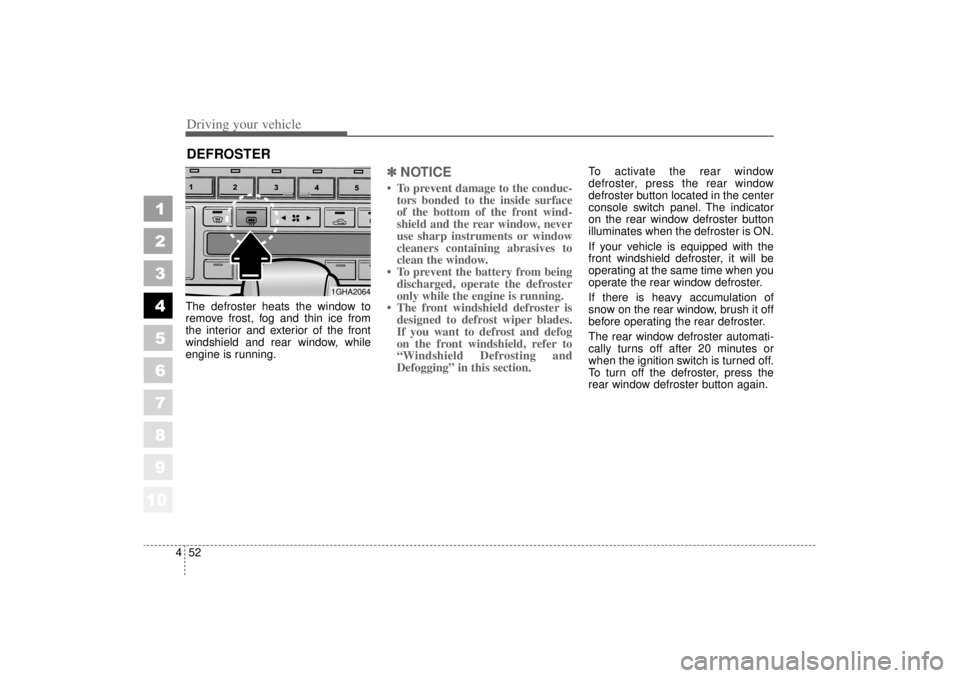
The defroster heats the window to
remove frost, fog and thin ice from
the interior and exterior of the front
windshield and rear window, while
engine is running.
✽ ✽
NOTICE• To prevent damage to the conduc-
tors bonded to the inside surface
of the bottom of the front wind-
shield and the rear window, never
use sharp instruments or window
cleaners containing abrasives to
clean the window.
• To prevent the battery from being discharged, operate the defroster
only while the engine is running.
• The front windshield defroster is designed to defrost wiper blades.
If you want to defrost and defog
on the front windshield, refer to
“Windshield Defrosting and
Defogging” in this section.
To activate the rear window
defroster, press the rear window
defroster button located in the center
console switch panel. The indicator
on the rear window defroster button
illuminates when the defroster is ON.
If your vehicle is equipped with the
front windshield defroster, it will be
operating at the same time when you
operate the rear window defroster.
If there is heavy accumulation of
snow on the rear window, brush it off
before operating the rear defroster.
The rear window defroster automati-
cally turns off after 20 minutes or
when the ignition switch is turned off.
To turn off the defroster, press the
rear window defroster button again.
DEFROSTER
1GHA2064
Page 177 of 322
455
1
2
3
4
5
6
7
8
910
Driving your vehicle
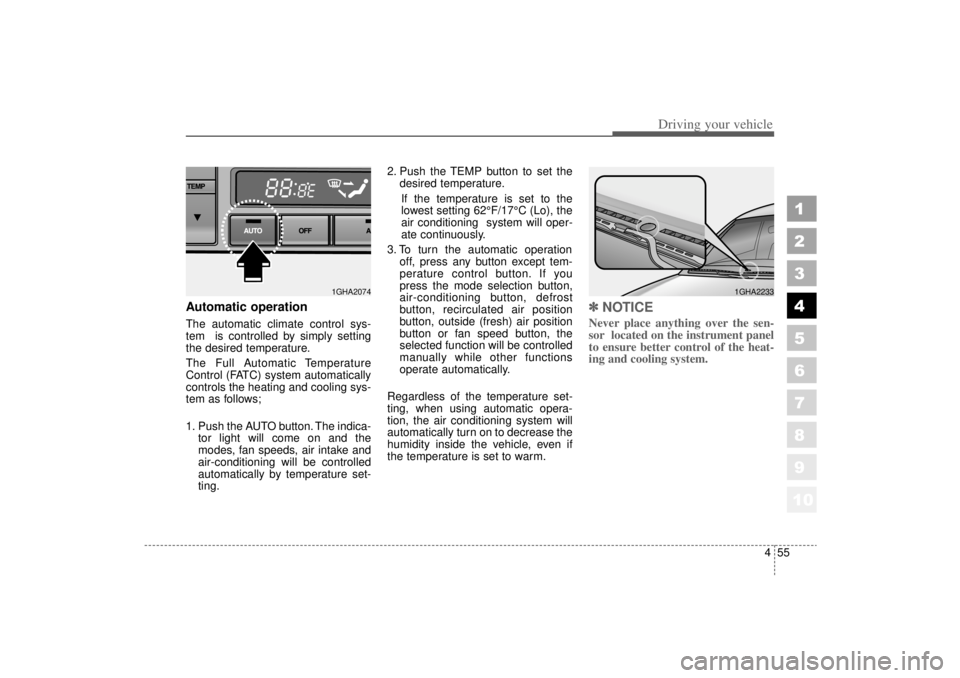
Automatic operationThe automatic climate control sys-
tem is controlled by simply setting
the desired temperature.
The Full Automatic Temperature
Control (FATC) system automatically
controls the heating and cooling sys-
tem as follows;
1. Push the AUTO button. The indica-tor light will come on and the
modes, fan speeds, air intake and
air-conditioning will be controlled
automatically by temperature set-
ting. 2. Push the TEMP button to set the
desired temperature.
If the temperature is set to the
lowest setting 62°F/17°C (Lo), the
air conditioning system will oper-
ate continuously.
3. To turn the automatic operation off, press any button except tem-
perature control button. If you
press the mode selection button,
air-conditioning button, defrost
button, recirculated air position
button, outside (fresh) air position
button or fan speed button, the
selected function will be controlled
manually while other functions
operate automatically.
Regardless of the temperature set-
ting, when using automatic opera-
tion, the air conditioning system will
automatically turn on to decrease the
humidity inside the vehicle, even if
the temperature is set to warm.
✽ ✽ NOTICENever place anything over the sen-
sor located on the instrument panel
to ensure better control of the heat-
ing and cooling system.
1GHA2074
1GHA2233
Page 184 of 322
Driving your vehicle62
4
1
2
3
4
5
6
7
8
910
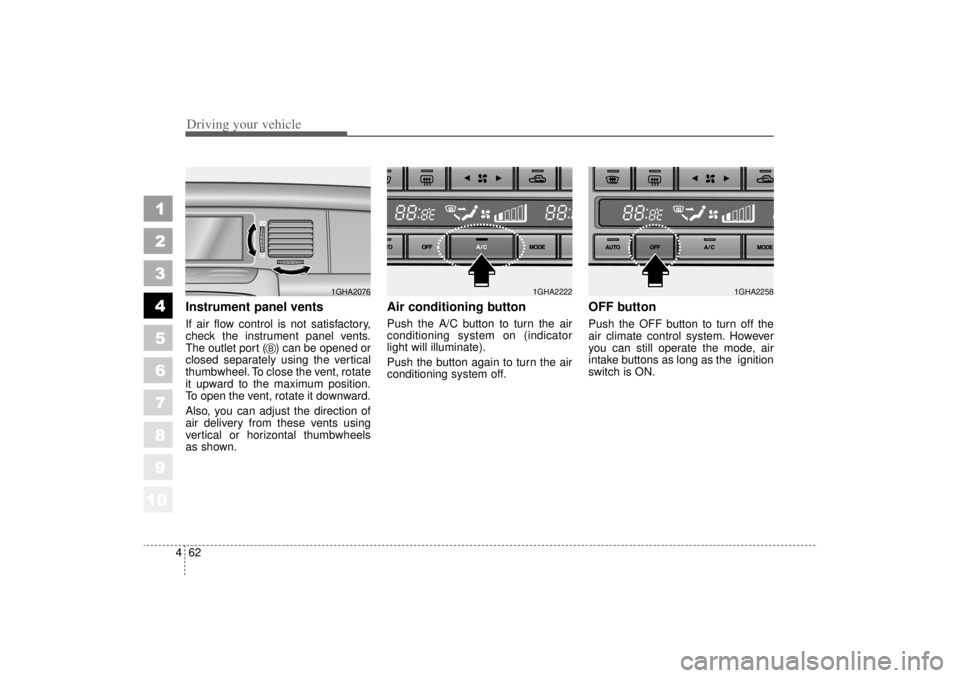
Instrument panel ventsIf air flow control is not satisfactory,
check the instrument panel vents.
The outlet port ( ) can be opened or
closed separately using the vertical
thumbwheel. To close the vent, rotate
it upward to the maximum position.
To open the vent, rotate it downward.
Also, you can adjust the direction of
air delivery from these vents using
vertical or horizontal thumbwheels
as shown.
Air conditioning button Push the A/C button to turn the air
conditioning system on (indicator
light will illuminate).
Push the button again to turn the air
conditioning system off.
OFF buttonPush the OFF button to turn off the
air climate control system. However
you can still operate the mode, air
intake buttons as long as the ignition
switch is ON.
1GHA2076
B
1GHA2222
1GHA2258
Page 209 of 322
517
Driving tips
1
2
3
4
5
6
7
8
910
Following distance Stay at least twice as far behind the
vehicle ahead as you would when
driving your vehicle without a trailer.
This can help you avoid situations
that require heavy braking and sud-
den turns.Passing You’ll need more passing distance
up ahead when you’re towing a trail-
er. And, because you’re a good deal
longer, you’ll need to go much farther
beyond the passed vehicle before
you can return to your lane.
Backing up Hold the bottom of the steering
wheel with one hand. Then, to move
the trailer to the left, just move your
hand to the left. To move the trailer to
the right, move your hand to the
right. Always back up slowly and, if
possible, have someone guide you.Making turns When you’re turning with a trailer,
make wider turns than normal. Do
this so your trailer won’t strike soft
shoulders, curbs, road signs, trees,
or other objects. Avoid jerky or sud-
den maneuvers. Signal well in
advance.
Turn signals when towing a trailer When you tow a trailer, your vehicle
has to have a different turn signal
flasher and extra wiring. The green
arrows on your instrument panel will
flash whenever you signal a turn or
lane change. Properly connected,
the trailer lights will also flash to alert
other drivers you’re about to turn,
change lanes, or stop.
When towing a trailer, the green
arrows on your instrument panel will
flash for turns even if the bulbs on
the trailer are burned out. Thus, you
may think drivers behind you are
seeing your signals when, in fact,
they are not. It’s important to check
occasionally to be sure the trailer
bulbs are still working. You must also
check the lights every time you dis-
connect and then reconnect the
wires.
Page 317 of 322
10 5
Index
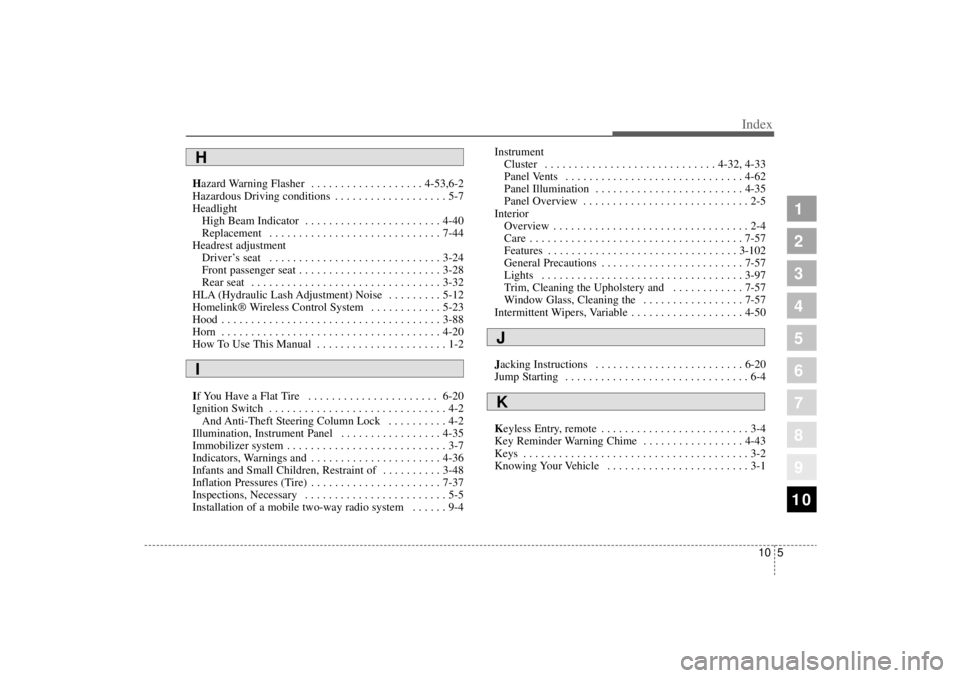
Hazard Warning Flasher . . . . . . . . . . . . . . . . . . . 4-53,6-2
Hazardous Driving conditions . . . . . . . . . . . . . . . . . . . 5-7
HeadlightHigh Beam Indicator . . . . . . . . . . . . . . . . . . . . . . . 4-40
Replacement . . . . . . . . . . . . . . . . . . . . . . . . . . . . . 7-44
Headrest adjustment Driver’s seat . . . . . . . . . . . . . . . . . . . . . . . . . . . . . 3-24
Front passenger seat . . . . . . . . . . . . . . . . . . . . . . . . 3-28
Rear seat . . . . . . . . . . . . . . . . . . . . . . . . . . . . . . . . 3-32
HLA (Hydraulic Lash Adjustment) Noise . . . . . . . . . 5-12
Homelink® Wireless Control System . . . . . . . . . . . . 5-23
Hood . . . . . . . . . . . . . . . . . . . . . . . . . . . . . . . . . . . .\
. 3-88
Horn . . . . . . . . . . . . . . . . . . . . . . . . . . . . . . . . . . . .\
. 4-20
How To Use This Manual . . . . . . . . . . . . . . . . . . . . . . 1-2
If You Have a Flat Tire . . . . . . . . . . . . . . . . . . . . . . 6-20
Ignition Switch . . . . . . . . . . . . . . . . . . . . . . . . . . . . . . 4-2 And Anti-Theft Steering Column Lock . . . . . . . . . . 4-2
Illumination, Instrument Panel . . . . . . . . . . . . . . . . . 4-35
Immobilizer system . . . . . . . . . . . . . . . . . . . . . . . . . . . 3-7
Indicators, Warnings and . . . . . . . . . . . . . . . . . . . . . . 4-36
Infants and Small Children, Restraint of . . . . . . . . . . 3-48
Inflation Pressures (Tire) . . . . . . . . . . . . . . . . . . . . . . 7-37
Inspections, Necessary . . . . . . . . . . . . . . . . . . . . . . . . 5-5
Installation of a mobile two-way radio system . . . . . . 9-4 Instrument
Cluster . . . . . . . . . . . . . . . . . . . . . . . . . . . . . 4-32, 4-33
Panel Vents . . . . . . . . . . . . . . . . . . . . . . . . . . . . . . 4-62
Panel Illumination . . . . . . . . . . . . . . . . . . . . . . . . . 4-35
Panel Overview . . . . . . . . . . . . . . . . . . . . . . . . . . . . 2-5
Interior Overview . . . . . . . . . . . . . . . . . . . . . . . . . . . . . . . . . 2-4
Care . . . . . . . . . . . . . . . . . . . . . . . . . . . . . . . . . . . .\
7-57
Features . . . . . . . . . . . . . . . . . . . . . . . . . . . . . . . . 3-102
General Precautions . . . . . . . . . . . . . . . . . . . . . . . . 7-57
Lights . . . . . . . . . . . . . . . . . . . . . . . . . . . . . . . . . . 3-97
Trim, Cleaning the Upholstery and . . . . . . . . . . . . 7-57
Window Glass, Cleaning the . . . . . . . . . . . . . . . . . 7-57
Intermittent Wipers, Variable . . . . . . . . . . . . . . . . . . . 4-50
Jacking Instructions . . . . . . . . . . . . . . . . . . . . . . . . . 6-20
Jump Starting . . . . . . . . . . . . . . . . . . . . . . . . . . . . . . . 6-4
Keyless Entry, remote . . . . . . . . . . . . . . . . . . . . . . . . . 3-4
Key Reminder Warning Chime . . . . . . . . . . . . . . . . . 4-43
Keys . . . . . . . . . . . . . . . . . . . . . . . . . . . . . . . . . . . .\
. . 3-2
Knowing Your Vehicle . . . . . . . . . . . . . . . . . . . . . . . . 3-1
1
2
3
4
5
6
7
8
910
HI
JK