ECO mode KIA Amanti 2007 1.G User Guide
[x] Cancel search | Manufacturer: KIA, Model Year: 2007, Model line: Amanti, Model: KIA Amanti 2007 1.GPages: 283, PDF Size: 18.42 MB
Page 128 of 283
Knowing your vehicle118
3✦
✦
Trip Computer
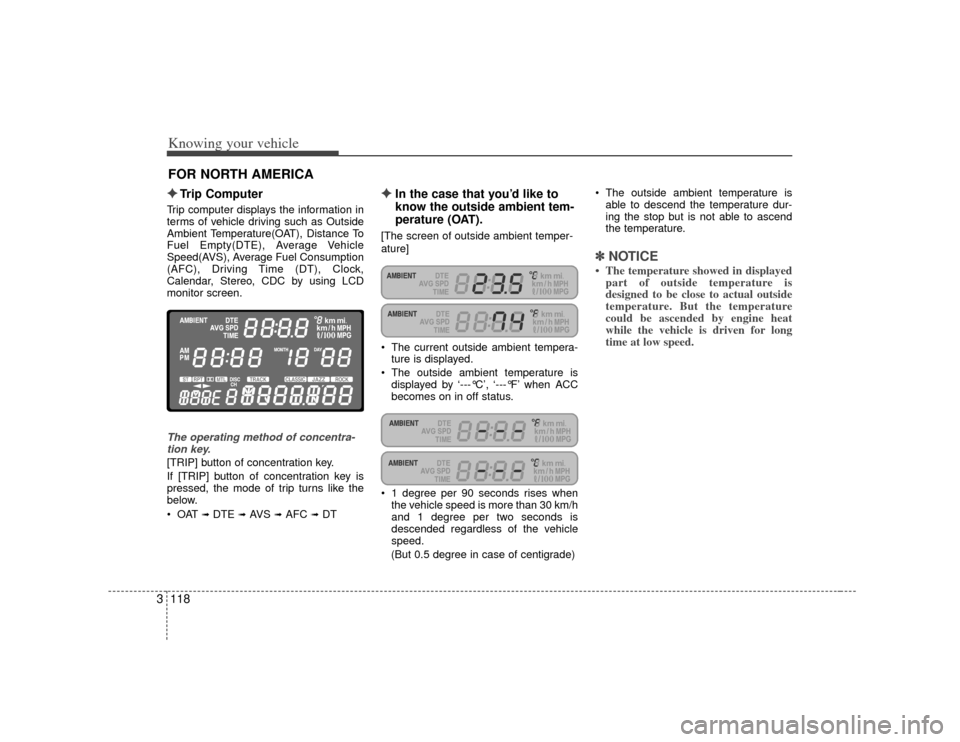
Trip computer displays the information in
terms of vehicle driving such as Outside
Ambient Temperature(OAT), Distance To
Fuel Empty(DTE), Average Vehicle
Speed(AVS), Average Fuel Consumption
(AFC), Driving Time (DT), Clock,
Calendar, Stereo, CDC by using LCD
monitor screen.The operating method of concentra-
tion key.[TRIP] button of concentration key.
If [TRIP] button of concentration key is
pressed, the mode of trip turns like the
below.
➟ DTE
➟AVS
➟AFC
➟DT
✦ ✦
In the case that you’d like to
know the outside ambient tem-
perature (OAT).
[The screen of outside ambient temper-
ature]
The current outside ambient tempera- ture is displayed.
The outside ambient temperature is displayed by ‘---°C’, ‘---°F’ when ACC
becomes on in off status.
1 degree per 90 seconds rises when the vehicle speed is more than 30 km/h
and 1 degree per two seconds is
descended regardless of the vehicle
speed.
(But 0.5 degree in case of centigrade) The outside ambient temperature is
able to descend the temperature dur-
ing the stop but is not able to ascend
the temperature.
✽ ✽ NOTICE• The temperature showed in displayed
part of outside temperature is
designed to be close to actual outside
temperature. But the temperature
could be ascended by engine heat
while the vehicle is driven for long
time at low speed.
FOR NORTH AMERICA
Page 129 of 283
![KIA Amanti 2007 1.G User Guide 3119
Knowing your vehicle
✦
✦
In the case that you want to
know the distance to fuel
empty (DTE).
Please select the mode of the distance to
fuel empty by adjusting [TRIP] button,
mode transition f](/img/2/2890/w960_2890-128.png "KIA Amanti 2007 1.G User Guide 3119
Knowing your vehicle
✦
✦
In the case that you want to
know the distance to fuel
empty (DTE).
Please select the mode of the distance to
fuel empty by adjusting [TRIP] button,
mode transition f")
3119
Knowing your vehicle
✦
✦
In the case that you want to
know the distance to fuel
empty (DTE).
Please select the mode of the distance to
fuel empty by adjusting [TRIP] button,
mode transition function key of concen-
tration key.
[Mode screen of the distance to fuel
empty]
It displays the possible driving distancewith current fuel level.
The distance to fuel empty is displayed by 1km unit and if the distance to fuel
empty is less than 50km (30mi.) then '-
--' will flash on the LCD. If ‘---’ display does not disappear in
fueling, please push TRIP and RESET
button on concentration keys simulta-
neously for more than 5 seconds.
‘OFF’ is displayed when fuel sender isn’t connected.
reduced 1km, the distance to fuel
empty can reduce 2~4km according to
the road condition and fuel efficiency.
✽ ✽ NOTICEPlease note that the distance to fuel
empty can change with the driver's driv-
ing habit, road condition and other
causes. If fuel sensor makes wrong determina-
tion, feedback algorithm can adjust to
exact possible driving distance.
FlashingFlashing
Page 130 of 283
![KIA Amanti 2007 1.G User Guide Knowing your vehicle120
3✦
✦
In the case that you’d like to
know the average vehicle
speed (AVS).
Please select the mode of average vehi-
cle speed by adjusting [TRIP] button,
mode transition fu](/img/2/2890/w960_2890-129.png "KIA Amanti 2007 1.G User Guide Knowing your vehicle120
3✦
✦
In the case that you’d like to
know the average vehicle
speed (AVS).
Please select the mode of average vehi-
cle speed by adjusting [TRIP] button,
mode transition fu")
Knowing your vehicle120
3✦
✦
In the case that you’d like to
know the average vehicle
speed (AVS).
Please select the mode of average vehi-
cle speed by adjusting [TRIP] button,
mode transition function key of the con-
centration key.
[Mode screen of average vehicle speed]
The average vehicle speed is displayed
from switch on the ignition to the pres-
ent in the display part of trip information.
The average vehicle speed initializes when ACC is OFF status.
The average vehicle speed is displayed by ‘---’ when ACC becomes on in off
status.
It shows average vehicle speed from engine ON.
Average vehicle speed range is 0~250km/h(0~154 MPH) and the value
is updated every 1 second. The average speed includes the time
the car is stopped (0Km/h).
If [RESET] button in the concentration keys is pressed more than one second,
the average vehicle speed until the
present becomes 0 km/h and the aver-
age speed is recalculated again from
the current.
✦ ✦
In the case that you’d like to
know the average fuel con-
sumption (AFC).
Please select the mode of average fuel
consumption rate by adjusting [TRIP]
button, mode transition function key of
the concentration key.
[Mode screen of average fuel consump-
tion] The figure that is displayed in the dis-
play part of trip information displays
average consuming amount of fuel.
Average fuel consumption mode dis- plays average fuel amount to be con-
sumed when the vehicle is driving in
100 km.
The display range of the average fuel consumption is from 0.0 to 99.9 L/100
and the change amount of fuel is dis- played in the screen per second.
If [RESET] button of concentration key is pressed more than one second, the
average fuel is initialized into 0.0L/100
and the average fuel consumption is
displayed again after driving from the
present to the point of view running 0.5
km.
The average fuel consumption could increase because the driving distance
is short during the stop of driving, but
the normal fuel rate is displayed if you
continue to drive.
The average fuel consumption displays the previous value if ACC is on again in
off status of ACC.
Page 131 of 283
![KIA Amanti 2007 1.G User Guide 3121
Knowing your vehicle
✦
✦
In case that you’d like to know
driving time (DT).
Please select the mode of driving time by
adjusting [TRIP] button, mode transition
function key of the concentrat](/img/2/2890/w960_2890-130.png "KIA Amanti 2007 1.G User Guide 3121
Knowing your vehicle
✦
✦
In case that you’d like to know
driving time (DT).
Please select the mode of driving time by
adjusting [TRIP] button, mode transition
function key of the concentrat")
3121
Knowing your vehicle
✦
✦
In case that you’d like to know
driving time (DT).
Please select the mode of driving time by
adjusting [TRIP] button, mode transition
function key of the concentration key.
[Mode screen of driving time]
The figure that is displayed in the dis-play part of trip information displays
driving time until the present.
The range displayed driving time is from 0:00 to 99:59 and driving time is
accumulated from 0:00 again when
driving time is beyond 99:59.
The driving time is displayed by ‘---’ when ACC becomes on in off status.
If [RESET] button of concentration key is pressed more than one second, the
driving time is initialized into 0:00 and
the driving time is accumulated again
from the current.
✦ ✦
In the case that you’d like to
adjust the clock and the calen-
dar
To adjust clock & calendar, push [CLOCK
MODE] button briefly on the concentra-
tion key.
[The screen of clock]
This is always displayed after ACC ison.
Push [CLOCK MODE]to change mode. ‘HOUR’➟ ‘MINUTE’➟ ‘MONTH’➟‘DAY’
light up every 0.5 second.
If [CLOCK MODE] button is pressed, time can be set up and change with the
part of hour flicker in the same time. In
this time, please set up the change of
time by using [ ], [ ] buttons of
concentration key. In order to set up minute after seting up
hour, please press [CLOCK MODE]
button. The method to changing the
minute like that of changing the hour is
to set up by using [ ], [ ] of con-
centration key.
When ‘DAY’ blinks, push [CLOCK MODE] to cancel time adjust mode
and time setting is finished.
The adjustment mode will be canceled when you press the CLOCK SET but-
ton. The 'second' will start from ‘0’.
The other buttons are not operated within ten seconds after [CLOCK
MODE] button is pressed, modified
mode is dismissed.
If [ ], [ ] buttons of the concentra- tion key have been pressed for more
two seconds [ ], [ ] buttons
become FAST COUNT.
Flashing
Flashing
Page 140 of 283
49
Driving your vehicle
Moving up a steep grade from a
standing startTo move up a steep grade from a stand-
ing start, depress the brake pedal, shift
the shift lever to D (Drive). Select the
appropriate gear depending on load
weight and steepness of the grade, and
release the parking brake. Depress the
accelerator gradually while releasing the
service brakes.
When accelerating from a stop on a
steep hill, the vehicle may have a ten-
dency to roll backwards. Shifting the
shift lever into 2 (Second Gear) while
in Sport mode will help prevent the
vehicle from rolling backwards.Ignition key inter lock systemThe ignition key cannot be removed
unless the shift lever is in the P (Park)
position. If the ignition switch is in any
other position, the key cannot be
removed.
Shift lock systemFor your safety, the Automatic Transaxle
has a shift lock system which prevents
shifting the transaxle out of P (Park)
unless the brake pedal is depressed.
To shift the transaxle out of P (Park):
1. Depress and hold the brake pedal.
2. Start the engine or turn the ignition tothe ON position.
3. Move the shift lever.
If the brake pedal is repeatedly
depressed and released with the shift
lever in the P (Park) position, a chattering
sound near the shift lever may be heard.
This is a normal condition.
Shift-lock overrideIf the shift lever should fail to move from
the P (Park) position with the brake pedal
depressed, continue depressing the
brake, then do the following:
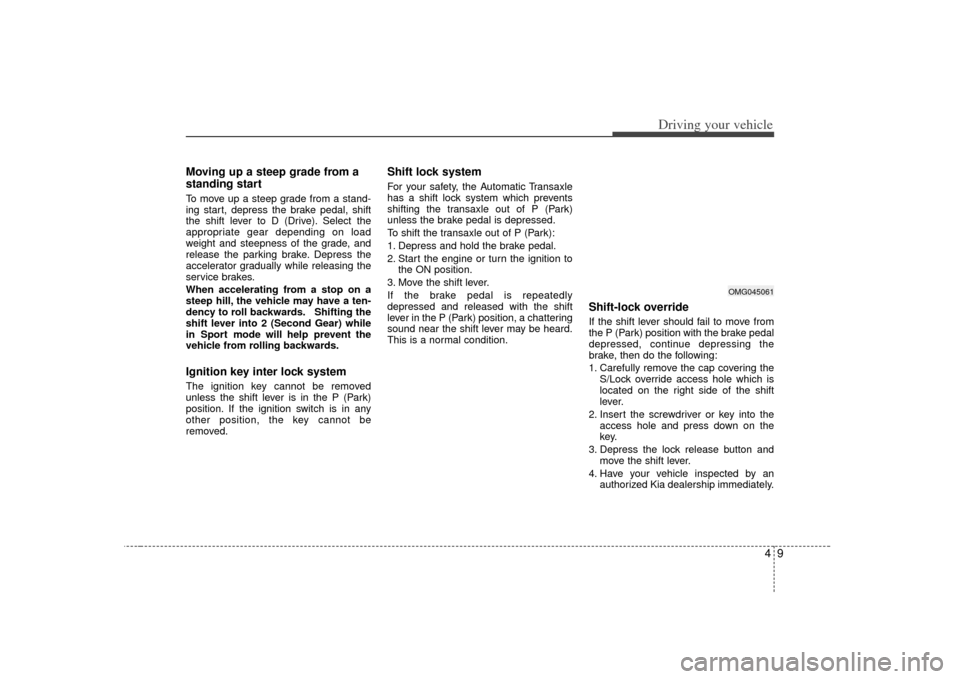
1. Carefully remove the cap covering the S/Lock override access hole which is
located on the right side of the shift
lever.
2. Insert the screwdriver or key into the access hole and press down on the
key.
3. Depress the lock release button and move the shift lever.
4. Have your vehicle inspected by an authorized Kia dealership immediately.
OMG045061
Page 157 of 283
Driving your vehicle26
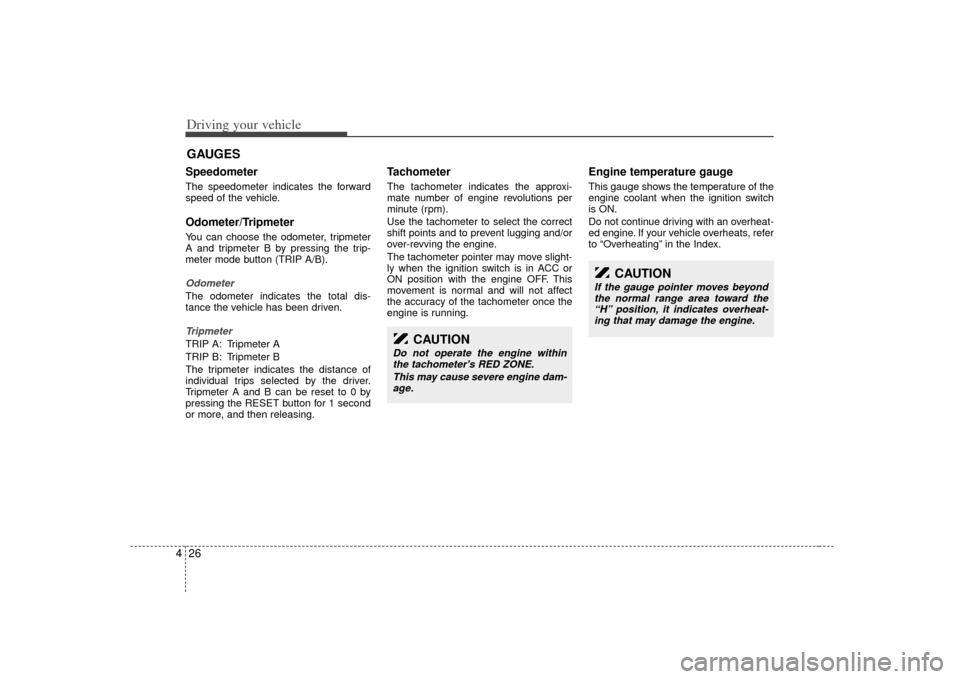
4Speedometer The speedometer indicates the forward
speed of the vehicle.Odometer/TripmeterYou can choose the odometer, tripmeter
A and tripmeter B by pressing the trip-
meter mode button (TRIP A/B).OdometerThe odometer indicates the total dis-
tance the vehicle has been driven.TripmeterTRIP A: Tripmeter A
TRIP B: Tripmeter B
The tripmeter indicates the distance of
individual trips selected by the driver.
Tripmeter A and B can be reset to 0 by
pressing the RESET button for 1 second
or more, and then releasing.
Tachometer The tachometer indicates the approxi-
mate number of engine revolutions per
minute (rpm).
Use the tachometer to select the correct
shift points and to prevent lugging and/or
over-revving the engine.
The tachometer pointer may move slight-
ly when the ignition switch is in ACC or
ON position with the engine OFF. This
movement is normal and will not affect
the accuracy of the tachometer once the
engine is running.
Engine temperature gauge This gauge shows the temperature of the
engine coolant when the ignition switch
is ON.
Do not continue driving with an overheat-
ed engine. If your vehicle overheats, refer
to “Overheating” in the Index.
GAUGES
CAUTION
Do not operate the engine within
the tachometer's RED ZONE.
This may cause severe engine dam-age.
CAUTION
If the gauge pointer moves beyond the normal range area toward the“H” position, it indicates overheat- ing that may damage the engine.
Page 164 of 283

433
Driving your vehicle
ESC indicator
(Electronic Stability
Control) (if equipped) The ESC indicator will illuminate when
the ignition switch is turned ON, but
should go off after approximately 3 sec-
onds. When the ESC is on, it monitors
the driving conditions and under normal
driving conditions, the ESC light will
remain off. When a slippery or low trac-
tion condition is encountered, the ESC
will operate, and the ESC indicator will
blink to indicate the ESC is operating.
ESC OFF indicator
(if equipped)The ESC OFF indicator will illuminate
when the ignition switch is turned ON,
but should go off after approximately 3
seconds. To switch to ESC OFF mode,
press the ESC OFF button. The ESC
OFF indicator will illuminate indicating
the ESC is deactivated. If this indicator
stays on in the ESC ON mode, the ESC
may have a malfunction. Take your car to
an authorized Kia dealer and have the
system checked.
Safety belt warning chime If the driver's seat belt is not fastened
when the ignition key is turned “ON” or if
it is disconnected after the key is ON, the
safety belt warning chime will sound for
approximately 6 seconds.Key reminder warning chimeIf the driver’s door is opened and the igni-
tion key is left in the ignition switch in the
LOCK or ACC position, the key reminder
warning chime will sound. This is to pre-
vent you from locking your keys in the
vehicle.
ESC
ESCOFF
Page 177 of 283

Driving your vehicle46
4Adjusting the driver and passenger side
temperature equally
1. Press the DUAL button again or if you
select the highest (HI) or lowest (Lo)
temperature, the DUAL mode deacti-
vates (the indicator light in the button
turns off). The passenger side temper-
ature will be set to the same tempera-
ture as the driver side.
2. Press the left temperature control but- ton. The driver and passenger side
temperature will be adjusted equally.Temperature conversionIf the battery has been discharged or dis-
connected, the temperature mode will
reset as Centigrade degrees.
This is normal condition and you can
switch the temperature mode between
Centigrade to Fahrenheit as follows;
While depressing the MODE button,
depress the DUAL button for 3 seconds
or more. The display will change from
Centigrade to Fahrenheit, or from
Fahrenheit to Centigrade.
Fan speed control buttonThe fan speed can be set to the desired
speed by turning the appropriate fan
speed control knob.
The higher the fan speed is, the more air
is delivered.
Pressing the “OFF” button turns off the
fan.
Air intake control button This is used to select outside (fresh) air
position or recirculated air position.
To change the air intake control position,
push the control button.
OGH026062
Page 182 of 283
451
Driving your vehicle
Air conditioning system opera-
tion tips If the vehicle has been parked in directsunlight during hot weather, open the
windows for a short time to let the hot
air inside the vehicle escape.
To help reduce moisture inside of the windows on rainy humid days,
decrease the humidity inside the vehi-
cle by operating the air conditioning
system.
During air conditioning system opera- tion, you may occasionally notice a
slight change in the engine speed as
the air conditioning compressor cycles
on. This is a normal system operation
characteristics.
Use the air conditioning system every month only for a few minutes to ensure
maximum system performance.
When using the air conditioning sys- tem, you may notice clear water drip-
ping (or even pudding) on the ground
under the passenger side of the vehi-
cle. This is a normal system operation
characteristics. Operating the air conditioning system
in the recirculated air position does
provide maximum cooling, however,
continual operation in this mode may
cause the air inside the vehicle to
become stale.
Checking the amount of air con-
ditioner refrigerant and compres-
sor lubricantWhen the amount of refrigerant is low,
the performance of the air conditioning is
reduced. Overfilling also has a bad influ-
ence on the air conditioning system.
Therefore, if abnormal operation is
found, have the system inspected by an
authorized Kia dealer.
CAUTION
When the performance of the airconditioning system is reduced it isimportant that the correct type and amount of oil and refrigerant isused. Otherwise, damage to thecompressor and abnormal systemoperation may occur.
CAUTION
When using the air conditioningsystem, monitor the temperature gauge closely while driving up hillsor in heavy traffic when outsidetemperatures are high. Air condi- tioning system operation maycause engine overheating.Continue to use the blower fan but turn the air conditioning system offif the temperature gauge indicates engine overheating.
WARNING
The air conditioning system should
be serviced by an authorized Kia
dealer. Improper service may cause
serious injury to the person per-
forming the service.
Page 212 of 283
Driving tips28
56. Return to the vehicle and firmly press
and release the programmed
HomeLink button up to three times.
The rolling code equipped device
should now recognize the HomeLink
signal and activate when the
HomeLink button is pressed. The
remaining two buttons may now be
programmed if this has not previously
been done. Refer to the
“Programming” portion of this text.
Operating HomeLink To operate, simply press the pro-
grammed HomeLink button. Activation
will now occur for the trained product
(garage door, security system, entry door
lock, estate gate, or home or office light-
ing). For convenience, the hand-held
transmitter of the device may also be
used at any time. The HomeLink
Wireless Controls System (once pro-
grammed) or the original hand-held
transmitter may be used to activate the
device (e.g. garage door, entry door lock,
etc.). In the event that there are still pro-
gramming difficulties, contact HomeLink
at 1-800-355-3515 or on the internet at
www.homelink.com.
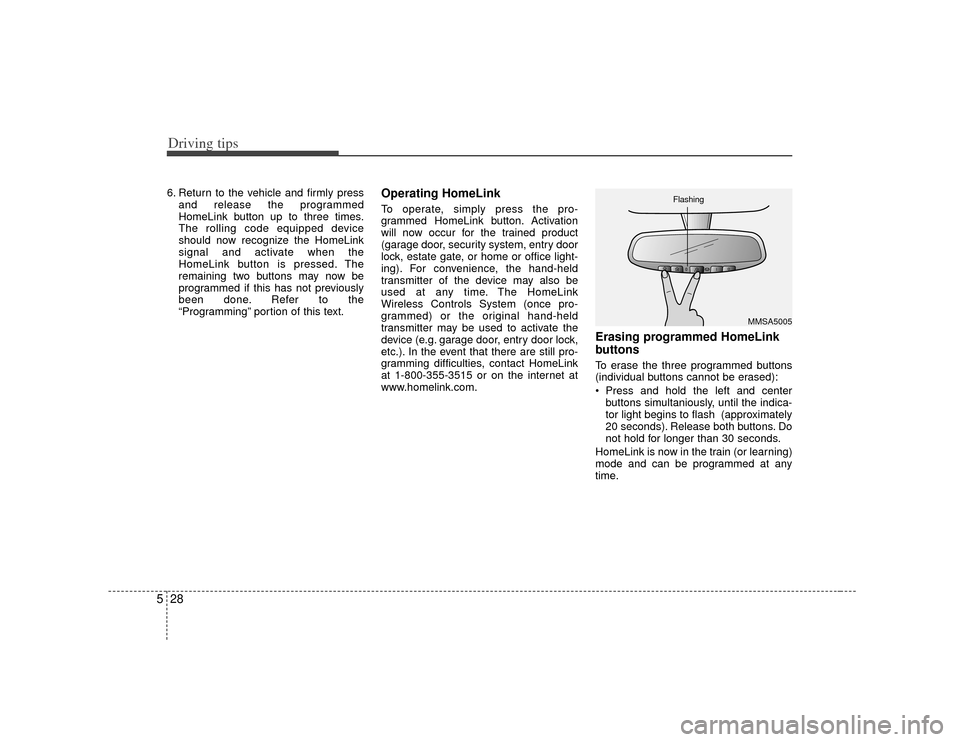
Erasing programmed HomeLink
buttonsTo erase the three programmed buttons
(individual buttons cannot be erased):
Press and hold the left and center
buttons simultaniously, until the indica-
tor light begins to flash (approximately
20 seconds). Release both buttons. Do
not hold for longer than 30 seconds.
HomeLink is now in the train (or learning)
mode and can be programmed at any
time.
MMSA5005
Flashing