ESP KIA Amanti 2007 1.G User Guide
[x] Cancel search | Manufacturer: KIA, Model Year: 2007, Model line: Amanti, Model: KIA Amanti 2007 1.GPages: 283, PDF Size: 18.42 MB
Page 126 of 283
![KIA Amanti 2007 1.G User Guide Knowing your vehicle116
31. CD loading slotPush [LOAD] button to open CD slot.
Please face printed side upward and
gently push in. This CDC supports 12 cm
CDs only. But if VCD, Data CD, MP3 CD
are loa](/img/2/2890/w960_2890-125.png "KIA Amanti 2007 1.G User Guide Knowing your vehicle116
31. CD loading slotPush [LOAD] button to open CD slot.
Please face printed side upward and
gently push in. This CDC supports 12 cm
CDs only. But if VCD, Data CD, MP3 CD
are loa")
Knowing your vehicle116
31. CD loading slotPush [LOAD] button to open CD slot.
Please face printed side upward and
gently push in. This CDC supports 12 cm
CDs only. But if VCD, Data CD, MP3 CD
are loaded, "Er-6" message will appear.✽ ✽
NOTICE• 8cm CDs cannot be used2. Disc indicator lamp Corresponding CD indicator light turns
orange when the CD is currently playing
or it is on the process of loading or eject-
ing. It remains green light when no action
is taken on loaded CDs.3. CD Load button Push [LOAD] button to load CDs to avail-
able CDC deck (from 1~6). Push [LOAD]
button for more than 2 seconds to load
into all available decks.
The last CD will play. 10 seconds idle sta-
tus will disable loading process.4. CD eject buttonPush button to eject the currently
playing CD. Push this button for more
than 2 seconds to eject all the CDs in
CDC. If CD 3 is playing CDs will be eject-
ed in 3,4,5,6,1,2 order.
5. CD changer selection buttonWhen power is off or to listen to CD,
push [CD] button. If there is no CD, 'no
disk' message will be indicated for 5
seconds.6. CD change buttonUse preset buttons (1~6) to select
desired CD. If there is no CD in the slot
it will not change.7. Fast Backward button During CD playback, push [seek ] but-
ton for more than 1.5 seconds (a beep) to
fast backward. For first 5 seconds 5X and
15X after 5 seconds. While the button is
pressed sound is reduced to 12dB.8. Fast Forward button During CD playback, push [seek ] but-
ton for more than 1.5 seconds (a beep) to
fast forward. For first 5 seconds 5X and
15X after 5 seconds. While the button is
pressed sound is reduced to 12dB.
9. Track Down Push [seek ] button to move to the
beginning of current music. Each push
will move to previous track. When this
button is pressed from track 1, it will
move to beginning of the last track.10. Track UpPush [seek ] button to move to the
beginning of next track. Each push will
move to next track. When this button is
pressed from the last track, it will move to
beginning of the first track.11. Repeat buttonPush [RPT] button to repeat current
track. Push again to disable repeats.12. SCAN buttonPush [CD SCAN] button to listen each
track for 10 seconds. Push again to dis-
able.13. Mute buttonPush [MUTE] button to disable sound.
Push again or other button to enable
sound again.
Page 137 of 283
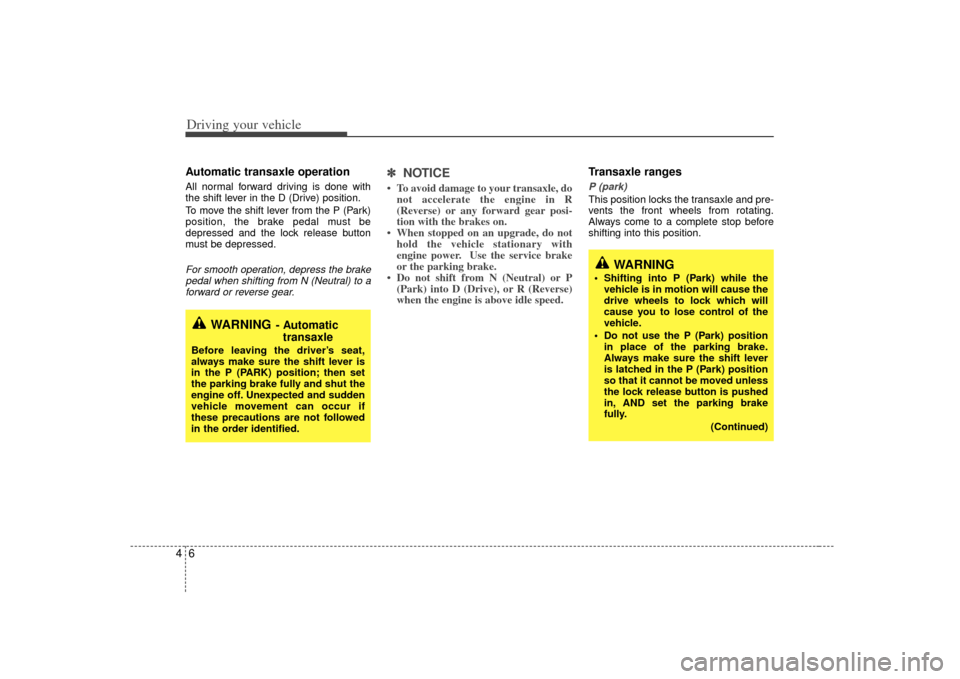
Driving your vehicle64Automatic transaxle operationAll normal forward driving is done with
the shift lever in the D (Drive) position.
To move the shift lever from the P (Park)
position, the brake pedal must be
depressed and the lock release button
must be depressed.For smooth operation, depress the brakepedal when shifting from N (Neutral) to a forward or reverse gear.
✽ ✽
NOTICE• To avoid damage to your transaxle, do
not accelerate the engine in R
(Reverse) or any forward gear posi-
tion with the brakes on.
• When stopped on an upgrade, do not hold the vehicle stationary with
engine power. Use the service brake
or the parking brake.
• Do not shift from N (Neutral) or P (Park) into D (Drive), or R (Reverse)
when the engine is above idle speed.
Transaxle rangesP (park)This position locks the transaxle and pre-
vents the front wheels from rotating.
Always come to a complete stop before
shifting into this position.
WARNING
- Automatic
transaxle
Before leaving the driver’s seat,
always make sure the shift lever is
in the P (PARK) position; then set
the parking brake fully and shut the
engine off. Unexpected and sudden
vehicle movement can occur if
these precautions are not followed
in the order identified.
WARNING
Shifting into P (Park) while the
vehicle is in motion will cause the
drive wheels to lock which will
cause you to lose control of the
vehicle.
Do not use the P (Park) position in place of the parking brake.
Always make sure the shift lever
is latched in the P (Park) position
so that it cannot be moved unless
the lock release button is pushed
in, AND set the parking brake
fully.
(Continued)
Page 146 of 283
415
Driving your vehicle
Anti-lock brake system (ABS)
The ABS system continuously senses
the speed of the wheels. If the wheels are
going to lock, the ABS system repeated-
ly modulates the hydraulic brake pres-
sure to the wheels.
When you apply your brakes under con-
ditions which may lock the wheels, you
may hear a “tik-tik’’ sound from the
brakes, or feel a corresponding sensation
in the brake pedal. This is normal and it
means your ABS system is active.
In order to obtain the maximum benefit
from your ABS system in an emergency
situation, do not attempt to modulate
your brake pressure and do not try to
pump your brakes. Press your brake
pedal as hard as possible or as hard as
the situation warrants and allow the ABS
system to control the force being deliv-
ered to the brakes. Even with the anti-lock brake system,
your vehicle still requires sufficient
stopping distance. Always maintain a
safe distance from the vehicle in front
of you.
Always slow down when cornering. The anti-lock brake system cannot pre-
vent accidents resulting from exces-
sive speeds.
On loose or uneven road surfaces, operation of the anti-lock brake system
may result in a longer stopping dis-
tance than for vehicles equipped with a
conventional brake system.
WARNING
- ABS Brakes
Your ABS is not a substitute for
good driving judgement. You can
still have an accident. In fact, your
ABS system will probably not be
able to prevent an accident in the
following driving conditions:
Dangerous driving, such asneglecting safety precautions,
speeding, or driving too close to
the vehicle in front of you.
Driving at high speed in situa- tions providing considerably less
traction, such as wet conditions
where hydroplaning could occur.
Driving too fast on poor road sur- faces. The ABS is designed to
improve maximum braking effec-
tiveness on typical highways and
roads in good condition. On poor
road surfaces in poor condition,
the ABS may actually reduce
braking effectiveness.
Page 162 of 283
431
Driving your vehicle
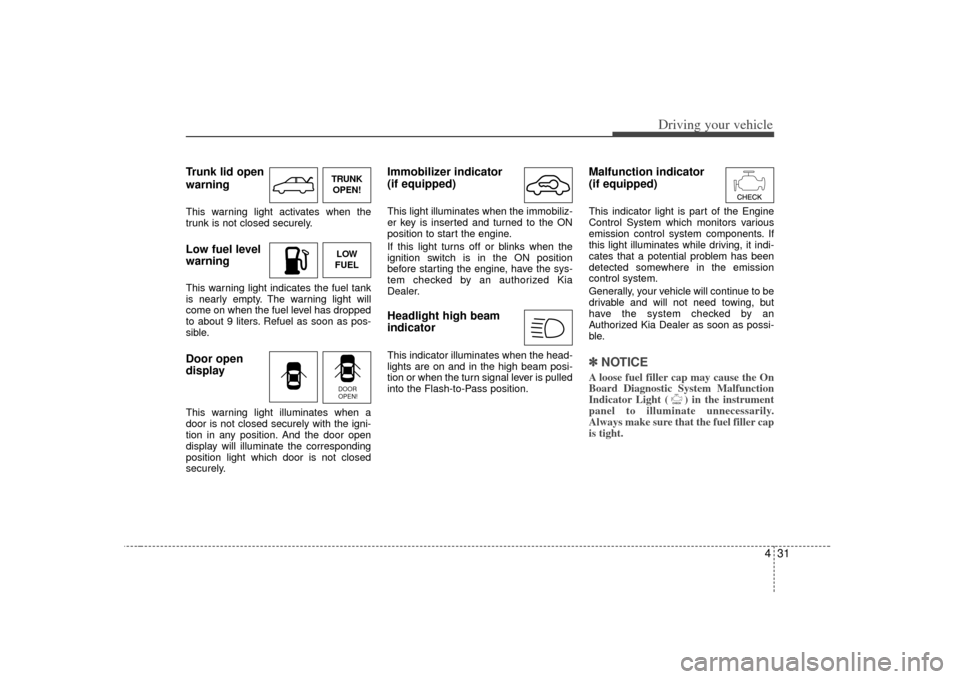
Trunk lid open
warningThis warning light activates when the
trunk is not closed securely.Low fuel level
warningThis warning light indicates the fuel tank
is nearly empty. The warning light will
come on when the fuel level has dropped
to about 9 liters. Refuel as soon as pos-
sible.Door open
displayThis warning light illuminates when a
door is not closed securely with the igni-
tion in any position. And the door open
display will illuminate the corresponding
position light which door is not closed
securely.
Immobilizer indicator
(if equipped)This light illuminates when the immobiliz-
er key is inserted and turned to the ON
position to start the engine.
If this light turns off or blinks when the
ignition switch is in the ON position
before starting the engine, have the sys-
tem checked by an authorized Kia
Dealer.Headlight high beam
indicator This indicator illuminates when the head-
lights are on and in the high beam posi-
tion or when the turn signal lever is pulled
into the Flash-to-Pass position.
Malfunction indicator
(if equipped)This indicator light is part of the Engine
Control System which monitors various
emission control system components. If
this light illuminates while driving, it indi-
cates that a potential problem has been
detected somewhere in the emission
control system.
Generally, your vehicle will continue to be
drivable and will not need towing, but
have the system checked by an
Authorized Kia Dealer as soon as possi-
ble.✽ ✽NOTICEA loose fuel filler cap may cause the On
Board Diagnostic System Malfunction
Indicator Light ( ) in the instrument
panel to illuminate unnecessarily.
Always make sure that the fuel filler cap
is tight.
TRUNK
OPEN!LOW
FUELDOOR
OPEN!
Page 192 of 283
Driving tips85✽
✽NOTICEProlonged rocking may cause engine
over-heating, transaxle damage or fail-
ure, and tire damage.
Driving at night Because night driving presents more
hazards than driving in the daylight, here
are some important tips to remember:
Slow down and keep more distance
between you and other vehicles, as it
may be more difficult to see at night,
especially in areas where there may
not be any street lights.
Adjust your mirrors to reduce the glare from other driver's headlights.
Keep your headlights clean and prop- erly aimed on vehicles not equipped
with the automatic headlight aiming
feature. Dirty or improperly aimed
headlights will make it much more diffi-
cult to see at night.
Avoid staring directly at the headlights of oncoming vehicles. You could be
temporarily blinded, and it will take
several seconds for your eyes to read-
just to the darkness.
Driving in the rain Rain and wet roads can make driving
dangerous, especially if you’re not pre-
pared for the slick pavement. Here are a
few things to consider when driving in the
rain:
A heavy rainfall will make it harder tosee and will increase the distance
needed to stop your vehicle, so slow
down.
Keep your windshield wiping equip- ment in good shape. Replace your
windshield wiper blades when they
show signs of streaking or missing
areas on the windshield.
If your tires are not in good condition, making a quick stop on wet pavement
can cause a skid and possibly lead to
an accident. Be sure your tires are in
good shape.
Turn on your headlights to make it eas- ier for others to see you.
Driving too fast through large puddles can affect your brakes. If you must go
through puddles, try to drive through
them slowly.
If you believe you may have gotten your brakes wet, apply them lightly
while driving until normal braking oper-
ation returns.
WARNING
- Spinning tires
Do not spin the wheels, especially
at speeds more than 56 km/h (35
mph). Spinning the wheels at high
speeds when the vehicle is station-
ary could cause a tire to overheat,
explode and injure bystanders.
Page 203 of 283
519
Driving tips
Safety chains You should always attach chains
between your vehicle and your trailer.
Cross the safety chains under the tongue
of the trailer so that the tongue will not
drop to the road if it becomes separated
from the hitch.
Instructions about safety chains may be
provided by the hitch manufacturer or by
the trailer manufacturer. Follow the man-
ufacturer’s recommendation for attaching
safety chains. Always leave just enough
slack so you can turn with your trailer.
And, never allow safety chains to drag on
the ground.
Trailer brakes If your trailer weighs more than 454 kg
(1000 lbs.) loaded, then it needs its own
brakes and they must be adequate. Be
sure to read and follow the instructions
for the trailer brakes so you ’ll be able to
install, adjust and maintain them proper-
ly.
Don’t tap into your vehicle's brake sys-
tem.
Driving with a trailer Towing a trailer requires a certain
amount of experience. Before setting out
for the open road, you must get to know
your trailer. Acquaint yourself with the
feel of handling and braking with the
added weight of the trailer. And always
keep in mind that the vehicle you are
driving is now a good deal longer and not
nearly so responsive as your vehicle is
by itself.
Before you start, check the trailer hitch
and platform, safety chains, electrical
connector(s), lights, tires and mirror
adjustment. If the trailer has electric
brakes, start your vehicle and trailer mov-
ing and then apply the trailer brake con-
troller by hand to be sure the brakes are
working. This lets you check your electri-
cal connection at the same time.
During your trip, check occasionally to be
sure that the load is secure, and that the
lights and any trailer brakes are still work-
ing.
WARNING
Do not use a trailer with its own
brakes unless you are absolutely
certain that you have properly set
up the brake system. This is not a
task for amateurs. Use an experi-
enced, competent trailer shop for
this work.
Page 213 of 283
529
Driving tips
Reprogramming a single
HomeLink buttonTo program a device to HomeLink using
a HomeLink button previously trained,
follow these steps:
1. Press and hold the desired HomeLinkbutton. Do NOT release until step 4
has been completed.
2. When the indicator light begins to flash slowly (after 20 seconds), position the
hand-held transmitter 3~7 cm away
from the HomeLink surface.
3. Press and hold the hand-held trans- mitter button (or press and “cycle”- as
described in “Canadian Programming ”
above).
4. The HomeLink indicator light will flash, first slowly and then rapidly. When the
indicator light begins to flash rapidly,
release both buttons.
The previous device has now been
erased and the new device can be acti-
vated by pushing the HomeLink button
that has just been programmed. This pro-
cedure will not affect any other pro-
grammed HomeLink buttons.
Gate operator programming &
canadian programmingDuring programming, your hand-held
transmitter may automatically stop trans-
mitting. Continue to press and hold the
HomeLink button (note steps 2 through 4
in the “Programming” portion of this text)
while you press and re-press (“cycle”)
your handheld transmitter every two sec-
onds until the frequency signal has been
learned. The indicator light will flash
slowly and then rapidly after several sec-
onds upon successful training.✽ ✽ NOTICEIf programming a garage door opener
or gate, it is advised to unplug the device
during the “cycling” process to prevent
possible motor burn-up.
AccessoriesIf you would like additional information on
the HomeLink Wireless Control System,
HomeLink compatible products, or to
purchase other accessories such as the
HomeLink® Lighting Package, please
contact HomeLink at 1-800-355-3515 or
on the internet at www.homelink.com.
This device complies with Industry
Canada Standard RSS-210. Operation
is subject to the following two conditions:
1. This device may not cause interfer- ence, and
2. This device must accept any interfer- ence, including interference that may
cause undesired operation of the
device.
WARNING
Changes or modifications not
expressly approved by the party
responsible for compliance could
void the user’s authority to operate
the equipment.
IC: 4112104541A Gentex
MODEL/FCC ID: NZLSTDHL3
Page 231 of 283
In case of an emergency18
6The compact spare should be inflat-
ed to 420 kPa (60 psi).✽ ✽
NOTICECheck the inflation pressure after
installing the spare tire. Adjust it to
the specified pressure, as necessary.
When using a compact spare tire,
observe the following precautions:
Under no circumstances should
you exceed 80 km/h (50 mph); a
higher speed could damage the
tire.
Ensure that you drive slowly enough for the road conditions to
avoid all hazards. Any road hazard,
such as a pothole or debris, could
seriously damage the compact
spare.
Any continuous road use of this tire could result in tire failure, loss of
vehicle control, and possible per-
sonal injury.
Do not exceed the vehicle’s maxi- mum load rating or the load-carry-
ing capacity shown on the sidewall
of the compact spare tire.
Avoid driving over obstacles. The compact spare tire diameter is
smaller than the diameter of a con-
ventional tire and reduces the
ground clearance approximately
25 mm (1 inch), which could result
in damage to the vehicle. Do not take the vehicle through an
automatic car wash with a compact
spare.
Do not use tire chains on this tire. Because of the smaller size, a tire
chain will not fit properly. This could
damage the vehicle and result in
loss of the chain.
This tire should not be installed on the front axle if the vehicle must be
driven in snow or on ice.
Do not use the compact spare tire on any other vehicle because this
tire has been designed especially
for your vehicle.
The compact spare tire’s tread life is shorter than a regular tire.
Inspect your compact spare tire
regularly and replace worn com-
pact spare tires with the same size
and design, mounted on the same
wheel.
WARNING
- Compact spare
This spare tire should be used
only for VERY short distances.
Compact spares should NEVER
be used for long drives or
extended distances.
Page 237 of 283
Maintenance27MAINTENANCE SERVICESYou should exercise the utmost care to
prevent damage to your vehicle and
injury to yourself whenever performing
any maintenance or inspection proce-
dures.
Should you have any doubts concerning
the inspection or servicing of your vehi-
cle, we strongly recommend that you
have an Authorized Kia Dealer perform
this work.
An Authorized Kia Dealer has factory-
trained technicians and genuine Kia
parts to service your vehicle properly. For
expert advice and quality service, see an
Authorized Kia Dealer.
Inadequate, incomplete or insufficient
servicing may result in operational prob-
lems with your vehicle that could lead to
vehicle damage, an accident, or person-
al injury.
Owner’s responsibility ✽ ✽NOTICEMaintenance Service and Record
Retention are the owner's responsibility. You should retain documents that show
proper maintenance has been performed
on your vehicle in accordance with the
scheduled maintenance service charts
shown on the following pages. You need
this information to establish your compli-
ance with the servicing and maintenance
requirements of your Kia warranties.
Detailed warranty information is provided
in your Warranty & Consumer
Information manual. Repairs and adjustments required as a
result of improper maintenance or a lack
of required maintenance are not covered.
We strongly recommend that all vehicle
maintenance be performed by an author-
ized Kia dealer using genuine Kia parts.
Page 244 of 283
79
Maintenance
Owner maintenance precautions Improper or incomplete service may
result in problems. This section gives
instructions only for the maintenance
items that are easy to perform.
As explained earlier in this section, sev-
eral procedures can be done only by a
qualified service technician with special
tools.✽ ✽NOTICEImproper owner maintenance during
the warranty period may affect warran-
ty coverage. For details, read the sepa-
rate Kia Warranty & Consumer
Information Manual provided with the
vehicle. If you're unsure about any serv-
icing or maintenance procedure, have it
done by an Authorized Kia Dealer.
WARNING
- Maintenance
work
Performing maintenance work on
a vehicle can be dangerous. You
can be seriously injured while per-
forming some maintenance pro-
cedures. If you lack sufficient
knowledge and experience or the
proper tools and equipment to do
the work, have it done by a quali-
fied technician.
Working under the hood with the engine running is dangerous. It
becomes even more dangerous
when you wear jewelry or loose
clothing. These can become
entangled in moving parts and
result in injury. Therefore, if you
must run the engine while work-
ing under the hood, make certain
that you remove all jewelry (espe-
cially rings, bracelets, watches,
and necklaces) and all neckties,
scarves, and similar loose cloth-
ing before getting near the engine
or cooling fans.