light KIA Borrego 2009 1.G Manual PDF
[x] Cancel search | Manufacturer: KIA, Model Year: 2009, Model line: Borrego, Model: KIA Borrego 2009 1.GPages: 425, PDF Size: 8.46 MB
Page 184 of 425

4 107
Features of your vehicle
Rear vents
The vent can be adjusted by rotating the
blade.✽ ✽NOTICEIf all the vents are closed, it may cause
some noise. Always have more than 2
vents opened.
D240302AHMRear temperature controlTo change the air temperature in the rear
passenger compartment, pull up ( ▲)
the switch for warm and hot air (H) or
push down ( ▼ ) the switch for cooler air
(C).
D240303AHMRear fan speed controlTo change the fan speed, pull up ( ▲ ) the
switch for higher speed (+), or push down
( ▼ ) the switch for lower speed (-).
To turn the fan speed control off, press
the rear blower ON/OFF button. (indica-
tor light is not illuminated)D240500AHM❈ For information on “Climate control air
filter”, etc., refer to “Manual climate
control system” in this section.
OHM048117
OHM048116
OHM048118
■Front■Rear
Page 187 of 425
Features of your vehicle110
4D250300AHMDefogging logicTo reduce the probability of fogging up
the inside of the windshield, the air intake
or air conditioning are controlled auto-
matically according to certain conditions
such as or position. To cancel or
return to the defogging logic, do the fol-
lowing.
D250301AHM-EEManual climate control system1. Turn the ignition switch to the ON posi-
tion.
2. Turn the mode selection knob to the defrost position ( ).
3. Press the air intake control button at least 5 times within 3 seconds.
The indicator light in the air intake control
button will blink 3 times with 0.5 second
of interval. It indicates that the defogging
logic is canceled or returned to the pro-
grammed status.
If the battery has been discharged or dis-
connected, it resets to the defog logic
status.
D250302AHM-EEAutomatic climate control system1. Turn the ignition switch to the ON posi- tion.
2. Select the defroster position pressing the defroster button ( ).
3. While pressing the air conditioning button (A/C), press the air intake con-
trol button at least 5 times within 3 sec-
onds.
The A/C display blinks 3 times with 0.5
second of interval. It indicates that the
defogging logic is canceled or returned to
the programmed status.
If the battery has been discharged or
disconnected, it resets to the defog logic
status.
OHM048123L
OHM048124L
Page 188 of 425

4 111
Features of your vehicle
D270000AHMThese compartments can be used to
store small items.
D270100AHMCenter console storage
(if equipped)To open the center console storage, push
the button (1) or pull up the lever (2).
D270200AENGlove boxThe glove box can be locked and
unlocked with a master key.
To open the glove box, pull the handle
and the glove box will automatically
open. Close the glove box after use.
STORAGE COMPARTMENT
WARNING
- Flammable
materials
Do not store cigarette lighters,
propane cylinders, or other flamma-
ble/explosive materials in the vehi-
cle. These items may catch fire
and/or explode if the vehicle is
exposed to hot temperatures for
extended periods.
CAUTION
To avoid possible theft, do not
leave valuables in the storagecompartment.
Always keep the storage com- partment covers closed whiledriving. Do not attempt to place so many items in the storagecompartment that the storage compartment cover cannot closesecurely.
OHM048126
OHM048125
WARNING
To reduce the risk of injury in an
accident or sudden stop, always
keep the glove box door closed
while driving.
Page 192 of 425
4 115
Features of your vehicle
D280400AHMSunvisorUse the sunvisor to shield direct light
through the front or side windows.
To use the sunvisor, pull it downward.
To use the sunvisor for the side window,
pull it downward, unsnap it from the
bracket (1) and swing it to the side (2).
To use the vanity mirror, pull down the
visor and slide the mirror cover (3).
Adjust the sunvisor extension forward or
backward (4).
The ticket holder (5) is provided for hold-
ing a tollgate ticket. (if equipped)
OHM048135OHM048164NOHM048160
■Center (if equipped)■Front■Rear
OEN046157
CAUTION
- Vanity mirror
lamp (if equipped)
Close the vanity mirror cover
securely and return the sunvisor toits original position after use. If the vanity mirror is not closed securely,the lamp will stay on and couldresult in battery discharge and pos- sible sunvisor damage.
Page 198 of 425
4 121
Features of your vehicle
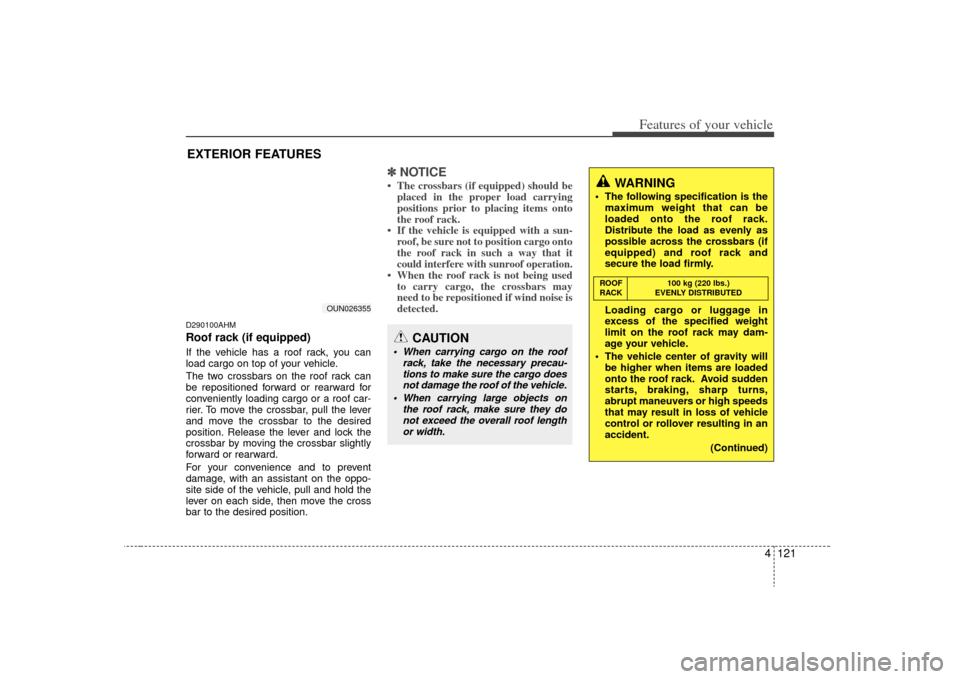
D290100AHMRoof rack (if equipped)If the vehicle has a roof rack, you can
load cargo on top of your vehicle.
The two crossbars on the roof rack can
be repositioned forward or rearward for
conveniently loading cargo or a roof car-
rier. To move the crossbar, pull the lever
and move the crossbar to the desired
position. Release the lever and lock the
crossbar by moving the crossbar slightly
forward or rearward.
For your convenience and to prevent
damage, with an assistant on the oppo-
site side of the vehicle, pull and hold the
lever on each side, then move the cross
bar to the desired position.
✽ ✽NOTICE• The crossbars (if equipped) should be
placed in the proper load carrying
positions prior to placing items onto
the roof rack.
• If the vehicle is equipped with a sun- roof, be sure not to position cargo onto
the roof rack in such a way that itcould interfere with sunroof operation.• When the roof rack is not being usedto carry cargo, the crossbars may
need to be repositioned if wind noise is
detected.
EXTERIOR FEATURES
CAUTION
When carrying cargo on the roof
rack, take the necessary precau-tions to make sure the cargo doesnot damage the roof of the vehicle.
When carrying large objects on the roof rack, make sure they donot exceed the overall roof length or width.
WARNING
The following specification is the maximum weight that can be
loaded onto the roof rack.
Distribute the load as evenly as
possible across the crossbars (if
equipped) and roof rack and
secure the load firmly.
Loading cargo or luggage in
excess of the specified weight
limit on the roof rack may dam-
age your vehicle.
The vehicle center of gravity will be higher when items are loaded
onto the roof rack. Avoid sudden
starts, braking, sharp turns,
abrupt maneuvers or high speeds
that may result in loss of vehicle
control or rollover resulting in an
accident.
(Continued)
OUN026355 ROOF
100 kg (220 lbs.)
RACK EVENLY DISTRIBUTED
Page 224 of 425
![KIA Borrego 2009 1.G Manual PDF 4147
Features of your vehicle
Using the Rear Seat
Entertainment (RSE)1. DVD Chapter Selection Button Press [TRACK ] button to play fromthe beginning of current track.
Press [TRACK ] button again with](/img/2/2906/w960_2906-223.png "KIA Borrego 2009 1.G Manual PDF 4147
Features of your vehicle
Using the Rear Seat
Entertainment (RSE)1. DVD Chapter Selection Button Press [TRACK ] button to play fromthe beginning of current track.
Press [TRACK ] button again with")
4147
Features of your vehicle
Using the Rear Seat
Entertainment (RSE)1. DVD Chapter Selection Button Press [TRACK ] button to play fromthe beginning of current track.
Press [TRACK ] button again within 3 seconds to play the previous track.
Press [SEEK ] button for less than 0.8 second to play the next track.2.DVD Title Selection Button Press [FOLDER ] b utton to play the
previous track.
Press [CAT ] button to play the next
track.3. RSE ON/OFF, LOCK/UNLOCK ButtonWhen the RSE ON/OFF, LOCK/UNLOCK
button is pushed for less than 0.8 sec-
ond, the red color LED of the button will
light and RSE unit will be locked. If you
push button for more than 0.8 second,
the green color LED of the button will
light and RSE unit will turn on and [RSE]
will appear on the LCD.
4. DVD/AUX2 Selection ButtonIn the event there is a DVD inserted and
an auxiliary device is connected to the
RSE system, pressing the DVD/AUX2
button will switch between DVD and
AUX2 modes.
Page 229 of 425
![KIA Borrego 2009 1.G Manual PDF Features of your vehicle152
46. CAT/FOLDER Button Press [CAT ] or [FOLDER ] but-
ton to enter the Category List Mode.
The display will indicate the category
items, highlight the category that the
curr](/img/2/2906/w960_2906-228.png "KIA Borrego 2009 1.G Manual PDF Features of your vehicle152
46. CAT/FOLDER Button Press [CAT ] or [FOLDER ] but-
ton to enter the Category List Mode.
The display will indicate the category
items, highlight the category that the
curr")
Features of your vehicle152
46. CAT/FOLDER Button Press [CAT ] or [FOLDER ] but-
ton to enter the Category List Mode.
The display will indicate the category
items, highlight the category that the
current channel belongs to.
In the Category List Mode, press these buttons to navigate category list.
Press [ENTER] Button to select the lowest channel in highlighted category.
If channel is selected by selecting cat- egory "CATEGORY" Icon is displayed
at the top of the screen.7. INFO Selection ButtonDisplays the information of the current
channel as below when the button is
pressed each time.
When default display is CAT/CHCategory/Channel
➟Artist/Title
➟
Composer (if available)
➟
Category/
Channel
➟...
When default display is ART/TITLE Artist/Title➟Category/Channel
➟
Composer(if available)
➟Artist/Title
➟...
✽ ✽ Troubleshooting1. Antenna Error
If this message is displayed, the anten-
na or antenna cable is broken or
unplugged. Please consult with your
KIA dealership.
2. Acquiring Signal If this message is displayed, it means
that the antenna is covered and that
the SIRIUS Satellite Radio signal is
not available. Ensure the antenna is
uncovered and has a clear view of the
sky.
Page 233 of 425
Features of your vehicle156
4Name and function of system
partsREAR Roof Mount Monitor
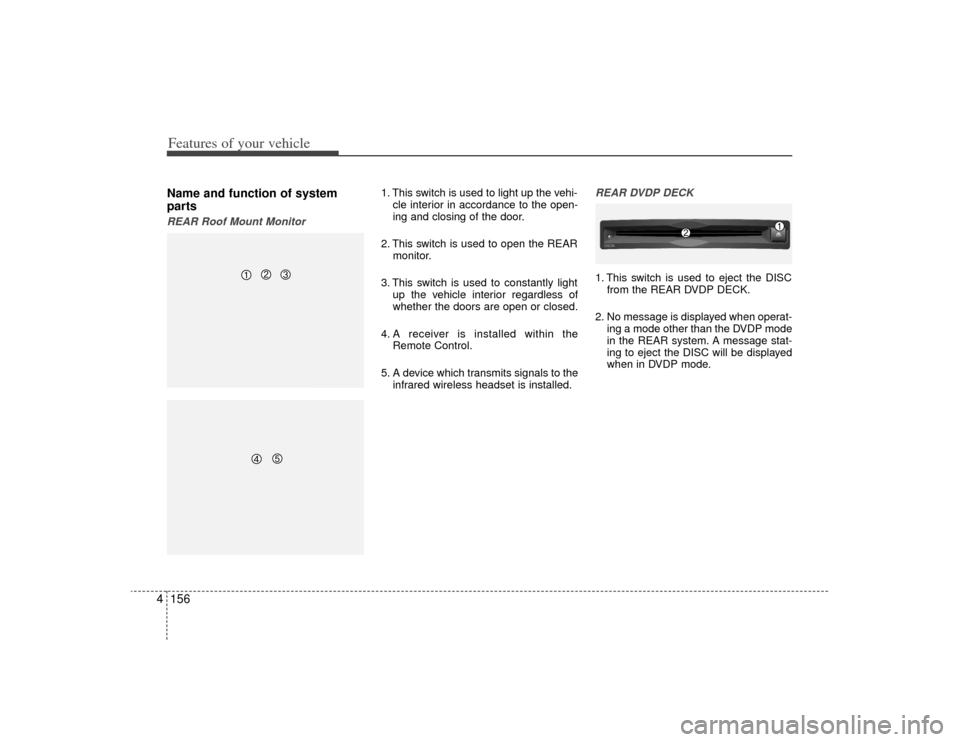
1. This switch is used to light up the vehi-
cle interior in accordance to the open-
ing and closing of the door.
2. This switch is used to open the REAR monitor.
3. This switch is used to constantly light up the vehicle interior regardless of
whether the doors are open or closed.
4. A receiver is installed within the Remote Control.
5. A device which transmits signals to the infrared wireless headset is installed.
REAR DVDP DECK1. This switch is used to eject the DISCfrom the REAR DVDP DECK.
2. No message is displayed when operat- ing a mode other than the DVDP mode
in the REAR system. A message stat-
ing to eject the DISC will be displayed
when in DVDP mode.DISC -
IN
Page 236 of 425
![KIA Borrego 2009 1.G Manual PDF 4159
Features of your vehicle
Operating the Rear (RSE) SystemStarting the System1. Position the ignition key onto ACC orON.
2. If the [Push Power] button or the [PWR] button on the remote control is p](/img/2/2906/w960_2906-235.png "KIA Borrego 2009 1.G Manual PDF 4159
Features of your vehicle
Operating the Rear (RSE) SystemStarting the System1. Position the ignition key onto ACC orON.
2. If the [Push Power] button or the [PWR] button on the remote control is p")
4159
Features of your vehicle
Operating the Rear (RSE) SystemStarting the System1. Position the ignition key onto ACC orON.
2. If the [Push Power] button or the [PWR] button on the remote control is pressed,
the AV system will turn on and display
the most recently operated mode. (EX:
turning on the system will display FM1
radio mode if the last operated mode
prior to turning off the system had been
FM1 radio.)
Turning Off the System1. If the [Push Power] button or the [PWR]button on the remote control is pressed
while the Rear system is operating, the
Rear AV system will stop operation and
turn off.Methods of RSE System Operation 1. The Rear system is operated by usingthe 4-direction and [ENTER] key on
the Rear panel, 4-dreiction key and
[ENTER] key on the remote control
and the Back key.Operating the REAR System1. Press a button on the remote control todisplay a select area.
2. If the 4-direction key button on the remote control is pressed, the select
area will move in the direction of the
pressed button.
Move to the desired direction and
press the select key on the remote
control to select the current button.
3. If there are no operations for 10 sec- onds, the select area will disappear.
Re-pressing one of the 4-direction
keys will re-create the select area.
✽ ✽NOTICEThe 4-direction and ENT keys on the
REAR panel and the 4-direction and
ENT keys on the Remote control are
used to conduct the same functions. Adjusting the Screen Settings for the
RSE (REAR) SystemAdjusting the Video Screen Quality
1. Press the [DISP] button on the REAR panel or the Remote Control to display
the semi-transparent video mode
screen setting menu on the screen.
2. The 4-direction keys on the REAR panel or the Remote Control can be
used to make adjustments to the
brightness, saturation, color, contrast,
day/night modes, auto-light, screen
ratio, etc.
Page 237 of 425
![KIA Borrego 2009 1.G Manual PDF Features of your vehicle160
4Adjusting the Non-Video Screen Quality
1. Press the [DISP] button on the REAR
panel or the remote control while non-
video mode is playing to display the
non-video mode sc](/img/2/2906/w960_2906-236.png "KIA Borrego 2009 1.G Manual PDF Features of your vehicle160
4Adjusting the Non-Video Screen Quality
1. Press the [DISP] button on the REAR
panel or the remote control while non-
video mode is playing to display the
non-video mode sc")
Features of your vehicle160
4Adjusting the Non-Video Screen Quality
1. Press the [DISP] button on the REAR
panel or the remote control while non-
video mode is playing to display the
non-video mode screen setup menu.
2. Use the 4-direction keys on the REAR panel or the Remote Control to adjust
the brightness, day/night modes and
Auto Light function.✽ ✽NOTICEUpon selecting DAY LIGHT, the bright
screen is always maintained regardless
of the on/off state of the car taillights.
However, brightness may be set to 90%
in accordance to the external auto light
sensor.
Upon selecting AUTO LIGHT, the dis-
play is automatically brightened or
darkened in accordance to external
brightness.
Adjusting the Volume
1. Use the [PWR/VOLUME] button on the
REAR panel to adjust the sound vol-
ume in the rear of the vehicle.
2. When adjusting the sound volume, the volume level will be displayed as a
number on the Panel display and Roof
Mount monitor.✽ ✽NOTICEThe volume for the REAR is controlled
in accordance to the volume level set for
the FRONT.
Although the volume for the REAR can
be set to a level lower than the FRONT,
it cannot be set to a volume level higher
than the FRONT as set through the
FRONT system.