AUX KIA BORREGO 2017 User Guide
[x] Cancel search | Manufacturer: KIA, Model Year: 2017, Model line: BORREGO, Model: KIA BORREGO 2017Pages: 548, PDF Size: 36.78 MB
Page 299 of 548
Audio system
57
5
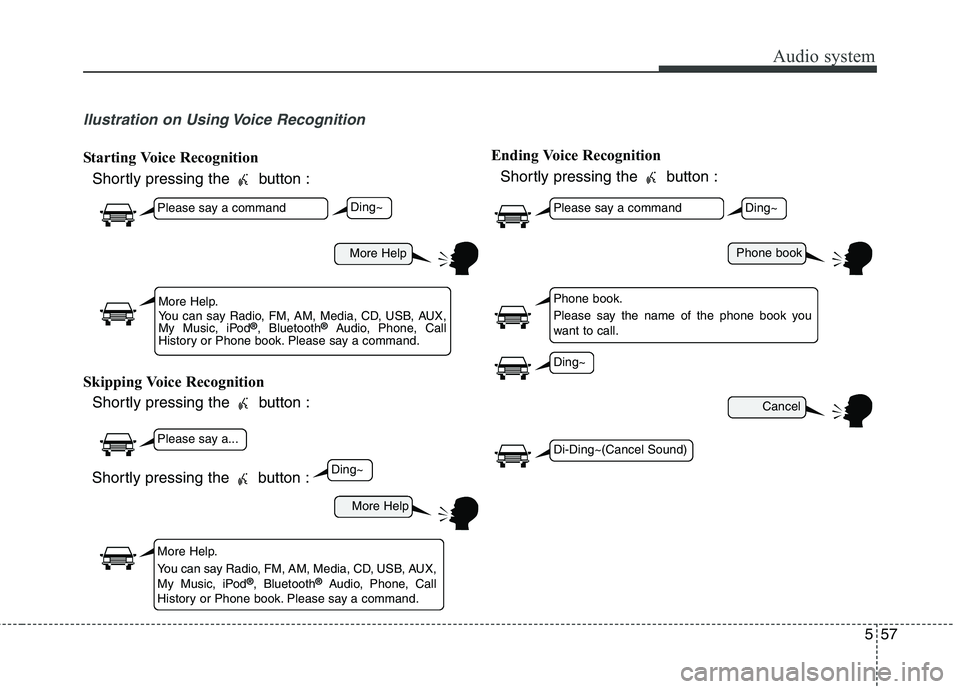
llustration on Using Voice Recognition
Starting Voice Recognition
Shortly pressing the button :
Skipping Voice Recognition Shortly pressing the button : Ending Voice Recognition
Shortly pressing the button :
More Help
More Help
Please say a command
Please say a...
More Help.
You can say Radio, FM, AM, Media, CD, USB, AUX,
My Music, iPod ®
, Bluetooth ®
Audio, Phone, Call
History or Phone book. Please say a command.
More Help.
You can say Radio, FM, AM, Media, CD, USB, AUX,
My Music, iPod ®
, Bluetooth ®
Audio, Phone, Call
History or Phone book. Please say a command.
Ding~
Ding~
Shortly pressing the button :
Phone book
Cancel
Please say a command
Phone book.
Please say the name of the phone book you
want to call.
Ding~
Di-Ding~(Cancel Sound)
Ding~
Page 301 of 548

Audio system
59
5
CommandFunction
News OnEnables RDS News feature.
News OffDisables RDS News feature.
MediaMoves to the most recently played media screen.
Play Track 1~30If a music CD has been inserted, plays the corre-
sponding track.
CDPlays music on the CD.
Search CDMoves to the CD track or file selection screen.
For audio CDs, move to the screen and say the
track number to play the corresponding track.
Moves to MP3 CD file selection screen. After manually operate the device to select and play
music.
USBPlays music on the USB device.
Search USBMoves to USB file selection screen. After manual-
ly operate the device to select and play music.
iPod ®Plays music on the iPod ®
.
Search iPod ®Moves to the iPod
®
file selection screen. After,
manually operate the device to select and play
music.
My MusicPlays music saved in My Music.
Search My MusicMoves to the My Music file selection screen. After,
manually operate the device to select and play
music.
CommandFunction
AUX (Auxiliary)Plays the connected external device.
Bluetooth ®
AudioPlays the music saved in connected Bluetooth®
Wireless Technology device.
MuteMutes the radio or music volume.
Pardon?Repeats the most recent comment.
Cancel (Exit)Ends voice command.
Page 537 of 548
Index
2
I
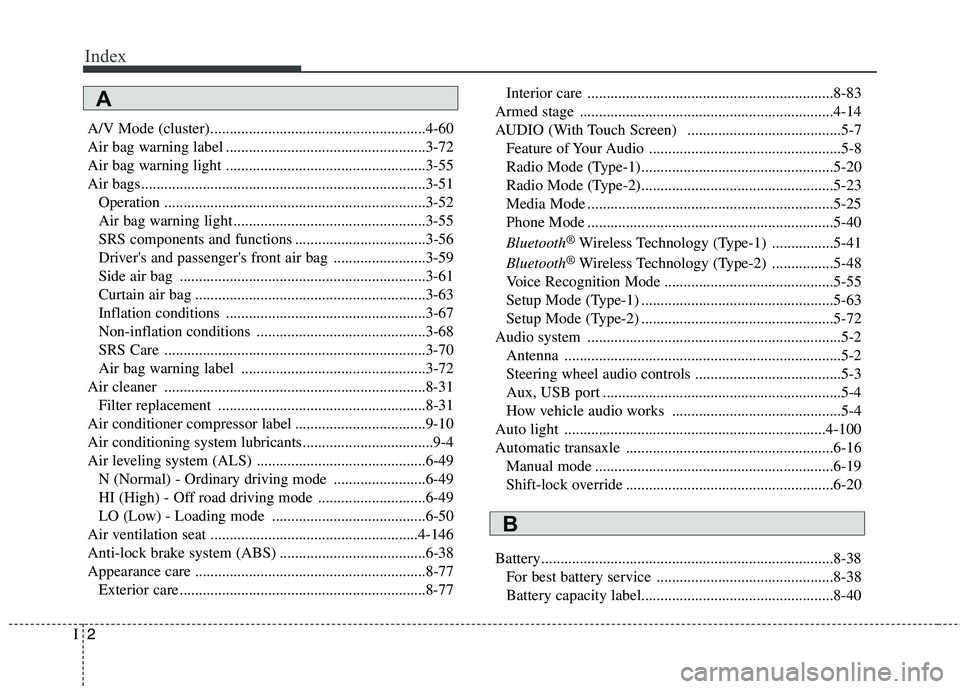
A/V Mode (cluster)........................................................4-60
Air bag warning label ....................................................3-72
Air bag warning light ....................................................3-55
Air bags..........................................................................3-51
Operation ....................................................................3-52
Air bag warning light ..................................................3-55
SRS components and functions ..................................3-56
Driver's and passenger's front air bag ........................3-59
Side air bag ................................................................3-61
Curtain air bag ............................................................3-63
Inflation conditions ....................................................3-67
Non-inflation conditions ............................................3-68
SRS Care ....................................................................3-70
Air bag warning label ................................................3-72
Air cleaner ....................................................................8-31 Filter replacement ......................................................8-31
Air conditioner compressor label ..................................9-10
Air conditioning system lubricants..................................9-4
Air leveling system (ALS) ............................................6-49 N (Normal) - Ordinary driving mode ........................6-49
HI (High) - Off road driving mode ............................6-49
LO (Low) - Loading mode ........................................6-50
Air ventilation seat ......................................................4-146
Anti-lock brake system (ABS) ......................................6-38
Appearance care ............................................................8-77 Exterior care ................................................................8-77 Interior care ................................................................8-83
Armed stage ..................................................................4-14
AUDIO (With Touch Screen) ........................................5-7 Feature of Your Audio ..................................................5-8
Radio Mode (Type-1)..................................................5-20
Radio Mode (Type-2)..................................................5-23
Media Mode ................................................................5-25
Phone Mode ................................................................5-40 Bluetooth ®
Wireless Technology (Type-1) ................5-41
Bluetooth ®
Wireless Technology (Type-2) ................5-48
Voice Recognition Mode ............................................5-55
Setup Mode (Type-1) ..................................................5-63
Setup Mode (Type-2) ..................................................5-72
Audio system ..................................................................5-2 Antenna ........................................................................5-2
Steering wheel audio controls ......................................5-3
Aux, USB port ..............................................................5-4
How vehicle audio works ............................................5-4
Auto light ....................................................................4-100
Automatic transaxle ......................................................6-16 Manual mode ..............................................................6-19
Shift-lock override ......................................................6-20
Battery............................................................................8-38 For best battery service ..............................................8-38Battery capacity label..................................................8-40
A
B