AUX KIA CADENZA 2011 Owners Manual
[x] Cancel search | Manufacturer: KIA, Model Year: 2011, Model line: CADENZA, Model: KIA CADENZA 2011Pages: 352, PDF Size: 28.17 MB
Page 183 of 352
Features of your vehicle
122
4
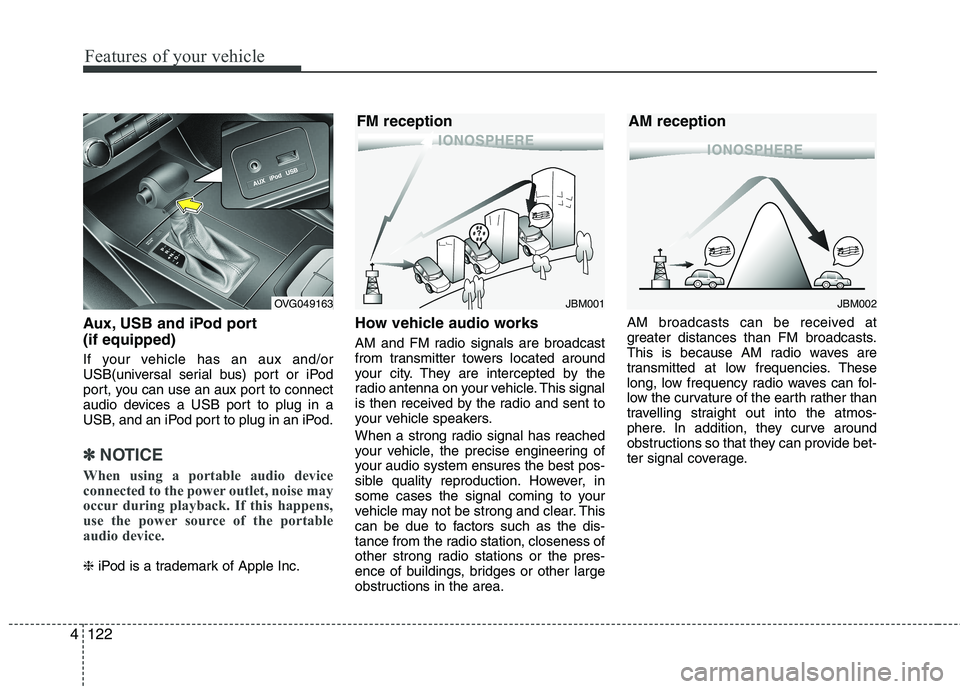
Aux, USB and iPod port (if equipped)
If your vehicle has an aux and/or
USB(universal serial bus) port or iPod
port, you can use an aux port to connect
audio devices a USB port to plug in a
USB, and an iPod port to plug in an iPod.
✽✽
NOTICE
When using a portable audio device
connected to the power outlet, noise may
occur during playback. If this happens,
use the power source of the portable
audio device.
❈ iPod is a trademark of Apple Inc. How vehicle audio works
AM and FM radio signals are broadcast
from transmitter towers located around
your city. They are intercepted by the
radio antenna on your vehicle. This signal
is then received by the radio and sent to
your vehicle speakers.
When a strong radio signal has reached
your vehicle, the precise engineering of
your audio system ensures the best pos-
sible quality reproduction. However, in
some cases the signal coming to your
vehicle may not be strong and clear. This
can be due to factors such as the dis-
tance from the radio station, closeness of
other strong radio stations or the pres-
ence of buildings, bridges or other large
obstructions in the area. AM broadcasts can be received at
greater distances than FM broadcasts.
This is because AM radio waves are
transmitted at low frequencies. These
long, low frequency radio waves can fol-
low the curvature of the earth rather than
travelling straight out into the atmos-
phere. In addition, they curve around
obstructions so that they can provide bet-
ter signal coverage.
JBM002
AM receptionJBM001
FM receptionOVG049163
Page 193 of 352
Knowing your vehicle
132
4
Using USB device
1. USB Button
If USB is connected, it switches to the
USB mode from the other mode to play
the song files stored in the USB. If no CD
and auxiliary device is not connected, it
displays "NO Media" for 3 seconds and
returns to the previous mode.
2. TRACK Button
Press the [TRACK ] button for less
than 0.8 seconds to play from the
beginning of the song currently played.
Press the button for less than 0.8 sec-onds and press it again within 1 sec-
onds to move and play the previous
track. Press the button for 0.8 seconds
or longer to play the song in reverse
direction in fast speed.
Press the [SEEK ] button for less than 0.8 seconds to move to the next
track. Press the button for 0.8 seconds
or longer to play the song in forward
direction in fast speed. 3. RANDOM Button
Press this button for less than 0.8 sec-
onds to activate 'RDM' mode and more
than 0.8 seconds to activate 'ALL RDM'
mode.
RDM : Only files in a folder are played
back in a random sequence.
ALL RDM : All files in a USB memory are played back in the random
sequence.
4. REPEAT Button
Press this button for less than 0.8 sec-
onds to activate ‘RPT’ mode and more
than 0.8 seconds to activate ‘ RPT’
mode.
RPT : Only a file is repeatedly played back.
RPT : Only files in a folder are repeatedly played back.
5. SCAN Button
Plays 10 seconds of each song in the
USB device. Press the button once againto cancel scanning. 6. INFO Button
Displays the information of the file cur-
rently played in the order of FILE NAME ➟
TITLE ➟ARTIST ➟ALBUM ➟FOLDER ➟
TOTAL FILE ➟NORMAL DISPLAY ➟FILE
NAME ➟... (Displays no information if the
file has no song information.)
7. FOLDER Button
Press the [FOLDER ] button to move to child folder of the current fold-
er and displays the first song in the
folder. Press [OK] button to move to the
folder It will play the first song in the
folder.
Press the [FOLDER ] button to move to parent folder and displays the
first song in the folder.
Press [ O K ] bu tton to move to the folder
displayed.
8. OK Button
Press the [OK] button to play the select- ed song.
Page 197 of 352
Knowing your vehicle
136
4
Using iPod
1. iPod Button
If iPod is connected, it switches to
iPod
mode from the CD mode to play the song
files stored in iPod. If no CD and auxiliary
device is not connected, it displays "NO
Media" for 3 seconds and returns to the
previous mode.
2. TRACK Button
Press the [TRACK ] button for less
than 0.8 seconds to play from the
beginning of the song currently played.
Press the button for less than 0.8 sec-onds and press it again within 1 sec-
onds to move and play the previous
track. Press the button for 0.8 seconds
or longer to play the song in reverse
direction in fast speed.
Press the [SEEK ] button for less than 0.8 seconds to move to the next
track. Press the button for 0.8 seconds
or longer to play the song in forward
direction in fast speed. 3. RANDOM Button
Press the button for less than 0.8 sec-
onds to activate or deactivate the random
playback of the songs within the current
category. Press the button for longer than
0.8 seconds to randomly play all songs in
the entire album of iPod.
Press the button once again to cancel
the mode.
4. REPEAT Button
Repeats the song currently played.
5. INFO Button
Displays the information of the file cur-
rently played in the order of TITLE
➟
ARTIST ➟ALBUM ➟NORMAL DISPLAY ➟
TITLE ➟... (Displays no information if the
file has no song information.)
6. CATEGORY Button
Move to the upper category from current-
ly played category of iPod. 7. FILE Button
Press the [ TUNE ] button to display
the songs(category) next to the song
currently played (category in the same
level). Press the [ FILE ] button to dis-
play the songs(category) before to the
song currently played(category in the
same level).
8. OK Button
Press the [OK] button to play the select- ed song.
Page 198 of 352
4137
Knowing your vehicle
✽✽NOTICE FOR USING THE
iPod DEVICE
Some iPod models might not support the communication protocol and the
files will not be played.
Supported iPod models:
- iPod Mini
- iPod 4th(Photo) ~ 6th(Classic) gen-
eration
- iPod Nano 1st~4th generation
- iPod Touch 1st~2nd generation
The order of search or playback of songs in the iPod can be different
from the order searched in the audio
system.
If the iPod disabled due to its own malfunction, reset the iPod. (Reset:
Refer to iPod manual)
An iPod may not operate normally on
low battery.
Some iPod devices, such as the iPhone,
can be connected through the Bluetooth
interface. The device must have audio
Bluetooth capability (such as for stereo
headphone Bluetooth). The device can
play, but it will not be controlled by the
audio system.CAUTION IN USING THE
iPod DEVICE
The Kia iPod Power Cable is needed in order to operate iPodwith the audio buttons on theaudio system. The USB cable pro-vided by Apple may cause mal-
function and should not be usedfor Kia vehicles.
❋ The Kia iPod Power Cable may be purchased through your KiaDealership.
When connecting iPod with the iPod Power Cable, insert the con-
nector to the multimedia socket completely. If not inserted com-pletely, communications betweeniPod and audio may be interrupt-
ed.
When adjusting the sound effects of the iPod and the audio system,the sound effects of both devices will overlap and might reduce or
distort the quality of the sound.
(Continued)
(Continued) Deactivate (turn off) the equalizer function of an iPod when adjust-ing the audio system’s volume,and turn off the equalizer of the
audio system when using theequalizer of an iPod.
When the iPod cable is connected, the system can be switched to AUX
mode even without iPod deviceand may cause noise. D isconnect
the iPod cable when you are not using the iPod device.
When not using iPod with car audio, detach the iPod cable fromiPod. Otherwise, iPod may remain in accessory mode, and may notwork properly.
Page 202 of 352
4141
Knowing your vehicle
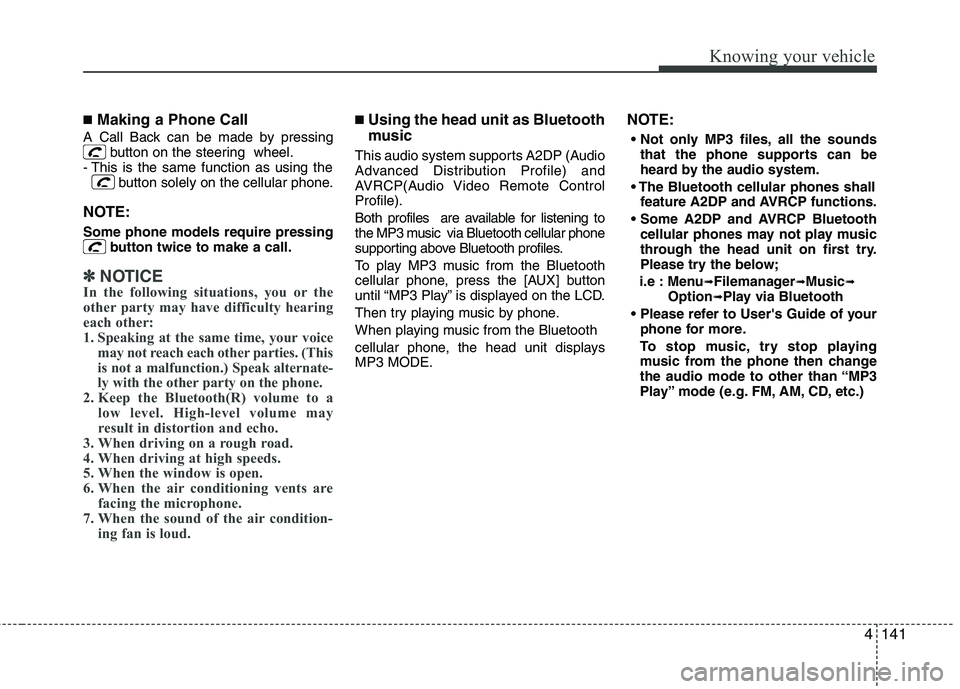
■Making a Phone Call
A Call Back can be made by pressing button on the steering wheel.
- This is the same function as using the button solely on the cellular phone.
NOTE: Some phone models require pressing button twice to make a call.
✽✽NOTICE
In the following situations, you or the
other party may have difficulty hearing
each other:
1. Speaking at the same time, your voice
may not reach each other parties. (This
is not a malfunction.) Speak alternate-
ly with the other party on the phone.
2. Keep the Bluetooth(R) volume to a
low level. High-level volume may
result in distortion and echo.
3. When driving on a rough road.
4. When driving at high speeds.
5. When the window is open.
6. When the air conditioning vents are facing the microphone.
7. When the sound of the air condition- ing fan is loud.
■Using the head unit as Bluetooth
music
This audio system supports A2DP (Audio
Advanced Distribution Profile) and
AVRCP(Audio Video Remote ControlProfile).
Both profiles are available for listening to
the MP3 music via Bluetooth cellular phone
supporting above Bluetooth profiles.
To play MP3 music from the Bluetooth
cellular phone, press the [AUX] button
until “MP3 Play” is displayed on the LCD.
Then try playing music by phone.
When playing music from the Bluetooth
cellular phone, the head unit displays MP3 MODE. NOTE:
all the sounds that the phone supports can be
heard by the audio system.
feature A2DP and AVRCP functions.
cellular phones may not play music
through the head unit on first try.
Please try the below;
i.e : Menu ➟
Filemanager ➟Music ➟
Option ➟Play via Bluetooth
phone for more.
To stop music, try stop playing
music from the phone then change
the audio mode to other than “MP3
Play” mode (e.g. FM, AM, CD, etc.)
Page 345 of 352

Index
2
I
Air bags··········································································3-31
Air bag warning label················································3-50
Air bag warning light ················································3-34
Curtain air bag···························································3-40
Driver's and passenger's front air bag ·······················3-37
Side impact air bag····················································3-39
Air cleaner ·····································································7-24
Alarm system ·································································4-12
Antenna (Glass) ···························································4-120
Anti-lock brake system (ABS) ······································5-20
Appearance care·····························································7-63 Exterior care ······························································7-63
Interior care ·······························································7-68
Armrest ··········································································3-12
Ashtray ·········································································4-113
Audio system ·······························································4-120 Glass antenna ··························································4-120
Steering wheel audio control ··································4-121
Auto defogging system ················································4-110
Automatic climate control system ·································4-10 Air conditioning ······················································4-106
Automatic heating and air conditioning··················4-101
Manual heating and air conditioning ······················4-102
Automatic transaxle ·······················································5-13 Ignition key interlock system ····································5-16
Shift lock system ·······················································5-15
Sports mode·······························································5-14 Aux, USB and iPod ·····················································4-121
Base curb weight ···························································5-42
Battery············································································7-30
Battery replacement (Remote keyless entry) ···················4-8
Battery saver function ····················································4-76
Before driving ··································································5-3
Bottle holders, see cup holders ····································4-114
Brake system··································································5-18
Anti-lock brake system (ABS) ··································5-20
Electronic stability program (ESP) ···························5-23
Parking brake·····························································5-19
Power brakes ·····························································5-18
Brake fluid ·····································································7-21
Bulb replacement ···························································7-55
Bulb wattage ····································································8-2
Button start/stop, see engine start/stop button ·················5-7
Capacities (Lubricants) ····················································8-4 Care Exterior care ······························································7-63
Interior care ·······························································7-68
Tire care·····································································7-33
Cargo weight ··································································5-42
A
B
C
Page 348 of 352
I5
Index
Gauge
Engine coolant temperature gauge ····························4-45
Fuel gauge ·································································4-46
Glassroof, see panorama sunroof ··································4-30
Glass antenna ·······························································4-120
Glove box·····································································4-111
Hazard warning flasher ··········································4-75, 6-2
Hazardous driving conditions ········································5-34
Headlight escort function···············································4-76
Headlight leveling device ··············································4-80
Headlight washer ···························································4-81
Headrest ··································································3-7, 3-11
Heated steering wheel····················································4-37
Heating and air conditioning ·········································4-92
Height adjustment, Seat belt ··········································3-17
Highway driving ····························································5-37
Hood···············································································4-25
Horn ···············································································4-38
How to use this manual ···················································1-2
Ignition key interlock system ········································5-16 Immobilizer system ·························································4-5
Indicators and warnings ·················································4-54
Indicator symbols on the instrument cluster ···················1-5
Inside rearview mirror ···················································4-39
Instrument cluster ··························································4-43
Engine coolant temperature gauge ····························4-45
Fuel gauge ·································································4-46
Instrument panel illumination ···································4-44
Maintenance system ··················································4-50
Odometer ···································································4-48
Speedometer ······························································4-44
Tachometer ································································4-45
Trip computer ····························································4-47
Vehicle option····························································4-53
Warning and indicators ·············································4-54
Instrument panel illumination········································4-44
Instrument panel overview···············································2-3
Interior care····································································7-68
Interior features····························································4-113 Ashtray ····································································4-113
Aux, USB and iPod ·················································4-121
Cigarette lighter·······················································4-113
Clothes hanger·························································4-118
Cup holder ·······························································4-114
Digital clock ····························································4-116
Floor mat anchor ·····················································4-118
Luggage net ·····························································4-119
Outside thermometer ···············································4-117
H
I
G