reset KIA Cadenza 2015 1.G User Guide
[x] Cancel search | Manufacturer: KIA, Model Year: 2015, Model line: Cadenza, Model: KIA Cadenza 2015 1.GPages: 429, PDF Size: 5.47 MB
Page 202 of 429
Features of your vehicle
118
4
Temperature control
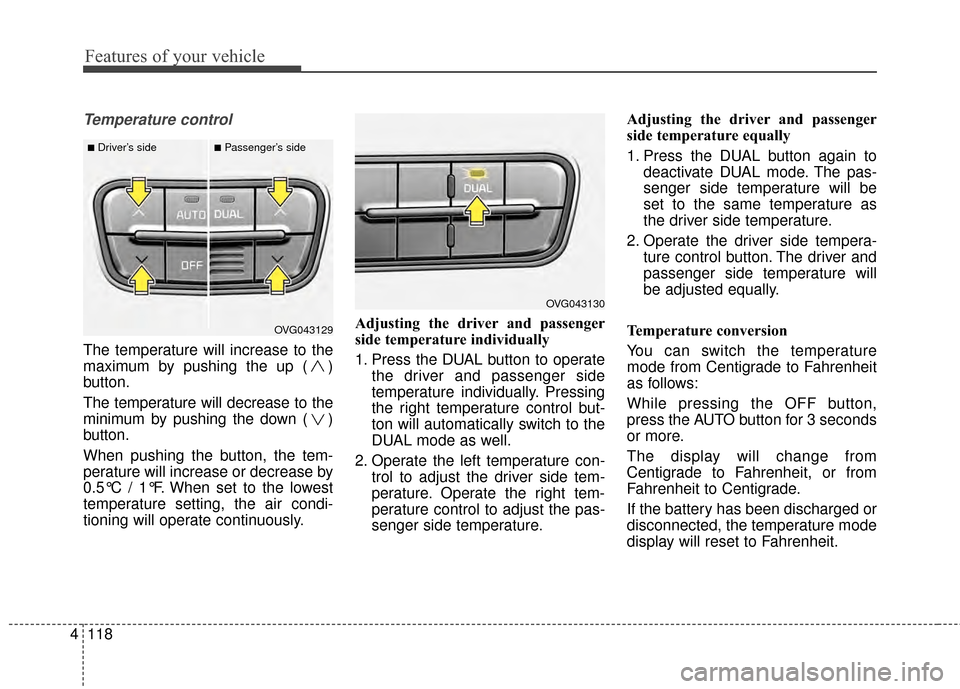
The temperature will increase to the
maximum by pushing the up ( )
button.
The temperature will decrease to the
minimum by pushing the down ( )
button.
When pushing the button, the tem-
perature will increase or decrease by
0.5°C / 1°F. When set to the lowest
temperature setting, the air condi-
tioning will operate continuously. Adjusting the driver and passenger
side temperature individually
1. Press the DUAL button to operate
the driver and passenger side
temperature individually. Pressing
the right temperature control but-
ton will automatically switch to the
DUAL mode as well.
2. Operate the left temperature con- trol to adjust the driver side tem-
perature. Operate the right tem-
perature control to adjust the pas-
senger side temperature. Adjusting the driver and passenger
side temperature equally
1. Press the DUAL button again to
deactivate DUAL mode. The pas-
senger side temperature will be
set to the same temperature as
the driver side temperature.
2. Operate the driver side tempera- ture control button. The driver and
passenger side temperature will
be adjusted equally.
Temperature conversion
You can switch the temperature
mode from Centigrade to Fahrenheit
as follows:
While pressing the OFF button,
press the AUTO button for 3 seconds
or more.
The display will change from
Centigrade to Fahrenheit, or from
Fahrenheit to Centigrade.
If the battery has been discharged or
disconnected, the temperature mode
display will reset to Fahrenheit.
OVG043129
■Driver’s side■Passenger’s side
OVG043130
Page 212 of 429
Features of your vehicle
128
4
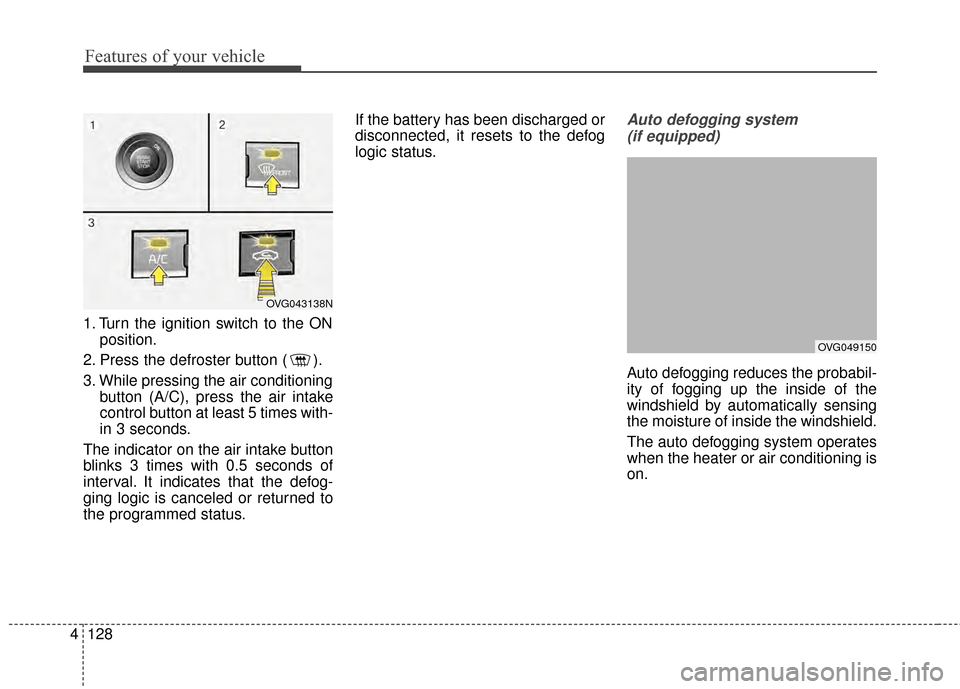
1. Turn the ignition switch to the ON
position.
2. Press the defroster button ( ).
3. While pressing the air conditioning button (A/C), press the air intake
control button at least 5 times with-
in 3 seconds.
The indicator on the air intake button
blinks 3 times with 0.5 seconds of
interval. It indicates that the defog-
ging logic is canceled or returned to
the programmed status. If the battery has been discharged or
disconnected, it resets to the defog
logic status.
Auto defogging system
(if equipped)
Auto defogging reduces the probabil-
ity of fogging up the inside of the
windshield by automatically sensing
the moisture of inside the windshield.
The auto defogging system operates
when the heater or air conditioning is
on.
OVG043138N
OVG049150
Page 220 of 429
Features of your vehicle
136
4
Clock
Whenever the battery terminals or
related fuses are disconnected, you
must reset the time.
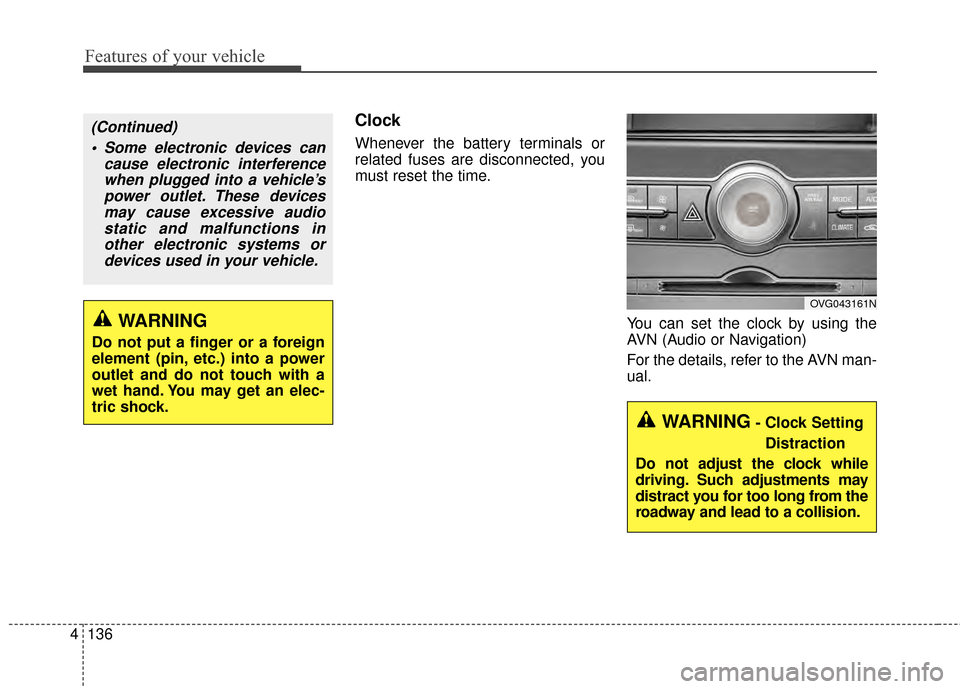
You can set the clock by using the
AVN (Audio or Navigation)
For the details, refer to the AVN man-
ual.
OVG043161N
WARNING
Do not put a finger or a foreign
element (pin, etc.) into a power
outlet and do not touch with a
wet hand. You may get an elec-
tric shock.
(Continued) Some electronic devices can cause electronic interferencewhen plugged into a vehicle’spower outlet. These devicesmay cause excessive audiostatic and malfunctions inother electronic systems ordevices used in your vehicle.
WARNING- Clock Setting
Distraction
Do not adjust the clock while
driving. Such adjustments may
distract you for too long from the
roadway and lead to a collision.
Page 225 of 429
4141
Features of your vehicle
Steering wheel remote con-
troller
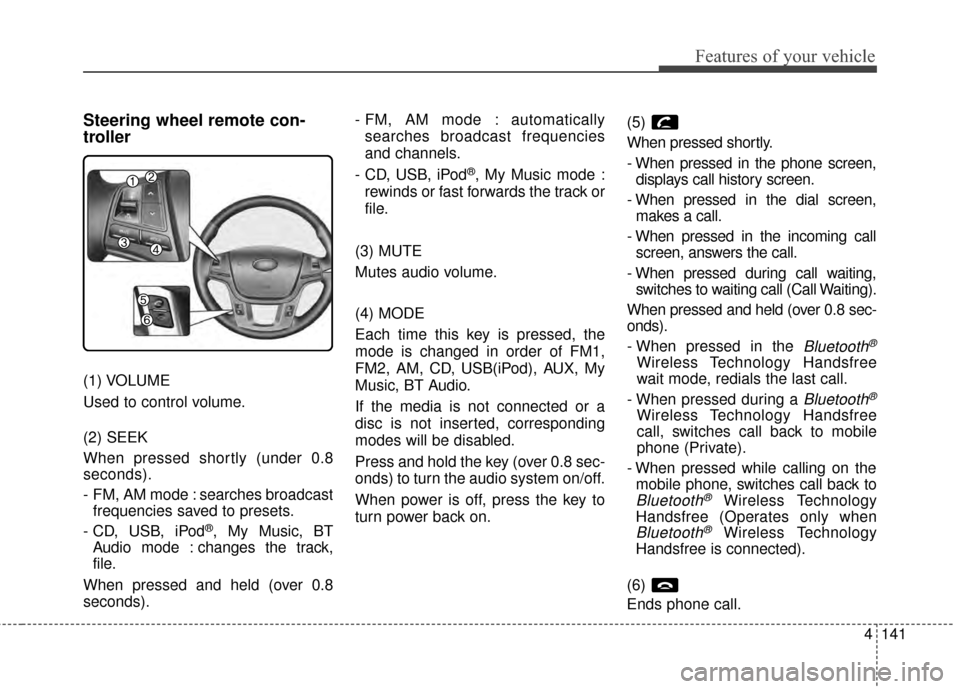
(1) VOLUME
Used to control volume.
(2) SEEK
When pressed shortly (under 0.8
seconds).
- FM, AM mode : searches broadcastfrequencies saved to presets.
- CD, USB, iPod
®, My Music, BT
Audio mode : changes the track,
file.
When pressed and held (over 0.8
seconds). - FM, AM mode : automatically
searches broadcast frequencies
and channels.
- CD, USB, iPod
®, My Music mode :
rewinds or fast forwards the track or
file.
(3) MUTE
Mutes audio volume.
(4) MODE
Each time this key is pressed, the
mode is changed in order of FM1,
FM2, AM, CD, USB(iPod), AUX, My
Music, BT Audio.
If the media is not connected or a
disc is not inserted, corresponding
modes will be disabled.
Press and hold the key (over 0.8 sec-
onds) to turn the audio system on/off.
When power is off, press the key to
turn power back on. (5)
When pressed shortly.
- When pressed in the phone screen,
displays call history screen.
- When pressed in the dial screen, makes a call.
- When pressed in the incoming call screen, answers the call.
- When pressed during call waiting, switches to waiting call (Call Waiting).
When pressed and held (over 0.8 sec-
onds).
- When pressed in the
Bluetooth®
Wireless Technology Handsfree
wait mode, redials the last call.
- When pressed during a
Bluetooth®
Wireless Technology Handsfree
call, switches call back to mobile
phone (Private).
- When pressed while calling on the mobile phone, switches call back to
Bluetooth®Wireless Technology
Handsfree (Operates only when
Bluetooth®Wireless Technology
Handsfree is connected).
(6)
Ends phone call.
Page 266 of 429
539
Driving your vehicle
To temporarily accelerate with
the cruise control on:
If you want to speed up temporarily
when the cruise control is on,
depress the accelerator pedal.
Increased speed will not interfere
with the cruise control operation or
change the set speed.
To return to the set speed, take your
foot off the accelerator.
To cancel cruise control, do
one of the following:
Depress the brake pedal.
Shift into N (Neutral) with an auto-matic transaxle.
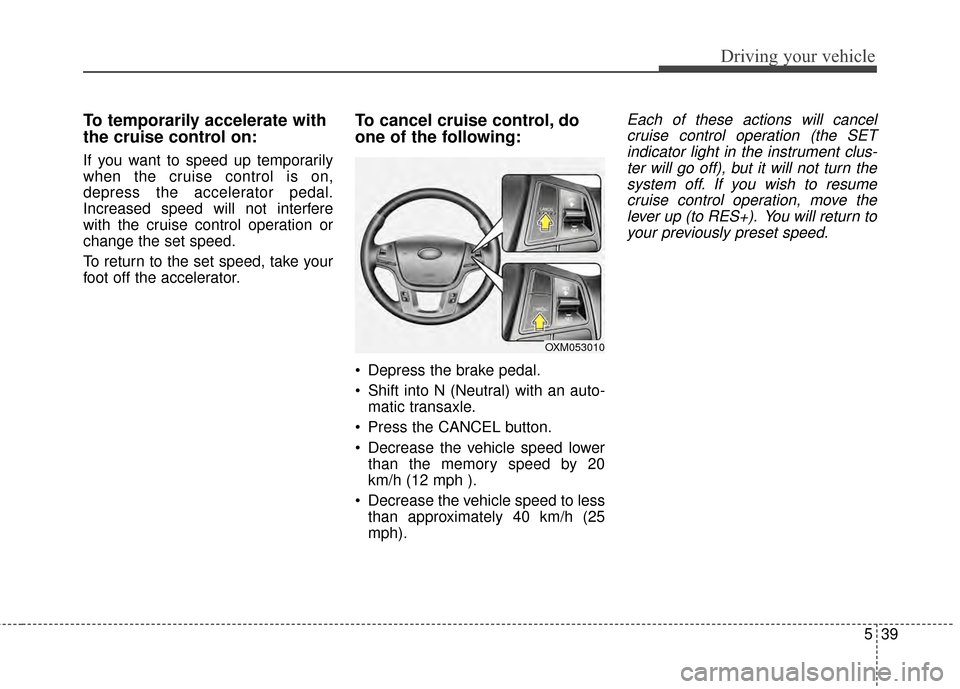
Press the CANCEL button.
Decrease the vehicle speed lower than the memory speed by 20
km/h (12 mph ).
Decrease the vehicle speed to less than approximately 40 km/h (25
mph).
Each of these actions will cancelcruise control operation (the SETindicator light in the instrument clus-ter will go off), but it will not turn thesystem off. If you wish to resumecruise control operation, move thelever up (to RES+). You will return toyour previously preset speed.
OXM053010
Page 374 of 429
745
Maintenance
Battery recharging
Your vehicle has a maintenance-free,
calcium-based battery.
If the battery becomes dischargedin a short time (because, for exam-
ple, the headlights or interior lights
were left on while the vehicle was
not in use), recharge it by slow
charging (trickle) for 10 hours.
If the battery gradually discharges because of high electric load while
the vehicle is being used, recharge
it at 20-30A for two hours. When recharging the battery,
observe the following precautions:
The battery must be removed from
the vehicle and placed in an area
with good ventilation.
Watch the battery during charging, and stop or reduce the charging
rate if the battery cells begin
gassing (boiling) violently or if the
temperature of the electrolyte of
any cell exceeds 49°C (120°F).
Wear eye protection when check- ing the battery during charging.
Disconnect the battery charger in the following order.
1. Turn off the battery charger main switch.
2. Unhook the negative clamp from the negative battery terminal.
3. Unhook the positive clamp from the positive battery terminal.
Before performing maintenance or recharging the battery, turn off all
accessories and stop the engine.
The negative battery cable must be removed first and installed last
when the battery is disconnected.
Reset items
Items should be reset after the bat-
tery has been discharged or the bat-
tery has been disconnected.
Auto up/down window (See section 4)
Sunroof (See section 4)
Trip computer (See section 4)
Climate control system (See section 4)
Clock (See section 4)
Audio (See section 4)
Page 378 of 429
749
Maintenance
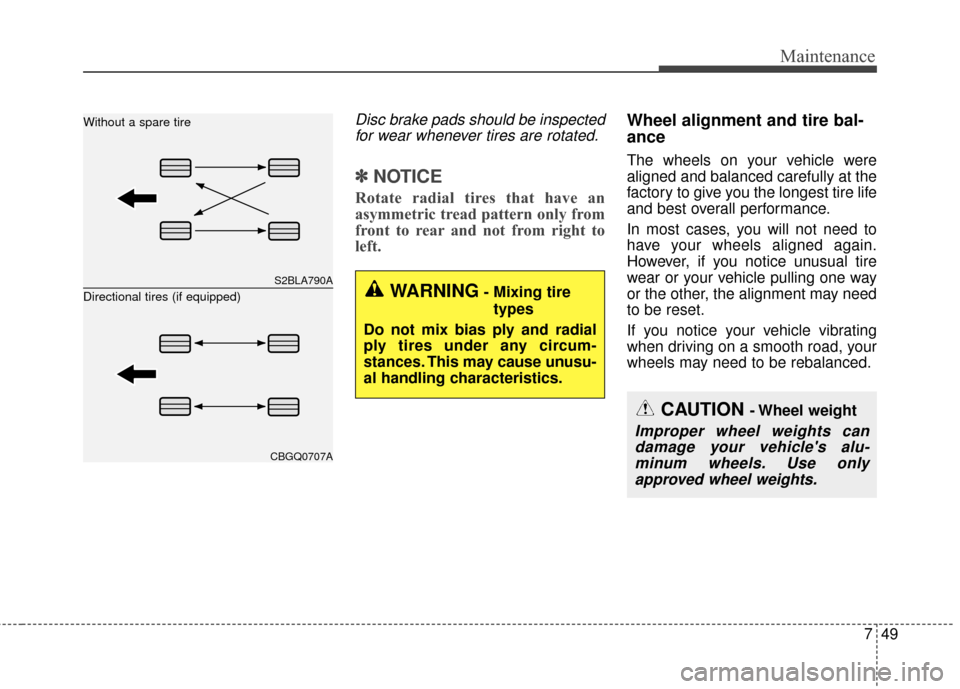
Disc brake pads should be inspectedfor wear whenever tires are rotated.
✽
✽ NOTICE
Rotate radial tires that have an
asymmetric tread pattern only from
front to rear and not from right to
left.
Wheel alignment and tire bal-
ance
The wheels on your vehicle were
aligned and balanced carefully at the
factory to give you the longest tire life
and best overall performance.
In most cases, you will not need to
have your wheels aligned again.
However, if you notice unusual tire
wear or your vehicle pulling one way
or the other, the alignment may need
to be reset.
If you notice your vehicle vibrating
when driving on a smooth road, your
wheels may need to be rebalanced.
S2BLA790A
CBGQ0707A
Without a spare tire
Directional tires (if equipped)
WARNING- Mixing tire
types
Do not mix bias ply and radial
ply tires under any circum-
stances. This may cause unusu-
al handling characteristics.
CAUTION - Wheel weight
Improper wheel weights can damage your vehicle's alu-minum wheels. Use onlyapproved wheel weights.
Page 391 of 429
Maintenance
62
7
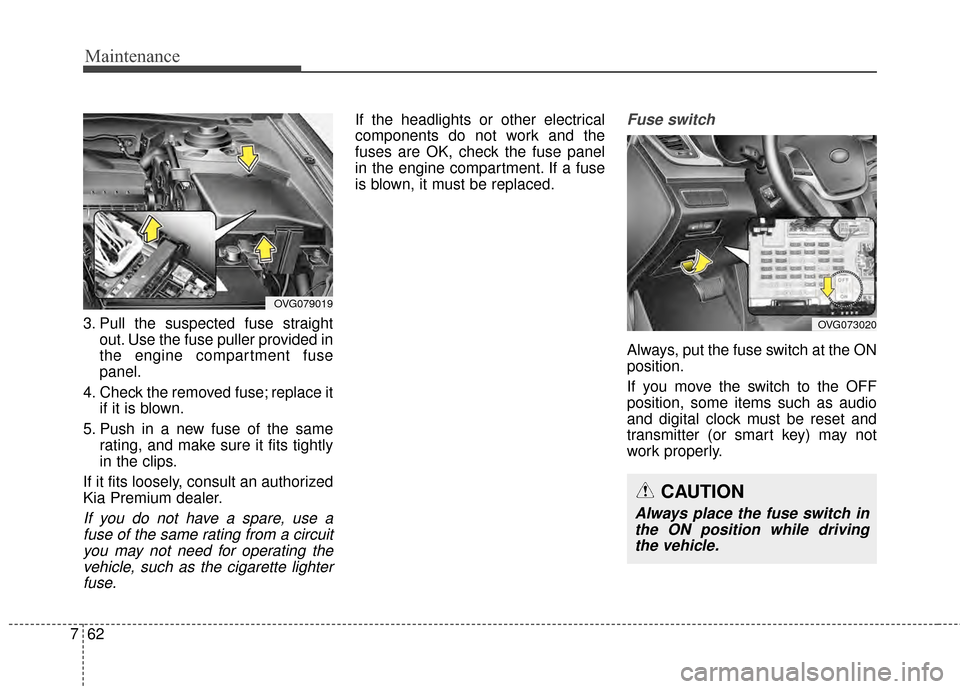
3. Pull the suspected fuse straight
out. Use the fuse puller provided in
the engine compartment fuse
panel.
4. Check the removed fuse; replace it if it is blown.
5. Push in a new fuse of the same rating, and make sure it fits tightly
in the clips.
If it fits loosely, consult an authorized
Kia Premium dealer.
If you do not have a spare, use a fuse of the same rating from a circuityou may not need for operating thevehicle, such as the cigarette lighterfuse.
If the headlights or other electrical
components do not work and the
fuses are OK, check the fuse panel
in the engine compartment. If a fuse
is blown, it must be replaced.Fuse switch
Always, put the fuse switch at the ON
position.
If you move the switch to the OFF
position, some items such as audio
and digital clock must be reset and
transmitter (or smart key) may not
work properly.
OVG079019
OVG073020
CAUTION
Always place the fuse switch inthe ON position while drivingthe vehicle.
Page 423 of 429
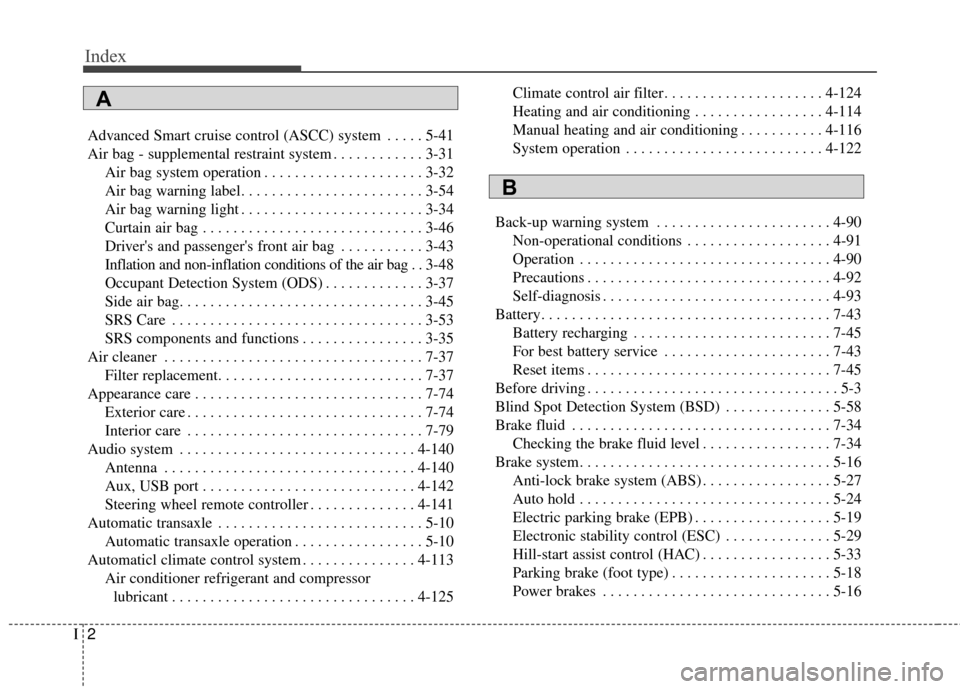
Index
2I
Advanced Smart cruise control (ASCC) system . . . . . 5-41
Air bag - supplemental restraint system . . . . . . . . . . . . 3-31Air bag system operation . . . . . . . . . . . . . . . . . . . . . 3-32
Air bag warning label. . . . . . . . . . . . . . . . . . . . . . . . 3-54
Air bag warning light . . . . . . . . . . . . . . . . . . . . . . . . 3-34
Curtain air bag . . . . . . . . . . . . . . . . . . . . . . . . . . . . . 3-46
Driver's and passenger's front air bag . . . . . . . . . . . 3-43
Inflation and non-inflation conditions of the air bag . . 3-48
Occupant Detection System (ODS) . . . . . . . . . . . . . 3-37
Side air bag. . . . . . . . . . . . . . . . . . . . . . . . . . . . . . . . 3-45
SRS Care . . . . . . . . . . . . . . . . . . . . . . . . . . . . . . . . . 3-53
SRS components and functions . . . . . . . . . . . . . . . . 3-35
Air cleaner . . . . . . . . . . . . . . . . . . . . . . . . . . . . . . . . . . 7-37\
Filter replacement. . . . . . . . . . . . . . . . . . . . . . . . . . . 7-37
Appearance care . . . . . . . . . . . . . . . . . . . . . . . . . . . . . . 7-74 Exterior care . . . . . . . . . . . . . . . . . . . . . . . . . . . . . . . 7-74
Interior care . . . . . . . . . . . . . . . . . . . . . . . . . . . . . . . 7-79
Audio system . . . . . . . . . . . . . . . . . . . . . . . . . . . . . . . 4-140 Antenna . . . . . . . . . . . . . . . . . . . . . . . . . . . . . . . . . 4-140
Aux, USB port . . . . . . . . . . . . . . . . . . . . . . . . . . . . 4-142
Steering wheel remote controller . . . . . . . . . . . . . . 4-141
Automatic transaxle . . . . . . . . . . . . . . . . . . . . . . . . . . . 5-10 Automatic transaxle operation . . . . . . . . . . . . . . . . . 5-10
Automaticl climate control system . . . . . . . . . . . . . . . 4-113 Air conditioner refrigerant and compressorlubricant . . . . . . . . . . . . . . . . . . . . . . . . . . . . . . . . 4-125 Climate control air filter. . . . . . . . . . . . . . . . . . . . . 4-124
Heating and air conditioning . . . . . . . . . . . . . . . . . 4-114
Manual heating and air conditioning . . . . . . . . . . . 4-116
System operation . . . . . . . . . . . . . . . . . . . . . . . . . . 4-122
Back-up warning system . . . . . . . . . . . . . . . . . . . . . . . 4-90 Non-operational conditions . . . . . . . . . . . . . . . . . . . 4-91
Operation . . . . . . . . . . . . . . . . . . . . . . . . . . . . . . . . . 4-90
Precautions . . . . . . . . . . . . . . . . . . . . . . . . . . . . . . . . 4-92
Self-diagnosis . . . . . . . . . . . . . . . . . . . . . . . . . . . . . . 4-93
Battery. . . . . . . . . . . . . . . . . . . . . . . . . . . . . . . . . . . . \
. . 7-43 Battery recharging . . . . . . . . . . . . . . . . . . . . . . . . . . 7-45
For best battery service . . . . . . . . . . . . . . . . . . . . . . 7-43
Reset items . . . . . . . . . . . . . . . . . . . . . . . . . . . . . . . . 7-45
Before driving . . . . . . . . . . . . . . . . . . . . . . . . . . . . . . . . . 5-3
Blind Spot Detection System (BSD) . . . . . . . . . . . . . . 5-58
Brake fluid . . . . . . . . . . . . . . . . . . . . . . . . . . . . . . . . . . 7-34\
Checking the brake fluid level . . . . . . . . . . . . . . . . . 7-34
Brake system. . . . . . . . . . . . . . . . . . . . . . . . . . . . . . . . . 5-16 Anti-lock brake system (ABS) . . . . . . . . . . . . . . . . . 5-27
Auto hold . . . . . . . . . . . . . . . . . . . . . . . . . . . . . . . . . 5-24
Electric parking brake (EPB) . . . . . . . . . . . . . . . . . . 5-19
Electronic stability control (ESC) . . . . . . . . . . . . . . 5-29
Hill-start assist control (HAC) . . . . . . . . . . . . . . . . . 5-33
Parking brake (foot type) . . . . . . . . . . . . . . . . . . . . . 5-18
Power brakes . . . . . . . . . . . . . . . . . . . . . . . . . . . . . . 5-16
A
B
Page 426 of 429
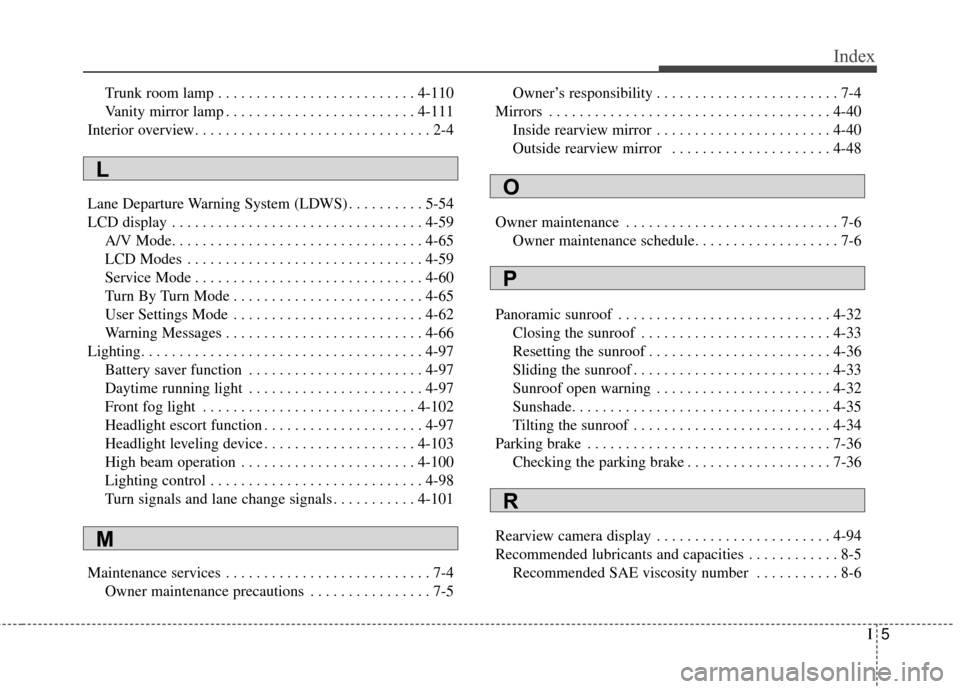
I5
Index
Trunk room lamp . . . . . . . . . . . . . . . . . . . . . . . . . . 4-110
Vanity mirror lamp . . . . . . . . . . . . . . . . . . . . . . . . . 4-111
Interior overview. . . . . . . . . . . . . . . . . . . . . . . . . . . . . . . 2-4
Lane Departure Warning System (LDWS) . . . . . . . . . . 5-54
LCD display . . . . . . . . . . . . . . . . . . . . . . . . . . . . . . . . . 4-59 A/V Mode. . . . . . . . . . . . . . . . . . . . . . . . . . . . . . . . . 4-65
LCD Modes . . . . . . . . . . . . . . . . . . . . . . . . . . . . . . . 4-59
Service Mode . . . . . . . . . . . . . . . . . . . . . . . . . . . . . . 4-60
Turn By Turn Mode . . . . . . . . . . . . . . . . . . . . . . . . . 4-65
User Settings Mode . . . . . . . . . . . . . . . . . . . . . . . . . 4-62
Warning Messages . . . . . . . . . . . . . . . . . . . . . . . . . . 4-66
Lighting. . . . . . . . . . . . . . . . . . . . . . . . . . . . . . . . . . . . \
. 4-97 Battery saver function . . . . . . . . . . . . . . . . . . . . . . . 4-97
Daytime running light . . . . . . . . . . . . . . . . . . . . . . . 4-97
Front fog light . . . . . . . . . . . . . . . . . . . . . . . . . . . . 4-102
Headlight escort function . . . . . . . . . . . . . . . . . . . . . 4-97
Headlight leveling device . . . . . . . . . . . . . . . . . . . . 4-103
High beam operation . . . . . . . . . . . . . . . . . . . . . . . 4-100
Lighting control . . . . . . . . . . . . . . . . . . . . . . . . . . . . 4-98
Turn signals and lane change signals . . . . . . . . . . . 4-101
Maintenance services . . . . . . . . . . . . . . . . . . . . . . . . . . . 7-4 Owner maintenance precautions . . . . . . . . . . . . . . . . 7-5 Owner’s responsibility . . . . . . . . . . . . . . . . . . . . . . . . 7-4
Mirrors . . . . . . . . . . . . . . . . . . . . . . . . . . . . . . . . . . . . \
. 4-40 Inside rearview mirror . . . . . . . . . . . . . . . . . . . . . . . 4-40
Outside rearview mirror . . . . . . . . . . . . . . . . . . . . . 4-48
Owner maintenance . . . . . . . . . . . . . . . . . . . . . . . . . . . . 7-6 Owner maintenance schedule. . . . . . . . . . . . . . . . . . . 7-6
Panoramic sunroof . . . . . . . . . . . . . . . . . . . . . . . . . . . . 4-32 Closing the sunroof . . . . . . . . . . . . . . . . . . . . . . . . . 4-33
Resetting the sunroof . . . . . . . . . . . . . . . . . . . . . . . . 4-36
Sliding the sunroof . . . . . . . . . . . . . . . . . . . . . . . . . . 4-33
Sunroof open warning . . . . . . . . . . . . . . . . . . . . . . . 4-32
Sunshade. . . . . . . . . . . . . . . . . . . . . . . . . . . . . . . . . . 4-35\
Tilting the sunroof . . . . . . . . . . . . . . . . . . . . . . . . . . 4-34
Parking brake . . . . . . . . . . . . . . . . . . . . . . . . . . . . . . . . 7-36 Checking the parking brake . . . . . . . . . . . . . . . . . . . 7-36
Rearview camera display . . . . . . . . . . . . . . . . . . . . . . . 4-94
Recommended lubricants and capacities . . . . . . . . . . . . 8-5 Recommended SAE viscosity number . . . . . . . . . . . 8-6
L
M
O
P
R