parking brake KIA CADENZA 2019 Owner's Manual
[x] Cancel search | Manufacturer: KIA, Model Year: 2019, Model line: CADENZA, Model: KIA CADENZA 2019Pages: 518, PDF Size: 11.08 MB
Page 269 of 518
523
Driving your vehicle
System warning
“To release EPB, fasten seatbelt, close
door, hood and trunk”
If you try to drive off by depressingthe accelerator pedal with the EPB
applied, but the EPB doesn't
release automatically, a warning
will sound and a message will
appear.
If the driver's seat belt is not fas- tened and the engine hood, driver's
door or trunk is opened, a warning
will sound and a message will
appear.
If there is a problem with the vehi- cle, a warning may sound and a
message may appear.
If the above situation occurs, depress
the brake pedal and release EPB by
pressing the EPB switch. A click or electric brake motor
whine sound may be heard while
operating or releasing the EPB.
These conditions are normal and
indicate that the EPB is functioning
properly.
When leaving your keys with a parking lot attendant or valet, make
sure to inform him/her how to oper-
ate the EPB.
The EPB may malfunction if you drive with the EPB applied.
When you automatically release EPB by depressing the accelerator
pedal, depress it slowly.WARNING- Parking
Brake Use
All vehicles should always have
the parking brake fully engaged
when parked to avoid inadver-
tent movement of the car which
can injure occupants or pedes-
trians.
Page 270 of 518
Driving your vehicle
24
5
System warning
“AUTO HOLD deactivating. Press
brake pedal”
When the conversion from Auto Hold
to EPB is not working properly a
warning will sound and a message
will appear.
✽ ✽
NOTICE
Depress the brake pedal when the
above message appears.
System warning
“Parking brake automatically locked”
If the EPB is applied while Auto Hold
is activated because of an ESC
(Electronic Stability Control) signal, a
warning will sound and a message
will appear.
EPB malfunction indicator
(if equipped)
This warning light illuminates if the
engine start/stop button is changed
to the ON position and goes off in
approximately 3 seconds if the sys-
tem is operating normally.
If the EPB malfunction indicator
remains on, comes on while driving,
or does not come on when the igni-
tion switch or the engine start/stop
button is changed to the ON position,
this indicates that the EPB may have
malfunctioned. If this occurs, have your vehicle
checked by an authorized Kia dealer
as soon as possible.
The EPB malfunction indicator may
illuminate when the ESC indicator
comes on to indicate that the ESC is
not working properly, but it does not
indicate a malfunction of the EPB.
OYG056020
Page 271 of 518
525
Driving your vehicle
The EPB warning light may illumi-nate if the EPB switch operates
abnormally. Shut the engine off
and turn it on again after a few min-
utes. The warning light will go off
and the EPB switch will operate
normally. However, if the EPB
warning light is still on, have the
system checked by an authorized
Kia dealer.
If the parking brake warning light does not illuminate or blinks even
though the EPB switch was pulled
up, the EPB is not applied.
If the parking brake warning light blinks when the EPB warning light
is on, press the EPB button, then
pull it up. Once more press it back
to its original position and pull it
back up. If the EPB warning does
not go off, have the system
checked by an authorized Kia deal-
er.Emergency braking
If there is a problem with the brake
pedal while driving, emergency brak-
ing is possible by pulling up and
holding the EPB switch. Braking is
possible only while you are holding
the EPB switch.
✽ ✽ NOTICE
During emergency braking by the
EPB, the parking brake warning
light will illuminate to indicate that
the system is operating.
If you notice a continuous noise or
burning smell when the EPB is used
for emergency braking, have your
vehicle checked by an authorized Kia
dealer.
When the EPB (electronic parking
brake) is not released
If the EPB does not release normal-
ly, take your vehicle to an authorized
Kia dealer by loading the vehicle on
a flatbed tow truck and have the sys-
tem checked.WARNING
Do not operate the electronic
parking brake while the vehicle is
moving except in an emergency
situation. Applying the electronic
parking brake while the vehicle is
moving at normal speeds can
cause a sudden loss of control of
the vehicle. If you must use the
electronic parking brake to stop
the vehicle, use great caution in
applying the brake.
Page 274 of 518
Driving your vehicle
28
5
(Continued)
In these cases, the brake warning
light comes on, the AUTO HOLD
indicator changes from green to
white, and a warning sounds and a
message will appear to inform you
that EPB has been automatically
engaged. Before driving off again,
press foot brake pedal, check the
surrounding area near your vehi-
cle and release parking brake
manually with the EPB switch.
• If the AUTO HOLD indicator lights up yellow, the Auto Hold is
not working properly. Take your
vehicle to an authorized Kia deal-
er and have the system checked.If there is a malfunction with the dri-
ver’s door or engine hood open detec-
tion system, the Auto Hold may not
work properly.
Take your vehicle to an authorized Kia
dealer and have the system checked.
✽ ✽ NOTICE
A click or electric brake motor
whine sound may be heard while
operating or releasing the EPB, but
these conditions are normal and
indicate that the EPB is functioning
properly.
Warning messages
“Parking brake automatically locked”
When the EPB is applied from Auto
Hold, a warning will sound and a
message will appear.
“AUTO HOLD deactivating. Press
brake pedal”
When the conversion from Auto Hold
to EPB is not working properly a
warning will sound and a message
will appear.
✽ ✽NOTICE
When this message is displayed, the
Auto Hold and EPB may not oper-
ate. For your safety, depress the
brake pedal.
WARNING
To reduce the risk of an acci-
dent, do not activate Auto Hold
while driving downhill, backing
up or parking your vehicle.
Page 282 of 518
Driving your vehicle
36
5
Hill-start assist control (HAC)
A vehicle has the tendency to roll
back on a steep hill when it starts to
go after stopping. The Hill-start
Assist Control (HAC) prevents the
vehicle from rolling back by applying
the brakes automatically for about 2
seconds. The brakes are released
when the accelerator pedal is
depressed or after about 2 seconds.
The HAC is activated only for about 2
seconds, so when the vehicle is
starting off always depress the accel-
erator pedal.
Good braking practices
Check to be sure the parking brake
is not engaged and the parking
brake indicator light is out before
driving away.
Driving through water may get the brakes wet. They can also get wet
when the vehicle is washed. Wet
brakes can be dangerous! Your
vehicle will not stop as quickly if the
brakes are wet. Wet brakes may
cause the vehicle to pull to one side.
To dry the brakes, apply the brakes
lightly until the braking action
returns to normal, taking care to
keep the vehicle under control at all
times. If the braking action does not
return to normal, stop as soon as it
is safe to do so and call an author-
ized Kia dealer for assistance.
Don't coast down hills with the vehicle out of gear. This is extreme-
ly hazardous. Keep the vehicle in
gear at all times, use the brakes to
slow down, then shift to a lower
gear so that engine braking will
help you maintain a safe speed. Don't "ride" the brake pedal.
Resting your foot on the brake
pedal while driving can be danger-
ous because the brakes might
overheat and lose their effective-
ness. It also increases the wear of
the brake components.
If a tire goes flat while you are driv- ing, apply the brakes gently and
keep the vehicle pointed straight
ahead while you slow down. When
you are moving slowly enough for it
to be safe to do so, pull off the road
and stop in a safe place.
If your vehicle is equipped with an Automatic Transaxle, don't let your
vehicle creep forward. To avoid
creeping forward, keep your foot
firmly on the brake pedal when the
vehicle is stopped.
Be cautious when parking on a hill. Firmly engage the parking brake
and place the shift lever in P (auto-
matic transaxle). If your vehicle is
facing downhill, turn the front
wheels into the curb to help keep
the vehicle from rolling.
WARNING- Maintaining
Brake Pressure on Incline
HAC does not replace the need
to apply brakes while stopped on
an incline. While stopped, make
sure you maintain brake pres-
sure sufficient to prevent your
vehicle from rolling backward
and causing an accident. Don’t
release the brake pedal until you
are ready to accelerate forward.
Page 283 of 518
537
Driving your vehicle
If your vehicle is facing uphill, turn
the front wheels away from the
curb to help keep the vehicle from
rolling. If there is no curb or if it is
required by other conditions to
keep the vehicle from rolling, block
the wheels.
Under some conditions your park- ing brake can freeze in the
engaged position. This is most like-
ly to happen when there is an
accumulation of snow or ice
around or near the rear brakes or if
the brakes are wet. If there is a risk
that the parking brake may freeze,
apply it only temporarily while you
put the shift lever in P (automatic
transaxle) and block the rear
wheels so the vehicle cannot roll.
Then release the parking brake.
Do not hold the vehicle on an incline with the accelerator pedal.
This can cause the transaxle to
overheat. Always use the brake
pedal or parking brake.
Page 307 of 518
561
Driving your vehicle
To temporarily accelerate with thecruise control on:
If you want to speed up temporarily
when the cruise control is on,
depress the accelerator pedal.
Increased speed will not interfere
with cruise control operation or
change the set speed.
To return to the set speed, take your
foot off the accelerator.
If you move the lever down (to SET-)
at increased speed, the cruising
speed will be set again.
✽ ✽ NOTICE
Be careful when accelerating tem-
porarily, because the speed is not
regulated automatically at this time
even if there is a vehicle in front of
you.
Smart cruise control system will
be temporarily canceled when:
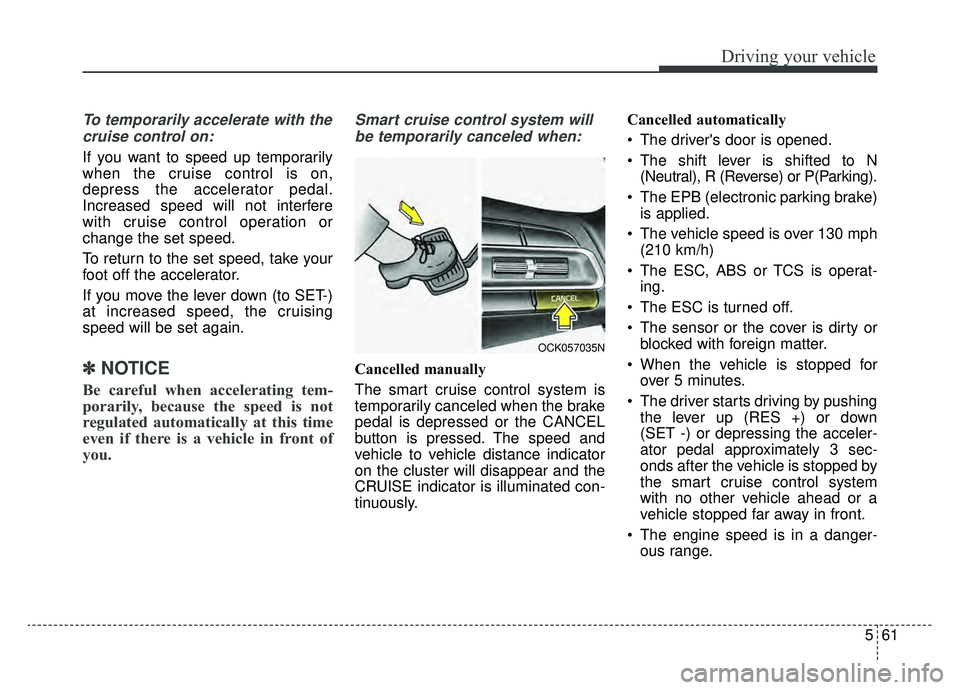
Cancelled manually
The smart cruise control system is
temporarily canceled when the brake
pedal is depressed or the CANCEL
button is pressed. The speed and
vehicle to vehicle distance indicator
on the cluster will disappear and the
CRUISE indicator is illuminated con-
tinuously. Cancelled automatically
The driver's door is opened.
The shift lever is shifted to N
(Neutral), R (Reverse) or P(Parking).
The EPB (electronic parking brake) is applied.
The vehicle speed is over 130 mph (210 km/h)
The ESC, ABS or TCS is operat- ing.
The ESC is turned off.
The sensor or the cover is dirty or blocked with foreign matter.
When the vehicle is stopped for over 5 minutes.
The driver starts driving by pushing the lever up (RES +) or down
(SET -) or depressing the acceler-
ator pedal approximately 3 sec-
onds after the vehicle is stopped by
the smart cruise control system
with no other vehicle ahead or a
vehicle stopped far away in front.
The engine speed is in a danger- ous range.
OCK057035N
Page 308 of 518
Driving your vehicle
62
5
The accelerator pedal is continu-
ously depressed for long time.
When activating the ISG mode.
When the braking control is operat- ed for Forward Collision-Avoidance
Assist(FCA)
The vehicle stops and goes repeat- edly for a long period of time.
When the parking brake is locked.
Engine has some problems. Each of these actions will cancel the
smart cruise control system opera-
tion. (The set speed and vehicle-to-
vehicle distance on the LCD display
will go off.)
If the smart cruise control system is
cancelled automatically, the smart
cruise control system will not
resume even though the RES+ or
SET- lever is moved. If the smart cruise control system is
cancelled during a scenario that is
not discussed in the preceding
"Cancelled automatically" section,
have the system checked by an
authorized Kia dealer.
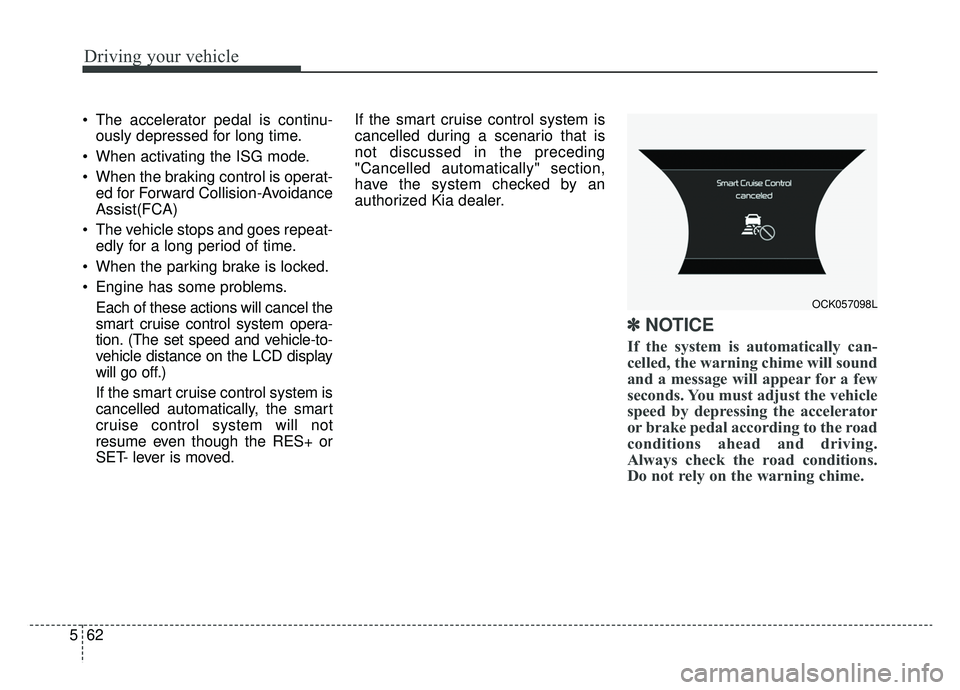
✽ ✽
NOTICE
If the system is automatically can-
celled, the warning chime will sound
and a message will appear for a few
seconds. You must adjust the vehicle
speed by depressing the accelerator
or brake pedal according to the road
conditions ahead and driving.
Always check the road conditions.
Do not rely on the warning chime.
OCK057098L
Page 313 of 518
567
Driving your vehicle
If you push the smart cruise controltoggle switch (RES+ or SET-) while
Auto Hold and smart cruise control
is operating the Auto Hold will be
released regardless of accelerator
pedal operation and the vehicle will
start to move. The AUTO HOLD
indicator changes from green to
white. (if equipped with EPB
(Electronic Parking Brake))Radar to detect distance to the
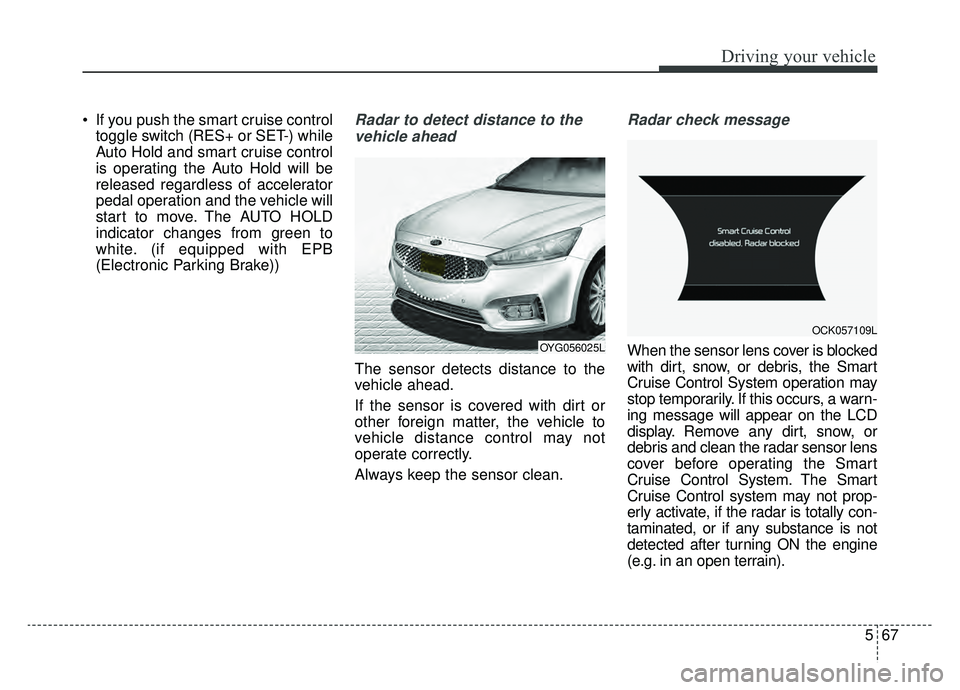
vehicle ahead
The sensor detects distance to the
vehicle ahead.
If the sensor is covered with dirt or
other foreign matter, the vehicle to
vehicle distance control may not
operate correctly.
Always keep the sensor clean.
Radar check message
When the sensor lens cover is blocked
with dirt, snow, or debris, the Smart
Cruise Control System operation may
stop temporarily. If this occurs, a warn-
ing message will appear on the LCD
display. Remove any dirt, snow, or
debris and clean the radar sensor lens
cover before operating the Smart
Cruise Control System. The Smart
Cruise Control system may not prop-
erly activate, if the radar is totally con-
taminated, or if any substance is not
detected after turning ON the engine
(e.g. in an open terrain).OYG056025L
OCK057109L
Page 340 of 518

Driving your vehicle
94
5
It gently applies braking power on
the tire, which is located in the oppo-
site side of the possibly-colliding
point. The instrument cluster will
inform the driver of the system acti-
vation.
Blind-Spot Collision-Avoidance
Assist System (BCA) is automatical-
ly deactivated when :
- The vehicle drives a certain dis-
tance away
- The vehicle direction is changed against the possible-colliding point
- The steering wheel is abruptly moved
- The brake pedal is depressed
- After a certain period of time
The driver should drive the vehicle in
the middle of the vehicle lanes to
keep the system in the ready status.
When the vehicle drives too close to
one side of the vehicle lanes, the
system may not properly operate.
In addition, the system may not prop-
erly control your vehicle in accor-
dance with driving situations. Thus,
always pay close attention to road
situations. Check Blind-Spot Collision-Avoidance
Assist (BCA) system
If there is a problem with the BCA
system, a warning message will
appear. The system will turn off auto-
matically. BCW will still operate even
if the BCA system turns off due to
malfunction. We recommend that you
have your vehicle inspected by an
authorized Kia dealer to use BCA
system.Limitations of the system
The driver must be cautious in the
below situations, because the sys-
tem may not detect other vehicles or
objects in certain circumstances.
When a trailer or carrier is
installed.
The vehicle drives in inclement weather such as heavy rain or
snow.
The sensor is polluted with rain, snow, mud, etc.
The rear bumper where the sensor is located is covered with a foreign
object such as a bumper sticker, a
bumper guard, a bike rack, etc.
The rear bumper is damaged, or the sensor is out of the original
default position.
The vehicle height gets lower or higher due to heavy loading in a
trunk, abnormal tire pressure, etc.
When the temperature of the rear bumper is high.
When the sensors are blocked by other vehicles, walls or parking-lot
pillars.
OYG058243L